Independent knowledge base software guide Evidence-led Updated 2026

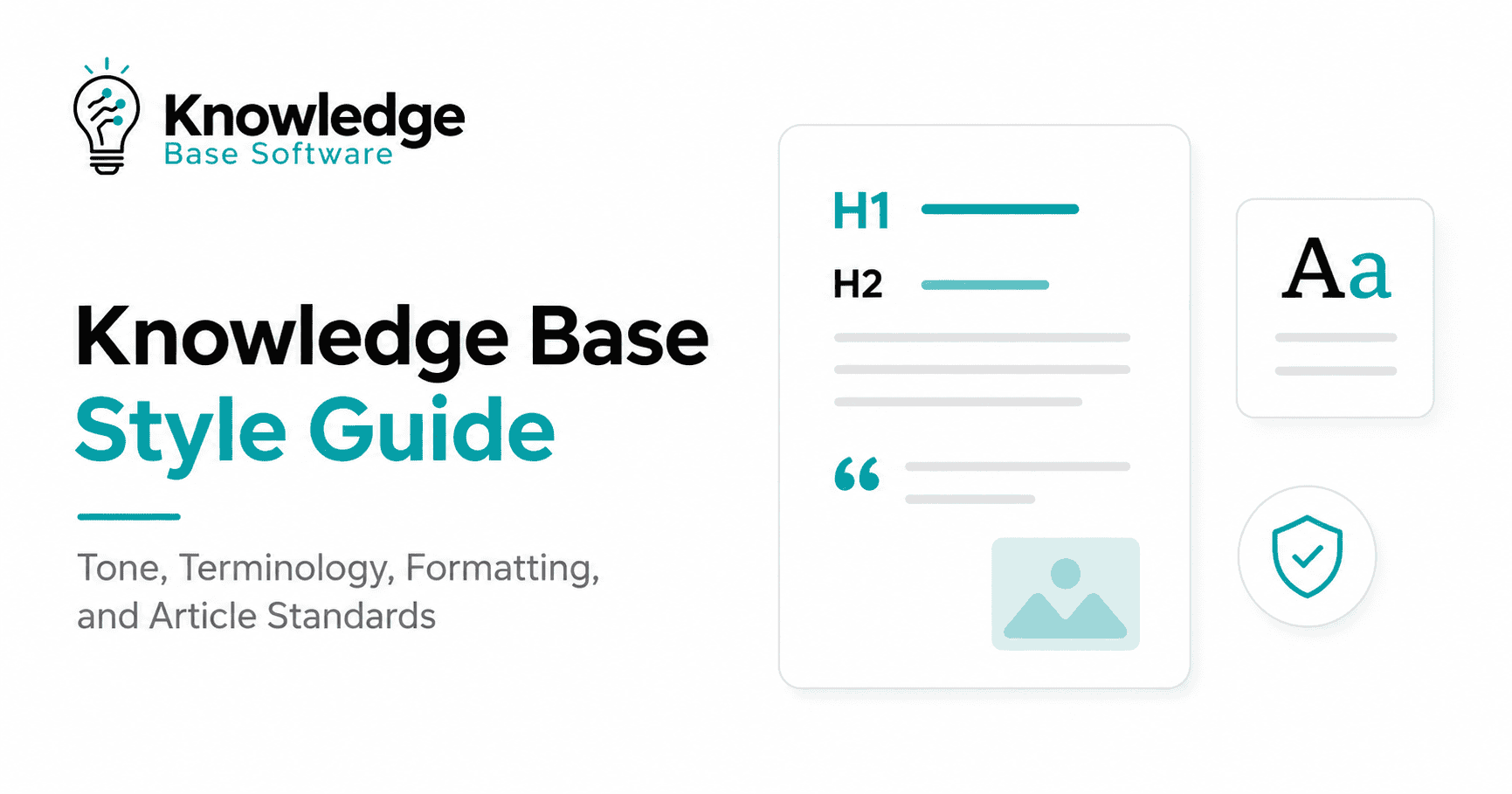
Knowledge base style guide: standards, examples, and templates
Practical editorial standard
A knowledge base style guide is a shared set of decisions about how your team writes, structures, formats, reviews, and maintains help content. It turns “write a useful article” into instructions that authors and reviewers can apply consistently.
The goal is not to make every article sound identical. The goal is to make every answer predictable enough that readers can recognize it, scan it, trust it, and act on it. A strong guide also reduces editorial debate: writers do not need to decide capitalization, terminology, warning labels, link wording, or article structure from scratch each time.
This guide provides a working standard for customer help centers, internal knowledge bases, product documentation, support teams, and AI-assisted answer systems. Adapt the rules to your audience and product. As the Google developer documentation style guide explains, project-specific guidance should take priority when it improves clarity for the intended reader.
Quick rule: Put the answer first, use the reader’s words, describe one task or decision at a time, and make the next action unmistakable.
How to use this style guide
Use this page as the default editorial standard, then add a short project-specific supplement for product names, regulated language, brand exceptions, and UI conventions. Do not copy hundreds of rules that your team will never consult. Start with the decisions that repeatedly slow writing or create support errors.
- Writers: use the article standards and template before drafting.
- Subject matter experts: review technical accuracy, limitations, and risk.
- Editors: check voice, terminology, structure, accessibility, and findability.
- Knowledge owners: define review dates, exceptions, and retirement decisions.
- Search and AI owners: monitor failed queries, citations, and retrieval quality.
When you are ready to draft, use the free Knowledge Base Article Generator to structure verified notes as an Article, FAQ, SOP, or How-to, then review the result against these standards.
When two rules conflict, use this order: legal or safety requirements, product-specific terminology, user comprehension, accessibility, consistency, and house preference. Consistency matters, but a consistent phrase that readers misunderstand is still a bad phrase.
Six core principles
1. Write for a specific reader and moment
Define who needs the answer, what they are trying to do, what they already know, and what could go wrong. “Administrators configuring single sign-on” is a usable audience definition. “All users” usually is not.
2. Lead with the outcome
Open with the direct answer, expected result, or most important limitation. Do not make readers work through company background before learning whether the instructions apply to them.
3. Prefer clarity over personality
Use a human, helpful voice without jokes, hype, blame, or filler. The Microsoft Writing Style Guide guidance on scannable content recommends short headings, sentences, and paragraphs, with important information placed first.
4. Use one name for one thing
Do not alternate between workspace, account, portal, and site unless they are genuinely different objects. Stable terminology improves comprehension, translation, support handoffs, keyword retrieval, and AI citations.
5. Make content usable without visual guesswork
Headings, lists, labels, links, tables, images, and callouts must communicate their purpose through text and semantic structure. Color, position, or icon shape should never carry essential meaning alone.
6. Treat every article as maintained content
An article is not finished when it is published. Give it an owner, evidence, a review trigger, feedback data, and a retirement path.
Voice and tone standards
Use a voice that is knowledgeable, calm, direct, and respectful. Address the reader as you when giving instructions. Use we only when the organization is taking an action or making a commitment. The Google documentation guidance on voice and tone similarly favors conversational, friendly, straightforward language for a global audience.
| Standard | Use | Avoid |
|---|---|---|
| Direct | “Select Save to apply the policy.” | “You may wish to proceed by clicking the Save button.” |
| Calm | “The import stopped because the file contains an unsupported column.” | “Your import failed because you used the wrong format.” |
| Specific | “The link expires after 24 hours.” | “The link expires soon.” |
| Honest | “This setting does not affect existing sessions.” | “This setting instantly secures every session.” |
| Concise | “Enter the workspace name.” | “At this point in the process, you should now enter the name of the workspace.” |
Tone changes with risk
Keep routine instructions friendly and brief. Become more explicit when an action is irreversible, affects billing, exposes data, changes permissions, interrupts service, or creates a safety risk. Do not use humor in error, security, compliance, or incident content.
- Routine: “Select a date, then choose Apply.”
- Important: “Changing the domain signs all users out.”
- Warning: “Deleting the workspace permanently removes its articles and attachments. Export the workspace before continuing.”
Avoid describing tasks as easy, simple, obvious, or quick. These words add little information and can make a struggling reader feel blamed.
Terminology and naming standards
Maintain a terminology table for product objects, actions, roles, plans, statuses, and abbreviations. Each entry needs an approved term, discouraged alternatives, a definition, and the source of truth.
| Approved term | Avoid | Definition or rule |
|---|---|---|
| Sign in | Log in, login as a verb | Use for the action. Use sign-in page as an adjective. |
| Workspace | Account, portal, instance | The top-level area that contains members and content. |
| Team member | User, seat | A person invited to a workspace. Use user only for technical identity records. |
| Remove | Delete | Use when the item can be restored. Reserve delete for permanent removal. |
- Match the visible UI label exactly, including capitalization.
- Define an abbreviation at first use unless the audience knows it more readily than the expanded form.
- Do not create internal abbreviations merely to shorten an article.
- Use literal language that translates well; avoid idioms, cultural references, and wordplay.
- Record renamed features with an effective date and redirect or synonym plan.
The Microsoft guidance for global content recommends short, simple sentences and structures that are easier to localize. Terminology control supports the same goal. For bidirectional interfaces, add product-specific rules based on right-to-left knowledge base design.
Structure and formatting
Use a predictable article order
- Title: state the task, problem, or decision.
- Summary: give the answer, outcome, or scope in one or two sentences.
- Applicability: list plans, roles, versions, or environments when relevant.
- Prerequisites: include only what the reader must have before starting.
- Instructions or explanation: organize around the reader’s task.
- Expected result: explain how the reader knows the task worked.
- Troubleshooting or limitations: cover likely failure points.
- Related content: link to the next likely task, not a generic archive.
- Ownership metadata: record the owner and review trigger in the CMS.
Heading rules
Use one H1 for the page title. Use H2 headings for major sections and H3 headings for subsections. Do not skip a level to create a visual effect. Write headings in sentence case and make each one describe the content that follows. Both the W3C page structure guidance and the Google documentation heading standard emphasize logical, semantic hierarchy.
Prefer “Change a member’s role” to “Roles.” Prefer “Why the import stops at 90%” to “Troubleshooting.” A reader scanning only the headings should understand the article’s shape.
Paragraphs, lists, and emphasis
- Keep one main idea per paragraph.
- Lead with the most useful sentence.
- Use numbered lists for ordered actions.
- Use bullets for options, examples, or unordered conditions.
- Keep list items parallel: start each with the same grammatical form.
- Use bold for UI labels and brief emphasis, not entire paragraphs.
- Use code formatting for commands, parameters, values, file names, and literal input.
- Do not use all caps to create urgency.
How to write procedures
A procedure should help a reader complete one outcome. If the article contains several independent outcomes, split it or provide clearly labeled procedures. Use these rules alongside the broader process for writing effective knowledge base articles.
- Start each step with an imperative verb: Select, Enter, Open, or Verify.
- State where the action happens before describing the action when context is unclear.
- Put one primary action in each step. Add the result in the same step only when it helps the reader continue.
- Match UI labels exactly and format them consistently.
- State optional conditions at the beginning: “Optional: Add a description.”
- Explain the expected result after the last action.
- Add troubleshooting next to the failure it addresses or in a short dedicated section.
The Google procedure-writing guidance also recommends imperative verbs, complete sentences, parallel structure, and explicit context.
| Weak step | Improved step |
|---|---|
| “The Settings page should now be opened.” | “Open Settings.” |
| “Click the blue button on the right.” | “Select Publish.” |
| “After entering the domain, verification can be completed.” | “Enter the domain, then select Verify.” |
| “You can optionally add an owner if desired.” | “Optional: Assign a content owner.” |
Standards by article type
Turn each standard below into a reusable authoring pattern. The examples in our knowledge base article templates guide can help teams operationalize these structures.
How-to article
Use a verb-led title, prerequisites, ordered steps, expected result, and the next likely task. Keep conceptual background short or link to a separate overview.
Troubleshooting article
Name the observable symptom in the title. State the likely cause only when verified. Give diagnostic checks before destructive actions. Order fixes from lowest risk and effort to highest, and define when to escalate.
FAQ answer
Use the real question as the heading and answer it in the first sentence. If the complete answer needs a long procedure, provide a short answer and link to the task article.
Policy or process article
State who the policy applies to, the rule, the reason when useful, exceptions, enforcement or escalation, owner, effective date, and review date. Separate binding requirements from recommendations.
Reference article
Use stable definitions, parameters, tables, examples, constraints, and version notes. Do not force reference material into a narrative procedure.
Accessibility and inclusive writing
Accessibility is part of editorial quality, not a final plugin check. Use WCAG 2.2 as the technical standard, and test content with assistive technologies and real users where possible. Automated tools can identify some failures, but they cannot prove that a page is understandable or fully conformant. Use the more detailed knowledge base accessibility checklist when evaluating a complete help center.
- Headings: use descriptive text and a logical hierarchy.
- Links: write text that explains the destination without relying on surrounding words. Avoid “click here” and “read more.”
- Images: add concise alt text when an image conveys information. Use empty alt text for purely decorative images.
- Screenshots: repeat critical instructions in text. A screenshot must not be the only source of a value, label, or step.
- Color: pair color with text, shape, or another cue and meet applicable contrast requirements.
- Tables: use tables only for relationships that require rows and columns. Include header cells and introduce the table in nearby text.
- Keyboard: make navigation, accordions, search, feedback controls, and copy buttons operable without a mouse.
- Zoom and reflow: verify that the article remains usable with enlarged text and narrow viewports.
- Language: declare the page language, define uncommon abbreviations, avoid unexplained jargon, and prefer literal wording.
The Google accessible documentation guide recommends meaningful links, descriptive headings, shorter sentences, semantic structures, and content that still communicates without images, sound, color, or directional cues.
Readability formulas can flag unusually difficult passages, but they are not a substitute for comprehension testing. WCAG 2.2 includes reading level at Level AAA; it encourages a simpler version or supplemental explanation when complex text is unavoidable. Preserve necessary legal and technical precision, then explain it in ordinary language.
Search and findability standards
Write for the reader’s task first. Search optimization should help the right reader recognize the right answer, not inflate repetition. Google’s people-first content guidance asks whether content provides original value, fully answers the topic, and uses a descriptive title.
Titles
- Use the words readers use in tickets, searches, and conversations.
- Name the task or symptom: “Reset a locked account,” not “Account information.”
- Put the distinguishing term early.
- Keep the page title, H1, and visible purpose aligned.
- Avoid boilerplate, keyword lists, clickbait, and dates that are not maintained.
Google may use the title element, visible title, headings, and link text when generating a search result title. See the official guidance on descriptive title links.
Summaries and meta descriptions
Write a one- or two-sentence article summary that states the answer and scope. Write a unique meta description for important public pages when your CMS supports it. Google primarily creates snippets from page content and may use the meta description when it better represents the page, so both must be accurate. See Google’s snippet and meta description guidance.
Internal links and related articles
Link when another article supplies a prerequisite, deeper explanation, next task, or authoritative source. Use descriptive anchor text and place links where they help the reader decide. Do not append the same unrelated “popular articles” list to every page. Google’s link best practices also recommend crawlable links and concise, relevant anchor text.
Tags and synonyms
Use a controlled set of tags for product area, audience, task, content type, and lifecycle state. Add real synonyms and former feature names to search metadata when the platform supports them. Do not create a tag for every phrase an author invents. For retrieval systems, connect these rules to a deliberate model for knowledge base metadata and AI search.
Links, images, code, and callouts
- Links: describe the destination; identify downloads, sign-in requirements, or unexpected new windows.
- Images: use them when they reduce ambiguity. Crop to the relevant area, remove personal data, and record the product version.
- Alt text: describe the information or function, not every visual detail.
- Code: provide a tested example, prerequisites, language label, expected output, and safe placeholders for secrets.
- Notes: add useful context that does not interrupt the task.
- Tips: offer an optional efficiency improvement.
- Warnings: state the risk, consequence, and prevention before the risky action.
Do not use a warning merely to make ordinary text more visible. Too many callouts train readers to ignore them.
Review, governance, and maintenance
Define ownership at the content area and article levels. The owner does not need to write every article, but must be accountable for accuracy and review. Document decision rights in a knowledge base governance framework and connect review triggers to the knowledge base content lifecycle.
| Role | Responsibility |
|---|---|
| Author | Drafts against the approved template and cites the source of truth. |
| Subject matter expert | Confirms technical accuracy, limitations, and risk. |
| Editor | Checks clarity, terminology, structure, accessibility, and findability. |
| Content owner | Approves publication, review frequency, exceptions, and retirement. |
| Search or AI owner | Monitors failed queries, retrieval, citations, and stale-source behavior. |
Use event-based review rather than relying only on a calendar. Review an article when the product changes, a policy changes, search failures rise, support agents repeatedly correct it, AI cites it incorrectly, or readers report that the steps no longer match the interface.
- High-risk security, legal, billing, safety, and incident content: review at least quarterly and on every relevant change.
- Frequently changing product procedures: review at release or at least every six months.
- Stable concepts and definitions: review annually or when feedback indicates a problem.
Record the owner, last verified date, evidence link, affected versions, and next trigger in structured fields when possible. Do not update a visible date unless someone actually verifies the content.
Original controlled style lab
Study status: Completed July 28, 2026. The test measured offline retrieval, automated readability, and five selected content rules. It did not include people, so it makes no claim about human comprehension or task-completion time.
Method
We created 48 matched pairs of English knowledge base articles covering account, billing, workspace, data, integration, and security tasks. Each pair contained the same underlying facts and interface path. Variant A used inconsistent internal titles, dense prose, incomplete customer vocabulary, and intentionally uneven content markup. Variant B applied the standards in this guide: user-task titles, short summaries, customer synonyms, direct steps, explicit interface labels, descriptive links and alt text, logical headings, and table headers.
Both corpora were indexed with the same deterministic BM25 search implementation and identical weighting: title ×3, summary ×2, body ×1, k1=1.5, b=0.75, and top 10 results. We scored 144 answerable queries—48 direct-task, 48 customer-synonym, and 48 troubleshooting queries—plus 18 out-of-scope queries. Readability was calculated on all 48 article bodies in each variant. Five selected content checks were run on 24 matched HTML pairs.
The primary search measure was Success@3. We also calculated Success@1 and MRR@10. A paired 10,000-resample bootstrap with random seed 20260728 estimated uncertainty for the Success@3 and MRR differences. Exact corpus and query hashes are published in the companion knowledge base performance experiment.
Results
| Measure | Variant A | Variant B | Difference |
|---|---|---|---|
| Search Success@1, 144 answerable queries | 70.8% | 98.6% | +27.8 percentage points |
| Search Success@3, 144 answerable queries | 79.2% | 100.0% | +20.8 points; 95% bootstrap interval: +14.6 to +27.8 |
| MRR@10 | 0.751 | 0.993 | +0.242; 95% bootstrap interval: +0.176 to +0.310 |
| Median Flesch Reading Ease, 48 article bodies | 1.8 | 69.9 | +68.1 points |
| Median Flesch-Kincaid Grade, 48 article bodies | 19.1 | 5.6 | −13.5 grade levels |
| Flagged instances across five selected content checks, 24 HTML pairs | 102 | 0 | −102 flagged instances |
| Out-of-scope queries returning zero results, 18 queries | 44.4% | 38.9% | −5.5 percentage points |
The style intervention improved retrieval and mechanical readability in this lab. It also produced a useful negative finding: adding broader customer vocabulary caused more out-of-scope queries to return a match. A production search or AI system therefore needs separate relevance thresholds, refusal tests, and escalation rules.
The 102 selected flags in Variant A consisted of 16 heading-level skips, 18 vague links, 12 missing or empty alt attributes, 40 sensory-word occurrences, and 16 tables without headers. Variant B removed those instances by construction. That result shows compliance with the five coded rules only; it does not establish WCAG conformance.
Limitations
- The content and queries were synthetic and English-language; they were not customer traffic.
- No participants were involved, so the experiment did not measure comprehension, confidence, task success, time, satisfaction, or accessibility with assistive technology.
- Flesch scores are mechanical proxies and can reward short words without proving accuracy or usability.
- The five coded checks cover only a small part of accessible content and cannot replace a manual WCAG evaluation or testing with disabled users.
- The search result applies to one disclosed lexical ranking method and this corpus, not every knowledge base platform.
- Broader terminology improved answerable-query retrieval but increased false matches for out-of-scope queries.
A future human study should report participant characteristics, article types, tasks, devices, assistive technologies, scoring rules, exclusions, and confidence intervals. The automated results above remain supporting evidence, not substitutes for comprehension and task testing.
Copyable knowledge base style guide template
Copy this template into your documentation workspace. Replace every bracketed field, remove rules that do not apply, and record approved exceptions.
KNOWLEDGE BASE STYLE GUIDE

Owner: [team or role]
Approved by: [roles]
Version: [number]
Effective date: [date]
Next review trigger: [date or event]

1. PURPOSE AND AUDIENCE
Primary audience: [who]
Primary tasks: [what readers need to complete]
Assumed knowledge: [what readers already know]
Out of scope: [what this knowledge base does not cover]

2. VOICE AND TONE
Voice: knowledgeable, calm, direct, and respectful.
Address the reader as: [you / role name]
Use “we” only when: [rule]
Avoid: hype, blame, jokes in risky contexts, idioms, “easy,” and “obvious.”
Risk tone: [how warnings, billing, security, legal, or safety content changes]

3. TERMINOLOGY
Source of truth: [glossary or product specification]
Approved term | Avoid | Definition | Owner
[term] | [alternatives] | [meaning] | [role]
UI labels: match the interface exactly.
Abbreviations: define at first use unless [documented exception].
Renamed features: retain [old term] as a search synonym until [date or condition].

4. ARTICLE STRUCTURE
Required order:
- Task-based title
- Direct summary
- Applicability
- Prerequisites
- Steps or explanation
- Expected result
- Troubleshooting or limitations
- Related next task
- Owner and review metadata

5. HEADINGS AND FORMATTING
Use one H1.
Use H2 for major sections and H3 for subsections.
Do not skip heading levels.
Use numbered lists for ordered actions.
Use bullets for unordered options.
Use bold for UI labels.
Use code format for commands, values, file names, and literal input.

6. PROCEDURES
Start each step with an imperative verb.
Use one primary action per step.
State context before the action when necessary.
Begin optional steps with “Optional:”.
State the expected result.
Put warnings before the risky action.

7. ACCESSIBILITY
Target standard: WCAG 2.2 [A/AA].
Use meaningful link text.
Provide text alternatives for informative images.
Do not rely on color, position, sound, or images alone.
Test keyboard access, focus, zoom, reflow, headings, tables, and forms.
Define uncommon words and abbreviations.

8. LINKS, IMAGES, AND CODE
Link text describes the destination.
Unexpected link behavior is disclosed.
Screenshots include version and redaction checks.
Code examples are tested and contain no secrets.
Warnings state the risk, consequence, and prevention.

9. SEARCH AND METADATA
Titles use the reader’s task or symptom.
Summaries answer the question and define scope.
Tags come from: [controlled taxonomy].
Synonyms come from: [search logs, tickets, glossary].
Every important article receives contextual internal links.
Public meta descriptions are unique and accurate.

10. GOVERNANCE
Author: drafts and cites evidence.
Subject matter expert: verifies accuracy.
Editor: checks clarity, consistency, accessibility, and findability.
Owner: approves, reviews, and retires.
Review triggers: product change, policy change, failed search, repeated correction,
reader feedback, incorrect AI citation, or scheduled review.

11. EXCEPTIONS
Exception: [rule]
Reason: [reader or regulatory need]
Approved by: [role]
Expires or reviews on: [date or event]
Pre-publish checklist
Accuracy and scope
- □ The article answers one defined question, task, or decision.
- □ A subject matter expert verified technical claims and limitations.
- □ Plans, roles, versions, regions, and prerequisites are explicit.
- □ High-risk statements link to an approved source of truth.
- □ The expected result and escalation path are clear.
Clarity and structure
- □ The title states the task, symptom, or subject in user language.
- □ The first paragraph gives the answer or outcome.
- □ Headings are descriptive, nested logically, and followed by content.
- □ Paragraphs contain one main idea.
- □ Steps begin with imperative verbs and follow a logical order.
- □ Terminology matches the product and approved glossary.
- □ Filler, blame, hype, idioms, and unexplained jargon are removed.
Accessibility
- □ Link text describes its destination or action.
- □ Informative images have useful alt text; decorative images have empty alt text.
- □ Critical information is available without color, position, audio, or images.
- □ Tables have headers and are used only for genuine tabular relationships.
- □ Interactive controls work with a keyboard and show visible focus.
- □ The page remains usable with enlarged text and a narrow viewport.
- □ The page language is declared and language changes are marked when needed.
Findability and maintenance
- □ Search terms come from real user language, not repeated keywords.
- □ The title, H1, summary, and content describe the same purpose.
- □ The article has useful contextual internal links.
- □ Tags and synonyms use the controlled taxonomy.
- □ Public metadata is unique and accurate.
- □ The owner, last verified date, evidence, and review trigger are recorded.
- □ Redirect, archive, or replacement requirements are documented for changed URLs.
Implement the guide in 30 days
- Week 1: collect recurring editorial questions, user search language, support corrections, and regulated terminology.
- Week 2: approve the minimum rules, glossary, article types, and ownership model.
- Week 3: apply the guide to five representative articles and test them with writers and readers.
- Week 4: revise the guide, publish templates in the authoring tool, train knowledge base contributors, and schedule the first review.
Do not begin by rewriting the entire knowledge base. First audit existing knowledge base articles, then apply the guide to high-traffic, high-risk, frequently searched, and frequently corrected content. Use what you learn to improve the rules before scaling.
Frequently asked questions
What should a knowledge base style guide include?
Include audience, voice and tone, terminology, article structure, headings, procedures, accessibility, links, images, code, search metadata, ownership, review triggers, templates, and approved exceptions. Keep the first version short enough that contributors will use it.
How is it different from a brand style guide?
A brand guide governs identity and communication across channels. A knowledge base style guide focuses on completing tasks, resolving problems, maintaining technical accuracy, supporting search, and meeting accessibility needs. It can inherit brand voice while adding operational documentation rules.
Who should own the guide?
A knowledge manager, documentation lead, or support content lead should own the guide, with contributions from product, support, accessibility, localization, legal, security, search, and subject matter experts. One role must have authority to resolve conflicts and approve exceptions.
How often should it be reviewed?
Review it at least twice a year and whenever the product vocabulary, authoring platform, accessibility target, search system, localization process, or regulatory requirements change. Also review rules that writers repeatedly ignore; the rule may be unclear or impractical.
Can AI follow a knowledge base style guide?
Yes, but a prompt is not governance. Convert the guide into explicit templates and validation rules, provide approved terminology and examples, require source citations, and keep human review for high-risk content. Test AI output for accuracy, permissions, accessibility, and unsupported claims.
Final recommendation
A useful knowledge base style guide is a working decision system, not a list of grammatical preferences. Start with reader outcomes, approved terminology, predictable structures, accessible delivery, and accountable maintenance. Provide examples, templates, and a checklist inside the tools where authors work. Then test whether the rules help real readers find an answer and complete a task.
When evidence shows that a rule does not improve comprehension, accessibility, task success, search, or maintenance, change the rule. The guide exists to serve the knowledge base—not the other way around.
Finally, make editorial standards work with the wider knowledge base information architecture and knowledge base UX and layout; clear sentences cannot compensate for navigation that hides the answer.