Independent knowledge base software guide Evidence-led Updated 2026

Education Knowledge Base Software: Student Support, Faculty Knowledge, IT Help, and Policy Guidance
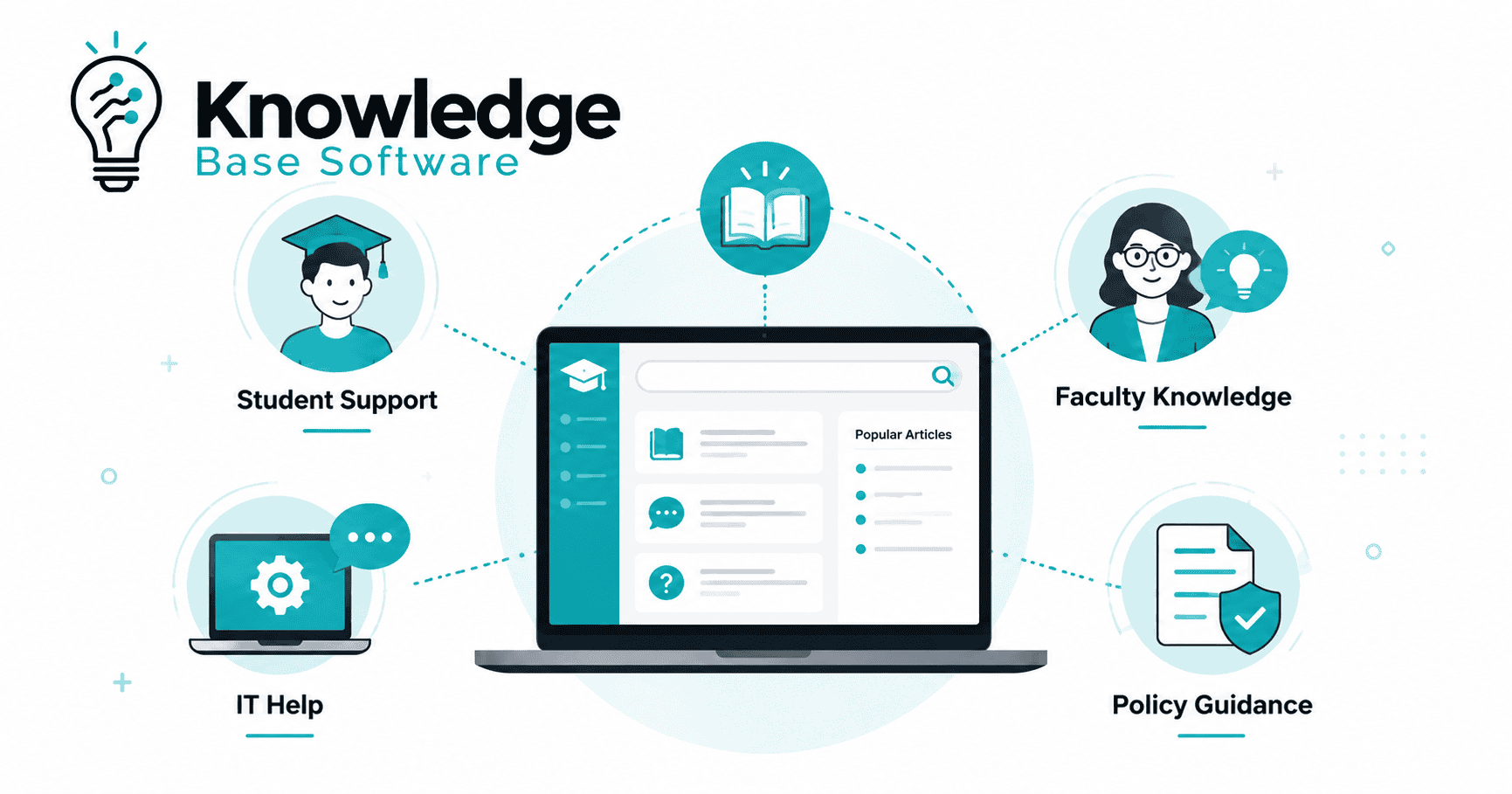
Education knowledge base software is a searchable, governed place for publishing trusted answers to students, faculty, staff, families, and support teams. It works best when it gives a direct answer in the language people use, connects that answer to the system where they complete the task, and sends sensitive or exceptional cases to a qualified person.
Quick answer
A good education knowledge base is not a file dump and not a substitute for an LMS, student information system, or help desk. It is the explanation layer between a question and an action. Choose software with strong search, public and private publishing, role-based permissions, approval workflows, ownership and review dates, accessible templates, integrations, analytics, and a clear export path. Begin with the 30–50 questions that create the most repeated work, test them with real student wording, and expand only after the first collection is accurate and owned.
In this guide
- What education knowledge base software does
- Original public-university language test
- Student, faculty, staff, and IT use cases
- Knowledge base vs LMS, help desk, portal, and document store
- Essential software requirements
- A practical education taxonomy
- Privacy, accessibility, and governance
- 90-day implementation plan
- Metrics and buying checklist
- Frequently asked questions
What does education knowledge base software do?
It turns recurring institutional knowledge into findable, maintainable answers. Typical content includes registration instructions, financial-aid explanations, account and Wi-Fi troubleshooting, LMS guides, classroom technology procedures, accessibility-service contacts, faculty policies, staff processes, and internal service-desk runbooks. The software supplies the publishing, search, permissions, workflow, analytics, and maintenance controls around that content.
The useful unit is an answer, not a document. A student asking “Why can’t I add this class?” should not have to identify the responsible office, download a 24-page policy PDF, and interpret three exceptions. A well-designed article can state the usual reason, show the exact checks, link to the registration system, identify deadlines or eligibility conditions, and explain when to contact the registrar or an adviser.
This is why information architecture and writing matter as much as the platform. Our guides to building a knowledge base information architecture and writing effective knowledge base articles cover those disciplines in more detail.
Original test: can students recognize a relevant path?
We ran a small, reproducible language-match test on July 29, 2026. The question was deliberately narrow: when a student describes a common IT need in everyday language, is a recognizable path visible on a public university knowledge-base entry page?
Method
One reviewer inspected two public, unauthenticated entry pages: the Cornell University IT Knowledge Base and University of Michigan ITS Documentation. We used the same five phrases for both sites: “forgot my password,” “connect to campus wifi,” “download Microsoft Office,” “set up two factor on a new phone,” and “report a phishing email.”
A direct match earned two points when a visible label named the same task, product, or concept. A related match earned one point when the page exposed a plausible broader category but not the task. No recognizable path earned zero. This was a manual visible-label scan, not an automated native-search test.
Results
| Student-language intent | Cornell visible label | Michigan visible label |
|---|---|---|
| Forgot my password | NetID Passwords — direct | Uniqnames & Passwords — direct |
| Connect to campus Wi-Fi | eduroam / RedRover Wi-Fi — direct | WiFi — direct |
| Download Microsoft Office | Microsoft 365 / Office 365 — direct | Microsoft 365 / Office 365 — direct |
| Set up two factor on a new phone | Two-Step Login — direct | Two-Factor Authentication — direct |
| Report a phishing email | Phishing (Fake) Emails — direct | Security — related |
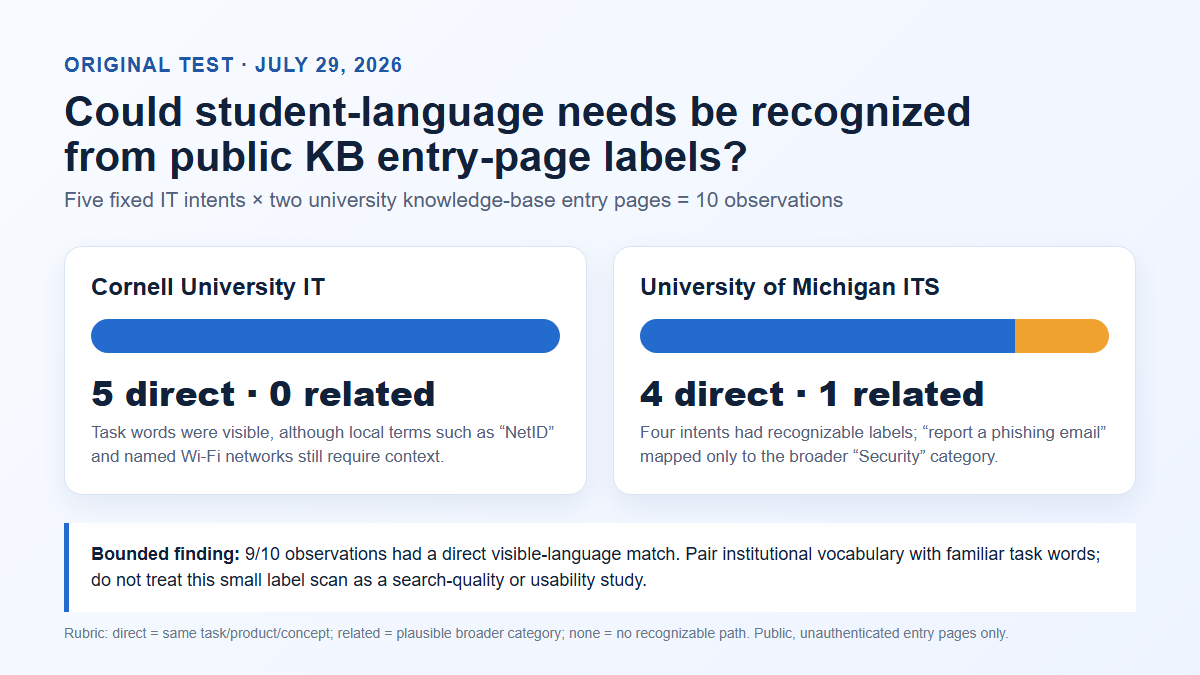
Cornell produced five direct matches. Michigan produced four direct matches and one related match, for a combined 19 of 20 points. The practical observation is not that one institution “won.” Both pages paired recognizable concepts with institutional vocabulary, but terms such as “NetID” and “Uniqnames” still assume local knowledge. The weakest mapping was from “report a phishing email” to the broader “Security” label.
Test limitations: what the result can—and cannot—tell us
The sample supports a modest design recommendation: place familiar task words beside branded system names, and configure those familiar phrases as search synonyms. It does not measure native search ranking, autocomplete, typo handling, click depth, article quality, authenticated results, or task completion. It covers two U.S. university IT sites, five intents, and one reviewer. Labels can also change after the test date. A direct label is a promising doorway, not proof that the answer behind it is correct or usable.
Who needs the knowledge base?
Students and applicants
Student-facing content should answer high-frequency, time-sensitive questions: application documents, orientation, registration, add/drop rules, tuition payment, financial-aid status, housing, campus services, transcripts, graduation, passwords, Wi-Fi, email, and LMS access. Put the answer first. State who it applies to, the effective term, prerequisites, exact steps, the system link, and the escalation route. For wellbeing, safety, disability support, immigration, conduct, or financial hardship, self-service must lead to an appropriate human service rather than imply that an article resolves the case.
Faculty and instructors
Faculty need task-oriented guidance across the LMS, classroom technology, grading, accessibility, assessment, academic policy, research services, and department operations. Organize these answers around teaching jobs—“publish final grades” or “make a video accessible”—rather than the name of the office that owns the system. Add role and campus context when instructions differ.
Staff and service teams
Internal articles can hold approved procedures, handoffs, decision trees, exception rules, ticket macros, and escalation contacts. Keep private diagnostics separate from the public explanation, but connect the two so an agent can start from the article the user saw. Our guide to internal knowledge base software explains the broader employee use case.
Education technology customers
An edtech vendor may need separate paths for learners, instructors, administrators, implementation teams, and developers. The same source can support public onboarding, administrator-only configuration, release notes, integration guides, API references, and internal troubleshooting. Segment visibility without duplicating every article; duplication makes updates harder and creates conflicting answers.
Knowledge base vs LMS, help desk, portal, and document store
| System | Primary job | How the knowledge base fits |
|---|---|---|
| Learning management system (LMS) | Courses, assignments, grades, learning activities | Explains how to use the LMS and links users to the right course action |
| Student information system (SIS) | Enrollment, records, finance, student transactions | Explains terms, requirements, deadlines, and steps before linking to the transaction |
| Help desk | Cases, queues, ownership, service levels | Answers repeatable questions before a ticket and gives agents an approved source during a case |
| Portal | Authenticated access to services and personalized links | Surfaces contextual answers inside the place where students and staff already work |
| Document repository | Files, records, and authoritative documents | Turns high-demand material into readable web guidance and links to the official record |
| Knowledge base | Findable, governed answers | Connects a question to the correct explanation, action, and escalation path |
Do not buy a knowledge base to recreate every other system. The stronger pattern is integration: show an answer in the portal, open the correct SIS or LMS action, suggest the article in the help form, and give staff the related internal procedure. The 1EdTech Learning Tools Interoperability standard is one relevant integration reference for connecting learning tools with institutional environments; vendor support still needs to be checked against your exact LMS and use case.
Essential requirements for education knowledge base software
- Search that learns institutional language. Test common phrases, abbreviations, misspellings, old product names, and branded terms. Review zero-result and reformulated searches.
- Public, private, and mixed publishing. A single program may need public answers, student-only guidance, staff procedures, and agent-only diagnostics.
- Role-based permissions and single sign-on. Separate viewing, drafting, reviewing, publishing, and administration. Confirm how groups sync from the identity provider.
- Ownership and review workflows. Every article needs an accountable owner, review date, approval path, version history, and retirement rule.
- Accessible output. Authoring guardrails should support semantic headings, descriptive links, alt text, table headers, keyboard operation, zoom, and responsive reflow. Evaluate the delivered theme, not only the editor.
- Useful analytics. Look for search terms, no-results queries, result clicks, article feedback, ticket-assisted sessions, stale content, and review completion—not only page views.
- Integrations and APIs. Validate LMS, SIS, portal, help desk, SSO, chat, and site-search behavior with a working proof of concept.
- Lifecycle controls. Scheduled reviews, bulk ownership changes, redirects, archived versions, reusable snippets, and broken-link reporting reduce decay.
- Export and portability. Test a real export of content, images, metadata, redirects, permissions, and revision history before signing a long contract.
- Permission-aware AI controls. If the product generates answers, require source citations, access enforcement, freshness signals, evaluation logs, and a safe fallback to people.
Use the requirements as test cases, not a checkbox questionnaire. Our software selection guide and knowledge base RFP template can turn them into a structured evaluation.
A practical education knowledge base taxonomy
Start with user tasks, then use metadata for ownership and context. A workable top level might include Getting Started, Registration and Records, Money and Financial Aid, Learning and Teaching, Accounts and Technology, Campus Services, Accessibility and Wellbeing, Policies, and Help for Staff. Within each category, prefer verbs and recognizable nouns: “Reset your password,” “Connect to Wi-Fi,” “Request a transcript,” and “Submit final grades.”
Use metadata for audience, campus, department, system, academic term, risk, content owner, review date, and language. Do not expose every internal tag as navigation. Tags should improve retrieval and governance; they should not become a second, contradictory category tree.
Recommended education article template
- Title: the user’s task or question.
- Applies to: audience, campus, program, role, and effective term.
- Answer: the normal outcome in the first paragraph.
- Before you start: eligibility, permissions, deadlines, and required information.
- Steps: one action per ordered step, using current interface labels.
- Exceptions: the few cases that materially change the action.
- Next step: the transaction link or related task.
- Get help: who to contact, what to include, and emergency guidance where relevant.
- Governance: owner, last reviewed date, next review date, and authoritative source.
For ready-to-adapt structures, see our collection of knowledge base templates and examples.
Privacy, accessibility, and governance
Keep personal case data out of general articles. In the United States, the U.S. Department of Education’s FERPA resources explain the federal framework protecting education records at covered institutions. A public article can explain a process, but it should not expose a student’s record or invite sensitive information through an insecure channel. Your legal and privacy teams must map the rules that apply to your jurisdiction, institution, and data.
Accessibility is a product requirement and an editorial practice. The W3C Web Content Accessibility Guidelines 2.2 provide a shared technical standard, but conformance cannot be inferred from a vendor claim or an automated score alone. Test representative templates with keyboard navigation, zoom, reflow, screen readers, high contrast, forms, tables, video captions, and real assistive-technology users. Our knowledge base accessibility guide provides a focused review checklist.
For governance, assign one owner to each article and one accountable owner to each collection. Define which changes require subject-matter, legal, accessibility, security, or policy review. High-risk guidance should have shorter review intervals and an effective date. When an article is replaced, redirect its old URL to the closest equivalent rather than leaving a dead end.
A focused 90-day implementation plan
| Period | Work | Evidence of completion |
|---|---|---|
| Days 1–15 | Choose one service area; gather tickets, calls, searches, PDFs, and existing pages; identify owners and audiences | Prioritized question set, risk map, content inventory, baseline metrics |
| Days 16–30 | Define taxonomy, templates, permissions, review workflow, style rules, and redirect plan | Approved pilot model and ten tested article prototypes |
| Days 31–55 | Write and review 30–50 high-demand articles; configure synonyms; connect key systems | Reviewed content with working links, owners, and search metadata |
| Days 56–70 | Test with students, faculty, and agents using task scenarios; fix accessibility and search problems | Issue log, revisions, and retest record |
| Days 71–90 | Launch the pilot, monitor search gaps and escalations, train owners, and set the next review cycle | Operational dashboard, governance calendar, expansion decision |
Avoid measuring the pilot by article count. Fifty current answers with clear ownership are more useful than a thousand imported files nobody maintains. If migration is required, preserve URLs or implement redirects, validate permissions, and sample the rendered result rather than assuming an import report proves success.
Metrics that show whether the system helps
- Findability: successful result clicks, repeated searches, reformulations, and no-result rate for priority intents.
- Resolution: whether the user completed the intended next action or still opened a case. Treat estimated “deflection” cautiously unless the measurement connects a knowledge session to a resolved task.
- Support quality: first-contact resolution, handling time for knowledge-assisted cases, transfers, and reopen rate.
- Content health: percentage with owners, overdue reviews, broken links, duplicate answers, and changes after system releases.
- Experience: article feedback with a reason, task-test success, accessibility issues, and support satisfaction.
- Equity: gaps by audience, language, device, campus, and accessibility need, using privacy-respecting aggregation.
Read trends together. A rising page-view count can mean successful adoption or growing confusion. A falling ticket count can indicate self-service success or an inaccessible contact route. Our guide to knowledge base analytics explains how to combine signals without overstating causation.
Buying checklist
- Run the same 20 student-language queries in every shortlisted product and record the top results.
- Build one public, one student-only, and one staff-only article; test each with the wrong and right identity.
- Route a draft through an actual department approval and an urgent correction.
- Render an article at mobile width, 200% zoom, and keyboard-only navigation.
- Connect a test LMS, portal, or help-desk workflow rather than accepting an integration logo.
- Export the pilot and confirm that content, images, metadata, and redirects are usable.
- Ask who can access analytics, prompts, AI logs, and stored search queries.
- Model three-year cost with authors, audiences, campuses, languages, storage, AI usage, implementation, and support.
Common implementation mistakes
The most damaging mistakes are importing everything without prioritization, organizing by department names, publishing policy explanations without owners, mixing public and private content, hiding human support, relying on screenshots for critical steps, and enabling AI before the source content is current. Another subtle mistake is treating a helpfulness vote as resolution: a user may like a clear article and still be unable to complete the task.
Design the escape hatch as carefully as self-service. An unresolved user should be able to submit a case with the article, query, system, and attempted steps attached—without retyping everything. For broader self-service patterns, see our guide to customer self-service knowledge bases.
Frequently asked questions
What is education knowledge base software?
It is software for publishing, finding, governing, and measuring trusted educational support content. It can serve students, faculty, staff, families, applicants, IT teams, and edtech customers through public and permission-controlled collections.
Is a knowledge base the same as an LMS?
No. An LMS manages teaching and learning activities such as courses, assignments, and grades. A knowledge base explains institutional and product tasks. The two are complementary: the answer can appear inside the LMS and link to the correct action.
Can a knowledge base reduce student support tickets?
It can reduce avoidable, repeatable contacts when users can find accurate answers and complete the task. Do not promise a universal percentage. Measure priority journeys from query to result to action, preserve access to people, and check whether demand moved to another channel.
What should a university knowledge base include first?
Start with the questions that are frequent, consequential, and answerable: account access, Wi-Fi, LMS basics, registration, payments, financial-aid status, transcripts, common forms, and clear service contacts. Priorities should come from tickets, calls, search logs, seasonal calendars, and staff interviews.
How should AI be used in an education knowledge base?
Use AI as a permission-aware route to approved sources, not as an authority of its own. Require citations, freshness controls, evaluation against high-risk questions, privacy review, and human escalation. The NIST AI Risk Management Framework is a useful external framework for discussing governance and risk, but each institution still needs controls suited to its mission and obligations.
How often should education knowledge articles be reviewed?
Use risk and change frequency rather than one universal interval. Review deadline-driven, policy, security, and financial guidance before each relevant cycle and immediately after a change. Stable low-risk content can use a longer cadence. Every article should still have an owner and a visible next-review date.
Bottom line: choose education knowledge base software by testing whether your audiences can recognize, trust, and act on the answers—not by counting features. A small, governed pilot with real queries reveals more than a polished demo and creates the evidence needed for a responsible rollout.