Independent knowledge base software guide Evidence-led Updated 2026

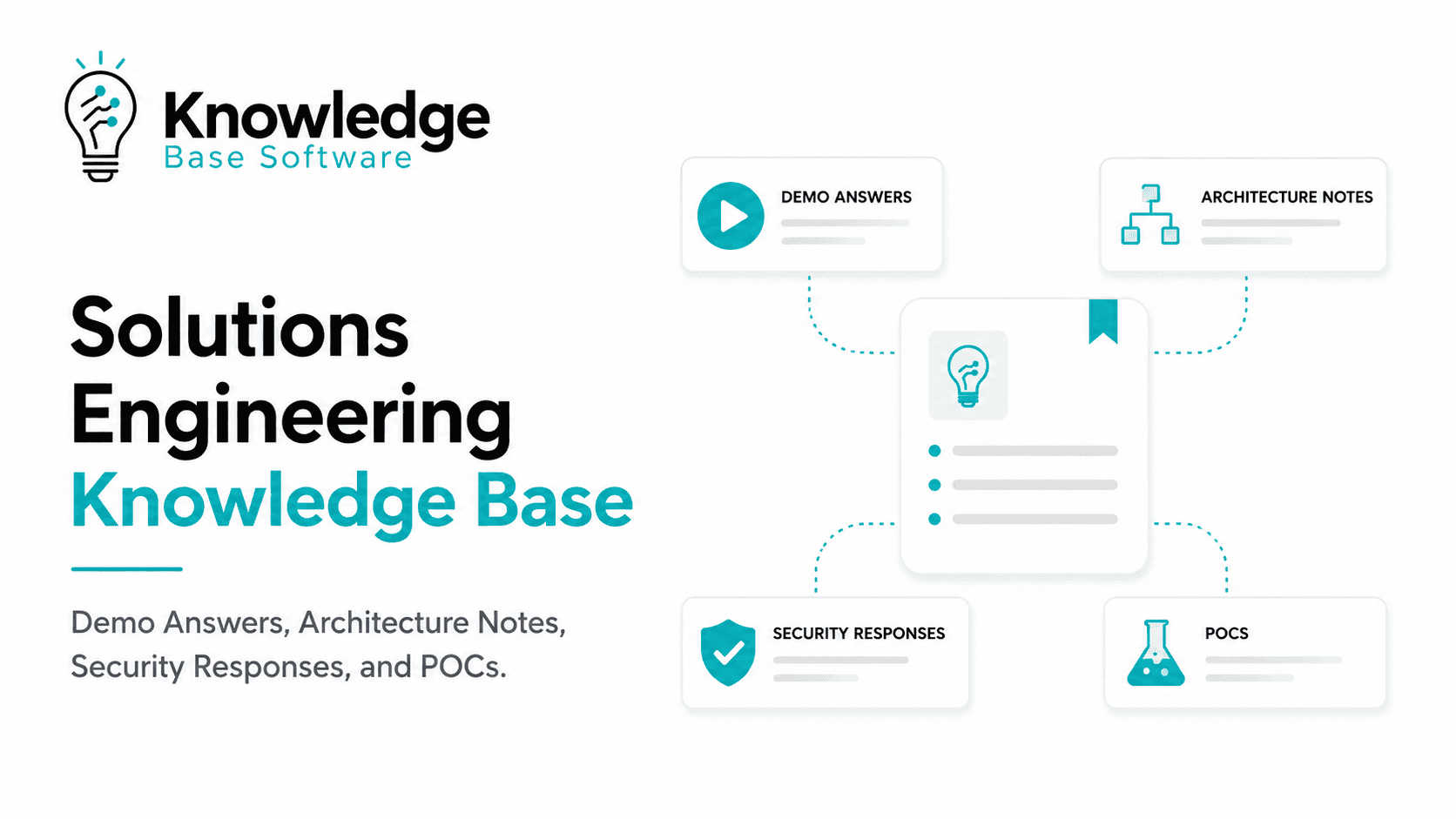
Solutions Engineering Knowledge Base: Demo Answers, Architecture Notes, Security Responses, and POCs
Last reviewed: July 11, 2026
A Solutions Engineering Knowledge Base is the governed source of truth that helps presales and solutions engineering teams answer technical questions consistently, prepare better demos, document architecture decisions, respond to security reviews, and run cleaner POCs.
For B2B SaaS teams, this is not just another internal wiki. A strong SE knowledge base turns scattered field knowledge into reusable, approved, searchable guidance that supports real revenue moments: discovery calls, tailored demos, technical validation, RFPs, security questionnaires, integration reviews, and proof-of-concept execution.
The need is practical. Modern solutions engineering roles commonly include demos, architecture recommendations, documentation, FAQs, security and compliance support, customer evaluation, technical advisory work, and proof-of-concept support. OpenAI’s published pre-sales solutions engineer role, for example, describes responsibilities that include building and presenting demos, recommending architecture patterns, creating documentation and FAQs from pre-sales requirements, and escalating complex security and compliance questions. Another OpenAI solutions engineering role describes leading proof of concepts, scoping use cases, recommending architecture patterns, and providing technical advisory.
The problem is that most teams already have the knowledge. They just do not have it in a form that is trusted, findable, current, and safe to reuse.
What Is a Solutions Engineering Knowledge Base?
A Solutions Engineering Knowledge Base is an internal, governed library of approved technical sales knowledge used by solutions engineers, sales engineers, presales teams, account executives, product marketing, RevOps, security, and product teams.
It usually contains:
- Demo answers and talk tracks.
- Technical discovery questions.
- Architecture notes and reference patterns.
- Integration guidance.
- API explanation snippets.
- Security and compliance responses.
- RFP and questionnaire answers.
- POC templates and success criteria.
- Technical objection-handling guidance.
- Product limitations and approved positioning.
- Implementation handoff notes.
- Field lessons from past evaluations.
The key word is governed. A folder full of old demo decks is not a knowledge base. A Slack channel full of smart answers is not a knowledge base. A list of past questionnaire responses is not enough. A real Solutions Engineering Knowledge Base gives each answer context, ownership, approval status, source evidence, review dates, and usage guidance.
Why Solutions Engineering Teams Need One
Solutions engineering work is high-leverage because one clear answer can unblock a deal, while one inaccurate answer can create risk.
Without a dedicated SE knowledge base, teams usually face five recurring problems.
First, technical answers become inconsistent. One SE explains a feature limitation carefully; another overpromises; another avoids the topic. Buyers notice.
Second, demo preparation depends too much on individual memory. Experienced SEs know which narrative works for a healthcare CTO, a fintech security lead, or a RevOps buyer. Newer SEs often have to rebuild that knowledge from scattered decks and call recordings.
Third, architecture answers get lost in informal channels. Diagrams, deployment explanations, integration constraints, and “gotchas” often live in Slack threads, support tickets, or one senior engineer’s notes.
Fourth, security questionnaire responses become risky when they are copied from old deals. Security and compliance answers need ownership, evidence, and review. A stale answer about encryption, data retention, subprocessors, access control, audit logging, or certification scope can create legal, commercial, and trust problems.
Fifth, POCs become harder to scale. Without reusable POC plans, intake questions, success criteria, data requirements, and exit rules, each proof of concept becomes a custom project with unclear scope.
A Solutions Engineering Knowledge Base solves these problems by making approved technical sales knowledge reusable without making it careless.
Solutions Engineering KB vs. Product Docs vs. Support KB vs. Sales Enablement
A Solutions Engineering Knowledge Base overlaps with other repositories, but it has a different job.
| System | Primary Purpose | Main Users | Best For | Not Enough For |
|---|---|---|---|---|
| Product documentation | Explain how the product works | Customers, developers, users, support | Public or customer-facing product usage | Deal-specific positioning, competitive context, internal limitations |
| Support knowledge base | Resolve customer issues | Support, customer success, users | Troubleshooting, known issues, how-to articles | Presales demo strategy, POC scoping, technical validation |
| Sales enablement library | Help reps sell consistently | AEs, SDRs, managers, enablement | Messaging, decks, battlecards, objection handling | Deep architecture, integration, security, and POC details |
| Internal wiki | Store general company knowledge | Everyone | Broad internal documentation | Governed technical sales answers with approval status |
| RFP/security repository | Reuse questionnaire responses | Security, legal, bid desk, presales | Formal procurement and security responses | Demo narratives, architecture notes, POC playbooks |
| Solutions Engineering Knowledge Base | Support technical revenue execution | SEs, presales, product, security, RevOps | Demo answers, architecture notes, security responses, POCs, technical validation | Public documentation replacement |
The SE knowledge base should connect to these systems, not duplicate them blindly. For example, a security response entry should link to the trust center, SOC 2 report access process, DPA, subprocessor page, or internal policy owner rather than copying sensitive evidence everywhere.
What a Strong Solutions Engineering Knowledge Base Should Include
The best structure follows the way SEs work, not the way folders happen to be organized.
1. Demo Answers and Talk Tracks
Demo content should help SEs tailor the product story to the buyer’s situation.
Useful entries include:
- Approved answers to common demo questions.
- Talk tracks by persona.
- “Show this, then say this” demo guidance.
- Discovery questions to ask before showing a workflow.
- Feature-to-business-outcome mapping.
- Objection responses.
- Demo environment setup notes.
- Known demo risks or limitations.
- Follow-up assets to send after the call.
A good demo answer should not read like a script. It should give the SE enough structure to be consistent while leaving room to adapt to the buyer.
2. Architecture Notes
Architecture notes help SEs explain how the product fits into a customer’s environment.
Useful entries include:
- Reference architecture diagrams.
- Deployment models.
- Integration patterns.
- Authentication and authorization notes.
- API usage explanations.
- Data flow summaries.
- Data residency or environment considerations.
- Common constraints and trade-offs.
- Dependencies on customer systems.
- Escalation rules for unknown architecture questions.
Do not invent architecture details. If an entry describes infrastructure, encryption, authentication, data retention, API limits, or integration behavior, it should link to an approved source of truth.
3. Security and Compliance Responses
Security and compliance content needs stricter governance than ordinary demo content.
Useful entries include:
- Approved questionnaire answers.
- Customer-safe response language.
- Internal-only reviewer notes.
- Evidence links.
- Trust center links.
- Certification scope notes.
- Processor, subprocessor, and data processing agreement review notes.
- Security escalation contacts.
- Legal/compliance review requirements.
- Expiration or review dates.
When an answer references SOC 2, ISO/IEC 27001, GDPR, NIST, OWASP, or another framework, it should be reviewed by the right internal owner. AICPA describes its Trust Services Criteria as criteria for evaluating controls over security, availability, processing integrity, confidentiality, or privacy. ISO describes ISO/IEC 27001 as a standard defining requirements for an information security management system. GDPR-related answers should be handled carefully because controller and processor responsibilities differ; the European Data Protection Board defines a controller as the party determining the purposes and means of processing, while a processor acts on the controller’s instructions.
4. POC and Technical Validation Assets
POC content should prevent unclear evaluations.
Useful entries include:
- POC intake form.
- Qualification criteria.
- Success criteria examples.
- Scope template.
- Data requirements.
- Technical prerequisites.
- Timeline model.
- Roles and responsibilities.
- Risk register.
- Exit criteria.
- POC closeout summary.
- Handoff notes for implementation or customer success.
A POC without success criteria is not a validation plan. It is a trial with unclear expectations.
5. Field Intelligence
Field intelligence helps Product, Marketing, and Leadership learn from repeated buyer patterns.
Useful entries include:
- Repeated technical objections.
- Competitive claims heard in deals.
- Feature gap patterns.
- Integration requests.
- POC failure reasons.
- Security blockers.
- Industry-specific requirements.
- Win/loss notes from technical evaluation.
This content should be tagged carefully. It is often more valuable as a pattern than as a single anecdote.
Recommended Taxonomy: Organize by Revenue Context
The taxonomy should answer the question: When would an SE need this?
Use tags that match real search behavior:
| Tag Type | Example Values | Why It Matters |
|---|---|---|
| Deal stage | Discovery, demo, technical validation, security review, procurement, implementation handoff | Helps SEs find content at the right moment |
| Product area | Analytics, API, admin, integrations, reporting, security | Prevents one massive undifferentiated library |
| Buyer persona | CTO, CISO, RevOps, Engineering Manager, Procurement, Legal | Adjusts depth and language |
| Use case | Migration, automation, compliance reporting, data sync, workflow approval | Connects features to outcomes |
| Industry | Healthcare, financial services, SaaS, manufacturing, education | Surfaces industry-specific concerns |
| Integration | Salesforce, Snowflake, Okta, Azure, AWS, Google Cloud, custom API | Helps with architecture and validation |
| Technical depth | Executive, practitioner, architect, security reviewer | Avoids over- or under-answering |
| Approval status | Draft, reviewed, approved, restricted, retired | Controls risk |
| Audience safety | Internal-only, customer-safe, partner-safe | Prevents accidental disclosure |
| Source owner | Product, Engineering, Security, Legal, SE Enablement | Makes maintenance possible |
| Freshness | Last reviewed, next review, release-triggered update | Prevents stale answers |
The most useful taxonomy is rarely the most complex one. Start with the tags needed to find and trust answers. Add more only when search logs show a real need.
The Minimum Viable KB Entry
Every entry should make it clear what the answer is, when to use it, and whether it is safe.
Use this minimum field set:
| Field | Purpose |
|---|---|
| Title | Clear, searchable name |
| Question or use case | The buyer question or SE scenario |
| Approved answer | The response SEs can reuse |
| Customer-safe version | Exact language safe to share externally |
| Internal-only notes | Risks, caveats, limitations, context |
| Product area | Relevant product or feature area |
| Deal stage | Discovery, demo, POC, security review, etc. |
| Buyer persona | Who usually asks this |
| Technical depth | Executive, technical, architecture, security |
| Source of truth | Link to product docs, policy, ticket, architecture review, trust page, or owner |
| Owner | Person or team accountable |
| Reviewer | Product, Engineering, Security, Legal, or Enablement reviewer |
| Approval status | Draft, approved, restricted, retired |
| Last reviewed | Date reviewed |
| Review trigger | Release, policy change, incident, certification update, pricing change |
| Escalation path | Who to ask when the answer does not fit |
| Related assets | Demo, diagram, doc, deck, POC template, questionnaire answer |
This structure is more important than the tool. A simple system with ownership and review will outperform a sophisticated repository full of untrusted content.
Practical Templates
Demo Answer Entry Template
## Demo Answer Entry

**Title:**
How to explain [feature/workflow] during a demo

**Buyer question:**
“What happens when [buyer concern]?”

**Best used during:**
Discovery / live demo / follow-up / technical validation

**Persona:**
CTO / CISO / RevOps / Admin / End user / Procurement

**Approved answer:**
[Concise, accurate answer the SE can say during the call.]

**Demo flow:**
1. Show [screen/workflow].
2. Connect it to [business problem].
3. Ask [diagnostic question].
4. Confirm [desired outcome].

**Customer-safe caveats:**
[What must be clarified without overpromising.]

**Do not say:**
[Claims that are inaccurate, outdated, too broad, or risky.]

**Related proof or asset:**
[Link to docs, diagram, customer-safe asset, or internal enablement page.]

**Owner:**
[Name/team]

**Reviewer:**
[Product/Engineering/Enablement]

**Last reviewed:**
[Date]

**Review trigger:**
[Product release, UI change, pricing/package change, positioning change]
Architecture Note Template
## Architecture Note

**Title:**
Reference architecture for [use case / deployment pattern]

**Use case:**
[What the buyer is trying to accomplish.]

**Environment assumptions:**
[Cloud, self-hosted, hybrid, region, identity provider, data source, etc.]

**Architecture summary:**
[Plain-English explanation of the pattern.]

**Diagram:**
[Link to approved diagram.]

**Data flow:**
1. [System A] sends [data type] to [System B].
2. [Processing step].
3. [Storage or output step].

**Integration requirements:**
[APIs, authentication, permissions, network access, data formats.]

**Known constraints:**
[Limits, dependencies, unsupported patterns, latency considerations.]

**Customer-safe explanation:**
[Approved language for external use.]

**Internal-only notes:**
[Implementation caveats, roadmap-sensitive notes, escalation guidance.]

**Source of truth:**
[Product docs, architecture review, engineering design, security review.]

**Owner:**
[Product/Engineering/SE Architect]

**Reviewer:**
[Engineering/Security/Product]

**Last reviewed:**
[Date]
Security Response Entry Template
## Security Response Entry

**Question:**
[Exact or normalized questionnaire question.]

**Approved customer-safe answer:**
[Answer approved for external use.]

**Short answer:**
Yes / No / Partially / Not applicable / Requires review

**Scope:**
[Product, region, environment, plan, customer segment, certification scope.]

**Evidence link:**
[Trust center, SOC 2 access process, ISO certificate, policy, DPA, subprocessor page.]

**Internal-only notes:**
[Clarifications, restrictions, known exceptions.]

**Requires approval before sending?**
Yes / No

**Approver:**
Security / Legal / Compliance / Privacy / Product

**Do not say:**
[Unsupported claims, absolute guarantees, expired certifications, roadmap promises.]

**Last reviewed:**
[Date]

**Expiration or review trigger:**
[Policy update, audit report update, subprocessor change, product architecture change.]
POC Plan Entry Template
## POC Plan Entry

**POC name:**
[Customer / use case / product area]

**Business objective:**
[What the buyer wants to prove.]

**Technical objective:**
[What the technical team needs to validate.]

**In scope:**
- [Workflow 1]
- [Integration 1]
- [Dataset 1]

**Out of scope:**
- [Anything that should not be tested in this POC]

**Success criteria:**
| Criterion | Measurement Method | Owner | Pass/Fail Rule |
|---|---|---|---|
| [Example] | [How it will be tested] | [Customer/vendor] | [Definition of success] |

**Customer responsibilities:**
[Access, data, stakeholders, environment, timeline.]

**Vendor responsibilities:**
[Configuration, enablement, support, troubleshooting.]

**Timeline:**
[Kickoff, setup, validation, review, decision.]

**Risks:**
[Data access, integration dependency, stakeholder availability, scope creep.]

**Exit decision:**
Proceed / extend / stop / redesign scope

**Handoff notes:**
[Implementation, CS, support, product feedback.]
Workflow: From Field Question to Approved KB Entry
A strong knowledge base is built from real field questions, not from abstract documentation plans.
Use this workflow:
- Capture repeated questions.
Pull from demo calls, Slack, Gong/Chorus notes, CRM fields, RFPs, security reviews, POC retrospectives, and SE office hours. - Normalize the question.
Convert variations into one reusable entry. For example, “Do you support SSO?”, “Can we use Okta?”, and “How does SAML work?” may need separate entries depending on depth. - Draft the answer.
The first draft can come from an SE, but it should identify assumptions, caveats, and the intended buyer persona. - Attach the source of truth.
Link the answer to documentation, product requirements, security evidence, architecture review, policy, or named owner. - Route for approval.
Demo talk tracks may need Product Marketing or SE Enablement. Architecture notes may need Engineering. Security responses may need Security, Legal, Privacy, or Compliance. - Tag and publish.
Apply taxonomy before publishing. A good answer that cannot be found is still operationally weak. - Train the team.
Add the entry to demo prep flows, onboarding, office hours, and deal review rituals. - Measure and improve.
Track usage, failed searches, unanswered questions, stale entries, and repeated escalations. - Retire outdated content.
Retired content should not disappear silently if teams still search for it. Mark it as retired, explain why, and point to the replacement.
Governance: Who Owns What?
Ownership should be distributed. The SE leader may own the system, but subject-matter experts should own the truth of specific content.
| Content Type | Primary Owner | Required Reviewers | Risk Level | Review Trigger |
|---|---|---|---|---|
| Demo talk tracks | SE Enablement / Product Marketing | Product, SE leadership | Medium | Positioning change, product release |
| Discovery questions | SE leadership | Sales leadership, PMM | Low to medium | Sales motion change |
| Architecture notes | Product / Engineering / Field Architecture | Security if data or access is involved | High | Architecture change, integration change |
| API and integration guidance | Product / Engineering | Developer relations, Security | High | API release, deprecation, limit change |
| Security questionnaire answers | Security / GRC | Legal, Privacy, Compliance, Product when needed | Very high | Audit update, policy change, customer requirement |
| POC templates | SE leadership | Product, CS, Implementation | Medium to high | POC failure pattern, product change |
| Competitive technical notes | Product Marketing | Product, Legal if sensitive | Medium | Competitor change, pricing/packaging change |
| Implementation handoff notes | CS / Implementation | SE, Support, Product | Medium | Onboarding process change |
The owner is accountable for accuracy. The reviewer is accountable for approving use. The user is accountable for applying the answer in the right context.
Security and Compliance Rules for SE Knowledge Bases
Security content deserves stricter rules because it can affect trust, legal review, procurement, and contractual risk.
Use these rules:
- Never allow unapproved security answers to be sent externally.
- Separate customer-safe answers from internal-only notes.
- Link every security answer to evidence or an accountable owner.
- Track scope: product, region, environment, certification, plan, and date.
- Add expiration dates for audit reports, certificates, policies, and trust artifacts.
- Avoid absolute claims such as “always,” “guaranteed,” or “fully compliant” unless approved by Legal and Security.
- Escalate questions involving custom contractual commitments, data processing, regulated data, breach notification, audit rights, or customer-specific control requirements.
- Do not use AI-generated security answers without source grounding and human approval.
A security questionnaire knowledge base can reduce repetitive work, but it should not become a shortcut around review. Vendor and security questionnaire sources commonly frame centralization and answer reuse as a way to scale responses, but the operational risk remains answer accuracy, review, evidence, and freshness. HyperComply, for example, describes a centralized knowledge base as a first step for scaling questionnaire responses and avoiding repeated writing from scratch. Conveyor’s guidance also describes security questionnaire work as cross-functional and notes that answer banks or knowledge bases are often used to recall common responses.
How to Use the KB During Demos
A Solutions Engineering Knowledge Base should help SEs prepare and adapt, not turn demos into robotic scripts.
Before the demo, the SE should search by:
- Persona.
- Use case.
- Industry.
- Product area.
- Integration.
- Known objection.
- Deal stage.
- Competitive context.
During the demo, the SE should use the KB to:
- Answer common questions accurately.
- Avoid unsupported claims.
- Pull up approved diagrams or follow-up assets.
- Confirm what needs escalation.
- Capture new questions that should become entries.
After the demo, the SE should:
- Send customer-safe follow-up answers.
- Log new objections or gaps.
- Update the opportunity with technical risks.
- Create or request new KB entries when a question repeats.
The goal is not to memorize every answer. The goal is to make accurate answers easy to find and safe to reuse.
How to Use the KB for Architecture Conversations
Architecture notes should help SEs explain trade-offs.
A strong architecture entry should answer:
- What problem does this architecture pattern solve?
- What assumptions does it depend on?
- What systems are involved?
- What data moves where?
- What authentication or authorization model applies?
- What configuration is required from the customer?
- What are the known constraints?
- When should the SE escalate to Engineering, Security, or Product?
- What can be shared externally?
- What must remain internal?
This is especially important for complex enterprise deals where the buyer’s technical team wants to validate integration fit, security posture, scalability assumptions, and operational impact.
How to Use the KB for POCs
A POC should prove a specific buying decision, not become free implementation work.
Use the knowledge base to standardize four moments.
1. POC Qualification
Before agreeing to a POC, define:
- Business objective.
- Technical objective.
- Economic buyer or decision owner.
- Technical evaluator.
- Required data and access.
- Timeline.
- Success criteria.
- Risks.
- Exit decision.
2. POC Scope
Good scope is explicit about what is included and excluded.
Example:
| Area | In Scope | Out of Scope |
|---|---|---|
| Data | One representative dataset | Full historical migration |
| Integrations | One CRM connection | All downstream systems |
| Users | Two technical evaluators, one business owner | Full department rollout |
| Workflows | One priority workflow | All possible edge cases |
| Support | Scheduled working sessions | Unlimited custom development |
3. POC Success Criteria
Success criteria should be measurable enough to support a decision.
| Criterion | Measurement Method | Pass Rule |
|---|---|---|
| Integration feasibility | Connect approved test system | Connection established without unsupported workaround |
| Workflow fit | Run agreed use case end to end | Buyer confirms workflow supports target process |
| Admin usability | Buyer admin completes setup task | Admin can complete task with standard guidance |
| Security review | Required security questions answered | No unresolved blocker from Security/Legal |
| Executive outcome | Review findings with sponsor | Sponsor agrees whether to proceed, extend, or stop |
4. POC Closeout
Every POC should create knowledge, even if the deal is lost.
Capture:
- What worked.
- What failed.
- What was misunderstood.
- Which objections appeared.
- Which setup steps caused friction.
- Which requirements were not supported.
- Which answers should be added to the KB.
- Which product gaps should be escalated.
This is how the knowledge base becomes a learning system instead of a document archive.
AI and Internal Search: Useful, but Governed
AI can make a Solutions Engineering Knowledge Base easier to search, summarize, and apply. It can help SEs find prior answers, draft first-pass responses, identify related assets, and summarize long architecture notes.
But AI should not be treated as an approval system.
For SE use cases, AI should follow these guardrails:
- Retrieve from approved sources only.
- Show citations or source links.
- Respect permissions and internal-only content labels.
- Distinguish approved answers from draft suggestions.
- Refuse to answer when confidence is low or sources are missing.
- Route security, legal, privacy, and compliance answers for human approval.
- Log generated answers when they are used externally.
- Avoid training or indexing sensitive customer data without approval.
- Use review workflows for new or changed answers.
NIST describes its AI Risk Management Framework as a framework for managing risks to individuals, organizations, and society associated with AI. OWASP’s 2025 LLM Top 10 also warns that failure to protect sensitive information in LLM outputs can expose personal data, confidential business data, credentials, or legal documents. For a Solutions Engineering Knowledge Base, that means AI search should be source-grounded, permission-aware, and reviewable.
Metrics: How to Know the Knowledge Base Is Working
Measure usefulness, not just volume.
| Metric | What It Shows | Useful Follow-Up |
|---|---|---|
| Search success rate | Whether users find answers | Improve titles, tags, and synonyms |
| Unanswered searches | Content gaps | Create new entries from repeated queries |
| Content reuse rate | Which answers are valuable | Promote high-use entries into playbooks |
| Stale content rate | Governance health | Trigger review or retirement |
| Security questionnaire turnaround time | Response process efficiency | Identify bottlenecks and missing approved answers |
| POC cycle time | Evaluation process quality | Improve scoping and success criteria |
| Demo preparation time | SE productivity | Improve demo answer library and templates |
| Escalation volume | Where knowledge is missing or risky | Add entries or clarify escalation paths |
| New SE onboarding usage | Ramp support | Build onboarding paths around common scenarios |
| Field feedback submitted | Learning loop health | Reward contributions and close the loop |
| Retired content accessed | Outdated dependency | Redirect to current answers |
Avoid treating page views as the only signal. A page may be viewed often because it is useful, because it is confusing, or because no better answer exists.
Common Mistakes to Avoid
| Mistake | Why It Hurts | Better Approach |
|---|---|---|
| Dumping everything into one wiki | Search becomes unreliable | Design around deal stage, product area, persona, and use case |
| No owner | Content becomes stale | Assign accountable owners and reviewers |
| No customer-safe version | SEs improvise external wording | Separate internal notes from approved customer language |
| No review trigger | Releases make answers outdated | Use release, audit, policy, and architecture triggers |
| Copying old security answers | Creates trust and legal risk | Require evidence, owner, approval, and expiration |
| Mixing internal and external content | Sensitive details may leak | Add permission labels and audience fields |
| Overusing AI without review | May generate unsupported claims | Use source-grounded retrieval and human approval |
| Treating POCs as custom projects | Evaluation scope expands | Use intake, success criteria, and exit rules |
| No feedback loop to Product | Field patterns are lost | Route repeated gaps into Product and PMM workflows |
| Measuring only content volume | More content can mean more clutter | Measure search success, reuse, freshness, and outcomes |
A 30-Day Implementation Plan
Days 1–5: Audit the Current Mess
Collect the top sources of SE knowledge:
- Demo decks.
- Slack threads.
- Existing docs.
- RFP answers.
- Security questionnaires.
- Architecture diagrams.
- POC plans.
- Call notes.
- Product FAQs.
- Onboarding materials.
Then identify the top 20 repeated questions SEs answer every month.
Days 6–10: Define the Taxonomy and Entry Template
Start with the minimum fields:
- Title.
- Question/use case.
- Approved answer.
- Customer-safe version.
- Internal-only notes.
- Owner.
- Reviewer.
- Source of truth.
- Deal stage.
- Product area.
- Last reviewed.
- Approval status.
Do not over-engineer the taxonomy before the team has content to use.
Days 11–18: Build the First 25 High-Value Entries
Prioritize entries that affect live deals:
- Top demo questions.
- Top security questionnaire answers.
- Top architecture explanations.
- Top POC scoping templates.
- Top technical objections.
Each entry should be reviewed before being marked approved.
Days 19–24: Embed It Into Workflow
Add links and prompts in:
- CRM opportunity stages.
- Demo prep checklists.
- SE onboarding.
- Deal review templates.
- Security questionnaire workflow.
- POC kickoff template.
- Slack or Teams shortcuts.
- Internal AI search, if available and governed.
The knowledge base should appear where SEs already work.
Days 25–30: Measure, Review, and Improve
Review:
- Which entries were used.
- Which searches failed.
- Which questions still went to Slack.
- Which content lacked approval.
- Which entries need better titles or tags.
- Which security answers need stricter review.
Then set a recurring operating rhythm: monthly content review for high-risk areas, release-triggered reviews for product changes, and quarterly taxonomy cleanup.
FAQ
What is a Solutions Engineering Knowledge Base?
A Solutions Engineering Knowledge Base is an internal, governed repository of approved technical sales knowledge. It helps SEs and presales teams reuse accurate answers for demos, architecture questions, security reviews, RFPs, and POCs.
How is a Solutions Engineering Knowledge Base different from product documentation?
Product documentation explains how the product works, often for customers or users. A Solutions Engineering Knowledge Base explains how to apply, position, validate, and discuss the product in technical sales situations.
Who should own the SE knowledge base?
Solutions Engineering or Presales leadership should usually own the system. Content ownership should be distributed across Product, Engineering, Security, Legal, Product Marketing, RevOps, and Enablement depending on the topic.
What should be included first?
Start with high-frequency, high-risk, high-impact content: common demo answers, repeated technical objections, security questionnaire responses, architecture explanations, and POC templates.
How do you keep the knowledge base updated?
Assign owners, reviewers, last-reviewed dates, review triggers, and retirement rules. Product releases, policy changes, audit updates, integration changes, and repeated field confusion should trigger review.
Can AI answer questions from a Solutions Engineering Knowledge Base?
Yes, but only with governance. AI should retrieve from approved sources, show citations, respect permissions, flag uncertainty, and route security, legal, privacy, or compliance-sensitive responses for human approval.
Should security questionnaire answers be stored in the SE knowledge base?
They can be referenced there, but they need stricter governance. Security, Legal, Privacy, or Compliance should own or approve sensitive answers, and entries should include evidence, scope, review dates, and escalation paths.
What metrics prove the knowledge base is valuable?
Useful metrics include search success rate, unanswered searches, content reuse, stale content rate, security questionnaire turnaround time, POC cycle time, demo preparation time, escalation volume, and new SE onboarding usage.
Conclusion
A Solutions Engineering Knowledge Base is not a documentation side project. It is an operating system for technical revenue work.
When built well, it gives SEs faster access to trusted demo answers, safer security responses, clearer architecture explanations, and more repeatable POC execution. It also helps Product, Security, Legal, and Enablement turn field knowledge into governed, reusable guidance.
Start with the repeated questions that slow deals down. Add ownership, approval, source evidence, review dates, and customer-safe language. Then embed the knowledge base into the moments where SEs actually need it: discovery, demos, technical validation, security review, and POC execution.