Independent knowledge base software guide Evidence-led Updated 2026

Marketplace Knowledge Base: How to Support Buyers, Sellers, and Operations
A Marketplace Knowledge Base is a governed system of public, authenticated, and internal content that helps every side of an online marketplace complete tasks, understand policies, and resolve problems. It can serve buyers, sellers or service providers, support agents, marketplace operations, payments teams, and Trust & Safety specialists.
Unlike a standard FAQ page, a marketplace knowledge base must support several participants who may need different answers about the same transaction. A buyer may ask whether a refund is available, a seller may need to know what evidence to provide, and an internal agent may need a decision process and escalation path.
In this guide, “Marketplace Knowledge Base” means the knowledge system used to operate and support a multi-sided marketplace. It does not mean a knowledge marketplace where courses, data, or expertise are sold, and it does not refer to an app marketplace’s developer documentation unless that is the product being supported.
Contents
- What a Marketplace Knowledge Base includes
- Why marketplace knowledge is different
- Audiences and access levels
- Buyer, seller, and internal content maps
- How to structure the help experience
- Guidance, policies, legal terms, and SOPs
- How to build the knowledge base
- What to publish first
- Marketplace article templates
- Ownership and governance
- Legal, payment, and Trust & Safety content
- Search, localization, and AI readiness
- How to evaluate software
- Metrics to track
- Common mistakes
- Launch checklist
- Frequently asked questions
What Is a Marketplace Knowledge Base?
A marketplace knowledge base is the organized source of approved information that explains how a marketplace works, what its participants can do, which rules apply, and how internal teams should handle exceptions.
The knowledge base may power several experiences at once: a public help center, seller onboarding guidance, in-product support, an internal agent workspace, policy pages, automated search, and AI-generated answers grounded in approved content.
| Resource | Primary purpose | Typical content | Primary audience |
|---|---|---|---|
| Marketplace knowledge base | Govern approved marketplace knowledge | How-to articles, policies, internal processes, decision guidance, and troubleshooting | Buyers, sellers, support, operations, and specialist teams |
| Help center | Present searchable self-service content | Public or login-restricted articles and contact paths | Marketplace users |
| Seller portal | Provide account-specific tools and data | Listings, orders, verification status, balances, and payouts | Sellers or service providers |
| Policy center | Publish authoritative marketplace rules | Prohibited conduct, listing rules, reviews, enforcement, and appeals | Marketplace participants |
| Internal SOP library | Tell staff how to perform controlled processes | Triage, investigation, approval, escalation, and case documentation | Authorized internal teams |
| Knowledge marketplace | Sell or exchange knowledge products | Courses, reports, datasets, expertise, or digital resources | Buyers and creators of knowledge products |
These resources can share a platform, but they should not be treated as interchangeable. A public refund article may explain eligibility and next steps, while the related internal SOP may contain approval authority, evidence requirements, fraud-review steps, and escalation instructions.
Why Marketplace Knowledge Is More Complex Than a Standard Help Center
A conventional company usually explains a direct relationship between the business and its customer. A marketplace coordinates relationships among several parties, and the platform’s level of responsibility may vary by transaction type, business model, policy, and jurisdiction.
The same event therefore creates different information needs:
| Marketplace event | Buyer question | Seller or provider question | Internal team question |
|---|---|---|---|
| Refund request | Am I eligible, and when will I receive the money? | Must I accept the request, and how does it affect my balance? | Which policy applies, what evidence is required, and who can approve an exception? |
| Seller verification | Can I trust this seller? | What information must I provide, and how do I correct a failed submission? | Which system is authoritative, and when should the case be escalated? |
| Listing removal | Why is the listing unavailable? | Which rule was applied, and can I appeal? | Was enforcement consistent, documented, and within the reviewer’s authority? |
| Payment dispute | How do I challenge the charge or transaction? | What evidence can I submit? | Is this a marketplace dispute, payment-provider dispute, fraud case, or another workflow? |
| Safety report | How do I report the incident and protect my account? | What information can I provide in response? | What is the severity, containment action, evidence process, and escalation route? |
A useful knowledge architecture acknowledges these differences instead of publishing one broad article and expecting every audience to interpret it correctly.
Define Audiences and Access Levels Before Writing
Start by deciding who needs each type of information and what that person is authorized to see. Content visibility should be intentional, not an afterthought added when sensitive material has already been published.
| Content group | Purpose | Example topics | Typical access | Likely owner |
|---|---|---|---|---|
| Buyer help | Support purchasing, booking, delivery, cancellation, and issue resolution | Payment methods, order status, refunds, disputes, reviews, and reporting | Public or buyer login | Buyer Support or CX |
| Seller or provider help | Support onboarding and marketplace participation | Verification, listings, fees, fulfillment, payouts, performance, and appeals | Public or seller login | Seller Operations |
| Account-specific guidance | Explain a user’s current status and required action | Verification failure, delayed payout, restricted listing, or open dispute | Authenticated users | Product and Operations |
| Support-agent knowledge | Help agents resolve common cases consistently | Triage, troubleshooting, customer communication, and escalation | Internal support teams | Support Operations |
| Marketplace Operations | Standardize operational decisions | Seller review, listing approval, refund authority, and exception handling | Restricted internal access | Marketplace Operations |
| Trust & Safety knowledge | Support moderation, investigations, and incident response | Risk levels, evidence handling, enforcement, appeals, and safety escalation | Highly restricted access | Trust & Safety |
| Legal and compliance reference | Preserve approved legal interpretations and obligations | Regulatory scope, required notices, recordkeeping, and policy language | Restricted internal access | Legal or Compliance |
| Developer documentation | Support technical integrations | Authentication, APIs, webhooks, errors, and version changes | Public, partner-only, or authenticated | Developer Experience |
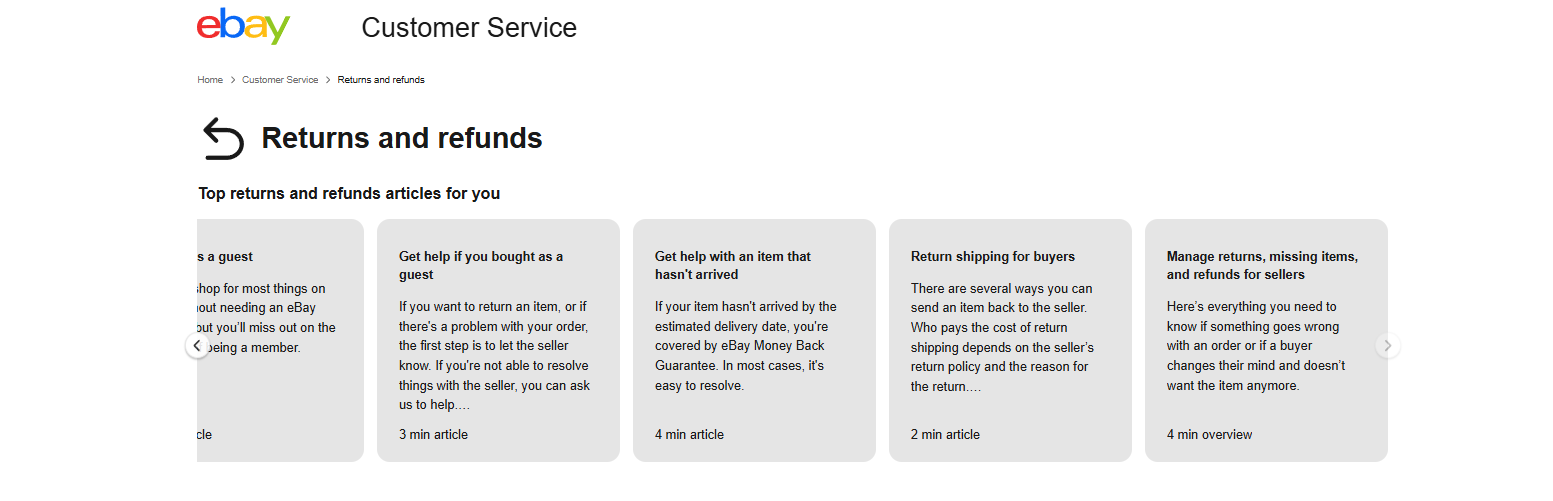
Large marketplaces often expose different help paths for different roles. The Airbnb Help Center, for example, lets users select guest and several host contexts. The eBay returns and refunds center separates buyer topics from seller return-management guidance.
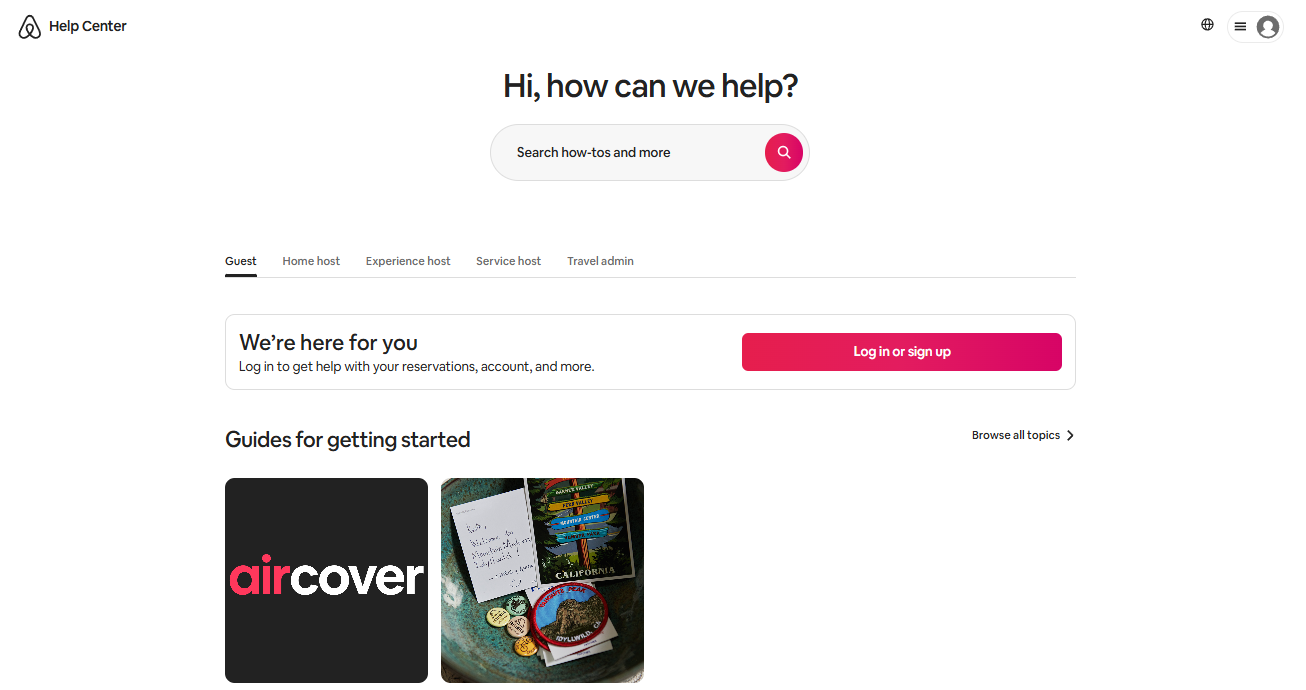
These examples illustrate the underlying principle: one knowledge platform can serve several audiences, but navigation, search results, terminology, and permissions should reflect the user’s role.
Map Knowledge to the Buyer, Seller, and Internal Journeys
Organize the content plan around the journeys the marketplace actually supports. Do not copy an ecommerce structure into a service, rental, booking, freelance, or creator marketplace without adapting it.
Buyer or client journey
- Creating and securing an account
- Searching for a product, service, provider, property, or offer
- Evaluating listings, sellers, ratings, prices, and fees
- Placing an order, booking, request, or project
- Paying through supported methods
- Tracking delivery, booking status, or project progress
- Changing or canceling a transaction
- Requesting a return, refund, or reimbursement
- Opening and following a dispute
- Leaving or challenging a review
- Reporting fraud, unsafe conduct, or a policy concern
Seller or provider journey
- Applying and completing onboarding
- Providing identity, business, tax, or payment information where required
- Creating a profile, storefront, listing, service, or offer
- Meeting content and quality standards
- Setting pricing, inventory, availability, or service terms
- Managing orders, bookings, projects, or customer communication
- Completing fulfillment, delivery, or service milestones
- Handling cancellations, returns, refunds, and disputes
- Understanding fees, balances, settlements, and payouts
- Monitoring performance and account health
- Responding to warnings, restrictions, removals, or suspensions
- Submitting a complete appeal
Internal operational journey
- Ticket classification and routing
- Identity or business-verification review
- Listing or profile moderation
- Refund and reimbursement decisions
- Payment and payout investigation
- Dispute and evidence review
- Fraud and safety escalation
- Policy enforcement
- Seller-performance review
- Appeal handling
- Quality assurance and coaching
- Policy, product, and process updates
Not every marketplace needs every stage. A local classified platform may not process payments or payouts, while a freelance marketplace may need milestone, deliverable, and project-dispute documentation instead of shipping and return articles.
Build an Information Architecture Users Can Predict
A marketplace help center should normally organize content by user role and task rather than by the company’s internal department structure. Buyers do not know which team owns payment failures, and sellers should not need to understand the organization chart to find payout guidance.
A practical top-level structure may include:
- Getting Started
- Buyer or Client Help
- Seller or Provider Help
- Accounts and Security
- Listings, Profiles, or Services
- Orders, Bookings, or Projects
- Payments, Pricing, and Fees
- Delivery, Fulfillment, or Service Completion
- Cancellations, Returns, Refunds, and Disputes
- Seller Payments and Payouts
- Reviews and Communication
- Safety and Reporting
- Policies
- Account Health and Appeals
- API and Integrations
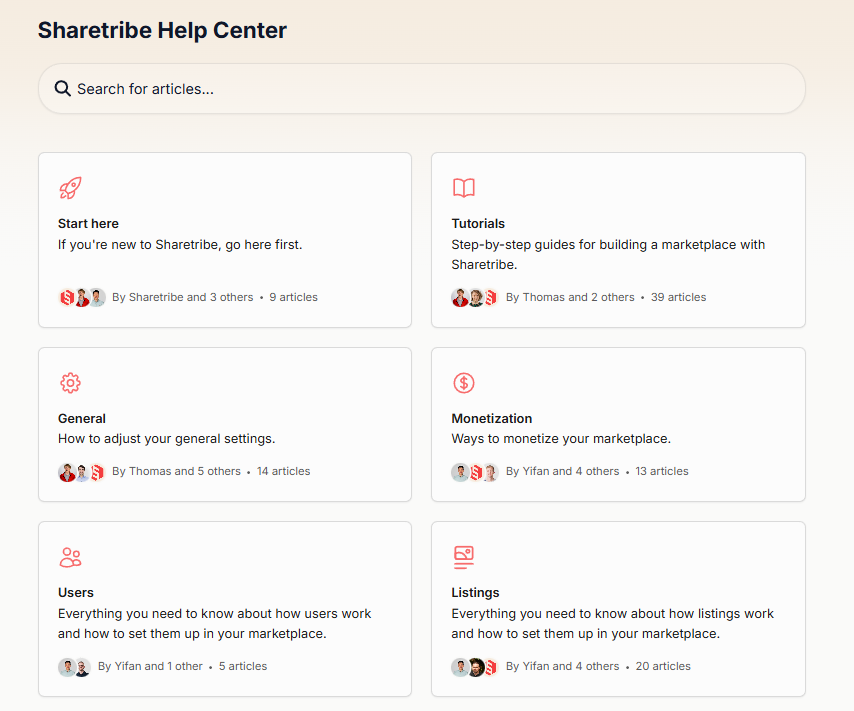
Use only the categories that match the marketplace. A smaller structure with clear labels is more useful than a large taxonomy filled with empty or overlapping sections.
Separate buyer and seller topics when the intent differs
A category called “Payments” can become confusing when it mixes buyer payment methods, seller fees, payout schedules, reserves, failed bank transfers, refunds, and payment disputes. Separate those journeys or label them so the intended audience is unmistakable.
Use the language participants use
Support common synonyms in article titles, metadata, and search. A buyer may search for “money back,” “refund,” or “cancel order,” while a seller may use “cash out,” “withdrawal,” “bank transfer,” or “payout.” Search logs and support tickets should determine which language matters.
Connect related content instead of duplicating it
A public policy article, buyer how-to, seller procedure, and internal SOP may address the same event from different perspectives. Link them through a controlled relationship rather than copying the same rule into several independent documents that can drift apart.
Separate Guidance, Policy, Enforcement, Legal Terms, and SOPs
Many marketplace content problems begin when several types of information are blended into one article. Readers should be able to tell whether a statement is a suggestion, a requirement, a contractual term, or an internal procedure.
| Content type | Purpose | Example | Key control |
|---|---|---|---|
| Guidance | Help users achieve a better outcome | Take clear photos that show the item’s condition | Do not present optional advice as a mandatory rule |
| Policy | Define what is allowed or required | Listings must accurately describe the item or service | Identify the authoritative owner and scope |
| Enforcement explanation | Explain possible action when a policy is violated | A listing may be removed and the seller may be asked to correct it | Do not promise a fixed outcome when the process allows discretion |
| Legal terms | Define contractual rights and obligations | Terms of Service, seller agreement, or privacy notice | Do not replace approved legal language with an informal summary |
| Internal SOP | Tell authorized staff how to perform a process | Evidence review, approval authority, customer response, and escalation | Restrict sensitive operational details |
| Incident playbook | Coordinate high-risk response | Immediate containment, preservation of evidence, severity, and escalation | Limit access and maintain version control |
One approved policy should act as the source of truth. Public explanations and internal workflows can reference it, but they should not silently redefine it.
How to Build a Marketplace Knowledge Base
1. Define the marketplace model and support boundaries
Document who transacts with whom, what the platform controls, and what remains the responsibility of buyers, sellers, providers, payment partners, carriers, or other parties. The output should be a simple operating map showing the platform’s role at each stage.
Avoid assuming that a feature such as buyer protection, escrow, return shipping, identity verification, or platform-managed refunds exists unless the marketplace actually provides it.
2. Map audiences and journeys
List the tasks each audience must complete before, during, and after a transaction. Include failure states such as rejected verification, failed payments, missing deliveries, disputed work, delayed payouts, removed listings, account restrictions, and safety reports.
The output should be a journey-to-content matrix, not merely a list of departments.
3. Use real demand to prioritize topics
Review support tickets, contact reasons, search queries, zero-result searches, seller onboarding failures, payment issues, disputes, appeals, moderation cases, and product analytics. Separate frequent questions from rare but high-risk situations.
Do not prioritize articles only because they are easy to write. A low-volume safety or account-access article may deserve higher priority than a popular optimization tip.
4. Identify the authoritative source for every rule
Record where each important fact comes from: an approved policy, product configuration, payment provider, legal requirement, operations process, or other controlled source. Assign an owner who can confirm changes.
If two active sources contradict each other, resolve the conflict before publishing an article or connecting the content to an AI assistant.
5. Classify access and risk
Label content as public, authenticated, internal, restricted, or highly restricted. Also classify the risk of an incorrect answer. Refund eligibility, seller verification, payout holds, account suspension, and safety incidents usually require stronger review than general marketplace tips.
6. Design the taxonomy and search model
Create categories, article relationships, metadata, role labels, product or marketplace-model labels, geographic scope, and search synonyms. Test the structure with buyers, sellers, and agents who were not involved in designing it.
7. Create templates and writing standards
Define required fields for how-to articles, seller onboarding content, policies, internal SOPs, and developer documentation. Establish standards for titles, summaries, steps, exceptions, screenshots, source links, ownership, review triggers, and escalation paths.
8. Draft the highest-priority content
Write the direct answer first, then add prerequisites, steps, limitations, exceptions, and next actions. Keep public instructions focused on what the reader can do. Keep internal decision logic in the authorized internal article.
9. Connect the knowledge base to real workflows
Link relevant articles from checkout, order pages, seller onboarding, verification screens, listing forms, payout status pages, contact forms, and agent workspaces. A well-written article has limited value when users cannot find it at the moment of need.
10. Test complete scenarios
Test with realistic language and account states. Confirm that the right audience can find the right article, restricted information remains protected, links and actions work, and the reader knows what happens after completing the instructions.
Include negative tests: a buyer searching for internal seller-risk rules, a seller using terminology that appears nowhere in the article title, and an agent handling a case for which no approved answer exists.
11. Launch with measurement and a correction process
Establish baseline search, contact, onboarding, dispute, and operational metrics before launch. Give users and agents a clear way to report missing, confusing, or outdated content, and define who reviews those reports.
What Should You Publish First?
Prioritize content using two factors: how often the issue occurs and how much harm an incorrect or missing answer could cause.
| Priority | Typical topics | Why they belong here |
|---|---|---|
| High volume and high risk | Account access, payments, refunds, disputes, seller verification, payout failures, and safety reporting | These topics create frequent contacts and can cause financial, privacy, or trust harm |
| High volume and moderate risk | Account setup, first listing, order status, booking changes, delivery, and common troubleshooting | Clear instructions remove common workflow blockers |
| Lower volume and high risk | Account suspension, complex appeals, fraud escalation, serious safety incidents, and regulatory notices | They require accurate, controlled handling even when cases are uncommon |
| Lower volume and lower risk | Optimization tips, advanced customization, and optional growth guidance | Useful after the core transaction and risk content is reliable |
A practical initial release often includes:
- How the marketplace works
- How buyers or clients complete the core transaction
- How sellers or providers join and create their first offer
- Account security and recovery
- Payment methods and failed-payment guidance
- Marketplace fees and seller charges, where applicable
- Cancellation, refund, and dispute processes
- Seller verification and payout troubleshooting, where applicable
- Safety reporting and urgent contact paths
- Core listing and conduct policies
- Account restriction and appeal guidance
- Internal triage and escalation procedures
Reusable Marketplace Knowledge Base Templates
Buyer or client how-to article
- Direct answer
- Who the instructions apply to
- Requirements or eligibility
- Steps in the correct order
- What happens next
- Important exceptions
- Related policy
- Contact or escalation path
Seller or provider onboarding article
- Who can use the process
- Information or documents the current workflow requests
- Setup steps
- Expected status changes
- Common rejection or failure reasons
- How to correct information
- Related seller policies
- Support path
Marketplace policy article
- Plain-language policy summary
- Scope and affected audiences
- What is allowed
- What is not allowed
- Examples and edge cases
- Possible enforcement outcomes
- How to report a concern
- How to appeal, when applicable
- Related legal terms and policies
Internal operational SOP
- Purpose and scope
- Trigger and case type
- Required evidence
- Decision steps
- Approval authority
- Exceptions
- Escalation criteria
- User communication
- Case notes and logging
- Quality-assurance criteria
Templates create consistency, but they should not force irrelevant sections into every article. A simple password-reset guide does not need the same structure as a seller-suspension policy or safety-response playbook.
Establish Ownership, Review, and Change Control
Every important article needs a named owner, not merely a department label. The owner is responsible for accuracy, coordination, and retirement, even when subject-matter experts perform the detailed review.
Zendesk’s knowledge-base content guidance recommends assigning ownership, establishing a process for agents to flag documentation needs, using consistent authoring standards, and requiring expert review before publication.
| Role | Responsibility |
|---|---|
| Knowledge owner | Maintains standards, backlog, taxonomy, and overall quality |
| Article owner | Ensures a specific article remains accurate and useful |
| Subject-matter expert | Validates operational, technical, payment, safety, or policy details |
| Approver | Authorizes publication of high-risk or regulated content |
| Support and operations contributors | Report gaps, unclear instructions, and changing user language |
| Platform administrator | Manages access, workflows, integrations, and publishing controls |
Use review triggers, not only calendar reminders
Scheduled reviews are useful, but many marketplace articles should also be reviewed when a meaningful event occurs:
- A marketplace policy changes
- A product workflow or interface changes
- A payment or verification process changes
- A new country, language, or marketplace model launches
- A legal or compliance requirement changes
- A serious incident reveals a documentation gap
- Search or ticket data shows repeated confusion
- An appeal identifies inconsistent enforcement guidance
- An integration, API, or third-party service changes
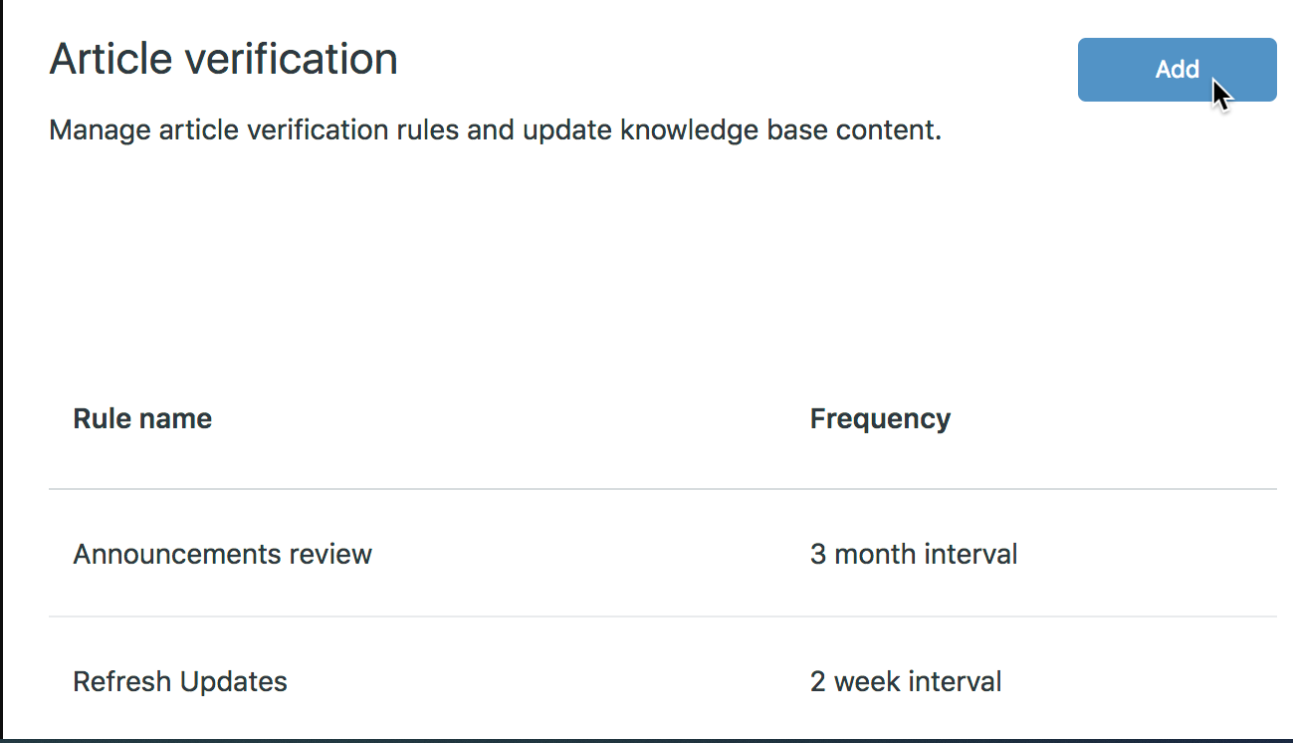
Archiving is part of governance. Remove obsolete articles from search and AI retrieval instead of leaving several versions available and hoping users select the current one.
Handle Legal, Payment, and Trust & Safety Content Carefully
The marketplace knowledge base should explain the platform’s actual role without implying protections or remedies that do not exist. The Federal Trade Commission’s guidance for marketplace buyers notes that different marketplaces provide different levels of involvement in payments, delivery, refunds, and problem resolution.
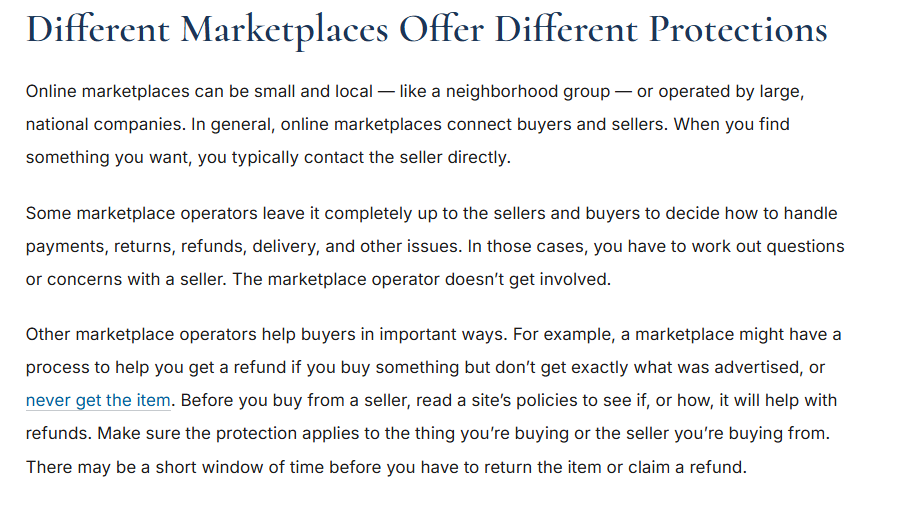
State clearly whether a user should contact the seller, the marketplace, a payment provider, a delivery company, or another party. Also explain which deadlines and eligibility conditions apply, using the current approved policy rather than a generic industry assumption.
Account for marketplace-specific legal obligations
Some U.S. retail marketplaces may be covered by the INFORM Consumers Act. The FTC’s business guidance describes collection, verification, disclosure, reporting, suspension, and data-protection obligations for covered marketplaces and qualifying third-party sellers.
Coverage depends on statutory definitions and the marketplace’s facts. A help article should not make a legal determination or replace approved legal guidance. Legal or compliance teams should confirm applicability and approve affected seller documentation.
Treat payment and payout instructions as controlled content
Payment marketplaces may rely on specialized infrastructure for onboarding, verification, money movement, disputes, and payouts. Stripe Connect is one example of a platform product designed for those workflows.
The knowledge base should reflect the marketplace’s current configuration and the payment provider’s current requirements. Do not hard-code document lists, payout timing, reserve rules, or dispute steps unless they are verified for the relevant account type, country, capability, and transaction flow.
Protect sensitive Trust & Safety information
Public content can explain prohibited behavior, reporting methods, possible enforcement outcomes, and appeal options. Restricted internal content may contain investigation methods, fraud signals, internal thresholds, evidence standards, escalation contacts, and incident-response procedures.
Do not expose sensitive detection or enforcement logic simply to make the public knowledge base appear comprehensive.
Prepare the Knowledge Base for Search, Localization, and AI
Improve search with role-aware language
- Use direct, task-based article titles
- Add buyer, seller, provider, and internal synonyms
- Tag articles by role, journey stage, product, market, and policy status
- Analyze zero-result and abandoned searches
- Review which articles appear for ambiguous terms such as “payment,” “refund,” or “account blocked”
- Provide a useful next step when no matching article exists
Localize the policy, not only the words
A translated article may still be wrong for another market. Payment methods, verification requirements, taxes, seller eligibility, prohibited items, dispute processes, and consumer rights may differ by country or region.
Record geographic scope in the article metadata, identify which content is globally reusable, and require local review for market-specific rules.
Use AI as a delivery layer, not the source of policy
AI search, chatbots, and agent-assist tools can improve access to marketplace knowledge, but they can also present an outdated or unsupported answer with confident wording. Connecting an AI system to inconsistent content makes the inconsistency easier to distribute.
| AI risk | Recommended guardrail |
|---|---|
| Invented refund, payout, or suspension rule | Ground answers only in approved sources and define no-answer behavior |
| Wrong policy for the user’s role or country | Apply role, jurisdiction, product, and permission filters |
| Restricted internal content shown publicly | Enforce source-level permissions before retrieval and generation |
| Outdated source retrieved | Archive obsolete content and exclude unapproved drafts from retrieval |
| Accurate source summarized incorrectly | Preserve source links and require human review for sensitive decisions |
| Contradictory documents | Resolve the source conflict instead of adjusting prompts to favor one answer |
Evaluate AI answers with realistic buyer, seller, support, payment, and Trust & Safety scenarios. Check both whether the correct source was retrieved and whether the answer accurately represented it.
How to Evaluate Marketplace Knowledge Base Software
The strongest software choice depends on the marketplace model, audience structure, risk profile, existing support stack, and content team. Evaluate products through real marketplace scenarios rather than a generic feature checklist alone.
Important capabilities may include:
- Separate public, authenticated, internal, and restricted content
- Buyer and seller portals or role-aware navigation
- Granular reading, editing, reviewing, and publishing permissions
- Single sign-on and user-segment controls
- Article ownership, review reminders, and approval workflows
- Version history, audit logs, and rollback
- Metadata, tags, synonyms, and search analytics
- Multiple languages and controlled translation workflows
- Multiple brands, portals, products, or marketplace regions
- In-product widgets and contextual article delivery
- Help-desk, CRM, marketplace, and agent-workspace integrations
- APIs, webhooks, and export options
- AI answers grounded in approved sources with source visibility
- Search and AI behavior that respects content permissions
- Security, privacy, data-location, and retention controls appropriate to the organization
Ask vendors to demonstrate your highest-risk scenarios
Instead of requesting only a standard product tour, ask the vendor to show how the platform would:
- Serve different refund guidance to a buyer and an internal agent
- Restrict fraud-investigation content to an authorized team
- Retire an outdated payout article from search and AI results
- Route a seller to the correct country-specific verification article
- Track which search queries produced no useful result
- Require approval before a policy article is published
- Export content and metadata if the organization changes platforms
Verify current product capabilities, pricing, plan limits, integrations, and security claims through the vendor’s official documentation before making a decision.
Metrics That Show Whether the Knowledge Base Is Working
Select metrics according to the task the knowledge base is intended to improve. Page views alone show that an article was opened; they do not show that the user completed the task or received the correct outcome.
| Metric | What it can reveal | Important limitation |
|---|---|---|
| Search success rate | Whether users find a meaningful result | A click does not prove the result solved the problem |
| Zero-result searches | Missing topics, synonyms, or metadata | Some searches may fall outside the marketplace’s supported scope |
| Search refinement rate | Whether users must repeatedly rewrite the query | Refinement can also reflect an initially vague question |
| Contact after article view | Topics where self-service may be insufficient | Contact may be the correct next step for sensitive cases |
| Repeat contact | Cases where guidance or resolution may be incomplete | Repeat contact can result from product or operational delays |
| Seller onboarding completion | Whether documentation supports a critical activation journey | Verification, product design, and eligibility also affect completion |
| Payout-related contact volume | Where seller payment guidance may be unclear | Provider outages or delayed transfers can increase contacts independently |
| Dispute or appeal completeness | Whether users understand the evidence and process | A complete submission does not guarantee a favorable outcome |
| Incorrect-answer reports | Where content or AI delivery may create risk | Reports must be reviewed to distinguish content errors from policy disagreements |
| Article freshness and ownership | Whether controlled content is being maintained | A recent review date does not prove the article is accurate |
Do not claim ticket deflection without defining what counts as successful self-service, the measurement window, the comparison method, and other changes that could affect support volume.
Common Marketplace Knowledge Base Mistakes
- Mixing buyer and seller content without clear labels: Similar words can describe different workflows, rights, and responsibilities.
- Publishing one general refund article: Eligibility, seller action, payment processing, disputes, and internal exceptions may require separate content.
- Copying legal terms into help articles without interpretation controls: Summaries can become inconsistent with the approved agreement.
- Exposing internal fraud or enforcement logic: Public transparency does not require publishing sensitive detection methods or thresholds.
- Writing before identifying the source of truth: Polished content cannot resolve contradictory policies or systems.
- Leaving articles without owners: Content becomes stale when everyone can edit it but nobody is accountable for it.
- Organizing content by internal department: Users search by task and problem, not by the team that owns the process.
- Launching AI before cleaning the source content: Retrieval and generation can spread duplicate or outdated guidance faster.
- Translating content without local policy review: Accurate language can still communicate the wrong regional process.
- Measuring views instead of outcomes: High traffic may indicate a common problem rather than successful self-service.
- Creating dead-end articles: Every article should provide the next action, escalation path, or explanation of what happens next.
- Assuming all marketplaces work like retail ecommerce: Service, rental, booking, freelance, and digital marketplaces require different journeys and terminology.
Marketplace Knowledge Base Launch Checklist
- The marketplace model and platform responsibilities are documented.
- Buyer, seller, provider, internal, and specialist audiences are defined.
- Every high-risk topic has an authoritative source and named owner.
- Public, authenticated, internal, and restricted access rules are configured.
- Buyer and seller journeys are separated where their tasks differ.
- Core transaction, payment, refund, dispute, safety, and account topics are covered.
- Public policies link to the correct procedures and appeal paths.
- Internal SOPs define decision authority and escalation.
- Sensitive fraud, safety, and enforcement details are protected.
- Search has been tested with real buyer, seller, and agent language.
- Country-specific content is labeled and locally reviewed.
- Outdated and duplicate articles are excluded from search and AI retrieval.
- Every article provides a useful next step.
- Support agents can report missing or incorrect content.
- Baseline metrics and review triggers are defined.
- Critical scenarios have been tested from beginning to end.
The knowledge base is ready when the organization can explain which source controls each important answer, who may see it, who approves changes, and what happens when the approved content does not resolve a user’s case.
Frequently Asked Questions
Should buyers and sellers use the same knowledge base?
They can use the same underlying platform, but the experience should separate their journeys when tasks, terminology, permissions, or consequences differ. Role-aware navigation and search reduce the chance that a buyer follows seller instructions or that a seller receives guidance intended for an internal agent.
What should be public and what should remain internal?
Public content can explain how the marketplace works, what users should do, which policies apply, how to report a concern, and how to appeal. Internal content can include decision trees, approval authority, investigation methods, fraud signals, escalation contacts, and sensitive incident-response procedures.
How many articles are needed before launch?
There is no universal number. Launch when the highest-volume and highest-risk journeys have accurate coverage, users can find the content, and the support team has a safe process for cases the knowledge base does not resolve. A smaller controlled library is better than a large collection of duplicated or unowned articles.
What is the difference between a Marketplace Knowledge Base and a knowledge marketplace?
A Marketplace Knowledge Base supports the users and teams of an online marketplace. A knowledge marketplace is a platform where knowledge products or expertise are offered and exchanged. The phrases describe different concepts.
Can AI answer buyer and seller questions safely?
AI can help when answers are grounded in approved, current, permission-controlled content. It still needs testing, source visibility, no-answer behavior, and human review for sensitive topics such as refunds, payments, account restrictions, legal obligations, and safety incidents.
Who should own marketplace knowledge content?
A central knowledge owner should manage standards and the overall backlog, while subject-matter owners remain accountable for individual topics. Support, seller operations, payments, product, Trust & Safety, legal, compliance, and developer teams may each own content within their areas.
How often should marketplace articles be reviewed?
Review frequency should reflect risk and rate of change. High-risk content should be checked when policies, workflows, providers, laws, or product behavior change. Lower-risk articles can use a lighter schedule supplemented by search, ticket, and user-feedback signals.
Sources Checked
- Airbnb Help Center
- eBay Returns and Refunds
- FTC guidance for buying through online marketplaces
- FTC business guidance on the INFORM Consumers Act
- Stripe Connect for platforms and marketplaces
- Zendesk knowledge-base content best practices
- Sharetribe Help Center
Sources and product information checked on November 10, 2026.