Independent knowledge base software guide Evidence-led Updated 2026

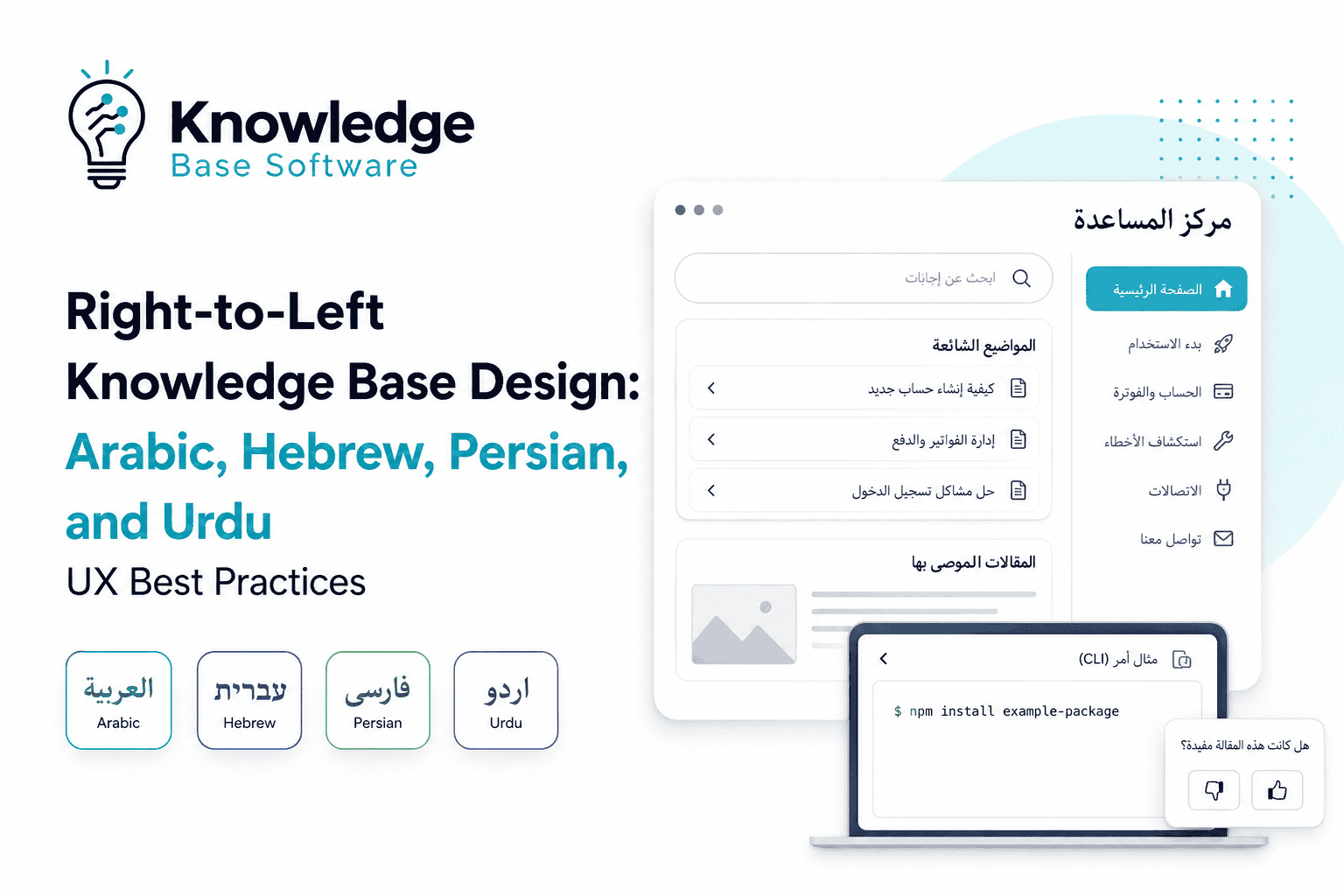
Right-to-Left Knowledge Base Design: Arabic, Hebrew, Persian, and Urdu UX Best Practices
Last updated: July 2026
Right-to-Left Knowledge Base Design is the practice of designing a help center, documentation portal, or customer self-service knowledge base so that right-to-left readers can find, read, search, and act on support content naturally. It is not limited to right-aligning translated text. It affects the information architecture, page hierarchy, article layout, navigation, search, forms, screenshots, code examples, accessibility, and localization workflow.
This matters because Arabic, Hebrew, Persian/Farsi, and Urdu content often includes bidirectional text: RTL script mixed with left-to-right elements such as English product names, URLs, numbers, commands, email addresses, and code. W3C explains that the HTML dir attribute sets the base direction of text and is essential for languages that use RTL scripts, including Arabic, Hebrew, Persian, and Urdu. It also recommends dir="rtl" at the document level when the overall document direction is RTL, and dir="auto" for forms or inserted text when direction is supplied at runtime.
A knowledge base adds another layer of complexity. Unlike a single marketing page, it has categories, sections, article pages, search results, filters, related articles, feedback widgets, and support escalation paths. Zendesk’s help center localization documentation, for example, notes that translated articles need translated parent pages in the same language, and that the hierarchy runs from category landing page to section landing page to article.
The goal is simple: an RTL reader should not feel like they are using a left-to-right product with translated labels. They should feel that the knowledge base was designed for their reading direction, language conventions, and support journey from the start.
Table of Contents
Executive Summary: What Makes an RTL Knowledge Base Work
A strong RTL help center is designed across four layers:
| Layer | What changes in RTL | Practical outcome |
|---|---|---|
| Information architecture | Category order, section hierarchy, breadcrumbs, localized parent pages, language fallback | Users can understand where they are and move through the help center naturally |
| Article experience | Title alignment, TOC position, sidebars, callouts, tables, related articles, code blocks | Articles remain readable even with mixed RTL/LTR content |
| Interaction design | Search, filters, forms, feedback widgets, ticket escalation, empty states | Users can ask questions, filter results, and contact support without direction errors |
| Technical and governance layer | dir, lang, CSS logical properties, BiDi isolation, QA, glossary, update workflow | The knowledge base stays consistent as content and products change |
The most common failure is treating RTL localization as a final translation step. A better approach is to build a direction-aware content system: one that can render RTL layouts, preserve mixed-direction text, maintain localized hierarchy, and support ongoing review by native speakers.
What Is Right-to-Left Knowledge Base Design?
Right-to-Left Knowledge Base Design is a specialized branch of multilingual documentation UX. It applies RTL and bidirectional design principles to self-service support content.
A normal RTL website guide might focus on mirroring navigation, aligning text, and flipping icons. A knowledge base requires more decisions:
- Should the category list begin on the right?
- Where should the table of contents sit?
- How should breadcrumbs behave in Arabic or Hebrew?
- What happens when a Persian article includes English UI labels?
- Should command-line examples remain left-to-right?
- How should search fields behave when a user enters mixed Arabic and English?
- Should “previous” and “next” article links be mirrored?
- How do feedback forms handle user-generated RTL and LTR text?
- What happens when the article is translated but its parent category is not?
The key distinction is this: RTL knowledge base design is about findability, comprehension, and task completion — not just visual direction.
Microsoft’s globalization guidance explains that Arabic and Hebrew writing systems can contain both RTL and LTR directionality, especially when digits or Latin text appear inside RTL content. This is why help centers with product names, API examples, numbers, and URLs need bidirectional handling rather than simple right alignment.
Why Translation Alone Breaks RTL Knowledge Bases
Translation changes words. RTL localization changes how the content system behaves.
A translated help center can still fail if the platform, templates, or content model remain LTR. Common symptoms include:
| Problem | Why it happens | User impact |
|---|---|---|
| Arabic article text is translated but article cards still flow left-to-right | Template layout is not direction-aware | Users scan the page in the wrong order |
| Breadcrumbs feel reversed or confusing | Hierarchy is translated but visual order is not adapted | Users lose context inside deep documentation |
| Search results mix RTL titles with LTR snippets poorly | Search component does not handle BiDi text | Users distrust results or miss relevant answers |
| Code examples are visually reordered | Code blocks inherit RTL direction | Developers copy incorrect-looking commands |
| Feedback fields misplace punctuation | Form inputs use fixed LTR direction | Users struggle to submit useful feedback |
| Screenshots show English UI while article text is localized | Visual assets were not included in localization workflow | Readers cannot match instructions to the product |
Help center platforms also differ in how they manage multilingual structure. Zendesk emphasizes translating category and section pages before translated articles so that articles have localized parent pages; Intercom states that collections, sections, and articles can have language versions, while the structure is applied across languages; Freshdesk requires multilingual support to be enabled and starts from primary-language categories, folders, and articles before translations are added.
The practical lesson: design the localized help center hierarchy before translating large volumes of articles.
Design the RTL Information Architecture First
RTL knowledge base design should begin with structure, not typography.
Localize the Parent Hierarchy Before the Articles
A knowledge base usually has a hierarchy like:
Home → Category → Section → ArticleIn RTL locales, each level should be available in the target language before users are sent into translated article pages. Otherwise, a user may land on a translated article but return to an untranslated section or category, creating a broken support journey.
For a production RTL knowledge base, check:
- Are all top-level categories translated?
- Are section names localized, not merely machine-translated?
- Does each translated article have a translated parent section?
- Are breadcrumbs rendered in the correct visual direction?
- Does the language switcher preserve the user’s current article when a translation exists?
- What happens when a translation is missing?
- Does fallback content clearly indicate that the user is viewing another language?
Zendesk’s hierarchy guidance is especially useful here because it treats translated parent pages as a visibility requirement, not just a UX preference.
Keep Cross-Language Structure Consistent, But Not Blindly Identical
Consistency helps support teams manage content. However, identical structure is not always the best user experience.
Use the same global framework for governance:
Account & Billing
Getting Started
Troubleshooting
Security
Integrations
Contact Support
Then validate whether each locale needs adjustments in terminology, ordering, or emphasis. For example, an Arabic-language support audience may use different product terminology than your English source content. Persian/Farsi and Urdu readers may have different expectations for terminology, script style, or localized product labels. Do not guess; validate with native reviewers.
A good rule is:
Keep the content model consistent. Localize the labels, examples, and task paths.
Breadcrumbs in RTL Knowledge Bases
Breadcrumbs are not decoration in a knowledge base. They tell users where they are, how deep the article is, and how to move back to broader topics.
For RTL breadcrumbs:
- Align the breadcrumb trail with the page’s RTL layout.
- Use localized category and section labels.
- Ensure separators do not create visual ambiguity.
- Test long category names in Arabic, Hebrew, Persian, and Urdu.
- Confirm screen reader order remains meaningful.
- Use Breadcrumb structured data only if the visible page hierarchy matches the markup.
Google’s Breadcrumb structured data documentation says breadcrumbs indicate a page’s position in the site hierarchy and can help users understand and explore a site effectively.
RTL Article Layout: Make Long Support Content Easy to Scan
Knowledge base articles are task-oriented. Readers are usually trying to solve a problem, not casually browse. RTL article layouts should reduce cognitive load.
Article Titles and Introductions
For RTL articles:
- Use the correct
langanddirat the page or container level. - Align the article title according to the content direction.
- Avoid starting localized titles with an English product acronym unless the rendering has been tested.
- Keep the first paragraph direct and task-focused.
- Do not force English punctuation patterns into localized text.
W3C notes that language declaration and direction declaration are separate: language declarations do not set text direction, and direction should be declared using dir.
Table of Contents and Side Navigation
A long article often needs a table of contents. In RTL layouts, the TOC usually belongs on the right side if it functions as the starting side of the reading experience. But this is not universal. Test with your layout, viewport, and user behavior.
Use this decision table:
| Component | RTL recommendation | Test carefully when |
|---|---|---|
| Article TOC | Place where RTL users naturally begin scanning | The design has sticky sidebars or two-column layouts |
| In-article anchors | Keep labels localized and visually stable | Headings include English product names or numbers |
| Side navigation | Mirror from LTR when it represents reading flow | Navigation includes icons, progress states, or nested trees |
| Related articles | Align with the article direction | Cards contain mixed RTL/LTR titles |
| Previous/next links | Mirror when they represent document flow | They refer to chronological order or fixed sequences |
Callouts, Notes, Warnings, and Tables
Knowledge base articles often use callouts such as “Note,” “Warning,” “Tip,” or “Important.” In RTL versions:
- Place callout icons on the logical start side.
- Ensure the callout border uses logical properties, not hard-coded
border-left. - Avoid icons that imply left-to-right motion unless mirrored.
- Keep labels short and consistently translated.
- Test callouts with multiple lines of RTL text.
Tables require extra attention. MDN notes that when a table has dir="rtl", its column order is arranged from right to left. This can be correct for localized comparison tables, but it can be wrong for technical reference tables where column order is expected to match an API, log, CSV, or database export.
Use this rule:
Mirror tables that are meant for reading. Preserve LTR order for technical data structures that users must copy, compare, or match exactly.
Handling Mixed RTL/LTR Content
Mixed-direction content is the core challenge in RTL help centers.
Support articles often include:
- English product names
- English UI labels
- Email addresses
- URLs
- File paths
- Command-line examples
- API endpoints
- Version numbers
- Keyboard shortcuts
- Ticket IDs
- Error codes
- Names entered by users
- Numbers and units
The Unicode Bidirectional Algorithm defines how characters are positioned when text contains characters flowing in different directions, such as Arabic or Hebrew mixed with other text. Browsers handle many cases automatically, but knowledge bases need markup when dynamic or mixed content becomes ambiguous.
Practical HTML Patterns
For an Arabic article page:
<html lang="ar" dir="rtl">
  <body>
    <main>
      <h1>...</h1>
    </main>
  </body>
</html>
For user-generated or unknown-direction text:
<textarea dir="auto" name="comment"></textarea>For dynamic names or titles where direction is unknown:
<p>
  <bdi>{{ customer_name }}</bdi>
</p>
W3C recommends dir="auto" on forms and inserted text when direction is supplied at runtime. MDN describes <bdi> as an element that isolates text from its surroundings when the directionality of inserted text is unknown.
For code blocks, preserve LTR direction:
<pre dir="ltr"><code>curl -X POST https://api.example.com/v1/tickets</code></pre>For inline code:
<code dir="ltr">npm install example-package</code>For technical examples, do not localize or mirror code syntax. Translate the explanation around the code, not the command itself.
Content Rules for Technical Writers
Use these rules in your documentation style guide:
| Content type | Recommended handling |
|---|---|
| Product names | Keep official brand capitalization; isolate if rendering becomes ambiguous |
| English UI labels | Decide whether to translate based on the localized product UI |
| URLs | Keep LTR and test punctuation around them |
| Email addresses | Keep LTR |
| Code and commands | Keep LTR in code blocks |
| Keyboard shortcuts | Preserve actual key names used in the product |
| Numbers and units | Localize according to locale conventions only after validation |
| Ticket IDs and error codes | Preserve exact string order |
| User names | Use <bdi> or equivalent isolation when direction is unknown |
What to Mirror — and What Not to Mirror
Mirroring is one of the most misunderstood parts of RTL UX. Some interface elements should follow the reading direction. Others should not change because their meaning is fixed, branded, technical, or chronological.
Material Design says directional UI icons such as back and forward should be mirrored in RTL languages, while some elements such as media controls may retain their orientation depending on context. Microsoft also notes that not all icons should be mirrored and gives media controls as an example.
Mirror / Do Not Mirror Table
| Element | Mirror in RTL? | Why |
|---|---|---|
| Back/forward navigation icons | Usually yes | They represent reading or navigation flow |
| Breadcrumb visual flow | Usually yes | It supports RTL scanning and hierarchy recognition |
| Side navigation placement | Usually yes | It belongs near the starting edge of the reading experience |
| Pagination arrows | Usually yes | They represent page movement in the interface |
| Disclosure arrows in menus | Usually yes | They indicate expansion direction |
| Progress steps | Usually yes | If they represent UI progression in reading order |
| Media play button | No | It is not directional in the same way |
| Fast-forward / rewind | Usually no | They refer to media time, not reading direction |
| Logos | No | Brand assets should remain unchanged |
| Product screenshots | Only if product UI is localized | Screenshots should match what the user actually sees |
| Code examples | No | Code order must remain exact |
| Maps | No, unless the map UI itself requires localization | Geography is not mirrored |
| Charts with time axis | Usually no | Time often remains left-to-right depending on chart convention; validate by locale |
| Phone numbers, email addresses, URLs | No | Preserve exact LTR sequence |
The safest approach is not “mirror everything.” The safest approach is: mirror direction-dependent UI, preserve meaning-dependent content, and test ambiguous cases with native users.
RTL Search and Discovery
Search is often the most important feature in a help center. RTL search must handle both visual direction and query behavior.
Search Box Direction
A search box in an Arabic or Hebrew help center should usually begin RTL. But users may search for English product names, mixed error messages, or API terms. Use dir="auto" where supported, especially for search inputs that may receive unknown-direction queries. W3C recommends dir="auto" for forms and runtime text direction detection.
Example:
<input type="search" dir="auto" lang="ar" placeholder="ابحث في مركز المساعدة">Search Results Layout
For RTL search results:
- Align result titles and snippets according to content direction.
- Keep English error codes and product terms stable.
- Use localized filters and tags.
- Mirror filter panels when they are part of layout flow.
- Keep result ranking logic independent of text direction.
- Test autocomplete with mixed-language queries.
- Avoid truncating RTL snippets in a way that separates punctuation from the relevant phrase.
Synonyms and Transliteration
RTL users may search using:
- Arabic terms
- English product names
- Transliteration
- Abbreviations
- Local dialect terms
- Error codes copied from an English UI
- Mixed Arabic-English phrases
A good RTL knowledge base search strategy should include a localized synonym map. For example, if your product UI is partially English, Arabic users may search for both the translated concept and the English UI label. This is a content governance issue, not only a search engine issue.
Use analytics after launch to identify:
- zero-result searches
- mixed-language search queries
- repeated English terms inside RTL locales
- high-click articles with low helpfulness ratings
- articles that users read before contacting support
Forms, Feedback Widgets, and Support Escalation
Forms are where many RTL knowledge bases fail.
A reader may understand the article but struggle to submit feedback or contact support if the form direction is wrong. W3C specifically recommends dir="auto" for form inputs when text direction is supplied at runtime, and notes that correct base direction improves user experience when input includes punctuation and numbers.
Components to Test
| Component | RTL-specific checks |
|---|---|
| Search field | Does the cursor start in the expected direction? |
| Article feedback | Are “Yes/No” buttons ordered naturally for RTL users? |
| Comment field | Does mixed Arabic-English text render correctly? |
| Ticket subject | Does the field support dir="auto"? |
| Description textarea | Are punctuation and numbers displayed correctly? |
| Dropdowns | Are labels aligned and menu direction correct? |
| Validation messages | Do error messages appear near the related field? |
| File upload | Is the filename readable if it contains mixed text? |
| Confirmation page | Is the next action clear in RTL layout? |
Feedback Widgets
For article feedback, avoid relying only on icons. Thumbs-up and thumbs-down icons may be understood, but localized labels improve clarity.
Better:
Was this article helpful?
[Yes] [No]
Localized RTL version:
[Localized question]
[Localized positive answer] [Localized negative answer]
The exact order should be validated with your design system and native readers. Do not assume that translating labels is enough; the layout, focus order, and analytics event labels must also be checked.
Language-Specific Considerations: Arabic, Hebrew, Persian, and Urdu
RTL languages are not interchangeable. A help center that works in Arabic may still feel wrong in Urdu or Persian.
Arabic
Arabic knowledge bases need careful attention to typography, line height, punctuation, and terminology. W3C’s Arabic and Persian Layout Requirements describe layout and presentation requirements for languages using the Arabic script, with a focus on Standard Arabic and Persian.
Practical checks:
- Use fonts with strong Arabic readability at support-article sizes.
- Avoid over-tight line height.
- Validate localized UI terms with support teams.
- Test article titles that include English product names.
- Confirm numbers, dates, and currency conventions by target market.
Hebrew
Hebrew help centers often include English technical terms, SaaS product names, and Latin-script abbreviations. Treat mixed Hebrew-English text as a primary design case, not an edge case.
Practical checks:
- Test punctuation around English product names.
- Keep code, URLs, and IDs LTR.
- Mirror directional navigation icons.
- Validate whether timeline, media, or chart direction should remain fixed.
- Confirm that search handles Hebrew and English queries.
Material Design’s RTL guidance notes that directional UI icons should be mirrored, while some content types may retain LTR behavior depending on context.
Persian / Farsi
Persian uses the Arabic script but has its own language conventions, terminology, and typography expectations. Do not reuse Arabic translations for Persian users.
Practical checks:
- Validate Persian product terminology with native speakers.
- Review numerals, punctuation, and date formats.
- Test font rendering for Persian characters.
- Check mixed Persian-English support queries.
- Avoid assuming Arabic UI terms are acceptable in Persian.
Urdu
Urdu introduces additional typographic sensitivity, especially around Nastaliq-style expectations. W3C notes that the Nasta’liq typeface style is the standard way of writing Urdu and Kashmiri, and that arbitrary font fallback can significantly affect identity and readability. For current Arabic-script layout references, use W3C’s Arabic Script Resources.
Practical checks:
- Choose fonts carefully and test readability at article length.
- Give the layout enough vertical space for Urdu typography.
- Test headings, sidebars, and dense tables.
- Validate search behavior with Urdu queries and English product terms.
- Use native Urdu review rather than relying on generic RTL QA.
Technical Implementation Basics for RTL Knowledge Bases
The technical foundation should support RTL as a first-class mode, not as a theme hack.
Use dir for Direction, Not CSS Alone
W3C is explicit that authors should not use CSS to apply the base direction of text; direction should be declared with markup, while CSS logical properties should be used for layout properties such as margins and padding.
Correct:
<html lang="ar" dir="rtl">Avoid relying on this alone:
body {
  direction: rtl;
}
CSS can support layout, but HTML direction is the semantic foundation.
Declare Language Separately
Use lang to identify the language of the page and dir to identify the direction.
<html lang="fa" dir="rtl">W3C recommends declaring the default language on the html tag and adding language attributes around text when the language changes within a page.
Use CSS Logical Properties
Use logical properties so components can adapt to LTR and RTL without maintaining separate stylesheets.
Instead of:
.article-callout {
  border-left: 4px solid currentColor;
  padding-left: 1rem;
  margin-right: 2rem;
}
Use:
.article-callout {
  border-inline-start: 4px solid currentColor;
  padding-inline-start: 1rem;
  margin-inline-end: 2rem;
}
web.dev recommends thinking in terms of inline-start and block-start rather than left and top, and shows how logical properties let layouts adapt to right-to-left languages without separate designs.
Use Direction-Aware Design Tokens
If your knowledge base uses a design system, create tokens for logical placement:
space.inline.start
space.inline.end
border.inline.start
icon.direction.forward
icon.direction.back
layout.sidebar.start
layout.sidebar.end
This helps designers, engineers, and documentation teams avoid one-off RTL fixes.
Preserve LTR for Technical Blocks
Many knowledge bases include developer documentation. Preserve LTR direction for:
- code blocks
- CLI commands
- API endpoints
- JSON examples
- log output
- configuration keys
- file paths
- package names
Example:
<div dir="rtl" lang="ar">
  <p>Use the following command:</p>
  <pre dir="ltr"><code>npm install @example/support-sdk</code></pre>
</div>
The explanation is RTL; the command remains LTR.
Accessibility in RTL Knowledge Bases
Accessibility is not separate from RTL design. It determines whether users can navigate the help center with keyboards, screen readers, zoom, and assistive technologies.
Focus Order
RTL layouts often visually move navigation from left to right or right to left. Ensure the DOM and keyboard focus order still match the meaningful reading and interaction order.
W3C’s WCAG guidance for Focus Order says that when a page can be navigated sequentially and that sequence affects meaning or operation, focusable components must receive focus in an order that preserves meaning and operability.
Check:
- Does Tab move through the header, search, navigation, article, feedback, and footer logically?
- Does a sticky TOC receive focus at the right time?
- Are “previous” and “next” links ordered meaningfully?
- Do modals and ticket forms trap and return focus correctly?
- Does the language switcher remain keyboard accessible?
Screen Reader and Language Handling
Use semantic headings and accurate language metadata. web.dev notes that declaring language helps assistive technologies such as screen readers and voice assistants pronounce content correctly.
For mixed-language content:
<p lang="ar" dir="rtl">
  افتح <span lang="en" dir="ltr">Settings</span> ثم اختر ...
</p>
Use this only where the product UI actually uses English labels. If the localized product UI uses translated labels, match the localized UI.
Alt Text for Localized Screenshots
For RTL knowledge base screenshots:
- Localize screenshots when the product UI is localized.
- Keep screenshots in the same direction as the user’s product experience.
- Write alt text in the article language.
- Avoid embedding critical instructions only in images.
- Do not mirror screenshots artificially if the product UI itself does not mirror.
Multilingual SEO for RTL Knowledge Bases
RTL design and SEO overlap in three places: language targeting, page structure, and content usefulness.
Use Localized URLs and hreflang Where Appropriate
If each language has its own page URL, use hreflang to indicate localized alternatives. Google says hreflang tells Google about localized variations of the same content, and that alternate language versions should list themselves as well as all other versions. Google also says it does not use hreflang or the HTML lang attribute to detect the language of a page; it uses algorithms for language detection.
Practical checks:
- Each localized article has a unique URL.
- Each locale references itself and its alternates.
- Missing translations do not point to irrelevant pages.
- Canonicals do not collapse all language versions into the source-language article.
- Sitemaps or HTML head tags are generated consistently.
Use Structured Data Carefully
For a long-form guide or help center article, Article structured data may be appropriate. Google says Article structured data can help Google understand more about article pages and display better title text, images, and date information in search results.
For knowledge base navigation, Breadcrumb structured data is useful when the visible breadcrumb trail reflects the actual hierarchy. Google says breadcrumb trails indicate a page’s position in the site hierarchy and help users understand and explore a site.
Do not add structured data as an SEO shortcut. Google’s structured data guidelines say structured data must represent visible page content, must not be misleading, and does not guarantee rich results.
As of Google’s June 2026 documentation updates, FAQ rich result documentation has been removed because FAQ rich results are no longer shown in Google Search results. FAQ content can still be useful for readers, but do not add FAQ markup expecting a Google FAQ rich result.
RTL Knowledge Base Implementation Roadmap
Use this roadmap when launching or redesigning an RTL help center.
Phase 1: Audit
Review your current knowledge base:
- Which languages are supported?
- Which RTL languages are planned?
- Does the platform support RTL at page and component level?
- Are categories, sections, and articles localizable?
- Are templates built with logical properties?
- Are search and forms direction-aware?
- Are screenshots part of the localization workflow?
- Does analytics separate locale performance?
Phase 2: Information Architecture
Before translation:
- Define the target locale structure.
- Translate category and section names.
- Confirm parent-child relationships.
- Decide fallback behavior for untranslated articles.
- Map high-priority articles by support volume.
- Build localized terminology and glossary rules.
Phase 3: Template and Component Design
Update:
- Home page
- Category pages
- Section pages
- Article pages
- Search results
- Filter panels
- Feedback widgets
- Contact support forms
- Empty states
- Error messages
- Related article cards
Phase 4: Content Localization
Localize:
- Titles
- Summaries
- Body copy
- Callouts
- UI labels
- Metadata
- Search synonyms
- Alt text
- Screenshots
- Related links
- Tags
Do not localize code syntax, API endpoints, IDs, or product names unless the product itself uses localized names.
Phase 5: QA
Run linguistic, functional, visual, accessibility, and SEO QA before launch.
Phase 6: Post-Launch Optimization
Monitor:
- search queries
- zero-result searches
- article helpfulness
- support ticket deflection
- language fallback usage
- contact support rate
- article exit rate
- outdated translation reports
- broken alternate links
RTL Knowledge Base QA Checklist
Use this checklist before publishing an RTL help center.
Direction and Layout
- Page has correct
langanddir. - Main layout mirrors correctly.
- Text alignment matches content direction.
- Sidebars and TOC are placed logically.
- Breadcrumbs are readable and correctly ordered.
- Article cards scan naturally in RTL.
- Pagination and directional icons are reviewed.
- Non-directional icons are not accidentally mirrored.
Content and Articles
- Category, section, and article hierarchy is localized.
- Article titles are clear in the target language.
- Callouts, notes, warnings, and tips render correctly.
- Tables are mirrored only when appropriate.
- Code blocks remain LTR.
- URLs, email addresses, IDs, and commands are stable.
- Screenshots match localized product UI.
- Alt text is localized.
Search and Forms
- Search input handles RTL and mixed queries.
- Autocomplete does not break punctuation.
- Filters and sorting controls are localized.
- Empty states are useful and localized.
- Feedback fields support
dir="auto"where appropriate. - Ticket forms display validation messages correctly.
- User-generated content is direction-aware.
Accessibility and SEO
- Heading hierarchy is semantic.
- Focus order is logical.
- Keyboard navigation works across RTL components.
- Screen reader language changes are marked where needed.
hreflangalternates are correct.- Canonicals do not break localized versions.
- Breadcrumb structured data matches visible breadcrumbs.
- Article structured data represents visible content.
- No deprecated schema is used for expected rich-result gains.
Common RTL Knowledge Base Mistakes
| Mistake | Better approach |
|---|---|
| Translating articles before localizing categories | Build localized hierarchy first |
| Using CSS only for direction | Set base direction with HTML dir |
| Hard-coding left/right spacing | Use CSS logical properties |
| Mirroring all icons | Mirror only direction-dependent icons |
| Letting code blocks inherit RTL direction | Force code and commands to LTR |
| Using one Arabic translation for Persian or Urdu | Localize per language and region |
| Ignoring search synonyms | Build locale-specific search vocabulary |
| Treating screenshots as optional | Localize screenshots when UI is localized |
| Skipping native review | Use native linguistic and functional QA |
| Adding FAQ schema for rich results | Use FAQ content for users, not as a Google rich-result tactic |
Conclusion
Right-to-Left Knowledge Base Design is not just a translation task. It requires direction-aware information architecture, article templates, search behavior, forms, mixed-direction text handling, accessibility testing, localized screenshots, and ongoing governance.
The strongest RTL knowledge bases are designed for real support journeys. They help Arabic, Hebrew, Persian, and Urdu readers find answers naturally while preserving technical accuracy for product names, URLs, code examples, IDs, and mixed-language content.
FAQ
What is Right-to-Left Knowledge Base Design?
Right-to-Left Knowledge Base Design is the process of designing a help center or documentation portal for RTL languages such as Arabic, Hebrew, Persian/Farsi, and Urdu. It covers page direction, information architecture, article templates, search, forms, mixed-direction content, accessibility, SEO, and localization QA.
How is RTL knowledge base design different from RTL website design?
A normal RTL website may only need mirrored layouts, aligned text, and localized navigation. A knowledge base also needs localized category and section hierarchy, article templates, search results, filters, related content, feedback forms, ticket escalation, code examples, and ongoing content governance.
Is translating a help center enough for Arabic, Hebrew, Persian, or Urdu?
No. Translation is necessary, but not enough. You also need direction-aware templates, localized hierarchy, BiDi-safe mixed text, RTL search and forms, localized screenshots, native review, and QA.
What should be mirrored in an RTL knowledge base?
Mirror elements that represent reading flow or navigation direction, such as back/forward icons, side navigation, pagination arrows, and some breadcrumb layouts. Do not automatically mirror logos, code, URLs, media controls or time-based media icons, maps, or technical data.
How should code snippets be handled in RTL documentation?
Keep code snippets, command-line examples, API endpoints, file paths, and JSON examples left-to-right. The surrounding explanation can be RTL, but the technical string should remain exact and copyable.
How should mixed Arabic-English or Hebrew-English text be handled?
Set the correct base direction for the article and use BiDi-aware markup for dynamic or unknown-direction text. Use dir="auto" for user-generated input where appropriate and <bdi> for dynamic inserted text that should be isolated from its surroundings.
How do you test an RTL knowledge base before launch?
Test five layers: visual layout, language quality, mixed-direction rendering, functional interaction, and accessibility. Include native-speaker review, real translated content, forms, search, screenshots, mobile layouts, and keyboard navigation.
Which HTML and CSS practices matter most for RTL knowledge bases?
Use dir for base direction, lang for language, dir="auto" for unknown-direction inputs, <bdi> for isolated dynamic text, LTR direction for code blocks, and CSS logical properties instead of hard-coded left/right spacing.