Independent knowledge base software guide Evidence-led Updated 2026

Hospitality Knowledge Base Software: Property-Level Knowledge, Guest Support, and Brand Standards
Hotels do not usually have a knowledge shortage. They have a knowledge access problem.
The late checkout policy may live in one folder. The latest housekeeping setup standard may be in a PDF. The service recovery rules may be known by one experienced manager. Parking details may be different for each property. A chatbot may be connected to a public FAQ that is not updated as quickly as internal operations.
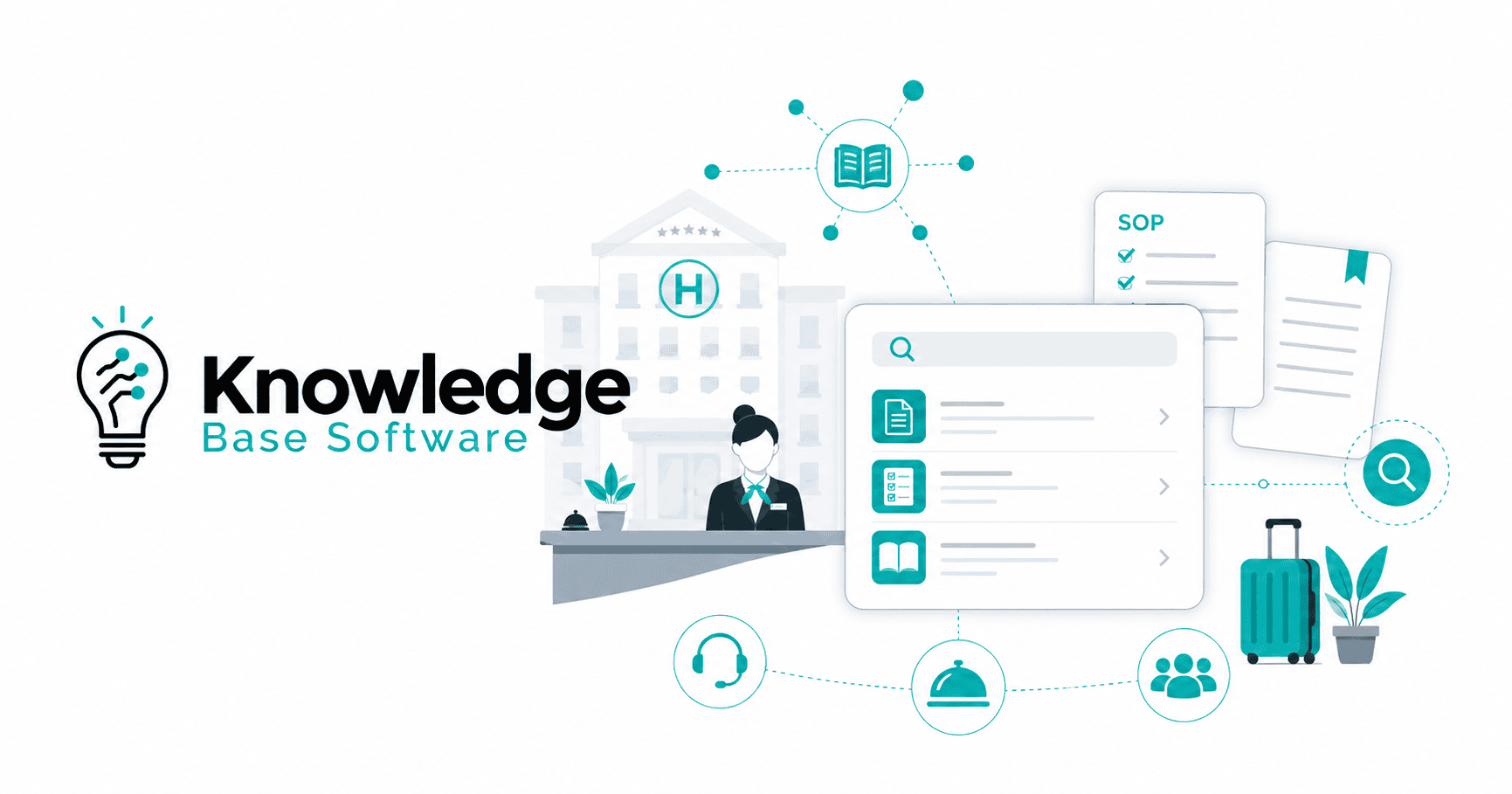
Hospitality knowledge base software helps address that problem by giving hotel teams a governed, searchable, and practical source of truth for operational knowledge. Used well, it helps staff find approved answers, supports guest-facing self-service, protects brand standards, and reduces the operational risk of outdated or inconsistent information.
This guide explains what hospitality knowledge base software is, how it differs from a PMS, LMS, wiki, help desk, or SOP folder, what hospitality-specific information it should manage, which features matter, and how to implement it across a property or multi-property hotel group.
Executive Summary
Hospitality knowledge base software is best understood as the answer layer for hotel operations. A PMS manages reservations, check-ins, billing, room assignment, rates, and other operational records; a knowledge base explains what staff should do, what they should say, which standard applies, and where to escalate when the situation is not routine. Oracle defines a hotel PMS as software that traditionally manages front-office capabilities such as reservations, guest check-in and checkout, room assignment, room rates, and billing, while Mews describes PMS platforms as combining reservations, front desk operations, housekeeping, reporting, and payments in one system.
Common high-value use cases include internal staff knowledge, property-level procedures, SOPs, brand standards, service recovery guidance, guest support answers, onboarding, and AI-assisted retrieval from approved content. A knowledge base is commonly defined as a self-service library or searchable collection of FAQs, how-to articles, troubleshooting guides, and other information maintained by experts or support teams.
For hotels, the practical question is not “Do we need more documentation?” It is: Can the right person find the current approved answer during a real guest or operational moment?
What Is Hospitality Knowledge Base Software?
Hospitality knowledge base software is a digital system for creating, organizing, approving, searching, and maintaining hotel knowledge.
In a hospitality environment, that knowledge may include:
- Front desk procedures.
- Check-in and check-out workflows.
- Housekeeping SOPs.
- Maintenance troubleshooting.
- Room setup standards.
- Guest complaint handling.
- Service recovery rules.
- Brand standards.
- F&B service guidance.
- Emergency procedures.
- Property-specific information.
- Local recommendations.
- Accessibility information.
- Loyalty program guidance.
- Approved guest response templates.
- Multilingual guest support answers.
- AI-grounding content for staff assistants or guest-facing chatbots.
A generic knowledge base can support many industries. A hospitality knowledge base is different because it must reflect how hotel work actually happens: across shifts, departments, roles, locations, guest touchpoints, and standards that often change by property or brand.
Vendor guidance from Bloomfire describes hospitality knowledge management as a centralized way to store and organize workforce knowledge so employees can access company policies, procedures, best practices, and role-relevant information.
The best hospitality knowledge base software does not behave like a passive document archive. It should make approved knowledge:
- Easy to find.
- Easy to understand.
- Current.
- Permission-aware.
- Useful on mobile.
- Governed by clear ownership.
- Adaptable to property-level realities.
- Safe to expose to staff, guests, or AI tools where appropriate.
Why Hotels Need a Hospitality-Specific Knowledge Base
Hotel operations are knowledge-heavy. A single guest stay may involve reservations, front desk, housekeeping, maintenance, concierge, F&B, accounting, loyalty, and post-stay support. Each team needs accurate information, but not always the same information.
Without a governed knowledge base, hotels often rely on scattered sources:
- Shared drives.
- SOP binders.
- WhatsApp or Slack threads.
- Email announcements.
- Training decks.
- Old PDFs.
- Manager memory.
- Public FAQs.
- Vendor manuals.
- Informal “ask someone who knows” habits.
That creates predictable problems:
- Different shifts answer the same guest question differently.
- New hires learn unofficial shortcuts before approved procedures.
- Updated SOPs do not reach every department.
- Property-specific details get buried under brand-level content.
- Brand standards are interpreted inconsistently.
- Guest-facing tools display outdated answers.
- Managers become bottlenecks for repeated questions.
Hotel SOPs are especially important because they give staff step-by-step guidance for operational tasks. Planet defines hotel SOPs as step-by-step instructions for an activity or process, and EHL notes that hotel SOPs help staff know what to do at guest touchpoints and support consistent service delivery.
A hospitality knowledge base turns those procedures into usable operational knowledge rather than static documents.
Hospitality Knowledge Base Software vs PMS, LMS, Help Desk, Wiki, and SOP Folder
A hospitality knowledge base does not replace a PMS, LMS, help desk, or hotel operations platform. It supports them by giving staff and systems the approved information behind the workflow.
| System | Primary purpose | Typical hotel use | Where the knowledge base fits |
|---|---|---|---|
| PMS / hotel management system | Manage operational records and property workflows | Reservations, room status, guest profiles, check-in/out, billing, payments, reporting | Explains how to handle exceptions, apply policies, use workflows, and answer operational questions |
| LMS | Deliver structured training | Onboarding courses, quizzes, compliance training, certifications | Provides live reference material after training, especially during shifts |
| Help desk / ticketing system | Manage requests and cases | Guest support, IT requests, maintenance tickets, internal support | Supplies approved articles for agents, staff self-service, and ticket resolution |
| Company wiki | Store broad internal documentation | Team pages, internal notes, policies, project documentation | May support documentation but often lacks hospitality-specific governance, property localization, and shift-level usability |
| Shared SOP folder | Store files | PDFs, spreadsheets, manuals, checklists | Often lacks strong search, ownership, approval workflows, analytics, and version control |
| Hospitality knowledge base software | Deliver approved operational answers | SOPs, brand standards, guest support answers, property-level procedures, escalation paths | Becomes the source of truth for what staff should know, do, say, and escalate |
The simplest distinction is this:
The PMS tells the hotel what is happening. The knowledge base tells the team what to do about it.
For example, the PMS may show that a guest has arrived early. The knowledge base should tell the front desk agent which early check-in options are approved, what to say if the room is not ready, which service recovery options require manager approval, and whether the policy differs by loyalty tier or property.
The Three Knowledge Layers Hotels Must Manage
Hospitality knowledge base software is most valuable when it supports three connected knowledge layers: property-level knowledge, guest support, and brand standards.
1. Property-Level Knowledge
Property-level knowledge is the local information that makes one hotel different from another.
A corporate brand manual may define the service promise, but each property still has its own operational facts:
- Parking entrance, validation rules, and overflow options.
- Local transportation partners.
- Airport transfer instructions.
- Property-specific room types.
- Elevator, HVAC, access-control, or Wi-Fi quirks.
- Local emergency contacts.
- Approved local vendors.
- Local attractions and recommended routes.
- Amenity availability.
- Renovation notices.
- Seasonal pool, spa, or restaurant hours.
- Department-specific handoff rules.
- Service recovery options approved at that property.
- Local legal or tax explanations where applicable and verified.
This matters because guests ask local questions, not abstract brand questions.
A guest does not ask, “What is the portfolio-wide parking policy?” They ask, “Where do I park tonight, and is it included?”
A strong hospitality knowledge base should let a corporate team maintain brand-wide rules while allowing each property to maintain approved local details. For multi-property operators, this usually requires layered permissions and content inheritance.
| Knowledge layer | Typical owner | Example |
|---|---|---|
| Brand standard | Corporate operations or brand team | Required greeting language, room presentation standard, service rituals |
| Regional rule | Regional operations, legal, or compliance owner | Regional policy variations, local reporting requirements, approved vendors |
| Property detail | General manager or department head | Parking instructions, shuttle schedule, emergency contacts, amenity details |
| Department procedure | Department manager | Front desk escalation path, housekeeping inspection steps, F&B opening checklist |
| Temporary update | Approved local owner | Pool closure, renovation notice, seasonal restaurant hours |
This structure prevents two common failures: knowledge that is too generic to be useful, and knowledge that is too localized to protect the brand.
2. Guest Support Knowledge
A hotel knowledge base should help teams answer guest questions quickly and consistently. That can happen internally, through staff search, or externally, through a public help center, chatbot, live chat, guest messaging platform, or call center workflow.
A guest support knowledge base may cover:
- Check-in and check-out times.
- Early arrival options.
- Late checkout rules.
- Parking.
- Deposits and incidentals.
- Pet policy.
- Wi-Fi.
- Breakfast.
- Room service.
- Pool, spa, gym, and amenity hours.
- Accessibility information.
- Airport transfers.
- Local transportation.
- Loyalty program questions.
- Lost and found.
- Refund or invoice support.
- Post-stay feedback.
Customer support knowledge bases are commonly used to help customers find answers independently, and Atlassian notes that knowledge bases can help customers self-serve while helping agents reference or share articles as they work.
In hotels, the guest support layer must be more careful than a generic FAQ because answers may vary by property, date, package, room type, loyalty status, booking channel, or local conditions.
Example: guest-facing parking answer
A weak answer says:
Parking is available at the hotel.
A useful knowledge base answer says:
Self-parking is available in the garage behind the property. Overnight parking is charged per night unless included in your package. Oversized vehicles should use the public lot on Market Street. Front desk staff can validate parking at check-in.
The second answer is more useful because it is specific, operational, and property-aware. It should still be reviewed by the property owner before being published or connected to a chatbot.
3. Brand Standards and SOP Governance
Brand standards define how the guest experience should look, sound, and feel across properties. They may cover physical standards, service standards, safety and accessibility requirements, technology expectations, and guest-facing scripts. Matterport’s 2026 guide notes that hotel brand standards can span everything from guestroom dimensions to check-in scripts, and that major brand manuals may run hundreds of pages.
The challenge is not only writing brand standards. The harder challenge is making them usable across departments and properties.
Hospitality knowledge base software can support brand standards by providing:
- Version-controlled SOPs.
- Approved visual examples.
- Review and approval workflows.
- Role-based access.
- Effective dates.
- Change history.
- Audit trails.
- Property-level localization.
- Multilingual versions.
- Required reading or acknowledgement for critical changes.
- Feedback loops when instructions are unclear.
Matterport’s brand standards management guidance emphasizes Hotel Brand Standards Management: A Practical Guide | Matterport that property teams can execute and using structured governance to assign accountability across owners, operators, and franchisees.
For example, if a brand updates the room presentation standard, a knowledge base can help distribute the new standard, archive the old version, show the correct visual setup, notify housekeeping leaders, and preserve a record of what changed.
What Hospitality Knowledge Base Software Should Manage
A strong hotel operations knowledge base should be organized around real work, not around corporate file structures.
Internal staff knowledge
This includes the operational information teams need during a shift:
- How to handle early check-in.
- What to do if a guest refuses the incidental hold.
- How to process a room move.
- When to escalate a complaint.
- Which amenities are available today.
- How to reset common in-room technology.
- Which local vendor to call after hours.
- What to say when a restaurant is fully booked.
- How to document a lost-and-found item.
SOPs and process knowledge
This includes repeatable procedures that should be consistent:
- Check-in workflow.
- Check-out workflow.
- Night audit process.
- Housekeeping room turn procedure.
- Maintenance issue reporting.
- VIP arrival preparation.
- Service recovery steps.
- Cash handling.
- Safety and emergency escalation.
- F&B opening and closing procedures.
Brand and service standards
This includes the standards that protect guest experience and brand consistency:
- Guest greeting language.
- Room setup.
- Turndown standards.
- Uniform and appearance standards.
- Public area presentation.
- Service rituals.
- F&B service sequence.
- Complaint response tone.
- Visual standards for meeting rooms, lobbies, restaurants, and amenities.
Guest-safe answers
Not everything internal should be visible to guests. A hospitality knowledge base should distinguish between internal notes and guest-safe answers.
For example:
- Internal note: “Manager approval is required for compensation above X.”
- Guest-safe answer: “Our team will review the situation and offer the most appropriate resolution.”
This separation is essential if the knowledge base powers guest-facing FAQs, chatbots, or live chat responses.
High-Value Use Cases by Department
| Department | High-value knowledge base use cases |
|---|---|
| Front desk | Check-in exceptions, payment handling, late checkout rules, upgrade guidance, guest complaint scripts, local recommendations |
| Reservations | Cancellation policy explanations, package rules, group inquiry routing, booking channel notes, deposit guidance |
| Housekeeping | Room setup photos, inspection standards, cleaning checklists, lost-and-found process, linen and amenity standards |
| Maintenance | Common troubleshooting, vendor contacts, emergency procedures, room-specific quirks, preventive maintenance steps |
| Concierge | Local attractions, transportation guidance, approved restaurant recommendations, accessibility details |
| F&B | Service standards, menu notes, allergen references, banquet setup guidance, room service procedures |
| Guest messaging / call center | Approved answers, property-specific FAQs, escalation rules, multilingual responses |
| HR and training | New hire onboarding, employee handbook, uniform policy, role-based quick references |
| Brand operations | Standard rollouts, controlled updates, audit support, multi-property governance |
| IT and systems | PMS workflow guides, device troubleshooting, access request procedures, incident escalation |
The best starting point is usually not the department with the most documents. It is the department where unclear knowledge causes the most repeated questions, service inconsistency, delays, or guest frustration.
Must-Have Features in Hospitality Knowledge Base Software
Hospitality teams need features that support real operational use, not just content storage.
| Feature | Why it matters in hotels | What to evaluate |
|---|---|---|
| Strong search | Staff need answers during live guest interactions | Natural-language search, synonyms, typo tolerance, filtering by property, department, and role |
| Mobile-first access | Many hotel employees are away from a desk | Fast mobile interface, simple authentication, QR access where appropriate |
| Role-based permissions | Some knowledge is internal, sensitive, or manager-only | Permissions by property, department, role, region, and guest-facing status |
| Version control | SOPs and standards change | Revision history, rollback, effective dates, change notes |
| Approval workflows | Unapproved edits can create operational risk | Draft, review, approve, publish, archive, and owner assignment |
| Property-level localization | Each property has local details | Corporate templates with local fields and property-level ownership |
| Multilingual support | Staff and guests may need different languages | Translation workflow, review process, source-language control |
| Media support | Hospitality standards are often visual | Images, videos, diagrams, room setup photos, checklist embeds |
| AI-assisted retrieval | Staff may ask questions instead of browsing categories | Grounded answers, source citations, permissions, escalation fallback |
| Feedback loops | Staff should flag unclear or outdated content | Article ratings, comments, issue reporting, content gap requests |
| Analytics | Leaders need to measure adoption and gaps | Searches, failed searches, article views, stale content, feedback trends |
| Integrations | Knowledge should appear where work happens | PMS, help desk, live chat, guest messaging, intranet, LMS, workforce tools, SSO |
| Security controls | Internal procedures may be sensitive | Access control, audit logs, SSO, data handling documentation, retention controls |
Some hospitality vendors now emphasize AI search, SOP access, role-based answers, and multi-property standardization. For example, hotelkit describes Knowledge AI as an internal hotel AI assistant that answers from SOPs and works according to access rights, while its SOP and knowledge management page emphasizes brand identity, quality standards, and consistency across sites.
Those claims should still be verified directly with any vendor during procurement, especially for security, integrations, AI behavior, data retention, and permission handling.
AI in Hospitality Knowledge Bases: Useful, but Not a Substitute for Governance
AI can make hotel knowledge easier to access. Instead of searching through folders, a staff member may ask:
“What can I offer a guest who wants late checkout but the hotel is fully booked tonight?”
A useful AI-assisted knowledge base should retrieve the relevant approved policy, explain the answer in plain language, and cite the source article. It should not guess, invent exceptions, or expose manager-only notes to frontline staff.
In hospitality knowledge management, it is useful to separate several AI capabilities:
| AI capability | What it does | Hospitality risk to manage |
|---|---|---|
| AI search | Finds relevant articles from a query | May surface the wrong article if taxonomy or permissions are weak |
| AI answer generation | Summarizes approved content into a direct answer | May omit conditions, exceptions, or escalation rules |
| AI-assisted authoring | Helps draft SOPs or articles | Drafts require human review before publishing |
| AI translation | Helps create multilingual content | Translations need review for operational accuracy and tone |
| AI agents | May trigger workflows or actions | Requires strong controls, auditability, and escalation rules |
A safer pattern for hotels is grounded, permission-aware retrieval. That means AI should answer from approved content, respect access permissions, show sources, and escalate when the answer is missing or uncertain.
NIST’s Generative AI Profile is a cross-sector companion to the AI Risk Management Framework and is intended to help organizations identify and manage risks specific to generative AI systems. NIST also states that the AI RMF is intended for voluntary use and to support trustworthiness considerations in the design, development, use, and evaluation of AI systems.
When evaluating AI features, ask:
- Does the AI answer only from approved hotel content?
- Does it respect role-based permissions?
- Does it show the source article behind the answer?
- Can sensitive topics be excluded or escalated?
- Can staff report a wrong or incomplete answer?
- Can administrators review unanswered questions?
- Is hotel data used to train external models?
- What security and retention controls are documented?
- Are AI-generated drafts reviewed before publication?
- Can the system distinguish internal notes from guest-facing answers?
Do not treat AI as a shortcut around content quality. If SOPs are outdated, duplicated, or contradictory, AI may simply make bad knowledge easier to retrieve.
Implementation Roadmap
A hospitality knowledge base implementation should start with operational value, not content migration volume.
Phase 1: Audit existing knowledge
Gather the sources teams already use:
- SOP binders.
- Shared drives.
- Brand manuals.
- Training decks.
- Front desk cheat sheets.
- Housekeeping checklists.
- Maintenance guides.
- Guest FAQ pages.
- Chat scripts.
- Email templates.
- Vendor instructions.
- Local property notes.
- Messaging threads.
Classify each item:
- Keep.
- Rewrite.
- Merge.
- Archive.
- Restrict.
- Verify.
- Convert into a template.
The goal is not to move every old file into a new platform. The goal is to create a trusted source of current knowledge.
Phase 2: Choose high-impact use cases
Start with areas where better knowledge access creates immediate value.
Good pilot areas include:
- Front desk exceptions.
- Guest-facing FAQs.
- Late checkout and early check-in.
- Service recovery.
- Housekeeping room setup.
- Lost and found.
- Night audit escalation.
- New hire onboarding.
- Property-specific local information.
Avoid launching with every department at once unless content ownership and governance are already mature.
Phase 3: Define audiences and permissions
Map who needs to view, edit, approve, and publish each type of knowledge.
Typical audience groups include:
- Front desk agents.
- Supervisors.
- Department heads.
- General managers.
- Corporate operations.
- Brand compliance teams.
- Guest messaging agents.
- Contact center teams.
- Housekeeping staff.
- Maintenance staff.
- New hires.
- Guests.
A guest-facing chatbot should not see the same notes as a general manager. A new hire should not edit a brand standard. A single-property employee may not need another property’s vendor list.
Phase 4: Build the taxonomy around real hotel questions
Organize content around how people search during work.
Useful categories include:
- Property.
- Department.
- Guest journey stage.
- Task.
- Policy.
- SOP.
- Brand standard.
- Emergency procedure.
- System guide.
- Language.
- Audience.
- Risk level.
- Review owner.
Avoid corporate folder structures that make sense to headquarters but not to a night auditor at 2 a.m.
Phase 5: Create practical article templates
Templates make knowledge easier to write, review, search, and maintain.
SOP template
Title:
Applies to:
Department:
Property / brand scope:
Purpose:
When to use:
Steps:
Approved guest-facing wording:
Exceptions:
Escalation path:
Related systems:
Owner:
Approver:
Last reviewed:
Next review date:
Version notes:
Guest answer template
Guest question:
Short approved answer:
Property-specific details:
Conditions or exceptions:
Do not say:
Escalation trigger:
Internal note:
Owner:
Last reviewed:
Brand standard template
Standard:
Applies to:
Required outcome:
Visual example:
Step-by-step execution:
Acceptable variations:
Property-level fields:
Audit evidence:
Owner:
Approver:
Effective date:
Review cycle:
Phase 6: Pilot with one department or property
A pilot should test real behavior:
- Can staff find answers quickly?
- Are search results relevant?
- Are articles too long?
- Are permissions correct?
- Are mobile workflows usable?
- Are staff reporting content gaps?
- Are managers receiving fewer repeated questions?
- Are guest answers more consistent?
Use feedback before expanding.
Phase 7: Expand with governance
After the pilot works, expand to additional departments or properties. Do not scale a weak taxonomy or unclear ownership model. Scale only when content quality, permissions, search, and review cycles are working.
Content Governance Model
A hospitality knowledge base needs ownership. Without ownership, content decays.
| Content type | Suggested owner | Suggested approver |
|---|---|---|
| Front desk SOP | Front office manager | Operations director or general manager |
| Housekeeping standard | Executive housekeeper | Rooms division leader |
| Maintenance procedure | Chief engineer | General manager or safety owner |
| Brand standard | Brand operations | Corporate operations or brand leadership |
| Guest-facing policy | Guest experience leader | Legal/compliance where relevant |
| Emergency procedure | Security or safety lead | Qualified authority or general manager |
| PMS workflow guide | Systems owner | IT or operations lead |
| Local property information | Property leadership | General manager |
Every important article should have:
- A clear owner.
- A review date.
- A version history.
- A defined audience.
- An escalation path.
- A feedback mechanism.
- A status such as draft, approved, archived, or under review.
Atlassian’s knowledge management guidance emphasizes that knowledge management is an ongoing practice of creating, curating, sharing, using, and managing knowledge, not just publishing articles once.
How to Evaluate Hospitality Knowledge Base Software
Before comparing vendors, define what kind of operational knowledge problem you are solving.
1. Clarify the primary use case
Ask whether the main pain is:
- Staff cannot find answers.
- SOPs are inconsistent.
- Guest support answers are outdated.
- Brand standards are hard to roll out.
- New hire onboarding depends too much on managers.
- Multi-property knowledge is fragmented.
- AI tools need approved source content.
- Departments keep duplicating the same information.
A single-property boutique hotel and a multi-brand management company may both need knowledge base software, but they will not evaluate it the same way.
2. Test the search with real hotel questions
Do not rely only on vendor demo content. Test with questions from your operation:
- “What should we do if a guest arrives before check-in and the room is not ready?”
- “Which room types allow rollaway beds?”
- “What is the approved response to a noise complaint?”
- “How do we prepare a room for a VIP arrival?”
- “Who approves compensation above the standard service recovery amount?”
- “What is the pet policy at this property?”
- “What does the night auditor do during a fire alarm?”
- “How do we explain the destination fee?”
A strong platform should return the right answer, not just a list of loosely related articles.
3. Review governance before AI
Search and AI are only useful if the underlying content is trusted. Evaluate:
- Content ownership.
- Approval workflows.
- Version control.
- Review dates.
- Audit history.
- Stale content reports.
- Permissions.
- Article templates.
- Feedback handling.
- Archiving.
4. Verify integrations
Relevant integrations may include:
- PMS.
- CRM.
- Help desk.
- Guest messaging.
- Live chat.
- Chatbot.
- Intranet.
- LMS.
- Workforce management.
- Identity provider / SSO.
- Collaboration tools.
Do not assume an integration exists because a vendor mentions a category. Verify the exact integration, data flow, permission model, setup work, and limitations from official documentation or a vendor demonstration.
5. Check security and data handling
Hotel knowledge may include sensitive procedures, internal escalation rules, vendor contacts, incident processes, and guest support policies. For AI-assisted systems, data handling matters even more.
Ask:
- Where is data stored?
- Is SSO supported?
- Are audit logs available?
- Can access be limited by role and property?
- How are deleted articles handled?
- How is guest information prevented from entering articles?
- Is customer data used for model training?
- What security documentation is available?
- Can administrators export content?
- What happens at contract termination?
Avoid accepting vague security claims. Ask for current documentation.
Internal, Guest-Facing, or Hybrid?
Not every hotel needs a public help center. Many should start with an internal knowledge base.
| Model | Best for | Typical content | Main risk |
|---|---|---|---|
| Internal only | Hotels with inconsistent staff answers, scattered SOPs, or onboarding problems | SOPs, policies, escalation rules, standards, staff guides | Staff may not adopt it if search is weak or content is outdated |
| Guest-facing only | Properties with repetitive pre-arrival and support questions | FAQs, policies, amenities, parking, check-in, pet rules | Public answers may become outdated if not connected to internal updates |
| Hybrid | Multi-property groups, guest messaging teams, AI chat, call centers | Internal procedures plus approved guest-safe answers | Permissions and content separation must be carefully governed |
A practical sequence is to stabilize internal knowledge first, then publish selected guest-safe answers externally.
Metrics That Show Whether the Knowledge Base Is Working
Do not measure success only by article count. A large knowledge base can still be confusing, outdated, or unused.
Better metrics include:
- Search success rate.
- Searches with no useful result.
- Most-used articles.
- Article helpfulness ratings.
- Repeated questions by department.
- Staff adoption by role and property.
- Time to find critical information.
- Outdated article percentage.
- Review completion rate.
- Content gap reports.
- Guest support deflection where measurable.
- Tickets resolved with a knowledge article.
- Escalations caused by unclear procedures.
- Onboarding knowledge check results.
- Consistency of answers across shifts.
- Guest satisfaction signals connected to service accuracy.
Atlassian’s knowledge base guidance points to outcomes such as helping users find answers, reducing repetitive requests, preserving institutional knowledge, and supporting faster resolution for complex cases.
Common Mistakes to Avoid
Mistake 1: Migrating every old document without cleanup
Moving outdated PDFs into new software does not create a knowledge base. It creates a better-looking mess.
Clean, merge, rewrite, or archive before migration.
Mistake 2: Treating the knowledge base as an IT-only project
IT may own access, security, and integrations. Operations must own the knowledge. Department heads should be responsible for the accuracy of their procedures.
Mistake 3: Writing articles like manuals
Hotel staff often need quick answers during live service. Some long-form policy pages are necessary, but many operational articles should be concise, scannable, and action-oriented.
Mistake 4: Ignoring property-level differences
If the system only contains corporate standards, staff will still ask local managers. If every property writes everything independently, brand control breaks down. The strongest model combines central governance with local fields.
Mistake 5: Launching AI before fixing the content
AI search will not solve contradictory SOPs, old policies, or missing escalation paths. Fix the source of truth first.
Mistake 6: No review cycle
Hotel knowledge changes. Amenities change, vendors change, policies change, managers change, systems change, and local conditions change. A knowledge base without review ownership eventually becomes another outdated folder.
When a Generic Knowledge Base Is Enough
A generic knowledge base platform may be enough when:
- The property is small.
- There is only one location.
- SOPs are simple.
- Staff turnover is low.
- Guest support volume is manageable.
- There is no complex brand governance requirement.
- Public self-service is limited.
- The platform already supports permissions, ownership, search, and reviews.
A small independent hotel may only need a searchable internal handbook with clear article ownership.
When Dedicated Hospitality Knowledge Base Software Makes Sense
A hospitality-specific or hospitality-configured solution becomes more valuable when:
- The hotel operates across multiple departments or properties.
- Brand standards must be centrally controlled.
- Each property needs localized answers.
- Guest support teams need approved property-specific content.
- Housekeeping and front desk teams need mobile access.
- SOPs include visual standards.
- AI-assisted answers need approved source content.
- New hire onboarding depends heavily on tribal knowledge.
- Multilingual content is important.
- Sensitive procedures require version control and access rules.
- Leaders need analytics on search gaps, adoption, and stale content.
The more your operation depends on consistency across people, shifts, departments, and properties, the more important governed hospitality knowledge management becomes.
Buyer Checklist
Use this checklist before selecting hospitality knowledge base software.
Usability
- Can frontline staff find answers quickly?
- Is the experience mobile-friendly?
- Can staff search in natural language?
- Are results filtered by property, role, and department?
- Can articles include images, videos, tables, and checklists?
Governance
- Can each article have an owner?
- Are approval workflows configurable?
- Is version history available?
- Can old versions be archived?
- Can review dates be automated?
- Can staff flag unclear or outdated content?
Hospitality fit
- Can corporate standards and property-specific details coexist?
- Can content be localized by property?
- Can multi-property rollouts be controlled centrally?
- Can housekeeping, front desk, F&B, maintenance, and guest support all use the system?
- Can visual standards be documented clearly?
Guest support
- Can approved answers be published externally?
- Can internal-only notes be hidden from guests?
- Can content support chatbot, live chat, or guest messaging workflows?
- Can answers vary by property?
AI
- Does AI respect permissions?
- Does it show source articles?
- Can sensitive topics be excluded?
- Can wrong answers be reported?
- Can unanswered questions become content gap reports?
- Is customer data used for model training?
- Can AI-generated drafts require human approval?
Security and administration
- Is SSO supported?
- Are audit logs available?
- Can access be restricted by role and property?
- Is data export available?
- Is vendor security documentation current?
- Are retention and deletion policies documented?
FAQ
What is hospitality knowledge base software?
Hospitality knowledge base software is a searchable, governed system for storing and delivering approved hotel knowledge. It can include SOPs, brand standards, property-level procedures, guest support answers, onboarding guides, escalation paths, and AI-grounding content.
How is hospitality knowledge base software different from hotel management software?
Hotel management software or a PMS manages operational records such as reservations, check-in, room status, billing, payments, and reporting. Hospitality knowledge base software manages the instructions, policies, standards, and approved answers staff need to operate consistently.
Can a hotel use a generic knowledge base platform?
Yes. A generic platform may work for a small property with simple documentation needs. A hospitality-specific approach becomes more useful when the hotel needs property-level localization, SOP governance, mobile access, guest support content, brand standards, multilingual knowledge, or multi-property control.
Should the knowledge base be internal, guest-facing, or both?
Many hotels should start internally when the main problem is inconsistent staff answers, scattered SOPs, onboarding, or operational knowledge access. Once internal content is accurate and governed, selected guest-safe answers can be published externally through a help center, chatbot, live chat, or guest messaging platform.
What information should a hotel knowledge base include?
It should include operational knowledge such as front desk procedures, check-in and check-out workflows, housekeeping standards, guest service policies, maintenance troubleshooting, emergency procedures, property-specific details, brand standards, onboarding guidance, and approved guest responses.
How does hospitality knowledge base software support brand standards?
It supports brand standards by making approved SOPs, visual examples, service scripts, version history, approvals, and controlled updates accessible to the right teams. For hotel groups, it can combine centralized brand governance with property-level localization.
How does AI change hotel knowledge management?
AI can help staff ask natural-language questions and receive direct answers from approved content. The safest approach is grounded retrieval: AI answers from current knowledge base articles, respects permissions, shows sources, and escalates when information is missing or sensitive.
What features matter most for hotels?
The most important features are strong search, mobile access, role-based permissions, version control, approval workflows, property-level localization, multilingual support, media support, analytics, feedback loops, secure access controls, and permission-aware AI retrieval if AI is used.
How do you implement a hospitality knowledge base?
Start by auditing existing knowledge, choosing high-impact use cases, defining permissions, building a practical taxonomy, assigning content owners, creating article templates, piloting with one department or property, collecting feedback, and expanding with governance.
How do you measure success?
Measure search success, failed searches, article helpfulness, staff adoption, repeated questions, review completion, stale content, content gap reports, guest support deflection where measurable, and consistency of answers across shifts and properties.
Final Recommendation
Hospitality knowledge base software is most valuable when it becomes the operational source of truth for the hotel.
Do not choose a platform only because it has AI, a polished interface, or a long feature list. Choose the system that helps your teams find current approved answers, maintain SOPs, protect brand standards, localize property-level knowledge, support guest communication, and govern content over time.
For a single hotel, that may mean a simple internal knowledge base with strong ownership and mobile access. For a hotel group, it may require layered permissions, approval workflows, property localization, analytics, integrations, and AI-assisted retrieval from approved content.
The right test is practical: when a front desk agent, housekeeper, night auditor, guest support agent, or general manager needs an answer, can they find the right one quickly, trust it, and act on it?