Independent knowledge base software guide Evidence-led Updated 2026

Real Estate Knowledge Base Software: Use Cases, Features, and Buying Guide
Real Estate Knowledge Base Software is a platform for creating, approving, securing, searching, updating, and distributing reusable guidance for real estate teams and their customers. A brokerage might use it for agent onboarding, listing procedures, transaction checklists, marketing rules, and broker-approved answers. A property-management company might use it for leasing workflows, maintenance triage, resident FAQs, owner guidance, vendor instructions, and internal operating procedures.
The software should not replace systems that hold changing operational records. Listings belong in the appropriate listing or multiple listing service system, contacts and pipelines belong in a CRM, leases and work orders belong in property-management software, and transaction files belong in the approved transaction or document system. The knowledge base explains how to complete work correctly and where authoritative records are maintained.
The strongest solution depends on the real estate business model, intended audiences, jurisdictions, security needs, content-governance requirements, integrations, and whether the organization needs internal knowledge, external self-service, or both.
Quick decision: Use knowledge base software when people repeatedly need approved answers, procedures, policies, and troubleshooting guidance. Use CRM, property-management, transaction-management, MLS, accounting, and document systems for the live records those procedures act on.
Contents
- What real estate knowledge base software is
- How it differs from CRM, MLS, property-management, and other systems
- Which real estate organizations need it
- Reusable knowledge vs operational records
- What content to include
- Public, authenticated, internal, and restricted content
- What real estate help centers show
- How to organize the knowledge base
- Features to evaluate
- Integrations and sources of truth
- Jurisdiction, fair housing, MLS, and compliance content
- Security, privacy, and fraud controls
- AI in a real estate knowledge base
- Generic vs real estate-specific software
- Implementation roadmap
- Migration and content audit
- Vendor evaluation and demo checklist
- Pricing and total cost of ownership
- What to measure
- Common mistakes
- Launch checklist
- Frequently asked questions
What Is Real Estate Knowledge Base Software?
Real estate knowledge base software is the system used to manage reusable information that helps people understand or complete real estate work. It normally provides authoring, review, approval, search, permissions, version history, article ownership, analytics, and publication to one or more audiences.
The knowledge base itself is the governed collection of content. The software is the platform used to maintain and deliver it.
Depending on the organization, the platform may support:
- Internal knowledge for agents, brokers, transaction coordinators, property managers, leasing teams, maintenance staff, and support teams.
- Public help content for buyers, sellers, applicants, residents, tenants, owners, investors, vendors, or software users.
- Authenticated guidance available only to a particular client, property, office, portfolio, product, or partner group.
- Restricted procedures for compliance, security, finance, fraud response, or management teams.
- Approved source content used by search, chatbots, AI assistants, or agent-assist tools.
What the software should provide
- A controlled place to write and update procedures.
- Search that reflects real estate terminology and user language.
- Clear ownership and review workflows.
- Access controls for different audiences.
- Versioning and retirement of outdated content.
- Links to the systems that hold current property, client, lease, transaction, payment, or maintenance records.
- A route to human assistance when a reusable article cannot resolve the issue.
What it should not become
- A shared drive filled with unreviewed PDFs.
- A copy of every CRM note or transaction document.
- A repository for unrestricted personal and financial information.
- A replacement for the MLS, CRM, accounting system, property-management system, or transaction platform.
- A chatbot connected to outdated or unauthorized content.
- A generic legal-advice library used across jurisdictions without qualified review.
- A collection of forms with no effective date, owner, or replacement process.
Real Estate Knowledge Base Software vs Other Systems
Real estate technology products often bundle several functions, which can make category names confusing. The practical distinction is the type of information being managed and the job the user is trying to complete.
| System | Primary purpose | Typical contents | What it should not be confused with |
|---|---|---|---|
| Knowledge base | Manage reusable approved guidance | SOPs, policies, FAQs, checklists, scripts, procedures, troubleshooting, and reference articles | Live client, property, lease, payment, or transaction records |
| CRM | Manage relationships and sales activity | Leads, contacts, conversations, tasks, pipelines, and follow-up | A governed operating manual |
| MLS or listing system | Manage listing and cooperation data under applicable access and local rules | Listing status, property fields, media, availability, and broker cooperation data | A national source of operating procedures |
| Property-management software | Run property operations | Properties, residents, owners, leases, rent, accounting, maintenance, inspections, and portals | A standalone knowledge-governance program |
| Transaction-management software | Coordinate transaction work | Dates, documents, tasks, signatures, approvals, and transaction status | A reusable procedure library |
| Document-management system | Store and control files and records | Contracts, disclosures, forms, leases, reports, and attachments | A task-oriented article system unless it provides that capability |
| Help desk | Manage individual support requests | Tickets, communication, assignments, statuses, attachments, and escalations | A reusable answer library, although it may contain one |
| Intranet | Provide a broader employee destination | News, directories, collaboration, forms, links, and internal resources | A focused operational knowledge system |
| LMS | Deliver structured training | Courses, lessons, assessments, completion, and certification | Searchable day-to-day procedural guidance |
| Resident or owner portal | Provide account-specific service | Payments, documents, statements, requests, announcements, and private account data | A general public knowledge base |
A platform may combine several rows in this table. The organization should still identify which component is authoritative for reusable knowledge and which system is authoritative for changing records.
Which Real Estate Organizations Need a Knowledge Base?
The software is useful when people repeatedly ask the same operational questions, rely on informal answers, use outdated forms, search several systems, or need different versions of guidance for different offices, properties, states, roles, or customers.
| Organization | Primary users | Common knowledge needs |
|---|---|---|
| Residential brokerage | Agents, managing brokers, transaction coordinators, marketing, and compliance | Agent onboarding, listing procedures, transaction milestones, approved scripts, marketing rules, safety, and escalation |
| Real estate team | Agents, inside sales, coordinators, assistants, and team leaders | Lead routing, CRM workflows, buyer and seller processes, templates, and team standards |
| Property-management company | Property managers, leasing, maintenance, accounting, residents, owners, and vendors | Leasing, payments, maintenance triage, move-in and move-out, owner reporting, portals, and vendor procedures |
| Commercial real estate firm | Brokers, researchers, analysts, asset managers, and transaction teams | Research methodology, property-type guidance, due diligence, leasing terminology, underwriting procedures, and deal-stage checklists |
| Real estate developer or homebuilder | Sales, construction, quality, handover, customer care, facilities, and contractors | Project guidance, sales procedures, inspections, handover, warranty, post-handover, and contractor workflows |
| Community association manager | Community managers, boards, residents, vendors, and accounting teams | Community rules, violations, requests, maintenance, architectural processes, communications, and owner guidance |
| Real estate software vendor | Customers, support agents, implementation teams, developers, and partners | Product onboarding, roles, integrations, MLS or IDX setup, billing, APIs, troubleshooting, and release notes |
| MLS or association | Participants, subscribers, staff, brokers, and administrators | System usage, participation rules, data definitions, training, forms, and support procedures |
Signals that the organization is ready
- Agents or staff ask the same questions through email or chat.
- Several versions of the same form or procedure circulate.
- New hires rely on one experienced employee’s memory.
- Different offices perform the same process differently without an approved reason.
- Residents or owners cannot find basic portal or maintenance guidance.
- Support teams repeatedly explain the same software workflow.
- Compliance reviewers cannot identify which version of a procedure was active on a specific date.
- AI or enterprise search is being considered, but the source content is ungoverned.
Reusable Knowledge vs Property, Client, and Transaction Records
This is the most important design boundary. The knowledge base should explain how to work with a record without automatically becoming the place where that record is stored.
| Reusable knowledge | Operational or account-specific record | Likely authoritative system |
|---|---|---|
| How to prepare a listing | The current listing record and status | MLS, listing platform, or brokerage system |
| Buyer consultation procedure | A specific buyer’s profile and communications | CRM |
| Transaction checklist | A particular contract, disclosure, deadline, or signature | Transaction or document-management system |
| Maintenance-triage instructions | A resident’s maintenance request and property access details | Property-management or maintenance system |
| Owner-reporting explanation | A current owner statement | Property-management or accounting system |
| Rent-payment FAQ | A resident’s balance and payment history | Property-management or payment system |
| Commission process guidance | An individual commission statement | Brokerage accounting or commission system |
| Wire-fraud prevention procedure | Actual wiring instructions | Approved secure settlement process |
| Inspection procedure | A specific inspection report and images | Inspection, property-management, or document system |
When a knowledge article needs current data, retrieve or link to the authoritative system rather than copying dynamic values into a long-lived article. Current price, availability, occupancy, lease status, payment status, transaction milestones, and showing instructions can become stale quickly.
When account-specific information appears in the knowledge experience
- Identify the system that owns the record.
- Apply record-level permissions.
- Prevent one client, resident, owner, investor, or partner from seeing another’s information.
- Display timestamps when freshness matters.
- Avoid indexing private data as general reusable content.
- Define what happens when the source system is unavailable.
- Prevent AI from treating a private record as a broadly applicable answer.
What Should a Real Estate Knowledge Base Contain?
The content plan should reflect the organization’s business model and actual workflows. A brokerage, property manager, commercial firm, and software vendor should not use the same taxonomy simply because they all operate in real estate.
Residential brokerage content
- Agent onboarding and office setup
- Brokerage policies and approval paths
- Lead intake and routing
- CRM procedures
- Buyer consultation process
- Seller onboarding and listing intake
- Listing preparation and quality standards
- Photography, media, and property-description guidance
- Showing and open-house procedures
- Offer, negotiation, and transaction milestones
- Approved forms and version guidance
- Marketing and advertising review
- Referral procedures
- Agent safety
- Fraud and payment-verification guidance
- Managing-broker escalation
Property-management content
- Owner onboarding
- Resident or tenant onboarding
- Application-process explanations
- Leasing workflow
- Move-in and move-out procedures
- Rent-payment guidance
- Maintenance-request instructions
- Maintenance triage and emergency escalation
- Entry and access procedures
- Inspection workflows
- Lease-renewal processes
- Owner-reporting explanations
- Vendor onboarding and dispatch
- Portal usage
- Community rules
- Complaint and escalation procedures
Commercial real estate content
- Property-type and leasing terminology
- Market and submarket research methods
- Data-source documentation
- Property-tour procedures
- Due-diligence checklists
- Lease-abstraction guidance
- Underwriting procedures
- Investment-committee standards
- Deal-stage checklists
- Tenant and landlord representation playbooks
- Asset-management procedures
- Investor-reporting guidance
External self-service content
- Buyer and seller process explanations
- Applicant and leasing FAQs
- Resident and tenant portal guidance
- Owner portal guidance
- Maintenance troubleshooting
- Payment instructions that do not expose private account details
- Move-in and move-out FAQs
- Vendor instructions
- Community or building guidance
- Contact and escalation routes
Real estate software support content
- Product setup and onboarding
- Properties, units, owners, residents, and vendors
- Listings and inventory
- Lead and prospect management
- Payments and accounting workflows
- Maintenance and work orders
- Roles and permissions
- Portal setup
- MLS, IDX, and other integrations
- API documentation
- Security configuration
- Release notes
- Troubleshooting
Design Public, Authenticated, Internal, and Restricted Content Separately
One platform can support several audiences, but each article and attachment needs an intentional access classification.
| Access layer | Examples | Primary control |
|---|---|---|
| Public | General buying and selling guides, application instructions, basic maintenance FAQs, public product documentation | Publication review and public-content approval |
| Authenticated customer | Resident portal guidance, owner guidance, building resources, customer-specific product support | Verified identity and approved audience membership |
| Internal employee or agent | Brokerage SOPs, transaction workflows, leasing procedures, maintenance triage, approved scripts | Employee or contractor identity, roles, and groups |
| Restricted | Compliance investigations, legal review, sensitive security procedures, fraud indicators, internal approval thresholds | Least privilege and highly limited groups |
| Account-specific record | Lease, payment, transaction, statement, maintenance case, client file | Record-level authorization in the authoritative system |
Authentication answers who the user is. Authorization determines what the user may access. A valid login should not automatically expose every article or attachment in the platform.
Audience and permission tests
- A resident searches for an internal maintenance-triage procedure.
- An owner follows a direct link intended for another owner account.
- An agent outside a particular office searches for office-restricted guidance.
- A user loses a role but retains an old bookmarked link.
- An AI assistant is asked to summarize restricted compliance content.
- A file attachment has broader access than the article containing it.
- An exported search result includes content the user cannot open.
- A session expires while private content remains visible.
The protected information should not be returned at all. Hiding a menu item after the content has already been retrieved is not sufficient.
What Real Estate Knowledge Bases Show in Practice
Current real estate software help centers illustrate the breadth of content and the importance of separating audiences. These examples show possible patterns; they are not product rankings.
| Example | What the official resource shows | Design lesson |
|---|---|---|
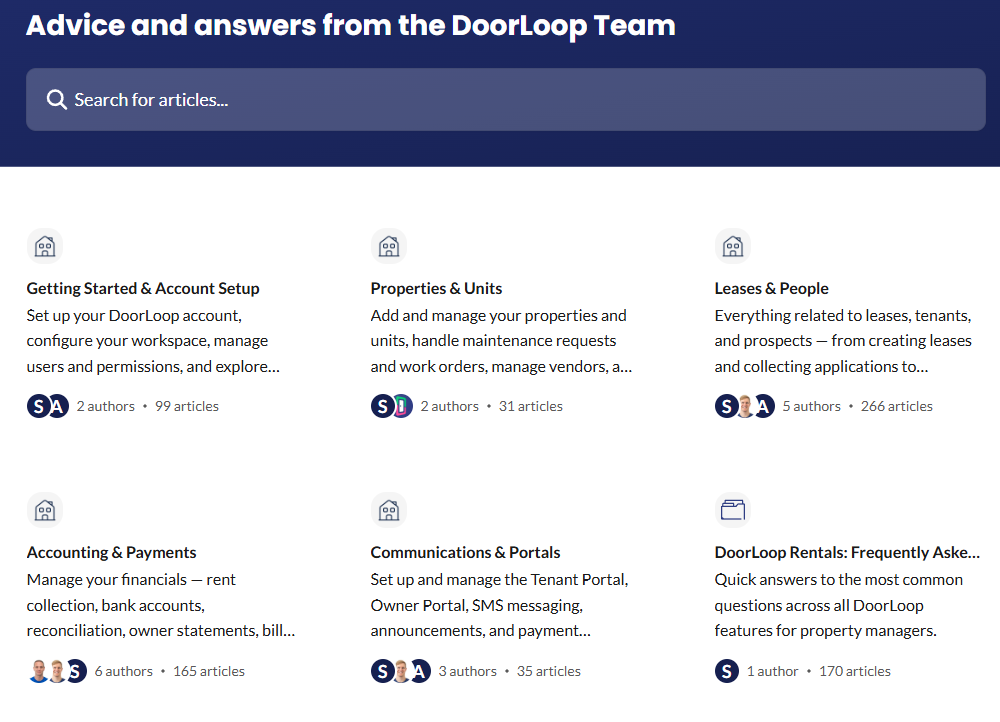
| DoorLoop Help Center | Separate categories cover properties, units, leases, tenants, prospects, accounting, payments, portals, owners, maintenance, websites, and integrations. | Organize content around real property-management tasks and user groups rather than internal departments. |
| Rentec Direct Knowledge Base | The knowledge base separates owners, properties, tenants, accounting, work orders, inspections, screening, forms, reports, security, and troubleshooting. | A broad property-management knowledge base needs clear taxonomy and strong search. |
| Buildium Support | Buildium presents a Help Center for task-specific answers and a separate Academy for structured self-guided training. | Day-to-day knowledge and formal training are related but different content experiences. |
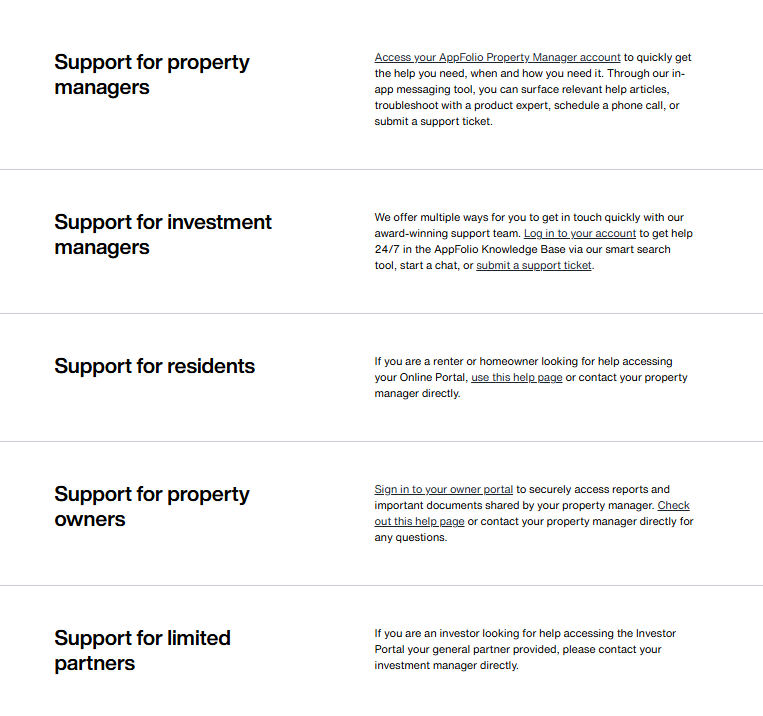
| AppFolio Support | Different support paths are described for property managers, investment managers, residents, owners, and limited partners. | Audience separation should influence navigation, authentication, content, and escalation. |
| Yardi Breeze built-in Help Center | The documented in-product help experience surfaces articles related to the screen the user is viewing. | Contextual delivery can reduce search effort, but it still depends on current and well-governed content. |
These product support knowledge bases primarily teach customers how to use software. A brokerage or property-management company building its own operational knowledge base may need different ownership, compliance review, jurisdiction metadata, and access controls.
How to Organize a Real Estate Knowledge Base
Users search by task, property, transaction stage, role, or problem. They rarely know which internal department owns the answer.
Use a hybrid information architecture
- Audience: agent, broker, resident, owner, vendor, buyer, seller, investor, or administrator.
- Lifecycle: onboarding, listing, application, leasing, transaction, maintenance, renewal, move-out, or offboarding.
- Business model: brokerage, property management, commercial real estate, development, community management, or software support.
- Task: create a listing, invite an owner, submit maintenance, verify a payment change, or escalate a compliance question.
- Jurisdiction: federal, state, local, MLS, association, office, or property-specific.
- Product or system: CRM, property-management software, transaction platform, portal, accounting, or MLS integration.
- Risk and access: public, authenticated, internal, restricted, or account-specific.
Example top-level categories for a brokerage
- Start Here
- Agent Onboarding
- Brokerage Policies
- Leads and CRM
- Listings and Marketing
- Buyers and Sellers
- Transactions and Closings
- Forms and Templates
- Compliance and Risk
- Safety and Fraud Prevention
- Systems and Integrations
- Training and Development
Example top-level categories for property management
- Getting Started
- Properties and Units
- Applicants and Leasing
- Residents and Tenants
- Owners and Investors
- Payments and Accounting
- Maintenance and Work Orders
- Inspections
- Vendors
- Portals and Communications
- Move-In and Move-Out
- Policies, Compliance, and Safety
Metadata that improves accuracy
- Audience
- Business model
- Jurisdiction
- Market or office
- MLS where applicable
- Property type
- Product or system
- Form version
- Effective date
- Expiration date
- Article owner
- Reviewer
- Authoritative source
- Approval status
- Access classification
Do not add metadata fields merely because the software supports them. Each field should improve search, permissions, governance, reporting, or content lifecycle management.
Search real estate users’ language
Search should recognize terms that vary by company, market, and audience, such as resident and tenant, owner and landlord, unit and property, work order and maintenance request, pending and under contract, or association and HOA.
Use search logs, support tickets, agent questions, resident questions, CRM terminology, approved legal terms, acronyms, error messages, and common misspellings to build synonyms. Do not use REALTOR® as a generic synonym for every agent; NAR’s trademark guidance states that the mark identifies membership in the National Association of REALTORS®.
Features to Evaluate in Real Estate Knowledge Base Software
Authoring and governance
- Article templates for SOPs, FAQs, policies, checklists, and troubleshooting
- Draft, review, approval, publication, and archive states
- Named article owners and reviewers
- Effective and expiration dates
- Version history, compare versions, and rollback
- Scheduled and event-triggered review
- Approval separation for sensitive content
- Broken-link detection
- Owner reassignment when an employee leaves
- Audit history
Search and discovery
- Keyword, semantic, or hybrid search
- Synonyms, acronyms, typo handling, and common customer language
- Filters for audience, market, jurisdiction, property type, product, and version
- Permission-aware search
- Featured and related articles
- Search tuning and exclusions
- Zero-result reporting
- Search-query export
- Federated search across approved sources where needed
- Clear no-answer behavior
Audience and access controls
- Public and authenticated knowledge bases
- Employee, agent, resident, tenant, owner, vendor, and partner groups
- Office, property, portfolio, or organization segmentation
- Role-based and attribute-based access
- Article and attachment permissions
- Tenant or customer isolation
- Single sign-on and identity integration where required
- Provisioning and deprovisioning
- Permission reports
- Preview or test as a defined role
Delivery experiences
- Public help center
- Internal employee or agent portal
- Resident, tenant, owner, or client portal
- In-app contextual help
- Mobile-responsive experience
- Agent workspace or help-desk integration
- Chat and ticket escalation
- Email article sharing
- Multiple brands, offices, or portfolios
- Multiple languages and regional variants
Analytics
- Search queries and zero-result searches
- Result clicks and article use
- Article feedback
- Contact after article view
- Content freshness and overdue reviews
- Articles without owners
- Broken links
- Audience, office, property, product, or language segmentation
- AI-answer feedback and incorrect-answer reporting
- Raw data export or analytics API
Mobile and field access
- Responsive reading and search
- Mobile app or secure mobile access where required
- Low-bandwidth behavior
- Offline content where justified
- Voice input
- Readable forms, images, and checklists
- Property-level deep links
- MFA and session controls
- Secure handling of downloads
- Remote access removal where applicable
Field access can help an agent before a listing appointment, a leasing professional during a tour, a property manager during an inspection, or a maintenance coordinator at a property. Avoid storing confidential files locally on unmanaged personal devices without an approved control model.
Integrations and Sources of Truth
An integration should have a defined business purpose and data owner. Connecting every available system creates complexity without necessarily improving knowledge quality.
| System | Useful contribution | Important boundary |
|---|---|---|
| CRM | Contact, lead, account, assignment, and pipeline context | Do not copy changing client history into general articles |
| MLS or listing platform | Current listing and property data where authorized | Access, fields, licensing, and local rules vary |
| Property-management system | Property, lease, resident, owner, maintenance, payment, and accounting context | The knowledge base should not become a stale duplicate of operational records |
| Transaction-management system | Dates, tasks, documents, and transaction status | Transaction-specific data requires record-level access |
| Document-management system | Controlled forms, contracts, leases, reports, and records | Files need ownership, version, and access context before appearing in search |
| Help desk | Support escalation, ticket history, recurring questions, and content gaps | Private cases should not be published directly as reusable knowledge |
| LMS | Courses, assessments, completion, and certification | Training records and procedural articles have different lifecycles |
| Identity provider | Authentication, groups, roles, and user lifecycle | Identity alone does not determine every content permission |
| Analytics or data warehouse | Combined knowledge, support, portal, and workflow analysis | Define events and avoid unnecessary personal data |
| AI assistant | Approved search, summarization, recommendations, and grounded answers | Permissions, freshness, citations, and no-answer behavior must be tested |
RESO standards and real estate data
The Real Estate Standards Organization publishes standards for real estate data structure and transport, including the RESO Data Dictionary and RESO Web API. These standards can improve interoperability, but RESO is not the source of an organization’s MLS data.
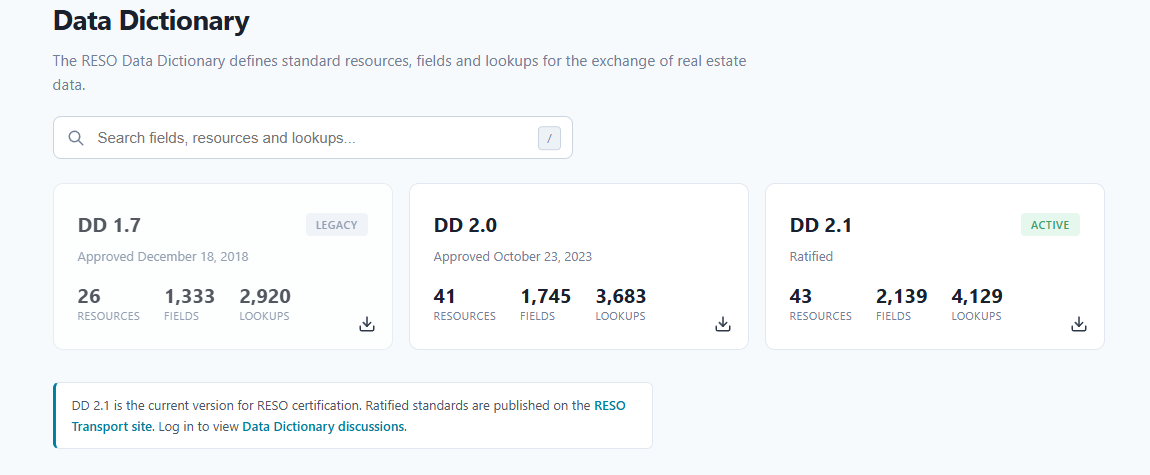
When a vendor claims RESO support, verify the relevant standard, current version, certification status, implementation scope, fields, resources, permissions, and the actual data provider involved.
Jurisdiction, Fair Housing, MLS, and Compliance Content
Real estate guidance may change by federal law, state law, local law, licensing authority, MLS, association, brokerage, contract, property type, program, or transaction. The knowledge base must preserve those distinctions.
Fair housing content
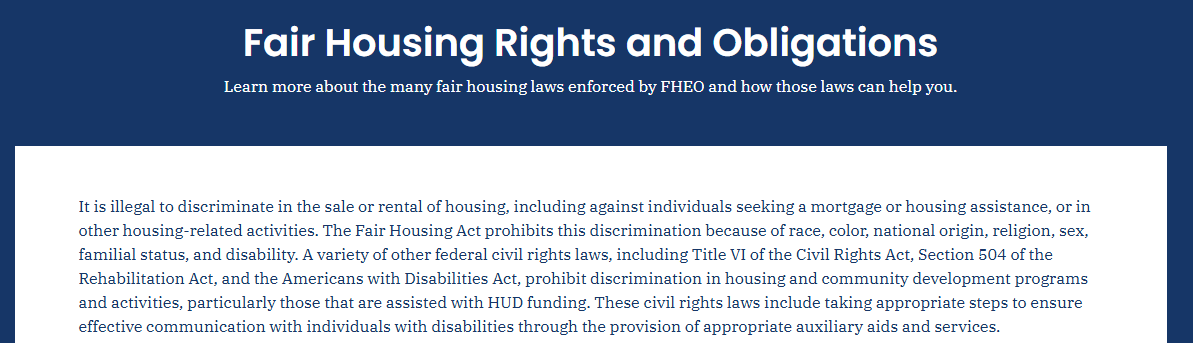
HUD’s Fair Housing Rights and Obligations resources explain federal fair-housing responsibilities. State and local protections may add requirements, so a national article should not silently replace jurisdiction-specific review.
- Identify the authoritative source.
- State the jurisdiction and audience.
- Record the effective date and reviewer.
- Use approved language for advertising, leasing, screening, and customer communication.
- Provide escalation when the facts do not match the documented scenario.
- Do not let an AI assistant improvise on a sensitive housing-access decision.
Federal, state, local, MLS, association, and brokerage rules are different
Do not present an MLS rule as state law, a brokerage policy as a licensing rule, or an association standard as a federal requirement. Each content type should identify its authority and scope.
The current NAR Code of Ethics applies to REALTORS® who subscribe to it. It should not be described as general federal or state law or as automatically applicable to every licensed real estate professional.
RESPA and settlement-related content
If the knowledge base covers mortgage referrals, title, escrow, closing, inspections, settlement services, affiliated businesses, or referral compensation, use current authoritative review. The CFPB’s RESPA resources apply to defined activities and federally related mortgage loans; RESPA should not be assumed to govern every real estate workflow.
Do not generate referral-fee rules, disclosure language, safe-harbor interpretations, or affiliated-business procedures from a generic article. Sensitive content should include an approved source, scope, reviewer, effective date, and escalation route.
Manage form and policy versions
- Record the form or policy version.
- Identify the applicable office, state, locality, MLS, or transaction type.
- Set an effective date.
- Remove superseded versions from ordinary search.
- Preserve historical versions only where required.
- Redirect users to the current replacement.
- Exclude obsolete versions from AI retrieval.
Security, Privacy, and Fraud Controls
Real estate organizations may handle identification, screening data, payment information, contracts, leases, signatures, bank details, property-access information, owner statements, and transaction documents. A general knowledge base is not automatically an appropriate repository for those records.
Security capabilities to evaluate
- SSO and MFA where required
- Provisioning and prompt deprovisioning
- Roles, groups, and least privilege
- Resident, owner, client, office, property, and portfolio isolation
- Encryption in transit and at rest
- Article, file, API, export, and download permissions
- Audit logs
- Data retention and deletion
- Backups and recovery
- Subprocessor and data-location information
- Incident-response responsibilities
- AI data-use and retention controls
- Secure export and exit assistance
The FTC’s Start with Security guidance emphasizes building security into business practices and protecting sensitive information according to the risks involved. Specific legal obligations depend on the organization, data, services, and jurisdiction.
Wire fraud and payment-change procedures
The FBI identifies fake real estate wire instructions as a business-email-compromise scenario.

Its business email compromise guidance recommends independently verifying changes in account numbers or payment procedures and using multi-factor authentication where available.
- Publish an approved verification procedure.
- Use a secondary trusted channel for payment changes.
- Do not place live wire instructions in broadly searchable knowledge articles.
- Train users to treat urgency and changed payment details as risk signals.
- Define the incident-reporting path.
- Do not publish internal detection details that would materially help attackers.
Other fraud and impersonation risks
Real estate knowledge may also need approved guidance for phishing, account takeover, fake rental listings, owner impersonation, compromised email, and unauthorized document access. The FBI’s 2026 parcel-owner impersonation warning illustrates why identity and property-ownership verification procedures may require special attention.
Using AI in a Real Estate Knowledge Base
AI can improve search, summarize approved documents, recommend articles, assist agents, identify duplicate content, detect knowledge gaps, and answer routine questions. It also increases the cost of poor permissions, stale content, and unclear sources.
Useful AI functions
- Semantic and hybrid search
- Grounded answers with source links
- Agent or property-manager assistance
- Resident, owner, or customer self-service
- Document summarization
- Article recommendations
- Duplicate detection
- Content-gap identification
- Draft and translation assistance with review
- Classification and metadata suggestions
Real estate-specific AI risks
| Risk | Required control |
|---|---|
| Invented price, availability, listing status, occupancy, or transaction status | Retrieve dynamic facts from the authoritative system and show freshness where appropriate |
| Wrong state, local, MLS, or program guidance | Filter approved sources by jurisdiction, market, audience, and effective date |
| Discriminatory or steering language | Use approved content, fair-housing review, testing, and human escalation |
| One tenant, owner, client, or investor sees another’s information | Apply account and record-level authorization before retrieval |
| Outdated form or policy is cited | Exclude expired and superseded content from search and AI |
| Wire or banking information is exposed | Keep live payment instructions outside general retrieval and require approved verification |
| Unapproved legal guidance is summarized | Limit sources and require qualified human review for consequential questions |
| Unsupported neighborhood, school, crime, demographic, environmental, or zoning statement | Define no-answer behavior and direct the user to authoritative sources or qualified review |
AI-readiness requirements
- Approved and current source material
- Permission-aware retrieval
- Tenant and account isolation
- Jurisdiction and effective-date metadata
- Source visibility
- No-answer behavior
- Human escalation
- Testing with permitted and denied questions
- Incorrect-answer reporting
- Traceability to source and configuration
- Data-use, retention, model-provider, and subprocessor review
- Ability to remove obsolete sources quickly
Do not describe any AI system as hallucination-free. A cited answer can still use the wrong source, omit a condition, apply the wrong jurisdiction, or misrepresent current property and transaction data.
Generic vs Real Estate-Specific Knowledge Base Software
The organization may choose a general knowledge platform, a knowledge feature inside existing real estate software, a configurable no-code application, an AI document-search product, or a vertical real estate platform.
| Approach | Potential advantages | Questions to evaluate |
|---|---|---|
| Generic knowledge-base platform | Mature authoring, governance, search, portals, localization, analytics, and integrations | How much real estate taxonomy, integration, and workflow configuration is required? |
| Knowledge module in existing real estate software | Closer to current users, records, and workflows | Does it provide sufficient ownership, review, permissions, search, export, and multi-audience support? |
| No-code or low-code knowledge application | Flexible interface and business-specific workflow | Who owns security, accessibility, search quality, lifecycle, and long-term maintenance? |
| AI document-search platform | Fast retrieval across documents and repositories | Does it provide governance, approved sources, permissions, citations, version control, and no-answer behavior? |
| Real estate-specific knowledge or intelligence platform | Prebuilt terminology, property context, and industry workflows | Are governance, portability, integrations, permissions, and content controls strong enough? |
A vertical product is not automatically more secure, accurate, accessible, or compliant because it is marketed to real estate. Verify the actual implementation and contract.
Choose a standalone knowledge platform when
- Knowledge governance is a major requirement.
- Several audiences, brands, offices, products, or portals must be supported.
- Content needs advanced review, localization, versioning, and analytics.
- The organization wants one knowledge source across several real estate systems.
- Portability and export matter.
Choose an existing platform module when
- The audience already works inside that platform.
- The required knowledge workflows are straightforward.
- Context from properties, transactions, or accounts adds value.
- The built-in permissions and search pass the organization’s tests.
- The organization accepts the platform’s export and integration limits.
How to Implement Real Estate Knowledge Base Software
- Define the business model. Clarify whether the project serves a brokerage, property manager, commercial firm, developer, association, software vendor, or mixed operation.
- Identify audiences and roles. List agents, brokers, employees, residents, owners, vendors, customers, investors, and restricted internal teams.
- Map critical workflows. Focus on repeated tasks, high-risk decisions, common support questions, onboarding, and escalation.
- Inventory current systems. Identify CRM, MLS, property-management, transaction, accounting, document, portal, help-desk, identity, and analytics platforms.
- Separate knowledge from records. Decide which information becomes an article and which remains in an authoritative operational system.
- Classify content. Mark public, authenticated, internal, restricted, jurisdiction-specific, and account-specific material.
- Identify authoritative sources. Resolve conflicts before publishing or connecting AI.
- Design the taxonomy and metadata. Use role, task, lifecycle, jurisdiction, product, property type, audience, owner, and effective date where useful.
- Select the software. Test real workflows rather than choosing from a generic feature list.
- Configure identity and permissions. Apply least privilege and test denied access.
- Create article templates. Standardize prerequisites, steps, expected results, exceptions, sources, ownership, review, and escalation.
- Clean and migrate content. Update, merge, restrict, archive, or remove material before import.
- Connect required systems. Define the purpose and source of truth for every integration.
- Configure search and synonyms. Include customer, agent, resident, owner, local, and product terminology.
- Introduce AI only after governance. Test permissions, jurisdiction, freshness, sources, and no-answer behavior.
- Run a pilot. Start with one audience, office, portfolio, workflow, or content set.
- Measure and improve. Review failed searches, repeated questions, content gaps, incorrect answers, and access issues.
Suggested article templates
Operational procedure:
- Purpose and scope
- Applicable role, market, jurisdiction, property type, or system
- Prerequisites
- Steps
- Expected result
- Exceptions
- Required records and authoritative system
- Escalation
- Owner, reviewer, source, effective date, and review trigger
Customer or resident FAQ:
- Direct answer
- Who the answer applies to
- Required action
- What happens next
- Important limitation
- Account-specific portal link
- Support route
Compliance-sensitive article:
- Plain-language summary
- Authoritative source
- Jurisdiction and scope
- Effective date
- Approved procedure
- Prohibited improvisation
- Reviewer
- Escalation to broker, compliance, or counsel
Migrate Content Without Recreating the Existing Mess
Real estate organizations commonly migrate from shared drives, PDFs, Word files, emails, intranets, wikis, training systems, CRM notes, local office folders, and old help centers. Importing everything without review can make the new system less trustworthy than the old one.
Audit fields
- Title
- Content type
- Audience
- Owner
- Authoritative source
- Jurisdiction
- Market or MLS
- Property type
- Effective and review dates
- Access level
- Accuracy
- Duplication
- Personal or confidential data
- Retention requirement
- Migration decision
- Replacement content
Content dispositions
| Disposition | Use when |
|---|---|
| Keep | The content is accurate, owned, current, appropriately classified, and useful |
| Update | The topic is valuable but details, screenshots, forms, or sources are outdated |
| Merge | Several items repeat the same approved answer |
| Split | One document combines different audiences, jurisdictions, or tasks |
| Restrict | The information is valid but should not be broadly visible |
| Move | The item is an operational record that belongs in another system |
| Archive | Historical retention is required but the content should not appear as current guidance |
| Delete | Approved policy allows removal and the content has no remaining legal, operational, or historical value |
Validate hierarchy, metadata, owners, permissions, attachments, links, redirects, languages, versions, article states, and search behavior after migration.
How to Evaluate Vendors and Product Demonstrations
Give shortlisted vendors the same representative scenarios, content, users, permissions, integrations, and evaluation rules. Do not rely only on a polished demonstration chosen by the vendor.
Demo scenarios
- Create a state-specific procedure from a template.
- Send it through review, revision, approval, and publication.
- Display the version and approval history.
- Schedule or trigger a review.
- Retire an old form and redirect users to the replacement.
- Restrict one article to a defined office or property-management team.
- Confirm an unauthorized user cannot discover the title, snippet, attachment, API result, export, or AI answer.
- Search using agent, resident, owner, and local terminology.
- Filter content by jurisdiction, property type, product, role, or market.
- Show a resident-facing article and the related internal operating procedure without mixing access.
- Import a representative set of articles, PDFs, images, metadata, links, and permissions.
- Connect a ticket or support case to an approved article.
- Generate an AI answer from an approved current source.
- Ask an unsupported, outdated, wrong-jurisdiction, and unauthorized question.
- Export content, metadata, permissions, and attachments.
- Demonstrate mobile access and field search.
Questions to ask each vendor
- Which features are generally available in the proposed edition?
- Which require configuration, services, custom development, or a third party?
- Which are preview, beta, or roadmap?
- How are public, authenticated, internal, and restricted articles separated?
- Can permissions be enforced in search, attachments, APIs, exports, and AI?
- How are organizations, offices, properties, portfolios, or customer accounts isolated?
- How are state, local, MLS, form-version, and effective-date variants managed?
- What migrates natively and what is lost?
- How are redirects and old public URLs handled?
- Which real estate systems have current supported integrations?
- What are the AI model, source, retention, data-use, permission, and cost controls?
- How can the organization export and leave the platform?
- What implementation, training, support, and premium-service costs apply?
Evaluation categories
| Category | What to evaluate |
|---|---|
| Business fit | Support for the organization’s real estate model, audiences, and workflows |
| Content governance | Ownership, review, approval, versioning, expiration, and auditability |
| Search | Real estate terminology, filters, permissions, relevance, and analytics |
| Access | Public, authenticated, internal, restricted, and account-isolated content |
| Integrations | CRM, MLS, property management, transactions, portals, help desk, identity, and analytics |
| AI | Sources, permissions, jurisdiction, freshness, no-answer behavior, traceability, and data use |
| Security and privacy | Identity, least privilege, encryption, audit logs, retention, incident response, and exit |
| Migration | Content, metadata, permissions, links, attachments, versions, and redirects |
| Usability and accessibility | Author, reviewer, administrator, mobile, keyboard, and assistive-technology workflows |
| Commercial fit | Total cost, renewal, usage charges, services, overages, export, and contract terms |
Keep critical security, permission, migration, legal, and data-portability gates separate from a weighted average. A high overall score should not hide unauthorized data exposure or an unusable exit process.
Real Estate Knowledge Base Software Pricing and Total Cost
Pricing varies by vendor, product type, edition, users, sites, portals, AI usage, and services. Compare the full operating cost rather than the advertised entry price.
- Base subscription
- Administrators, authors, reviewers, agents, or employees
- Authenticated external users
- Public knowledge bases
- Resident, owner, partner, or client portals
- Brands, offices, properties, portfolios, or domains
- Languages
- Storage and attachments
- API and search usage
- AI queries, tokens, credits, or add-ons
- SSO, provisioning, audit logs, and advanced security
- Analytics and data export
- Migration and content cleanup
- CRM, MLS, property-management, and help-desk integrations
- Implementation and professional services
- Training and change management
- Premium support
- Overages and annual price increases
- Data export, transition, and exit assistance
Request the pricing metric, included allowance, unit price, quantity assumption, one-time cost, recurring cost, usage charge, overage rate, renewal basis, dependencies, and excluded items.
What to Measure
| Metric | What it may reveal | Important limitation |
|---|---|---|
| Search success | Whether users find a useful result | A click does not prove the task was completed |
| Zero-result searches | Missing content, synonyms, or indexing gaps | Some questions may be outside the supported scope |
| Repeated questions | Common operational or customer knowledge gaps | The root cause may be product or process design |
| Contact after article view | Topics where reusable content may be insufficient | Contact may be the correct outcome for a sensitive case |
| Content freshness | Overdue review and unowned content | A recent review date does not prove accuracy |
| Agent onboarding completion | Use of required learning and operational content | Completion does not prove competency |
| Maintenance self-service behavior | Which resident issues may be resolved through guidance | Safety and emergency issues may always require contact |
| Form-version errors | Whether users find current approved forms | The error may originate outside the knowledge base |
| Compliance escalations | Where procedures are unclear or fact-specific | More escalations can reflect better risk awareness |
| AI incorrect-answer reports | Source, retrieval, permission, or response problems | Positive feedback does not independently prove correctness |
| Time to find guidance | Search and navigation efficiency | Faster retrieval does not prove the guidance is correct |
Do not claim successful ticket deflection merely because no support request was created. Define the completed task, baseline, measurement window, audience, business context, comparison method, and treatment of abandonment or contact through another channel.
Common Real Estate Knowledge Base Mistakes
- Treating every document as reusable knowledge: Move leases, applications, statements, transaction files, and other records to the appropriate controlled system.
- Copying changing property data into articles: Link or retrieve current data from the authoritative source.
- Using one national article for different jurisdictions: Add jurisdiction metadata and qualified review.
- Confusing association, MLS, brokerage, and legal rules: Label the authority and scope explicitly.
- Publishing old forms: Track version, effective date, owner, replacement, and archive state.
- Giving every authenticated user the same access: Apply role, account, property, portfolio, and audience controls.
- Indexing sensitive transaction or tenant information: Separate reusable content from private records.
- Launching AI before cleaning content: Resolve duplicates, permissions, outdated material, and conflicting sources first.
- Allowing AI to invent property or legal facts: Use authoritative data, no-answer behavior, and human escalation.
- Choosing software only because it is marketed to real estate: Test governance, permissions, portability, integration, and security.
- Organizing content by department: Use audience, workflow, lifecycle, property type, and task.
- Migrating every file: Keep, update, merge, split, restrict, move, archive, or delete intentionally.
- Ignoring mobile use: Test field access, search, security, and document readability.
- Measuring views instead of outcomes: Define the task and the evidence of successful completion.
- Creating a dead end: Provide a clear route to a broker, compliance team, property manager, support agent, or other responsible person.
Real Estate Knowledge Base Launch Checklist
- The business model and target audiences are defined.
- Reusable knowledge is separated from operational records.
- CRM, MLS, property-management, transaction, document, and accounting systems have defined ownership boundaries.
- Public, authenticated, internal, restricted, and account-specific content are classified.
- Jurisdiction, market, MLS, property type, form version, effective date, and owner metadata are configured where needed.
- High-risk articles have authoritative sources and qualified reviewers.
- Old forms and superseded procedures are excluded from ordinary search.
- Identity, roles, groups, and deprovisioning are configured.
- Resident, owner, client, office, property, portfolio, and tenant isolation have been tested where applicable.
- Search recognizes user terminology, acronyms, and common synonyms.
- Required integrations have a documented business purpose and source of truth.
- Sensitive personal, financial, transaction, and access information is not stored as general knowledge.
- Fraud and payment-verification guidance follows an approved process.
- AI uses approved, current, permission-controlled sources.
- AI no-answer and escalation behavior has been tested.
- Mobile and field workflows have been tested.
- Migration preserved required metadata, permissions, links, attachments, and versions.
- Articles have owners, review triggers, and retirement paths.
- Support and compliance escalation routes are clear.
- Baseline metrics and reporting definitions are documented.
- The organization can export its content and metadata if the platform changes.
Frequently Asked Questions
What is Real Estate Knowledge Base Software?
It is software for creating, organizing, approving, securing, searching, publishing, and maintaining reusable real estate guidance. It can support agents, brokers, property managers, residents, owners, vendors, clients, investors, and software users.
How is it different from a real estate CRM?
A CRM manages leads, contacts, communication, activities, and pipelines. A knowledge base manages approved procedures, scripts, policies, FAQs, and reference content. The systems can be integrated, but they perform different jobs.
How is it different from property-management software?
Property-management software manages properties, leases, residents, owners, rent, accounting, maintenance, and related records. A knowledge base explains how users should complete those workflows and resolve common questions.
Is it the same as an MLS?
No. An MLS manages listing and cooperation data under its participation, access, licensing, and local rules. A knowledge base manages reusable guidance. The knowledge base may explain how to work with an MLS, but it is not the source of current listing data.
Should leases and transaction files be stored in the knowledge base?
Usually, the knowledge base should explain the process while the files remain in an approved document, transaction, property-management, or recordkeeping system. Sensitive records require appropriate access, retention, audit, and account-level controls.
Can the same platform support employees and customers?
Yes, when the platform supports separate audiences, portals, permissions, search behavior, attachments, and governance. Internal operating procedures should not appear in public or customer-facing search.
Can AI safely answer real estate questions?
AI can assist with approved knowledge, but it needs permission-aware retrieval, current sources, jurisdiction and audience context, citations, no-answer behavior, testing, and human escalation. It should not invent listing, legal, lease, payment, screening, fair-housing, or transaction facts.
Should a brokerage choose generic or real estate-specific software?
Choose according to verified requirements. Generic platforms may provide stronger governance and publishing, while vertical products may provide useful terminology and integrations. Test the actual workflows, security, permissions, portability, and total cost.
What integrations are most important?
Common integrations include CRM, MLS or listing systems, property-management software, transaction management, document management, help desk, identity provider, LMS, portals, analytics, and AI. Only integrate systems that support a defined business task.
How should state and local content be managed?
Label the jurisdiction, market, authority, effective date, owner, and reviewer. Avoid combining different state, local, MLS, association, or brokerage requirements in one article unless the distinctions are explicit.
Sources Checked
- HUD: Fair Housing Rights and Obligations
- CFPB: Real Estate Settlement Procedures Act resources
- FTC: Real Estate and Mortgages business guidance
- FTC: Start with Security
- FBI: Business Email Compromise
- FBI IC3: Parcel Owner Impersonation warning
- RESO Data Dictionary
- RESO Web API
- NAR: 2026 Code of Ethics and Standards of Practice
- NAR: REALTOR® trademark guidance
- DoorLoop Help Center
- Rentec Direct Knowledge Base
- Buildium Support and Knowledge Base
- AppFolio support experiences
- Yardi Breeze built-in Help Center
- Google Search Central: Article structured data
Sources and product information checked on November 12, 2026.