Independent knowledge base software guide Evidence-led Updated 2026

What Is Knowledge Base Software? A Practical Guide
What is knowledge base software? It is an application that helps an organization create, review, organize, search, publish, and maintain reusable information. It can deliver public help articles to customers, private procedures to employees, or different content to each audience. Typical capabilities include an article editor, content structure, search, permissions, version history, publishing controls, analytics, and integrations.
The distinction between a knowledge base and knowledge base software is simple: the knowledge base is the collection of approved information; the software is the system used to manage and deliver it.
A knowledge base might contain troubleshooting instructions, product guides, standard operating procedures, onboarding material, policies, API documentation, or answers to recurring questions. The software makes that content easier to govern and retrieve than a loose collection of files, inbox threads, or personal notes.
In one sentence: Knowledge base software turns reusable organizational knowledge into controlled, searchable answers for the people who need them.
Key takeaways
- Knowledge base software manages the full life cycle of an answer: authoring, review, organization, access, retrieval, publication, and maintenance.
- It can serve customers, employees, support agents, developers, or a controlled mix of audiences.
- The right platform depends on governance, search quality, permissions, integrations, portability, and total cost—not the longest feature list.
On this page
- What knowledge base software does
- The main types
- How it works
- Essential features
- Benefits and measurable outcomes
- Real-world examples
- How it differs from a wiki, help desk, KMS, FAQ, and database
- Risks and limitations
- How to choose
- Frequently asked questions
What does knowledge base software do?
Knowledge base software supports the complete life cycle of an answer. A writer or subject-matter expert creates an article. An editor checks its accuracy and clarity. The team places it in an appropriate category, applies metadata, controls who can see it, and publishes it to a help center, internal portal, product documentation site, or connected support channel.
Readers then browse, search, or receive the article inside another workflow. Usage and search data help the content owner identify missing, unclear, or outdated information. This is more than document storage: a useful platform must help a team answer five practical questions.
- Who owns this information?
- Who is allowed to read, edit, approve, or publish it?
- How will people find the correct answer?
- How will the team know when the answer needs revision?
- Can the content be exported or moved if the platform changes?
The exact feature set varies by product and plan. Buyers should verify capabilities in the edition they intend to purchase rather than assuming every product supports the same workflow. Atlassian describes a knowledge base as a self-service online library about a product, service, department, or topic; its documentation also distinguishes internal and external knowledge bases.
Types of knowledge base software
The clearest way to classify knowledge base software is by audience and operating model. Deployment—hosted or self-hosted—is a separate decision.
External knowledge base software
An external knowledge base publishes customer-facing or public information. It may power a branded help center, product support site, FAQ library, or documentation portal. Common content includes getting-started guides, product instructions, billing help, troubleshooting articles, integration guides, release notes, and public policies.
The reader experience matters heavily in this model. Search, navigation, mobile readability, accessibility, public URLs, branding, localization, and search-engine visibility can all affect whether customers find a useful answer. See the practical guide to customer self-service knowledge bases.
Internal knowledge base software
An internal knowledge base serves employees, contractors, support agents, or another controlled group. It normally prioritizes identity, access control, ownership, review dates, auditability, and integration with the tools employees already use.
Common content includes standard operating procedures, HR and IT policies, support playbooks, incident runbooks, onboarding guides, sales enablement material, security procedures, technical decisions, and escalation rules. Internal content may contain context that would be inappropriate for a public help center, so permissions must be tested with real user roles. Explore the site’s guide to internal knowledge base software.
Hybrid and permissioned knowledge bases
A hybrid platform supports public and restricted information in the same product or operating environment. Customers might see general troubleshooting steps while support agents see an internal escalation path. “Supports internal and external knowledge” does not always mean both audiences use the same site, taxonomy, search index, or subscription. Confirm how the product separates readers, articles, brands, workspaces, and permissions.
Product and developer documentation software
Product documentation platforms focus on explaining software, APIs, technical workflows, or versioned products. They may add code blocks, API references, Git-based workflows, release documentation, version controls, and developer-oriented navigation. GitBook, for example, documents public, private-link, and authenticated publishing models in its official publishing documentation.
Hosted and self-hosted deployment
A hosted SaaS product shifts infrastructure and updates to a vendor. A self-hosted product gives the organization more direct control but also transfers responsibility for installation, backups, security, monitoring, upgrades, and recovery. BookStack is one self-hosted example; its official content model organizes information into shelves, books, chapters, and pages.
How does knowledge base software work?
Products use different terminology, but the underlying workflow usually follows six stages.
1. Capture and author
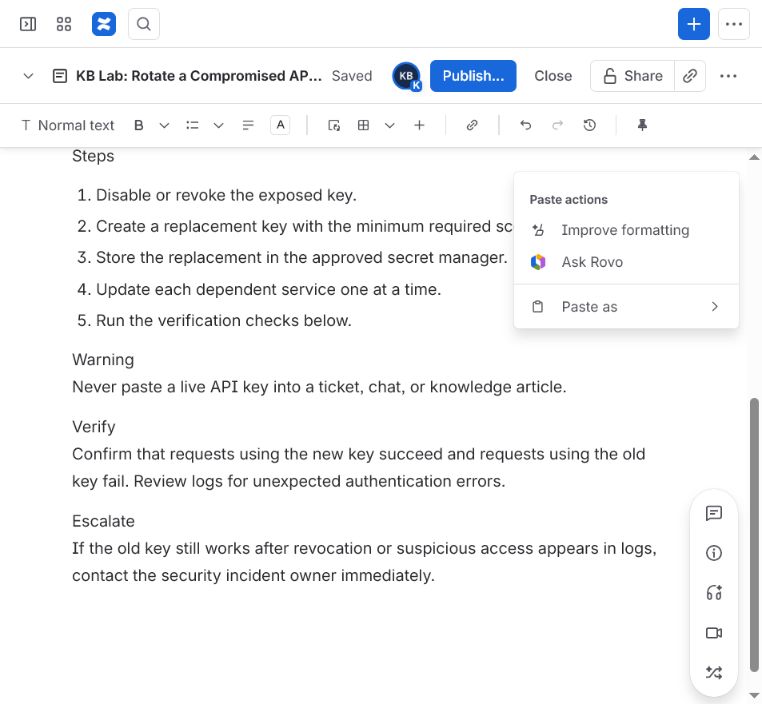
A team converts recurring questions, procedures, product knowledge, or expert experience into reusable articles. Editors may support rich text, Markdown, media, tables, code, reusable blocks, and templates. Zendesk’s official article documentation illustrates a typical sequence: create the content, select its location, configure permissions, then save, preview, or publish it.
2. Organize
Articles are placed in a navigable structure such as categories, sections, collections, spaces, books, or folders. Tags and metadata provide additional ways to group and retrieve content. Structure should reflect how readers describe their tasks, not only the company’s internal org chart.
3. Review and govern
Content may pass from draft to technical review, editorial review, approval, and publication. Useful controls include named owners, comments, revision history, review dates, status, and rollback. The workflow matters because an easy-to-find wrong answer can be more damaging than no answer.
4. Control access and publish
The platform determines who can edit and who can read each article. Content may be public, available to signed-in customers, restricted to a team, or separated by product, brand, language, or region. A permissions label is not enough on its own; during a trial, test access with separate accounts representing every important reader role.
5. Retrieve and deliver
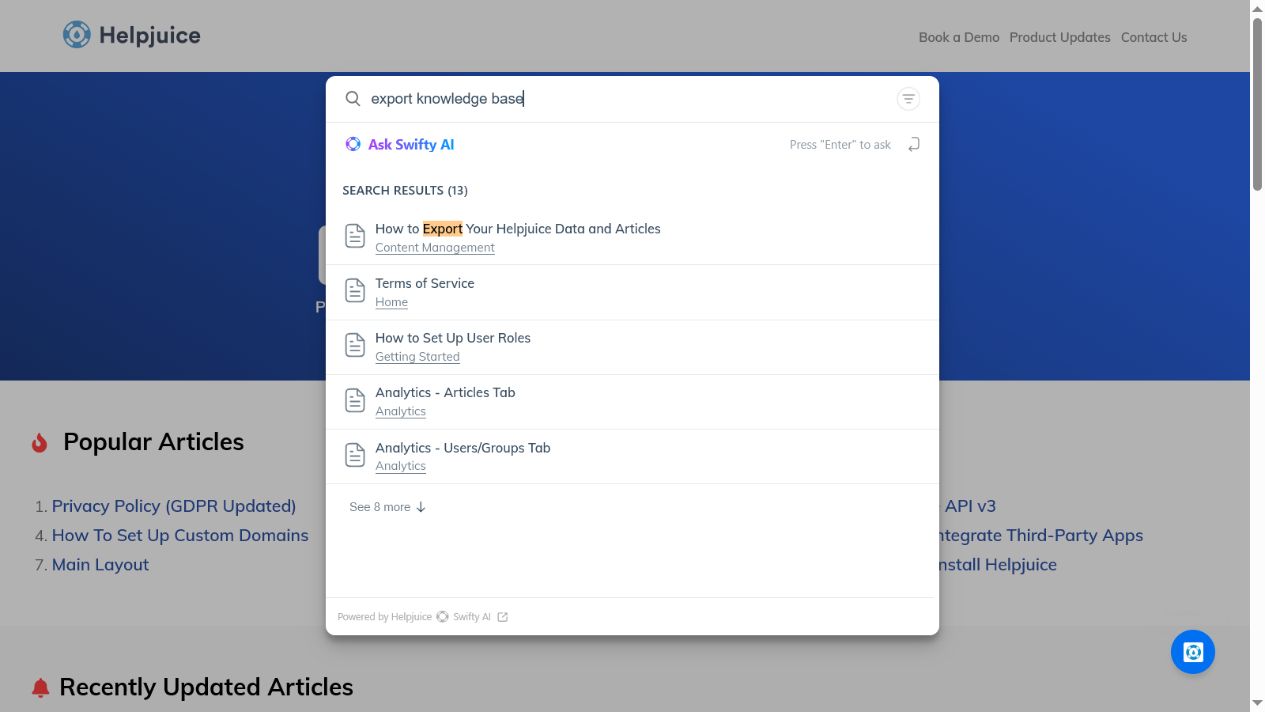
Readers may browse categories, enter keywords, ask natural-language questions, follow contextual suggestions, or receive articles inside a ticket, chat, product interface, or employee workflow. Some products offer conventional full-text search; others add semantic retrieval or generated answers.
AI is a retrieval and delivery option, not a replacement for accurate source content. Any AI answer should be tested for source citations, uncertainty, permission awareness, and safe escalation. The guide to AI-powered knowledge bases covers those controls in more detail.
6. Measure and maintain
A knowledge base is not finished when it launches. Owners need to review search terms, no-result queries, article feedback, content age, broken links, and changes to the underlying product or policy. Analytics should guide investigation rather than serve as proof by themselves: an article view does not show that the reader successfully completed a task.
Essential knowledge base software features
Not every organization needs every feature. Start with required outcomes and treat the following as evaluation categories.
Authoring and content reuse
Check the editor with representative articles, not a blank page. Import tables, images, warnings, code, attachments, and internal links. Test templates and reusable content if multiple articles must share the same approved wording.
Search and answer retrieval
Run real questions from support tickets, onboarding sessions, or employee requests. Test synonyms, incomplete phrases, error messages, and questions that should return no answer. If AI is included, confirm whether it cites sources and respects restricted content.
Structure and taxonomy
Evaluate category depth, tags, cross-linking, breadcrumbs, related articles, product versions, and navigation. A flexible blank canvas can be useful, but it also requires stronger editorial discipline.
Roles, permissions, and identity
Confirm author, reviewer, publisher, administrator, and reader roles. Where required, test SSO, user provisioning, private collections, inherited permissions, audit logs, and separation between internal and external search.
Workflow and version control
Look for drafts, assignments, approvals, scheduled publication, change history, comparison between versions, rollback, ownership, expiration, and review reminders. Verify which controls are native and which require a higher plan or external process.
Publishing and reader experience
For public content, assess domains, URL control, redirects, metadata, accessibility, mobile layouts, branding, localization, and page performance. For private content, test login friction and whether readers can reach relevant answers from their normal tools.
Integrations and APIs
The knowledge base may need to connect with a help desk, CRM, chat system, identity provider, collaboration platform, website, or product interface. Confirm what the integration actually does: searching, suggesting, embedding, creating, synchronizing, or merely linking are different capabilities. See the guide to knowledge base integrations.
Analytics and feedback
Useful signals may include searches, no-result queries, result clicks, article views, helpfulness feedback, content age, ticket creation after search, and broken links. Choose metrics that connect to a real reader outcome.
Localization and multibrand support
“Multilingual” can mean translated interface labels, separate sites, linked article variants, or automated translation. Similarly, “multibrand” may require separate subscriptions or an enterprise plan. Test the complete author-to-reader workflow in every required language.
Export and portability
Request an export before signing a long contract. Check article text, hierarchy, metadata, media, attachments, permissions, redirects, and version history. A downloadable PDF is not the same as a reusable bulk export.
Benefits and measurable outcomes
Knowledge base software does not create accurate knowledge automatically. Its value depends on adoption, content quality, ownership, and maintenance. When implemented well, it can support outcomes such as:
| Potential benefit | What to measure |
|---|---|
| More customer self-service | Search success, task completion, contact rate after viewing an article |
| Faster employee or agent answers | Time to find an approved answer, resolution time, escalations |
| More consistent guidance | Duplicate answers, conflicting articles, correction rate |
| Easier onboarding | Time to competency, repeated onboarding questions, manager interruptions |
| Better content governance | Owner coverage, overdue reviews, stale critical articles |
| Reusable source content for AI | Citation accuracy, grounded-answer rate, permission failures, safe abstention |
These are potential outcomes, not guaranteed results. Establish a baseline before implementation, run a controlled pilot, and measure whether readers find correct answers and complete intended tasks. For a deeper treatment, see the benefits of knowledge base software.
Knowledge base software examples in practice
Customer support
A SaaS company publishes setup, account, billing, and troubleshooting articles. Customers search the public help center, while agents use the same approved content when responding to tickets.
Internal operations
An operations team stores procedures, templates, escalation paths, and policy explanations in a private portal. Article owners review critical procedures when the underlying process changes.
IT service management
An IT team keeps public device setup instructions separate from private diagnostic runbooks and privileged remediation steps.
Employee onboarding
HR and department owners publish role-specific onboarding guides, policies, system access instructions, and answers to recurring first-week questions.
Product and developer documentation
A product team maintains user guides, API documentation, integration instructions, release notes, and version-specific content on a searchable documentation site.
The best example is not the knowledge base with the largest article count. It is the one in which the intended reader can find a current, permitted, actionable answer.
Knowledge base software vs. related systems
| System | Primary job | Important distinction |
|---|---|---|
| Knowledge base software | Manage and deliver reusable answers | Combines reader delivery with authoring, search, governance, and maintenance |
| FAQ page | Answer a concise set of common questions | A knowledge base supports deeper content, structure, search, ownership, and growth |
| Wiki | Enable collaborative page creation and linking | Often emphasizes open collaboration; it can serve as a knowledge base when governance and retrieval match the use case |
| Help desk | Manage requests and support conversations | May include a knowledge base, but its central object is usually a ticket or conversation |
| Knowledge management system | Support the wider organizational process for creating, sharing, and using knowledge | Broader than a repository; a knowledge base can be one component |
| Database | Store and retrieve structured application data | Optimized for records and queries rather than reader-ready articles and editorial workflows |
| Knowledge-based or expert system | Apply encoded rules or inference to solve a problem | A different technical concept from business help-center or documentation software |
A wiki is not automatically an inferior knowledge base. The right question is whether its workflow, permissions, search, and maintenance controls match the organization’s requirements. A help desk and knowledge base also often work together: the help desk manages a request, while the knowledge base supplies a reusable answer that may prevent or resolve it.
Knowledge management is broader still. IBM describes it as the organizational process of identifying, organizing, storing, and disseminating information, with a knowledge base functioning as one component of a wider system. See IBM’s knowledge management overview and this site’s guide to the knowledge management system.
Limitations and risks
Buying software does not solve unclear ownership, outdated source material, or weak editorial standards. Common failure modes include:
- Stale or duplicated content: readers stop trusting the system when several answers disagree.
- Weak ownership: articles remain published after the product, policy, or procedure changes.
- Poor retrieval: vague titles, weak taxonomy, and missing synonyms make correct content difficult to find.
- Permission leakage: search or AI features can expose restricted information if access controls are not enforced throughout retrieval.
- Unreliable AI answers: generated responses may omit citations, overstate uncertain information, or answer from outdated sources.
- Vendor lock-in: incomplete exports, lost media, and limited redirects can make migration expensive.
- Hidden total cost: advanced permissions, languages, brands, AI usage, onboarding, and extra sites may require higher plans or usage fees.
A controlled proof of concept should test these risks before purchase. A polished demo is not a substitute for using your own content, questions, permissions, and export requirements.
How to choose knowledge base software
Begin with a one-page requirements sheet, not a product demo.
- Define the audience. Is the primary reader a customer, employee, support agent, partner, developer, or a controlled mix?
- List representative content. Include media, tables, sensitive material, languages, and realistic scale.
- Set pass/fail requirements. Include access, SSO, localization, domains, workflow, data location, export, integrations, and compliance needs.
- Test retrieval. Run the same real questions in every shortlisted product and record relevant, irrelevant, missing, and unsafe results.
- Test governance. Create, review, publish, revise, restrict, archive, and restore an article with separate user accounts.
- Test portability. Import a realistic sample, export it again, and inspect what was lost.
- Calculate total cost. Include required plan upgrades, users, sites, languages, AI usage, migration, implementation, and administration.
- Assign ownership. Name who will maintain taxonomy, review content, analyze search gaps, and retire outdated articles.
Shortlist only products that pass mandatory requirements. A weighted score should compare acceptable products; it should not rescue a product that fails a security, access, export, or data-location requirement. Use the test-driven buyer’s guide, follow the practical steps to create a knowledge base, then compare knowledge base software platforms when you are ready to build a shortlist.
When a simpler tool may be enough
You may not need specialist knowledge base software if you have a small, stable set of public questions, one owner, no access-control requirements, and no need for specialized search, analytics, workflows, localization, or integrations. A well-maintained FAQ page or shared document can be sufficient at that stage.
Specialist software becomes more useful when content grows across teams, readers need different permissions, updates require review, repeated questions create support work, or the organization needs a dependable source for search and AI answers.
Frequently asked questions
What is knowledge base software in simple terms?
It is software for turning reusable information into organized, searchable articles. It helps a team control who creates, reviews, publishes, finds, and maintains those answers.
What is knowledge base software used for?
Organizations use it for customer self-service, internal procedures, employee onboarding, IT runbooks, support playbooks, product documentation, policies, and recurring questions.
What are examples of knowledge base software?
Examples include dedicated documentation platforms, knowledge features inside help desks, collaborative internal wikis, developer documentation tools, and self-hosted systems such as BookStack. Products should be compared by use case and required plan rather than category label alone.
What are the main types of knowledge bases?
The main audience types are external, internal, and hybrid. Product and developer documentation is another distinct operating model. Hosted and self-hosted describe deployment, not audience.
Is a knowledge base the same as an FAQ?
No. An FAQ is usually a concise set of common questions and answers. A knowledge base can include FAQs but also supports deeper guides, troubleshooting, procedures, navigation, search, permissions, ownership, and ongoing maintenance.
Is a knowledge base the same as a wiki?
Not necessarily. Wikis prioritize collaborative page creation and linking. Some make effective internal knowledge bases, while other use cases require stronger publishing workflows, audience controls, analytics, or customer-facing features.
Is knowledge base software the same as a knowledge-based system?
No. In AI and computer science, a knowledge-based or expert system applies encoded knowledge and inference rules to solve a problem. Business knowledge base software manages and delivers articles, procedures, documentation, and reusable answers. The terms sound similar but describe different systems.
Does ChatGPT have a knowledge base?
ChatGPT is an AI system, not the same thing as a governed organizational knowledge base. AI assistants can be connected to approved knowledge sources, but teams still need to manage source accuracy, permissions, freshness, citations, and what the assistant should do when evidence is missing.
Does knowledge base software need AI?
No. Clear structure, accurate content, reliable search, permissions, and maintenance remain fundamental. If AI is required, test citations, restricted-content handling, uncertainty, escalation, analytics, and usage costs.
How do you know whether a knowledge base is working?
Measure task completion and answer quality alongside search terms, no-result queries, result clicks, feedback, ticket creation, article age, and content gaps. Avoid relying on page views alone.
How much does knowledge base software cost?
Pricing may be based on agents, authors, employees, sites, brands, languages, storage, AI usage, or a custom contract. Compare the full first-year cost of the exact plan that satisfies your requirements. The guide to knowledge base software pricing models explains the common charging units.
What is the best knowledge base software?
There is no universal winner. The best option is the lowest-risk platform that meets your audience, search, access, workflow, integration, scale, security, export, and cost requirements. Use the independent knowledge base software comparison to build a shortlist by operating model.
Sources and editorial note
This guide uses official product and project documentation to illustrate common knowledge base models and capabilities. A linked feature should not be interpreted as a universal capability or product recommendation. Features, plan gates, and terminology change; verify them against current official documentation and the contract before purchase.