Independent knowledge base software guide Evidence-led Updated 2026

AI-Powered Knowledge Base Software: 2026 Editorial Shortlist
Last reviewed: July 28, 2026. Product capabilities were checked against current official vendor documentation. Pricing is intentionally excluded because packaging changes frequently.
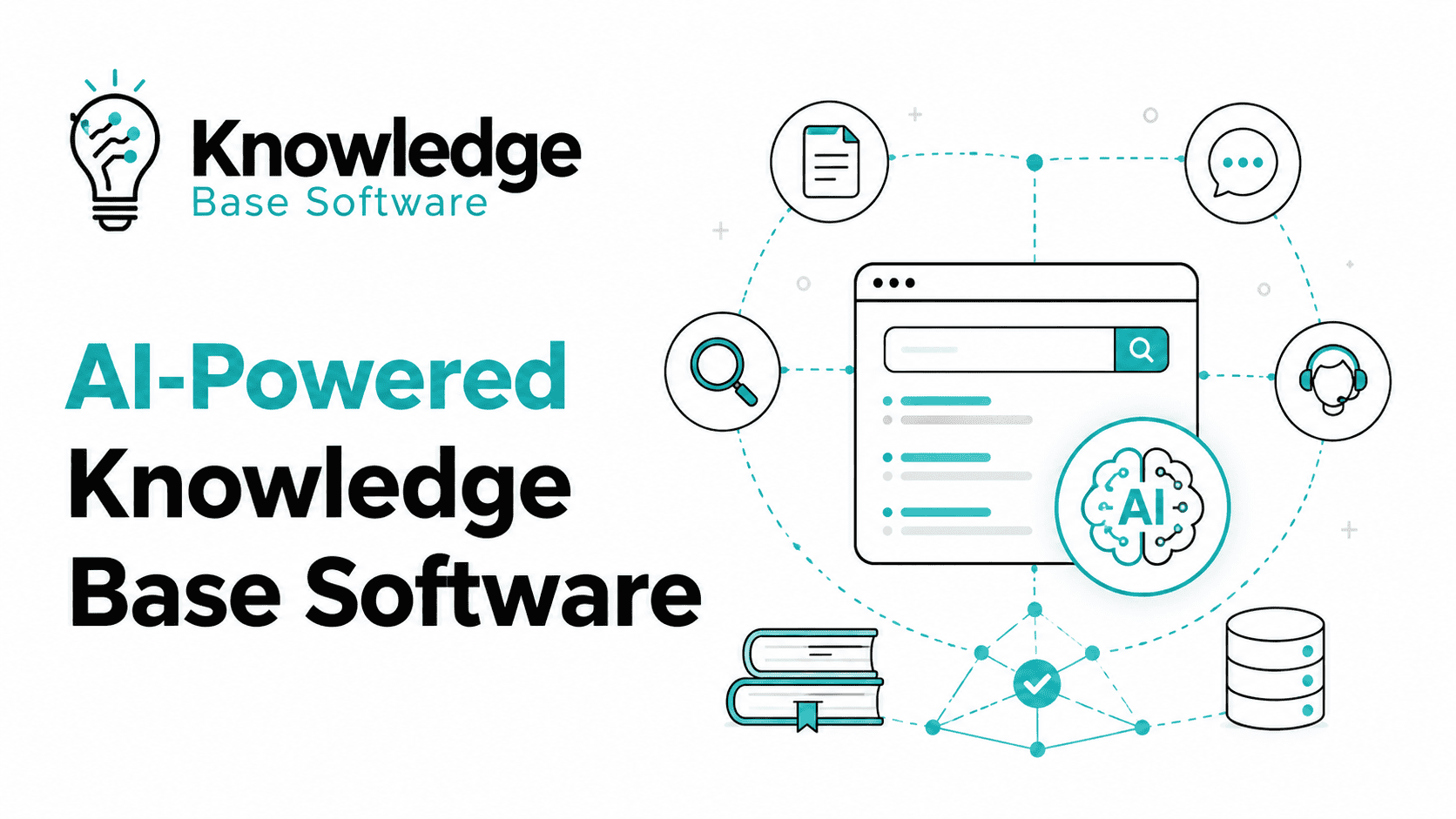
AI-powered knowledge base software combines knowledge authoring and governance with capabilities such as natural-language retrieval, generated answers, source references, content assistance, gap detection, or workflow automation. The right product depends on whether you are building customer self-service, agent assistance, product documentation, or an internal knowledge system.
This guide is an editorial shortlist, not a hands-on ranking. We did not run these eight products in one controlled lab, so we do not call any product “best overall.” Statements under Documented capabilities come from vendor product or help documentation. Statements under Editorial fit are our interpretation of which buyers should investigate the product.
Short answer: Start with Zendesk, Freshdesk, or Help Scout when the knowledge base must sit inside a customer-support workflow. Investigate Document360 when documentation is the primary product. Consider Guru, Confluence with Rovo, Slite, or Tettra for internal knowledge, then narrow the list with your permissions, integrations, governance, and answer-quality requirements.
AI-powered knowledge base software shortlist by use case
| Product | Primary use case to investigate | Why it made this editorial shortlist |
|---|---|---|
| Zendesk | Customer self-service connected to a broader support platform | Official documentation covers generative help-center search, knowledge permissions, AI writing tools, and knowledge sources for AI agents. |
| Document360 | Product documentation and public, private, or embedded knowledge delivery | Ask Eddy documentation describes cited answers, permission-aware retrieval, analytics, and a documentation-first authoring environment. |
| Help Scout | Smaller support teams using Docs and Beacon | AI Answers uses selected knowledge sources and is delivered through Beacon alongside Help Scout support workflows. |
| Freshdesk | Customer support teams already using Freshdesk or Freshworks | Freddy documentation covers article suggestions, article generation, writing assistance, and knowledge-based support workflows. |
| Guru | Governed enterprise internal knowledge and multi-source search | Official product pages document source connectors, inherited permissions, citations and lineage, and expert verification workflows. |
| Confluence with Rovo | Internal knowledge in an Atlassian-centered organization | Atlassian documents natural-language answers, linked sources, permission-aware retrieval, and search across Atlassian and connected apps. |
| Slite | Lightweight internal documentation with AI retrieval | Slite documents cited answers from workspace documents through Ask; on Pro and Enterprise, Slite Agent replaces Ask and can search Slite plus connected tools. Slite also documents verification and freshness controls. |
| Tettra | Slack-first internal Q&A and knowledge maintenance | Tettra documents Kai answers in Slack and Tettra, human escalation, page verification, and a dashboard for answered and unanswered questions. |
Placement in this table is not an award or a score. It means the vendor currently documents a relevant knowledge-management product, at least one AI retrieval or authoring capability, and enough workflow or governance information to justify a buyer pilot.
Comparison methodology and evidence rules
We reviewed current official product pages and help documentation available on July 28, 2026. We excluded review-site scores, affiliate roundups, customer-reported ROI, and vendor superlatives from our conclusions. A feature is described as documented only when an official source explains it; that does not prove how reliably it works with your content.
Default evaluation rubric
The following weights are a starting point for a buyer-run comparison. Change them before testing if your risks differ. For example, a regulated internal knowledge system may give permissions more weight, while a public documentation site may prioritize retrieval and publishing workflow.
| Dimension | Default weight | What to verify |
|---|---|---|
| Grounded retrieval and answer evidence | 25% | Relevant retrieval, source links, answer support, refusal when evidence is missing, and handling of conflicting sources. |
| Permissions and governance | 20% | Source-level access, role behavior, restricted-content tests, auditability, ownership, review, and approval controls. |
| Content lifecycle | 15% | Authoring, templates, versioning, states, freshness, duplicate handling, archiving, translation, and export. |
| Workflow and integrations | 15% | Help desk, chat, identity, repositories, APIs, widgets, browser surfaces, and the amount of context switching required. |
| Evaluation and analytics | 15% | Query logs, answer feedback, unanswered questions, source usage, gap detection, escalation, and exportable test data. |
| Deployment and audience fit | 10% | Public versus private delivery, internal versus external audience, implementation effort, administration, and operational ownership. |
| Total | 100% | Weights should be agreed before the pilot. |
Why this article does not publish vendor scores
Official documentation is not a standardized test. Vendors describe different workflows at different levels of detail, and documentation cannot establish answer accuracy, latency, permission enforcement, or usability in your environment. Publishing a numeric league table without comparable accounts, fixtures, questions, repeated runs, and raw outputs would create false precision.
If you need an experimental method, use the AI answer quality testing framework. It separates correct answers, ambiguity, missing information, conflicts, permission-sensitive questions, and cases where the system should refuse. This editorial page intentionally makes no claim that the products below were tested in that lab.
Quick documented-capability comparison
| Product | Knowledge delivery described by vendor | Governance or access evidence in official documentation | Important pilot question |
|---|---|---|---|
| Zendesk | Generated help-center search answers, AI agents using connected knowledge, and AI-assisted content creation. | Generated search answers are limited to articles the user may view; Knowledge has view and management permissions. | Do generated answers expose enough source context for your support and compliance needs? |
| Document360 | Ask Eddy synthesizes cited answers from published knowledge and supported external sources. | Ask Eddy documents access-aware retrieval and returns no answer when relevant content is restricted. | Does the KB-site-only scope and its documented handling of numerical or date questions fit your use case? |
| Help Scout | AI Answers uses Docs sites and other selected public sites or documents through Beacon. | Docs and Beacon provide source and delivery controls; confirm private-source behavior for your exact configuration. | Can the available source controls and reports support your governance model? |
| Freshdesk | Freddy supports article suggestions, draft generation, rewriting, and knowledge-based assistance. | Official help articles state plan, role, and availability conditions for features; validate end-user permissions in your configuration. | Which Freddy functions are included in the Freshdesk edition you will buy? |
| Guru | Cited, permission-aware answers across connected enterprise sources. | Guru documents inherited permissions, auditability, expert verification, and policy-controlled knowledge quality. | Can the verification workflow match your ownership and evidence requirements without excessive administration? |
| Confluence with Rovo | Natural-language answers and search across Confluence, Atlassian apps, and connected sources. | Atlassian says Rovo respects existing permissions and provides links or references to sources. | Which connectors, data boundaries, and AI controls apply to your Atlassian plan and deployment? |
| Slite | Ask returns cited answers from Slite workspace documents on Basic. On Pro and Enterprise, Slite Agent replaces Ask and can search Slite plus connected tools. | Slite documents permission-filtered answers and document verification/freshness controls. | Do its plan eligibility, connector coverage, and governance depth match the complexity of your organization? |
| Tettra | Kai answers in Tettra or Slack and can route unanswered questions to a teammate. | Tettra documents page verification, exclusion of private and stale pages from Kai, and an admin dashboard. | How are channel visibility, source links, and private knowledge handled in your Slack design? |
Zendesk: customer-service knowledge inside a broader support platform
Documented capabilities: Zendesk’s generative search documentation says help-center users can receive generated answers based on the primary search results and open the underlying articles for more detail. It also says users only receive generated answers from articles they have permission to view. Separate official documentation covers connecting help centers and external sources to AI agents and AI-assisted expansion, simplification, and tone changes in Knowledge.
Editorial fit: Zendesk deserves investigation when a company wants its customer-facing knowledge, ticketing, messaging, agent workflow, and AI delivery in the same customer-service ecosystem. It may be more platform than a team needs if the requirement is only a lightweight internal wiki or a standalone documentation portal.
Verify in a pilot: source presentation, permission segments, external-source synchronization, custom-theme compatibility, supported languages, escalation behavior, analytics export, and which AI capabilities are included in the proposed package.
Document360: documentation-first knowledge with cited AI search
Documented capabilities: Document360’s current Ask Eddy documentation describes direct answers with numbered citations to source articles. It says the system indexes published knowledge-base content, supports follow-up context, can include configured external sources, and respects knowledge-base access. The same page explicitly warns that Eddy is not a computational engine and that numerical or date-based responses may be approximate. Document360 also publishes Eddy AI search analytics documentation.
Editorial fit: Document360 is worth evaluating when structured product documentation, a branded help center, mixed public/private knowledge, embedded delivery, and documentation analytics matter more than owning a full customer-support suite.
Verify in a pilot: answer quality on your technical content, citation accuracy, restricted-article behavior, API-documentation requirements, index refresh timing, multilingual behavior, external-source scope, export, and editor workflow.
Help Scout: Docs and AI Answers for a focused support workflow
Documented capabilities: Help Scout’s AI Answers setup guide says the feature uses the knowledge sources assigned to an AI agent, including Help Scout Docs sites and other publicly available sites and documents. Answers are delivered through Beacon, which can be configured in Self Service or Neutral mode. Help Scout emphasizes that the underlying information sources are the foundation of answer quality.
Editorial fit: Help Scout is a reasonable candidate for a small or mid-sized support team that already values a straightforward mailbox, Docs, and embedded Beacon experience. Buyers with complex multi-repository governance or highly regulated internal knowledge should compare its controls with enterprise-focused products.
Verify in a pilot: supported source types, source references in answers, private content boundaries, sessions and feedback reporting, human contact paths, multilingual content, answer correction workflow, and packaging.
Freshdesk: Freddy AI in a Freshworks support environment
Documented capabilities: Freshdesk’s current Freddy AI overview lists solution-article suggestions, a solution-article generator, writing assistance, summaries, agent assistance, and usage reporting across relevant workspaces. Freshdesk also publishes guidance for Freddy-optimized knowledge content, stating that the knowledge base is a primary source and that focused, complete, explicit articles support more reliable answers.
Editorial fit: Freshdesk belongs on the evaluation list when the organization already uses Freshdesk or is comparing customer-support suites rather than standalone documentation systems. Ecosystem fit may reduce integration work, but that should be validated rather than assumed.
Verify in a pilot: exact edition and add-ons, customer-facing versus agent-facing AI behavior, source links, knowledge permissions, multilingual support, article approval, analytics, and how corrections propagate to generated answers.
Guru: governed internal knowledge and multi-source enterprise search
Documented capabilities: Guru’s current enterprise-search page describes answers with citations and lineage, inherited source permissions, audit logs, connectors, and expert verification. Its platform-capabilities page also documents knowledge authoring, approval, verification, source connection, permission-aware ingestion, and delivery to workplace surfaces.
Editorial fit: Guru is a candidate for organizations that prioritize internal knowledge governance, source connection, ownership, and verification across many systems. It is not positioned primarily as a public product-documentation portal, so buyers should confirm external publishing requirements separately.
Verify in a pilot: permission inheritance for every connector, how citations represent conflicting sources, administrator override, verification workload, audit export, connector refresh behavior, duplicate handling, and the employee experience in Slack, Teams, browser, and web interfaces.
Confluence with Rovo: AI retrieval for Atlassian-centered teams
Documented capabilities: Atlassian’s Confluence search documentation says Rovo can answer natural-language questions using information available to the user and provides linked sources for review. Atlassian’s Rovo overview describes search across Atlassian and connected third-party apps, chat based on company data, and permission-respecting retrieval.
Editorial fit: Confluence with Rovo should be considered by organizations whose internal documentation, projects, and service workflows already live in Atlassian Cloud. The value proposition is less compelling when a company wants a simple public help center or does not want its knowledge workflow tied to the Atlassian ecosystem.
Verify in a pilot: plan eligibility, AI administration, connector availability, restricted spaces and pages, source references, stale-content behavior, external sharing, data-boundary requirements, and the difference between Rovo Search, Chat, and agents for your workflow.
Slite: lightweight internal documentation with cited answers
Documented capabilities: Slite’s Ask documentation describes cited answers from documents in a Slite workspace and lists Ask on the Basic plan. On Pro and Enterprise, Slite Agent replaces Ask and can search Slite plus connected tools. Slite also documents permission-aware retrieval, verification states, and freshness controls.
Editorial fit: Slite is worth investigating when ease of internal documentation and adoption matter more than a complex enterprise content architecture. Teams should assess whether the available governance, audit, and connector controls remain sufficient as their knowledge estate grows.
Verify in a pilot: citation granularity, source permissions, connector scope, document verification ownership, stale-content notifications, export, multilingual questions, and administration at your expected user and document volume.
Tettra: Slack-first internal Q&A with human escalation
Documented capabilities: Tettra’s Kai documentation says employees can ask questions in Slack or the Tettra web app, rate answers, and route a poor or missing answer to a teammate. It says stale and private pages are excluded from Kai’s index. The Kai dashboard documentation describes views for asked questions, answer outcomes, indexed documents, and unanswered or poorly rated questions.
Editorial fit: Tettra is a candidate for Slack-centered teams that want internal Q&A, page verification, and a path from unanswered questions to reusable knowledge. It is not a substitute for a customer-facing help center unless a separate product handles external publishing.
Verify in a pilot: channel visibility, private-page boundaries, links to source material, answer persistence, human escalation, content imported from Google Docs or other sources, admin reporting, and the workflow for correcting an accepted answer.
How to choose AI-powered knowledge base software
1. Choose the audience before the product
Define whether the system serves customers, support agents, all employees, product developers, partners, or a combination. Public help-center publishing, internal permissions, agent assistance, and enterprise search are different jobs. A product that performs one well may require another system for the rest.
2. Define the answer boundary
List which sources the AI may use, which content is authoritative when sources conflict, and which topics require refusal or escalation. Decide whether answers must include citations and whether a citation must point to a document, section, or exact supporting passage.
3. Test permissions as a security control
Create test users with distinct roles and source access. Ask the same restricted questions as each user. Check direct search, generated answers, summaries, follow-up questions, exports, notifications, and connected chat tools. A general vendor statement about permission awareness is not a substitute for testing your configuration.
4. Separate retrieval quality from writing quality
A fluent answer can be unsupported, and an accurate source can be retrieved but summarized incorrectly. Score whether the correct evidence was retrieved, whether every material claim is supported, whether the response follows the source’s limits, and whether the answer refuses when the knowledge base is insufficient.
5. Evaluate the maintenance workflow
Test how an owner finds an unanswered question, corrects a source, handles duplicates, retires obsolete content, and confirms that the AI no longer uses it. Record the delay between publishing a correction and seeing it in search or generated answers.
6. Confirm evidence can leave the platform
Ask whether you can export queries, answers, citations, feedback, escalations, source identifiers, timestamps, user or role context, and configuration changes. Exportable evidence makes independent evaluation and incident review possible.
7. Compare total operating work
Include implementation, content cleanup, connector administration, access reviews, testing, review queues, analytics, and correction work. A feature-rich product may still be a poor fit if the team cannot operate its governance model.
A reproducible buyer pilot
No results are claimed here: This is a prospective test protocol for buyers. Run it in each shortlisted product with the same frozen content, users, questions, configuration, and scoring rules before drawing conclusions.
- Freeze the source set. Export or hash the exact documents, permissions, owners, and timestamps used in the pilot.
- Create representative users. Include public, signed-in, agent, manager, and restricted roles where applicable.
- Build the question set before running tests. Use real, de-identified questions and pre-label the expected source, answer requirements, allowed uncertainty, and required refusal.
- Cover different failure modes. Include common questions, paraphrases, ambiguous requests, incomplete information, conflicting articles, obsolete content, numerical or date-sensitive questions, multilingual queries, permission traps, and unsupported requests.
- Run repeated trials. Generative output may vary. Record each run rather than keeping only the most favorable response.
- Score retrieval and generation separately. Preserve retrieved sources, final answers, citations, latency, feedback options, and escalation behavior.
- Test a correction. Update one source, archive another, and change one user’s permission. Measure when each change appears across every delivery surface.
- Publish the decision record. Keep the rubric, weights, raw outputs, configuration, exceptions, and reasons for selecting or rejecting each product.
For search-engine design details, see our vector search lab. For the architecture behind retrieved context and generated answers, see the RAG knowledge base guide.
AI knowledge base features that require proof, not a checkbox
| Feature claim | Evidence to request |
|---|---|
| Grounded or source-backed answers | Raw answer, cited passages, retrieved candidates, and behavior when the source does not support an answer. |
| Permission-aware AI | Role-based tests across search, chat, summaries, follow-ups, exports, and connected tools. |
| Hallucination control | Results for missing, ambiguous, conflicting, and adversarial questions plus documented refusal rules. |
| Knowledge gap detection | Examples showing how a gap is distinguished from a poor query, permission denial, or retrieval failure. |
| Freshness | Measured propagation time after update, archive, source removal, and permission change. |
| Analytics | Export schema for questions, answers, sources, feedback, outcome, user context, and timestamps. |
| AI-assisted writing | Human-review workflow, version history, source attribution, sensitive-data handling, and rollback. |
| Multilingual support | Tests for retrieval across languages, locale-specific policy, terminology, citations, and fallback. |
Implementation checklist
- Define audience, use case, owners, and success criteria.
- Inventory authoritative, duplicate, obsolete, restricted, and missing content.
- Assign owners and review paths before connecting sources.
- Write access and refusal rules for sensitive or unsupported topics.
- Freeze a pilot fixture and pre-label evaluation questions.
- Connect only the sources needed for the first domain.
- Test permissions and citations before broad rollout.
- Provide a visible human escalation path.
- Log and review unanswered, poorly rated, and unsupported answers.
- Measure confirmed outcomes rather than treating every session without a ticket as deflection.
- Re-test after connector, model, prompt, content, or permission changes.
- Keep an exportable decision and incident record.
Common buying mistakes
- Choosing a universal “winner”: customer self-service and internal enterprise search have different requirements.
- Scoring documentation as product performance: official docs establish what a vendor says the feature does, not how well it works with your data.
- Testing only clean FAQs: include ambiguity, conflicts, missing facts, permission traps, and refusal cases.
- Connecting every repository first: start with a controlled, authoritative domain so failures are diagnosable.
- Ignoring source evidence: a plausible answer without inspectable support is difficult to review and correct.
- Assuming existing permissions automatically cover every AI surface: test search, chat, agents, summaries, notifications, and exports separately.
- Buying authoring assistance as an answer-quality solution: drafting tools do not prove retrieval or generated-answer accuracy.
- Using ticket absence as confirmed deflection: define and measure a successful user outcome.
Frequently asked questions
What is the best AI-powered knowledge base software?
There is no evidence-backed universal winner in this editorial review. Zendesk, Freshdesk, and Help Scout align with customer-support workflows; Document360 is documentation-first; Guru, Confluence with Rovo, Slite, and Tettra focus more strongly on internal knowledge. Select a shortlist by use case, then run the same controlled pilot in each product.
What is the difference between an AI knowledge base and a chatbot?
A knowledge base manages sources, structure, ownership, permissions, lifecycle, and retrieval. A chatbot is one delivery interface. A chatbot may use a knowledge base, but the visible conversation does not provide the governance needed to maintain reliable source content.
Should AI answers include citations?
Citations materially improve review and correction because users can inspect the supporting source. Test whether citations point to the exact evidence, respect permissions, and remain correct when sources change. A link to a long document is less useful than a reference to the relevant passage.
Can AI-powered knowledge bases give incorrect answers?
Yes. Errors can come from weak or conflicting source content, incorrect retrieval, unsupported generation, stale indexes, permission mistakes, or ambiguous questions. Use source evidence, refusal rules, human escalation, monitoring, and repeated tests; do not rely on fluent wording as proof.
Do small businesses need an AI knowledge base?
Only when the knowledge problem justifies the operating work. A small team with a limited, easy-to-search help center may benefit more from improving content and navigation first. AI becomes more relevant when users ask varied natural-language questions, knowledge is distributed, or repeated support work can be addressed safely through maintained sources.
How should we compare pricing?
Request a dated quote for the same users, audiences, AI usage, connectors, environments, support level, storage, and compliance requirements. Include implementation, content cleanup, testing, governance, and ongoing review costs. Do not compare only the advertised entry price.
How often should AI answer quality be tested?
Test before launch and after material changes to content, permissions, connectors, retrieval configuration, prompts, models, or delivery surfaces. Maintain a stable regression set so a new release can be compared with the previous configuration.
Final editorial recommendation
Do not begin with a “best overall” label. Begin with the audience and operating model. Shortlist support-suite products for customer service, documentation-first products for product help, and governed internal-knowledge products for employees. Require official documentation for claimed capabilities, then require your own controlled evidence for answer quality, permissions, usability, and maintenance.
The product decision should be the outcome of a published rubric and reproducible pilot—not the starting assumption of an editorial roundup.