Independent knowledge base software guide Evidence-led Updated 2026

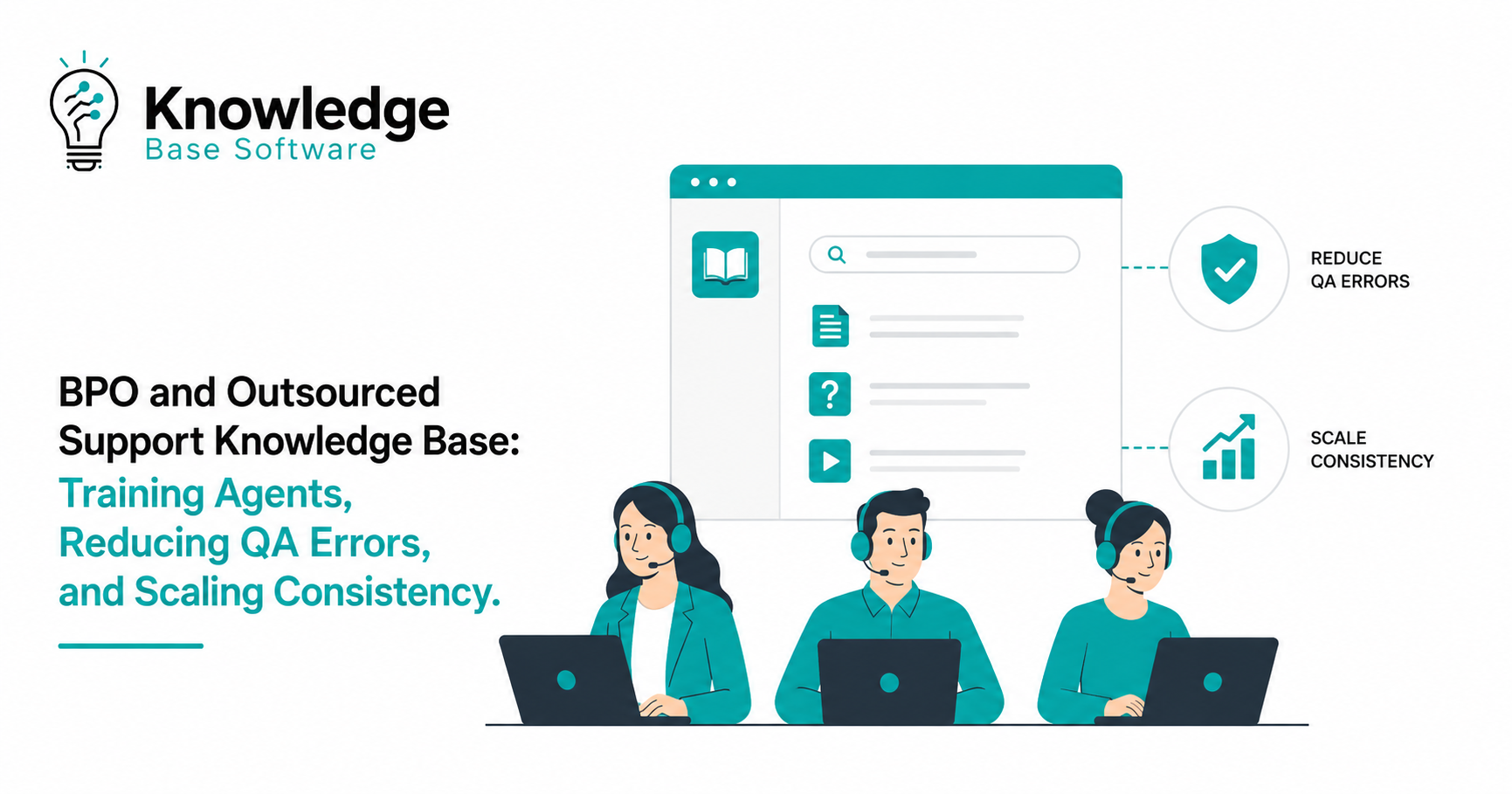
BPO and Outsourced Support Knowledge Base: Training Agents, Reducing QA Errors, and Scaling Consistency
Outsourced support can help a company scale coverage, extend operating hours, support multiple languages, and control operational complexity. But scale creates a new risk: quality breaks when agents rely on scattered documents, outdated SOPs, tribal knowledge, inconsistent macros, and unclear escalation rules.
That problem becomes even sharper in a BPO model. Business process outsourcing, or BPO, generally refers to hiring an external service provider to handle business functions or processes, which means the support team may sit outside the client company’s daily product, policy, and culture conversations.
A BPO and Outsourced Support Knowledge Base is not just a document library. In this guide, it means an agent-facing knowledge layer used inside a broader support knowledge management system or BPO operating model. It supports agent training, QA accuracy, escalation decisions, brand voice consistency, and scalable customer experience. When it is well-built, it gives outsourced agents a trusted source of truth. When it is weak, every new agent, vendor, market, and channel increases the risk of QA errors.
This guide explains how to build, structure, govern, and improve a BPO knowledge base that trains agents faster, reduces QA failures, supports call center quality assurance, and keeps customer support outsourcing consistent as the operation grows.
What Is a BPO and Outsourced Support Knowledge Base?
A BPO and Outsourced Support Knowledge Base is a centralized, governed collection of support knowledge designed specifically for external or outsourced customer support teams. It includes the information agents need to answer customer questions, follow approved workflows, apply company policies, use the right support macros, document cases correctly, and know when to escalate. It is usually part of a broader customer support knowledge management system, not a replacement for the full knowledge management system.
It differs from a generic help center because it is not written only for customers. It differs from a basic internal wiki because it is not just a place to store information. It is designed for operational execution.
Most support organizations need three connected knowledge layers:
| Knowledge Base Type | Primary Audience | Main Purpose |
|---|---|---|
| Customer-facing help center | Customers | Self-service answers and product guidance |
| Internal company wiki | Internal employees | Broader company, product, and process knowledge |
| Agent-facing BPO knowledge base | Outsourced agents, QA teams, trainers, team leads | Accurate support execution, training, QA, escalation, and consistency |
The agent-facing outsourced support knowledge base should act as the single source of truth. That means agents should not need to ask five team leads, search old Slack threads, or compare conflicting PDFs before answering a customer.
A strong BPO support knowledge base, operating inside a broader knowledge management system, answers four questions clearly:
- What should the agent do?
- What should the agent say?
- When should the agent escalate?
- How will QA evaluate the interaction?
When those answers are clear, outsourced support becomes easier to train, measure, and scale.
Why Outsourced Support Teams Need a Different Knowledge Base Strategy
Outsourced customer support is not the same as an in-house support team sitting next to product, operations, and leadership. BPO agents may be remote, distributed across time zones, multilingual, or assigned to several queues. They may not have the same background context as internal employees.
That is why BPO vendors need explicit procedures, not vague guidance.
A sentence like “use judgment for refund exceptions” may work for a senior in-house support specialist. For a new outsourced agent, it creates risk. The agent needs to know which refund cases are allowed, which require approval, which are prohibited, what verification is required, which macro to use, and how QA will score the decision.
Outsourced teams also need faster access to changes. Product updates, billing rules, SLA commitments, compliance guidance, shipping policies, and escalation paths must be easy to find and easy to trust.
As more vendors, channels, languages, regions, and time zones are added, inconsistency grows unless the knowledge base becomes more structured. Without governance, each team may create its own workaround. One site may answer billing questions differently from another. One vendor may escalate too often, while another may handle sensitive workflows without proper approval.
A BPO knowledge base strategy must therefore prioritize:
- Clear taxonomy and navigation
- Article ownership
- Version control
- Review cycles
- Role-based access
- QA alignment
- Approved language
- Regional and channel-specific instructions
- Change communication
- Agent feedback loops
The goal is not simply to “document everything.” The goal is to create a system that makes the correct action easier than the incorrect one.
How a Knowledge Base Trains BPO Agents Faster
Support agent training often fails when onboarding depends too heavily on live shadowing, team lead availability, or long slide decks that become outdated. A BPO support knowledge base turns training into a repeatable path.
New agents need structured onboarding paths that move from basic product understanding to policy application, troubleshooting, documentation, escalation, and quality expectations. Instead of memorizing everything, agents learn how to find the right answer quickly and apply it correctly.
A well-built outsourced support knowledge base can include role-based learning for phone agents, chat agents, email agents, billing specialists, technical support agents, and escalation teams. Each role sees the knowledge most relevant to its workflows.
It should also include product and policy modules, scenario-based examples, golden answers, approved responses, assessment quizzes, and certification checkpoints. This reduces dependency on team leads and helps BPO vendors train new cohorts with less variation.
| Training Need | Knowledge Base Asset | Operational Benefit |
|---|---|---|
| Product basics | Product overview articles and glossary | Agents understand key concepts faster |
| Policy application | Refund, cancellation, billing, and account policy pages | Fewer policy mistakes during live contacts |
| Process execution | Step-by-step SOPs and workflow guides | More consistent handling across agents |
| Tone and brand voice | Approved phrases, examples, and “do not say” lists | Stronger brand voice consistency |
| Complex scenarios | Edge case articles and decision trees | Less unnecessary escalation |
| Channel readiness | Phone, chat, email, and social support guidance | Better channel-specific performance |
| QA preparation | QA scorecard explanations and examples | Agents know how quality will be evaluated |
| Certification | Quizzes and practical case checks | Faster validation before agents go live |
The best BPO training programs do not separate knowledge from execution. They make the knowledge base part of daily work from day one. Agents should use it during onboarding, nesting, live support, coaching, calibration sessions, and QA reviews.
How a Strong Knowledge Base Reduces QA Errors
Many QA errors are not caused by agent carelessness. They are caused by missing, unclear, outdated, or hard-to-find knowledge.
When agents do not know which policy is current, they guess. When the macro is vague, they personalize it inconsistently. When escalation paths are unclear, they either escalate too much or not enough. When compliance guidance is buried in a PDF, sensitive workflows become risky.
A strong knowledge base reduces QA errors by improving accuracy, policy adherence, documentation, tone, and escalation behavior. It also helps QA teams distinguish between an agent performance issue and a knowledge management issue.
For example, if one agent gives the wrong cancellation answer, coaching may solve it. If twenty agents make the same mistake, the root cause may be a poor article, unclear SOP, missing decision tree, or outdated macro.
| QA Error | Root Cause | Knowledge Base Fix |
|---|---|---|
| Incorrect policy answer | Outdated or conflicting policy pages | Create one approved policy article with owner and review date |
| Wrong escalation decision | Escalation rules are vague | Add escalation triggers, examples, and non-escalation scenarios |
| Inconsistent tone | Agents rewrite macros without guidance | Add brand voice rules and approved response examples |
| Missing verification | Workflow does not clearly state required checks | Add verification steps at the top of sensitive process articles |
| Poor documentation | Ticket fields and tags are not defined | Add documentation standards and tagging examples |
| Unnecessary escalation | Agents lack troubleshooting steps | Add step-by-step troubleshooting guides and decision trees |
| Compliance risk | Sensitive process guidance is buried | Create dedicated compliance notes inside relevant workflows |
| Repeat contacts | Agent gives partial resolution | Add complete resolution criteria and customer confirmation steps |
Strong QA and knowledge management programs connect quality findings to knowledge base maintenance. COPC emphasizes knowledge governance, ownership, review cadence, and linking knowledge with training and quality, while the KCS Practices Guide treats knowledge as something improved through daily service work. QA findings should not disappear into reports. They should become article updates, training refreshers, calibration topics, and coaching examples.
What to Include in a BPO Support Knowledge Base
A BPO support knowledge base should be built around the work agents actually perform. It should be practical, searchable, and specific enough for live customer interactions.
Product and Service Information
Agents need a clear understanding of what the company sells, how the product works, who the customers are, and which plans, features, or service tiers exist. This section should include product overviews, feature descriptions, screenshots, plan comparisons, known limitations, and common customer intents.
Troubleshooting Guides
Troubleshooting content should be step-by-step. Avoid long theoretical explanations. Each guide should include symptoms, likely causes, required checks, resolution steps, escalation triggers, and approved customer-facing language.
SOPs and Process Workflows
SOPs should explain exactly how to complete a task. Examples include password resets, refund requests, subscription changes, address updates, order tracking, account verification, returns, billing disputes, and complaint handling.
A useful SOP includes the goal, required tools, prerequisites, step-by-step actions, exceptions, documentation rules, and QA notes.
Escalation Paths
Escalation paths must be explicit. Agents should know when to escalate, who receives the escalation, what information to include, what priority to assign, and what to tell the customer.
Good escalation documentation reduces both under-escalation and over-escalation.
Customer Verification Steps
Any workflow involving personal data, billing, account access, refunds, or security should clearly state the required verification steps before the agent takes action. For identity-proofing or authentication-sensitive workflows, NIST SP 800-63-4 Digital Identity Guidelines can help inform internal verification and authentication standards.
Refund, Cancellation, Return, and Billing Policies
These policies create high QA and CSAT risk. The knowledge base should include eligibility rules, exceptions, approval requirements, customer messaging, regional differences, and examples of approved and rejected cases.
Compliance and Privacy Guidance
Compliance content should be embedded into workflows, not hidden in a legal folder. Agents need practical instructions on what they can say, what they cannot say, what data they can access, and when legal, security, or privacy teams must be involved.
Approved Macros and Scripts
Support macros help outsourced agents answer consistently, but only when they are connected to clear decision rules. Each macro should explain when to use it, when not to use it, how to personalize it, and which related article supports it.
Brand Voice and Tone Guidelines
Brand voice consistency matters in outsourced support because external agents represent the company. The knowledge base should include tone principles, sample responses, empathy examples, prohibited phrases, and channel-specific style guidance.
Channel-Specific Guidance
Phone, chat, email, social, and help desk tickets each require different handling. Phone agents need call control and verification language. Chat agents need concise responses and multitasking rules. Email agents need complete written resolution. Social support agents need public/private response rules.
Edge Cases and Exception Handling
Edge cases should not live only in team lead memory. Document unusual but recurring scenarios, decision logic, approval requirements, and examples.
“Do Not Say / Do Not Do” Rules
These rules are especially useful for compliance, refunds, cancellations, legal claims, medical-adjacent workflows, financial issues, security incidents, and emotionally sensitive interactions.
Glossary of Product, Customer, and Internal Terms
A glossary helps outsourced agents understand internal language, product terms, customer segments, ticket tags, SLA definitions, and support acronyms such as AHT, FCR, CSAT, QA, and SLA.
The Ideal Knowledge Base Structure for Outsourced Support
A scalable BPO knowledge base needs a simple taxonomy. Agents should be able to find the right answer quickly during live interactions.
A recommended structure is:
| Section | Purpose |
|---|---|
| Start here | Onboarding path, role expectations, tools, and support principles |
| Product knowledge | Product, feature, plan, and service information |
| Policies | Refunds, cancellations, returns, billing, account, and compliance rules |
| Workflows | SOPs for common support tasks |
| Troubleshooting | Issue-based diagnostic and resolution guides |
| Escalation rules | When, how, and where to escalate |
| Macros and approved language | Support macros, scripts, and response examples |
| QA standards | QA scorecard criteria, examples, and common errors |
| Updates and release notes | Product, policy, and process changes |
| Market, region, or language-specific guidance | Localized instructions and exceptions |
| Archived content | Retired articles kept out of live search results |
Search, tagging, ownership, version history, and article freshness matter because agents must trust what they find. If an article has no owner, no review date, and no change history, agents may ignore it and ask a team lead instead.
The knowledge base should make freshness visible. Every article should have a last updated date, owner, applicable region, applicable channel, and related QA category.
Knowledge Base Governance: Who Owns What?
A BPO knowledge base fails when nobody owns updates. Governance defines who creates, approves, reviews, and retires content.
COPC emphasizes governance, KPI definition, and knowledge management ownership as part of strong contact center knowledge management practices.
A practical governance model should include client-side ownership and BPO-side execution. The client owns final policy accuracy. The BPO partner owns operational adoption, agent feedback, and daily usage.
| Role | Responsibilities | Approval Rights | Review Frequency |
|---|---|---|---|
| Client support leader | Defines support strategy, policy direction, and customer experience standards | Final approval for major policy and CX changes | Monthly or quarterly |
| BPO operations manager | Ensures agents use the KB, monitors adoption, escalates content gaps | Operational approval for vendor-specific workflows | Weekly |
| QA lead | Maps QA errors to KB gaps, proposes article improvements | Approval for QA standards and scorecard guidance | Weekly or biweekly |
| Training lead | Builds onboarding paths, quizzes, and certification checkpoints | Approval for training content | Per cohort and monthly |
| Subject matter expert | Validates product, billing, technical, or compliance accuracy | Approval for specialized articles | As needed and scheduled review |
| Knowledge manager | Manages taxonomy, templates, ownership, freshness, and change logs | Approval for structure and publishing workflow | Ongoing |
| Team leads | Collect agent questions, identify unclear articles, coach usage | Suggest edits and flag urgent gaps | Daily or weekly |
| Agents | Use articles, submit feedback, report missing or confusing content | No approval rights; feedback contributor | Continuous |
Governance should not be complex for its own sake. The purpose is speed with control. Agents need updates quickly, but sensitive policy changes must be reviewed before they go live.
Connecting the Knowledge Base to QA Scorecards
A QA scorecard defines how agent interactions are evaluated, but it should not exist separately from the knowledge base. Every major QA criterion should map to specific articles, SOPs, macros, or policy pages.
For example:
- Accuracy should map to product and policy articles.
- Process adherence should map to SOPs.
- Tone should map to brand voice guidelines.
- Documentation should map to tagging and ticket note standards.
- Compliance should map to verification and privacy workflows.
- Escalation quality should map to escalation rules.
If agents repeatedly fail a QA category, the team should ask: “Is the article clear, current, findable, and specific enough?”
A sample QA-to-KB feedback loop:
- Audit the interaction.
- Identify the error theme.
- Check the related KB article.
- Update the article or create a new one.
- Coach agents using the updated content.
- Add a golden example or approved response.
- Re-test the issue in future QA reviews.
This loop prevents the same error from being coached repeatedly without fixing the root cause. It also helps BPO vendor management discussions become more constructive. Instead of blaming agents or vendors broadly, teams can identify whether the issue is training, knowledge, process, staffing, or quality calibration.
Building a Knowledge Base Workflow That Scales
A scalable outsourced support knowledge base needs a repeatable workflow. Use this process:
1. Audit Existing Support Documentation
Collect all current SOPs, macros, training decks, policy PDFs, help center articles, escalation guides, QA forms, and team lead notes. Identify duplicate, outdated, conflicting, and missing content.
2. Identify High-Volume and High-Risk Contact Drivers
Prioritize content based on operational impact. High-volume topics reduce AHT and repeat contacts. High-risk topics reduce QA errors, compliance exposure, refunds mistakes, and customer escalations.
3. Create a Taxonomy
Design categories based on how agents search during live support. Use customer intents, workflows, products, and policies rather than internal department names only.
4. Standardize Article Templates
Templates make content easier to create and easier to use. Every SOP should have the same structure. Every policy article should have the same fields. Every troubleshooting article should include symptoms, steps, and escalation triggers.
5. Assign Owners and Reviewers
No article should be ownerless. Assign a business owner, operational reviewer, and update frequency.
6. Build Onboarding Paths
Create role-based learning paths for outsourced agent onboarding. Include required articles, practice scenarios, quizzes, and certification checkpoints.
7. Connect KB Articles to Macros and QA Forms
Macros should link to the policy or workflow that supports them. QA forms should reference the article used to score accuracy, process adherence, or compliance.
8. Launch With Training
Do not simply announce that the knowledge base exists. Train agents on how to search, interpret articles, submit feedback, and apply decision trees.
9. Track Usage and QA Impact
Monitor article usage, search terms, zero-result searches, agent feedback, QA scores, escalation rate, repeat contact rate, and CSAT trends.
10. Review and Improve Monthly
The KB should evolve with the business. Review high-impact articles monthly and update content after product changes, policy shifts, QA trends, and customer contact spikes.
Article Template for BPO Support Knowledge
Use this reusable article template for BPO support knowledge:
| Field | What to Include |
|---|---|
| Article title | Clear title based on agent search behavior |
| Use case | When the article should be used |
| Audience | Agent role, team, vendor, or support tier |
| Last updated | Date of most recent approved update |
| Owner | Person or team responsible for accuracy |
| Applies to channel | Phone, chat, email, social, help desk, or all |
| Applies to region/language | Market-specific or language-specific rules |
| Customer intent | What the customer is trying to achieve |
| Required verification | Identity, account, order, billing, or security checks |
| Step-by-step process | Exact actions the agent should take |
| Approved response | Macro, script, or example language |
| Escalation trigger | When and where to escalate |
| Related articles | Supporting policies, macros, or troubleshooting guides |
| QA notes | How the interaction will be scored |
| Common mistakes | Errors agents should avoid |
| Examples | Good and bad examples, edge cases, golden answers |
| Change log | What changed, when, and why |
This structure helps agents act quickly while giving QA, training, and operations teams a consistent way to maintain content.
Metrics to Track Knowledge Base Performance
A BPO knowledge base should be measured like an operational system, not a static content repository. The right metrics show whether agents can find, trust, and apply knowledge.
| Metric | What It Shows | Why It Matters for BPO Support |
|---|---|---|
| Article usage | Which articles agents open most | Identifies critical workflows and training needs |
| Search success rate | Whether agents find relevant results | Shows how well taxonomy and search are working |
| Zero-result searches | Terms with no matching content | Reveals missing articles and vocabulary gaps |
| Agent feedback | Questions, confusion, and article ratings | Captures frontline content issues |
| Article helpfulness | Whether content supports resolution | Helps prioritize improvements |
| Time to proficiency | How fast new agents reach target performance | Measures onboarding effectiveness |
| QA score trends | Quality movement by team, vendor, and category | Connects KB quality to agent performance |
| Error rate by category | Where mistakes are happening | Helps target content and coaching |
| First contact resolution | Whether issues are solved without repeat contact | Shows resolution completeness |
| Average handle time | How long interactions take | Indicates whether agents can find answers efficiently |
| Escalation rate | How often agents transfer or escalate cases | Reveals unclear workflows or insufficient authority |
| Repeat contact rate | Whether customers return for the same issue | Shows gaps in resolution quality |
| CSAT | Customer satisfaction after support | Connects knowledge quality to customer experience |
| SLA adherence | Whether support meets promised timelines | Shows operational consistency |
| Content freshness | Whether articles are reviewed and current | Reduces outdated guidance and QA risk |
Metrics should be reviewed by client and vendor teams together. A drop in QA scores may reflect agent performance, but it may also reveal a knowledge base maintenance issue.
Common Mistakes to Avoid
The most common mistake is treating the KB as a document dump. Uploading every PDF, slide deck, policy note, and macro into one folder does not create a knowledge base. It creates a search problem.
Another mistake is having no article owners. Without article ownership, nobody is accountable for accuracy, and outdated SOPs stay live.
Teams also fail when they separate QA from knowledge management. QA reports identify real operational issues. If those findings do not feed the KB backlog, errors repeat.
Avoid these mistakes:
- Publishing generic scripts with no decision rules
- Keeping outdated SOPs in live search results
- Launching a BPO team before core articles are ready
- Relying only on team leads for answers
- Not documenting edge cases
- Not localizing content for regions and languages
- Failing to define escalation paths
- Using macros that are not linked to policies
- Skipping calibration sessions after major updates
- Updating articles without communicating changes
- Giving agents access to conflicting versions
- Measuring article volume instead of article usefulness
A smaller, accurate, well-governed knowledge base is better than a large, confusing one.
Where AI Fits in a BPO and Outsourced Support Knowledge Base
AI can support BPO knowledge management, but it should not replace governance. The most practical AI use cases are operational:
- Suggesting related articles during live support
- Summarizing long SOPs into agent-friendly steps
- Finding content gaps from ticket trends
- Drafting article updates for human review
- Powering agent assist tools
- Detecting repeated QA error themes
- Translating or localizing drafts with human approval
- Recommending macros based on customer intent
- Clustering zero-result searches into new article ideas
AI is useful when it helps agents find approved knowledge faster. It is risky when it generates answers without grounding, approval, or compliance review.
AI should not replace SME approval, privacy review, compliance controls, knowledge base governance, or human judgment on sensitive workflows. For BPO teams, the safest model is AI-assisted knowledge retrieval and drafting, with humans controlling policy, approval, and customer-impacting decisions.
30-Day Implementation Plan
A BPO support knowledge base does not need to be perfect before a controlled pilot or first vendor cohort. It does need to be structured, governed, and focused on the highest-impact workflows before agents rely on it in live customer interactions.
Week 1: Audit and Prioritize
Deliverables:
- Inventory of existing SOPs, macros, QA forms, training decks, policy docs, and help center articles
- List of duplicate, outdated, missing, and conflicting content
- Top contact drivers by volume and risk
- Priority list for the first set of KB articles
- Draft taxonomy for agent navigation
Focus on the topics that create the most QA errors, escalations, repeat contacts, and training friction.
Week 2: Build Core Structure and Templates
Deliverables:
- Final knowledge base taxonomy
- Standard article templates for SOPs, policies, troubleshooting, macros, and escalation guides
- Ownership model and review cadence
- First set of high-priority articles
- Archive rules for outdated content
By the end of week two, agents should be able to find the most important workflows in a consistent format.
Week 3: Connect KB to Training, Macros, and QA
Deliverables:
- Role-based onboarding paths
- Required reading lists for new agents
- Updated macros linked to source articles
- QA scorecard references mapped to KB content
- Certification checks or scenario-based quizzes
- Team lead coaching guides
This week turns the KB from a content project into an operating layer for training and quality.
Week 4: Launch, Calibrate, and Measure
Deliverables:
- Agent launch training
- Search and usage reporting
- Feedback submission process
- QA calibration session using real interactions
- First KB backlog based on agent questions and QA findings
- Monthly review schedule
The launch should include clear instructions: where to search, how to use articles, how to report gaps, and how updates will be communicated.
Final Checklist for a Scalable Outsourced Support Knowledge Base
Use this checklist before scaling a BPO team:
- Core product articles are complete.
- High-volume workflows have SOPs.
- High-risk policies are reviewed and approved.
- Escalation paths are clear.
- Customer verification steps are documented.
- Support macros link to source articles.
- Brand voice guidelines include examples.
- Channel-specific guidance is available.
- Regional and language exceptions are documented.
- QA scorecard criteria map to KB articles.
- Each article has an owner.
- Each article has a last updated date.
- Review frequency is defined.
- Outdated content is archived.
- Agent feedback is easy to submit.
- Zero-result searches are reviewed.
- Team leads coach agents to use the KB.
- Calibration sessions include KB review.
- Metrics are reviewed with the BPO vendor.
- A monthly maintenance rhythm is in place.
Conclusion
A BPO and Outsourced Support Knowledge Base is the foundation for scalable, consistent customer support. It helps outsourced agents train faster, answer more accurately, follow SOPs, reduce QA errors, apply the right escalation paths, and represent the brand with confidence.
For support leaders, the value is not only better documentation. The real value is operational control. A strong BPO knowledge base aligns vendors, trainers, QA teams, team leads, and agents around one approved way of working.
As customer support outsourcing grows across channels, regions, and vendors, consistency cannot depend on memory or informal coaching. It must be built into the knowledge system agents use every day.
If your outsourced support team is scaling, start with the workflows that create the most volume, risk, and QA defects. Build the knowledge base around those moments first. Then connect it to training, QA scorecards, macros, governance, and monthly improvement. That is how outsourced support becomes not only larger, but more consistent, measurable, and reliable.
FAQ
1. What is a BPO and outsourced support knowledge base?
A BPO and outsourced support knowledge base is a centralized, governed source of support information created for external customer support teams. It includes SOPs, policies, troubleshooting guides, escalation paths, macros, QA standards, and brand voice guidance. It usually operates as an agent-facing knowledge layer inside a broader customer support knowledge management system.
2. Why do outsourced support teams need a knowledge base?
Outsourced support teams need a knowledge base because agents may not have the same context as in-house teams. A knowledge base gives them clear instructions, approved answers, current policies, and consistent workflows.
3. How does a knowledge base reduce QA errors?
A knowledge base reduces QA errors by giving agents accurate, current, and easy-to-find guidance. It improves policy adherence, tone consistency, escalation decisions, documentation quality, and compliance handling.
4. What should be included in a BPO support knowledge base?
A BPO support knowledge base should include product information, SOPs, troubleshooting guides, escalation paths, customer verification steps, refund and billing policies, compliance guidance, support macros, brand voice rules, channel guidance, edge cases, and a glossary.
5. Who should own knowledge base updates in an outsourced support model?
Ownership should be shared. The client support leader or subject matter expert should own policy accuracy, while the BPO operations manager, QA lead, training lead, and knowledge manager should support adoption, feedback, coaching, and maintenance.
6. How often should a BPO knowledge base be reviewed?
High-risk and high-volume articles should be reviewed monthly or whenever a product, policy, compliance rule, or workflow changes. Lower-risk articles can follow a quarterly review cycle, as long as ownership and freshness are visible.
7. How do you connect QA scorecards to knowledge base improvements?
Map each QA scorecard category to specific KB articles. When agents repeatedly fail a category, review the related article to see whether it is missing, unclear, outdated, or hard to find. Then update the KB, coach agents, and re-test through future QA reviews.
8. Can AI help manage an outsourced support knowledge base?
Yes. AI can help suggest articles, summarize SOPs, find content gaps, draft updates, support agent assist tools, detect repeated QA error themes, and localize content drafts. However, AI should not replace human approval, governance, compliance review, or SME validation.