Independent knowledge base software guide Evidence-led Updated 2026

Government Knowledge Base Software: Citizen Self-Service, Public Information, and Internal SOPs
Government agencies manage information that affects real people: permits, benefits, public works, emergency notices, tax deadlines, service eligibility, HR policies, IT procedures, and department workflows. When that information is scattered across PDFs, shared drives, inboxes, intranet pages, and staff memory, citizens get inconsistent answers and employees waste time searching for the right procedure.
Government knowledge base software helps solve that problem by creating a governed, searchable source of truth for both public-facing and internal information.
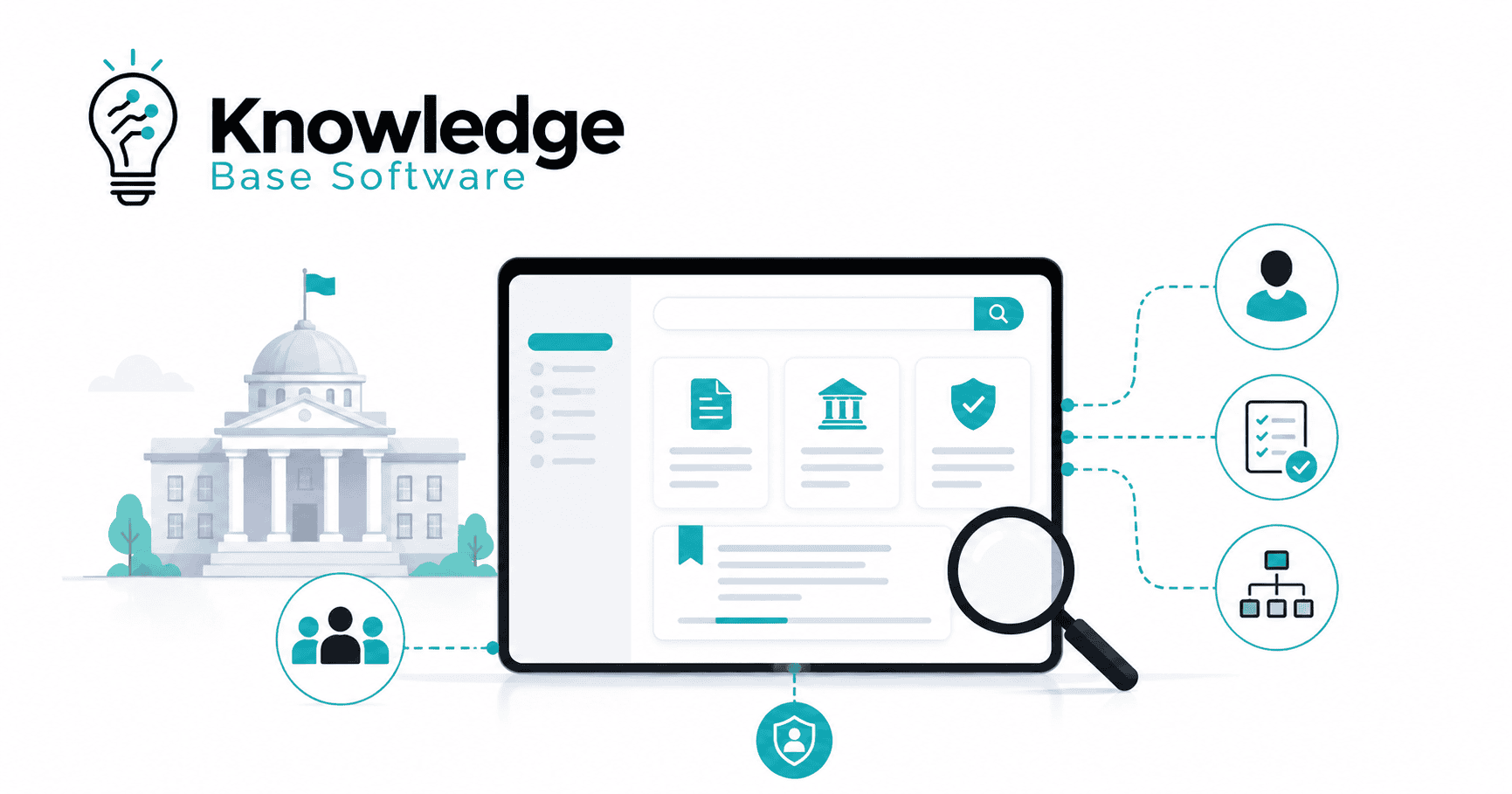
Government knowledge base software is a governed platform for creating, approving, searching, and maintaining public and internal information for government services. It helps citizens find answers without calling an office, gives staff one source of truth, and keeps policies, service guidance, and standard operating procedures current, secure, and accessible.
For municipalities, agencies, public-sector contact centers, IT teams, and digital service leaders, the right knowledge base is not just a content tool. It is part of citizen service, operational resilience, compliance, and institutional knowledge management.
Table of Contents
What Is Government Knowledge Base Software?
Government knowledge base software is a platform that helps public-sector organizations create, organize, govern, search, publish, and maintain official information.
It can support:
- A public-facing knowledge base for citizens, residents, businesses, visitors, and community organizations.
- An internal knowledge base for employees, contact center agents, HR teams, IT service desks, public works staff, caseworkers, inspectors, and department managers.
- A hybrid knowledge base where some content is public and other content is restricted by role, department, location, or security level.
A government knowledge base is different from a shared drive because it is structured for findability, ownership, review, analytics, and publishing. A shared drive stores files. A knowledge base helps people find approved answers.
It is also different from a basic intranet. An intranet may contain news, staff pages, forms, and internal announcements. A knowledge base is more focused on reusable answers, procedures, service guidance, and decision support.
It differs from a wiki because public-sector information often needs stronger governance: approvals, version history, audit trails, accessibility checks, records of ownership, and separation between public and restricted content.
It also differs from a document repository. A repository stores documents; a knowledge base turns critical information into searchable, answer-first articles that citizens and employees can use quickly.
Finally, it is not the same as a help desk. A help desk manages tickets and cases. A knowledge base prevents avoidable tickets by giving people accurate answers before they submit a request.
Why Government Agencies Need a Knowledge Base
Government information is often complex, but the public expects clear answers. A resident does not want to know which department owns a process. They want to know how to apply, what documents are required, how long something may take, and what to do next.
A well-governed knowledge base helps agencies improve both external and internal service.
Reduce Repetitive Calls and Emails
Many government contact centers receive the same questions every day: “How do I renew a permit?” “Where do I report a pothole?” “Am I eligible for this benefit?” “What documents do I need?” When these answers are easy to find online, citizens can self-serve and staff can focus on complex cases.
Improve Citizen Self-Service
Citizen self-service works when information is written in plain language, organized around real tasks, and available on any device. Digital.gov emphasizes that plain language helps the public understand obligations and benefits, and the Plain Writing Act creates plain-writing requirements for U.S. federal executive branch agencies.
Keep Public Information Consistent
A knowledge base reduces conflicting answers across departments. The permit office, 311 team, public website, chatbot, and front desk can all work from the same approved guidance.
Preserve Institutional Knowledge
Public agencies are vulnerable to retirements, turnover, leadership transitions, and emergency redeployments. A knowledge base captures the operational knowledge that often lives in long-tenured employees’ heads.
Support Remote and Hybrid Teams
Remote staff need fast access to the same procedures and policy explanations as employees in the office. A searchable internal knowledge base supports distributed teams without relying on informal messages or outdated attachments.
Improve Onboarding and Staff Productivity
New employees learn faster when procedures, scripts, service rules, escalation paths, and department contacts are documented in one place.
Reduce Policy Confusion Across Departments
Public-sector services often cross departmental boundaries. For example, a business license may involve planning, fire inspection, tax, public works, and code enforcement. A knowledge base helps staff explain the full process consistently.
Three Core Use Cases
A. Citizen Self-Service
Citizen self-service content is designed for residents, businesses, visitors, and community partners. It should answer common questions before someone contacts the agency.
Content that belongs here: FAQs, how-to articles, eligibility pages, application instructions, service timelines, fee explanations, permit requirements, benefits guidance, reporting instructions, and emergency updates.
Who uses it: Residents, businesses, public information officers, contact center agents, web teams, and digital service teams.
Example articles:
- How to apply for a building permit
- Report a missed trash collection
- Renew a business license
- Check eligibility for housing assistance
- Prepare for a winter storm parking ban
Risks if poorly managed: Citizens may submit incomplete applications, call the wrong department, miss deadlines, rely on outdated rules, or receive inconsistent answers.
What good software should provide: Strong search, mobile-friendly pages, plain language formatting, multilingual support, feedback buttons, last-updated dates, analytics, and an approval workflow before publication.
B. Public Information and Service Guidance
Public information content explains official programs, policies, notices, and service rules. It is broader than an FAQ and often connects residents to formal service pages.
Content that belongs here: Public notices, program descriptions, department directories, service changes, policy summaries, forms guidance, office closures, emergency information, and legal or regulatory explanations written for a non-specialist audience.
Who uses it: Public information officers, communications teams, legal reviewers, department leaders, elected-office staff, and the public.
Example articles:
- What the new short-term rental ordinance means
- Road closure schedule for downtown construction
- Public hearing participation guide
- How property tax reassessments work
- Severe weather service updates
Risks if poorly managed: Public trust can decline when information is confusing, inconsistent, inaccessible, or published late.
What good software should provide: Content ownership, scheduled review dates, emergency publishing workflows, version control, public/private separation, accessibility support, and clear approval paths.
C. Internal SOPs and Staff Procedures
Internal SOPs help employees complete tasks consistently. They are especially important for high-risk, high-volume, or compliance-sensitive processes.
Content that belongs here: Standard operating procedures, staff scripts, troubleshooting guides, inspection checklists, HR workflows, IT procedures, escalation paths, benefits-processing rules, case management instructions, and internal policy interpretations.
Who uses it: Contact center agents, HR staff, IT teams, finance teams, inspectors, caseworkers, supervisors, department administrators, and field staff.
Example articles:
- Escalating a 311 public safety complaint
- Processing a records request
- Resetting employee multi-factor authentication
- Reviewing a benefits application for missing documents
- Handling after-hours water main break reports
Risks if poorly managed: Staff may follow outdated procedures, skip required steps, expose restricted information, or create inconsistent service outcomes.
What good software should provide: Role-based access, version history, audit trails, required reviews, SME approval, internal search, SSO, and links to related forms and systems.
Public-Facing vs Internal vs Hybrid Knowledge Bases
| Type | Audience | Typical Content | Access Level | Key Requirements | Example Use Case |
|---|---|---|---|---|---|
| Public-facing | Citizens, businesses, visitors | FAQs, service guides, public notices, permit instructions | Open web access | Accessibility, plain language, mobile design, SEO, multilingual content | A resident finds how to report a pothole |
| Internal | Employees, agents, caseworkers, IT, HR | SOPs, scripts, internal policies, troubleshooting guides | Restricted by login and role | SSO, RBAC, audit trails, version control, approvals | A contact center agent follows an escalation procedure |
| Hybrid | Public users and staff | Public articles plus internal-only notes, workflows, and exceptions | Mixed public/private permissions | Content separation, governance, metadata, secure publishing | A permit article has a public guide and staff-only review checklist |
Essential Features of Government Knowledge Base Software
| Feature | Why It Matters for Government |
|---|---|
| Powerful search and semantic search | Citizens and employees may not use official department terminology. Search should understand plain-language intent. |
| AI-assisted answers with citations | AI can help users find answers faster, but responses should be grounded in approved source articles and reviewed by humans. |
| Role-based access control | Agencies need to separate public content, staff-only content, department-only content, and sensitive procedures. |
| Approval workflows | Public-sector content often needs review by subject matter experts, communications, legal, security, or department leadership. |
| Version history and audit trails | Teams need to know what changed, who changed it, who approved it, and when. |
| Content lifecycle management | Articles need owners, review dates, expiration rules, and retirement workflows. |
| Multilingual support | Agencies serving multilingual communities need translated content and processes for keeping translations current. |
| Accessibility support | Public information should be usable by people with disabilities. U.S. federal agencies must comply with applicable Section 508 requirements for ICT when they develop, procure, maintain, or use covered technology, and WCAG is widely used as a technical accessibility reference. State, local, and non-U.S. requirements may vary. |
| Mobile-friendly public access | Many citizens search from phones, especially during urgent service needs. |
| Analytics and feedback | Search terms, failed searches, article ratings, and deflection patterns show where content needs improvement. |
| Integrations | The knowledge base should connect with CRM, help desk, 311, case management, intranet, federated identity providers, and chatbots. |
| Security and compliance controls | Encryption, SSO, SCIM, data residency, logs, and vendor risk controls matter for public-sector procurement. |
| Public/private content separation | Staff notes and restricted procedures should never appear in public search results. |
| Emergency update workflows | Agencies need fast publishing paths for closures, outages, public safety notices, and service disruptions. |
For U.S. federal cloud deployments, FedRAMP is relevant when a cloud product or service falls within FedRAMP scope. FedRAMP provides a standardized approach for assessing and authorizing cloud products and services that process unclassified agency information. Requirements vary by agency, jurisdiction, data type, deployment model, and procurement rules.
For cybersecurity planning, NIST Cybersecurity Framework 2.0 provides guidance for government agencies and other organizations to manage cybersecurity risk.
For U.S. federal digital services, Digital.gov’s guidance on delivering a digital-first public experience is also useful when planning public-facing knowledge base design, accessibility, mobile usability, plain language, and service delivery.
Government Knowledge Base Content Types
A mature government knowledge base usually includes several article types, not just FAQs.
Common public-facing content includes FAQs, how-to guides, service eligibility pages, permit and license instructions, benefits and program guidance, public notices, department directories, policy explanations, forms guidance, application instructions, and emergency service updates.
Common internal content includes SOPs, troubleshooting guides, HR procedures, IT service desk articles, training and onboarding materials, contact center scripts, escalation paths, internal policy notes, inspection checklists, case handling steps, and department-specific workflows.
Good content types are structured. For example, a permit article should not be a long block of text copied from an ordinance. It should explain who needs the permit, what documents are required, how to apply, fees, review timelines, common reasons for delay, and where to get help.
How to Choose the Right Platform
Choosing government knowledge base software should be treated as an operational decision, not just a content management decision. The platform needs to serve citizens, staff, and governance requirements.
Buying Framework
Citizen experience: Can users find answers quickly? Are articles readable on mobile? Can the platform support plain language, multilingual content, and accessible design?
Staff experience: Can employees search internal procedures quickly? Can contact center agents use the knowledge base while handling a call? Can staff suggest edits?
Governance: Does every article have an owner, approver, status, review date, and change history?
Security and compliance: Does the platform support SSO, SCIM, RBAC, encryption, audit logs, data residency options, and vendor security documentation?
Accessibility: Can teams create accessible pages, avoid inaccessible PDFs, add alt text, structure headings correctly, and test content against relevant standards?
Search quality: Does search handle synonyms, misspellings, natural language, and department-specific terminology?
AI readiness: Does AI use approved content as its source? Can agencies review AI-generated suggestions before publishing? Does the system show sources?
Integrations: Can the knowledge base connect to CRM, 311, help desk, intranet, case management, identity providers, and chatbots?
Deployment model: Does the platform fit agency requirements for cloud, government cloud, private cloud, on-premises, or hybrid deployment?
Total cost of ownership: Consider licensing, implementation, migration, training, integrations, accessibility remediation, security review, and ongoing content governance.
Vendor support: Public-sector teams should evaluate onboarding, migration assistance, service-level commitments, documentation, and procurement readiness.
RFP and Evaluation Checklist
| Requirement | Why It Matters for Government |
|---|---|
| Public and internal knowledge base support | Agencies often need citizen-facing answers and restricted staff procedures in one governed environment. |
| Role-based permissions | Prevents restricted content from being exposed publicly or to the wrong department. |
| Approval workflows | Supports review by SMEs, legal, communications, and department owners. |
| Version history and audit logs | Creates accountability for policy, SOP, and public information changes. |
| Accessibility features | Helps teams publish content that can be used by people with disabilities. |
| Multilingual content management | Supports communities that need service information in more than one language. |
| Analytics dashboard | Shows failed searches, low-rated articles, high-demand topics, and content gaps. |
| AI controls and source grounding | Reduces the risk of unsupported AI answers. |
| SSO and SCIM | Simplifies access management for employees and contractors. |
| API and integrations | Connects knowledge to CRM, 311, help desk, case management, and chatbot tools. |
| Data residency and security documentation | Supports procurement, legal, and risk reviews. |
| Emergency publishing workflow | Allows rapid updates during closures, outages, storms, health alerts, or service disruptions. |
| Content lifecycle tools | Prevents outdated articles from remaining live indefinitely. |
| Export and portability | Reduces vendor lock-in and supports records or migration needs. |
Implementation Roadmap
Step 1: Audit Existing Content
Start with websites, PDFs, shared drives, intranet pages, service desk articles, training documents, call scripts, forms, and department SOPs. Identify outdated, duplicated, high-risk, and high-demand content.
Step 2: Define Audiences and Access Levels
Decide what belongs to the public, all staff, specific departments, supervisors, IT, HR, legal, or emergency response teams.
Step 3: Build Taxonomy and Metadata
Create categories around user tasks, not just agency org charts. Add metadata such as department, service, audience, owner, review date, language, jurisdiction, and related systems.
Step 4: Create Governance Roles
Assign owners, subject matter experts, editors, approvers, security reviewers, and platform administrators.
Step 5: Migrate and Rewrite Priority Content
Do not migrate everything as-is. Rewrite the most-used and highest-risk content first. Convert dense PDFs into web articles where possible.
Step 6: Set Review and Approval Workflows
Define draft, review, approval, publish, archive, and emergency update states. Make sure urgent content can move quickly without bypassing accountability.
Step 7: Pilot With One Department or Service Area
Start with a high-volume area such as permits, 311, public works, HR, IT, or benefits. Measure search behavior and support demand before expanding.
Step 8: Launch Public and Internal Experiences
Launch with clear navigation, search, feedback options, staff training, and communication to department leaders.
Step 9: Measure, Improve, and Retire Outdated Content
Use analytics to identify failed searches, unclear articles, outdated SOPs, and duplicate content. Improvement should be continuous, not a one-time migration.
Governance Model for Public-Sector Knowledge
A government knowledge base needs clear accountability.
Knowledge owner: Accountable for a topic area, such as permits, HR benefits, public works, or IT support.
Subject matter expert: Confirms factual accuracy and policy alignment.
Editor or content designer: Rewrites content in plain language, improves structure, and ensures the article answers the user’s task.
Compliance or security reviewer: Reviews sensitive, legal, privacy, security, or regulated information.
Department approver: Gives final approval for department-owned content.
Platform admin: Manages permissions, integrations, templates, and publishing settings.
Analytics owner: Reviews search data, feedback, usage, and content performance.
Review cadence should depend on risk. Emergency procedures and legally sensitive content may need frequent review. General department descriptions may need annual review. Articles tied to temporary programs should have expiration dates.
Urgent updates should have a fast-track workflow with post-publication review. Expired content should automatically notify owners. Policy changes should trigger updates to every related public article, staff SOP, script, and chatbot source.
Best Practices for Citizen Self-Service Content
Citizen self-service content should be built around the user’s question, not the agency’s internal structure.
Use answer-first formatting. Start with the direct answer, then explain eligibility, required documents, steps, fees, timelines, and contact options.
Use plain language. Digital.gov’s guidance focuses on writing and designing content that people can understand, including defining the audience, writing clearly, and testing whether content communicates its intent.
Avoid agency jargon. A resident may not know the difference between code enforcement, planning, zoning, and permitting. Use common language and explain official terms when needed.
Show clear next steps. Every service article should help the user complete an action: apply, renew, report, appeal, upload, call, visit, or check status.
Show last-updated dates. This is especially important for fees, deadlines, eligibility rules, emergency information, and program availability.
Link to official forms and service pages. Avoid duplicate versions of forms stored in multiple places.
Design for mobile users. Buttons, forms, tables, and contact information should work well on small screens.
Plan for multilingual and accessible content. Translation must include review and update workflows, not just one-time conversion.
Use feedback signals. “Was this helpful?” buttons, failed search reports, and contact center notes reveal where articles are unclear.
Managing Internal SOPs
Internal SOPs should be structured enough for consistent execution but clear enough for staff to use during real work.
A good SOP article includes:
- Purpose: What the procedure is for.
- Scope: When it applies and when it does not.
- Owner: The department or role responsible.
- Steps: The exact sequence to follow.
- Exceptions: What to do when the normal process does not apply.
- Escalation path: Who to contact and when.
- Related policies: Links to rules, laws, contracts, or department policies.
- Required forms/tools: Systems, templates, forms, or checklists needed.
- Last reviewed date: The date the SOP was checked.
- Version history: What changed and who approved it.
Example SOP Article Template
Title: Escalate a Missed Trash Collection Complaint
Purpose: Provide a consistent process for handling missed collection reports.
Scope: Applies to residential collection complaints submitted through 311, phone, or web form.
Owner: Public Works Service Operations
Procedure:
- Confirm address and collection day.
- Check service alerts for route delays.
- Verify whether the report is within the accepted reporting window.
- Create or update the service request in the 311 system.
- Assign the request to the correct route supervisor.
- Provide the resident with the service request number and expected next step.
Exceptions: If the report involves hazardous material or blocked access, use the special handling procedure.
Escalation: Route supervisor after 24 hours; operations manager after 48 hours.
Related Articles: Bulk pickup rules, holiday collection schedule, blocked container policy.
Last Reviewed: [Insert date]
Version: 1.0
Measuring Success
| KPI | What It Shows |
|---|---|
| Search success rate | Whether users find relevant answers from search. |
| Article helpfulness score | Whether users think articles answer their questions. |
| Call/contact deflection | Whether self-service reduces avoidable calls, emails, or tickets. |
| Reduction in repeated questions | Whether common issues are being answered clearly. |
| Average handle time | Whether agents can resolve calls faster using approved knowledge. |
| Time to publish urgent updates | How quickly agencies can respond to closures, outages, or emergencies. |
| Percentage of reviewed articles | Whether content governance is working. |
| SOP adoption | Whether staff are actually using documented procedures. |
| Internal search terms with no results | Where staff need new or better content. |
| Citizen satisfaction | Whether the knowledge base improves public service experience. |
ROI should combine operational, service, and risk measures. For example, a knowledge base may reduce repetitive contacts, improve first-contact resolution, shorten onboarding time, and lower the risk of outdated public guidance.
Common Mistakes to Avoid
Do not treat the knowledge base as a file dump. Uploading hundreds of PDFs without rewriting, ownership, metadata, or review dates simply moves the old problem into a new platform.
Do not mix public and restricted information. Internal notes, security procedures, staff-only exceptions, and personally identifiable information should be separated from public content and protected according to applicable policy, legal, privacy, and security requirements.
Do not publish without ownership. Every article needs a named owner or accountable department.
Do not ignore accessibility. Accessibility must be part of content creation, procurement, design, and testing. Section508.gov provides guidance and resources for digital accessibility in U.S. federal contexts.
Do not overuse PDFs. PDFs can be hard to maintain, search, translate, and use on mobile devices. Where possible, convert service guidance into structured web content.
Do not let SOPs become outdated. An outdated SOP can be worse than no SOP because it gives staff confidence in the wrong process.
Do not add AI before cleaning content. AI search and answer assistants are only as reliable as the approved content they can access.
Do not skip analytics review. Failed searches and negative feedback are not noise; they are a roadmap for improvement.
Do not duplicate conflicting answers across departments. One service rule should have one authoritative source, with other pages linking back to it.
Future of Government Knowledge Bases
The future of government knowledge bases is not just better article storage. It is connected, governed, AI-assisted service delivery.
AI search and answer assistants can help citizens and staff ask questions in natural language. However, public agencies should favor source-grounded answers, visible citations, human review, permission-aware retrieval, and clear escalation when the system is uncertain. NIST’s AI Risk Management Framework is a useful voluntary reference for thinking about AI risks, governance, and trustworthiness.
Knowledge bases will also become more connected to citizen service portals, CRM systems, 311 platforms, case management tools, identity systems, and chatbots. A resident may start with a question, confirm eligibility, submit a form, receive status updates, and get proactive reminders from one connected service journey.
Proactive public information will become more important. Instead of waiting for residents to search, agencies can use knowledge base content to power alerts, service updates, newsletters, chatbot responses, and call center scripts.
Workflow automation will help route content reviews, flag expired articles, notify departments of policy changes, and update related SOPs.
The strongest implementations combine automation with human accountability. Government information should be fast, but it also needs to be accurate, accessible, auditable, and trusted.
Conclusion
Government Knowledge Base Software is both a public-service tool and an internal operations tool. For citizens, it provides clear answers, better self-service, and more consistent public information. For employees, it preserves institutional knowledge, standardizes procedures, improves onboarding, and supports better service delivery.
The best platform is not simply the one with the most features. It is the one that helps your agency govern information across public pages, staff procedures, policy updates, emergency notices, and AI-assisted search.
Start by auditing your most repeated citizen questions and your highest-risk internal SOPs, then choose a platform that can govern both.
FAQs
What is government knowledge base software?
Government knowledge base software is a platform for creating, organizing, approving, searching, publishing, and maintaining official public-sector information. It can support citizen self-service content, public information pages, internal SOPs, contact center scripts, and staff procedures.
How does it improve citizen self-service?
It gives citizens clear, searchable answers to common questions without requiring them to call, email, or visit an office. Effective self-service content explains eligibility, required documents, steps, fees, timelines, and next actions in plain language.
Can one knowledge base serve both citizens and employees?
Yes, if the platform supports hybrid publishing and strong access controls. Public articles can be open to everyone, while staff-only procedures, internal notes, and restricted policies remain protected by role-based permissions.
What features matter most for government agencies?
The most important features include strong search, approval workflows, role-based access, version history, audit trails, accessibility support, analytics, multilingual content, integrations, SSO, security controls, and content lifecycle management.
How should agencies manage internal SOPs?
Each SOP should have a clear purpose, scope, owner, step-by-step procedure, exceptions, escalation path, related policies, required forms or tools, last-reviewed date, and version history. SOPs should be reviewed on a defined cadence based on risk.
How can agencies use AI more safely in government knowledge bases?
AI can be useful when it is governed carefully, tested regularly, and limited to appropriate use cases. Agencies should prefer AI that relies on approved source content, shows citations, supports human review, respects permissions, and avoids generating unsupported answers. Higher-risk use cases may require legal, privacy, security, accessibility, and policy review.
What security requirements should be considered?
Agencies should evaluate SSO, SCIM, RBAC, encryption, audit logs, data residency, backup and recovery, vendor security documentation, incident response playbooks, API security, and compliance requirements. Federal, state, local, and international requirements may differ.
How do you measure ROI?
ROI can be measured through reduced repetitive contacts, improved search success, higher article helpfulness, lower average handle time, faster onboarding, fewer duplicate answers, improved SOP adoption, and faster publication of urgent updates.
How long does implementation take?
Implementation time depends on content volume, governance complexity, integrations, procurement requirements, security review, accessibility remediation, and migration quality. A focused pilot for one department can move faster than an agency-wide launch.