Independent knowledge base software guide Evidence-led Updated 2026

In-App Knowledge Base: Contextual Help, Embedded Search, and Product-Led Support
A user is configuring a workflow inside your SaaS product. They are one setting away from success, but the label is unclear. They do not want to open a new tab, search a separate help center, scan five articles, or wait for support. They need the right answer inside the product, at the exact moment of confusion.
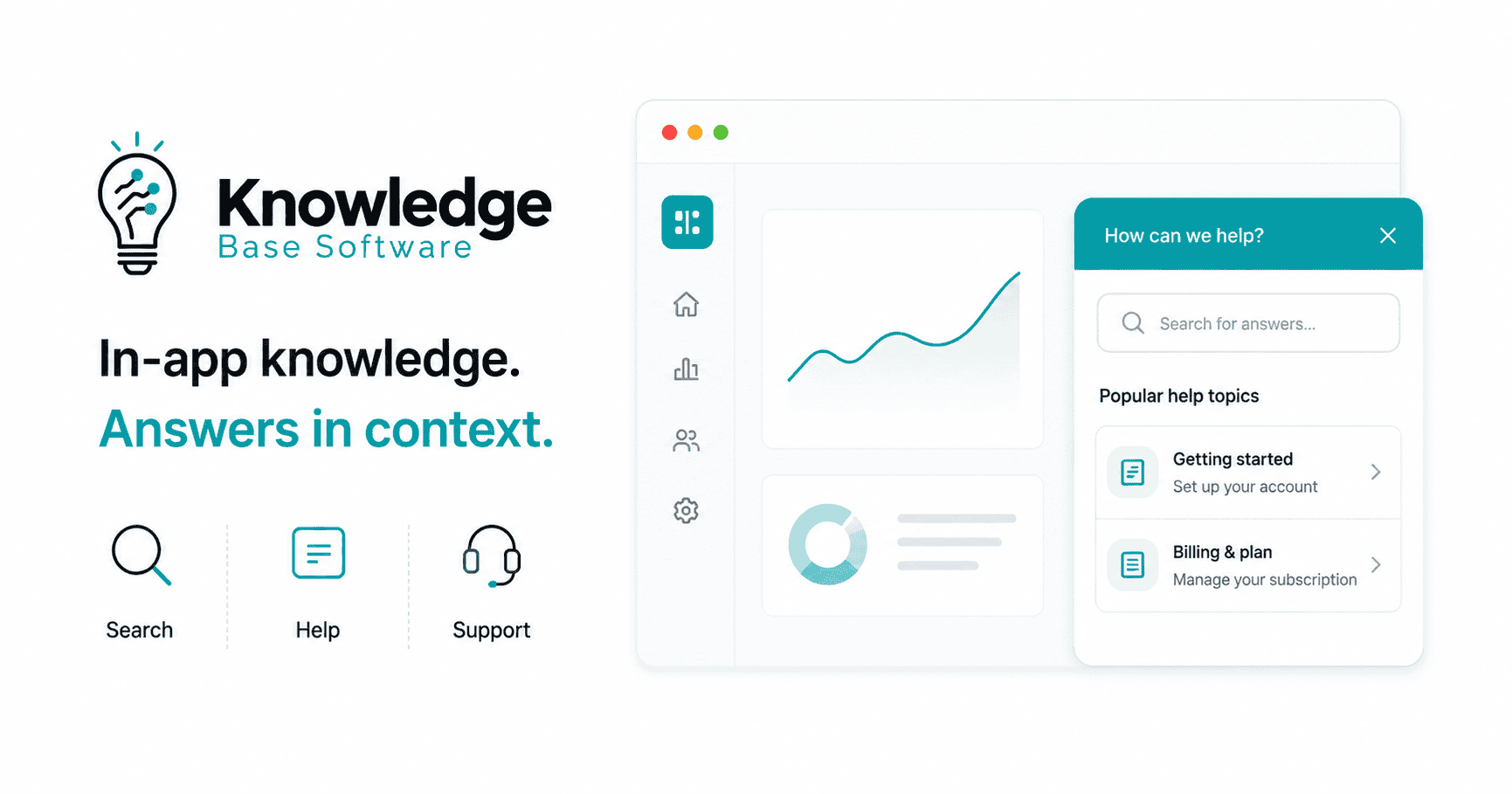
An in-app knowledge base is a searchable, contextual help layer embedded inside a software product or mobile app. It gives users access to help articles, FAQs, tutorials, videos, release notes, AI answers, and support escalation without forcing them to leave their current workflow.
That distinction matters. A traditional help center stores support content. An in-app knowledge base delivers that content where users actually get stuck. This article focuses specifically on SaaS and product interfaces; it is different from a mobile knowledge base guide for field teams or a general knowledge base integrations guide.
Table of Contents
What Is an In-App Knowledge Base?
An In-App Knowledge Base is a self-service support experience built directly into a product interface. Instead of sending users to a separate help center, it makes product documentation available through a help widget, embedded resource center, contextual launcher, command palette, sidebar, or mobile support panel.
A strong in-app knowledge base can include:
- Step-by-step help articles
- FAQs
- Product tutorials
- Short videos
- Release notes
- Onboarding checklists
- Tooltips and inline help
- Recommended articles based on the user’s current page
- AI answers grounded in approved documentation
- Escalation to chat, ticketing, or customer success
The goal is not just to “show documentation inside the app.” The goal is to help users complete tasks faster, reduce avoidable support tickets, and make help feel like part of the product experience.
Modern vendor examples reflect this direction. Aha describes its in-app knowledge base widget as a way to bring support content directly into the product so customers can search articles, ask questions, and read AI summaries without leaving the page they are on.
In-App Knowledge Base vs. Traditional Help Center
A traditional help center and an in-app knowledge base can use the same source content, but they solve different user experience problems.
| Criteria | Traditional Help Center | In-App Knowledge Base |
|---|---|---|
| Context | Usually separate from the product experience | Appears inside the user’s current workflow |
| Discoverability | Depends on users knowing where to search | Can be triggered by page, feature, user role, or behavior |
| Search behavior | Users search from a documentation portal | Users search from inside the app or help widget |
| User workflow | Often creates context switching | Keeps users in the product flow |
| Personalization | Often broad and public | Can recommend content by plan, permissions, role, product area, or lifecycle stage |
| Support deflection | Depends on whether users find the right article | Can reduce repetitive questions by surfacing answers before users open tickets |
| Analytics | Page views, searches, helpfulness, article engagement | Adds product context, page-level friction, escalation rate, and workflow-specific gaps |
| Implementation | Usually easier to publish and maintain | Requires product, support, documentation, and sometimes engineering alignment |
| Best use | Public documentation, SEO, onboarding resources, support archive | Contextual self-service, product-led support, activation, feature adoption, in-workflow troubleshooting |
The best SaaS companies usually need both. The external help center supports SEO, public documentation, and broad discoverability. The in-app knowledge base supports task completion, contextual guidance, embedded search, and product-led support.
Why In-App Knowledge Bases Matter for Modern SaaS
Self-service is no longer a secondary support channel. Many users expect to solve basic issues on their own before contacting a support team.
A Harvard Business Review article published in its January–February 2017 issue reported that 81% of customers in the authors’ cross-industry data attempted to resolve matters themselves before contacting a live representative. This is historical evidence of self-service preference, not a current market benchmark, and it does not show that those attempts succeeded.
A Gartner survey of 5,728 customers, conducted in December 2023 and summarized in August 2024, found that 14% of customer service and support issues were fully resolved through self-service. Among failed self-service cases, 43% involved customers being unable to find content relevant to their issue. These findings cover customer-service self-service broadly, not knowledge base software alone, and the public release does not disclose the full questionnaire, weighting, or geographic and industry mix.
That gap explains why an in-app knowledge base matters. The problem is not always the absence of support content. Often, the problem is that the right content is hidden, poorly matched to the user’s context, or written in a way that does not help the user complete the task.
For SaaS teams, this creates four practical priorities.
First, users need help without context switching. Every new tab, search query, and support form adds friction. If the product can answer the question in place, the user is more likely to continue.
Second, product-led companies need support to behave like part of the product. Activation, onboarding, feature adoption, and expansion all depend on users discovering value without hand-holding.
Third, support teams need to reduce repetitive tickets without abandoning human help. A good in-app help center does not hide support. It solves simple problems automatically and escalates complex ones with better context.
Fourth, customer success teams need earlier signals. Search failures, repeated article views, low helpfulness ratings, and escalation patterns can reveal where users are struggling before churn risk appears in account reviews.
Core Components of a High-Performing In-App Knowledge Base
A useful in-app knowledge base is not just a floating button connected to your documentation. It is a support system with content, context, search, analytics, and escalation working together.
Contextual launcher or help widget
The launcher is the entry point. It might appear as a question mark icon, resource center, support button, command menu, or side panel. It should be visible enough to find but quiet enough not to interrupt the workflow.
The best launchers are context-aware. For example, the billing page can show billing articles, the API page can show authentication docs, and the admin settings page can show permissions guidance.
Embedded search
Embedded search lets users ask questions without leaving the app. This can include keyword search, semantic search, natural language search, autocomplete, filters, and AI-generated answers.
Intercom, for example, describes an Article search app in Messenger that can be positioned so customers see that they can search before starting a new conversation.
Recommended articles based on page, role, or workflow
A new admin configuring SSO does not need the same help as a sales rep using a dashboard. Recommendations should consider product area, user role, plan, lifecycle stage, language, permissions, and recent behavior.
AI answers and summaries with source grounding
AI can make an in-app knowledge base faster, but it should not become a shortcut around content quality. AI answers should be grounded in verifiable source content, show source articles, respect permissions, and avoid answering when the source content is missing or uncertain.
Tooltips, walkthroughs, and onboarding checklists
Not every question deserves a long article. Some help belongs directly in the interface. Tooltips can explain unfamiliar fields. Walkthroughs can guide multi-step workflows. Checklists can help new users reach activation.
Escalation to chat, ticket, or customer success
Self-service should not become a dead end. When the user cannot solve the issue, the in-app knowledge base should route them to the right human channel with context: current page, account details, search query, articles viewed, and error messages.
Feedback and article helpfulness signals
A simple “Was this helpful?” prompt is not enough by itself, but it is a useful signal. Combine helpfulness ratings with search exits, repeated searches, escalations, and ticket topics.
Analytics and content gap reporting
The in-app layer should show where users searched, what they clicked, where they abandoned, which queries returned no results, and which articles reduced escalation.
Permissions, authentication, and role-based access
Enterprise SaaS products often have content that should only be visible to certain plans, roles, regions, or authenticated users. Permission-aware search prevents users from seeing irrelevant or restricted information.
Contextual Help: Delivering Answers at the Moment of Need
Contextual help means the support experience changes based on where the user is, what they are doing, and what they are likely trying to accomplish.
Coveo defines contextual help as support that considers where the user is inside the application and provides help without forcing the user away from the app itself.
Common contextual help patterns include:
Tooltips and mobile-friendly microcopy
Use tooltips or inline hints for short explanations of fields, labels, limits, or concepts. On touch interfaces, avoid relying only on hover-style tooltips; use visible inline help, tap-to-open hints, or popup tips when the information is important for task completion.
Inline help
Inline help is useful when guidance should be visible before a user makes a decision. Examples include pricing plan limits, form requirements, permission warnings, and integration prerequisites.
Empty-state guidance
An empty dashboard, report, or project page is a perfect place to explain what the user should do next. Empty states should teach action, not just describe emptiness.
Step-by-step walkthroughs
Walkthroughs are useful for complex workflows with multiple steps. They should be easy to dismiss and should not repeat for users who have already completed the task.
Feature announcements
Feature announcements can drive adoption, but they become intrusive when every release becomes a modal. Use them for meaningful changes, not routine updates.
Onboarding checklists
Checklists help users understand progress. They work best when each item leads to a real activation milestone, not a vanity task.
Page-specific help articles
A user on the integrations page should not have to search the entire knowledge base. Show the most relevant setup, troubleshooting, and permissions articles for that page.
Error-message help links
When an error occurs, connect it to the exact fix. “Invalid token” should link to authentication troubleshooting, not a generic API overview.
The rule is simple: contextual help should reduce effort. When it blocks the interface, repeats too often, or explains things the user already understands, it becomes noise.
Embedded Search: The Difference Between Having Content and Finding Answers
A knowledge base fails when users cannot find the answer, even if the answer exists.
Embedded search solves this by bringing retrieval into the product. The user can search from the screen where the problem happens, often with product context already attached.
A high-performing embedded search experience should include several capabilities.
Keyword search helps users find exact terms, product names, settings, and error codes.
Semantic search helps when users describe the same problem in different words. A user might search “invite teammate,” while your article says “add a user.”
Natural language search allows full questions like “How do I change the invoice email?” instead of forcing users to guess documentation keywords.
Autocomplete reduces effort and helps users discover common queries.
Synonyms connect customer language to internal product language. If customers say “workspace” but your product says “organization,” search should understand both.
Filters and facets help users narrow results by product area, plan, role, content type, or documentation version.
Search ranking should prioritize task completion, not just keyword density. Articles that solve the issue should outrank broader overviews.
Zero-result query analysis is one of the strongest content gap signals. Every zero-result search is a user telling you what they expected to find.
Federated search can query multiple knowledge sources — such as docs, help articles, academy content, community answers, release notes, and developer documentation — through a single search experience.
AI retrieval with citations can summarize answers from approved sources, but the system should show where the answer came from so users and support teams can verify it.
Permission-aware search ensures users only see content they are allowed to access.
Embedded search is not just a convenience feature. It is the bridge between content inventory and actual self-service resolution.
Product-Led Support: Turning Help Into a Product Experience
Product-led support means users can get help, learn, and recover from friction inside the product experience itself.
An in-app knowledge base supports this model by making help part of the user journey rather than a separate destination.
It can improve activation because new users can answer setup questions while onboarding. It can reduce time to value because users can complete tasks without waiting for support. It can improve feature adoption because new or underused features can be explained in context. It can reduce support dependency because repetitive “how do I” questions are handled through self-service.
But product-led support is not the same as support avoidance. The best systems make human escalation clearer, not harder. When self-service fails, the support team should receive better context than a blank ticket.
For example, a strong support handoff might include:
- The user’s current page
- Their search query
- Articles viewed
- Helpful or unhelpful ratings
- Recent error messages
- Account plan and role
- Product version or environment
- Steps already attempted
This improves the customer experience and helps support agents avoid asking users to repeat what they already tried.
How to Build an In-App Knowledge Base: Step-by-Step
Use this checklist to build an in-app knowledge base that supports real product workflows rather than simply embedding your existing help center.
- Audit support tickets and search logs. Identify the questions users ask repeatedly, especially during onboarding, billing, setup, integrations, and admin configuration.
- Identify high-friction workflows. Look for pages with high abandonment, repeated errors, long time-to-completion, low feature adoption, or frequent support escalation.
- Map user intent by product page and user role. A finance admin, developer, account owner, and end user may need different answers on the same screen.
- Prioritize articles for in-app delivery. Start with high-volume, high-friction, task-based content. Do not embed every article at once.
- Rewrite articles for task completion. In-app articles should start with the answer, show steps clearly, and avoid long background sections unless needed.
- Choose a widget, SDK, API, or custom integration. A no-code resource center may work for many teams. Complex enterprise products may need deeper SDK or API integration.
- Configure contextual targeting. Match articles, guides, and prompts to product areas, user roles, lifecycle stages, and permissions.
- Add embedded search. Include keyword search first, then improve with semantic search, synonyms, filters, and natural language search.
- Set permissions and authentication. Make sure private, plan-specific, or role-specific content is only visible to the right users.
- Connect support escalation. Let users move from article to chat, ticket, or customer success without losing context.
- Instrument analytics. Track searches, zero-result queries, article clicks, helpfulness ratings, escalation, and workflow completion.
- Launch with a small workflow. Start with one high-impact area, such as onboarding, billing, integrations, or admin settings.
- Review search failures and ticket trends monthly. Use real behavior to improve content, ranking, and contextual recommendations.
Content Design Best Practices
An in-app knowledge base is only as good as the content it delivers.
Write in customer language, not internal terminology. If users say “team member,” do not force them to search for “seat.” If they say “cancel,” do not hide the answer under “subscription lifecycle management.”
Start articles with the answer. Users inside a product are usually trying to finish a task, not read a manual. Put prerequisites, warnings, and edge cases after the direct answer unless they affect the first step.
Keep steps task-based. A good article title says “Invite a teammate to your workspace,” not “User management overview.”
Use screenshots only where helpful. Screenshots can clarify interface steps, but they become maintenance debt when the UI changes often. Use them for complex screens, not obviousAn in-app knowledge base is only as good as the content it delivers.
Write in customer language, not internal terminology. If users say “team member,” buttons.
Use consistent templates. Common formats include “Before you begin,” “Steps,” “Expected result,” “Troubleshooting,” and “Related articles.”
Link related tasks. If a user is reading about creating an API key, they may also need scopes, authentication, rate limits, and token rotation.
Keep release-sensitive content updated. In-app help becomes dangerous when it describes an old interface.
Make content accessible. Use descriptive link text, readable headings, alt text, keyboard-accessible widgets, visible focus states, and clear contrast.
Write for both humans and AI retrieval. AI search works better when articles have clear headings, direct answers, consistent terminology, and complete task explanations.
Governance: Keeping Your Knowledge Base Reliable
An in-app knowledge base can quickly become untrustworthy if no one owns quality.
Governance should define who owns each content area, how often articles are reviewed, and what happens when product changes affect documentation.
At minimum, define:
- Content owners by product area
- Review cycles for high-risk and high-traffic articles
- Product release documentation workflows
- Versioning rules
- Support-agent contribution processes
- Approval rules for new or edited content
- AI answer guardrails
- Security and privacy requirements
- Localization and translation workflows
- Retirement rules for outdated content
AI makes governance more important, not less. If AI answers are grounded in stale or incomplete documentation, the user experience gets worse faster. Before adding AI answers, make sure the underlying content is accurate, permission-aware, and maintained.
Metrics to Track
Measure whether your in-app knowledge base helps users solve problems, not just whether they open it.
| Metric | What it measures | Why it matters |
|---|---|---|
| Search success rate | Percentage of searches that lead to article clicks, answer views, or task completion | Shows whether users can find useful answers |
| Zero-result searches | Queries that return no useful results | Reveals missing content, vocabulary gaps, or poor indexing |
| Article helpfulness | User feedback on whether an article helped | Identifies content quality issues |
| Self-service resolution rate | Percentage of issues solved without human support | Measures the effectiveness of self-service |
| Ticket deflection | Platform-specific estimate of tickets avoided or requests deflected after self-service interaction | Helps quantify support impact, but should be interpreted with resolution, satisfaction, and escalation data |
| Tickets per active user | Support ticket volume normalized by usage | Shows whether support demand scales efficiently |
| Time to first answer | Time between user question and first useful answer | Measures speed of help discovery |
| Escalation rate | Percentage of sessions that move from self-service to human support | Reveals when self-service is insufficient |
| First-contact resolution | Percentage of escalated issues resolved in one support interaction | Shows whether handoff context improves agent efficiency |
| Time to value | Time required for a user to reach an activation milestone | Connects help experience to onboarding success |
| Feature adoption | Usage of targeted features before and after in-app guidance | Shows whether contextual help drives product adoption |
| Customer effort score | User-reported difficulty of solving an issue | Measures friction directly |
| CSAT after self-service | Satisfaction after using in-app help | Shows whether self-service feels helpful, not evasive |
Avoid treating article views as success by default. A view can mean interest, confusion, or failure. The stronger question is: did the user solve the problem?
Common Mistakes to Avoid
The most common mistake is dumping the entire external help center into the app without context. More content does not automatically create better self-service.
Other mistakes include:
- Overusing popups and modals
- Hiding search behind too many clicks
- Treating AI as a replacement for content quality
- Ignoring zero-result searches
- Forgetting role-based permissions
- Showing irrelevant content to enterprise users
- Not connecting self-service to support escalation
- Measuring views instead of resolution
- Letting content go stale after product releases
- Writing articles around internal terminology
- Launching without ownership between product, support, and documentation teams
An in-app knowledge base should feel like a helpful product layer, not a documentation drawer.
In-App Knowledge Base Examples and Use Cases
Here are practical use cases where an in-app knowledge base can create immediate value.
SaaS onboarding
New users can access setup guides, onboarding checklists, and short tutorials from the dashboard. This reduces confusion during activation.
Billing settings
Users can find answers about invoices, payment methods, plan changes, tax details, and cancellation policies directly from the billing page.
API documentation
Developers can search authentication, rate limits, error codes, SDKs, and webhook setup without leaving the developer console.
Admin configuration
Admins can get contextual help for roles, permissions, SSO, security settings, and workspace policies.
Mobile app troubleshooting
Mobile users can access short, focused answers for login problems, notifications, sync issues, and account settings inside the app.
Enterprise role-based guidance
Enterprise products can show different help content to admins, managers, end users, and developers based on permissions.
Feature adoption campaigns
When a new feature launches, the in-app knowledge base can combine announcements, walkthroughs, release notes, and deeper documentation.
Appcues describes in-app resource centers as contextual hubs that consolidate help content within the product itself, while Intercom connects help center content to self-serve support across websites, mobile apps, in-product messages, chat, and AI-powered support surfaces.
How to Choose In-App Knowledge Base Software
The right software depends on product complexity, team ownership, and how deeply help needs to integrate with your app.
Evaluate tools using these criteria.
Ease of embedding
Can your team add the help widget, resource center, or SDK without a long engineering project?
Search quality
Does the tool support keyword search, semantic search, natural language search, synonyms, filters, and zero-result reporting?
Contextual targeting
Can you target content by page, role, plan, lifecycle stage, product event, language, or account attribute?
AI answer quality and citations
Does AI answer from approved sources? Does it cite the articles used? Can it say “I don’t know” when content is insufficient?
Analytics
Can you connect help behavior to support tickets, product usage, activation, and feature adoption?
Integrations
Look for integrations with your help desk, CRM, chat platform, product analytics, CDP, documentation system, and customer success tools.
Permissions and SSO
Enterprise teams need authentication, permission-aware content, SSO, and role-based visibility.
Customization
The in-app help center should match your product’s brand, language, and UX standards.
Performance
The widget should not slow down the product or create accessibility issues.
Mobile support
If your product has a mobile app, confirm that the knowledge base experience works on mobile, not just web.
Content governance
Check review workflows, ownership, versioning, audit trails, and content freshness features.
Developer effort
A no-code tool may be faster to launch. A custom API approach may be better for deeply integrated enterprise workflows.
FAQ
What is an in-app knowledge base?
An in-app knowledge base is a searchable help experience embedded inside a software product or mobile app. It gives users access to articles, tutorials, FAQs, AI answers, and support options without making them leave their current workflow.
How is an in-app knowledge base different from a help center?
A help center is usually a separate destination for documentation and support content. An in-app knowledge base brings selected, searchable, and contextual content into the product interface so users can solve problems while they work.
Is an in-app knowledge base the same as a chatbot?
No. A chatbot is a conversational interface. An in-app knowledge base is a broader help layer that may include search, articles, tooltips, walkthroughs, videos, AI answers, and escalation. A chatbot can be one entry point into the knowledge base, but it is not the entire system.
What content should an in-app knowledge base include?
Start with content that helps users complete high-friction tasks: onboarding, account setup, billing, integrations, permissions, troubleshooting, and feature adoption. Prioritize task-based articles over broad reference documentation.
How does embedded search improve self-service?
Embedded search lets users search for answers from inside the product, often with page or role context already attached. This reduces context switching and helps users find relevant content faster than searching a separate help portal.
How do you measure ticket deflection?
Ticket deflection is not measured by one universal formula across all platforms. In Jira Service Management, for example, a request is counted as deflected when a customer starts raising a request, selects a suggested article, and votes it as helpful. A broader analytics model can also compare self-service sessions, article helpfulness, search success, and ticket creation patterns within a defined time window.
Do SaaS products need both an external help center and an in-app knowledge base?
In most cases, yes. The external help center supports SEO, public documentation, and broad browsing. The in-app knowledge base supports contextual help, embedded search, onboarding, feature adoption, and product-led support.
How can AI improve an in-app knowledge base?
AI can summarize articles, answer natural language questions, recommend relevant content, and identify content gaps from search behavior. It works best when answers are grounded in approved documentation, show sources, and respect user permissions.
Conclusion
An In-App Knowledge Base is more than a support widget. It is a product support layer that helps users find answers inside the workflow where questions arise.
The strongest implementations combine contextual help, embedded search, reliable documentation, AI-assisted answers, analytics, and a clear path to human support. That combination helps users complete tasks faster, reduces avoidable support tickets, and turns support into part of the product experience.
For modern SaaS teams, the question is not whether users need self-service. They already do. The real question is whether your product can deliver the right answer at the moment the user needs it.