Independent knowledge base software guide Evidence-led Updated 2026

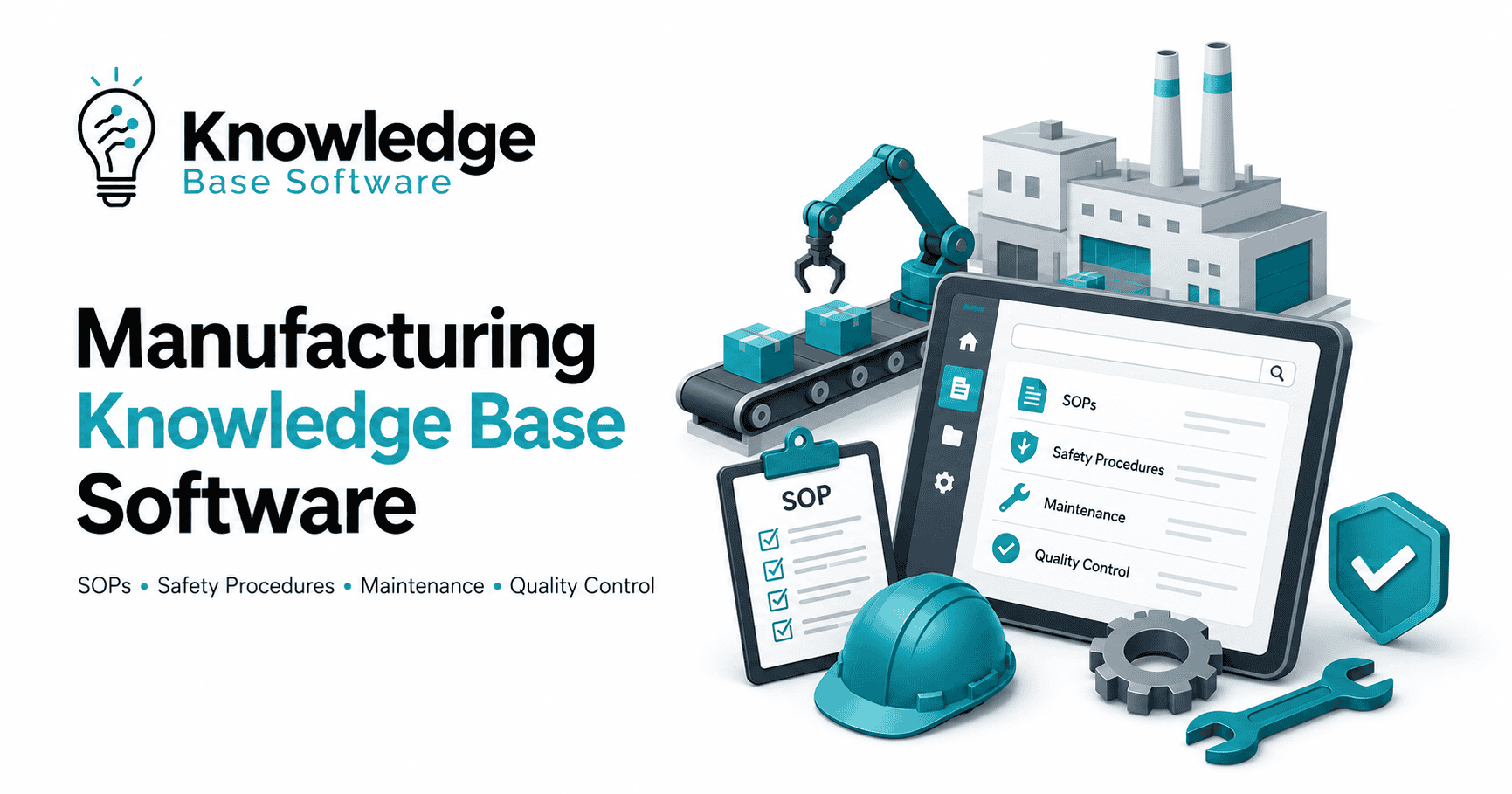
Manufacturing Knowledge Base Software: SOPs, Safety Procedures, Maintenance, and Quality Control
An operator starts a changeover using an SOP printed six months ago. A maintenance technician loses production time searching for the right equipment manual during a breakdown. A safety procedure exists, but it is locked in a binder in the EHS office. A quality manager prepares for an audit and has to chase down revision history across shared drives, spreadsheets, and email threads.
These are not just documentation problems. They are operational knowledge problems.
Manufacturing knowledge base software gives manufacturers a centralized, governed, and searchable system for approved procedures, work instructions, maintenance knowledge, safety documentation, training content, and quality control records. Instead of relying on tribal knowledge, outdated PDFs, or disconnected folders, plant teams can access the right information at the point of work.
For manufacturers, the goal is not simply to store documents. The goal is to make approved knowledge usable by operators, technicians, engineers, supervisors, EHS teams, and quality leaders when decisions are being made on the shop floor.
What Is Manufacturing Knowledge Base Software?
Manufacturing knowledge base software is a centralized platform for creating, organizing, approving, searching, and maintaining operational knowledge across a manufacturing environment. It stores and governs content such as SOPs, digital work instructions, safety procedures, equipment manuals, maintenance troubleshooting guides, quality checklists, training materials, and engineering or process notes.
In simple terms, it acts as a shop floor knowledge base that helps teams find the latest approved procedure, instruction, or answer without searching through binders, shared drives, email attachments, or unofficial notes.
Direct answer: Manufacturing knowledge base software helps manufacturers centralize controlled operational knowledge so employees can access accurate, approved, and up-to-date information at the point of work.
A strong manufacturing knowledge management software platform usually supports:
- Production SOPs and digital work instructions
- Safety procedures and EHS knowledge
- Preventive maintenance procedures
- Equipment manuals and troubleshooting guides
- Quality control documentation
- Inspection checklists
- Nonconformance and CAPA knowledge
- Training acknowledgments
- Approval workflows
- Version control and revision history
- Role-based permissions
- Audit trails
- Mobile, tablet, QR code, and offline access
Why Generic Wikis and Shared Drives Fall Short in Manufacturing
Generic wikis, shared drives, and paper binders can work for basic office documentation. They usually fail when knowledge has to be controlled, traceable, accessible on the shop floor, and connected to production, safety, maintenance, and quality workflows.
Manufacturing knowledge is different from general company knowledge. A sales policy or HR FAQ may tolerate minor delays or interpretation. A machine startup procedure, lockout/tagout instruction, inspection checklist, or rework process cannot be vague, outdated, or difficult to find.
Common problems with generic systems include:
Outdated versions. Operators may download or print a procedure and continue using it after a revision has been approved. Shared drives often make it difficult to know which version is current.
Poor search. File names rarely match how operators and technicians search. A technician might search for “filler jam at station 3,” while the document is named “Packaging Line 2 Corrective Action Guide Rev C.”
No approval workflow. Manufacturing procedures often require review from operations, quality, safety, maintenance, or engineering. A basic wiki may not enforce review and approval before publication.
Limited audit trail. Quality and safety teams need to know who changed a document, who approved it, when it became effective, and who acknowledged it.
Weak shop-floor access. A document stored on a desktop network drive is not useful to a technician standing next to a machine. Manufacturing teams often need mobile access, tablet access, QR codes, and sometimes offline access.
Disconnected workflows. Maintenance knowledge may live in a CMMS, quality procedures in a QMS, training records in an LMS, and SOPs in shared folders. Without a connected knowledge layer, employees still waste time switching systems.
Poor permission control. Some documents should be visible to all employees. Others may be limited by site, line, role, department, customer, product family, or regulatory scope.
A manufacturing knowledge base should do more than store files. It should help teams maintain controlled knowledge, route updates for approval, retire obsolete documents, and make approved instructions easy to use during production.
Manufacturing Knowledge Base Software vs. SOP Software vs. CMMS vs. QMS vs. LMS
Manufacturing knowledge base software often overlaps with SOP software, CMMS, QMS, LMS, MES, ERP, and PLM systems. For manufacturing system integration context, ISA-95 / IEC 62264 enterprise-control integration standards are a useful reference. That does not mean a knowledge base should replace those operational systems.
A better way to think about it: the knowledge base connects approved knowledge to the workflows where people need it.
| System | Primary Purpose | What It Stores/Manages | Manufacturing Knowledge Base Role | When You Need It |
|---|---|---|---|---|
| Manufacturing Knowledge Base Software | Centralize and govern operational knowledge | SOPs, work instructions, manuals, safety procedures, troubleshooting guides, quality knowledge, training references | Acts as the searchable knowledge layer across departments and workflows | When teams struggle to find, trust, or use current manufacturing knowledge |
| Manufacturing SOP Software | Create and manage standard operating procedures | SOPs, procedures, approvals, revisions, acknowledgments | May be part of or connected to the knowledge base | When SOP control, review, and execution are the main priority |
| CMMS | Manage maintenance work | Work orders, assets, PM schedules, parts, maintenance history | Connects technicians to maintenance procedures, manuals, and troubleshooting knowledge | When maintenance planning, work orders, and asset history need structure |
| QMS | Manage quality processes | Quality records, audits, nonconformance, CAPA, document control, inspections | Links quality procedures and lessons learned to shop-floor execution | When quality documentation, corrective actions, and audit readiness are priorities |
| LMS | Manage employee learning | Courses, training assignments, completion records, assessments | Connects procedures to training acknowledgments and competency records | When formal training completion and competency tracking are required |
| MES | Manage production execution | Production orders, line performance, operations data, process execution | Surfaces work instructions and procedures during production | When real-time production execution needs procedural context |
| ERP | Manage business operations | Inventory, purchasing, finance, production planning, master data | Provides business context but usually not detailed shop-floor knowledge | When enterprise planning and resource management are required |
| PLM | Manage product lifecycle and engineering data | Product designs, BOMs, engineering changes, specifications | Links engineering changes to updated procedures and work instructions | When engineering updates must flow into production knowledge |
A manufacturing knowledge base does not have to replace a CMMS, QMS, LMS, MES, ERP, or PLM. In many plants, the strongest approach is integration. The knowledge base becomes the place where employees find approved instructions, while the connected systems continue to manage transactions, records, schedules, and execution data.
For example, a technician may open a work order in the CMMS, scan a QR code on the asset, and immediately access the approved maintenance procedure, troubleshooting guide, spare parts reference, and safety precautions from the knowledge base.
Core Use Cases for Manufacturing Knowledge Base Software
1. SOPs and Digital Work Instructions
SOPs are one of the most important use cases for manufacturing knowledge base software. In many plants, SOPs exist as static PDFs, Word documents, laminated sheets, or printed binders. The problem is not only where they are stored. The bigger issue is whether teams can trust that they are using the current approved version.
A manufacturing SOP software or knowledge base should store:
- Production startup and shutdown procedures
- Changeover instructions
- Cleaning and sanitation procedures
- Setup instructions
- Calibration procedures
- Line clearance steps
- Rework instructions
- Standard work instructions
- Visual work instructions with photos, diagrams, or video
- Escalation paths for abnormal conditions
Operations usually owns production SOPs, while quality, safety, maintenance, and engineering may review or approve specific content depending on the process.
The most important features for SOPs include version control, approval workflows, revision history, effective dates, acknowledgment records, mobile access, QR codes, and role-based permissions. Visual instructions are especially valuable for tasks that are difficult to explain through text alone.
Example scenario: An operator scans a QR code at a packaging line before a product changeover. The system opens the approved changeover procedure for that specific line, product family, and site. The operator sees step-by-step instructions, required tools, photos of correct settings, quality checkpoints, and a short acknowledgment requirement.
KPIs affected: SOP acknowledgment rate, time to train new operators, changeover consistency, first-pass yield, deviation frequency, audit findings, and time to find a procedure.
2. Safety Procedures and EHS Knowledge
Safety procedures are high-stakes knowledge assets. They should not be buried in binders, outdated PDFs, or informal notes. Employees need fast access to approved safety steps, required PPE, hazard warnings, emergency procedures, and escalation instructions.
A safety procedure software or manufacturing knowledge base may include:
- Lockout/tagout procedures
- PPE requirements
- Job safety analyses
- Machine-specific hazard information
- Emergency response procedures
- Chemical handling instructions
- Confined space procedures
- Hot work procedures
- Incident reporting instructions
- Near-miss reporting guidance
- Safety training references
Safety/EHS typically owns this content, but operations and maintenance often help validate whether procedures reflect real shop-floor conditions.
For context, OSHA describes lockout/tagout as practices and procedures used to disable machinery or equipment to prevent hazardous energy release, and its 29 CFR 1910.147 standard covers servicing and maintenance where unexpected energization, startup, or stored energy release could injure employees. A knowledge base can help teams organize, distribute, and maintain approved procedures, but it should not be described as guaranteeing OSHA compliance.
Important features for safety knowledge include controlled approvals, clear ownership, mandatory review cycles, acknowledgment records, mobile access, QR codes at equipment, offline availability, and strict governance for AI search.
Example scenario: A maintenance technician scans a QR code on a mixer before servicing it. The knowledge base displays the asset-specific lockout/tagout procedure, required PPE, stored energy warnings, verification steps, and escalation contact. The technician cannot access an obsolete version because retired documents are hidden from normal search results.
KPIs affected: safety procedure acknowledgment rate, near-miss reporting, incident investigation quality, overdue safety procedure reviews, audit readiness, and time to find safety-critical information.
3. Maintenance Procedures, Troubleshooting, and Equipment Knowledge
Maintenance teams often carry a large amount of tribal knowledge. Experienced technicians know which sensor usually fails, which bearing creates a certain sound, or which setting causes a recurring line stoppage. When that knowledge is not captured, every shift solves the same problems repeatedly.
A maintenance knowledge base should include:
- Preventive maintenance procedures
- Inspection routines
- Troubleshooting guides
- Equipment manuals
- Lubrication instructions
- Calibration instructions
- Spare parts references
- Common fault codes
- Root cause notes
- Startup and restart instructions
- Asset-specific maintenance history summaries
- Lessons learned from breakdowns
Maintenance usually owns this content, with input from OEM manuals, reliability engineers, production supervisors, and quality teams.
The most valuable features include asset tagging, QR codes, CMMS integration, mobile access, offline access, visual instructions, semantic search, and analytics showing failed searches or frequently used troubleshooting content.
Example scenario: A line goes down because of a recurring filler fault. Instead of calling the most experienced technician, the maintenance team searches the knowledge base for the fault code. The system returns the approved troubleshooting guide, related work orders, photos of the sensor location, and a note from the last corrective action. The technician follows the approved steps and adds a proposed update for review.
KPIs affected: mean time to repair, first-time fix rate, unplanned downtime, preventive maintenance completion quality, repeat failures, and technician onboarding time.
4. Quality Control, Inspections, Nonconformance, and CAPA Knowledge
Quality teams need controlled documentation, clear inspection criteria, and reliable records. A manufacturing knowledge base can support quality control by making procedures, specifications, inspection checklists, defect libraries, and corrective action knowledge easier to access and maintain.
Quality control documentation may include:
- Inspection procedures
- Acceptance criteria
- Defect classification guides
- Product specifications
- Sampling instructions
- Gauge and measurement instructions
- Nonconformance handling procedures
- CAPA guidance
- Audit preparation materials
- Customer-specific quality requirements
- Approved rework instructions
Quality typically owns this content, with support from operations, engineering, regulatory, and customer-facing teams.
For context, ISO explains that ISO 9001:2015 is an international quality management system standard and that key ISO 9001 requirements include documented information, monitoring, measurement, performance evaluation, and continual improvement. A knowledge base can help teams maintain controlled documentation and support audit readiness, but it should not be positioned as a compliance guarantee.
Standards status (checked July 30, 2026): ISO 9001:2015 remains the current published edition and includes Amendment 1:2024 on climate action. Edition 6 is under publication and is expected to replace the 2015 edition in September 2026. Recheck this section after ISO records Stage 60.60 (publication), then update edition-specific requirements and certification references.
Example scenario: An inspector finds a defect during final inspection. Instead of searching a folder for an old defect guide, the inspector opens the approved visual defect library, reviews acceptance criteria, links the finding to the relevant nonconformance process, and follows the approved escalation path.
KPIs affected: defect rate, inspection completion rate, rework accuracy, CAPA closure time, audit findings, customer complaint response time, and first-pass yield.
Use Case Mapping Table
| Knowledge Area | Example Content | Primary Owner | Recommended Software Capabilities | KPIs Improved |
|---|---|---|---|---|
| Production SOPs | Startup, shutdown, changeover, setup, cleaning, standard work | Operations | Version control, approval workflow, QR codes, mobile access, acknowledgments | SOP adoption, changeover time, training time, deviation reduction |
| Safety/EHS | LOTO, PPE, emergency procedures, job safety analyses, hazard instructions | EHS/Safety | Controlled approvals, acknowledgment records, offline access, role-based permissions | Safety acknowledgment, near-miss reporting, procedure review completion |
| Maintenance | PM procedures, troubleshooting guides, manuals, fault codes, lubrication instructions | Maintenance/Reliability | Asset tagging, CMMS integration, QR codes, semantic search, visual instructions | MTTR, first-time fix rate, downtime, repeat failure reduction |
| Quality Control | Inspection checklists, acceptance criteria, defect libraries, CAPA guidance | Quality | Document control, audit trail, QMS integration, revision history | Defect rate, inspection completion, CAPA closure time, audit readiness |
| Training | Procedure-based training, competency checklists, acknowledgments | Training/HR with Operations | LMS integration, training acknowledgments, role-based assignments | Training completion, onboarding time, competency visibility |
| Engineering Changes | Process notes, ECN impact summaries, updated work instructions | Engineering | PLM integration, approval workflow, related document links | Change implementation time, obsolete procedure reduction |
| Continuous Improvement | Lessons learned, kaizen notes, root cause summaries, best practices | CI/Operations Excellence | Search, tagging, analytics, review cycles | Repeat issue reduction, improvement reuse, knowledge retention |
Essential Features to Look For
Fast Search and Semantic/AI Search
Search is the heart of any knowledge base. Manufacturing teams rarely know the exact file name of the document they need. They search using equipment names, symptoms, part numbers, product codes, fault codes, or plain-language questions.
Semantic search and AI search can help employees find relevant answers even when they do not use the exact wording in the document. For example, a technician searching “wrapper not sealing” might need a guide titled “Heat Seal Jaw Temperature Troubleshooting.”
Search should support filters such as site, line, equipment, department, document type, revision status, product family, and approval status.
Version Control and Revision History
Manufacturing teams need confidence that they are using the current approved version. The system should show revision numbers, effective dates, prior versions, change summaries, and document owners.
Obsolete documents should be retained for history but removed from normal shop-floor search results unless the user has permission to view them.
Approval Workflows and Review Cycles
A manufacturing knowledge base should support structured approval workflows. A change to a production SOP may require operations approval. A safety procedure may require EHS approval. A quality procedure may require quality approval.
The platform should also support periodic review cycles so critical documents do not sit untouched for years.
Role-Based Permissions
Role-based permissions help ensure users see what they need and cannot edit what they should not control. Permissions may be based on site, department, product line, customer, job role, or document category.
For example, operators may view approved SOPs but cannot publish changes. Maintenance managers may edit troubleshooting guides. Quality leaders may approve inspection documentation.
Audit Trails and Records of Acknowledgment
Audit trails show who created, edited, reviewed, approved, published, acknowledged, or retired a document. Acknowledgment records show whether employees have read or accepted updated procedures.
These features can support audit readiness and accountability, especially when procedures affect quality, safety, or regulated processes.
Mobile and Tablet Access
Shop-floor teams need information where work happens. A strong system should work on tablets, shared workstations, rugged mobile devices, and kiosks.
The user experience should be simple enough for operators and technicians who do not want to navigate complex folder structures during production.
QR Codes on Machines, Lines, Tools, or Workstations
QR codes can be a practical way to connect physical work areas to digital knowledge. The ISO/IEC 18004:2024 QR code bar code symbology specification provides the technical standard context for QR codes, while a manufacturing knowledge base can use QR codes on machines, lines, tools, or workstations to open asset-specific procedures, manuals, troubleshooting guides, safety warnings, and inspection checklists.
This reduces search time and helps employees access the right document for the exact location or asset.
Offline Access
Some manufacturing areas have poor connectivity. Offline access allows teams to view critical procedures even when Wi-Fi is unreliable. The system should sync updates when the connection is restored and prevent outdated cached documents from being used indefinitely.
Visual Work Instructions
Photos, diagrams, short videos, annotated images, and step-by-step visuals can make procedures easier to follow. This is especially useful for changeovers, inspections, cleaning tasks, setup steps, and troubleshooting.
Multilingual Support
Manufacturers with multilingual teams should ensure that safety and procedure-related training is understandable to workers. OSHA explains that required training must be presented in a manner employees can understand. Multilingual support should include translation workflows, approval controls, and clear links between source and translated versions.
Equipment and Asset Tagging
Asset tagging connects knowledge to machines, tools, lines, and systems. This is critical for maintenance procedures, equipment manuals, spare parts references, and troubleshooting guides.
Integrations with CMMS, QMS, MES, ERP, PLM, and LMS
Integrations reduce duplication and help knowledge appear in the systems employees already use.
Useful integrations may include:
- CMMS integration for maintenance procedures and work orders
- QMS integration for quality documents, CAPA, and audits
- MES integration for production work instructions
- ERP integration for product, item, and production context
- PLM integration for engineering changes and specifications
- LMS integration for training assignments and acknowledgments
Training Acknowledgments and Competency Tracking
When a procedure changes, affected employees may need to acknowledge the update or complete training. The knowledge base should connect documents to training requirements where appropriate.
This is especially important for safety procedures, quality procedures, and critical production SOPs.
Analytics
Analytics can show whether the knowledge base is actually working. Useful metrics include:
- Failed searches
- Most-used documents
- Documents with overdue reviews
- Low acknowledgment rates
- Frequently accessed troubleshooting guides
- Content gaps by site or department
- Search terms with no good result
These insights help teams improve the knowledge base over time.
Security, SSO, Backups, and Data Retention
Manufacturing knowledge can include sensitive process information, customer requirements, product specifications, and proprietary troubleshooting methods. The platform should support SSO, access control, backups, data retention rules, and secure hosting options.
IT should be involved early to evaluate authentication, access control, data protection, and system integration requirements.
AI in Manufacturing Knowledge Base Software
AI can make manufacturing knowledge easier to find and use, but it must be governed carefully. NIST’s AI Risk Management Framework is intended for voluntary use and can be a useful reference for managing AI risks; it should not be presented as a manufacturing-specific compliance requirement.
AI search can help employees ask natural-language questions such as:
- “How do I restart Line 4 after an e-stop?”
- “What PPE is required for cleaning the mixer?”
- “What does fault code E17 mean on the case packer?”
- “Which inspection checklist applies to this product?”
AI can also help summarize long equipment manuals, suggest related SOPs, translate content, identify duplicate documents, and highlight knowledge gaps based on failed searches.
However, manufacturing AI must not operate like an uncontrolled chatbot. Safety-critical, quality-critical, and maintenance-critical answers should come from approved sources. The system should show source links, document references, revision information, and approval status. Human review should be required before AI-generated summaries or proposed procedure changes become official instructions. For generative AI-specific risks, NIST AI 600-1, the Generative AI Profile, can help teams think through risks such as inaccurate or ungrounded AI outputs, misuse, and governance gaps.
A practical governance rule is simple: AI can help employees find and understand approved knowledge, but it should not invent procedures.
For safety procedures, quality acceptance criteria, lockout/tagout instructions, maintenance steps, or critical production controls, employees should always be able to trace the answer back to an approved document.
How to Structure a Manufacturing Knowledge Base
A manufacturing knowledge base needs a clear taxonomy. Without structure, even a powerful search tool can turn into another messy document repository.
A recommended taxonomy might include:
- Production SOPs
- Digital work instructions
- Safety/EHS procedures
- Maintenance procedures
- Equipment manuals
- Troubleshooting guides
- Quality control documentation
- Forms and inspection checklists
- Engineering changes
- Training materials
- Continuous improvement lessons learned
- Customer-specific requirements
- Site-specific procedures
Each document should also include metadata. Good metadata makes search, permissions, review, and reporting much easier.
Recommended metadata fields include:
- Document owner
- Department
- Site or plant
- Production line
- Equipment or asset
- Product family
- Document type
- Revision number
- Effective date
- Review date
- Approval status
- Related training
- Related work order
- Related inspection
- Related CAPA or nonconformance
- Required acknowledgment
- Language
- Obsolete/replaced document link
Naming conventions also matter. A useful naming format might be:
[Site] - [Department] - [Line/Asset] - [Document Type] - [Procedure Name] - [Revision]
Example:
Plant A - Maintenance - Filler 2 - Troubleshooting Guide - Low Fill Fault - Rev D
This type of naming convention is easier to manage than vague titles such as “Updated Procedure Final Final 2.”
Manufacturing Knowledge Base Entry Template
Use a consistent template for important knowledge base entries. The goal is to make procedures easy to follow and easy to govern.
Title: Clear name of the procedure or knowledge entry
Purpose: Why this document exists
Scope: Where and when it applies
Applicable Line/Equipment: Specific line, machine, tool, or area
Owner: Person or department responsible for the content
Revision: Current revision number
Effective Date: Date the document becomes active
Required PPE: PPE required before performing the task
Tools/Materials: Tools, parts, materials, or forms needed
Safety Warnings: Hazards, lockout/tagout requirements, chemical risks, or other warnings
Step-by-Step Procedure: Clear numbered steps
Visuals: Photos, diagrams, screenshots, or videos
Quality Checkpoints: Required checks during or after the procedure
Acceptance Criteria: What “good” looks like
Troubleshooting: Common issues and approved responses
Escalation Path: Who to contact when the issue cannot be resolved
Required Evidence/Records: Photos, checklist completion, readings, signatures, or system entries
Related Documents: Linked SOPs, manuals, forms, inspections, work orders, or training
Training/Acknowledgment: Who must read, acknowledge, or be trained on the document
Revision History: What changed, who changed it, who approved it, and when
This template can be adapted for SOPs, maintenance guides, safety procedures, inspection checklists, and quality documentation.
Implementation Roadmap
Manufacturing knowledge base software works best when implementation is phased. Trying to migrate every document at once usually creates confusion and delays.
Phase 1: Audit and Prioritize Critical Knowledge
Start by identifying the most important knowledge assets. Focus on documents that affect safety, quality, uptime, training, and production consistency.
Prioritize:
- High-risk safety procedures
- Frequently used SOPs
- Procedures tied to quality issues
- Maintenance troubleshooting guides for critical assets
- Documents often requested during audits
- Knowledge currently held by a few experienced employees
Phase 2: Build Taxonomy and Governance
Define document categories, naming conventions, metadata fields, review cycles, approval workflows, and ownership rules.
Do not migrate content before deciding how it should be structured.
Phase 3: Migrate High-Value Content
Move the highest-value documents first. Clean them before migration. Remove duplicates, archive obsolete versions, and confirm ownership.
Avoid the mistake of moving a messy shared drive into a new platform without improving the content.
Phase 4: Set Approval and Review Workflows
Build workflows for document creation, review, approval, publication, acknowledgment, and retirement.
Different document types may need different approval paths. A maintenance troubleshooting note may not require the same approval process as a safety procedure or quality control instruction.
Phase 5: Roll Out to One Line or Plant
Pilot the system in one production line, department, or plant. Use the pilot to test search, QR codes, mobile access, permissions, and operator usability.
Phase 6: Train Teams and Add QR Access
Train operators, technicians, supervisors, engineers, and document owners. Add QR codes to machines, lines, tools, workstations, and inspection areas.
The system should be easy enough that employees use it during real work, not just during training sessions.
Phase 7: Measure Adoption and Improve
Use analytics to improve content quality. Review failed searches, overdue documents, most-used procedures, and acknowledgment rates.
A knowledge base is never “done.” It should improve as the plant learns.
First 90 Days Mini-Roadmap
Days 1–30: Audit documents, identify critical knowledge, define taxonomy, and assign owners.
Days 31–60: Clean and migrate priority SOPs, safety procedures, maintenance guides, and quality documents. Configure approvals and permissions.
Days 61–90: Launch a pilot area, train users, add QR codes, track usage, review failed searches, and refine content governance.
Buyer’s Checklist for Manufacturing Knowledge Base Software
| Evaluation Area | What to Look For | Questions to Ask |
|---|---|---|
| Search | Keyword, semantic, AI search, filters, source links | Can shop-floor users find answers using natural language or fault codes? |
| Governance | Version control, approvals, review cycles, ownership | Can we control who edits, approves, publishes, and retires documents? |
| Shop-Floor Usability | Mobile, tablet, kiosk, QR code, simple navigation | Can operators and technicians use it without leaving the work area? |
| Integrations | CMMS, QMS, MES, ERP, PLM, LMS | Can knowledge appear inside the systems our teams already use? |
| Analytics | Failed searches, usage, overdue reviews, acknowledgments | Can we see which content is used, missing, or outdated? |
| Security | SSO, role-based permissions, access logs, backups | Does the platform meet IT and data security requirements? |
| Scalability | Multi-site, multi-language, department-level controls | Can it support multiple plants, languages, and product lines? |
| Implementation Support | Migration help, templates, onboarding, training | Will the vendor help us structure and launch the system? |
| Content Migration | Bulk upload, metadata mapping, obsolete document handling | Can we cleanly move existing SOPs and manuals into the platform? |
| AI Governance | Approved sources, citations, access controls, human review | Can AI be configured to retrieve from controlled, approved, permission-aware content and show source links? |
| Total Cost of Ownership | Licensing, implementation, integrations, admin effort | What will it cost to maintain the system after launch? |
Common Mistakes to Avoid
Migrating Every Old Document Without Cleaning It
A knowledge base should not become a digital landfill. Review, clean, archive, and consolidate documents before migration.
No Content Owner
Every important document needs an owner. Without ownership, procedures become outdated and employees lose trust in the system.
No Review Cadence
Critical documents should have review cycles. Review frequency may vary by document type, risk level, and operational importance.
Treating the System as File Storage Only
Manufacturing knowledge base software should support workflows, search, approvals, acknowledgments, and analytics. If it is only used as a folder system, it will not solve the real problem.
Ignoring Operators and Technicians During Setup
The people who use procedures every day should help test search terms, QR code locations, mobile usability, and content clarity.
No Mobile or QR Access
A knowledge base that only works from an office computer will not fully support the shop floor.
No Connection to Training
When procedures change, affected employees may need acknowledgment or training. Connect procedure updates to training workflows whenever possible.
No Plan for Obsolete Documents
Obsolete documents should be retained for history but removed from normal use. Employees should not have to guess whether a document is current.
Letting AI Answer Safety-Critical Questions Without Controls
AI should retrieve and summarize approved knowledge, not invent instructions. Safety, quality, and maintenance-critical answers need source links and human-governed content.
Metrics and KPIs to Track
Manufacturing knowledge base software should improve measurable operational outcomes. The exact KPIs depend on your plant, but useful examples include:
- Time to find a procedure
- Search success rate
- Failed search rate
- SOP acknowledgment rate
- Overdue document reviews
- Training completion rate
- First-time fix rate
- Mean time to repair
- Unplanned downtime
- Repeat failure rate
- Inspection completion rate
- Defect rate
- First-pass yield
- CAPA closure time
- Nonconformance recurrence
- Audit findings related to documentation
- Near-miss reporting
- Time to onboard new operators or technicians
Start with a baseline before rollout. For example, measure how long it currently takes technicians to find troubleshooting instructions or how many critical SOPs are overdue for review. Then compare after the knowledge base is implemented.
Who Should Own the Manufacturing Knowledge Base?
A manufacturing knowledge base should have shared ownership. No single department understands all production, safety, maintenance, quality, training, and IT requirements.
A practical ownership model looks like this:
Operations owns production SOPs, work instructions, standard work, changeover procedures, and line-level execution knowledge.
EHS/Safety owns safety procedures, PPE guidance, hazard documentation, emergency response instructions, and safety-critical review processes.
Maintenance owns equipment manuals, preventive maintenance procedures, troubleshooting guides, asset-specific instructions, and reliability knowledge.
Quality owns inspection procedures, quality control documentation, defect guides, nonconformance procedures, CAPA knowledge, and audit-related documentation.
Engineering owns process specifications, engineering change impacts, equipment modifications, and technical standards.
Training or HR owns training assignments, competency tracking, and role-based learning paths.
IT owns platform security, SSO, integrations, access control, backups, and technical administration.
A cross-functional governance group should define naming standards, metadata rules, approval workflows, review cadence, and policies for obsolete content.
This prevents the knowledge base from becoming another disconnected system. It also helps each department trust the content they depend on.
Conclusion
Manufacturing knowledge base software is not just a document library. It is an operational knowledge system that helps manufacturing teams find the right approved procedure at the right time.
For SOPs, it helps operators follow current standard work. For safety procedures, it makes critical instructions easier to access and govern. For maintenance, it captures troubleshooting knowledge and connects technicians to asset-specific information. For quality control, it helps teams maintain controlled documentation, inspection criteria, and CAPA knowledge.
The strongest systems combine fast search, version control, approval workflows, mobile access, QR codes, role-based permissions, integrations, training acknowledgments, analytics, and careful AI governance, using references such as NIST’s voluntary AI Risk Management Framework where relevant.
When implemented well, a manufacturing knowledge base reduces dependency on tribal knowledge and gives plant teams a more reliable way to use what the organization already knows.
FAQ
1. What is manufacturing knowledge base software?
Manufacturing knowledge base software is a centralized platform for managing operational knowledge across a manufacturing environment. It stores, organizes, governs, and makes searchable content such as SOPs, work instructions, safety procedures, maintenance guides, troubleshooting knowledge, quality control documentation, and training materials.
2. How is it different from manufacturing SOP software?
Manufacturing SOP software usually focuses on creating, approving, and managing standard operating procedures. Manufacturing knowledge base software is broader. It may include SOPs, but it also covers safety knowledge, maintenance documentation, equipment manuals, troubleshooting guides, quality control content, training references, and cross-functional manufacturing knowledge.
3. Can manufacturing knowledge base software replace a CMMS?
Usually, no. A CMMS manages maintenance work orders, preventive maintenance schedules, assets, spare parts, and maintenance history. A manufacturing knowledge base complements a CMMS by giving technicians fast access to approved procedures, manuals, troubleshooting guides, and asset-specific knowledge.
4. Can it support safety procedures?
Yes. A manufacturing knowledge base can support safety procedures by centralizing approved EHS content, lockout/tagout instructions, PPE requirements, emergency response procedures, job safety analyses, and equipment-specific hazard information. It can also support acknowledgment records, review cycles, audit trails, and controlled access. It should not be presented as a guarantee of regulatory compliance.
5. What documents should be included in a manufacturing knowledge base?
Common documents include production SOPs, digital work instructions, changeover procedures, safety procedures, equipment manuals, preventive maintenance procedures, troubleshooting guides, quality inspection checklists, defect libraries, nonconformance procedures, CAPA guidance, training materials, engineering change notes, and continuous improvement lessons learned.
6. How often should SOPs and procedures be reviewed?
Review frequency depends on risk, process complexity, customer requirements, internal policies, and regulatory context. High-risk safety, quality, or production procedures may need more frequent reviews than general reference documents. A good system should let teams set review dates, assign owners, and track overdue reviews.
7. What features matter most for shop-floor workers?
Shop-floor workers need fast search, simple navigation, mobile or tablet access, QR codes, visual instructions, offline access where needed, clear revision status, and content organized by line, asset, product, or task. The system should help employees find the right instruction quickly without navigating complex folders.
8. How does AI search help manufacturing teams?
AI search helps employees find relevant knowledge using natural-language questions, symptoms, fault codes, or equipment names. It can summarize long manuals, suggest related SOPs, surface troubleshooting steps, and identify content gaps. For safety-critical or quality-critical procedures, AI answers should be based only on approved sources and should show source links.
9. How does manufacturing knowledge base software support quality control?
It supports quality control by centralizing inspection procedures, acceptance criteria, defect guides, sampling instructions, nonconformance procedures, CAPA knowledge, and audit-related documentation. Features such as version control, approval workflows, audit trails, and QMS integration help quality teams maintain controlled documentation and improve access to approved information.
10. How do you measure ROI?
ROI can be measured through operational and documentation metrics such as reduced time to find procedures, fewer overdue document reviews, improved SOP acknowledgment rates, faster technician troubleshooting, lower mean time to repair, reduced unplanned downtime, improved inspection completion, faster CAPA closure, fewer repeat issues, and fewer audit findings related to documentation.