Independent knowledge base software guide Evidence-led Updated 2026

Marketplace Knowledge Base: Supporting Buyers, Sellers, Trust & Safety, and Operations
Last updated: July 2026
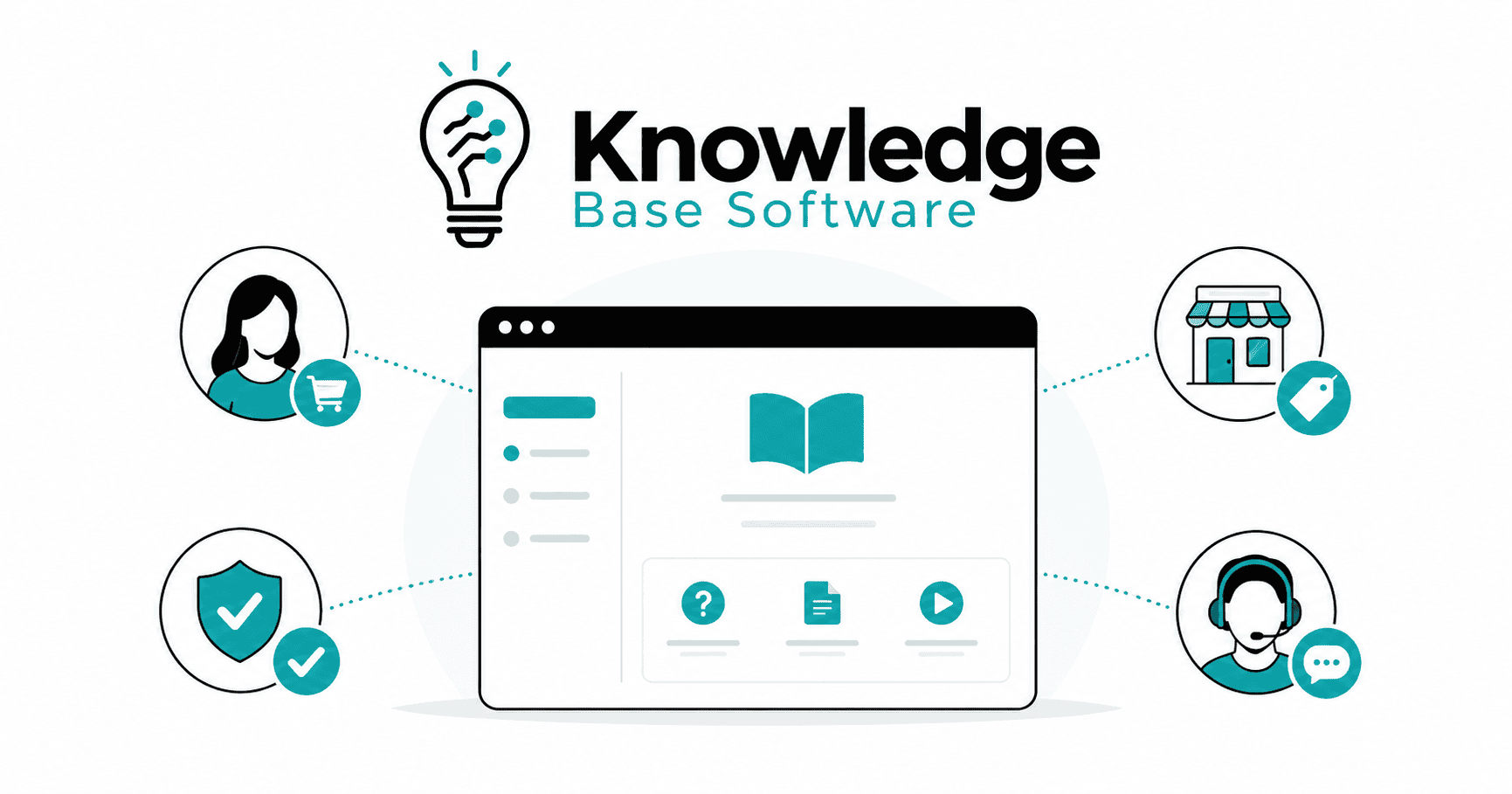
A Marketplace Knowledge Base is not just a help center with buyer FAQs. A marketplace has multiple audiences using the same platform for different goals: buyers want confidence, sellers want clarity, support agents need accurate answers, Trust & Safety teams need consistent policy enforcement, and operations teams need repeatable workflows.
That makes marketplace knowledge management more complex than a standard customer support library. A strong marketplace help center must explain how the platform works, reduce support tickets, educate sellers, prevent avoidable disputes, clarify marketplace policies, and support internal teams when cases become sensitive or high-risk.
For marketplace founders, operators, support leaders, and Trust & Safety managers, the knowledge base can become part of the operating layer that keeps buyer support, seller support, Trust & Safety, and operations aligned.
What Is a Marketplace Knowledge Base?
A Marketplace Knowledge Base is a structured, searchable system of public and internal knowledge that helps marketplace participants and teams find accurate answers, policies, workflows, and next steps.
In a normal software company, a knowledge base may focus on product features, billing, account setup, and troubleshooting. A marketplace knowledge base has to do more because the platform coordinates interactions between different user groups.
It typically includes:
- Public buyer help articles
- Public seller help articles
- Marketplace policies
- Trust and Safety guidance
- Dispute resolution instructions
- Seller onboarding documentation
- Internal support macros
- Agent-only troubleshooting steps
- Trust & Safety playbooks
- Marketplace operations SOPs
A standard knowledge base stores helpful articles such as how-to guides and FAQs that customers and teams can reference; it also helps customers self-serve and enables agents to resolve requests faster. A marketplace version builds on that foundation but adds role-based content, policy clarity, trust signals, and internal workflows for multi-sided marketplace operations.
In practical terms, a marketplace knowledge base should answer four questions:
- What should the user do next?
- Which policy applies?
- Who owns the next step internally?
- When should the case be escalated?
If it cannot answer those questions, it is probably just a collection of articles rather than a true marketplace knowledge management system.
Why Marketplaces Need More Than a Generic Help Center
Marketplaces are multi-sided businesses. Buyers, sellers, service providers, merchants, creators, contractors, and internal teams all interact with the same platform, but they do not have the same needs.
A buyer may ask:
- Is this seller verified?
- Can I trust this listing?
- When will my order arrive?
- How do I request a refund?
- What happens if the seller does not respond?
- How do I report a fake listing or suspicious message?
A seller may ask:
- How do I create a listing that meets marketplace policies?
- Why is my payout delayed?
- What documents are required for seller verification?
- What affects account health?
- How do I appeal a suspension?
- Which products, services, or claims are prohibited?
A support agent may need:
- Refund approval rules
- Chargeback handling instructions
- Escalation workflows
- Internal notes on high-risk categories
- Response templates for disputes
- Investigation checklists
A Trust & Safety analyst may need:
- Fraud prevention workflows
- Seller verification rules
- Content moderation guidelines
- Fake review investigation steps
- Policy enforcement matrices
- Appeal handling criteria
This is why a generic help center is rarely enough. A marketplace has a higher risk of conflicting information, inconsistent decisions, unclear ownership, and avoidable disputes. Trust & Safety work often involves policy, operations, product, engineering, moderation, enforcement, and appeals working together; TSPA describes content moderation as reviewing user-generated content for compliance with platform policies, often through a mix of manual and automated enforcement depending on scale and maturity.
A marketplace knowledge base helps create consistency across all of those moving parts when content ownership, approval workflows, permissions, and review cycles are clearly defined.
How a Marketplace Knowledge Base Supports Buyers
Buyers use a marketplace because they expect choice, convenience, protection, and trust. But when something feels unclear, the buyer’s confidence can drop quickly.
A good online marketplace knowledge base helps buyers understand how to use the platform before, during, and after a transaction. It should reduce friction in common journeys such as account setup, search, checkout, order tracking, returns, refunds, buyer protection, dispute resolution, scam prevention, and reporting. If a marketplace uses a payment provider with a formal dispute flow, link to the provider’s official instructions, such as PayPal’s guide to opening a dispute, only when that provider and region apply.
Buyer content should be written in simple language. It should not require the buyer to understand internal policy terms, seller operations, or payment infrastructure. The best buyer articles are direct, action-oriented, and connected to the next step in the product experience.
For example, an article about reporting a suspicious seller should not only explain what suspicious behavior looks like. It should link to the report form, explain what happens after a report is submitted, clarify whether the seller will be notified, and tell the buyer what to do if they already paid.
| Buyer need | Example article | Business impact |
|---|---|---|
| Account setup | “How to Create and Secure Your Buyer Account” | Fewer onboarding questions and login-related tickets |
| Search and discovery | “How to Find Reliable Sellers and Compare Listings” | Better buyer confidence and higher conversion quality |
| Checkout and payments | “Accepted Payment Methods and Payment Protection” | Fewer failed checkout tickets and payment concerns |
| Order tracking | “How to Track Your Order or Booking” | Lower order-status contact volume |
| Returns and refunds | “How Returns and Refunds Work” | Clearer expectations and fewer refund disputes |
| Buyer protection | “What Buyer Protection Covers and Does Not Cover” | Higher trust and fewer policy misunderstandings |
| Dispute resolution | “How to Open a Dispute With a Seller” | Faster case routing and better evidence collection |
| Scam prevention | “How to Avoid Off-Platform Payment Scams” | Reduced fraud exposure and safer transactions |
| Reporting | “How to Report a Seller, Listing, or Message” | Stronger Trust & Safety signal collection |
Buyer support content should also reflect marketplace risk. For example, if off-platform payments are prohibited, the article should explain why: the platform may not be able to provide buyer protection, dispute assistance, or payment tracing for transactions completed outside the marketplace.
Strong buyer FAQs should be connected to real transaction moments. Do not bury refund policy articles five clicks deep. Place them in order confirmation emails, tracking pages, dispute flows, and buyer protection pages.
How a Marketplace Knowledge Base Supports Sellers
Seller support is one of the highest-leverage parts of a marketplace knowledge base. Sellers create inventory, fulfill orders, serve buyers, and influence marketplace quality. When seller documentation is weak, the platform pays for it through poor listings, delayed payouts, policy violations, support tickets, disputes, and churn.
Seller content should help vendors succeed while making marketplace rules clear. It should explain not only what to do, but also what good performance looks like.
Seller onboarding is especially important. If verification, listing standards, payout setup, tax information, shipping requirements, and marketplace policies are scattered across different articles, sellers will either contact support or make preventable mistakes.
For marketplaces that use identity verification, KYC, or connected accounts, documentation should clearly explain what information is collected, why it is required, how long review may take, and what sellers can do if verification fails. Stripe’s marketplace documentation notes that account verification can be complex and requires ongoing attention because regulatory requirements change across regions.
| Seller stage | Knowledge base content | Metric improved |
|---|---|---|
| Registration | “How to Create a Seller Account” | Seller signup completion |
| Verification | “Documents Required for Seller Verification” | Verification completion rate |
| First listing | “How to Create a Marketplace-Ready Listing” | Listing approval rate |
| Catalog quality | “Listing Quality Standards and Prohibited Claims” | Fewer rejected listings |
| Pricing and fees | “How Marketplace Fees Are Calculated” | Fewer billing and commission tickets |
| Fulfillment | “Shipping, Delivery, or Service Completion Rules” | Fewer late orders and buyer disputes |
| Payouts | “Payout Schedule, Holds, and Failed Transfers” | Lower payout-related ticket volume |
| Performance | “Understanding Seller Performance Standards” | Better seller quality and fewer warnings |
| Account health | “How Account Health Scores Work” | Earlier correction of risky behavior |
| Appeals | “How to Appeal a Listing Removal or Suspension” | More complete appeals and faster review |
Seller documentation should also distinguish between guidance and policy. For example:
- Guidance: “Add clear photos from multiple angles.”
- Policy: “Stock photos are not allowed in used-item listings.”
- Enforcement: “Listings that use stock photos may be rejected or removed.”
- Appeal path: “If your listing was removed by mistake, submit an appeal with original images.”
This structure helps sellers understand expectations without guessing how marketplace governance works.
Supporting Trust & Safety With Knowledge Base Content
Trust and Safety is where a marketplace knowledge base becomes more than support documentation. It becomes part of the platform’s risk control system.
Trust & Safety content supports:
- Fraud prevention
- User education
- Policy transparency
- Reporting flows
- Seller and buyer verification
- Content moderation
- Enforcement consistency
- Appeals
- Incident response
- Internal investigation quality
Marketplace Trust & Safety programs should be supported by clear policies, documented enforcement processes, reporting workflows, and internal review standards. The Digital Trust & Safety Partnership’s Best Practices Framework focuses on the development, governance, enforcement, improvement, and documentation of digital products and services that manage content- and conduct-related risks. Marketplace operators must often manage onboarding risks, suspicious activity, inappropriate content, fake listings, stolen goods, unlawful content, and inconsistent enforcement decisions.
A marketplace knowledge base should include public Trust & Safety articles such as:
- “How to Report Suspicious Behavior”
- “Prohibited Items or Services Policy”
- “Fake Review Policy”
- “Off-Platform Payment Warnings”
- “Seller Verification Rules”
- “Account Suspension and Appeal Process”
- “Buyer and Seller Protection Policy”
- “How We Review Reported Listings”
- “How to Recognize Phishing or Impersonation Attempts”
- “What Happens After You Report a Policy Violation”
Trust & Safety articles should be clear but careful. They should educate users without revealing sensitive detection logic. For example, an article can explain that fake reviews are prohibited and may lead to removal or account action. It should not explain the exact signals used to detect review manipulation.
For internal trust & safety operations, the knowledge base should include playbooks that define:
- Which cases require manual review
- Which evidence must be collected
- Which actions are reversible
- Which actions require manager approval
- Which templates to use for user communication
- When legal, compliance, payments, or security teams must be involved
- How appeals are reviewed separately from initial enforcement
This is especially important for account suspensions, seller bans, repeat fraud, counterfeit goods, high-value chargebacks, threats, harassment, prohibited services, or safety-related incidents.
Supporting Internal Operations and Support Agents
A public help center is only one layer of a marketplace knowledge base. Internal teams also need an agent knowledge base that is permission-controlled, accurate, and regularly reviewed.
Internal knowledge base content may include:
- SOPs
- Macros and response templates
- Escalation paths
- Refund approval rules
- Investigation checklists
- Quality assurance criteria
- Incident response workflows
- Compliance notes
- Playbooks for high-risk cases
- Internal definitions of marketplace policies
- Troubleshooting steps for payment, payout, or verification failures
Support agents should not have to interpret policy from scratch. If a buyer asks for a refund after a seller shipped late, the agent should know the policy, the evidence required, the refund threshold, the seller communication template, and the escalation path.
A strong internal knowledge base improves consistency. Two agents handling similar cases should not make opposite decisions because one relied on tribal knowledge and the other relied on an outdated Slack message.
Internal content should be permission-controlled because some information should not be public. Examples include fraud indicators, manual review thresholds, chargeback investigation steps, seller risk scoring logic, legal escalation notes, and sensitive abuse patterns.
Every internal article should have:
- An internal content owner
- A review frequency based on content risk
- A last-reviewed date when appropriate
- A clear escalation owner
- Links to related public articles
- A changelog for major policy updates
This connection between public content and internal SOPs is crucial. If the public article says buyers can request a refund within a specific window, the internal SOP must explain how agents verify eligibility and process the request.
Public vs Internal Marketplace Knowledge Base
| Content type | Audience | Purpose | Examples | Access level | Owner |
|---|---|---|---|---|---|
| Public buyer articles | Buyers and guests | Help buyers use the marketplace safely and confidently | Returns, refunds, buyer protection, reporting sellers, payment safety | Public | Customer Support / Product Content |
| Public seller articles | Sellers and applicants | Help sellers onboard, list, fulfill, and maintain account health | Seller verification, listing rules, payouts, fees, account health, appeals | Public or seller-login only | Seller Operations |
| Agent knowledge base | Support agents | Standardize responses and case handling | Macros, refund rules, troubleshooting, escalation workflows | Internal | Support Operations |
| Trust & Safety playbooks | T&S analysts, moderators, risk teams | Guide investigations, enforcement, and appeals | Fraud review, fake reviews, prohibited items, account suspension workflows | Restricted internal | Trust & Safety |
| Operations SOPs | Marketplace operations teams | Keep marketplace processes consistent | Listing review, seller onboarding QA, payout exceptions, incident response | Internal | Marketplace Operations |
The most mature marketplaces do not treat these as separate systems. They connect them. A public policy should map to an internal enforcement SOP. A seller help article should map to an onboarding checklist. A buyer dispute article should map to an agent decision tree.
Marketplace Knowledge Base Information Architecture
Information architecture determines whether users can actually find the right answer. A marketplace knowledge base should be organized around user roles, common journeys, and policy areas.
Recommended top-level categories include:
- Getting Started
- Buyer Help
- Seller Help
- Payments & Payouts
- Listings & Catalog Quality
- Shipping, Fulfillment, or Delivery
- Returns, Refunds & Disputes
- Trust & Safety
- Policies
- Account Health
- API or Integrations, if relevant
- Internal Operations
A good help center taxonomy should avoid mixing buyer and seller content in the same category unless the topic is truly shared. For example, “Payments” may need separate buyer and seller sections because buyers care about payment methods and failed charges, while sellers care about payout timing, reserves, verification, and fees.
Use role-based navigation:
- “I’m buying”
- “I’m selling”
- “I need help with a dispute”
- “I need to report a safety issue”
- “I manage a seller account”
- “I’m a support agent”
Support search with tags and synonyms. Buyers may search for “refund,” “money back,” “return,” or “cancel order.” Sellers may search for “payout,” “withdrawal,” “bank transfer,” or “delayed payment.” Your knowledge base analytics should reveal which words users actually use.
Each article should include:
- Clear title
- Summary answer at the top
- Who the article applies to
- Step-by-step instructions
- Requirements or limitations
- Exceptions
- Related policies
- Related articles
- Contact or escalation path
- Review schedule or last-reviewed date when appropriate
Use breadcrumbs to show users where they are in the content structure. Google supports BreadcrumbList structured data to clarify a page’s position in a site hierarchy, and recommends validating structured data with the Rich Results Test before deployment. Structured data can make pages eligible for rich results, but it does not guarantee appearance in Google Search results.
Article Templates for Marketplace Knowledge Bases
Templates help teams publish consistent content. They also make it easier to review, update, localize, and connect articles to internal workflows.
1. Buyer How-To Article Template
Title: How to [complete buyer action]
Use for: Buyer tasks such as tracking an order, requesting a refund, reporting a seller, updating payment details, or opening a dispute.
Recommended sections:
- Summary answer
- Who this applies to
- Before you start
- Step-by-step instructions
- What happens next
- Timeframes or review periods
- Common issues
- Related articles
- Contact support link
- Last reviewed date
Example: “How to Request a Refund From a Seller”
2. Seller Onboarding Article Template
Title: How to [complete seller onboarding task]
Use for: Seller registration, verification, listing setup, payout setup, fee understanding, catalog quality, or account health.
Recommended sections:
- Overview
- Who can become a seller
- Requirements
- Documents or information needed
- Step-by-step process
- Common rejection reasons
- How to fix issues
- Related seller policies
- Escalation path
- Last reviewed date
Example: “How to Complete Seller Verification”
3. Policy Article Template
Title: [Policy name]
Use for: Marketplace policies that affect buyer behavior, seller behavior, listing quality, reviews, prohibited items, off-platform payments, returns, refunds, disputes, and enforcement.
Recommended sections:
- Policy summary
- Who the policy applies to
- What is allowed
- What is not allowed
- Examples of violations
- Enforcement actions
- Appeal process
- Related policies
- Internal owner
- Review schedule or last-reviewed date when appropriate
Example: “Fake Review Policy”
4. Internal SOP Template
Title: SOP: [case type or workflow]
Use for: Internal support, Trust & Safety, moderation, operations, payments, compliance, or escalation workflows.
Recommended sections:
- Purpose
- Scope
- Case triggers
- Required evidence
- Step-by-step workflow
- Decision criteria
- Approval requirements
- Escalation workflow
- Customer communication template
- Related public articles
- Compliance or legal notes
- Quality assurance checklist
- Internal owner and review schedule or last-reviewed date when appropriate
Example: “SOP: Handling High-Value Chargeback Disputes”
Governance: Keeping Marketplace Knowledge Accurate
A marketplace knowledge base becomes risky when it is outdated. Incorrect policy content can create support errors, seller frustration, buyer disputes, and enforcement inconsistency.
Governance should define how content is created, reviewed, approved, and retired.
Key governance practices include:
- Assign an internal content owner to every article.
- Set review cycles based on risk.
- Require legal or compliance review for regulated topics.
- Keep version history for policy changes.
- Maintain changelogs for seller-impacting updates.
- Connect public articles with internal SOPs.
- Use ticket data to identify content gaps.
- Localize carefully for different markets.
- Review AI-generated drafts before publishing.
- Archive outdated content instead of leaving it searchable.
- Create approval workflows for Trust & Safety policies.
- Notify agents when internal procedures change.
Review frequency should depend on risk. A general “How to update your profile” article may only need periodic review. A seller verification, payout hold, prohibited items, or account suspension article may need review whenever policies, regulations, workflows, payment processors, or risk controls change.
Governance also needs cross-functional ownership. Marketplace content often touches product, legal, support, seller operations, payments, Trust & Safety, and compliance. A knowledge base manager can coordinate the process, but subject-matter experts must own accuracy.
Metrics to Track
A marketplace knowledge base should be measured by resolution quality, not just traffic.
| Metric | What it reveals |
|---|---|
| Search success rate | Whether users find useful results after searching |
| Zero-result searches | Missing topics, vocabulary gaps, or poor tagging |
| Ticket-deflection signal | Estimates journeys that did not lead to assisted contact under a defined event rule and time window. It does not prove a prevented ticket without an explicit success signal or causal comparison. |
| Article helpfulness score | Reader-reported usefulness of the article; it does not by itself prove task completion or issue resolution. |
| Time to resolution | Whether content helps agents and users solve issues faster |
| Repeat contact rate | Whether the first answer was clear and complete |
| Escalation rate | Whether frontline agents have enough guidance |
| Dispute rate | Whether buyer and seller expectations are clear |
| Appeal rate | Whether enforcement decisions are understood or contested |
| Seller onboarding completion | Whether seller documentation supports activation |
| Scam report resolution time | Whether Trust & Safety workflows are efficient |
A ticket-deflection signal estimates journeys that did not lead to assisted contact under a defined event rule and time window. It does not prove prevented tickets without an explicit success signal or causal comparison. Pair the signal with task completion, an explicit solved event, repeat-contact data, or a controlled comparison before claiming successful resolution or avoided demand.
Pair quantitative data with qualitative feedback. For example:
- What did users search before opening a ticket?
- Which articles are viewed before disputes?
- Which seller onboarding steps create the most drop-off?
- Which public policy articles generate the most appeals?
- Which macros are most often edited by agents?
- Which internal SOPs are associated with inconsistent QA scores?
Knowledge base analytics should feed the editorial roadmap. If “payout delayed” is a top seller search and the article has a low helpfulness score, that is a business priority, not just a content issue.
AI and Automation in a Marketplace Knowledge Base
AI can make a marketplace knowledge base more useful, but only if it is grounded in approved content and governed carefully.
Good AI use cases include:
- Semantic search
- AI chatbot answers grounded in approved articles
- Agent assist recommendations
- Content gap detection
- Drafting article outlines from repeated tickets
- Summarizing long policies for users
- Translating or localizing first drafts
- Suggesting related articles
- Detecting outdated content
- Clustering repeated buyer FAQs and seller FAQs
However, marketplace support is not a safe place for uncontrolled AI answers. A chatbot that invents a refund rule, seller suspension reason, or dispute outcome can create legal, operational, and trust problems.
Use guardrails:
- Ground AI responses in approved articles.
- Show source links in AI answers.
- Restrict AI from answering outside documented policy.
- Route sensitive cases to humans.
- Review AI-generated content before publishing.
- Track answer accuracy and escalation outcomes.
- Keep internal fraud logic out of public AI responses.
- Maintain version control for AI-accessible knowledge.
Use AI with governance. NIST’s AI Risk Management Framework can help teams manage AI risks and incorporate trustworthiness considerations into AI systems. In a marketplace knowledge base, AI should make approved knowledge easier to find, summarize, and apply without replacing human-reviewed marketplace governance.
Google recommends JSON-LD for structured data where possible, and its structured data guidelines emphasize that markup should represent visible page content and should not be misleading.
Common Mistakes to Avoid
The most common mistake is treating marketplace content like normal SaaS help documentation. Marketplace knowledge must support transactions, trust, policy enforcement, and multi-party accountability.
Avoid these mistakes:
- Mixing buyer and seller content without clear navigation
- Publishing outdated policy articles
- Hiding key Trust & Safety information
- Writing vague policy language
- Using internal terminology in public articles
- Failing to connect public help articles with internal SOPs
- Creating policy pages without appeal instructions
- Giving sellers guidance but not enforcement consequences
- Measuring pageviews but not resolution quality
- Allowing agents to rely on undocumented tribal knowledge
- Overusing AI without human review
- Forgetting localization and regional policy differences
- Not assigning content owners
- Not reviewing articles after product or policy changes
- Burying reporting flows for fraud, scams, or unsafe listings
Another common issue is over-explaining policy without explaining action. A user does not only need to know that fake reviews are prohibited. They need to know how to report one, what evidence helps, what happens next, and whether they will receive an update.
Implementation Checklist
| Area | Checklist |
|---|---|
| Strategy | Define the primary audiences: buyers, sellers, agents, Trust & Safety, and operations. |
| Strategy | Identify the highest-volume and highest-risk support topics. |
| Strategy | Decide which content is public, seller-only, agent-only, or restricted to Trust & Safety. |
| Content structure | Create separate navigation paths for buyer support and seller support. |
| Content structure | Build a clear help center taxonomy with categories, tags, breadcrumbs, and related articles. |
| Content structure | Standardize article templates for how-to guides, policies, seller onboarding, and SOPs. |
| Buyer support | Publish articles for account setup, payments, order tracking, returns, refunds, disputes, and reporting. |
| Buyer support | Add scam prevention and off-platform payment warnings where relevant. |
| Buyer support | Link buyer protection articles from checkout, order, and dispute pages. |
| Seller support | Create seller onboarding documentation from signup to first successful transaction. |
| Seller support | Explain verification, listing standards, fees, payouts, account health, and appeals. |
| Seller support | Connect seller education to marketplace quality and performance standards. |
| Trust & Safety | Publish clear public policies for prohibited items, fake reviews, reports, suspensions, and appeals. |
| Trust & Safety | Create restricted internal playbooks for fraud, content moderation, investigations, and enforcement. |
| Trust & Safety | Define what can be shared publicly and what must remain internal. |
| Internal operations | Build SOPs for refunds, chargebacks, seller reviews, payout exceptions, and escalations. |
| Internal operations | Add macros, decision trees, QA criteria, and incident response workflows. |
| Internal operations | Map public articles to internal procedures. |
| Governance | Assign owners to every article. |
| Governance | Set review cycles by content risk level. |
| Governance | Maintain version history and changelogs for policy updates. |
| Governance | Require legal, compliance, or Trust & Safety approval for sensitive policies. |
| Analytics | Track search success, zero-result searches, ticket-deflection signals, reader-reported helpfulness, escalations, disputes, and appeals. |
| Analytics | Use support tickets and search logs to identify content gaps. |
| Analytics | Review performance after policy changes or product releases. |
| AI readiness | Make sure AI answers are grounded in approved content. |
| AI readiness | Add source links and escalation rules to AI support flows. |
| AI readiness | Review AI drafts before publishing and block AI from inventing policy answers. |
FAQs About Marketplace Knowledge Bases
What is a marketplace knowledge base?
A marketplace knowledge base is a structured library of public and internal content that helps buyers, sellers, support agents, Trust & Safety teams, and operations teams understand marketplace processes, policies, workflows, and next steps.
How is it different from a normal help center?
A normal help center usually serves one main customer group. A marketplace knowledge base serves multiple audiences at once, including buyers, sellers, agents, Trust & Safety teams, and operations. It must also explain policies, disputes, seller standards, fraud prevention, and enforcement workflows.
Should buyers and sellers use the same knowledge base?
They can use the same platform, but the navigation should separate buyer and seller journeys. Buyers need help with purchasing, refunds, safety, and disputes. Sellers need help with onboarding, listings, verification, payouts, performance, and appeals.
What should Trust & Safety teams include?
Trust & Safety content should include public reporting instructions, marketplace policies, prohibited items or services, fake review rules, scam prevention guidance, account suspension information, appeal processes, and internal playbooks for investigation and enforcement.
How often should marketplace knowledge base articles be reviewed?
Review frequency should depend on risk. Low-risk how-to articles can be reviewed periodically. High-risk articles covering seller verification, payouts, prohibited items, disputes, account suspensions, and legal or compliance topics should be reviewed whenever policies, workflows, regulations, or product features change.
Can AI answer marketplace support questions?
Yes, but only with guardrails. AI answers should be grounded in approved knowledge base content, cite source articles, avoid inventing policy answers, and escalate sensitive issues such as fraud, safety reports, account suspensions, legal requests, or payment disputes to human teams.
What metrics show that a knowledge base is working?
Important metrics include search success rate, zero-result searches, ticket-deflection signals, reader-reported article helpfulness, task completion, time to resolution, repeat contact rate, escalation rate, dispute rate, appeal rate, seller onboarding completion, and scam report resolution time.
Conclusion
A Marketplace Knowledge Base is not only a support resource. When it is governed well, it can become an operational layer for marketplace trust, consistency, seller success, buyer confidence, and scalable operations.
When built well, it helps buyers make safer decisions, helps sellers follow marketplace standards, helps agents resolve cases consistently, helps Trust & Safety teams enforce policies fairly, and helps operations teams scale without relying on scattered tribal knowledge.
The best marketplace knowledge base is structured, searchable, governed, measured, and connected to the real workflows of the business. It does not simply answer questions. It can help reduce risk, improve marketplace quality, and make the platform easier to trust.