Independent knowledge base software guide Evidence-led Updated 2026

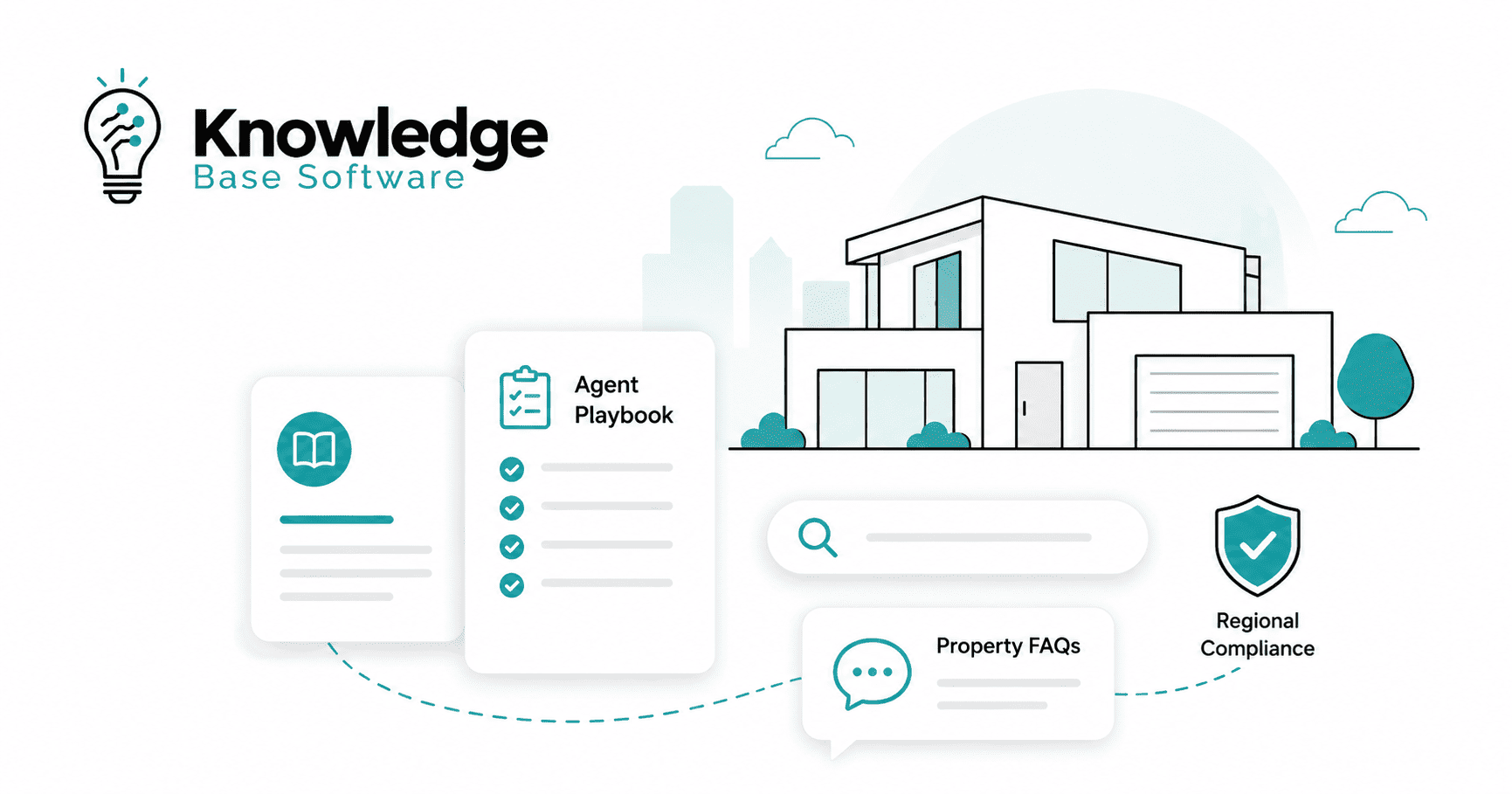
Real Estate Knowledge Base Software: Agent Playbooks, Property FAQs, and Regional Compliance
Real estate teams do not usually struggle because they lack information. They struggle because the right answer is buried in too many places: a CRM note, a Slack thread, a transaction checklist, a PDF disclosure packet, an onboarding deck, a property management system, a broker policy document, or an agent’s memory.
Real estate knowledge base software solves that problem by turning operational knowledge into a searchable, governed, and usable system. For brokerages, real estate teams, property managers, leasing teams, and multi-region operators, the goal is not simply to store documents. The goal is to give agents, coordinators, managers, and support teams one approved place to find the latest playbooks, property FAQs, transaction procedures, scripts, compliance guidance, and client-facing answers.
Knowledge management systems are broader than a single knowledge base tool: ISO 30401 describes knowledge management systems as requirements and guidance for establishing, implementing, maintaining, reviewing, and improving knowledge management in organizations. In software terms, knowledge base software is the focused layer for creating, organizing, searching, governing, and maintaining trusted answers such as FAQs, SOPs, troubleshooting guides, playbooks, and internal documentation.
Standards status (checked July 30, 2026): ISO 30401:2018 remains the current published edition, together with Amendment 1:2022 and Amendment 2:2024. ISO/DIS 30401, the proposed second edition, is still under development and has not yet replaced the 2018 edition.
Executive Summary
Real estate knowledge base software is most valuable when it is treated as an operating system for institutional knowledge, not as a digital filing cabinet.
For a small brokerage, it may start as a private hub for onboarding, listing checklists, buyer consultation scripts, vendor instructions, and broker-approved answers.
For a property management company, it may become a shared knowledge center for leasing FAQs, tenant support, maintenance triage, owner communication, inspection workflows, and property-specific rules.
For a multi-region organization, it becomes a governance tool: content owners, review dates, approval workflows, role-based permissions, regional compliance notes, version history, and source links.
A strong real estate knowledge base should answer four executive questions:
| Executive question | What the software should help you do |
|---|---|
| Can our team find the latest approved answer? | Centralize and search policies, FAQs, scripts, SOPs, and playbooks. |
| Can new agents or staff ramp faster? | Provide structured onboarding paths, examples, and workflow-specific guides. |
| Can we reduce inconsistent client or tenant answers? | Give teams approved language, property facts, escalation rules, and source links. |
| Can we manage compliance-sensitive knowledge responsibly? | Use owners, approval workflows, review cycles, permissions, and audit history. |
The best system is not always the one with the most features. It is the one that fits your real workflows, keeps content current, supports governance, and helps people use approved knowledge at the moment they need it.
What Is Real Estate Knowledge Base Software?
Real estate knowledge base software is a searchable platform for creating, organizing, approving, updating, and distributing real estate operational knowledge.
It can be used internally by agents, brokers, transaction coordinators, property managers, leasing teams, maintenance teams, and compliance reviewers. It can also support external self-service content for buyers, sellers, tenants, owners, investors, or vendors.
A well-designed real estate knowledge base may include:
- Agent playbooks.
- Listing process guides.
- Buyer consultation scripts.
- Seller objection handling.
- Property FAQs.
- Leasing FAQs.
- Tenant support articles.
- Maintenance troubleshooting guides.
- Transaction coordination checklists.
- Brokerage policies.
- Compliance notes.
- MLS/local rule references.
- Approved marketing language.
- Vendor handoff instructions.
- Internal escalation procedures.
- Client-facing help center articles.
The distinction matters: a folder stores files; a knowledge base helps people find, trust, and apply the right answer.
Why Real Estate Teams Outgrow Shared Folders and Static Docs
Most real estate organizations start with simple tools: Google Drive, Dropbox, email templates, spreadsheets, PDFs, CRM notes, shared inboxes, or messaging channels. Those tools are useful, but they were not designed to manage operational knowledge at scale.
The problems usually appear in predictable ways.
A new agent asks the same onboarding questions that five other agents asked last month. A property manager gives a tenant an outdated answer about pet rules. A listing coordinator uses last year’s seller checklist. A leasing specialist cannot find the approved Fair Housing language. A support team answers maintenance questions differently depending on who is working that day. A multi-state brokerage has one national policy, three state-level variations, and several MLS-specific rules, but no easy way to tell which one applies.
That is when a knowledge base becomes more than a convenience. It becomes a control layer for consistency, training, and risk reduction.
For US housing-related workflows, compliance-sensitive answers require particular care. The Fair Housing Act protects people from discrimination in housing-related activities and prohibits discrimination based on race, color, national origin, religion, sex, familial status, and disability. A knowledge base cannot guarantee compliance, but it can help teams keep approved guidance easier to find, review, and update.
Who Needs Real Estate Knowledge Base Software?
Not every real estate business needs a full knowledge base platform on day one. The trigger is usually operational complexity.
| Organization type | Likely need | What to prioritize |
|---|---|---|
| Solo agent | Low to moderate | Personal SOPs, templates, client FAQs, listing checklist. |
| Small brokerage | Moderate | Agent onboarding, broker-approved scripts, transaction checklists, policy hub. |
| Growing real estate team | High | Sales playbooks, lead response standards, handoff rules, CRM process guides. |
| Property management company | High | Tenant FAQs, owner FAQs, maintenance triage, leasing workflows, vendor instructions. |
| Multi-office brokerage | Very high | Regional permissions, review workflows, local compliance notes, version control. |
| Multi-state or multi-country operator | Critical | Jurisdictional governance, role-based access, audit history, legal/compliance review. |
A simple rule: if your team repeatedly asks, “Where is the latest version?” or “Who approved this answer?” you probably need more than shared folders.
What Should Go Into a Real Estate Knowledge Base?
The best real estate knowledge bases are organized around daily workflows, not around abstract departments.
A practical taxonomy might look like this:
| Knowledge area | Example articles | Primary users | Governance need |
|---|---|---|---|
| Agent onboarding | First 30 days, CRM setup, lead response standards, required training | New agents, team leads | Training owner review |
| Listing operations | Listing intake, photo prep, seller questionnaire, MLS entry checklist | Listing coordinators, agents | Broker/MLS review |
| Buyer workflows | Buyer consultation guide, pre-approval explanation, showing process | Buyer agents | Broker-approved language |
| Seller playbooks | Pricing conversation, objection handling, listing presentation steps | Listing agents | Sales manager + broker review |
| Property FAQs | Amenities, utilities, parking, pet rules, HOA notes, showing instructions | Agents, leasing teams, support | Property owner/manager review |
| Leasing and tenant support | Application steps, rent payment, maintenance requests, move-in/move-out | Leasing and support teams | Property management review |
| Transaction coordination | Earnest money steps, inspection timeline, document checklist | Coordinators, agents | Broker/compliance review |
| Regional compliance | Federal, state, city, MLS, brokerage, and property-specific guidance | Brokers, agents, managers | Legal/compliance review |
| Marketing approvals | Fair Housing language, advertising rules, brand standards, social templates | Marketing, agents | Compliance/brand review |
| Vendor and maintenance | Contractor contacts, escalation rules, emergency procedures | Property managers, maintenance | Operations review |
The most useful articles are not long policy dumps. They are decision aids. They answer: “What should I do next, what language should I use, what source should I verify, and when should I escalate?”
Agent Playbooks: Turning Top-Performer Knowledge Into Repeatable Practice
Agent playbooks are one of the strongest use cases for real estate knowledge base software because they convert informal experience into repeatable workflows.
A useful agent playbook is not just a script library. It should combine process, context, approved language, examples, and escalation rules.
A Practical Agent Playbook Template
Each agent playbook article should include:
| Section | What it should contain |
|---|---|
| Use case | Example: listing appointment, buyer consultation, price reduction conversation, open house follow-up. |
| Goal | What the agent should accomplish in this interaction. |
| Required prep | CRM fields, property details, comparable sales, disclosures, local rules, marketing assets. |
| Discovery questions | Questions the agent should ask before giving advice. |
| Approved language | Broker-reviewed scripts or talking points. |
| Do-not-say notes | Compliance-sensitive claims, unsupported promises, or language that needs review. |
| Workflow steps | The sequence from first contact to next action. |
| Handoff rules | When to involve broker, transaction coordinator, lender, attorney, property manager, or compliance lead. |
| Related articles | CRM guide, transaction checklist, compliance note, property FAQ, client template. |
| Owner and review date | Person responsible for keeping the playbook current. |
Example: Listing Appointment Playbook
A listing appointment playbook might include:
- Pre-appointment checklist.
- Seller motivation questions.
- Documents to collect.
- Pricing conversation framework.
- Approved explanation of market data.
- Marketing plan overview.
- Objection handling for commission, timing, repairs, and pricing.
- When to escalate unusual disclosure or legal questions.
- Links to seller disclosure guidance, listing agreement instructions, photography checklist, and MLS entry rules.
The value is not that every agent sounds identical. The value is that every agent works from the same approved baseline.
Property FAQs: A Single Source of Truth for Property Details
Property FAQs are especially useful for property managers, leasing teams, build-to-rent operators, multifamily teams, vacation rental managers, and brokerages handling many listings.
A property FAQ should make it easy to answer common questions without guessing.
What a Property FAQ Should Include
A practical property FAQ can include:
- Property address or internal property ID.
- Unit or listing type.
- Amenities.
- Parking rules.
- Utility responsibility.
- Pet policy or pet screening process.
- HOA or condo association notes.
- Showing instructions.
- Application steps.
- Lease term options.
- Move-in requirements.
- Maintenance request process.
- Emergency instructions.
- Owner-approved details.
- Source of truth for each field.
- Last-reviewed date.
- Content owner.
- Escalation contact.
Example: Leasing FAQ Structure
A leasing FAQ article for a multifamily property might answer:
- What documents are required to apply?
- Are pets allowed, and where should the prospect verify restrictions?
- What utilities are included?
- How does parking work?
- How are maintenance requests submitted?
- What is the after-hours emergency process?
- What should leasing staff avoid promising before approval?
- Who approves exceptions?
The key is to separate operational facts from legal or approval-sensitive claims. For example, a property FAQ can say where to verify pet rules and who approves exceptions. It should not casually promise that a tenant, buyer, or applicant qualifies without the proper review process.
Regional Compliance: How to Keep Guidance Useful Without Overstepping
This section is operational guidance, not legal advice. Real estate teams should validate compliance requirements with their broker, legal counsel, MLS, state regulator, or relevant authority.
Regional compliance is one reason real estate knowledge base software is different from generic documentation software. Real estate rules can vary by country, state, province, city, MLS, brokerage, property type, financing context, and transaction role.
For example, US real estate teams may need to maintain source-linked references for Fair Housing guidance, RESPA/TRID-related mortgage disclosure resources, MLS rules, advertising rules, state licensing rules, record retention, data privacy, and brokerage-specific policies. HUD provides official Fair Housing information, CFPB provides TRID compliance resources, and NAR’s 2026 Code of Ethics is the official NAR ethics source for REALTORS®; where the Code of Ethics and the law conflict, NAR states that legal obligations take precedence.
A Compliance Knowledge Base Should Separate Rule Types
Do not mix every rule into one long “compliance” page. Separate content by authority and scope.
| Rule layer | Example content | Who should approve it |
|---|---|---|
| Federal or national | Fair Housing, mortgage disclosure references, privacy baseline | Legal/compliance |
| State/province | Licensing, advertising, agency disclosure, forms | Broker/legal/state specialist |
| City/local | Rental registration, short-term rental rules, local disclosures | Local manager/legal |
| MLS/association | Listing input, photo rules, attribution, showing rules | MLS admin/broker |
| Brokerage policy | Internal approval steps, brand standards, escalation rules | Broker/operations |
| Property-specific | HOA, lease rules, parking, pets, amenities | Property manager/owner |
NAR’s Handbook on Multiple Listing Policy is published to guide REALTOR® associations in MLS operations consistent with NAR board policies, but local MLS rules and adoption details still need local verification.
Compliance Article Template
A compliance-sensitive article should include:
- Jurisdiction or market.
- Rule category.
- Summary in plain language.
- What staff can say.
- What staff should not say.
- Required source link.
- Owner.
- Approver.
- Effective date.
- Review frequency.
- Last-reviewed date.
- Change log.
- Escalation path.
- Related scripts or FAQs.
How to Prevent Stale Compliance Content
Use the software to enforce maintenance, not just storage.
At minimum, configure:
- Required owner for every compliance article.
- Required review date.
- Approval workflow before publishing.
- Version history.
- Change log.
- Archived status for outdated guidance.
- Permissions for sensitive content.
- Search labels such as “US only,” “state-specific,” “MLS-specific,” “broker approval required,” or “legal review required.”
- Feedback button for agents to flag uncertainty.
The best compliance content is not the longest. It is the clearest, best sourced, easiest to update, and least likely to be mistaken for legal advice.
Internal vs Customer-Facing Knowledge Base
Many real estate organizations eventually need both an internal knowledge base and a public help center. They can be powered by the same approved source of truth, but the public version should be separately reviewed and should not expose internal-only notes, escalation rules, restricted property-access details, or unapproved compliance guidance.
| Type | Audience | Best use cases | Risk level |
|---|---|---|---|
| Internal knowledge base | Agents, staff, managers, coordinators | Playbooks, SOPs, escalation rules, compliance notes, vendor instructions | Higher because it may include sensitive internal guidance |
| Customer-facing knowledge base | Buyers, sellers, tenants, owners, prospects | Application steps, showing prep, maintenance requests, seller FAQs, buyer FAQs | Medium to high because public claims must be accurate |
| Partner/vendor knowledge base | Contractors, photographers, inspectors, vendors | Access instructions, invoice process, service standards, emergency protocols | Medium because it may include property access or personal data |
A public help center should use plain language, avoid internal-only notes, and be reviewed for legal, privacy, and advertising risk. Internal content can be more detailed, but permissions must be stricter.
Real Estate Knowledge Base vs CRM vs Document Management vs Help Desk
Real estate knowledge base software does not replace every operational system. It should connect the answers across them.
| Tool | Primary purpose | What it handles well | What it does not solve alone |
|---|---|---|---|
| CRM | Manage leads, contacts, pipeline, follow-up | Client relationships, lead stages, activity tracking | Approved answers, SOP governance, article review cycles |
| Property management software | Manage properties, tenants, leases, maintenance, accounting | Operational records and property workflows | Training content, scripts, policy explanations |
| Document management | Store and retrieve files | Contracts, PDFs, forms, folders | Searchable step-by-step knowledge and decision guidance |
| Help desk | Manage tickets and support conversations | Requests, assignments, SLAs, communication history | Maintaining approved internal knowledge at scale |
| Wiki/intranet | Share general company information | Company updates, internal pages | Structured workflows, compliance ownership, analytics |
| Knowledge base software | Manage approved answers and operational knowledge | Search, articles, permissions, governance, analytics, self-service | Transaction records, accounting, CRM pipeline |
The best architecture usually connects systems rather than forcing one platform to do everything.
For example, the CRM can remain the record of client communication, the property management system can remain the record of leases and maintenance, and the knowledge base can explain how staff should answer recurring questions and complete workflows.
Features to Prioritize in Real Estate Knowledge Base Software
Feature lists can get long quickly. The practical question is: which features protect accuracy, adoption, and governance?
Core Search and Usability
Prioritize:
- Fast keyword search.
- Natural-language search.
- Filters by region, office, property, role, and workflow.
- Clear article hierarchy.
- Related articles.
- Mobile-friendly access for agents in the field.
- Helpful article feedback.
- Zero-result search reporting.
Agents will not use a knowledge base they cannot search quickly during a client call, showing, inspection issue, or listing appointment.
Content Governance
For real estate, governance is not optional.
Look for:
- Article owners.
- Review dates.
- Approval workflows.
- Version history.
- Draft, review, approved, archived, and expired statuses.
- Role-based permissions.
- Audit logs.
- Required source links for compliance-sensitive articles.
- Content templates.
- Change notifications.
- Archiving instead of deleting outdated guidance.
Real Estate Workflow Fit
Ask whether the platform can support:
- Agent playbooks.
- Transaction checklists.
- Property FAQs.
- Leasing FAQs.
- Maintenance guides.
- Broker policy libraries.
- Multi-region content.
- Internal and public knowledge bases.
- CRM or help desk integrations.
- Property management software integrations.
- SSO for staff access.
- Reader groups for agents, admins, leasing teams, property managers, brokers, and compliance reviewers.
Do not assume a vendor supports a specific integration, security certification, AI feature, or permission model unless it is verified from the vendor’s current documentation or security/trust page.
AI Knowledge Base for Real Estate: Useful, but Only With Guardrails
AI can make a real estate knowledge base easier to use, especially when staff need fast answers across many documents. But AI should not become an uncontrolled source of legal, compliance, pricing, or eligibility claims.
Retrieval-augmented generation, or RAG, is commonly used to connect AI answers to an external authoritative knowledge base before generating a response. AWS describes RAG as a process where a large language model references an authoritative knowledge base outside its training data before producing an answer.
For real estate, that matters because the AI answer should be grounded in approved content, not improvised from general internet knowledge.
AI Safeguards for Real Estate Teams
Use these rules before enabling AI answers:
| Risk | Required safeguard |
|---|---|
| AI invents a compliance answer | Restrict compliance topics to approved, source-linked articles. |
| AI uses outdated property data | Require property FAQs to show source, owner, and last-reviewed date. |
| AI gives legal advice | Add escalation rules and legal/compliance disclaimers. |
| AI mixes regions | Tag content by jurisdiction, office, MLS, and property type. |
| AI cites unapproved drafts | Exclude draft/unapproved articles from AI retrieval. |
| AI answers without proof | Require source links or citations in AI-generated responses. |
| AI exposes internal notes | Apply role-based access and public/private content boundaries. |
A real estate AI knowledge base is only as reliable as its content structure. If the underlying articles are stale, vague, duplicated, or poorly tagged, AI will amplify the mess.
Implementation Roadmap: How to Roll Out a Real Estate Knowledge Base
A successful rollout should start with the highest-value recurring questions, not with a company-wide documentation dump.
Phase 1: Audit Existing Knowledge
Identify where knowledge currently lives:
- CRM notes.
- Shared drives.
- Email templates.
- Slack or Teams channels.
- Broker policy PDFs.
- Listing checklists.
- Transaction coordination spreadsheets.
- Property management software notes.
- Leasing scripts.
- Training decks.
- Vendor instructions.
- Public FAQs.
Do not migrate everything. Tag each item as keep, rewrite, archive, or verify.
Phase 2: Identify the Top Recurring Questions
Start with questions that waste time or create risk.
Examples:
- “What do I send a new seller before the listing appointment?”
- “What is our approved buyer consultation process?”
- “Who approves marketing copy?”
- “Where is the current transaction checklist?”
- “What do leasing agents say about pets?”
- “How do tenants submit emergency maintenance requests?”
- “Which disclosures apply in this region?”
- “What should an agent do when a client asks a legal question?”
Your first knowledge base should solve urgent daily friction.
Phase 3: Build a Real Estate Taxonomy
Organize content by user task.
A good starting structure:
- Agent onboarding.
- Sales playbooks.
- Listing operations.
- Buyer workflows.
- Seller workflows.
- Leasing operations.
- Tenant support.
- Property FAQs.
- Maintenance.
- Transaction coordination.
- Broker policies.
- Compliance.
- Marketing approvals.
- Tools and systems.
- Vendors and partners.
Add filters for region, office, role, property type, workflow stage, and review status.
Phase 4: Create Templates Before Writing Articles
Templates prevent messy content.
Useful templates include:
- Agent playbook.
- Property FAQ.
- Transaction checklist.
- Compliance note.
- Approved script.
- Tool guide.
- Vendor instruction.
- Escalation procedure.
- Client-facing FAQ.
Each template should include owner, approver, review date, source links, related articles, and escalation rules.
Phase 5: Pilot With One Team or Region
Do not launch everywhere at once. Choose a team with a real pain point.
Good pilots:
- New agent onboarding.
- Leasing FAQ hub.
- Maintenance triage knowledge base.
- Listing launch checklist.
- Regional compliance library.
- Transaction coordination SOPs.
Measure what people search for, what they cannot find, and where content is unclear.
Phase 6: Expand With Governance
Once the pilot works, expand by:
- Office.
- Region.
- Role.
- Property type.
- Workflow.
- Business line.
- Public-facing content.
Governance must grow with content. Without ownership and review cycles, the knowledge base will become another stale folder.
Knowledge Governance Model
A real estate knowledge base needs clear ownership.
| Role | Responsibility |
|---|---|
| Executive sponsor | Sets business priority and ensures adoption. |
| Knowledge manager | Owns taxonomy, quality standards, analytics, and process. |
| Broker/compliance reviewer | Approves compliance-sensitive guidance. |
| Department owners | Maintain sales, leasing, maintenance, marketing, or transaction content. |
| Regional owners | Verify local rules, MLS references, and market-specific workflows. |
| Article contributors | Draft or update content from field knowledge. |
| IT/security lead | Manages access, SSO, integrations, and data controls. |
The most important rule: every article needs an owner. “Everyone owns it” usually means no one maintains it.
Metrics That Show Whether the Knowledge Base Is Working
Avoid vague success claims. Track practical usage and quality metrics.
Useful metrics include:
- Search success rate.
- Zero-result searches.
- Most-viewed articles.
- Articles with low helpfulness ratings.
- Repeated questions submitted to managers.
- Time to find an answer.
- New agent onboarding completion.
- Support ticket deflection.
- Tenant self-service usage.
- Stale article count.
- Compliance review completion rate.
- Articles past review date.
- AI answers with missing or weak citations.
- Content update velocity.
- Internal adoption by team or office.
Do not invent benchmark numbers. Your baseline should come from your current workflows, then improve over time.
Build vs Buy: Which Option Fits Your Real Estate Organization?
Some teams can start with lightweight tools. Others need dedicated knowledge base software.
| Option | Best for | Trade-offs |
|---|---|---|
| Shared docs or wiki | Solo agents, very small teams, early documentation | Low cost, but weak governance and analytics. |
| CRM knowledge notes | Teams that only need sales process reminders | Convenient, but limited for compliance, public FAQs, and article lifecycle. |
| Help desk knowledge base | Support-heavy property management or tenant support | Good for self-service, but may be less ideal for agent playbooks. |
| Dedicated knowledge base software | Growing brokerages, property managers, multi-region teams | Better governance, search, permissions, analytics, and public/private content. |
| Custom internal portal | Large organizations with complex workflows | Flexible, but requires more IT ownership and maintenance. |
A small brokerage may not need enterprise software immediately. But a multi-office, multi-region, or property-management-heavy operation should prioritize governance, permissions, review workflows, and analytics earlier.
Vendor Evaluation Checklist
Before choosing a platform, ask vendors these questions:
Search and Content
- Can users search by natural language and keywords?
- Can search be filtered by region, office, role, property, or content type?
- Does the system show related articles?
- Can users rate whether an article helped?
- Can admins see failed searches?
Governance
- Can every article have an owner?
- Can review dates be required?
- Can expired articles be hidden from search?
- Are approval workflows flexible?
- Is there version history?
- Can reviewers see change logs?
- Can draft content be excluded from public view and AI retrieval?
Permissions and Security
- Does the platform support role-based access?
- Does it support SSO?
- Can internal and external knowledge bases be separated?
- Can sensitive compliance or property-access content be restricted?
- Are audit logs available?
- Where is data stored?
- What security certifications are currently verified on the vendor’s official trust page?
Real Estate Fit
- Can articles be tagged by jurisdiction, MLS, office, property type, and transaction stage?
- Can the platform support agent playbooks and property FAQs?
- Does it integrate with the CRM, help desk, property management system, or communication tools your team already uses?
- Can public-facing articles be branded and indexed appropriately?
- Can content be exported if you leave the vendor?
AI
- Can AI answers cite source articles?
- Can AI be disabled for compliance-sensitive categories?
- Can draft or unapproved articles be excluded?
- Can the system show which source was used?
- Can admins review failed or risky AI responses?
- Can the vendor explain how your data is used?
Verify all pricing, integrations, AI functionality, and security claims directly with the vendor before making a buying decision.
Common Mistakes to Avoid
Mistake 1: Migrating Every Old Document
A knowledge base is not an archive. Move only content that is useful, current, and owned. Archive or rewrite everything else.
Mistake 2: Organizing Around Departments Instead of Workflows
Agents and property managers search by task: “listing appointment,” “pet policy,” “maintenance emergency,” “buyer consult,” “MLS photo rule.” Structure the knowledge base around how people work.
Mistake 3: Publishing Compliance Content Without Ownership
Compliance-sensitive content should always have an owner, approver, source, date, and review cycle.
Mistake 4: Letting AI Answer From Unapproved Content
AI should retrieve from approved sources only, especially for compliance, legal, lending, tenancy, eligibility, and disclosure-related topics.
Mistake 5: Ignoring Field Feedback
Agents, leasing teams, and coordinators know which answers are missing. Add a simple feedback mechanism and review it weekly during rollout.
Mistake 6: Treating Launch as the Finish Line
The launch is only the start. The knowledge base becomes valuable when it is maintained, measured, and trusted.
Practical Examples of High-Value Articles
Here are examples that usually create immediate value:
| Article title | Why it matters |
|---|---|
| “New Agent First 30 Days Checklist” | Reduces onboarding confusion. |
| “Listing Appointment Preparation Guide” | Standardizes pre-listing quality. |
| “Approved Seller Pricing Conversation Framework” | Helps agents discuss market data carefully. |
| “Buyer Consultation Playbook” | Creates a consistent client experience. |
| “Property FAQ: [Property Name]” | Prevents inconsistent leasing or showing answers. |
| “Emergency Maintenance Triage Guide” | Helps support teams escalate correctly. |
| “Marketing Copy Approval Rules” | Reduces advertising and Fair Housing risk. |
| “Regional Compliance Review Workflow” | Clarifies who approves what. |
| “MLS Listing Input Checklist” | Reduces listing errors and rework. |
| “AI Answer Escalation Policy” | Prevents overreliance on AI for sensitive topics. |
Data Privacy and Access Control Considerations
Real estate businesses may handle personal information from clients, tenants, applicants, owners, vendors, and employees. Access controls matter because a knowledge base can accidentally become a place where teams paste sensitive information into articles.
For EU-related processing, the European Commission explains that the duties of a processor toward a controller must be specified in a contract or another legal act, and that offering IT solutions, including cloud storage, is a typical processor activity. For California, the Attorney General’s CCPA page notes that the CCPA applies to many businesses and that covered businesses have responsibilities such as responding to consumer rights requests and giving privacy notices.
Practical controls:
- Do not store client Social Security numbers, bank details, or unnecessary personal data in knowledge articles.
- Keep property access codes and emergency procedures restricted.
- Separate internal and public content.
- Apply role-based access.
- Review vendor data processing terms.
- Confirm retention and deletion capabilities.
- Train staff not to paste sensitive transaction details into general articles.
- Audit content periodically for personal information.
Privacy obligations vary by jurisdiction and business type, so teams should verify requirements with counsel or privacy professionals.
FAQ
What is real estate knowledge base software?
Real estate knowledge base software is a platform for organizing, searching, approving, and maintaining operational knowledge for real estate teams. It can include agent playbooks, property FAQs, transaction checklists, leasing guides, maintenance instructions, broker policies, and compliance notes.
How is it different from a CRM?
A CRM manages contacts, leads, deals, activities, and client communication. A knowledge base manages approved answers, SOPs, scripts, policies, and guides. The CRM tells you who the client is and what stage they are in. The knowledge base tells your team how to handle the workflow correctly.
How is it different from document management software?
Document management software stores files. A knowledge base turns information into searchable, structured, maintained articles with ownership, review dates, permissions, feedback, and related workflows.
Should a real estate knowledge base be internal or public?
Most teams should start internally. Public-facing content is useful for buyer FAQs, seller FAQs, tenant support, owner FAQs, and maintenance instructions, but it needs tighter review because public claims can create legal, compliance, or customer-experience risk.
Can a knowledge base help with compliance?
It can help operationalize compliance by making approved guidance easier to find, review, update, and audit. It cannot guarantee legal compliance by itself. Compliance-sensitive content should be reviewed by the broker, legal counsel, MLS, state regulator, or relevant authority.
How should regional compliance content be managed?
Separate content by jurisdiction and authority: federal, state, city, MLS, brokerage, and property-specific. Use owners, approvers, source links, effective dates, review dates, version history, and role-based access control (RBAC).
Can AI be safely used in a real estate knowledge base?
AI can be useful when it retrieves from approved, current, source-linked content. It should not be allowed to invent legal, compliance, lending, pricing, tenant eligibility, or disclosure answers. Require citations, restrict sensitive categories, and define escalation rules.
What features matter most?
The most important features are strong search, clear taxonomy, article ownership, review dates, approval workflows, version history, permissions, analytics, mobile access, feedback, and integrations with the tools your team already uses.
Who should own the knowledge base?
Ownership should be shared but clearly defined. A knowledge manager or operations lead can own the system, while brokers, compliance reviewers, department heads, regional managers, and property managers own specific content categories.
How often should articles be reviewed?
Review frequency depends on risk. Compliance-sensitive articles may need frequent review or review whenever a rule changes. Property FAQs should be reviewed whenever property details change. General onboarding content may follow a quarterly or semiannual review cycle.
Executive Takeaway
Real estate knowledge base software is not just a support tool. For a growing brokerage, real estate team, or property management company, it is a way to protect institutional knowledge, standardize client and tenant answers, onboard people faster, and reduce the risk of outdated or unsupported guidance.
The strongest implementation starts small: choose the workflows where repeated questions, inconsistent answers, or compliance uncertainty create the most friction. Build structured playbooks and FAQs around those workflows. Assign owners. Add review dates. Require approvals for sensitive content. Measure search gaps and adoption. Then expand.
The goal is simple: when an agent, leasing specialist, coordinator, manager, or support rep needs the right answer, they should not have to ask five people or search six systems. They should know where the approved answer lives, who owns it, when it was last reviewed, and what to do next.