Independent knowledge base software guide Evidence-led Updated 2026

AI Chatbot Knowledge Base: Content Structure, Guardrails, Permissions, and Human Handoff
An AI chatbot is only as reliable as the knowledge it can retrieve and the rules it must follow. That is why an AI Chatbot Knowledge Base is not simply a folder of uploaded PDFs, help center articles, or internal policies. It is the operational foundation that determines what the chatbot knows, what it is allowed to say, what it must not expose, and when it should stop and hand the conversation to a human.
For B2B SaaS companies, support teams, and AI automation leaders, this matters because customer-facing AI is no longer just a scripted FAQ widget. Modern AI support systems often use retrieval-augmented generation, or RAG, to search approved company knowledge before generating an answer. RAG can improve relevance by grounding responses in external knowledge sources, but it does not remove the need for structured content, permission checks, guardrails, monitoring, and escalation paths.
A production-ready AI chatbot knowledge base should answer four questions:
- Is the content structured well enough for retrieval?
- Is the answer grounded in approved sources?
- Is the user allowed to access the retrieved information?
- Should the AI answer, ask a clarifying question, refuse, or escalate to a human?
TL;DR: Key Takeaways
- An AI chatbot knowledge base is a governed source of truth, not just a document repository.
- RAG-ready content should be clear, focused, self-contained, current, and structured with headings, steps, examples, and metadata.
- Guardrails should combine prompts, retrieval rules, policy checks, permission checks, output validation, monitoring, and escalation.
- Permissions must be enforced before content is passed to the language model, not after an answer is generated.
- Human handoff is a safety feature, not a failure.
- The best AI support systems track accuracy, escalation quality, content gaps, hallucination risk, and permission incidents.
- Maintenance matters: outdated or contradictory content can make even a strong AI model produce weak answers.
What Is an AI Chatbot Knowledge Base?
In this guide, an AI chatbot knowledge base means the approved content layer and operating rules that an AI chatbot can retrieve from and use to answer user questions. It may include public help center articles, FAQs, product documentation, pricing rules, troubleshooting guides, support policies, internal procedures, compliance-approved language, and escalation workflows. The chatbot knowledge base is usually part of a broader support or knowledge management system, not a replacement for the full knowledge management system.
A traditional knowledge base is usually designed for human search and reading. An AI chatbot knowledge base must work for both humans and machines. It needs clear structure, consistent terminology, source ownership, metadata, access controls, and rules that tell the AI when the content applies.
It is different from a regular FAQ page because it is broader, more contextual, and more operational. A FAQ answers known questions in a fixed format. A knowledge base chatbot can interpret varied customer phrasing, retrieve related content, and generate a tailored answer.
It is different from a generic chatbot because it should not rely only on the model’s internal training. Instead, it should retrieve approved company knowledge before answering. AWS describes RAG as a way for large language models to reference an authoritative knowledge base outside their training data before generating a response.
It is also different from an internal wiki. A wiki may contain drafts, historical decisions, internal debate, outdated policies, and sensitive notes. An AI chatbot knowledge base must distinguish between approved customer-facing content, internal-only agent guidance, restricted account data, and content the bot should never expose.
Why an AI Chatbot Knowledge Base Matters
A well-built AI chatbot knowledge base improves both automation quality and operational control.
First, it helps the chatbot produce more accurate answers. Instead of generating a response from general model knowledge, the system can retrieve relevant content from approved sources. IBM describes RAG as a framework for grounding large language models on external knowledge sources, helping them use current and verifiable information.
Second, it improves support consistency. If human agents, AI agents, and self-service pages all reference the same source of truth, customers are less likely to receive different answers depending on the channel.
Third, it reduces repetitive tickets. A chatbot knowledge base can answer common “how do I,” “where can I,” “what does this mean,” and “why is this happening” questions before they become support requests.
Fourth, it improves agent productivity. When the AI cannot fully resolve a case, it can still collect context, summarize the issue, identify relevant articles, and route the conversation to the right team.
Fifth, it makes automation safer. Without governance, a chatbot may retrieve outdated content, expose internal notes, answer restricted questions, or take actions that require approval. OpenAI describes guardrails as a layered defense mechanism that should be coupled with robust authentication and authorization protocols, strict access controls, and standard software security measures.
Finally, it supports compliance and governance. For regulated or high-trust environments, the question is not only “Can the AI answer?” It is also “Can we prove where the answer came from, who approved the source, and whether the user was allowed to see it?”
How an AI Chatbot Uses a Knowledge Base
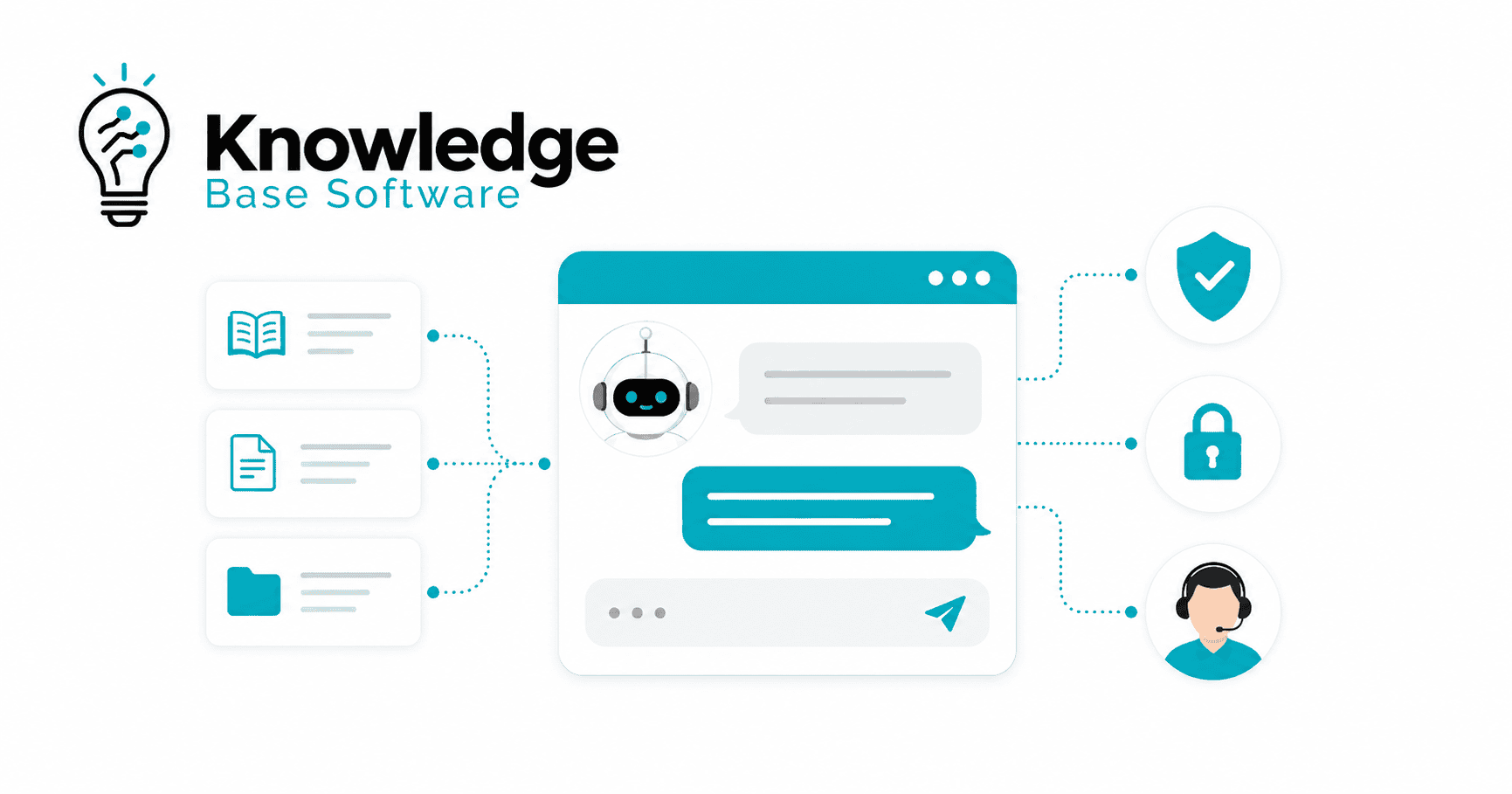
A modern AI chatbot with knowledge base access usually follows this workflow:
- The user asks a question.
- The system interprets the user’s intent.
- The retrieval layer searches approved knowledge sources.
- Candidate chunks, articles, or records are selected.
- Authorization checks filter those candidates so only content the current user is allowed to access can be used.
- The authorized context is passed to the model.
- The model generates a grounded response.
- Guardrails validate the answer, action, tone, and risk level.
- The system answers, asks a clarifying question, refuses, or escalates.
This is the basic pattern behind many RAG chatbot systems. The retrieval step finds relevant external knowledge, the generation step uses that context to produce an answer, and governance layers control what can be retrieved and returned.
| System type | How it answers | Best for | Main risk |
|---|---|---|---|
| Generic chatbot | Uses scripted flows or model knowledge | Basic questions and lead capture | Generic or unsupported answers |
| Knowledge base chatbot | Searches help articles or FAQs | Customer self-service | Weak answers if content is outdated or poorly structured |
| RAG-powered AI chatbot | Retrieves approved content and generates grounded responses | Complex support and product questions | Retrieval errors, permission gaps, or hallucinations |
| AI support agent | Retrieves knowledge and may take actions through tools | End-to-end support workflows | Excessive autonomy, unsafe actions, or poor escalation |
Content Structure: How to Make Knowledge RAG-Ready
Poor structure creates poor answers. If your content is vague, duplicated, outdated, or buried inside long PDFs, the chatbot may retrieve the wrong passage or miss the answer entirely.
Zendesk recommends that knowledge content for generative AI be clear, focused, complete, and self-contained, with familiar wording, defined terms, headings, lists, and clear instructions. It also notes that content is split into smaller chunks for generative AI retrieval, which makes structure important. Intercom’s current Fin guidance similarly recommends scannable, AI-readable content, including headings, tables, bullet points, numbered lists, audience labels, defined terms, restated questions, self-contained sections, and visual alt text.
For an AI chatbot knowledge base, every article should have a clear job. A good rule is: one user problem, one article, one approved answer.
RAG-Ready Content Structure Checklist
| Content element | Why it matters | Example |
|---|---|---|
| Clear title | Helps retrieval match user intent | “How to reset two-factor authentication” |
| User question | Mirrors how customers ask | “How do I reset 2FA if I lost my phone?” |
| Short answer | Gives the AI a concise answer block | “Admins can reset 2FA from Security Settings.” |
| Applies to | Prevents wrong answers across plans or roles | “Applies to Business and Enterprise plans” |
| Step-by-step instructions | Supports procedural answers | “1. Open Admin Settings. 2. Select Users.” |
| Exceptions | Helps the bot handle edge cases | “SSO users must contact their identity provider.” |
| Policy table | Clarifies rules and differences | Plan limits, refund windows, SLA tiers |
| Source owner | Creates accountability | “Owner: Support Operations” |
| Last reviewed date | Signals freshness | “Last reviewed: June 2026” |
| Source status | Prevents draft content from being used | “Approved / Draft / Deprecated” |
| Escalation rule | Tells the bot when not to answer | “Escalate if the user reports account takeover.” |
| “Do not say” guidance | Reduces risky language | “Do not promise refunds outside policy.” |
A RAG-ready article should also avoid vague pronouns such as “it,” “this,” or “that” when the reference is unclear. The chatbot may retrieve a chunk without the surrounding context, so each key section should be understandable on its own.
What Content Should Go Into an AI Chatbot Knowledge Base?
The right content depends on the chatbot’s role. A customer-facing support bot needs different knowledge than an internal IT assistant or agent-assist copilot.
Good sources usually include:
- Public help center articles
- FAQs
- Product documentation
- Pricing and plan rules
- Troubleshooting guides
- Billing, shipping, return, or refund policies where relevant
- Internal support macros
- Escalation procedures
- Compliance-approved language
- Known limitations
- “Do not answer” topics
- Product release notes that have been converted into approved customer-facing guidance
- Internal agent procedures that are permission-protected
Atlassian describes a knowledge base as a searchable collection of FAQs, troubleshooting guides, how-to articles, manuals, runbooks, and other information that helps agents and customers find answers quickly. For AI support, the important step is deciding which of those sources are approved for the bot, which are internal only, and which require access controls.
What Not to Include
Do not feed everything into the chatbot.
Avoid including:
- Outdated documents
- Draft policies
- Contradictory PDFs
- Historical decisions that no longer apply
- Sensitive data without access controls
- Internal debate or Slack threads that were never approved
- Legal, medical, or financial advice unless reviewed and governed
- Customer-specific data without tenant isolation
- Content the bot is not allowed to expose
- Screenshots or videos without supporting text
- Unstructured release notes that contain internal-only details
The goal is not to maximize the number of documents. The goal is to maximize trustworthy, retrievable, permission-aware answers.
Guardrails for an AI Chatbot Knowledge Base
Guardrails are not just prompt instructions. They are the policy, retrieval, security, validation, and escalation layers that control how the chatbot behaves.
OpenAI describes guardrails as a layered defense mechanism and recommends using multiple specialized controls rather than relying on a single protection. Examples include relevance classifiers, safety classifiers, PII filters, moderation, tool safeguards, rules-based protections, and output validation. OWASP also identifies prompt injection as a major LLM application risk and recommends controls such as constrained behavior, validated output formats, input/output filtering, least privilege, human approval for high-risk actions, and adversarial testing.
AI Chatbot Guardrails by Risk Type
| Risk | Example | Guardrail | Escalation trigger |
|---|---|---|---|
| Hallucinated answer | Bot invents a feature that does not exist | Source-only answering and confidence threshold | No approved source found |
| Outdated policy | Bot uses a deprecated refund rule | Approved source status and review dates | Conflicting policy versions |
| Sensitive data exposure | Bot reveals internal notes | Permission-aware retrieval and PII filters | Restricted document requested |
| Prompt injection | User says “ignore your instructions” | Injection detection, strict system rules, output validation | Attempt to bypass rules |
| Unsafe action | Bot cancels an account without confirmation | Action guardrails and approval steps | Irreversible or high-impact action |
| Compliance risk | Bot gives legal or financial advice | Sensitive-topic rules and refusal templates | Regulated advice requested |
| Brand risk | Bot responds in an aggressive tone | Tone validation and response templates | Angry customer or high-risk sentiment |
| Tool misuse | Bot calls the wrong API | Tool permissions and risk ratings | Tool action outside scope |
A practical guardrail stack should include:
- Knowledge guardrails: answer only from approved sources.
- Retrieval guardrails: retrieve only relevant, current, authorized content.
- Confidence thresholds: ask a clarifying question or escalate when retrieval confidence is low.
- Refusal rules: decline topics the bot is not allowed to answer.
- Sensitive-topic rules: route legal, financial, medical, security, and privacy topics carefully.
- Brand and tone rules: keep responses professional, clear, and consistent.
- Action guardrails: require confirmation or approval before high-impact actions.
- Compliance guardrails: use approved wording for regulated topics.
- Monitoring guardrails: log failures, hallucinations, and escalations for review.
The key principle is simple: prompts guide behavior, but systems enforce behavior.
Permissions and Access Control
Permissions are one of the most important parts of an AI chatbot knowledge base, especially for SaaS companies.
A chatbot may have access to public docs, internal notes, enterprise-only pages, customer-specific contracts, billing data, product usage logs, and support history. Without strong access control, the retrieval layer can become a data leakage risk.
AWS recommends verifying permissions directly at the data source for RAG implementations rather than relying only on intermediate systems. In a vector database scenario, the generative AI application should validate access rights before retrieving data. Auth0 similarly states that every document should be checked against the user’s permissions before it is passed to the LLM.
This matters because filtering after generation is risky. Once restricted content has been passed into the model context, you are relying on the model and output filters not to reveal it. A better pattern is to prevent unauthorized content from entering the context window in the first place.
Permission Controls to Include
- Public vs. private knowledge classification
- Role-based access control
- Attribute-based access control
- Tenant-level isolation
- User-level permissions
- Document-level permissions
- Metadata filtering
- Source-of-truth authorization
- Audit logs
- Least privilege
- Permission drift reviews
- Access testing with simulated users
- Separate retrieval indexes for highly sensitive data where appropriate
Okta notes that enterprise RAG systems must secure the retrieval pipeline with verifiable identity controls so only authorized users or AI agents can access enterprise data.
Practical Example: SaaS Knowledge Permissions
Imagine a SaaS company with four content categories:
| Content type | Public visitor | Logged-in customer | Support agent | Enterprise success manager |
|---|---|---|---|---|
| Public product docs | Yes | Yes | Yes | Yes |
| Internal support notes | No | No | Yes | Yes |
| Enterprise-only policy pages | No | Only if enterprise account | Yes | Yes |
| Customer-specific contract terms | No | Only authorized account users | Only assigned team | Only assigned CSM/team |
In this setup, the chatbot should not retrieve the same content for every user. A public visitor can ask about product features and receive help center answers. A logged-in enterprise admin can receive enterprise policy details if their account is entitled to them. A support agent may see internal troubleshooting notes. A customer should never receive another customer’s contract terms.
The rule should be: retrieve only what the current user is authorized to see.
Human Handoff: When the AI Should Escalate
The best AI chatbot is not the one that answers everything. It is the one that knows when not to answer.
Microsoft’s Bot Framework guidance states that even an AI-powered bot may need to hand off to a human when it does not understand the user or when the request cannot be automated, and that the bot should provide a transition to humans. OpenAI also describes human intervention as a safeguard for real-world agent performance, especially when failure thresholds are exceeded or actions are high-risk, sensitive, irreversible, or financially significant.
Human Handoff Trigger Matrix
| Trigger | Why escalation is needed | What context to pass to the agent | Suggested bot message |
|---|---|---|---|
| User asks for a human | User preference should be respected | Conversation summary and user request | “I’ll connect you with a support specialist.” |
| Low confidence | Bot may not have enough grounding | Retrieved sources and confidence reason | “I don’t want to guess, so I’ll route this to our team.” |
| Missing knowledge | No approved source exists | User question and failed search terms | “I don’t have an approved answer for that yet.” |
| Conflicting content | Multiple sources disagree | Conflicting article links | “I’m seeing conflicting guidance, so I’ll escalate this.” |
| Billing dispute | Requires judgment or account review | Invoice ID, plan, user claim | “A billing specialist can review this with you.” |
| Refund exception | May require approval | Policy article and customer context | “This may need an exception review.” |
| Account deletion | Irreversible or sensitive action | Account ID and requested action | “I’ll involve a team member before proceeding.” |
| Security incident | High-risk topic | Incident details and urgency | “I’m escalating this to our security support team.” |
| Angry customer | Retention and sentiment risk | Sentiment, issue summary, prior attempts | “I’m sorry this has been frustrating. I’ll bring in a specialist.” |
| Legal/compliance topic | Regulated or sensitive guidance | Question and relevant policy | “This requires review by the appropriate team.” |
| VIP or enterprise account | Relationship-sensitive | Account tier and owner | “I’ll route this to the right account team.” |
| Technical bug | May require engineering support | Logs, product area, steps tried | “I’ll send this to technical support with the details.” |
| Irreversible action | Requires confirmation or approval | Requested action and risk level | “A human agent needs to confirm this before we continue.” |
Human handoff should be designed before launch. It should not be an afterthought added only after the bot fails.
What Context Should Be Passed During Handoff?
A poor handoff forces the customer to repeat everything. A good handoff makes the human agent faster.
Microsoft’s handoff protocol notes that a handoff initiation event can include the context of the handoff request and a transcript of the conversation so the agent can review what happened before escalation.
Pass the following context whenever allowed by privacy and system rules:
- Conversation summary
- User intent
- Customer ID or account info if permitted
- Product area
- Troubleshooting steps already tried
- Relevant source articles
- Confidence score or reason for escalation
- Sentiment or urgency
- Attachments or screenshots if available
- Routing category
- Required next action
Example Handoff Summary
Customer intent: The user wants to remove SSO from their workspace after losing access to their identity provider.

Reason for escalation: High-risk account access issue. The bot found public SSO reset documentation but no approved self-service process for disabling SSO without IdP access.

Customer context: Enterprise workspace admin. Workspace ID: [redacted]. User is frustrated and reports multiple failed login attempts.

Steps already tried:
1. User attempted password reset.
2. User attempted backup code login.
3. User reviewed SSO recovery article.

Suggested routing: Enterprise Support / Account Security

Relevant sources:
- SSO recovery policy
- Enterprise admin access troubleshooting
- Account ownership verification procedure
This gives the agent enough context to act without making the customer start over.
Maintenance: How to Keep the Knowledge Base Accurate
An AI chatbot knowledge base is not a one-time setup. It is a living operational system.
Maintenance should include:
- Reviewing failed answers
- Tracking unanswered questions
- Refreshing stale content
- Removing duplicate documents
- Resolving contradictory articles
- Assigning content owners
- Re-indexing after major updates
- Reviewing escalation patterns
- Testing with real support queries
- Maintaining a golden test set
- Auditing permissions
- Reviewing content after product launches
- Scheduling monthly or quarterly reviews depending on product velocity
A “golden test set” is a curated group of real or realistic customer questions with approved ideal answers. Use it to test retrieval quality, answer accuracy, refusal behavior, and escalation logic before and after major changes.
High-traffic articles should be reviewed more often than low-risk reference pages. Articles about billing, pricing, security, integrations, APIs, and account access should have stricter review cycles because the cost of a wrong answer is higher.
Metrics to Track
Do not measure only ticket deflection. A chatbot can deflect tickets by giving bad answers, which creates hidden support debt.
Track a balanced set of quality, safety, and business metrics:
For RAG-style chatbot systems, official evaluation frameworks separate response quality from retrieval quality. Microsoft’s Azure AI Foundry RAG evaluators include retrieval, groundedness, relevance, and response completeness, which makes them useful reference points for measuring whether chatbot answers are both relevant and grounded in the right sources.
| Metric | What it tells you |
|---|---|
| Answer accuracy | Whether the bot’s answer matches approved knowledge |
| Resolution rate | Whether the user’s issue was solved |
| Deflection rate | How often users avoid opening a ticket |
| Escalation rate | How often the bot routes to a human |
| False escalation rate | How often the bot escalates when it could have answered |
| Hallucination rate | How often unsupported answers appear |
| No-answer rate | How often no suitable source is found |
| CSAT after AI interaction | Whether users are satisfied with AI support |
| Average handle time after handoff | Whether handoff context helps agents work faster |
| Content gap frequency | Which missing articles create repeated failures |
| Stale content incidents | Whether outdated sources cause incorrect answers |
| Permission violation incidents | Whether restricted content is exposed or nearly exposed |
Review these metrics by topic, customer segment, plan, language, and support channel. A single average can hide serious issues in high-risk workflows.
Common Mistakes to Avoid
Avoid these mistakes when building an AI chatbot knowledge base:
- Uploading raw PDFs without structure
- Treating prompts as the only guardrail
- Giving the bot access to everything
- Ignoring human handoff
- Not testing edge cases
- Not maintaining content ownership
- Letting outdated and duplicate docs compete
- Measuring only ticket deflection instead of answer quality
- Allowing restricted content into the model context
- Failing to test different user roles
- Assuming RAG eliminates hallucinations
- Publishing policy updates without re-indexing or retesting
RAG improves grounding, but it does not guarantee correctness. Okta notes that RAG can still produce errors if the model misinterprets retrieved information, receives conflicting context, or misses important details.
AI Chatbot Knowledge Base Implementation Checklist
Strategy
- Define the chatbot’s scope.
- Identify supported channels.
- Decide which questions the bot should answer.
- Define “do not answer” topics.
- Identify high-risk workflows.
- Decide when the bot should escalate.
- Assign executive and operational owners.
Content
- Audit existing help center content.
- Remove outdated or duplicate documents.
- Rewrite high-volume articles first.
- Add clear titles and user-question sections.
- Add “applies to” labels.
- Add exceptions and escalation rules.
- Assign owners and review dates.
- Mark content as approved, draft, or deprecated.
Retrieval
- Choose source systems.
- Define chunking and indexing strategy.
- Add metadata for product, plan, role, region, and version.
- Test retrieval with real customer phrasing.
- Monitor failed searches.
- Re-index after major updates.
- Maintain a golden test set.
Guardrails
- Require source-grounded answers.
- Set confidence thresholds.
- Add refusal rules.
- Add sensitive-topic rules.
- Add output validation.
- Add prompt injection detection.
- Add tool risk ratings.
- Require approval for high-risk actions.
Permissions
- Classify public and private knowledge.
- Implement role-based and attribute-based controls.
- Enforce tenant isolation.
- Check document-level permissions.
- Validate access before retrieval context reaches the model.
- Use least privilege for tools and APIs.
- Log access decisions.
- Test with multiple user roles.
Handoff
- Define escalation triggers.
- Create routing categories.
- Pass conversation summary and transcript.
- Pass relevant sources.
- Pass reason for escalation.
- Preserve customer context.
- Avoid making the user repeat details.
- Monitor handoff quality.
Testing
- Test common questions.
- Test edge cases.
- Test missing knowledge scenarios.
- Test conflicting sources.
- Test prompt injection attempts.
- Test restricted content requests.
- Test high-risk actions.
- Test handoff flows.
Monitoring
- Review answer accuracy.
- Review hallucination reports.
- Review escalation quality.
- Review content gaps.
- Review permission incidents.
- Review stale content incidents.
- Review user feedback.
- Update guardrails based on real failures.
Example Template: RAG-Ready Knowledge Base Article
Use this template for high-value support content.
Title:
[Clear, specific article title]

User question:
[Write the question the way a customer would ask it]

Short answer:
[Give a concise answer in 2–4 sentences]

Applies to:
[Plans, roles, regions, product versions, customer types]

Steps:
1. [Step one]
2. [Step two]
3. [Step three]

Exceptions:
[List cases where the standard answer does not apply]

Related policies:
[Link or reference approved related policies]

Do not say:
[Statements the bot or agent should avoid]

Escalate when:
[Clear escalation triggers]

Owner:
[Team or person responsible for this article]

Last reviewed:
[Date]

Source status:
[Approved / Draft / Deprecated]
FAQ
1. What is an AI chatbot knowledge base?
An AI chatbot knowledge base is the approved content layer and operating rule set that a chatbot can retrieve from and use to answer questions. It usually includes help articles, FAQs, product docs, policies, troubleshooting guides, and internal procedures. It is normally part of a broader knowledge management or support system, with permissions and guardrails controlling how the content is used.
2. How is an AI chatbot knowledge base different from a regular FAQ?
A regular FAQ answers a fixed list of common questions. An AI chatbot knowledge base is broader and more dynamic. It can support varied user phrasing, retrieve relevant information, generate contextual answers, and route complex or risky conversations to a human.
3. Does adding more documents make an AI chatbot more accurate?
Not always. More documents can create confusion if they are outdated, duplicated, contradictory, or poorly structured. Accuracy improves when the chatbot retrieves clear, current, approved, and permission-appropriate content.
4. How do guardrails reduce AI chatbot hallucinations?
Guardrails reduce hallucinations by limiting answers to approved sources, setting confidence thresholds, validating outputs, refusing unsupported questions, and escalating when knowledge is missing or conflicting. They do not eliminate every error, but they reduce risk.
5. How should permissions work in a RAG chatbot?
Permissions should be checked before content is passed to the model. The chatbot should retrieve only the documents, records, or knowledge chunks the current user is authorized to access based on role, account, tenant, plan, and document-level rules.
6. When should an AI chatbot hand off to a human?
An AI chatbot should hand off when the user asks for a person, confidence is low, knowledge is missing or conflicting, the customer is frustrated, the topic is sensitive, or the requested action is high-risk, irreversible, or requires human approval.
7. How often should an AI chatbot knowledge base be updated?
The update frequency depends on product velocity and risk. High-impact content such as billing, pricing, account access, security, integrations, and compliance policies should be reviewed frequently. Lower-risk articles can be reviewed on a monthly or quarterly cycle.
8. Can internal documents be used safely in an AI chatbot?
Yes, but only with strong governance. Internal documents should be classified, approved, access-controlled, and tested. The chatbot should not expose internal-only notes to customers, and restricted content should never enter the model context for unauthorized users.
9. What metrics show whether the knowledge base is working?
Useful metrics include answer accuracy, resolution rate, escalation rate, hallucination rate, no-answer rate, content gap frequency, stale content incidents, CSAT after AI interaction, average handle time after handoff, and permission violation incidents.
Conclusion
A reliable AI Chatbot Knowledge Base is not built by uploading documents and hoping the model figures everything out. It requires structured content, strong retrieval design, clear guardrails, permission-aware access control, continuous monitoring, and thoughtful human handoff.
For B2B SaaS and support teams, the goal is not to make the AI answer every question. The goal is to make the AI answer the right questions from the right sources, avoid unsafe answers, protect restricted information, and escalate smoothly when human judgment is needed.
If your company is planning to deploy an AI knowledge base chatbot, start with the foundation: clean your content, define permissions, map escalation triggers, and test real support scenarios before scaling automation.