Independent knowledge base software guide Evidence-led Updated 2026

Legal Knowledge Base Software: Matter Workflows, Precedents, Compliance, and Client Support
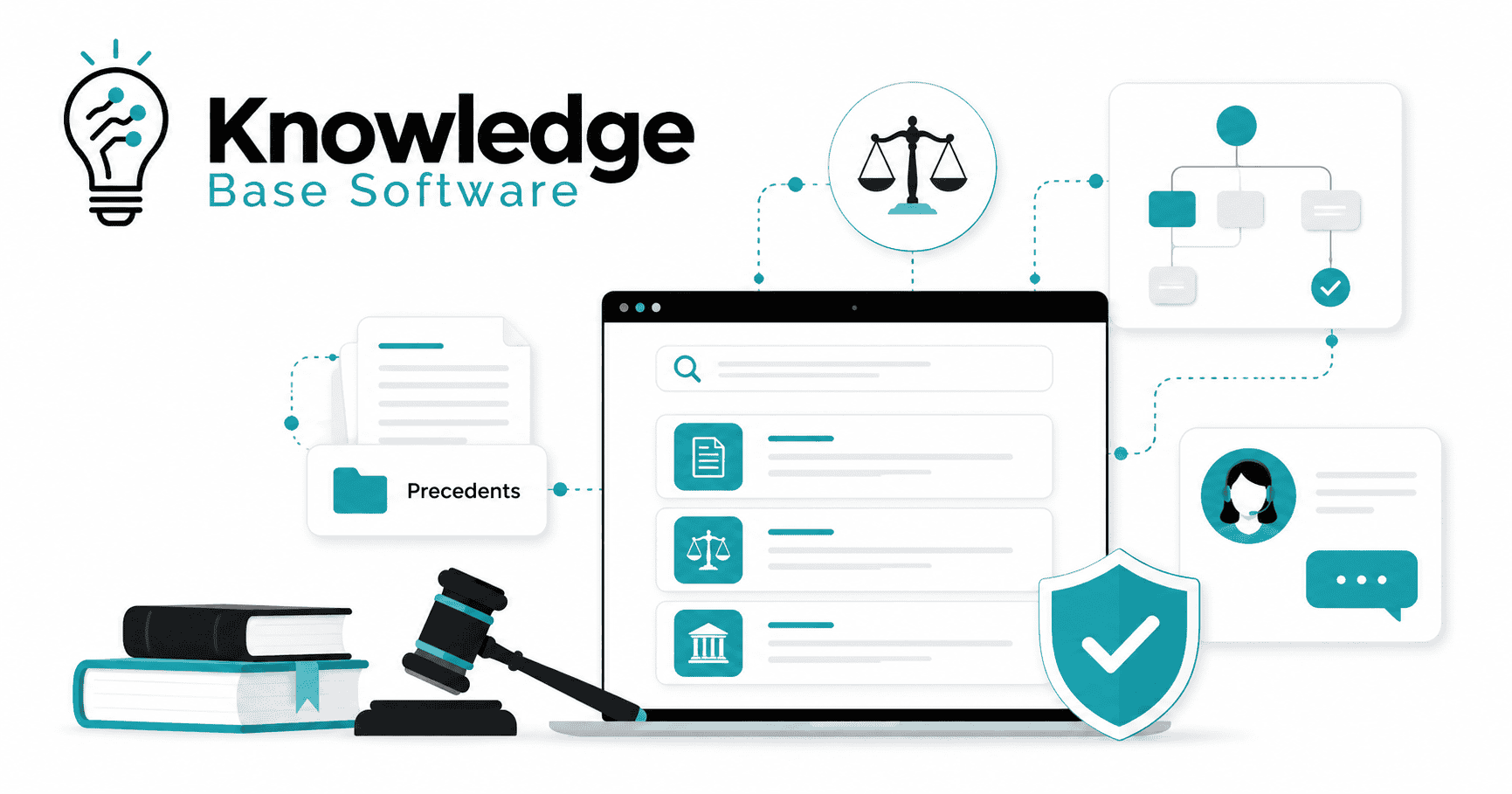
Legal Knowledge Base Software helps law firms and legal departments centralize, organize, secure, search, and reuse their most valuable legal knowledge. Instead of leaving precedents, templates, matter notes, internal guidance, client FAQs, and compliance playbooks buried across shared drives and email threads, a legal knowledge base turns that knowledge into a governed, searchable system.
For legal teams, this is not simply a wiki or document folder. The right platform connects knowledge to matter workflows, precedent libraries, clause banks, approval processes, security permissions, and client support. It helps lawyers find the right starting point faster, avoid outdated templates, provide more consistent client communication, and preserve institutional knowledge when attorneys or staff move on.
Legal knowledge management solutions are commonly used to collect, curate, tag, organize, and deliver legal knowledge content such as precedents, forms, checklists, guides, and other critical legal resources across an organization.
Key Takeaways
- Legal knowledge base software should be designed or configured to organize legal know-how, precedents, workflows, templates, and client-facing guidance.
- The best systems are matter-centric, searchable, permission-aware, and governed by clear ownership and review cycles.
- A legal knowledge base complements, rather than replaces, document management, matter management, CRM, and intranet tools.
- Precedent libraries, clause banks, playbooks, and workflow templates are among the highest-value assets to centralize first.
- Compliance features such as access controls, audit trails, version control, retention policies, and SSO are essential.
- AI can improve search, summarization, tagging, and drafting support, but only when the underlying knowledge is curated and reviewed.
- Client-facing knowledge bases and secure portals can reduce repetitive emails while improving transparency and consistency.
Table of Contents
What Is Legal Knowledge Base Software?
In this guide, legal knowledge base software means a legal-specific knowledge layer or platform for capturing, organizing, securing, and reusing legal knowledge. It stores and structures internal know-how such as legal precedents, templates, clause banks, practice notes, matter playbooks, checklists, compliance guidance, research memos, client communication templates, and workflow instructions. It may operate as a standalone legal KM platform or as part of a broader knowledge management system, DMS, matter management environment, intranet, or client portal.
A generic knowledge base may be enough for HR policies, IT support articles, or product documentation. Legal teams need more. They need matter context, confidentiality controls, version history, jurisdictional tagging, ethical safeguards, document review workflows, and reliable ways to distinguish approved knowledge from outdated or informal material.
In practice, legal knowledge base software often becomes the operational layer between a firm’s legal document management system, matter management software, Microsoft 365 environment, CRM, client portal, and AI tools. It does not merely store documents. It helps legal professionals answer practical questions such as:
- Which precedent should we start from for this type of matter?
- Has this clause been approved by the practice group?
- Which jurisdiction-specific filing checklist applies?
- What did we learn from the last similar matter?
- Which template is current?
- What can be shared with the client, and what must remain internal?
- Who owns this content and when was it last reviewed?
That distinction matters. Legal knowledge is not valuable because it exists somewhere. It is valuable when lawyers and legal staff can find it, trust it, adapt it, and reuse it safely.
Why Legal Teams Are Moving Beyond Shared Drives and Static Folders
For years, many firms treated knowledge management as a folder problem. They created shared drives, nested folders, naming conventions, and internal wikis. Those tools can help, but they often break down as matters, lawyers, offices, practice areas, and client requirements multiply.
The problem is not only storage. The deeper problem is trust.
A lawyer searching a shared drive may find five versions of a template, three incomplete drafts, and one document that looks official but was last updated years ago. A new associate may not know which partner’s precedent is preferred. A legal operations manager may not know whether a workflow checklist reflects current policy. A client support team may answer the same procedural question differently depending on who handles the email.
Common pain points include:
- Knowledge silos: Valuable know-how lives inside individual inboxes, desktops, practice groups, or partner preferences.
- Lost institutional knowledge: When experienced lawyers leave, their drafting approaches, client expectations, and procedural shortcuts often leave with them.
- Duplicate drafting: Teams recreate documents that already exist because they cannot find or trust prior work.
- Inconsistent client answers: Without approved client-facing guidance, different team members may explain processes, timelines, or document requests differently.
- Risk from outdated templates: Old clauses, expired policies, superseded playbooks, and outdated jurisdictional notes can remain in circulation.
- Difficulty finding the right internal expert: Legal teams may know that someone has handled a similar matter, but not know who, when, or where the relevant insight is stored.
A mature law firm knowledge base helps address these issues by combining content, context, governance, search, and ownership.
Legal Knowledge Base Software vs. DMS, Matter Management, CRM, and Intranet Tools
Legal teams often ask whether they need a legal knowledge base if they already use a document management system, matter management platform, CRM, or intranet. The answer depends on how those systems are used, but the key point is simple: each tool has a different job.
A document management system stores, organizes, and retrieves legal documents. Matter management software tracks legal matters, deadlines, budgets, tasks, and operational records. A CRM manages relationships. An intranet publishes internal information. A legal knowledge base organizes reusable legal know-how and makes it findable in context.
| Tool Type | Primary Purpose | What It Stores | Where It Falls Short | How a Legal Knowledge Base Complements It |
|---|---|---|---|---|
| Legal document management system | Secure document storage and retrieval | Drafts, final documents, emails, work product, matter files | Often stores too much without distinguishing approved knowledge from matter-specific documents | Surfaces approved precedents, model documents, clause banks, and curated knowledge from the broader document collection |
| Matter management software | Matter tracking and operational control | Matter details, deadlines, budgets, tasks, status, assignments | May not capture reusable know-how or best-practice guidance across matters | Links playbooks, checklists, templates, and lessons learned to each matter stage |
| Practice management software | Day-to-day law firm operations | Calendars, billing, tasks, contacts, documents, communications | Usually optimized for firm operations, not deep legal knowledge management | Adds structured legal guidance, precedent reuse, and searchable internal know-how |
| CRM | Relationship and business development management | Contacts, companies, opportunities, referrals, client history | Does not manage legal work product or matter-specific knowledge | Connects client relationship context with approved pitches, sector insights, and matter experience |
| Intranet/wiki | Internal communication and general information | Policies, announcements, team pages, basic guidance | Can become static, ungoverned, and hard to trust | Adds legal taxonomy, content ownership, review cycles, search, and approval workflows |
| Legal knowledge base software | Centralized legal knowledge management | Precedents, clause banks, playbooks, workflows, checklists, FAQs, compliance guidance | Requires governance and adoption to succeed | Becomes the trusted layer for reusable, searchable, governed legal knowledge |
The strongest results usually come from integration rather than replacement. For example, a knowledge base may draw final documents from a DMS, connect playbooks to matter management workflows, publish client-safe answers through a portal, and use CRM data to surface relevant sector or client guidance.
Core Features to Look For in Legal Knowledge Base Software
The right legal KM software should support how legal teams actually work. That means it must handle structured and unstructured knowledge, protect confidential information, and make trusted content easier to find than informal workarounds.
Modern legal knowledge management platforms increasingly emphasize unified search across structured and unstructured information. For example, OpenText’s legal KM product materials describe use cases that include searching across emails, contracts, matters, contacts, clients, and projects, supported by AI-assisted search, predictive search, and intelligent classification.
| Feature | Why It Matters for Legal Teams | Example Use Case |
|---|---|---|
| Matter-centric organization | Legal knowledge is most useful when tied to matter type, stage, client, practice area, and jurisdiction | A litigation team finds discovery templates linked to a specific case type |
| Full-text and semantic search | Lawyers need to search by concept, not only exact file names | A user searches “employee non-solicit fallback clause” and finds approved clauses |
| AI-assisted search with human review | AI can reduce search friction, but outputs must be reviewed by legal professionals | The system suggests relevant precedents, and a lawyer confirms suitability |
| Precedent library | Provides a trusted starting point for recurring legal work | A corporate associate starts from a partner-approved NDA template |
| Clause bank | Centralizes approved language and fallback positions | A contracts team reuses approved indemnity language with jurisdiction notes |
| Templates and playbooks | Turns repeatable matters into guided workflows | A real estate team follows a closing checklist and document request sequence |
| Version control | Prevents outdated drafts from being mistaken for current standards | Users see the current approved version and prior version history |
| Approval workflows | Ensures that official knowledge is reviewed before publication | Practice group leaders approve new model clauses |
| Role-based access controls | Protects confidential, privileged, or client-specific information | Only the assigned team can access sensitive investigation materials |
| Audit trails | Creates visibility into edits, approvals, access, and updates | Administrators review who changed a compliance checklist |
| Retention and archiving | Keeps the system clean and aligned with policy | Expired guidance is archived after a review date passes |
| Metadata and taxonomy | Makes knowledge findable by matter type, jurisdiction, industry, client, issue, and document type | A user filters precedents by “employment,” “California,” and “settlement agreement” |
| Jurisdiction and practice-area tagging | Reduces the risk of using the wrong content in the wrong context | A lawyer avoids applying a New York template to a Texas matter without review |
| SSO and identity management | Supports secure access and easier adoption | Users log in with the firm’s identity provider |
| Integrations | Reduces duplicate work and keeps knowledge connected to existing systems | The platform connects to DMS, Microsoft 365, SharePoint, Outlook, CRM, billing, document automation, and client portals |
| Analytics and search reporting | Shows what users search for, what they find, and where gaps exist | The KM team identifies repeated searches for a missing checklist |
The most important question is not whether a platform has many features. It is whether those features help attorneys, paralegals, legal operations teams, and client support staff do better work with less friction.
Matter Workflows: Turning Firm Knowledge Into Repeatable Legal Processes
Matter workflows are one of the strongest use cases for legal knowledge base software. Every legal matter has stages, decisions, documents, deadlines, communications, and handoffs. When those steps live only in people’s heads, quality depends too much on memory and individual experience.
A legal knowledge base turns those steps into repeatable guidance.
It can support the matter lifecycle from first contact to closing memo:
- Client intake: Approved intake questions, industry-specific questionnaires, and risk flags.
- Conflict checks handoff: Internal instructions for moving from intake to conflicts review.
- Matter opening: Standard opening checklists, required documents, billing setup notes, and staffing guidance.
- Task assignment: Role-based task templates for partners, associates, paralegals, and support staff.
- Deadline tracking: Links to court rules, filing calendars, internal escalation steps, and reminder protocols.
- Document requests: Client-facing request lists and internal review instructions.
- Drafting workflows: Approved templates, clause banks, drafting notes, and review checklists.
- Review and approval: Required reviewers, escalation points, and quality control steps.
- Closing memos: Matter summaries, lessons learned, outcome notes, and reusable knowledge capture.
- Post-matter knowledge capture: Prompts for identifying new precedents, unusual issues, client preferences, and process improvements.
Example: Litigation Matter Workflow
A litigation team can use a legal knowledge base to guide a new matter from intake through resolution.
Step 1: Intake and case assessment
The team starts with an intake questionnaire tailored to the dispute type. The knowledge base links to issue-spotting checklists, client communication scripts, and early case assessment templates.
Step 2: Pleadings
The associate searches the precedent library for complaints, answers, motions to dismiss, and jurisdiction-specific pleading examples. The system shows which documents are approved precedents and which are matter-specific examples requiring caution.
Step 3: Discovery
The team accesses interrogatory templates, document request examples, ESI protocol notes, privilege review instructions, and deposition preparation checklists.
Step 4: Hearing preparation
The knowledge base links to hearing binders, oral argument outlines, judge-specific public procedural preferences where appropriate, and internal hearing prep checklists.
Step 5: Settlement strategy
The team reviews prior settlement agreement templates, negotiation playbooks, risk assessment frameworks, and client reporting templates.
Step 6: Court-specific rules
The platform surfaces local rules, filing instructions, formatting requirements, and internal notes about recurring procedural issues.
Step 7: Matter closing lessons
At the end of the matter, the team completes a closing memo that captures what worked, what should change, which documents should be promoted to the precedent library, and which risks future teams should watch.
This turns one matter into a learning asset for the next one.
Precedents: Building a Searchable Library of the Firm’s Best Work
A legal precedent library is one of the most valuable parts of a law firm knowledge base. It gives attorneys a trusted starting point instead of forcing them to search through old matter files, ask colleagues for examples, or reuse documents without knowing whether they are current.
A strong precedent library should include more than final documents. It should explain why a document is reliable, when it should be used, and what needs to be reviewed before reuse.
Legal knowledge management in AI-enabled environments is increasingly discussed through a “precedent + prompt + guardrails” model, where firms combine best examples of work, reusable instructions, and review standards to make high-quality work more repeatable.
What Belongs in a Legal Precedent Library?
A practical precedent library may include:
- Best-in-class documents
- Model pleadings
- Transaction documents
- Clause banks
- Fallback provisions
- Drafting notes
- Legal playbooks
- Jurisdiction notes
- Filing checklists
- Court-specific procedural guidance
- Internal know-how notes
- Client communication templates
- Matter summaries
- Closing memos
- Negotiation position guides
- AI prompt libraries for drafting, summarization, comparison, and review
- Approved plain-language explanations for client support
The key is curation. A precedent library should not become a dumping ground for every document that ever looked useful. Each asset should have an owner, review status, version history, and usage guidance.
Precedent Library Starter Checklist
Use this checklist to start small and build trust:
- Choose one high-value practice area or matter type.
- Identify the 10–25 documents attorneys reuse most often.
- Assign a practice group owner for each content category.
- Select only gold-standard examples for the first release.
- Remove client-identifying information unless retention is required and access is restricted.
- Add metadata for jurisdiction, matter type, industry, document type, and last reviewed date.
- Include drafting notes explaining when to use the precedent.
- Add fallback provisions and negotiation notes where appropriate.
- Create review dates and expiry rules.
- Require approval before a document becomes an official precedent.
- Archive outdated versions without deleting useful history.
- Train attorneys on how to search, use, and improve the library.
A smaller trusted library is better than a large unreliable one. Adoption begins when attorneys believe the system saves time without increasing risk.
Compliance, Confidentiality, and Governance
Legal knowledge base software must be designed around confidentiality and governance from the beginning. Legal teams handle privileged communications, sensitive client data, personal information, regulatory obligations, litigation strategy, and confidential business records.
For U.S. lawyers, ABA Model Rule 1.6 states that lawyers generally must not reveal information relating to client representation unless an exception applies, and it also requires reasonable efforts to prevent inadvertent or unauthorized disclosure or access.
That is why a legal compliance knowledge base needs controls that go beyond ordinary content management.
Important governance features include:
- Need-to-know permissions: Users should only access knowledge they are authorized to see.
- Ethical walls: Sensitive matters may require strict separation from other teams.
- Approval workflows: Official guidance should be reviewed before publication.
- Audit history: Administrators should be able to see who accessed, edited, approved, or archived content.
- Version control: Users should know which version is current and when it changed.
- Retention policy support: Content should be archived or reviewed according to internal policy.
- Encryption and SSO: Security controls should align with firm and client requirements.
- AI governance: Generative AI features should be risk-managed, permission-aware, source-grounded where possible, logged for auditability, and subject to human legal review.
- Jurisdiction-specific caution: Guidance should clearly identify where it applies and where local review is needed.
- No blind reliance on AI-generated outputs: AI suggestions should support legal work, not replace professional judgment.
ABA guidance on generative AI emphasizes that lawyers and law firms using GAI must consider ethical obligations including competence, protection of client information, communication with clients, and reasonable fees.
How to Keep Legal Knowledge Current
A legal knowledge base loses value when users stop trusting it. The best way to preserve trust is to make freshness visible and enforceable.
Each important knowledge asset should include:
- Content owner
- Practice group
- Jurisdiction
- Matter type
- Approved status
- Last reviewed date
- Next review date
- Expiry date, where appropriate
- Version history
- Change log
- Related precedents or clauses
- Review notes
- Update alerts
For example, a compliance checklist may require quarterly review. A litigation filing checklist may require review whenever court rules change. A clause bank may require review after a regulatory update, major negotiation trend, or internal risk decision.
Governance should not be treated as administration after the fact. It is what makes the knowledge base reliable.
Client Support: Using a Legal Knowledge Base to Improve Client Experience
Legal knowledge base software is not only for internal teams. When used carefully, it can improve client communication, reduce repetitive questions, and create a more transparent service experience.
A client-facing knowledge base may live inside a secure client portal. It can provide approved, plain-language guidance about processes, timelines, document requests, billing procedures, onboarding steps, and matter status updates.
Useful client-facing resources may include:
- Onboarding guides
- Matter process overviews
- Secure document request instructions
- FAQs in plain language
- Billing and invoice explanations
- Communication expectations
- Matter status update templates
- Next-step guides
- Definitions of common legal process terms
- Client training materials
- Closing checklists
The client support value is significant. Instead of answering the same procedural email repeatedly, the team can direct clients to approved guidance. Instead of relying on each attorney’s individual explanation style, the firm can provide consistent answers that reflect its service standards.
However, client-facing knowledge must be carefully separated from internal knowledge. A client portal should not expose privileged strategy, internal risk analysis, other client materials, or attorney work product that has not been approved for sharing.
A good rule is to build two layers:
- Internal legal knowledge base: Full internal guidance, precedents, strategy notes, and workflows.
- Client-facing knowledge base: Approved, plain-language, non-confidential guidance tailored to the client relationship.
This separation allows firms to improve legal client support without weakening confidentiality.
AI in Legal Knowledge Base Software
AI can make legal knowledge base software much more useful, especially when teams have large volumes of documents, emails, notes, templates, and matter files. But AI is only as useful as the knowledge environment behind it.
Common AI capabilities include:
- AI-powered search
- Semantic search by concept
- Suggested precedents
- Document summarization
- Matter summaries
- Clause extraction
- Drafting support
- Prompt libraries
- Metadata suggestions
- Duplicate detection
- Content classification
- Client-friendly rewrites
- Source-grounded answers
- Search analytics
For example, a lawyer might ask, “Find approved settlement agreement precedents for employment matters in California with confidentiality language.” A permission-aware AI system could search approved content, surface relevant documents, summarize differences, and point to source materials.
The risk is that AI can produce inaccurate or unsupported outputs. In legal work, a confident but wrong answer can create serious problems, especially if it is used without attorney review, source verification, or jurisdiction-specific analysis. That is why AI legal knowledge management should include:
- Human-in-the-loop review
- Permission-aware retrieval
- Source citations or source links
- Auditability
- Usage logs
- Clear AI policies
- Approved prompt libraries
- Restrictions on sensitive data
- Review workflows for AI-generated summaries
- Training for attorneys and staff
AI works best when the knowledge base is curated, permissioned, and governed. Without that foundation, AI may simply make bad knowledge easier to find.
How to Choose the Right Legal Knowledge Base Software
Choosing the right legal knowledge management software requires more than comparing feature lists. Legal teams should evaluate the platform against their workflows, security obligations, practice areas, content maturity, integration environment, and adoption realities.
| Evaluation Area | Questions to Ask | Why It Matters |
|---|---|---|
| Security | Does the platform support role-based access, SSO, encryption, audit trails, and ethical walls? | Legal knowledge often includes confidential, privileged, or sensitive information |
| Search quality | Can users search full text, metadata, concepts, matters, clauses, and people? | Adoption depends on whether lawyers can find what they need quickly |
| Legal-specific taxonomy | Can content be tagged by matter type, jurisdiction, practice area, document type, industry, and client? | Generic tagging often fails in legal environments |
| Integrations | Does it connect with DMS, Microsoft 365, SharePoint, Outlook, CRM, billing, document automation, and client portals? | Knowledge should meet users where they already work |
| Ease of adoption | Is the interface simple enough for busy attorneys and staff? | A powerful system fails if users avoid it |
| Governance | Can owners, approvals, review dates, expiry rules, and change logs be enforced? | Trust requires visible accountability |
| AI controls | Is AI permission-aware, source-grounded, auditable, and reviewable? | Legal teams need control over AI-generated assistance |
| Reporting | Can admins see searches, gaps, usage, stale content, and adoption trends? | Analytics guide improvement |
| Client-facing capabilities | Can approved content be published securely to a client portal? | Client self-service can improve experience and reduce repetitive emails |
| Scalability | Can the system support more practice groups, offices, and content types over time? | KM should grow with the organization |
| Migration support | Can existing documents, folders, metadata, and templates be imported cleanly? | Poor migration creates clutter from day one |
| Vendor support | Does the vendor understand legal workflows and implementation change management? | Legal KM is both a software and behavior-change project |
| Total cost of ownership | What are the costs for licensing, migration, configuration, training, integrations, and ongoing administration? | The real cost includes rollout and governance, not only subscription fees |
The best buying process starts with use cases. Select three to five priority workflows, then evaluate software against those scenarios.
Implementation Roadmap: 30, 60, and 90 Days
A successful legal knowledge base implementation should start focused. Trying to organize the entire firm at once often leads to delay, over-complexity, and low adoption.
First 30 Days: Audit and Design
Focus on discovery and structure.
- Audit existing knowledge sources.
- Identify high-value practice areas.
- Choose one or two pilot matter types.
- Define the initial taxonomy.
- Select content owners.
- Identify priority precedents and templates.
- Decide what belongs in the knowledge base and what should remain in the DMS.
- Review security and access requirements.
- Choose pilot use cases.
- Define success metrics.
At this stage, avoid importing everything. The goal is to create a trusted foundation.
Days 31–60: Build and Pilot
Focus on practical content and workflow configuration.
- Build the first precedent library.
- Add approved templates and clause banks.
- Configure role-based access controls.
- Set up version control and approval workflows.
- Integrate with core systems such as DMS, Microsoft 365, SharePoint, Outlook, or matter management software.
- Train pilot users.
- Add matter workflow templates.
- Create internal guidance on how to submit new knowledge.
- Establish review owners and review dates.
This phase should produce something attorneys can actually use in active work.
Days 61–90: Measure and Expand
Focus on adoption, improvement, and governance.
- Measure search behavior.
- Review failed searches and content gaps.
- Improve tagging and metadata.
- Expand to additional teams or matter types.
- Add client-facing resources where appropriate.
- Formalize governance policies.
- Archive outdated documents.
- Create a recurring KM review meeting.
- Build dashboards for adoption and content freshness.
- Collect feedback from attorneys, paralegals, and client support staff.
By day 90, the legal knowledge base should have a defined operating model, not just uploaded content.
Common Mistakes to Avoid
Legal knowledge base software fails when teams treat it as a storage project rather than a knowledge strategy.
Avoid these mistakes:
- Dumping every document into the system: More content does not equal better knowledge.
- No ownership: Every important asset needs a responsible owner.
- Weak taxonomy: If tagging is inconsistent, search quality suffers.
- No review cycle: Outdated content destroys trust.
- Overreliance on AI: AI should assist, not replace legal review.
- Ignoring permissions: Confidentiality and ethical walls must be designed early.
- Choosing a generic tool without legal workflows: Legal teams need matter context, governance, and precedent control.
- Failing to train attorneys and staff: Adoption requires behavior change.
- Not measuring adoption: If you do not track usage, you cannot improve the system.
- Publishing client-facing content without review: Client support materials must be approved and carefully scoped.
The biggest mistake is assuming that knowledge management is finished after launch. In reality, it is an ongoing operating discipline.
KPIs to Measure Success
A legal operations knowledge base should be measured by outcomes, not only content volume.
Useful KPIs include:
| KPI | What It Measures | Why It Matters |
|---|---|---|
| Search success rate | Whether users find useful results | Shows whether taxonomy and content quality are working |
| Time to find precedents | How long lawyers spend locating trusted examples | Measures efficiency gain |
| Template reuse rate | How often approved templates are used | Shows whether the firm is standardizing work |
| Reduction in duplicate drafting | Whether teams recreate fewer documents | Indicates knowledge reuse |
| Matter opening speed | Time from intake to active matter setup | Shows workflow improvement |
| Client response time | How quickly common client questions are answered | Measures client support impact |
| Content freshness | Percentage of assets reviewed within policy | Protects trust and compliance |
| Outdated documents archived | Number of old assets removed from active use | Reduces risk |
| User adoption | Active users, repeat users, and practice group participation | Shows whether the system is embedded in work |
| Support ticket reduction | Fewer internal “where is this?” or client process questions | Demonstrates operational value |
| Client portal usage | Client engagement with approved self-service content | Shows client-facing value |
Do not measure success by the number of files uploaded. A small, frequently used, well-governed library is more valuable than a large archive no one trusts.
Final Verdict: What Makes the Best Legal Knowledge Base Software?
The best legal knowledge base software is secure, matter-centric, searchable, governed, and integrated with the systems legal teams already use. It helps law firms and legal departments turn precedents, workflows, clauses, checklists, compliance guidance, and client support materials into reusable institutional knowledge.
It should help attorneys find trusted starting points faster. It should help legal operations leaders standardize repeatable processes. It should help knowledge managers keep content current. It should help client support teams provide consistent, approved answers. And it should help firm leadership preserve expertise that would otherwise remain scattered across inboxes, desktops, and individual memory.
Legal Knowledge Base Software is not just a repository. Used well, it becomes an operating layer for legal knowledge: connecting matter workflows, precedents, compliance, AI-assisted search, and client support inside a governed environment.
FAQ
1. What is legal knowledge base software?
Legal knowledge base software is a platform that helps law firms and legal departments centralize, organize, search, secure, and reuse legal knowledge. It may include precedents, templates, clause banks, playbooks, checklists, internal guidance, compliance materials, matter summaries, and client-facing FAQs.
2. How is legal knowledge base software different from legal document management software?
A legal document management system stores and manages documents, emails, and matter files. Legal knowledge base software focuses on curated, reusable knowledge such as approved precedents, model clauses, workflows, checklists, and guidance. The two systems often work best together.
3. Why do law firms need a precedent library?
Law firms need a precedent library because it gives lawyers a trusted starting point for recurring work. Instead of searching old files or asking colleagues for examples, lawyers can find approved documents, drafting notes, fallback clauses, and jurisdiction-specific guidance.
4. Can AI be used safely in a legal knowledge base?
AI can be used more safely when it is permission-aware, source-grounded, auditable, and subject to human legal review. Legal teams should avoid blind reliance on AI outputs and should ensure AI tools respect confidentiality, access controls, client obligations, and applicable professional responsibility rules.
5. What features matter most for compliance?
Important compliance features include role-based access controls, audit trails, SSO, encryption, version control, approval workflows, retention policies, ethical walls, review dates, and clear ownership. These controls help reduce the risk of unauthorized access or outdated guidance.
6. Should a legal knowledge base be client-facing?
Some parts can be client-facing, but only after careful review. Client-facing resources may include onboarding guides, FAQs, document request instructions, billing explanations, and matter status guidance. Internal strategy, privileged analysis, and confidential work product should remain restricted.
7. How do you organize legal knowledge by matter?
Organize legal knowledge by matter type, practice area, jurisdiction, client industry, matter stage, document type, task, deadline, and responsible team. A matter-centric taxonomy helps users find the right knowledge at the right point in the workflow.
8. What is the best way to start implementing legal knowledge management software?
Start with one high-value practice area or matter type. Audit existing content, select trusted precedents, define taxonomy, assign owners, set permissions, and launch a focused pilot. Expand only after users trust the first library.
9. How often should legal precedents be reviewed?
Review frequency depends on the content type and risk level. High-risk compliance guidance or jurisdiction-specific templates may need frequent review. Standard templates may be reviewed annually or whenever a relevant law, court rule, client requirement, or firm policy changes.
10. Is legal knowledge base software useful for in-house legal teams?
Yes. In-house legal teams can use legal knowledge base software to manage playbooks, contract clauses, policy guidance, regulatory updates, intake workflows, outside counsel instructions, matter summaries, and self-service resources for business teams.