Independent knowledge base software guide Evidence-led Updated 2026

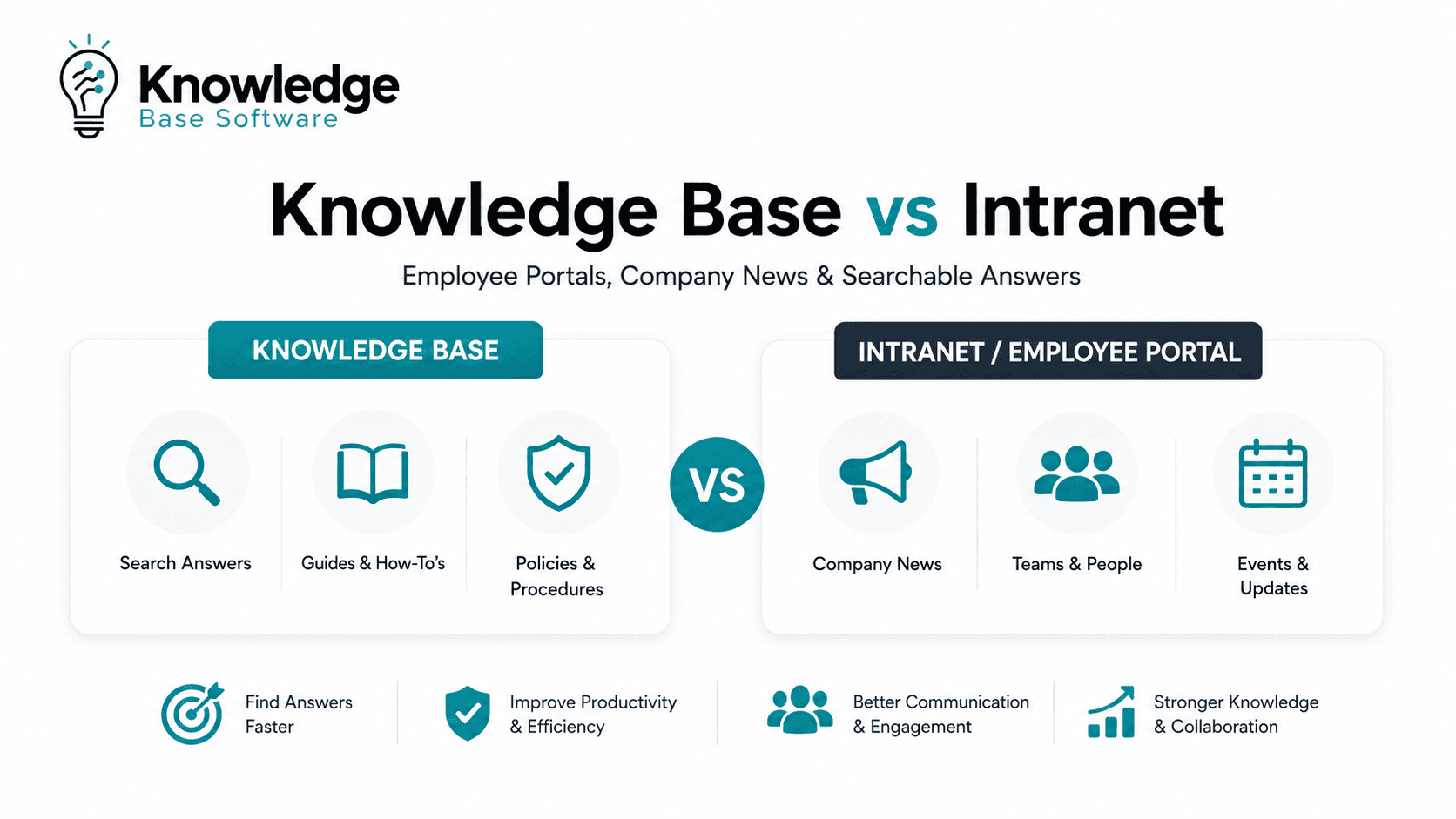
Knowledge Base vs Intranet: Employee Portals, Company News, and Searchable Answers
Knowledge Base vs Intranet is not a choice between two identical systems. An intranet is usually the company’s internal communication and employee experience hub. A knowledge base is the structured, searchable answer system employees use to find reliable procedures, policies, troubleshooting steps, and how-to guidance.
The practical difference is simple:
Use the intranet to help employees stay connected. Use the knowledge base to help employees get correct answers and complete work.
For many organizations, the strongest setup is not “one or the other.” It is an employee portal or intranet homepage that points people to the right official knowledge base content, without duplicating policies, SOPs, and support answers across multiple places.
Quick Answer: Knowledge Base vs Intranet
| Question | Best fit | Why |
|---|---|---|
| Where should company news live? | Intranet | News is timely, audience-based, and often tied to leadership updates, events, culture, and announcements. |
| Where should searchable answers live? | Knowledge base | Answers need structure, ownership, review dates, permissions, and search-friendly formatting. |
| Where should employees start their day? | Employee portal or intranet homepage | A portal can personalize links, tasks, apps, announcements, and knowledge access by role or location. |
| Where should HR policies live? | Knowledge base, linked from intranet | Policies need a canonical, reviewed source; the intranet can promote changes or route employees to the right page. |
| Where should SOPs and troubleshooting guides live? | Knowledge base | Step-by-step operational content needs findability, version control, and clear ownership. |
| Do companies need both? | Often, yes | The intranet handles communication and navigation; the knowledge base handles verified answers and process knowledge. |
A useful mental model is:
- Intranet: “What is happening in the company, and where do I go?”
- Knowledge base: “How do I do this correctly?”
- Employee portal: “What do I personally need today?”
- Wiki: “Where can teams collaboratively document evolving knowledge?”
What Is an Intranet?
An intranet is a private internal site or digital workplace used to share information, communication, resources, and links with employees. A modern intranet may include company news, leadership updates, department pages, employee directories, event information, policy links, forms, communities, and access to business applications.
Microsoft’s SharePoint intranet guidance describes common intranet building blocks such as communication sites for news and updates, home sites as organizational landing pages, hub sites for organizing related sites, and SharePoint news for announcements and stories.
That matters because an intranet is broader than a document library. It is usually designed around employee communication, navigation, and engagement.
A strong intranet answers questions like:
- What is new in the company?
- Where do I find HR, IT, finance, and operations resources?
- Who works in this department?
- What events, announcements, or leadership updates should I know about?
- Which tools and systems do I need to access?
An intranet can contain knowledge base content, but if it is not structured and governed carefully, it can become a dumping ground where employees know information exists but cannot find or trust it.
What Is a Knowledge Base?
A knowledge base is a structured repository of answers, documentation, procedures, and reference information. It is usually built to help employees, support agents, customers, or partners find specific answers without asking another person.
Atlassian’s Confluence documentation describes a knowledge base as a repository for how-to and troubleshooting information, commonly used by IT support teams and also useful for procedural and troubleshooting information across an organization. It also emphasizes fast access to solutions, relevant search results, knowledge base spaces, permissions, how-to and troubleshooting templates, and labels.
An internal knowledge base typically contains:
- HR policies and benefits explanations
- IT troubleshooting articles
- SOPs and standard operating procedures
- How-to guides
- Onboarding documentation
- Finance and procurement procedures
- Security and access request instructions
- Product, operations, or customer support playbooks
- Role-specific answers for frontline or distributed teams
The goal is not just to store information. The goal is to make the correct answer easy to find, easy to understand, and easy to maintain.
What Is an Employee Portal?
An employee portal is the personalized entry point into the digital workplace. Some organizations use “employee portal” and “intranet homepage” interchangeably, while others treat the portal as a separate personalized layer. It may sit on top of an intranet, connect to a knowledge base, and integrate with HRIS, IT service management, payroll, learning systems, collaboration tools, and business applications.
The portal’s job is to reduce friction. Instead of asking every employee to remember where everything lives, it gives them a role-aware front door.
For example, a retail employee might see shift updates, safety procedures, store announcements, and HR self-service. A finance manager might see approvals, policy updates, department dashboards, and procurement knowledge. A new hire might see onboarding tasks, IT setup guides, benefits information, and team introductions.
A portal is not always a separate product. In Microsoft 365 environments, for example, Viva Connections and SharePoint home sites can bring together intranet resources, news, dashboards, and targeted links in one employee-facing experience. In larger organizations, the portal may be a more personalized layer that connects the intranet, knowledge base, service desk, collaboration tools, and enterprise search.
Knowledge Base vs Intranet: The Practical Difference
The biggest difference is not the software category. It is the content job.
An intranet is usually organized around the company: departments, locations, leadership, initiatives, news, and resources. A knowledge base is usually organized around employee questions, tasks, and answers.
| Dimension | Intranet | Knowledge base | Practical implication |
|---|---|---|---|
| Primary purpose | Communication, navigation, employee experience | Searchable answers, procedures, self-service | Do not rely on news pages to serve as long-term procedural documentation. |
| Best for | Company news, announcements, communities, department pages, directories | Policies, SOPs, troubleshooting, FAQs, onboarding guides, support answers | Put durable instructions in the knowledge base and promote them from the intranet. |
| Content shape | Pages, news posts, links, media, department hubs | Articles, how-to guides, decision trees, troubleshooting steps, templates | Knowledge base content needs more consistent formatting. |
| User behavior | Browsing, discovery, staying informed | Searching, solving, completing a task | Search quality matters more in the knowledge base. |
| Ownership | Internal comms, HR, IT, departments, leadership | Process owners, support teams, knowledge managers, policy owners | Every important answer needs a named owner. |
| Update model | Campaigns, announcements, periodic page updates | Review cycles, versioning, approval workflows, stale-content controls | Knowledge base content should have review dates and escalation paths. |
| Success metric | Reach, engagement, adoption, page visits, announcement visibility | Search success, answer usefulness, ticket reduction, fewer repeated questions | Measure the two systems differently. |
| Failure mode | Becomes a cluttered portal nobody checks | Becomes stale, duplicated, or untrusted | Governance is not optional. |
A knowledge base can live inside an intranet. An intranet can include knowledge base functionality. But they should not be treated as the same content experience.
Company News vs Searchable Answers
The most common mistake is using the intranet as the source of truth for everything.
That creates a problem: news and answers behave differently.
Company News Is Time-Sensitive
Company news is useful because it gives context. It tells employees what changed, why it matters, who is affected, and what to do next.
Examples include:
- “New expense policy launches next month”
- “Office relocation update”
- “Leadership announces new operating model”
- “Benefits enrollment opens Monday”
- “Security awareness week begins”
These belong on the intranet because they are timely, communicative, and audience-based.
Searchable Answers Need to Be Stable
Searchable answers are different. They should remain useful after the announcement is old.
Examples include:
- “How do I submit an expense report?”
- “What is the remote work policy?”
- “How do I request software access?”
- “What steps should a store manager follow after a safety incident?”
- “How do I reset multi-factor authentication?”
These belong in the knowledge base because employees need a current, canonical answer.
The best pattern is to publish news on the intranet and link to the maintained knowledge base page.
For example:
- Intranet news post: “Expense policy is changing on August 1”
- Knowledge base article: “How to submit and approve expenses”
- Policy page: “Expense reimbursement policy”
- Employee portal card: “Submit an expense report”
This prevents old announcements from becoming unofficial policy documents.
What Belongs Where?
| Content type | Best location | Why |
|---|---|---|
| CEO announcement | Intranet | It is communication, not procedural knowledge. |
| Department updates | Intranet | Employees may browse them by team, location, or initiative. |
| Employee directory and org chart | Intranet or employee portal | Employees need fast navigation to people and teams. |
| HR policy | Knowledge base, linked from intranet | It needs ownership, review, permissions, and a canonical version. |
| Benefits enrollment announcement | Intranet | It is time-sensitive and campaign-based. |
| Benefits eligibility rules | Knowledge base | Employees need a stable answer after the announcement expires. |
| IT troubleshooting guide | Knowledge base | It should be searchable, structured, and easy to update. |
| Software access request | Knowledge base plus service portal link | The article explains the process; the portal executes the request. |
| Onboarding hub | Employee portal or intranet | New hires need a guided starting point. |
| Onboarding task instructions | Knowledge base | Tasks need clear steps and ownership. |
| SOPs | Knowledge base | Procedures need version control and review. |
| Emergency announcement | Intranet, portal alert, messaging tool | Urgent communication needs reach. |
| Emergency procedure | Knowledge base | The procedure must stay current and easy to find. |
| Team working notes | Wiki or collaboration space | Draft knowledge often needs collaborative editing before it becomes official. |
| Final approved process | Knowledge base | Official answers need structure and governance. |
The guiding question is:
“Will employees need this as an answer later, or is this mainly something they need to know now?”
If they need it later, it should probably become knowledge base content.
Do You Need an Intranet, a Knowledge Base, or Both?
There is no universal answer. The right architecture depends on company size, content complexity, workforce type, risk, and the number of repeated employee questions.
Use an Intranet When Your Main Problem Is Communication
An intranet is the right priority when employees need a better way to stay informed and connected.
Choose or improve the intranet first if the organization struggles with:
- Company news visibility
- Leadership communication
- Department pages
- Employee directory access
- Culture and engagement
- Event promotion
- Resource navigation
- Internal campaigns
- Location-specific announcements
This is especially relevant for growing companies where information is scattered across email, chat, shared drives, and department-owned pages.
Use a Knowledge Base When Your Main Problem Is Repeated Questions
A knowledge base is the right priority when employees cannot find reliable answers.
Choose or improve the knowledge base first if the organization struggles with:
- Repeated HR, IT, finance, or operations questions
- High support ticket volume for basic issues
- Inconsistent process execution
- Long onboarding ramp time
- SOP confusion
- Outdated policy documents
- Employees asking colleagues instead of using documentation
- Important knowledge trapped in chat threads or individual inboxes
In this case, a better homepage will not fix the problem. Employees need better answers.
Use Both When Communication and Execution Both Matter
Many mid-sized and large organizations benefit from both, especially when they need both employee communication and governed operational answers.
The intranet gives employees a shared place to understand what is happening. The knowledge base gives them a trusted place to find what to do.
This is common when:
- HR, IT, finance, and operations all publish employee-facing content
- Policies and procedures change regularly
- Employees work across multiple locations or time zones
- Frontline workers need fast mobile access
- New hires need guided onboarding
- Internal support teams want to reduce repeated questions
- Leaders need both communication reach and process consistency
The critical point is avoiding duplication. The intranet should not copy every policy and SOP. It should route employees to the canonical knowledge base source.
Can an Intranet Be Used as a Knowledge Base?
Yes, an intranet can be used as a knowledge base if it supports the right structure, search, ownership, permissions, templates, and review workflows.
For example, SharePoint intranets can use communication sites, hub sites, search, metadata, permissions, and site architecture to organize information. Microsoft describes information architecture as including navigation, search, site hierarchy, taxonomy, and security, with the goal of helping the right content reach the right people.
However, “we have an intranet” does not automatically mean “we have a good knowledge base.”
An intranet becomes weak as a knowledge base when:
- Articles are buried under department navigation
- Policies exist as multiple PDF versions
- Search returns too many irrelevant results
- No one owns outdated content
- News posts are used as long-term instructions
- Permissions hide content from employees who need it
- Employees cannot tell which page is official
- Content is organized by department rather than task or question
If your intranet has strong information architecture and governance, it may host knowledge base content well. If not, a dedicated knowledge base or a formal knowledge management program may be needed.
Can a Knowledge Base Replace an Intranet?
Usually, no.
A knowledge base can replace some intranet content, especially policies, FAQs, SOPs, and how-to documentation. But it does not fully replace the communication, culture, and navigation role of an intranet.
A knowledge base is not the natural home for:
- CEO messages
- Company events
- Recognition posts
- Culture campaigns
- Employee communities
- Department storytelling
- Internal news
- Broad navigation to people, tools, and initiatives
Trying to make a knowledge base do all of that can make it less useful as an answer system.
A knowledge base should be precise. An intranet can be broader.
Employee Portal vs Intranet vs Knowledge Base vs Wiki
These terms often overlap, especially because many platforms can support more than one function. The clearest way to separate them is by the user’s intent.
| System | User intent | Best use |
|---|---|---|
| Employee portal | “Show me what I need today.” | Personalized access to tasks, apps, updates, forms, and knowledge. |
| Intranet | “What is happening, and where do I go?” | News, communications, directories, department hubs, culture, and resource navigation. |
| Knowledge base | “How do I do this correctly?” | Policies, SOPs, troubleshooting, FAQs, how-to guides, and verified answers. |
| Wiki | “Let’s document and improve what we know.” | Collaborative notes, team documentation, project knowledge, and evolving internal content. |
A wiki can feed a knowledge base, but not every wiki page should become an official answer. A good workflow separates draft knowledge from approved knowledge.
For example:
- A team drafts process notes in a wiki.
- A process owner turns the stable steps into a knowledge base article.
- The intranet links to that article from the department page.
- The employee portal promotes the article to the roles that need it.
That architecture keeps collaboration flexible while preserving trust in official answers.
Common Architecture Patterns
1. Intranet as the Front Door, Knowledge Base as the Answer Layer
This is often the best pattern for organizations that already have an intranet.
The intranet homepage gives employees news, links, and navigation. The knowledge base holds the official answers. Search connects both, but content ownership remains clear.
Use this when:
- Employees already visit the intranet
- Internal communications owns the homepage
- HR, IT, finance, and operations need governed answer pages
- You want one employee-facing destination without duplicating content
2. Employee Portal as the Personalized Entry Point
In larger organizations, the portal may sit above the intranet and knowledge base.
The portal shows role-based updates, tasks, links, and recommended content. The intranet powers broad communication. The knowledge base powers answer retrieval.
Use this when:
- Different roles need very different information
- Frontline and desk-based employees need different access experiences
- You have many business applications
- Employees need mobile-friendly access
- Personalization reduces noise
3. Service Desk-Connected Knowledge Base
This pattern is common for IT, HR, and operations support.
Employees search the knowledge base before submitting a ticket. Support agents reuse and improve articles based on repeated questions. New tickets reveal missing content.
Use this when:
- Support volume is high
- Repeated questions are easy to identify
- Knowledge articles can deflect simple tickets
- Agents need approved answers
- The service desk wants analytics on content gaps
Atlassian’s documentation notes that Confluence knowledge base spaces can be connected with Jira Service Management so users can search knowledge base content from a customer portal.
4. Federated Search Across Intranet, Knowledge Base, and Documents
In complex organizations, content may remain in several systems. Microsoft 365 Copilot connectors can extend Microsoft Search and Copilot to content beyond Microsoft 365 through synced or federated connectors. More broadly, enterprise search can help employees search across governed sources.
This pattern works only when the underlying content is governed. Search cannot fix content that is duplicated, outdated, mislabeled, or permissioned incorrectly.
Use this when:
- Different systems must remain in place
- Permissions vary by role or region
- Teams use SharePoint, Confluence, Google Drive, Slack, Teams, or service tools
- Employees need one search experience across multiple repositories
The risk is search result confusion. Employees must be able to identify the official answer.
Governance: The Real Difference Between Useful and Untrusted Content
A knowledge base fails when employees stop trusting it. An intranet fails when employees stop visiting it. Both problems are usually governance problems before they are software problems.
A practical governance model should define:
| Governance area | Intranet | Knowledge base |
|---|---|---|
| Primary owner | Internal communications, HR, digital workplace, departments | Knowledge manager, process owner, HR/IT/finance/operations owners |
| Content approval | Needed for news, leadership updates, and sensitive announcements | Needed for policies, SOPs, regulated processes, and high-risk answers |
| Review cycle | Based on campaign, department, or page relevance | Based on risk, frequency of change, and operational importance |
| Version control | Useful for major pages and policies | Essential for procedures, policies, and troubleshooting |
| Permissions | Audience targeting by role, department, location | Role-based access to sensitive or restricted knowledge |
| Analytics | Reach, engagement, visits, content popularity | Search success, failed searches, stale articles, article usefulness |
| Cleanup | Archive old news and remove dead links | Retire, merge, update, or redirect obsolete answers |
Microsoft’s SharePoint guidance emphasizes that navigation should be planned from the user’s perspective, with usability and findability as key goals. It also recommends approaches such as card sorting, tree testing, and usability testing to evaluate navigation design.
That principle applies beyond SharePoint. Employees should not need to understand your org chart to find the answer to a common question.
Search: The Make-or-Break Feature
Search is where the difference between an intranet and a knowledge base becomes obvious.
Employees usually search a knowledge base with a specific problem:
- “reset password”
- “parental leave”
- “expense approval limit”
- “printer not connecting”
- “safety incident report”
- “request contractor access”
A strong knowledge base search experience should support:
- Plain-language queries
- Synonyms and common employee phrasing
- Clear article titles
- Topic labels or tags
- Filters by department, role, country, or audience
- Promoted official results
- Feedback on whether the article helped
- Analytics for failed and zero-result searches
- Redirects from old article names to new ones
Intranet search is broader. It may need to find people, pages, news, documents, sites, and tools. That breadth is useful, but it can also make precise answers harder to find.
This is why “searchable answers” need a different design from “searchable company content.”
AI Search and Answer Engines: Helpful, But Not Magic
AI-powered enterprise search can make internal knowledge easier to access, especially when employees ask questions in natural language. But AI search is only as reliable as the sources it can use.
If your knowledge base contains outdated policies, duplicated PDFs, unclear permissions, and contradictory pages, AI may surface the wrong answer faster. That is not progress.
Before relying heavily on AI answers, make sure:
- Official content is clearly marked
- Sensitive content has correct permissions
- Policies and SOPs have owners
- Stale content is archived or redirected
- Articles include clear titles and summaries
- Source links are visible in AI-generated answers
- Employees can report inaccurate answers
- High-risk topics have approval workflows
For HR, legal, compliance, security, and regulated operations content, AI use should be managed through a formal risk-management approach. AI-generated answers should point employees to verified source pages and should not replace expert review for high-risk topics.
Implementation Checklist for Leaders
Use this checklist before buying or rebuilding software.
1. Audit What Employees Ask For
Collect input from:
- Search logs
- Service desk tickets
- HR inboxes
- IT support chats
- New hire questions
- Manager FAQs
- Frontline employee feedback
- Slack or Teams channels
- Existing intranet analytics
Look for repeated questions, not just popular pages.
2. Classify Content by Job
For each content type, decide whether it is:
- News
- A policy
- A procedure
- A troubleshooting guide
- A form or transaction
- A directory item
- A training resource
- A team collaboration page
- A temporary campaign page
- A permanent reference answer
This prevents the intranet from becoming the default home for every file.
3. Define the Canonical Source
For each important topic, define one official source.
Examples:
- HR policy: knowledge base
- Announcement about policy change: intranet
- Form submission: HRIS or service portal
- Team discussion: collaboration tool
- Final SOP: knowledge base
- Department overview: intranet
The canonical source should be linked everywhere else.
4. Build Templates for Repeatable Content
A consistent article structure helps make knowledge base articles easier to read, reuse, and find. KCS guidance on article structure supports using a well-defined, simple structure for knowledge articles.
Useful templates include:
- How-to article
- Troubleshooting article
- Policy explanation
- SOP
- FAQ
- Request process
- Onboarding task
- Escalation guide
- Decision tree
Atlassian’s Confluence knowledge base documentation specifically highlights how-to and troubleshooting templates, plus labels that help articles become easier to organize and find.
5. Assign Owners and Review Dates
Every important knowledge base article should have:
- A named owner
- A subject matter expert
- Last reviewed date
- Next review date
- Approval status
- Related policy or source document
- Feedback mechanism
For high-risk content, review should be stricter. Examples include security procedures, HR policies, finance controls, safety instructions, and compliance-related processes.
6. Design Navigation Around Employee Tasks
Do not organize everything only by department.
Employees may not know whether “contractor laptop access” belongs to IT, security, procurement, or HR. They just need the task.
Good navigation labels use employee language:
- “Request software”
- “Submit expenses”
- “Take parental leave”
- “Report a safety issue”
- “Onboard a new hire”
- “Find brand templates”
- “Reset your password”
Information architecture should reflect how employees look for help, not only how teams are structured.
7. Connect the Intranet and Knowledge Base Intentionally
Do not copy and paste the same policy into multiple places.
Better options include:
- Link from intranet pages to knowledge base articles
- Embed official knowledge cards where appropriate
- Use one canonical policy page
- Redirect outdated pages
- Add “related answers” under announcements
- Make old news posts clearly archival
- Use search promotions for critical articles
8. Pilot With Real Employee Tasks
Test with practical scenarios:
- A new hire needs to set up payroll.
- A manager needs to approve expenses.
- A frontline employee needs a safety procedure.
- A remote employee needs IT support.
- A parent needs leave policy details.
- A finance employee needs the latest procurement threshold.
Ask whether employees found the right answer, how long it took, and whether they trusted it.
Metrics That Actually Matter
Do not measure an intranet and a knowledge base with the same scorecard.
Intranet Metrics
Useful intranet metrics include:
- Announcement reach
- News engagement
- Return visits
- Department page usage
- Employee directory usage
- Campaign participation
- Mobile usage
- Feedback or sentiment
- Adoption by location or role
Knowledge Base Metrics
Useful knowledge base metrics include:
- Search success rate
- Zero-result searches
- Top failed queries
- Article usefulness feedback
- Stale article percentage
- Articles without owners
- Support tickets linked to missing content
- Ticket deflection indicators
- Time to update critical content
- Content review compliance
The most important knowledge base question is not “how many people viewed this article?” It is “did employees find the correct answer and complete the task?”
Common Mistakes to Avoid
Mistake 1: Turning the Intranet Into a Document Dump
A large library of files is not a knowledge strategy. If employees have to open five PDFs to guess which one is current, the system is failing.
Mistake 2: Publishing Policy Changes Only as News
News explains change. It should not become the long-term source of truth. Always update the canonical policy or procedure page.
Mistake 3: Duplicating Content Across Departments
Duplicate content creates contradictions. If HR, IT, and operations each publish separate onboarding instructions, new hires may not know which one to trust.
Mistake 4: Designing Around the Org Chart
Department-based navigation is useful, but employees often search by task. A good system supports both.
Mistake 5: Buying AI Search Before Fixing Content Quality
AI can improve discovery, but it cannot create trustworthy answers from ungoverned content. Fix ownership, permissions, duplicates, and stale pages first.
Mistake 6: Measuring Only Page Views
A heavily viewed article may be popular because it is confusing. Pair analytics with feedback, search behavior, and support data.
Mistake 7: Ignoring Frontline and Mobile Access
Many intranets are designed for desk workers. If frontline employees need procedures, alerts, or HR answers, the experience must work on the devices and channels they actually use.
Example: Expense Policy Done Correctly
A poor setup looks like this:
- A CFO announcement says the expense policy changed.
- A PDF is attached to the news post.
- A different PDF exists on the finance page.
- A manager has an old version saved in a shared drive.
- Employees ask finance the same questions every month.
A better setup looks like this:
- The intranet publishes a news post explaining what changed and when.
- The knowledge base hosts the canonical “Expense reimbursement policy.”
- A separate how-to article explains “How to submit an expense report.”
- The employee portal links to the expense tool.
- Finance owns the policy page and review cycle.
- Old PDFs redirect to the canonical page.
- Search terms such as “receipts,” “travel expenses,” and “reimbursement” point to the right article.
That is the difference between communication and usable knowledge.
The Best Setup for Growing or Complex Organizations
For many growing, mid-sized, large, or highly regulated organizations, the recommended architecture is:
- Employee portal: personalized front door for tasks, apps, alerts, and recommended resources.
- Intranet: company news, leadership communication, culture, directories, department pages, and navigation.
- Knowledge base: official answers, policies, SOPs, troubleshooting, onboarding guides, and employee self-service content.
- Wiki or collaboration space: draft knowledge, team notes, and evolving documentation.
- Enterprise search: optional unified discovery across systems, useful when content must remain in multiple repositories and official answers need clear prioritization.
This setup gives each system a job. It also prevents the two biggest problems: a noisy intranet and an untrusted knowledge base.
FAQ: Knowledge Base vs Intranet
What is the difference between a knowledge base and an intranet?
A knowledge base is designed for structured, searchable answers such as policies, SOPs, troubleshooting guides, and how-to articles. An intranet is designed for internal communication, company news, department pages, employee resources, and navigation.
Is a knowledge base part of an intranet?
It can be. A knowledge base may live inside an intranet if the intranet supports strong search, templates, permissions, ownership, and review workflows. In other organizations, the knowledge base is a separate system linked from the intranet or employee portal.
Can an intranet replace a knowledge base?
An intranet can replace a knowledge base only if it provides the structure needed for reliable answers. That includes clear article templates, topic labels, strong search, review dates, content owners, permissions, and analytics. Without those, the intranet may store information but fail as a knowledge base.
Can a knowledge base replace an intranet?
Usually not. A knowledge base is not ideal for company news, leadership updates, culture content, employee communities, events, or broad navigation. It can replace some documentation pages, but not the full communication and employee experience role of an intranet.
Which is better for company news?
The intranet is better for company news because news is timely, audience-based, and often tied to leadership communication, events, and internal campaigns.
Which is better for searchable answers?
The knowledge base is better for searchable answers because it can be organized around employee questions, procedures, troubleshooting steps, and reviewed content.
What should go in an intranet vs a knowledge base?
Put announcements, directories, department pages, events, and culture content in the intranet. Put policies, SOPs, how-to guides, troubleshooting articles, onboarding instructions, and repeated employee questions in the knowledge base.
Is SharePoint an intranet or a knowledge base?
SharePoint can support intranet experiences and knowledge base-style content depending on how it is designed. Microsoft describes SharePoint intranet components such as communication sites, home sites, hub sites, and news, while SharePoint information architecture includes navigation, search, taxonomy, site hierarchy, and security.
Is Confluence a wiki, intranet, or knowledge base?
Confluence can be used for team collaboration, wiki-style documentation, and knowledge base content. Atlassian’s documentation includes guidance for using Confluence as a knowledge base, including knowledge base spaces, templates, labels, search, permissions, and integrations.
How do you keep a knowledge base accurate?
Assign every important article an owner, reviewer, approval status, last-reviewed date, and next-review date. Use feedback, search analytics, support tickets, and periodic audits to find stale, missing, or confusing content.
How does AI search change knowledge bases and intranets?
AI search can make internal content easier to query in natural language, but it increases the need for trusted source content. AI answers should be grounded in current, permission-aware, well-governed knowledge base and intranet content.
Final Recommendation
Do not frame Knowledge Base vs Intranet as a simple software battle.
Frame it as an information architecture decision.
If employees need to understand what is happening, use the intranet. If they need to know what to do, use the knowledge base. If they need a personalized starting point, use an employee portal. If teams need to collaborate on evolving knowledge, use a wiki or workspace.
The strongest digital workplace is not the one with the most content. It is the one where employees can quickly tell:
- What is new
- What is official
- What applies to them
- What action to take next
- Where the trusted answer lives
That is where intranets and knowledge bases work best together.

