Independent knowledge base software guide Evidence-led Updated 2026

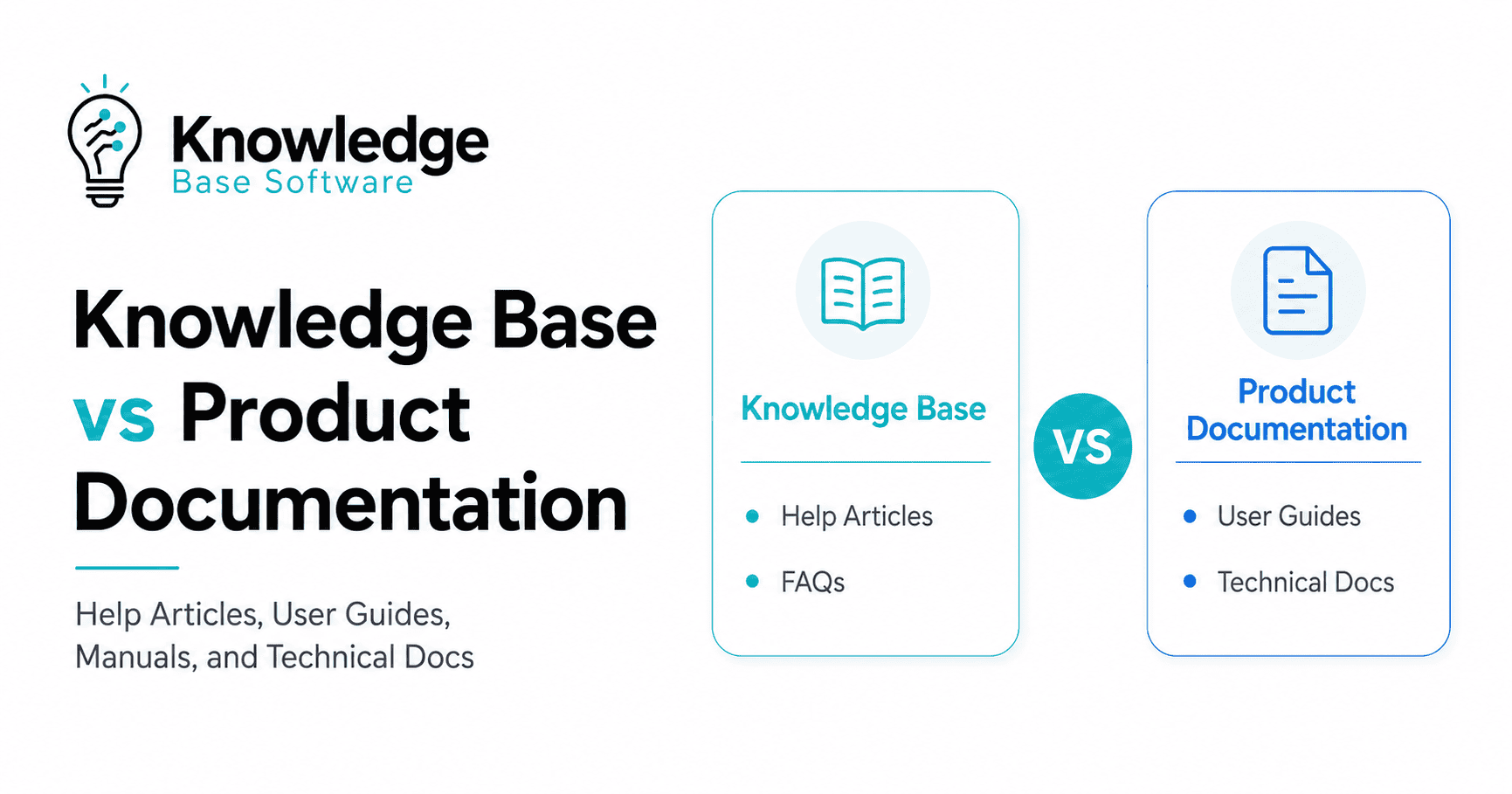
Knowledge Base vs Product Documentation: Help Articles, User Guides, Manuals, and Technical Docs
A knowledge base helps users find fast answers to specific questions, troubleshoot common problems, and use self-service support without opening a ticket. Product documentation explains how a product works in a more structured way, including onboarding guides, feature guides, user manuals, configuration instructions, API references, developer documentation, and technical reference material.
The simple version is this:
A knowledge base is usually optimized for quick answers. Product documentation is usually optimized for structured product understanding.
They overlap, but they are not the same thing. A help article about “How to reset your password” usually belongs in a knowledge base. A complete “Authentication API reference” usually belongs in product documentation. A “Getting started” guide might live in product docs, be linked from the help center, and appear in onboarding emails.
The real question is not only “Knowledge Base vs Product Documentation.” The better question is: Where should each type of product knowledge live so users can find it, trust it, and act on it?
Quick comparison: knowledge base vs product documentation
| Factor | Knowledge base | Product documentation |
|---|---|---|
| Primary purpose | Help users answer a specific question or resolve a problem quickly | Help users understand, configure, implement, or use the product correctly |
| Reader mindset | “I’m stuck” or “I need a quick answer” | “I need to learn, set up, integrate, or understand this product” |
| Typical content | FAQs, help articles, troubleshooting guides, billing answers, account settings, known errors, support workflows | User guides, manuals, onboarding docs, feature guides, API docs, SDK docs, technical reference, configuration guides |
| Common structure | Search-first, topic-based, problem-based, support-category-based | Journey-based, feature-based, version-based, product-area-based, technical-reference-based |
| Main audience | Customers, end users, support agents, customer success teams, employees for internal KBs | End users, admins, developers, implementation teams, product teams, technical stakeholders |
| Ownership | Often support, customer success, support ops, or knowledge management | Often technical writing, product, engineering, developer relations, or documentation teams |
| Update trigger | New support tickets, repeated questions, article feedback, broken workflows, policy changes | Product releases, feature changes, API changes, UI updates, version changes, architecture changes |
| Depth | Usually short to medium, focused on one task or issue | Can be short, long, or reference-heavy depending on product complexity |
| Success metric | Search success, article helpfulness, self-service completion, fewer repeated tickets, faster agent responses | Successful onboarding, fewer implementation errors, developer adoption, feature usage, docs feedback, fewer product-related misunderstandings |
| Best example | “Why am I seeing error code 403?” | “Authentication and authorization API reference” |
Zendesk’s vendor guidance describes a knowledge base as a digital library of information about a company’s products, services, or industry-related topics, including customer-facing FAQs, self-service articles, how-to guides, and internal employee resources. Atlassian’s documentation guidance describes user documentation as material that helps end users understand and use a product, including manuals, tutorials, and how-to guides, while technical documentation serves developers and technical stakeholders with API documentation, SDKs, and code samples.
What is a knowledge base?
A knowledge base is a searchable collection of approved information that helps a specific audience find answers. In a customer-facing setting, it often powers a help center with articles, FAQs, troubleshooting guides, setup answers, billing information, and common workflows. In an internal setting, it may contain SOPs, escalation playbooks, onboarding resources, support macros, product notes, or operational procedures.
A useful knowledge base is usually:
- Question-led: It starts with what users ask.
- Searchable: Users expect to find answers by typing a problem, phrase, or error.
- Action-oriented: Articles should help readers complete a task or resolve an issue.
- Maintained: Articles need ownership, review dates, and update workflows.
- Connected to support: Ticket trends, chat transcripts, article feedback, and agent notes should shape what gets written next.
For example, these topics fit naturally in a knowledge base:
| Knowledge base article | Why it belongs there |
|---|---|
| How to reset your password | A common task with a direct answer |
| Why was my payment declined? | A support question users need to resolve quickly |
| How to fix error code 403 | A troubleshooting article tied to a known issue |
| How to change your account email | A short procedural help article |
| What happens after I cancel my subscription? | A policy or account question |
| Internal escalation steps for failed invoices | Internal support playbook for agents |
A knowledge base can include product documentation, but only when the content is organized around fast retrieval and specific questions. A long API reference placed inside a help center is still technical documentation; the platform does not change the content type.
What is product documentation?
Product documentation is structured information that explains how a product works, how to use it correctly, and how to implement or maintain it. It can be customer-facing or internal. It can be written for end users, admins, developers, partners, product teams, or support teams.
Product documentation usually includes:
- Getting started guides.
- Product tours and onboarding documentation.
- Feature guides.
- User guides.
- User manuals.
- Admin guides.
- Configuration guides.
- Installation guides.
- API documentation.
- SDK documentation.
- Developer documentation.
- Technical reference.
- Release notes.
- Migration guides.
- Security and compliance implementation notes, when verified by the right experts.
- Internal product requirements, product decisions, and feature specifications.
The Diátaxis documentation framework is useful here because it separates documentation by user need: tutorials for learning, how-to guides for accomplishing tasks, reference for facts, and explanation for understanding. Product documentation often needs all four.
For example:
| Product documentation type | Reader need |
|---|---|
| Getting started guide | Learn the first successful workflow |
| User guide | Understand how to use a feature or product area |
| User manual | Follow structured instructions across a product or system |
| API reference | Find exact endpoints, parameters, responses, and authentication rules |
| Integration guide | Connect the product to another system |
| Release notes | Understand what changed and whether action is required |
| Admin guide | Configure access, permissions, settings, and policies |
| Architecture overview | Understand how the product is designed or deployed |
Good product documentation is not just a large library of pages. It needs a clear information architecture that matches how users learn, build, configure, troubleshoot, and make decisions.
Google’s technical writing guidance puts this in practical terms: good documentation should provide the knowledge and skills the audience needs to complete a task, minus what the audience already knows.
The main difference: issue resolution vs product understanding
The clearest distinction is the user’s immediate goal.
A knowledge base usually answers:
- “How do I fix this?”
- “Why is this happening?”
- “Where do I find this setting?”
- “What does this error mean?”
- “Can I solve this without contacting support?”
- “What should I do next?”
Product documentation usually answers:
- “How does this product or feature work?”
- “How do I set this up correctly?”
- “What are the available options?”
- “How do I integrate this with my system?”
- “What are the technical requirements?”
- “What changed in this version?”
- “What is the recommended implementation path?”
Vendor commentary from Aha! notes that customer support knowledge base content is driven by what users need to know to get started, solve common problems, and get value. Product documentation and internal product knowledge can also include broader product decisions, workflows, requirements, and team playbooks.
So the distinction is not “short vs long” or “simple vs technical.” The distinction is reader intent.
A short product document can still be product documentation. A long troubleshooting guide can still be a knowledge base article. The content belongs where the reader expects to look and where the team can keep it accurate.
Where help articles, user guides, manuals, and technical docs fit
The same company may use a help center, a knowledge base, a documentation portal, and internal docs at the same time. That can work well, but only if each content type has a clear home.
| Content type | Best primary home | Why | Typical owner |
|---|---|---|---|
| Help article | Knowledge base | Solves a specific user question or issue | Support, customer success, knowledge manager |
| FAQ | Knowledge base or relevant product page | Gives fast answers to repeated questions | Support, product marketing, customer education |
| Troubleshooting guide | Knowledge base, with links to product docs | Helps users diagnose and fix a problem | Support with product/engineering review |
| Getting started guide | Product documentation, linked from help center | Gives a structured first path through the product | Technical writing, product, customer education |
| User guide | Product documentation | Explains how to use a feature or workflow | Technical writing, product |
| User manual | Product documentation | Provides structured operating instructions | Technical writing, product, compliance or training teams if relevant |
| API reference | Technical/product documentation | Requires precision, versioning, and developer context | Engineering, developer relations, technical writing |
| SDK documentation | Technical/product documentation | Helps developers build with libraries or tools | Engineering, developer relations |
| Installation guide | Product documentation | Explains setup, configuration, requirements, and dependencies | Technical writing, engineering |
| Known error fix | Knowledge base | Maps a known symptom to a resolution | Support with engineering validation |
| Release notes | Product documentation, plus KB summaries when needed | Documents what changed; KB may explain customer-facing impact | Product, technical writing, release management |
| Internal escalation playbook | Internal knowledge base | Helps support teams handle repeat situations consistently | Support ops, customer success, product support |
| Product requirements document | Internal product documentation | Captures product decisions, requirements, and rationale | Product management |
| Security implementation guidance | Product/technical documentation | Needs precision, review, and version control | Security, engineering, technical writing |
Use this rule:
If the content mainly answers a support question, route it to the knowledge base. If it mainly explains the product’s structure, behavior, implementation, or reference details, route it to product documentation. If it does both, create one canonical source and link to it from the other experience.
When to use a knowledge base
Use a knowledge base when the user has a specific question and wants the shortest reliable path to an answer.
A knowledge base is the right primary home for content that is:
- Triggered by repeated customer questions.
- Created from common support tickets.
- Useful for self-service.
- Focused on one issue, task, or policy.
- Written in the language customers use.
- Easy to search by error message, symptom, or goal.
- Updated when customer confusion appears.
Good knowledge base examples
| User question | Strong KB article title |
|---|---|
| “I forgot my password.” | How to reset your password |
| “My invoice looks wrong.” | Why your invoice amount changed |
| “The export failed.” | Fix failed CSV exports |
| “I can’t invite a teammate.” | Why you cannot add a new user |
| “Where is my API key?” | Find and regenerate your API key |
| “What does this status mean?” | Subscription status meanings |
The best knowledge base articles are not mini-manuals. They are focused answers. They explain the issue, show the steps, mention known limits, and tell the user when to contact support.
When to use product documentation
Use product documentation when the reader needs a structured understanding of the product, not just a quick fix.
Product documentation is the right primary home for content that is:
- Feature-specific.
- Versioned.
- Technical.
- Implementation-critical.
- Used during onboarding or training.
- Required by developers, admins, or implementation teams.
- Updated as part of the release process.
- Connected to product requirements, APIs, permissions, configuration, or system behavior.
Good product documentation examples
| Reader need | Strong product documentation title |
|---|---|
| Understand the first workflow | Getting started with Workspaces |
| Configure permissions | Manage roles and permissions |
| Build an integration | Authentication API reference |
| Install the product | Installation and configuration guide |
| Understand system behavior | How data sync works |
| Plan a migration | Migration guide from v1 to v2 |
| Review changes | Release notes: July 2026 |
| Learn feature behavior | Automations overview |
Product documentation can include troubleshooting sections, but the main structure should not be built only around problems. It should help users build a correct mental model of the product.
When you need both
Many SaaS and software teams need both a knowledge base and product documentation once the product becomes complex enough.
You probably need both if:
- Support tickets repeat the same questions.
- Users need onboarding and technical setup help.
- The product has roles, permissions, integrations, APIs, or configuration options.
- Developers or admins use the product differently from ordinary end users.
- Release changes affect multiple audiences.
- Support, product, and engineering teams keep answering the same questions in different places.
- Customers complain that answers are inconsistent or hard to find.
A common pattern works well:
- Product documentation becomes the canonical source for how the product works.
- Knowledge base articles answer common questions and link to the relevant canonical docs.
- Internal knowledge base content helps support and success teams handle edge cases, escalation rules, and account-specific workflows.
- Release notes explain what changed, while KB articles explain what confused users after the release.
This avoids the common failure mode where the same answer exists in five places, each with slightly different wording.
Decision matrix: where should this content live?
Use this matrix before publishing a new page.
| Question | If the answer is yes | Best home |
|---|---|---|
| Is the user trying to solve a specific issue? | “My export failed” or “I can’t log in” | Knowledge base |
| Is the content based on repeated tickets or chats? | Support sees the same issue every week | Knowledge base |
| Is the user trying to understand a feature deeply? | They need concepts, options, and examples | Product documentation |
| Does the content require versioning? | API behavior changed between versions | Product documentation |
| Does the content describe implementation or configuration? | Admin setup, deployment, integration | Product documentation |
| Is the content an exact technical reference? | Endpoints, parameters, SDK methods | Technical/product documentation |
| Is the content for employees only? | Escalation rules, internal SOPs, support macros | Internal knowledge base |
| Is the content a product decision or requirement? | Roadmap rationale, PRD, feature scope | Internal product documentation |
| Does the content need both audiences? | A feature guide plus common troubleshooting | Canonical product doc plus linked KB article |
| Will users search by symptom? | Error message, failed action, billing issue | Knowledge base |
| Will users browse by product area? | Admin settings, integrations, automation | Product documentation |
A practical decision rule:
Route by the user’s starting point, not by the team that wrote the page.
If users start from a symptom, publish a knowledge base article. If they start from a product area, publish product documentation. If both entry points matter, publish one canonical explanation and create a short companion page that points to it.
Ownership: who should manage each content type?
Ownership matters because stale documentation creates distrust. A knowledge base article can become outdated when support workflows change. Product documentation can become outdated when a release changes a button label, API parameter, default setting, or permission model.
Use a shared ownership model instead of assigning everything to one team.
| Content area | Accountable owner | Required reviewers | Input sources |
|---|---|---|---|
| Customer-facing KB articles | Support ops or knowledge manager | Product support, customer success, product when needed | Tickets, chats, searches, article feedback |
| Troubleshooting content | Support | Engineering or product support for technical accuracy | Incident notes, bug reports, known issues |
| User guides | Technical writing or product docs | Product manager, design, support | Feature specs, user research, release notes |
| API docs | Developer docs, engineering, or DevRel | Engineering, security if relevant | OpenAPI specs, code, SDK changes |
| Admin documentation | Technical writing or product | Engineering, support, customer success | Configuration changes, permissions model |
| Release notes | Product or technical writing | Product, engineering, support | Changelog, release plan |
| Internal support playbooks | Support ops | Product support, legal/security if relevant | Escalations, policies, internal procedures |
| Internal product docs | Product management | Engineering, design, leadership as needed | PRDs, decisions, roadmaps, research |
The goal is not to create bureaucracy. The goal is to make accuracy someone’s job.
How to avoid duplication between a knowledge base and product documentation
Duplication is the biggest risk in the knowledge base vs product documentation debate. It usually starts innocently: support writes an article to solve a repeated question, product writes a guide for the same feature, and engineering maintains a separate technical note. Six months later, no one knows which page is correct.
This duplication risk is common when support, product, and engineering publish overlapping pages without agreeing on a canonical source. The safer approach is to define one source of truth for each important product fact, then use summaries and cross-links instead of repeated copies.
Use these rules to prevent that.
1. Define the canonical source
Every important product fact should have one canonical source.
Examples:
| Fact type | Canonical source |
|---|---|
| API endpoint behavior | API reference |
| Permission model | Admin product documentation |
| Billing policy | Billing policy page or KB article, reviewed by the right internal owner |
| Known temporary bug | Knowledge base or status/incident page |
| Feature overview | Product documentation |
| Internal escalation procedure | Internal knowledge base |
A KB article can summarize a feature, but it should link to the canonical product doc for complete details. A product doc can mention troubleshooting, but it should link to a KB article for specific error resolution.
2. Use “summary here, details there”
Do not paste the same long explanation into multiple places.
Instead:
- In the KB article, give the quick answer and link to the full product documentation.
- In the product documentation, explain the complete feature and link to common troubleshooting articles.
- In internal support content, include agent-only notes and link to the customer-facing answer.
This keeps the user journey clean and reduces update work.
3. Create content types, not just pages
Define templates for:
- Help article.
- Troubleshooting article.
- User guide.
- API reference.
- Release note.
- Internal playbook.
- Known issue.
- FAQ.
- Migration guide.
Each template should specify:
- Audience.
- Purpose.
- Required fields.
- Reviewer.
- Update trigger.
- Related links.
- Expiry or review date if needed.
4. Add documentation review to the release process
For every product release, ask:
- Does the user guide need updating?
- Does the API reference need updating?
- Are screenshots or UI labels changing?
- Are permissions changing?
- Are any KB articles affected?
- Should support receive an internal playbook?
- Do release notes need a customer-facing explanation?
- Are there known issues that need a temporary KB article?
Documentation should not be a final publishing step after release. It should be part of release readiness.
5. Watch search and support data
Your users will tell you where the gaps are.
Review:
- Searches with no results.
- Searches that lead to support tickets.
- Articles with poor feedback.
- High-view articles that still generate tickets.
- Product docs with high exits before key steps.
- Questions support agents answer repeatedly.
- Community or forum threads that reveal confusion.
If users keep asking a question, either the content does not exist, is hard to find, or does not answer the question in the user’s language.
Metrics: how to measure whether each content type works
Knowledge base and product documentation need different success measures.
| Metric | Better for KB, product docs, or both? | What it tells you |
|---|---|---|
| Search success rate | KB | Whether users can find answers |
| Searches with no results | KB | What content is missing or poorly titled |
| Article helpfulness feedback | KB | Whether the answer solved the immediate need |
| Ticket creation after article view | KB | Whether self-service failed or the issue requires support |
| Repeated ticket themes | KB and product docs | Which topics need new or better content |
| Time to first successful setup | Product docs | Whether onboarding documentation works |
| API integration success signals | Product docs | Whether developer documentation is clear |
| Docs feedback by page | Both | Which pages are confusing or outdated |
| Feature adoption after doc visits | Product docs | Whether documentation supports product usage |
| Release-related support volume | Both | Whether release notes and updated docs prepared users |
| Internal agent handle-time trends | Internal KB | Whether agents can find correct answers faster |
Avoid treating page views as the main measure of success. A high-traffic article may be useful, but it may also signal a product problem, confusing UI, unclear onboarding, or a repeated bug.
Common mistakes teams make
| Mistake | Why it hurts | Better approach |
|---|---|---|
| Treating KB and product docs as the same thing | Users cannot tell where to look | Define each content type by user intent |
| Duplicating the same instructions in multiple places | Pages drift out of sync | Create one canonical source and link to it |
| Letting support own technical accuracy alone | Support may not know product internals or upcoming changes | Add product/engineering review for technical articles |
| Letting engineering own all docs alone | Docs may become too technical for end users | Pair engineering accuracy with technical writing and user context |
| Publishing long KB articles for every issue | Users want quick answers when they are stuck | Keep KB articles focused and link to deeper docs |
| Hiding troubleshooting inside long manuals | Users search by symptom, not chapter | Create searchable troubleshooting articles |
| Ignoring internal knowledge | Agents repeat work and invent inconsistent answers | Maintain internal playbooks and escalation rules |
| Updating docs after release instead of before | Users hit changes before docs are ready | Add docs checks to release readiness |
| Measuring only traffic | Traffic does not prove usefulness | Measure task completion, feedback, search success, and repeated questions |
A practical content routing workflow
Use this workflow whenever a team wants to create a new article or doc page.
Step 1: Identify the reader
Ask:
- Is the reader an end user, admin, developer, support agent, partner, or employee?
- Are they new, active, blocked, or advanced?
- Are they trying to learn, do, fix, configure, or verify something?
Step 2: Identify the question type
Classify the question:
| Question type | Example | Likely format |
|---|---|---|
| Fast answer | “Where do I download invoices?” | KB article |
| Troubleshooting | “Why did the sync fail?” | KB troubleshooting guide |
| Learning | “How do I get started?” | Tutorial or onboarding guide |
| Task completion | “How do I configure SSO?” | Product how-to guide |
| Technical reference | “What parameters does this endpoint accept?” | API reference |
| Conceptual understanding | “How does data sync work?” | Explanation doc |
| Internal process | “When do we escalate this account?” | Internal KB playbook |
Step 3: Choose the canonical home
Pick one primary home:
- Knowledge base.
- Product documentation.
- Technical documentation.
- Internal knowledge base.
- Internal product documentation.
- Release notes.
- Status page or incident notes.
Step 4: Create supporting links
If users might enter from multiple places, link the pages together.
Example:
- Product doc: “Configure SSO”
- KB article: “Why SSO login failed”
- Internal KB: “How support should troubleshoot SSO failures”
- Release note: “SAML certificate rotation update”
Each page has a different purpose, but they should agree on the facts.
Step 5: Assign an owner and review trigger
Every page needs:
- Owner.
- Reviewer.
- Last reviewed date.
- Update trigger.
- Related product area.
- Related support category.
- Source of truth.
Without ownership, documentation becomes an archive instead of a working support system.
Can one platform host both?
Yes. A single platform can host a knowledge base and product documentation if it supports the structure, permissions, workflow, and search experience each content type needs.
The platform is less important than the information architecture.
You can host both in one system if you can support:
- Separate navigation for help articles and product docs.
- Strong search.
- Categories and tags.
- Drafting and review workflows.
- Version control or versioned docs where needed.
- Role-based access controls for internal and external content.
- Redirects and canonical URLs.
- Article feedback.
- Analytics.
- Related content links.
- Reusable snippets or single-source content blocks if available.
- Clear ownership metadata.
You may want separate systems if:
- Developer docs need static-site generation, code-based workflows, OpenAPI generation, or versioned builds.
- Support teams need ticket-system integrations and agent-facing notes.
- Internal product documentation requires private collaboration and decision history.
- Security, compliance, or access-control needs differ sharply between audiences.
Do not choose the tool first. Choose the content model first, then choose the tool that can support it.
Recommended structure for a SaaS documentation ecosystem
For many SaaS companies, this structure works well:
| Area | Purpose | Example sections |
|---|---|---|
| Help center / external KB | Fast customer answers | Account, billing, troubleshooting, FAQs, known issues |
| Product documentation | Structured product learning and usage | Getting started, feature guides, admin guides, configuration, release notes |
| Developer documentation | Technical implementation | API reference, SDKs, webhooks, authentication, examples |
| Internal knowledge base | Employee and support knowledge | Escalation playbooks, macros, SOPs, internal policies |
| Internal product documentation | Product-building knowledge | PRDs, research, roadmap rationale, design decisions |
| Status or incident page | Operational transparency | Incidents, maintenance, service status |
The labels can vary. What matters is that users understand where to go and teams understand where to publish.
Editorial checklist before publishing
Before publishing a KB article or product doc, check:
- Who is the exact reader?
- What question does this page answer?
- Is the title written in the reader’s language?
- Does the page belong in the KB, product docs, technical docs, or internal docs?
- Is there already a canonical source?
- Are we duplicating information?
- Are the steps current?
- Has the correct team reviewed technical accuracy?
- Are screenshots, UI labels, API names, and permissions up to date?
- Are related pages linked?
- Is the page searchable by the terms users actually type?
- Is there a review date or update trigger?
- Can the reader take action after reading?
- Is any claim unsupported, exaggerated, or outdated?
If a page does not help the reader understand, decide, fix, configure, or complete something, it probably should not be published.
FAQ
What is the difference between a knowledge base and product documentation?
A knowledge base helps users find quick answers, troubleshoot problems, and resolve common support questions. Product documentation explains how the product works in a more structured way, including onboarding, features, configuration, APIs, manuals, and technical reference.
Is a knowledge base the same as documentation?
No. A knowledge base is one form of documentation, but not all documentation is a knowledge base. Product documentation, API documentation, user manuals, release notes, internal product specs, and technical references are also documentation.
Is product documentation part of a knowledge base?
Sometimes. A company may publish product documentation inside the same help center or knowledge base platform. But conceptually, product documentation is broader and more structured than most KB articles. The platform does not determine the content type; the reader need and content structure do.
Are help articles product documentation?
Help articles can support product documentation, but they usually belong in a knowledge base. A help article typically answers one practical question, such as “How do I reset my password?” or “Why did my export fail?” Product documentation usually gives a broader explanation of a product area, feature, configuration, or technical process.
Are user guides and manuals part of product documentation?
Yes. User guides and manuals are usually part of product documentation because they explain how to use the product in a structured way. They may be linked from a knowledge base, but their main purpose is product understanding and correct usage.
What is the difference between technical documentation and a knowledge base?
Technical documentation is written for technical tasks, such as API use, system integration, SDK implementation, architecture, installation, or configuration. A knowledge base is usually written for fast issue resolution and common questions. Technical documentation may be surfaced through a help center, but it still needs technical accuracy, version control, and expert review.
Should a SaaS company have both a knowledge base and product documentation?
Often, yes, once the product has enough complexity. A SaaS company with onboarding flows, permissions, integrations, admin settings, billing rules, and frequent releases may benefit from both: the knowledge base handles fast support answers, while product documentation explains the product in a structured way.
Who should own a knowledge base?
A customer-facing knowledge base is often owned by support operations, customer support, customer success, or a knowledge manager. Product and engineering teams should review technical content when accuracy depends on product behavior.
Who should own product documentation?
Product documentation is usually owned by technical writing, documentation, product, developer relations, or engineering teams. The best model is shared: technical writers manage clarity and structure, while product and engineering validate accuracy.
Can one platform manage both?
Yes, if the platform supports separate information architecture, permissions, review workflows, search, analytics, versioning where needed, and internal/external publishing. If developer documentation requires code-based workflows or generated API references, a separate docs system may be better.
How do you avoid duplicating the same information?
Define one canonical source for each important fact. Use short summaries in secondary locations and link back to the canonical page. Add review triggers to the release process so KB articles, product docs, and internal playbooks stay aligned.
Which is better for customer onboarding?
Product documentation is usually better for structured onboarding because it can guide users through the product journey. A knowledge base supports onboarding by answering specific questions users encounter along the way.
Which is better for troubleshooting?
A knowledge base is usually better for troubleshooting because users search by symptom, error message, or immediate problem. Product documentation should link to relevant troubleshooting articles when a feature commonly causes confusion.
Which is better for developers?
Developer documentation, as part of product or technical documentation, is better for developers. API references, SDK docs, webhook guides, authentication details, and code examples require precision, versioning, and technical review.
How often should each type be updated?
Update knowledge base articles whenever repeated questions, article feedback, policy changes, or support workflows reveal a gap. Update product documentation as part of every product release, API change, UI change, configuration change, or version update.
Conclusion
A stronger way to think about Knowledge Base vs Product Documentation is not as a rivalry. They are two connected parts of a product knowledge system.
Use a knowledge base when users need fast, searchable answers to specific questions. Use product documentation when users need structured understanding, onboarding, implementation guidance, user manuals, API documentation, or technical reference.
Strong teams do not choose one and ignore the other. They define clear content types, assign ownership, create one canonical source for important facts, link related pages together, and update documentation as part of product and support workflows.
That is how help articles, user guides, manuals, and technical docs stop competing with each other and start working as one reliable product knowledge experience.

