Independent knowledge base software guide Evidence-led Updated 2026

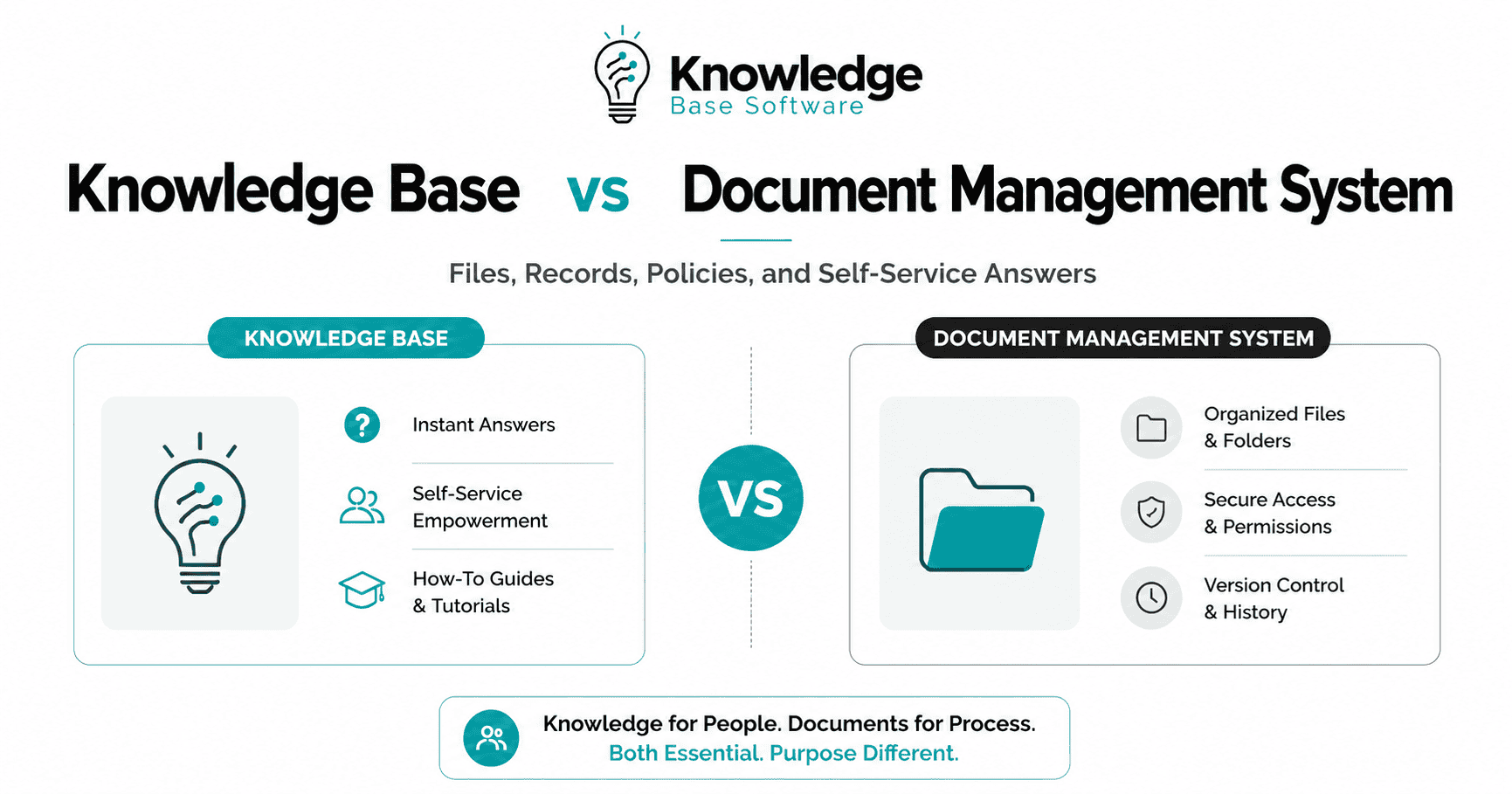
Knowledge Base vs Document Management System: Files, Records, Policies, and Self-Service Answers
Choosing between a knowledge base vs document management system is rarely just a software decision. It is an information architecture decision: where should approved files live, where should records be controlled, where should policies be explained, and where should employees or customers go for fast answers?
The practical answer is simple:
A knowledge base turns recurring knowledge into searchable, reusable answers, guides, FAQs, troubleshooting steps, and policy explanations. Salesforce’s service guidance describes a knowledge base as a centralized digital information hub where customers and service teams can find answers, troubleshoot issues, and access helpful resources.
A document management system, or DMS, manages documents as controlled files. AIIM defines document management as the use of a computer system and software to store, manage, and track electronic documents and electronic images of paper-based information.
Think of the difference this way:
A document management system manages the official file. A knowledge base helps people understand and use the information inside that file.
For many organizations, the right answer is not “knowledge base or DMS.” It is DMS for controlled source documents and knowledge base for self-service answers.
Quick Comparison: Knowledge Base vs Document Management System
| Dimension | Knowledge Base | Document Management System |
|---|---|---|
| Primary purpose | Help users find answers and complete tasks | Store, organize, secure, track, and control documents |
| Best for | FAQs, how-to articles, troubleshooting, onboarding, support guidance, policy explainers | Contracts, controlled policies, SOP files, compliance records, scanned documents, approved forms |
| Main user experience | Search a question, read an answer, follow steps | Find a file, view metadata, check version, route for approval, retrieve evidence |
| Content unit | Article, answer, guide, FAQ, topic page | File, document, record, form, image, PDF, spreadsheet |
| Governance focus | Accuracy, usefulness, ownership, review cadence, feedback | Version control, permissions, approvals, metadata, retention, auditability |
| Ideal users | Customers, support agents, employees, IT service desk, HR, product teams | Legal, compliance, finance, operations, quality, HR, records managers, document controllers |
| Success metrics | Search success, article usefulness, failed searches, support case reduction, content freshness | Retrieval time, approval cycle time, duplicate files, version accuracy, retention compliance, audit readiness |
| AI readiness | Strong when content is structured into clean answers | Strong as an authoritative source layer when metadata, permissions, and document quality are well managed |
The simplest decision rule:
- Use a knowledge base when the user needs a clear answer.
- Use a document management system when the organization needs control over the official document.
- Use both when people need simple answers that must stay aligned with controlled source documents.
What Is a Knowledge Base?
A knowledge base is a structured collection of information designed to help people find answers quickly. It may serve customers, employees, support agents, partners, or internal teams.
A typical knowledge base includes:
- FAQs
- How-to guides
- Troubleshooting articles
- Product documentation
- Policy explanations
- IT help articles
- Onboarding content
- Glossaries
- Internal process guidance
Salesforce describes knowledge base content as including FAQs, how-to guides, troubleshooting tips, glossaries, articles, case studies, and tutorials. It also distinguishes between internal knowledge bases for employees and external knowledge bases for customers.
The key word is usable.
A knowledge base article is not just a document placed online. It is usually written around a user question or task:
- “How do I reset my password?”
- “What is the remote work policy?”
- “How do I submit an expense claim?”
- “How do I troubleshoot this error?”
- “What happens after I cancel my subscription?”
A strong knowledge base reduces confusion because it presents information in plain language, organized by the way users search and make decisions.
What Is a Document Management System?
A document management system is built to manage documents as controlled files. It helps an organization store, organize, retrieve, secure, version, approve, and track documents.
A DMS is especially useful when the document itself matters as an object:
- The signed contract
- The approved policy PDF
- The current SOP
- The scanned employee form
- The compliance evidence file
- The official board minutes
- The final product specification
- The regulated quality document
AIIM’s definition focuses on storing, managing, and tracking electronic documents and electronic images of paper-based information. Microsoft’s SharePoint Server documentation also shows common document-library controls such as versioning, content approval, check-out, and check-in, which help control document versions through their lifecycle.
A DMS is not just a folder system. A mature DMS usually includes:
- Metadata
- Permissions
- Version history
- Approval workflows
- Document status
- Check-in/check-out
- Audit trails
- Retention controls
- Search and retrieval
- Controlled templates
- Document ownership
The purpose is control, traceability, and reliable retrieval.
Knowledge Base, Knowledge Management System, DMS, and Records Management: How They Differ
These terms overlap, but they are not identical.
Knowledge Base
A knowledge base is the user-facing library of answers. It is usually article-based and optimized for search, navigation, readability, and self-service.
Best fit: “Help me solve this problem.”
Knowledge Management System
A knowledge management system is broader. It may include knowledge bases, wikis, communities, internal expertise, lessons learned, enterprise search, content workflows, and analytics. Salesforce’s service guidance defines knowledge management as creating, organizing, sharing, and using knowledge within an organization to improve efficiency, decision-making, and performance, and says knowledge should be structured and stored so it is easy to find and use.
Best fit: “How do we capture, share, improve, and reuse organizational knowledge?”
Document Management System
A DMS controls documents as files. It is usually stronger for formal documents, metadata, access control, versions, approvals, and retrieval.
Best fit: “Where is the official document, and which version is approved?”
Records Management
Records management is about managing records across their lifecycle. NARA describes records management as the systematic control of the creation, maintenance, use, and disposition of records; it also describes the lifecycle as creation or receipt, maintenance and use, and disposition. ISO 15489-1:2016 covers concepts and principles for creating, capturing, and managing records, including records, metadata, records systems, policies, assigned responsibilities, monitoring, training, records controls, and business context analysis.
Best fit: “What must be preserved as evidence, for how long, under which rules?”
Policy Management
Policy management sits between these worlds. The official policy may need DMS-style control: approval, versioning, retention, and audit history. But employees often need a knowledge-base-style explanation: what the policy means, who it applies to, and what steps to take.
Best fit: “How do we keep the official policy controlled while making it understandable?”
The Real Difference: Files, Records, Policies, and Self-Service Answers
A useful comparison should start with the information type, not the software label.
Files Need Storage, Metadata, Permissions, and Retrieval
A file is a container: PDF, Word document, spreadsheet, image, scan, slide deck, or form.
A DMS is usually the better home when the file must be:
- Stored securely
- Tagged with metadata
- Retrieved later
- Protected by permissions
- Kept in version history
- Routed for approval
- Managed as a formal object
Example: A vendor contract should live in a DMS or contract repository, not as a knowledge base article. People may need a knowledge base article explaining “How to request contract review,” but the contract itself needs controlled storage.
Records Need Lifecycle Control and Evidence
A record is not just any document. In general business use, it is information preserved because it provides evidence of an activity, decision, transaction, obligation, or value. For U.S. federal records, NARA defines a record as information, regardless of format, created or received by the federal government in the course of business and preserved, or appropriate for preservation, because of evidential or informational value.
Records need special care because they may support audits, legal obligations, accountability, business continuity, or regulatory requirements.
Use records management or DMS capabilities when content needs:
- Retention rules
- Disposition controls
- Legal hold processes
- Evidence preservation
- Auditability
- Metadata that preserves context
- Restricted access
A knowledge base can explain what a record is and how employees should handle it. It should not casually replace the system used to manage official records.
Policies Often Need Both Systems
Policies are where organizations make the most mistakes.
The official policy may need:
- Approval workflow
- Version history
- Effective date
- Owner
- Review date
- Legal or compliance approval
- Controlled publication
- Retention history
That points to a DMS, policy management system, or governance platform.
But employees do not always need to read a 12-page PDF to answer a practical question. They may need:
- “Can I work remotely from another country?”
- “How many days before travel should I submit approval?”
- “What expenses require receipts?”
- “Who approves software purchases?”
That points to a knowledge base.
A strong architecture is often:
Store the approved policy in the DMS. Publish a plain-English knowledge base article that explains the policy, links to the controlled source, and has the same owner and review cycle.
Self-Service Answers Need Clarity, Searchability, and Feedback
Self-service content is not just “content that exists.” It must be easy to find, easy to understand, and easy to act on.
A self-service answer needs:
- A clear user question
- A direct answer
- Step-by-step guidance where needed
- Screenshots or examples if useful
- Ownership
- Last-reviewed date
- Feedback mechanism
- Search optimization
- Links to related content
- Escalation path when the answer is not enough
A PDF library rarely performs well as a self-service knowledge base because users have to open files, scan pages, interpret policy language, and decide what applies. A knowledge base turns that effort into an answer.
Decision Matrix: Which System Should Handle What?
| Information type | Best primary home | Should it also appear in a knowledge base? | Example |
|---|---|---|---|
| Signed contract | DMS or contract system | Usually no, but the process can be explained | “How to request legal review” article |
| Approved HR policy | DMS or policy management system | Yes, as a plain-language summary | “Remote work policy: what employees need to know” |
| Customer troubleshooting steps | Knowledge base | Usually no DMS needed unless source docs are controlled | “Fix error code 403” |
| Compliance evidence | Records system or DMS | No, except guidance on how to submit it | Audit evidence file |
| SOP or work instruction | DMS if controlled; knowledge base if task-focused | Often yes | Official SOP file plus “How to complete the process” article |
| Product release notes | Knowledge base or product docs | DMS only if formal records are required | “What changed in version 4.2” |
| Board minutes | Records system or DMS | No | Approved meeting minutes |
| IT password reset guide | Knowledge base | No | “Reset your password” |
| Scanned employee form | DMS or HR system | No, but instructions may live in KB | Completed tax or onboarding form |
| Internal announcement | Intranet or comms platform | Sometimes, if it answers future questions | Benefits enrollment announcement |
The rule is straightforward: store official artifacts where they can be controlled; publish practical answers where users can act on them.
When a Knowledge Base Is the Better Fit
Choose a knowledge base when the main problem is not document control but answer delivery.
A knowledge base is the better fit when users need to:
- Solve recurring problems
- Follow a process
- Understand a policy
- Complete onboarding
- Troubleshoot a product
- Find support guidance
- Search by question, not filename
- Get consistent answers from support agents
- Use content in a help center, portal, chatbot, or service desk
A good knowledge base is especially valuable for customer support and employee self-service. Salesforce notes that a knowledge base helps users find information quickly and supports self-service by giving customers access to answers without direct representative involvement.
Example: Customer Support FAQ
A customer asks, “How do I update my billing address?”
That should not be a PDF in a document repository. It should be a short, searchable article with:
- The answer
- Steps
- Screenshots if needed
- Related billing links
- Escalation instructions
- Last-reviewed date
Example: IT Troubleshooting
An employee searches, “VPN not connecting.”
A knowledge base article can give:
- Common causes
- First checks
- Step-by-step fixes
- Error-specific guidance
- Link to submit a ticket if unresolved
The goal is task completion, not document preservation.
When a Document Management System Is the Better Fit
Choose a DMS when the organization needs stronger control over documents as formal files.
A DMS, or a records-management-capable repository, is the better fit when you need:
- Document version control
- Approval workflows
- Restricted permissions
- Secure storage
- Metadata and classification
- Audit trails
- Formal publishing
- Retention and disposition
- Scanned document capture
- Retrieval of official files
- Evidence for audits or legal review
Microsoft’s SharePoint guidance describes versioning as a way to number and save successive iterations of a document, content approval as a way for approvers to control publication, and check-out/check-in as controls over when new versions are created.
Example: Legal Contract
A legal contract should not be recreated as a knowledge base article. The signed agreement, amendments, approval history, and related documents need controlled storage.
A knowledge base can explain the contract request process, but the contract belongs in a DMS or contract lifecycle management system.
Example: Controlled SOP
A manufacturing or quality SOP may require:
- Approved version
- Effective date
- Retired version history
- Document owner
- Formal review
- Access restrictions
- Evidence of approval
That is DMS territory. A knowledge base may summarize the practical steps, but the controlled SOP remains the source of record.
When You Need Both
Many growing organizations may need both systems because they solve different parts of the same information problem.
Use a DMS, records management system, policy management platform, or contract repository as the controlled source layer where appropriate for:
- Approved policies
- Contracts
- Compliance evidence
- Official SOPs
- Controlled templates
- Records
- Signed forms
- Regulated documents
Use a knowledge base as the experience layer for:
- Plain-language policy explanations
- How-to guidance
- Troubleshooting
- Customer help
- Employee self-service
- IT support
- Onboarding
- Process navigation
The two systems should be connected, not duplicated.
A Practical Architecture
A strong operating model might look like this:
- The DMS stores the official policy.
It includes owner, version, approval date, effective date, access permissions, and retention controls. - The knowledge base explains the policy.
It answers common questions in plain language and links back to the controlled policy. - Ownership is shared but clear.
Legal or compliance owns the official policy. HR, support, or operations may own the knowledge article, but the policy owner must review it. - Review dates stay aligned.
When the controlled document changes, the related knowledge article must be reviewed. - Search and AI use governed sources.
If AI search or a chatbot is used, it should retrieve from current, approved, permission-aware sources. Microsoft’s Copilot Studio documentation notes that knowledge sources can ground agent responses and that user authentication can ensure a user only sees content they have access to.
This model prevents a common failure: the official document says one thing, while the employee-facing explanation says another.
AI Search Makes the Distinction More Important, Not Less Important
AI does not remove the need for clean knowledge architecture. It increases it.
AI-powered search and chat experiences depend on the quality, structure, permissions, and freshness of the content they retrieve. Microsoft’s Azure AI Search documentation states that RAG quality depends on how content is prepared for retrieval, including chunking, vectorization, hybrid search, semantic ranking, and other relevance techniques.
That matters because a large PDF in a DMS may be authoritative but hard to retrieve accurately. A knowledge base article may be easier for AI to use because it is structured around a clear question and answer. But the knowledge article still needs to be grounded in the official source.
A practical AI-ready model is:
- DMS = controlled source files
- Knowledge base = curated answer layer
- Enterprise search/RAG = retrieval layer
- Permissions = safety layer
- Citations/source links = trust layer
- Review workflow = freshness layer
Microsoft’s groundedness guidance defines ungroundedness as cases where LLM outputs are non-factual or inaccurate compared with source materials, and describes grounded responses as staying close to provided information rather than speculating.
So the question is not only “Where should we store documents?” It is also: “Which source should AI and employees trust when they need an answer?”
Common Mistakes to Avoid
1. Treating a Shared Drive as a Knowledge Base
A shared drive may store files, but it rarely provides a good answer experience. Users still have to know which folder, filename, version, and section to open.
A knowledge base starts with user intent. A folder starts with storage.
2. Publishing PDFs Instead of Answers
Uploading a policy PDF to a help center does not automatically make it self-service. If users still have to interpret the document themselves, the knowledge base is not doing enough work.
Use PDFs for controlled documents. Use articles for answers.
3. Using a Knowledge Base as the Only Place for Regulated Records
A knowledge base is not usually designed to manage formal records lifecycle requirements. In regulated settings, confirm requirements with legal, compliance, records management, and security teams.
4. Letting Policy Summaries Drift From Approved Policies
A policy summary can be helpful, but it becomes risky if it is not reviewed when the source policy changes.
Every policy-related knowledge article should link to the official source and have an owner.
5. Choosing Software Before Defining Content Types
Before buying a tool, classify your information:
- Is this an official file?
- Is it a record?
- Is it a policy?
- Is it a user-facing answer?
- Does it require approval?
- Does it require retention?
- Who owns it?
- Who needs to read it?
The tool decision becomes easier after the content model is clear.
6. Assuming AI Will Fix Poor Content
AI search may help users find information, but it cannot reliably compensate for outdated articles, duplicate policies, missing permissions, weak metadata, or conflicting source documents.
Evaluation Checklist: Knowledge Base, DMS, or Both?
Use this checklist before selecting software or migrating content.
Choose a Knowledge Base If You Need To:
- Answer repeated customer or employee questions
- Reduce dependency on support teams for simple issues
- Publish how-to and troubleshooting guidance
- Create searchable onboarding or training resources
- Improve consistency across agents or departments
- Track article usefulness and failed searches
- Support help center, chatbot, service desk, or portal content
- Convert complex policies into plain-language guidance
Choose a DMS If You Need To:
- Control document versions
- Manage approval workflows
- Store signed or official files
- Protect sensitive documents
- Track document history
- Retrieve records for audits
- Apply retention or disposition rules
- Manage scanned documents
- Maintain metadata and classification
- Control access by role, department, or business process
Choose Both If You Need To:
- Store official policies but explain them clearly
- Maintain controlled SOPs but provide task-based guidance
- Use approved documents as sources for self-service answers
- Support AI search with governed, current content
- Separate legal/compliance control from user-friendly delivery
- Link user guidance to official source documents
Governance Model: Who Owns What?
A knowledge base and DMS fail when ownership is unclear.
Use a simple ownership model:
| Area | Typical owner | Responsibility |
|---|---|---|
| Official policy | Legal, compliance, HR, or executive owner | Approve, update, retain, and govern the official document |
| Policy explanation | HR, operations, internal comms, or knowledge manager | Translate policy into plain language and maintain user-facing guidance |
| SOP file | Operations, quality, IT, or process owner | Maintain approved procedure and version history |
| SOP how-to article | Process owner or knowledge team | Help users complete the task correctly |
| Customer support article | Support, product, or customer education | Keep answers accurate and useful |
| Records schedule | Records manager, legal, compliance | Define retention, disposition, and evidence requirements |
| Metadata/taxonomy | Information architect, IT, records, knowledge team | Keep content findable, governed, and consistent |
A practical rule: the person who can verify accuracy should be involved in approval or review.
Metrics to Track
Do not judge either system by “number of documents uploaded.” That usually rewards volume, not usefulness.
For a knowledge base, track:
- Search success
- Failed searches
- Article helpfulness
- Article freshness
- Cases linked to articles
- Common unanswered questions
- Content gaps
- Escalations after article views
- Duplicate or overlapping articles
For a DMS, track:
- Time to retrieve documents
- Duplicate files
- Documents missing owners
- Documents missing metadata
- Approval cycle time
- Outdated versions in circulation
- Access exceptions
- Retention status
- Audit retrieval success
- Unreviewed controlled documents
For both systems, track drift:
- Does the knowledge article match the official document?
- Are retired documents still findable?
- Are users relying on unofficial copies?
- Do AI answers cite current sources?
- Are permissions respected across search and chat tools?
FAQ
Is a knowledge base the same as a document management system?
No. A knowledge base is designed to deliver searchable answers and guidance. A document management system is designed to store, control, track, secure, and manage documents. They may overlap, but they are optimized for different outcomes.
Can a DMS be used as a knowledge base?
A DMS can store documents that contain knowledge, but it is usually not the best experience for self-service answers. Users often need concise articles, plain-language explanations, categories, feedback, and search experiences built around questions rather than filenames.
Can a knowledge base store documents?
Yes, many knowledge bases can attach or link documents. But storing a document in a knowledge base does not automatically provide document lifecycle controls such as formal approvals, retention, audit history, or records management. Use caution when documents are official, sensitive, regulated, or legally important.
Where should company policies live?
The official approved policy should usually live in a controlled system such as a DMS, policy management platform, or records-aware repository. A plain-language explanation can live in the knowledge base, ideally linked to the official source and reviewed whenever the policy changes.
What is the difference between a document and a record?
A document is recorded information or an object that can be treated as a unit. A record is information preserved because it provides evidence of an activity or has informational value. For U.S. federal records, NARA explains that records are preserved, or appropriate for preservation, because of evidential or informational value.
Do we need both a knowledge base and a document management system?
You likely need both if your organization has formal documents that require control and users who need fast answers. The DMS should manage the authoritative files. The knowledge base should make the information usable.
How do knowledge bases and document management systems work with AI search?
AI search can retrieve from knowledge bases, documents, websites, enterprise systems, and other sources. The quality of answers depends on source quality, permissions, content structure, and retrieval design. Microsoft’s Azure AI Search documentation notes that RAG quality depends on content preparation and retrieval design.
What should regulated companies be careful about?
Regulated companies should avoid treating informal articles as substitutes for controlled records, approved policies, or regulated documents. They should confirm requirements with legal, compliance, records management, privacy, and security teams before deciding where official content lives.
Final Recommendation
Do not choose a knowledge base or document management system based only on feature lists. Start with the type of information you are managing.
Use a knowledge base when the goal is to help people find answers, solve problems, follow steps, or understand guidance.
Use a document management system when the goal is to control official files, preserve versions, manage approvals, protect sensitive documents, retrieve evidence, or support records and compliance processes.
Use both when the same information has two lives:
- an official life as a controlled document, and
- a practical life as a searchable, user-friendly answer.
That is a strong model for files, records, policies, and self-service answers: keep the source controlled, keep the answer usable, and keep the two connected.

