Independent knowledge base software guide Evidence-led Updated 2026

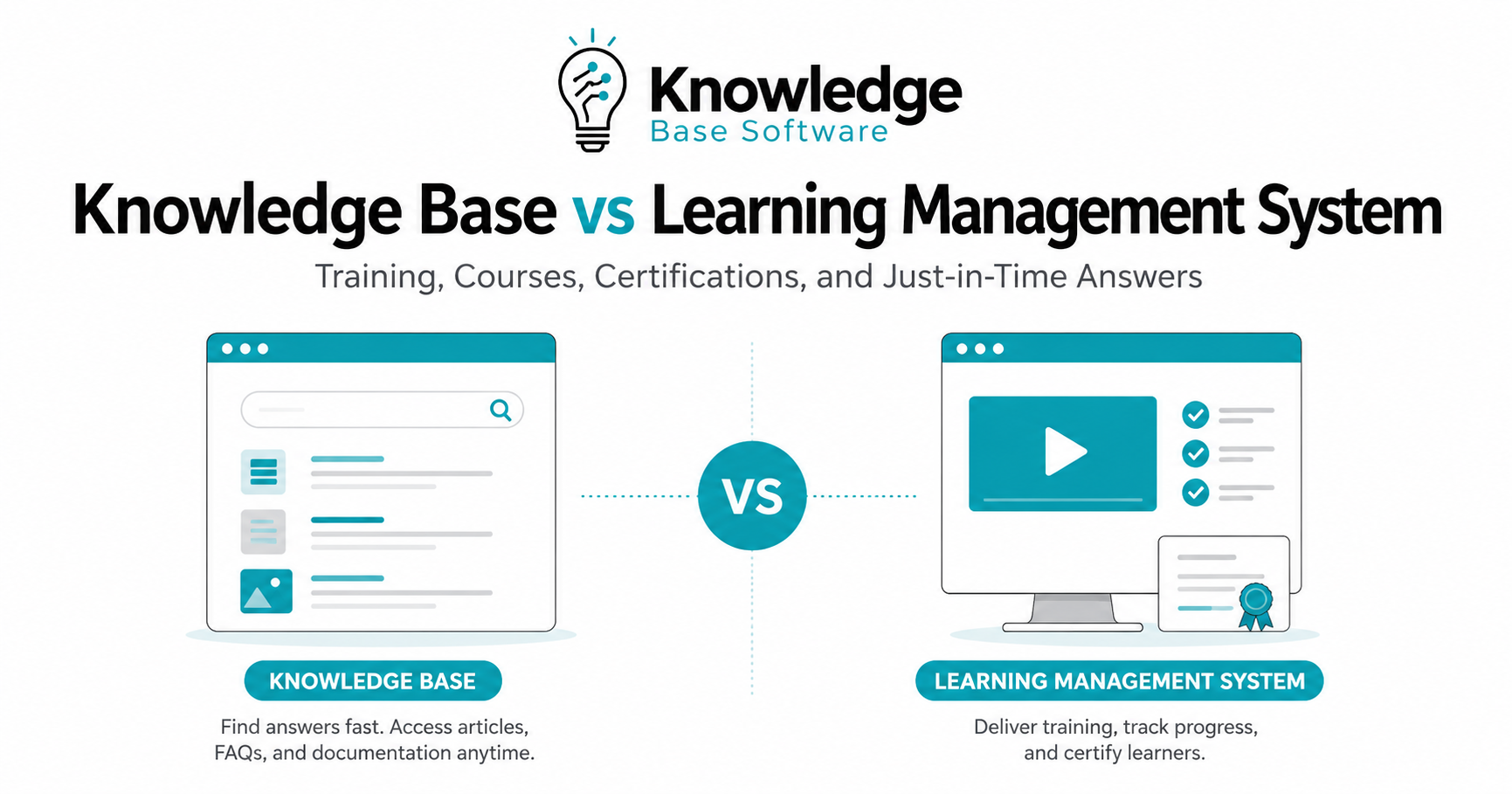
Knowledge Base vs Learning Management System: Training, Courses, Certifications, and Just-in-Time Answers
A knowledge base and a learning management system often appear in the same conversation because both help people learn, find information, and work more effectively. But they are not the same tool.
A learning management system, or LMS, is built for structured learning: courses, assignments, assessments, completion tracking, compliance training, and certifications. SAP defines an LMS as software used for planning, delivering, and tracking training and educational programs.
A knowledge base is built for self-service answers: searchable articles, FAQs, troubleshooting guides, SOPs, runbooks, policies, and process documentation. Atlassian describes a knowledge base as a self-serve online library of information about a product, service, department, or topic.
The practical difference is this:
An LMS helps people complete structured training. A knowledge base helps people find the right answer when they need it.
Most organizations should not ask, “Which one is better?” The better question is: Which job are we trying to support — formal learning, operational performance, compliance evidence, or fast answers in the flow of work?
Quick Answer: Knowledge Base vs LMS
Use an LMS when you need to assign, deliver, track, and report on training.
Use a knowledge base when people need fast, searchable, up-to-date answers while doing their work.
Use both when your organization needs formal training plus ongoing performance support.
| Decision Area | Knowledge Base | Learning Management System |
|---|---|---|
| Primary purpose | Help people find answers quickly | Deliver and manage structured learning |
| Best for | SOPs, FAQs, troubleshooting, policies, process documentation, product answers | Courses, onboarding programs, compliance training, assessments, certifications |
| Typical content | Articles, guides, checklists, runbooks, templates, help docs | Courses, modules, quizzes, videos, learning paths, assignments |
| User behavior | Search, browse, solve a specific problem | Enroll, complete, pass, renew, progress through a path |
| Main value | Just-in-time answers and self-service knowledge | Training administration and learning accountability |
| Tracking | Article views, searches, feedback, deflection, failed searches | Enrollments, progress, completion, scores, certificates, compliance reports |
| Best owner | Knowledge management, support, operations, enablement, IT, HR | L&D, HR, training, compliance, customer education |
| Limitation | Weak for formal completion evidence and assessments | Weak for fast reference if content is buried inside courses |
| Best combined use | Link live SOPs and reference articles from courses | Assign training that points learners to current knowledge articles |
What Is a Knowledge Base?
A knowledge base is a centralized, searchable library of information that helps employees, customers, partners, or agents answer questions without waiting for another person.
It commonly includes:
- FAQs
- How-to articles
- Troubleshooting guides
- SOPs
- Runbooks
- Policy explanations
- Product documentation
- Internal process documentation
- Customer support articles
- Templates and checklists
A strong knowledge base is not just a folder of documents. It is a maintained system for making knowledge findable, usable, and current. Atlassian notes that knowledge base content often includes FAQs, manuals, troubleshooting guides, runbooks, and other information teams need to know.
A knowledge base is usually part of a broader knowledge management strategy. APQC defines knowledge management as a structured process that helps information and knowledge flow to the right people at the right time so they can find, understand, share, and use knowledge to create value.
A knowledge base is best when the user has a specific question
For example:
- “How do I reset this customer’s account?”
- “What is the refund policy for this region?”
- “Which form do I use for this HR request?”
- “What should a field technician do when this error code appears?”
- “What is the current sales positioning for this feature?”
- “How do we handle this exception in the workflow?”
These questions do not require a full course. They require a clear answer, fast.
What Is a Learning Management System?
A learning management system is software for creating, delivering, managing, and tracking training or educational programs.
An LMS commonly supports:
- Course creation or course hosting
- Learner enrollment
- Assigned learning paths
- Progress tracking
- Completion criteria
- Quizzes and assessments
- Certificates or credentials
- Compliance training workflows
- Reporting and analytics
- Instructor-led or blended learning support
- Integrations with HR, identity, or business systems
The key difference is accountability. An LMS does not simply store learning material; it helps administrators assign training, monitor progress, and prove whether learners completed required activities.
For example, Moodle documentation explains that course completion can mark a course as finished manually or automatically according to specified criteria, and teachers can view learner progress through completion reports. Moodle Workplace also documents certificate templates and certificate issuing workflows; Moodle notes that this certificate template feature is part of Moodle Workplace, so certificate capabilities should be checked by platform rather than assumed for every LMS.
An LMS is best when the organization needs structured learning
For example:
- New hire onboarding
- Compliance training
- Product certification
- Partner education
- Customer academy programs
- Safety training
- Sales methodology training
- Leadership development
- Role-based learning paths
These use cases usually require sequencing, assessment, completion records, and reporting. A knowledge base can support them, but it usually should not be the system of record for formal training completion.
The Main Difference: Training vs Reference
The simplest way to separate a knowledge base from an LMS is to distinguish training content from reference content.
Training content is designed to build capability over time. Reference content is designed to help someone act correctly in the moment.
| Content Type | Best Home | Why |
|---|---|---|
| “Complete this onboarding path before your first customer call” | LMS | Requires assignment, sequencing, tracking, and completion |
| “Here is the latest call opening script” | Knowledge base | Needs to be searchable, current, and easy to update |
| “Pass this annual compliance module” | LMS | Requires assessment, evidence, renewal, and reporting |
| “Use this checklist before approving a transaction” | Knowledge base | Needed during real work, often repeatedly |
| “Learn the product architecture” | LMS | Structured conceptual training |
| “Find the integration limit for this customer plan” | Knowledge base | Specific answer at the point of need |
| “Earn a partner certification” | LMS | Requires curriculum, exam, and credentialing |
| “Troubleshoot error code 4027” | Knowledge base | Task-specific guidance |
The mistake many teams make is putting everything into one platform.
If every SOP becomes a course, employees waste time digging through training modules for quick answers. If every training requirement becomes a knowledge article, managers lose completion evidence, assessment data, and accountability.
When to Use a Learning Management System
Choose an LMS when the organization needs to manage learning as a formal program.
1. Structured courses and learning paths
An LMS is the better option when content must be delivered in a planned order.
Examples:
- “Complete Security Basics before Data Handling.”
- “Finish Product Foundations before Product Certification.”
- “Complete Manager Essentials before Performance Review Training.”
A knowledge base can list the same information, but it does not naturally manage prerequisites, cohorts, learning paths, grades, and completion rules.
2. Assessments and knowledge checks
If learners need to prove understanding, an LMS is usually the right platform.
Use an LMS for:
- Quizzes
- Exams
- Scenario-based assessments
- Pass/fail requirements
- Course completion rules
- Retake rules
- Manager approvals
- Training records
A knowledge base can explain what to do, but it usually does not test whether someone has learned it.
3. Compliance training
Compliance training often requires more than access to information. It may require assignment, completion tracking, reminders, records, and renewal workflows.
Use an LMS when the organization needs to answer questions like:
- Who was assigned the training?
- Who completed it?
- Who has not completed it?
- What score did they receive?
- When does the training expire?
- Which teams or regions are overdue?
- Can we provide evidence during an audit?
Do not assume every LMS automatically satisfies every compliance requirement. Requirements vary by industry, country, role, and regulation. Legal, HR, compliance, and security teams should confirm what evidence is required.
4. Certifications and credentials
An LMS is typically stronger when training leads to a certificate, credential, badge, or renewal cycle.
Use an LMS for:
- Employee certifications
- Partner certifications
- Customer education credentials
- Safety qualifications
- Role-based training certificates
- Recurring compliance renewals
However, certification support varies by platform. Some systems have native certificate features, while others require plugins or integrations. This should be checked during vendor evaluation rather than assumed.
5. Training reports for managers and executives
An LMS helps L&D, HR, compliance, and business leaders answer:
- Are employees completing required training?
- Which teams are behind?
- Which courses have low completion?
- Which assessments have low scores?
- Which certifications are expiring?
- Which learning paths correlate with role readiness?
A knowledge base can provide usage analytics, but those analytics usually answer different questions: what people searched for, which articles helped, where content gaps exist, and where users still need help.
When to Use a Knowledge Base
Choose a knowledge base when people need accurate answers quickly.
1. Just-in-time answers
Just-in-time learning delivers help at the moment a person needs to complete a task. D2L describes just-in-time training as learning delivered at the exact moment employees need it, often through short microlearning modules embedded in the workflow.
A knowledge base is well suited to this because users can search for a specific problem, scan a short article, and return to work.
Examples:
- A support agent needs the latest refund exception rule.
- A salesperson needs a competitor objection response before a call.
- A warehouse employee needs the correct packing procedure.
- A technician needs troubleshooting steps on a mobile device.
- A manager needs the current leave policy.
This is not “training” in the traditional course sense. It is performance support.
2. SOPs and process documentation
Standard operating procedures belong in a system where they are easy to find, update, review, and govern.
A knowledge base is usually better than an LMS for SOPs because SOPs change. If the only version of a process lives inside a course video, the organization may accidentally teach outdated steps.
Use a knowledge base for:
- Step-by-step processes
- Role-specific procedures
- Approval workflows
- Escalation paths
- Troubleshooting playbooks
- Internal policies
- Customer service scripts
- Operational checklists
3. Customer and employee self-service
Knowledge bases are also useful when the goal is reducing repetitive questions.
For customer-facing teams, a public knowledge base can help customers solve common problems before opening a support ticket. For internal teams, an employee knowledge base can reduce repeated questions to HR, IT, operations, and support leads.
Atlassian highlights that knowledge bases help agents and customers find answers quickly without opening a ticket and can preserve institutional knowledge.
4. Frequently changing operational knowledge
Some knowledge changes too often to live inside formal courses.
Examples:
- Product release notes
- Current pricing rules
- Temporary process changes
- Known issues
- Regional policy variations
- Sales messaging
- Internal escalation contacts
- System workarounds
This content needs ownership, review dates, version control, and search visibility. A knowledge base is usually the better home.
When You Need Both
Many organizations need both an LMS and a knowledge base because training and performance support solve different problems.
A useful model is:
- LMS = classroom, curriculum, and record book
- Knowledge base = operating manual, help desk, and reference library
Use both when the organization needs formal learning plus live reference material.
Example: New hire onboarding
A new hire may complete an onboarding path in the LMS:
- Company overview
- Role expectations
- Security basics
- Product foundations
- Customer handling principles
But after onboarding, the same employee needs a knowledge base for:
- “How do I submit this request?”
- “Where is the latest product positioning?”
- “What is the escalation process?”
- “Which tool do I use for this task?”
- “What is the current SOP?”
The LMS builds foundation. The knowledge base supports daily work.
Example: Compliance training
The LMS assigns and tracks required training. The knowledge base stores the live policy, procedure, checklist, and escalation guidance.
This avoids a common problem: the course says one thing, but the current policy says another.
A better setup is:
- LMS course explains the compliance principle.
- LMS quiz confirms understanding.
- LMS record shows completion.
- Knowledge base article stores the current policy and procedure.
- Course links to the live policy article instead of duplicating it.
Example: Customer support enablement
Support agents may complete LMS training on:
- Product architecture
- Customer communication
- Support methodology
- Escalation standards
But during a live customer conversation, they need the knowledge base for:
- Troubleshooting steps
- Known issues
- Error codes
- Refund rules
- Technical limits
- Approved response templates
A course is too slow for a live ticket. A searchable knowledge article is the better point-of-need tool.
Example: Customer education
A SaaS company may use an LMS for customer academies, certification programs, and structured product training.
The public knowledge base still matters because customers also need quick answers:
- “How do I configure this setting?”
- “What does this error mean?”
- “Can I integrate with this tool?”
- “Where is the API limit documented?”
In this case, the LMS helps customers learn the product deeply. The knowledge base helps them use it successfully every day.
Content Routing: What Belongs Where?
Use this practical routing rule:
If users must complete it, assess it, or prove it, put it in the LMS.
If users must find it, reuse it, or follow it during work, put it in the knowledge base.
| Content | Put It in the LMS? | Put It in the Knowledge Base? | Recommended Approach |
|---|---|---|---|
| Required compliance module | Yes | Support only | LMS for training; KB for policy reference |
| Current HR leave policy | No | Yes | KB as source of truth |
| New hire learning path | Yes | Support only | LMS for structured onboarding; KB for daily reference |
| Troubleshooting article | No | Yes | KB |
| Product certification exam | Yes | No | LMS |
| Product release notes | Usually no | Yes | KB |
| SOP checklist | Usually no | Yes | KB, linked from training if needed |
| Sales certification | Yes | Support only | LMS for credential; KB for live talk tracks |
| Software walkthrough | Sometimes | Sometimes | LMS for formal training; KB/EPSS for in-app task help |
| Manager training program | Yes | Support only | LMS for curriculum; KB for templates and policies |
How to Connect an LMS and Knowledge Base Without Duplicating Content
The biggest implementation risk is content duplication. If the same policy, SOP, or product instruction appears in both systems, one version will eventually become outdated.
Use this operating model instead.
1. Choose a source of truth for each content type
Do not ask, “Where can we upload this?” Ask, “Which system should own this?”
Recommended ownership:
- Courses and assessments: LMS
- SOPs and policies: knowledge base
- Certificates and completions: LMS
- Troubleshooting guides: knowledge base
- Learning paths: LMS
- Templates and job aids: knowledge base
- Renewal records: LMS
- Product reference docs: knowledge base
2. Link from courses to live knowledge articles
If a course teaches a process that changes frequently, do not embed the full SOP inside a static slide deck.
Instead:
- Teach the concept in the LMS.
- Link to the current SOP in the knowledge base.
- Tell learners the knowledge base is the source of truth.
- Update the article when the process changes.
- Review course content only when the learning objective changes.
This keeps formal training stable while keeping operational guidance current.
3. Create shared governance
A knowledge base and LMS should not be owned in isolation.
Create a shared governance model that defines:
- Content owner
- Subject matter expert
- Reviewer
- Approval workflow
- Review frequency
- Retirement rules
- Naming conventions
- Taxonomy
- Permissions
- Analytics review cadence
ISO 30401:2018 sets requirements and guidelines for establishing, implementing, maintaining, reviewing, and improving a knowledge management system. Because ISO notes that this standard has amendments and is expected to be replaced by ISO/DIS 30401, teams should check the latest ISO status when using it for formal compliance. For this article, the practical principle is clear: govern knowledge assets as maintained systems, not one-time documentation projects.
4. Use analytics from both systems
LMS analytics and knowledge base analytics should answer different questions.
LMS analytics:
- Who completed training?
- Who failed an assessment?
- Which courses are overdue?
- Which certifications are expiring?
- Which teams need reinforcement?
Knowledge base analytics:
- What are people searching for?
- Which searches return no useful result?
- Which articles receive poor feedback?
- Which articles are viewed most?
- Which topics create repeated tickets?
- Which content is stale?
Together, these signals show whether the problem is a training gap, a documentation gap, or a workflow gap.
5. Design for the reader’s moment of need
A learner in an LMS has time allocated to learn. A worker using a knowledge base may be under pressure, serving a customer, completing a transaction, or fixing an issue.
That difference should shape content design.
LMS content can include:
- Conceptual explanations
- Guided practice
- Reflection
- Scenario exercises
- Assessments
- Sequenced learning
Knowledge base content should prioritize:
- Short answers
- Clear headings
- Step-by-step instructions
- Screenshots where helpful
- Decision tables
- “Applies to” notes
- Last reviewed dates
- Escalation steps
- Related articles
Buyer Evaluation Checklist
When comparing a knowledge base vs learning management system, evaluate based on the job each platform must perform.
LMS evaluation questions
Ask:
- Can we create or import courses?
- Can we assign training by role, team, region, customer type, or partner tier?
- Can we set prerequisites and learning paths?
- Can we track course completion?
- Can we create quizzes or assessments?
- Can we issue certificates or integrate with a credentialing tool?
- Can we manage renewals or recurring training?
- Can managers view team progress?
- Can reports be exported or scheduled?
- Does it support the learning standards we need, such as SCORM, xAPI, cmi5, or LTI?
- Does it integrate with our HRIS, identity provider, CRM, or customer platform?
- Can it support internal, customer, and partner training separately if needed?
For technical learning ecosystems, standards matter. SCORM is commonly used for eLearning content and LMS interoperability. IEEE 9274.1.1-2023 standardizes the xAPI data model and RESTful service for learner experience data tracking and access, while ADL’s xAPI Profiles specification helps describe profiles consistently so xAPI statements can be more interoperable across systems.
Knowledge base evaluation questions
Ask:
- Is search fast, accurate, and tolerant of user language?
- Can users filter by product, role, region, audience, or topic?
- Can articles be owned, reviewed, approved, and retired?
- Does it support version history?
- Can internal and external content be separated?
- Can users leave feedback on articles?
- Can failed searches be analyzed?
- Can articles be linked from tickets, chats, courses, or apps?
- Can permissions protect sensitive content?
- Can authors create templates for SOPs, FAQs, and troubleshooting guides?
- Does the platform support multilingual or localized content if needed?
- Does it integrate with the help desk, collaboration tools, or intranet?
Shared platform questions
Whether buying an LMS, knowledge base, or combined platform, ask:
- Who owns the content after launch?
- How easy is it to update content?
- How are permissions managed?
- Does it support SSO?
- Does it have an API?
- Can it integrate with existing systems?
- Is the user experience mobile-friendly?
- Can content meet accessibility expectations?
- What analytics are available?
- What data is collected about employees, customers, or learners?
- How is data stored, secured, exported, and deleted?
- What happens when content is archived?
- How does the vendor handle AI-generated or AI-assisted answers?
For accessibility, W3C’s WCAG 2.2 provides recommendations for making web content more accessible and more usable across devices and user needs.
Common Mistakes to Avoid
Mistake 1: Using an LMS as a document library
An LMS can store resources, but that does not make it a good knowledge base. If employees must open a course, click through modules, or remember where training material lives, the system will not work well for urgent answers.
Use the LMS for learning. Use the knowledge base for fast retrieval.
Mistake 2: Using a knowledge base as a compliance system
A knowledge article can explain a policy, but it usually cannot prove that every required employee completed training, passed an assessment, or renewed certification.
Use the knowledge base for the live policy. Use the LMS for training evidence.
Mistake 3: Duplicating SOPs inside course files
If an SOP changes monthly but the course is updated once a year, learners will be trained on stale information.
Keep the SOP in the knowledge base. Link to it from the LMS.
Mistake 4: Buying a platform before defining content governance
Tool selection will not fix unclear ownership.
Before implementation, define:
- Who creates content
- Who approves it
- Who updates it
- Who retires it
- How often it is reviewed
- Which system is the source of truth
- How success is measured
Mistake 5: Confusing knowledge management with a knowledge base
A knowledge base is a tool. Knowledge management is the broader discipline of helping knowledge move to the right people at the right time. APQC’s definition emphasizes structured processes, access, sharing, and use of knowledge — not just software.
Mistake 6: Measuring both systems with the same metrics
LMS success is not the same as knowledge base success.
A course can have high completion but low job impact. A knowledge base can have high traffic because content is useful — or because users cannot find the right answer quickly.
Measure each system according to its purpose.
Success Metrics: LMS vs Knowledge Base
| Goal | LMS Metrics | Knowledge Base Metrics |
|---|---|---|
| Training completion | Completion rate, overdue training, progress by team | Not the primary system |
| Learning effectiveness | Quiz scores, assessment attempts, pass/fail rates | Related article feedback after training |
| Compliance readiness | Assigned vs completed, renewal status, certification records | Policy views, policy update history |
| Employee productivity | Time to complete training, manager readiness signals | Search success, article usefulness, reduced repeated questions |
| Support efficiency | Agent training completion, product certification | Ticket deflection, article reuse, failed searches |
| Content quality | Course ratings, assessment performance, drop-off points | Feedback score, stale articles, no-result searches |
| Enablement maturity | Role-based learning path adoption | SOP usage, template adoption, knowledge gaps |
The best signal often comes from combining both datasets. For example, if a support team completed product training but still searches the same troubleshooting topic every day, the issue may not be lack of training. It may be that the process is complex and needs a better job aid.
Adjacent Tools: LMS, Knowledge Base, KMS, LXP, EPSS, and Digital Adoption
The software market can make this comparison confusing because several related categories overlap.
Knowledge Management System
A knowledge management system is broader than a knowledge base. It may include communities, expert directories, lessons learned, document management, content workflows, and collaboration processes.
A knowledge base is often one component of knowledge management.
Learning Experience Platform
A learning experience platform, or LXP, focuses more on discovery, recommendations, personalized learning, and learner-driven development. It may aggregate content from many sources.
An LXP may complement an LMS, but it does not automatically replace the LMS’s role in compliance tracking, certification, and formal administration.
Electronic Performance Support System
An EPSS helps users perform tasks with contextual guidance, often inside the workflow or software interface.
If your main need is in-app guidance, step-by-step task support, or digital adoption for a specific application, an EPSS or digital adoption platform may be more relevant than a traditional LMS or knowledge base.
Digital Adoption Platform
A digital adoption platform typically provides in-app walkthroughs, tooltips, prompts, and process guidance. It is useful when the work happens inside software and users need help completing tasks correctly.
For many organizations, the practical architecture looks like this:
- LMS for formal training
- Knowledge base for searchable reference
- EPSS or digital adoption for in-app guidance
- KMS for broader organizational knowledge strategy
- LXP for learner discovery and personalized development
Final Decision Framework
Use this framework when choosing between a knowledge base and LMS.
Choose an LMS if your main question is:
“How do we make sure people complete the right training and prove it?”
An LMS is the stronger fit for:
- Formal courses
- Assigned learning paths
- Compliance training
- Assessments
- Certification tracking
- Recurring training
- Employee onboarding programs
- Customer or partner academies
- Progress and completion reports
Choose a knowledge base if your main question is:
“How do we help people find the right answer quickly while they work?”
A knowledge base is the stronger fit for:
- SOPs
- FAQs
- Troubleshooting
- Process documentation
- Product documentation
- Policy reference
- Internal self-service
- Customer self-service
- Just-in-time answers
- Reducing repetitive questions
Choose both if your main question is:
“How do we train people properly and support them after training?”
Use both when:
- Training content needs to link to live SOPs.
- Compliance courses need current policy references.
- New hires need onboarding plus daily process answers.
- Support teams need product training plus troubleshooting guides.
- Sales teams need certification plus live messaging.
- Field teams need formal training plus mobile job aids.
- Customers need an academy plus self-service help docs.
Practical Recommendation
Do not force one platform to do every job.
A learning management system is your system for structured learning, completion, assessment, and certification.
A knowledge base is your system for searchable answers, operational knowledge, SOPs, and just-in-time support.
The strongest approach for most growing organizations is not “knowledge base vs learning management system.” It is a connected learning and knowledge architecture where:
- The LMS teaches the concepts.
- The knowledge base supports the work.
- The LMS tracks required training.
- The knowledge base stays current as the source of truth.
- Both systems share governance, ownership, and analytics.
That combination gives employees, customers, and partners what they actually need: structured learning when they are building capability, and fast answers when they are trying to get work done.
FAQ
Is a knowledge base the same as an LMS?
No. A knowledge base is mainly for searchable self-service information, while an LMS is mainly for structured training delivery, progress tracking, assessments, and completion records.
Can a knowledge base replace a learning management system?
A knowledge base can replace an LMS only when your need is simple information access. It should not replace an LMS when you need assigned training, assessments, completion tracking, compliance evidence, or certifications.
Can an LMS replace a knowledge base?
An LMS can store resources, but it usually should not replace a knowledge base if users need fast answers, SOPs, troubleshooting guides, or frequently updated documentation. Course structures are often too slow for point-of-need reference.
Which is better for employee onboarding?
Use an LMS for structured onboarding paths and a knowledge base for the practical information new hires need after training. The best onboarding experience often uses both.
Which is better for compliance training?
An LMS is usually better for assigning, tracking, assessing, and reporting compliance training. A knowledge base should support compliance by storing the current policy, SOPs, and reference material. Always verify legal and regulatory requirements with qualified internal teams.
Which is better for certifications?
An LMS is usually better for certifications because certification programs often require courses, assessments, completion rules, expiration dates, and learner records. Check whether the LMS supports certificates natively or through integrations.
Which is better for just-in-time answers?
A knowledge base is usually better for just-in-time answers because users can search for a specific issue, follow a short guide, and continue working. LMS content is better for structured learning before or around the work.
What content should go in the LMS versus the knowledge base?
Put courses, learning paths, assessments, and certificates in the LMS. Put SOPs, troubleshooting guides, FAQs, policies, templates, and live reference material in the knowledge base.
Do we need both a knowledge base and an LMS?
You likely need both if your organization has formal training requirements and employees or customers also need fast operational answers. The two systems solve different problems and become more valuable when connected intentionally.

