Independent knowledge base software guide Evidence-led Updated 2026

Best Free Knowledge Base Software: 9 Options and Their Limits
Free knowledge base software can support a public help center, an employee wiki, or a self-hosted documentation library. The right choice depends on what must remain free: publishing articles, adding contributors, restricting access, using your own domain, or running the software without a license fee.
Start with the audience, then check the limit that affects your intended use. A free internal wiki is not automatically a free customer help center, and open-source software does not automatically include hosting. The options below separate those models rather than treating every “Start free” offer as equivalent.
This comparison uses official plan documentation, product information, and project requirements. Recommendations reflect those documented capabilities and constraints, not hands-on performance benchmarks. Time-limited programs are kept out of the main shortlist.
Compare the free options by audience and limitation
The hosted plans below currently have an ongoing $0 offering. The self-hosted products have no software license charge, but you supply the infrastructure and administration. Neither model guarantees that every feature—or every future requirement—will cost nothing.
| Software | Useful free configuration | Verified scope | First constraint to evaluate |
|---|---|---|---|
| tawk.to | Hosted customer help center | Public articles on a provider-hosted site | Setup documentation places custom domains behind the Remove Branding add-on. |
| Help Scout | A compact public FAQ connected to support | One Docs site and up to 10 articles | A larger article library requires a paid plan. |
| ProProfs Knowledge Base | A small help center with one maintainer | One author and up to 25 pages | Additional authors or content beyond the allowance. |
| Mintlify | Hosted product and developer documentation | Starter includes five editors and a custom domain | More editors, AI features, and other advanced capabilities require an upgrade. |
| Notion | Solo documentation or a limited team workspace | Unlimited blocks with one workspace owner; 1,000 blocks with two or more | Team content growth and paid publishing features. |
| Slab | An internal team knowledge base | Up to 10 users, with unlimited posts and topics | More users or requirements outside the Free feature set. |
| Confluence | A collaborative internal wiki | Up to 10 users, unlimited pages and spaces, and 2 GB of file storage | No anonymous access or customizable permissions on Free. |
| BookStack | A self-hosted documentation library | Free, MIT-licensed software | You provide hosting, updates, backups, and administration. |
| Wiki.js | A self-hosted wiki with configurable access | Free, AGPLv3-licensed software | You operate the application and configure its services and permissions. |
For customer documentation without server administration, begin with the hosted publishing options. For employee procedures, prioritize permissions and contributor limits. Consider self-hosting only when someone can take responsibility for keeping the installation available and recoverable.
Free hosted software for customer help and product documentation
1. tawk.to: a public help center on a provider-hosted address
tawk.to is worth evaluating when you want searchable customer articles without maintaining a server. Its knowledge base product page advertises an ongoing free service with article organization and search. The setup guide provides a default address in the form name.tawk.help.
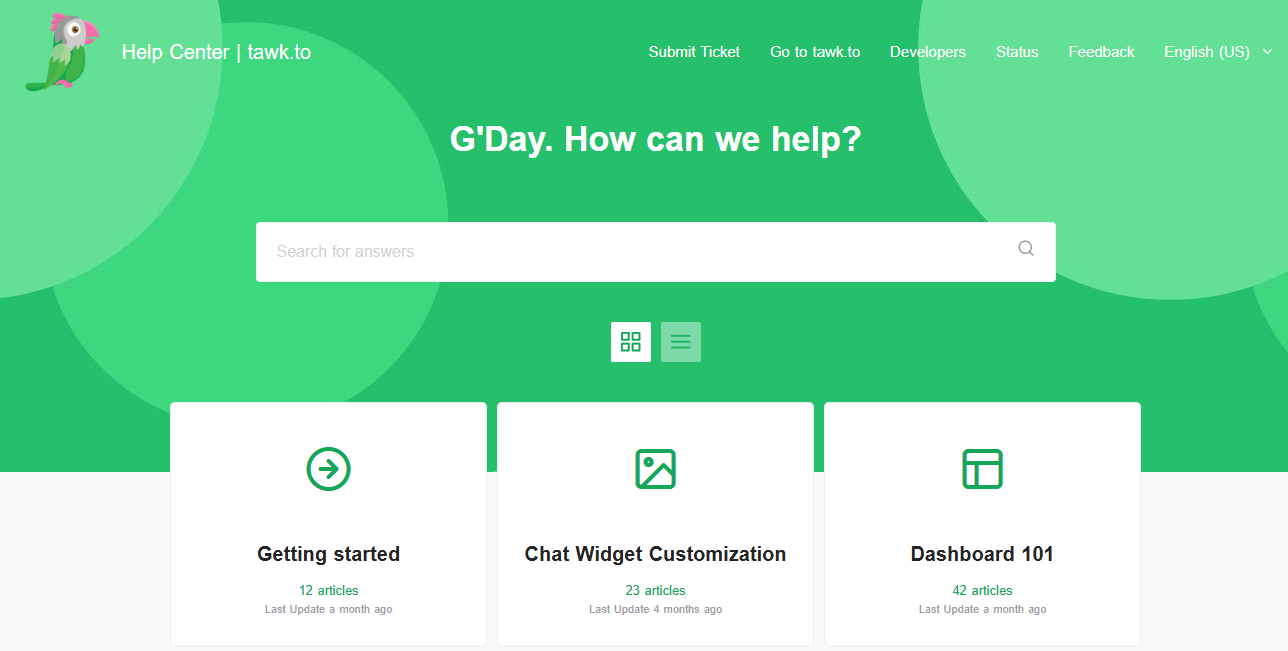
It also distinguishes customer-facing articles from internal team material. According to the private-article documentation, private articles are unavailable to visitors even through a direct link. That is a different protection from simply removing a page from navigation.
The cost boundary to check is branding and your own domain. The product page emphasizes custom-domain publishing, but the setup and Remove Branding documentation require an active add-on for that configuration. Base a $0 deployment on the provider address unless tawk.to confirms different terms for your account.
The cited documentation does not establish a numeric article ceiling. That is not a promise of unlimited storage or traffic. Before moving a large library, confirm its expected size and export requirements. Shortlist tawk.to for its free hosted help-center workflow, not an assumed unlimited entitlement to every associated service.
2. Help Scout: a small public FAQ alongside customer support
Help Scout Free includes one Docs site with up to 10 articles. Its plan-specific documentation also includes a shared Inbox and Beacon help widget. This makes it a practical candidate for a small FAQ that supports a modest customer-service operation.
Docs can be used without configuring an Inbox, according to the Docs overview. You therefore do not have to migrate your support email just to evaluate the article-publishing experience.
Keep its limits separate. The Free plan’s 100 helped contacts per month measures qualifying support interactions, not ordinary article views. Its AI Answers allowance is a trial, not ongoing unlimited free AI.
There is also a contributor detail to confirm: the Free support article says Docs can be managed by unlimited users, while the pricing comparison lists five users for the account. Do not assume unlimited free logins for a large documentation team without clarification.
The clearest upgrade trigger is article count. Once you need more than 10 articles, evaluate a paid plan or another free publishing tool. Do not compress unrelated answers into oversized pages merely to stay under the limit.
3. ProProfs Knowledge Base: a small library maintained by one author
ProProfs lists a free plan for one author and up to 25 pages. Its pricing page distinguishes that ongoing allowance from the separate 15-day trial advertised on the same page. The free option deserves consideration when one person maintains a compact customer help site.
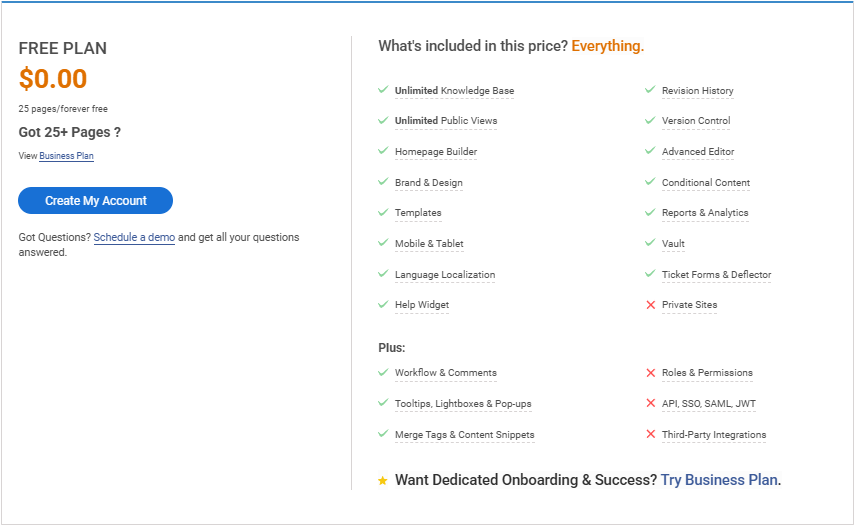
The author limit matters as much as the page limit. ProProfs defines an author as someone who logs in to administer or contribute to the knowledge base; public readers are a different category. A one-author plan is not a collaborative editing plan simply because many customers can read the result.
The first upgrade decision is additional authors or more than 25 pages. The pricing page also lists custom-domain and white-label functionality as a paid add-on. Do not interpret its broad feature descriptions as proof that every publishing configuration is included at $0.
Choose it for a focused, single-maintainer help center. For a growing library or a team with several reviewers who need their own editing accounts, compare the qualifying paid plan with other hosted free options before moving your content.
4. Mintlify: product documentation with a free custom-domain connection
Mintlify Starter is a strong candidate for product or developer documentation when you want managed hosting and a repository-based content workflow. Its free plan includes five editor seats, a web editor, custom-domain support, authentication, and an API playground.
The quickstart documentation explains the underlying model: each page corresponds to a file in a documentation repository. You can work through the browser editor or Git. Connecting your own repository can be deferred during onboarding, but someone should still understand how the content and configuration are maintained.
Starter is not the same as the Pro trial. Mintlify’s Starter explanation separates ongoing publishing from paid AI features, analytics, additional editor capacity, and more advanced access options. Public readers do not consume editor seats.
Custom-domain support means you can connect a domain you control; it does not include buying or renewing that domain. Choose Mintlify when its documentation workflow fits the team, rather than solely because its free feature list is longer. Test an actual article update before committing nontechnical authors to the process.
Free tools for internal documentation and team wikis
5. Notion: flexible documentation with an important team-size distinction
Notion is useful when documentation belongs alongside the team’s other working pages. Its Free plan supports unlimited blocks in a workspace with one owner. With two or more workspace owners, the allowance becomes 1,000 blocks; Notion notes that people added as workspace members on Free join as owners. These rules come from its block-usage documentation.
A block is a content element, not a complete article. Deleting blocks does not reset the accumulated usage, and existing content remains editable after the allowance is reached. Do not estimate a team’s capacity by treating 1,000 blocks as 1,000 help articles.
Notion is also a public-documentation option: Free allows published Notion Sites on one notion.site domain. Its Sites plan guide places custom-domain connections behind a paid workspace plan plus a domain add-on.
The main constraint is how you collaborate. Page-specific guest access is not equivalent to full workspace membership. Choose Notion Free for a solo-maintained library or a deliberately limited sharing arrangement, and reassess when the whole team needs workspace-wide participation.
Before publishing, inspect the page tree: Notion’s publishing guide warns that subpages are published by default. Keep internal procedures outside the public structure and test direct links while signed out.
6. Slab: an internal knowledge base for up to 10 users
Slab Free supports up to 10 users with unlimited posts and topics. Its plan comparison also lists 90 days of version history and a 10 MB attachment limit. This makes it worth evaluating for a small team whose library will grow faster than its headcount.
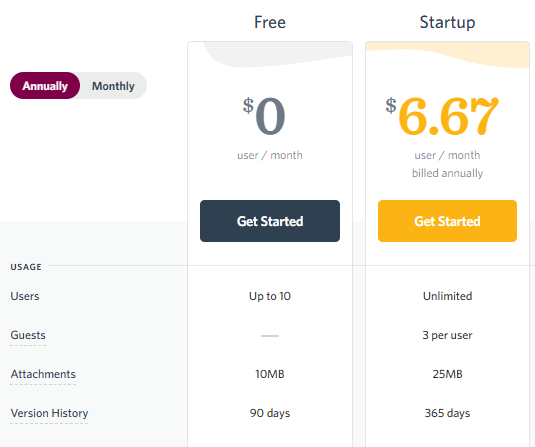
Organize procedures into topics and use post-level structure to keep individual answers focused. Slab’s permission documentation distinguishes who can access content from who can edit it. Check the availability of the required controls on Free before moving departmental or otherwise restricted material.
Do not assume readers are automatically free. Slab’s billing explanation counts users who can log in and says there is no account type that inherently cannot edit anything; editing rights depend on content organization and sharing. Guest allowances also require separate attention.
The first obvious upgrade trigger is exceeding the user allowance. Slab is a sensible internal-library candidate when its Free controls satisfy the team’s requirements. Although it also documents public link sharing, sharing selected posts is not the same evaluation as choosing a dedicated customer help-center experience.
7. Confluence: a collaborative wiki, not a free public help center
Confluence Free includes 10 users, unlimited spaces and pages, and 2 GB of file storage. The decisive qualification in Atlassian’s plan documentation is that Free does not provide customizable permissions or anonymous access.
In a new Free instance, people who can log in can view, add, and edit its content. That can suit a small team writing a shared handbook. It does not satisfy a requirement that eight employees read articles while only two may edit them.
Evaluate Standard when tighter permissions become necessary. A public customer help center also needs a different configuration or product; inviting customers as internal users is not equivalent to anonymous self-service.
Atlassian also reserves the right to deactivate inactive Free sites and notifies administrators beforehand. Keep the account monitored rather than treating a free workspace as unattended archival storage. Choose Confluence Free when broad collaboration is acceptable, not when avoiding payment would require weakening access restrictions.
Open-source knowledge bases you host yourself
These options remove the recurring software license charge. They do not remove the need for a server, updates, backups, access configuration, and someone able to restore service. Evaluate the operating responsibility alongside the features.
8. BookStack: structured documentation with visual editing
BookStack is free, MIT-licensed software organized around books, chapters, and pages. It provides visual editing, an optional Markdown editor, and searchable content. You can configure the installation for public or private use.
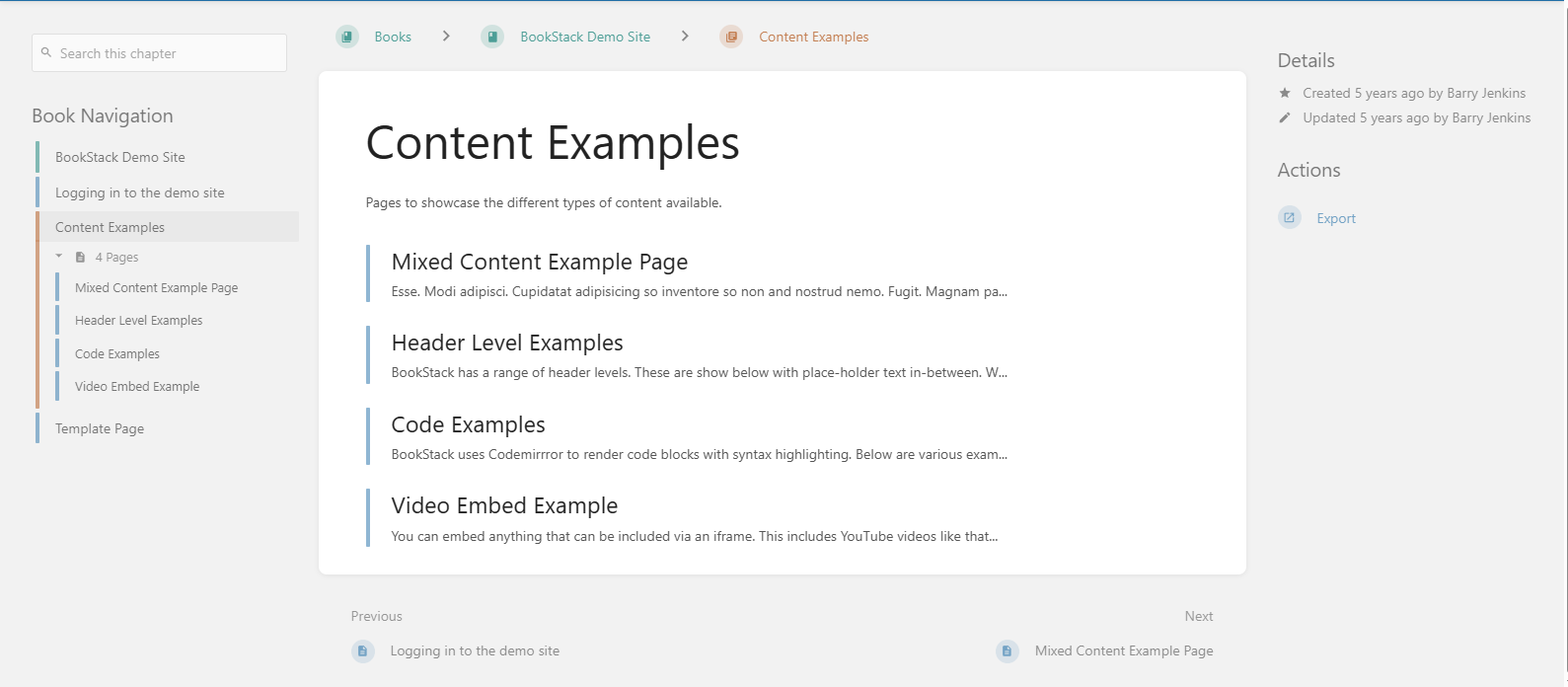
Its role and content-permission system gives administrators control over reading and editing. That makes it a candidate for a team that needs more deliberate access boundaries than a permissive hosted free tier offers.
The tradeoff is administration rather than a paid-plan threshold. The installation guide expects knowledge of hosting a PHP application and database. Backups must include both files and database records, as explained in the recovery documentation.
Choose BookStack when you have a technical owner and its book-based structure suits the content. Before launching, assign responsibility for updates and test a restore. A free license is not a good bargain when nobody can recover the library after a server failure.
9. Wiki.js: a configurable self-hosted wiki
Wiki.js is distributed under AGPLv3 and supports public, private, or mixed-access documentation. Its modular design includes authentication, editing, search, and storage components. It is worth considering when a technically supported team needs flexibility in how the wiki connects to its environment.
Unlike a hosted plan with a small user allowance, the main question is whether you can operate the application and its supporting services. The project uses Node.js and a database; the infrastructure and selected modules need maintenance.
Choose it for a configuration requirement you can identify, not merely because it exposes more settings. Compare it with BookStack using your actual content organization and access needs. Have the administrator validate both public and restricted paths before placing internal material on an internet-accessible installation.
Free offers that need a different label
A temporary program is not an ongoing free plan. Freshdesk’s documented Free program lasts six months and supports up to two agents. It can help with a short-term evaluation, but it does not meet a requirement for continuing at $0 indefinitely.
A free workspace does not always include public publishing. Nuclino’s Free plan includes up to 50 items and 2 GB of storage, while publishing appears in Starter. It can be relevant to a small internal workspace without qualifying as the same free customer-facing option.
Visible source code does not automatically mean open source. Outline’s current license explicitly identifies its Business Source License as not an open-source license. Evaluate its permitted uses separately instead of placing it in the same licensing category as BookStack or Wiki.js.
Static documentation generators are another distinct model. They produce a website you must publish somewhere; a free generator alone does not establish free hosting, suitable commercial-use terms, or private reader access. Check the entire publishing arrangement before calling it a no-cost help center.
Apply the limits to your actual requirements
Consider a hypothetical business that needs 20 public articles, one author, no customer login, no AI, and no custom domain. Its first decision is whether the free configuration meets those requirements—not which product has the longest feature list.
ProProfs’ one-author, 25-page allowance fits the stated content and author counts. Help Scout’s 10-article allowance does not. A single-owner Notion Site offers another publishing route, but the business should test whether its navigation provides the reader experience it needs.
Now change one requirement: two teammates must have their own authoring accounts. ProProfs Free no longer matches the author allowance. That is the point to compare another free configuration or a qualifying paid plan—not after the second teammate has been asked to share someone else’s login.
For internal documentation, count every person who needs access and specify whether they may edit. “Ten users included” does not answer whether a plan supports ten users with the particular permissions your company requires.
Check the costs that appear after launch
Domains, access, and paid upgrades
Write down the first likely requirement outside the free plan: more articles, another author, a custom domain, restricted customer access, or longer history. Then price the lowest plan that actually satisfies it. The cheapest paid plan may not include the feature that caused you to upgrade.
Keep domain connection and domain ownership separate. For example, Notion Sites requires both a paid workspace and a custom-domain add-on, while Mintlify includes connection support in Starter. Neither arrangement means that a domain’s registration and renewal are automatically free.
AI allowances are a separate decision
A useful free knowledge base does not require an AI assistant. Start by checking whether readers can find a clear answer through navigation and search.
When evaluating AI, distinguish a trial from an ongoing allowance and ordinary readers from billable AI activity. Mintlify Starter does not include its paid Assistant and writing-agent features. Help Scout likewise documents a time-limited AI allowance rather than unlimited free answers. Do not choose the underlying knowledge base on the assumption that a temporary AI experience will remain free.
Export and recovery are not the same thing
Inspect how you would leave before uploading the full library. Check article text, attachments, hierarchy, links, and access settings separately. A usable export should be more than a report listing article titles.
Notion’s export documentation supports retrieving content in formats such as HTML and Markdown/CSV, but warns that uploading an export does not instantly recreate the workspace. Self-hosting has a different responsibility: BookStack’s backup process must preserve the installation’s files and database, not just readable article copies.
Test two finalists before moving your library
Use a few non-sensitive articles to test the exact free configuration you intend to keep. If the account starts with premium trial features, identify which controls will remain available afterward.
- Publish a useful sample. Create a task-based article and a troubleshooting answer. Confirm that the intended author can organize and update them without relying on a trial-only feature.
- Test discovery. Ask someone who did not write the articles to find an answer using navigation and their own search terms. Check the customer-facing experience rather than only the administration search.
- Check access boundaries. Open public content while signed out. For private material, test both an allowed reader and someone who should be denied access, including direct links.
- Make a correction. Update a sample instruction and verify the reader sees the intended version. Check whatever history or recovery mechanism the free configuration provides.
- Inspect an export and the next cost. Open the exported content, check images and links, and identify the specific event that would require payment or additional administration.
Choose the free option that passes those checks with room for your near-term needs. If it fails on reader access, necessary collaboration, or recoverability, staying at $0 is not the right objective. A smaller, well-maintained library on a suitable plan is more useful than a larger collection whose limits prevent people from finding and trusting its answers.
Official free-plan documentation, product capabilities, and project licensing checked on November 1, 2026.