Independent knowledge base software guide Evidence-led Updated 2026

Knowledge base vs wiki: Differences and decision guide
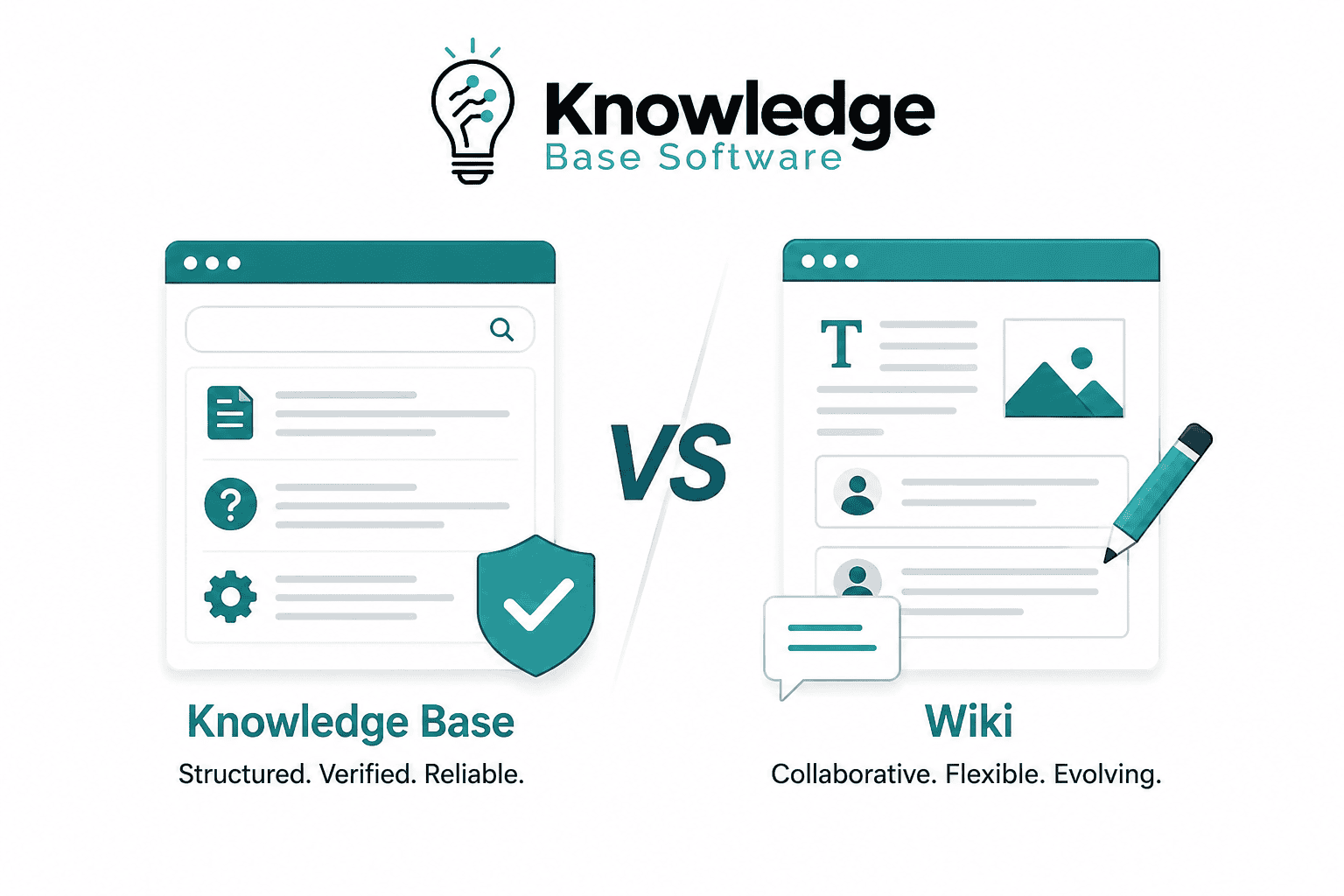
A wiki and a knowledge base are not opposing product categories anymore. Modern platforms can both support collaborative editing, permissions, ownership, version history, approvals, public sharing, and analytics. The practical difference is the operating model: use a wiki-style workspace when rapid contribution and evolving context are the priority; use a knowledge-base publishing model when a defined audience needs approved, findable, maintained answers. Many organizations should use one platform in two modes—or connect a collaborative workspace to a governed help center.
Last verified: July 30, 2026. Product capabilities below are based on current Atlassian and Zendesk documentation. Plan availability can change, so verify every required workflow in your own trial.
Knowledge base vs wiki at a glance
| Decision factor | Wiki-style workspace | Knowledge-base publishing model |
|---|---|---|
| Primary job | Capture and develop shared context | Deliver a dependable answer to a defined audience |
| Typical content state | Notes, drafts, decisions, project context, evolving procedures | Approved help articles, SOPs, policies, product documentation |
| Contribution model | Broad and collaborative | Defined authors, reviewers, publishers, and owners |
| Publication boundary | Often visible within a workspace as it develops | Draft and published states are deliberately separated |
| Audience | Usually colleagues or invited collaborators | Customers, employees, partners, agents, or multiple controlled audiences |
| Success test | People contribute, reuse context, and make decisions faster | People find, trust, and complete tasks with the published answer |
| Best default | Low-risk, fast-changing working knowledge | High-impact, repeatable, customer-facing, or regulated knowledge |
Do not choose from this table alone. A configured Confluence space can behave like a governed knowledge base, while a poorly managed help center can behave like an uncontrolled wiki. Start with audience, risk, workflow, and evidence—not the label on the vendor’s website.
What a wiki means in practice
A wiki is a shared, linkable body of pages that lowers the cost of contributing and revising knowledge. Its strength is not the absence of control; it is the ability to capture context while work is happening. Teams use wiki-style spaces for architecture decisions, meeting outcomes, research notes, project plans, runbook drafts, retrospectives, and explanations that benefit from many contributors.
The familiar claim that “anyone can edit a wiki and nobody owns it” is no longer a reliable product definition. For example, current Confluence Cloud documentation describes transferable content ownership, page and space permissions, restrictions, version history, analytics, and formal approvals on qualifying plans. Atlassian also documents both anonymous spaces that search engines may index and public links that it says are not indexed. Those are materially different distribution controls, not a single “make public” switch.
A wiki therefore describes a collaboration pattern more accurately than a fixed feature list. Its risk is content sprawl: quick creation can outpace classification, review, deduplication, and retirement. Solve that with a clear space purpose, named owners for consequential pages, and lifecycle rules—not by assuming a new product category will fix the process.
What a knowledge base means in practice
A knowledge base is a publishing and retrieval system for reusable answers. It can be external, internal, or segmented. The defining behavior is that readers can tell which answer applies to them, while the organization can control how that answer is authored, approved, distributed, measured, reviewed, and retired.
- A customer help center explains setup, billing, troubleshooting, and product behavior.
- An internal knowledge base publishes approved policies, SOPs, onboarding guidance, and agent procedures.
- A partner knowledge base exposes selected material to authorized organizations.
- A product documentation site organizes versioned instructions for users or developers.
Dedicated knowledge products often emphasize article workflow, audience segments, search analytics, feedback, localization, and help-desk integration. Zendesk’s current documentation, for example, separates viewing permissions from article-management permissions; documents owner assignment, Team Publishing states, revision restoration, and verification rules; and provides knowledge analytics. Several capabilities depend on the purchased plan.
The important phrase is “operating model.” Software cannot make content authoritative by itself. Authority comes from a named owner, a controlled source, an appropriate review, a visible audience boundary, and a correction path. The site’s knowledge base governance framework shows how to establish those controls.
The six differences that actually affect the decision
1. Reader intent
A wiki reader often wants context: why a decision was made, what a team is exploring, or how work is progressing. A knowledge base reader usually arrives with a task or question. That distinction changes page design. Context pages can link to discussions and alternatives; answer pages should state the applicable outcome, prerequisites, steps, exceptions, and escalation path without making the reader reconstruct a conversation.
2. Publication boundary
Ask when content becomes dependable enough for its intended reader. A collaborative page may be useful while incomplete if its status is obvious. A password-reset article, pricing rule, safety procedure, or HR policy should not silently expose unapproved changes. Evaluate whether the platform separates work in progress from the live version, records approval, and prevents unauthorized publication.
3. Audience and access
“Public or private” is too coarse. Model anonymous visitors, authenticated customers, partners, employees, agents, contractors, authors, reviewers, publishers, and administrators. Then test inherited permissions, direct sharing, search results, attachments, exports, APIs, and AI answers. A page hidden in navigation is not necessarily access-controlled.
4. Ownership and lifecycle
Both system types can assign owners, but the required rigor differs by content risk. Working notes may rely on a team owner and event-based cleanup. A regulated procedure may require an accountable owner, reviewer, approval record, effective date, scheduled review, and retained history. Define what happens when the owner leaves and follow a complete knowledge base content lifecycle from demand to retirement.
5. Discovery and measurement
Workspace search helps colleagues recover context across many content types. Knowledge-base search should help a defined audience reach the right answer despite different vocabulary, misspellings, versions, or permissions. Test both with real queries. Useful evidence includes successful task completion, zero-result searches, reformulations, contact after article view, explicit helpfulness, stale-content coverage, and correction time. A page view alone does not prove that an issue was solved.
6. Distribution and integration
A wiki may sit inside collaboration and project workflows. A knowledge base may appear on the web, in a product, inside a support form, in an agent workspace, or as a governed source for retrieval and AI answers. Check canonical URLs, indexing controls, embeddability, API behavior, permissions at retrieval time, and whether updates propagate to every channel.
Original test: do modern products still fit the old binary?
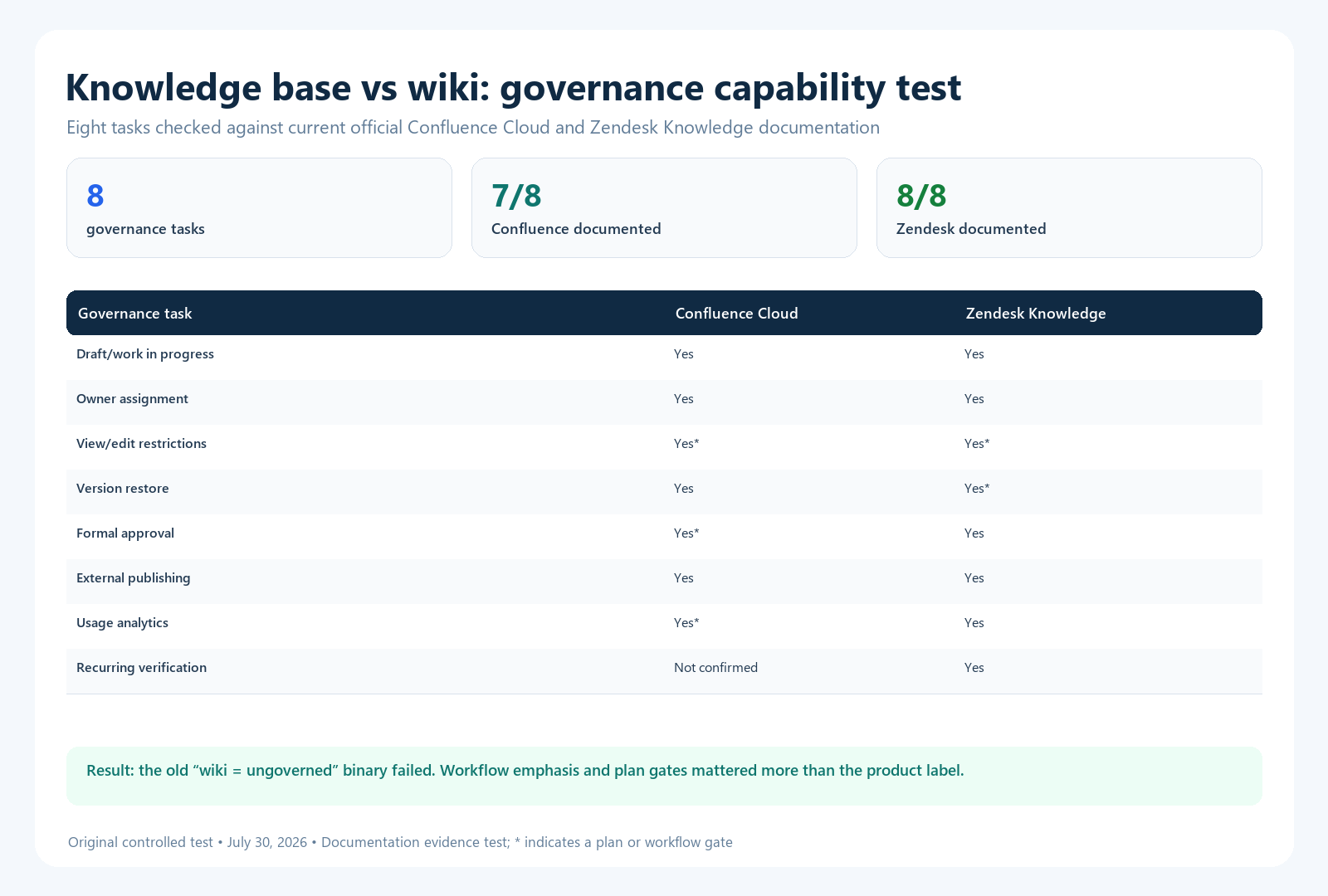
We ran a reproducible documentation test on July 30, 2026. We selected Confluence Cloud as a widely used collaborative wiki/workspace and Zendesk Knowledge as a support-oriented knowledge product. For eight governance tasks, we recorded a capability only when a current official help page described it. We also recorded plan gates shown in those pages. This was a documentation test, not a hands-on usability or performance benchmark.
| Governance task | Confluence Cloud evidence | Zendesk Knowledge evidence |
|---|---|---|
| Create drafts or managed work in progress | Documented for pages; live docs behave differently | Draft and Team Publishing states documented |
| Assign or transfer an owner | Documented for supported content items | Documented for individual or group article owners |
| Restrict viewing or editing | Documented; Free-plan limits apply | View and management permissions documented; plan limits apply |
| Review version history or restore content | Version comparison and restoration documented | Revision viewing and restoration documented; Enterprise gate noted |
| Require formal approval | Approvals documented for Premium and Enterprise pages | Review, approval, and publishing states documented |
| Expose content externally | Anonymous access and public links documented with different indexing behavior | Public help-center access documented |
| Measure content use | Content insights documented for paid subscriptions | Knowledge Base dashboard documented |
| Schedule recurring verification | No dedicated native verification rule confirmed in the reviewed sources | Frequency-based verification rules and owner reminders documented |
Result: Confluence documentation covered seven of the eight tasks, and Zendesk documentation covered all eight. More importantly, both covered ownership, permissions, version history, external distribution, analytics, and approval workflows. This falsifies the simplistic rule that a wiki is inherently ungoverned while a knowledge base is governed. The meaningful differences were workflow emphasis, audience experience, plan gates, and the dedicated recurring-verification control.
Limitations: We did not purchase every plan, measure search quality, test accessibility, or inspect undocumented behavior. “Documented” does not mean equally usable. Product pages can change after the verification date. Reproduce the test by opening the official pages for Confluence ownership, restrictions, approvals, and analytics; then compare Zendesk’s pages for article ownership, permissions, revisions, and verification.
Which should you choose?
| Your dominant need | Recommended model | Reason |
|---|---|---|
| Project context, research, meeting decisions, collaborative design | Wiki-style workspace | Low-friction contribution and connected context matter most |
| Public product help or customer self-service | Knowledge-base publishing model | Audience design, controlled publication, search, feedback, and channel integration matter most |
| Policies, regulated SOPs, or safety instructions | Governed knowledge base or tightly governed workspace | Approval, effective dates, ownership, access, and audit evidence are mandatory |
| Engineering notes plus official runbooks | One platform with two clearly separated spaces or states | Teams need both collaborative capture and controlled operational instructions |
| Agent support plus customer help | Integrated knowledge base and help desk | The same approved answer should support readers and agents without exposing private notes |
| Small internal team with low-risk content | Start with the simplest governed workspace | A separate product may add cost before it adds value |
If you are comparing software, use the site’s test-driven buyer’s guide and evaluate current plans. The platform with fewer features may be the better choice if it makes your actual workflow easier to execute and audit.
A practical hybrid operating model
A hybrid model does not require copying every page from a wiki into a help center. It requires a controlled promotion path:
- Capture: contributors record a question, decision, workaround, or draft in the workspace.
- Qualify: a knowledge owner decides whether the material answers a repeatable need.
- Consolidate: the author checks for an existing canonical answer and updates it instead of creating a duplicate.
- Validate: a subject-matter expert tests the instructions and records scope, version, and exceptions.
- Publish: an authorized publisher releases the answer to the correct audience.
- Distribute: links, widgets, agent tools, search, and AI retrieval point to the canonical source.
- Measure: the team reviews task success, searches, feedback, support contact, and corrections.
- Maintain: an owner reviews the answer after defined events or risk-based intervals.
- Retire: obsolete material is archived, redirected, and removed from active retrieval where appropriate.
Keep the working page and canonical answer linked in both directions. Label the working page so readers know it is not the authoritative procedure. Avoid automatic synchronization unless you have defined how conflicts, permissions, deletions, and publication approval are handled.
What to test before buying
- Import 20 representative pages, including tables, images, attachments, and nested content.
- Invite a contributor, reviewer, publisher, restricted reader, and administrator.
- Draft an update while the current version remains available to readers.
- Reject an inaccurate change, then inspect the approval and version record.
- Transfer ownership from a departing employee and verify reminders follow the new owner.
- Search with user language, a synonym, a misspelling, and an obsolete product term.
- Confirm a restricted page, attachment, API response, and AI answer stay hidden from an unauthorized account.
- Publish one page externally and inspect navigation, indexing controls, canonical URL, mobile layout, and accessibility.
- Export the content, metadata, attachments, owners, permissions, and redirect map.
- Run the same script in every shortlisted product and preserve screenshots and timestamps.
For a deeper product-specific view, read the current Confluence review. If you are moving existing content, use the knowledge base migration guide rather than moving every page unchanged.
Common mistakes
- Buying a label: “wiki” and “knowledge base” do not establish the capabilities or plan gates you need.
- Using folders as governance: location does not replace ownership, approval, review, and retirement.
- Publishing working notes as official instructions: separate exploratory context from the answer readers should follow.
- Duplicating the canonical answer: reuse or link to one maintained source whenever possible.
- Assuming public links are equivalent: test authentication, indexing, inherited restrictions, attachments, and revocation.
- Calling views “success”: combine usage data with explicit task or resolution signals.
- Ignoring exit: test a full export and redirect plan before signing a long contract.
Final recommendation
Choose a wiki-style workspace when your primary constraint is capturing and developing knowledge across contributors. Choose a knowledge-base publishing model when your primary constraint is delivering a controlled, findable, maintained answer to a known audience. Choose both modes when working knowledge must become official guidance.
The category name is only a starting point. Make the decision with a task-based trial that tests authorship, publication, permissions, search, analytics, lifecycle, integrations, and export on the exact plan you intend to buy.
Frequently asked questions
Can Confluence be used as a knowledge base?
Yes. Confluence documents ownership, permissions, version history, approvals on Premium and Enterprise, analytics on paid subscriptions, and external-sharing options. Whether it works well as your knowledge base depends on configuration, audience experience, search tests, governance, and the plan you buy.
Can a knowledge base replace a company wiki?
It can replace the wiki for approved procedures and reusable answers, but it may be a poor substitute for collaborative notes, project context, and early drafts. Test both contribution and publishing workflows before consolidating.
Is a wiki less secure than a knowledge base?
Not inherently. Security depends on identity, permissions, sharing defaults, plan controls, administration, APIs, integrations, and configuration. Test unauthorized access rather than inferring security from the product category.
Do we need two separate tools?
Not always. One platform may support separate working and published spaces. Use two tools when their audience experiences or workflows are materially better, but define the canonical source and promotion process so content does not diverge.

