Independent knowledge base software guide Evidence-led Updated 2026

Knowledge Base vs Enterprise Search: Organized Answers, Federated Search, and AI Discovery
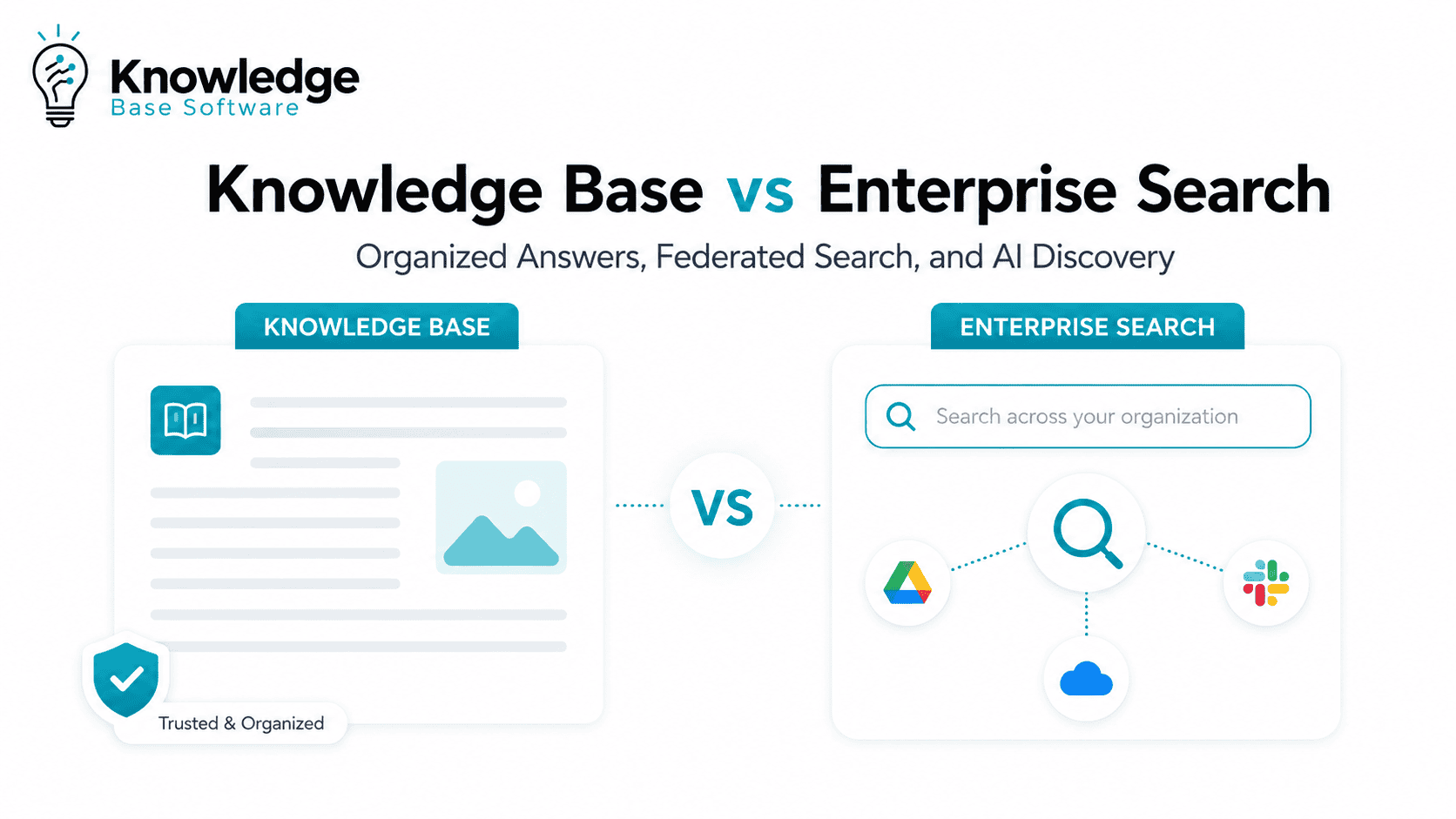
A knowledge base and enterprise search solve different knowledge problems. A knowledge base organizes approved answers in a structured repository: FAQs, how-to articles, troubleshooting guides, policies, and documented procedures. Enterprise search helps users find information across many repositories, systems, documents, conversations, tickets, and databases. IBM defines enterprise search as retrieving relevant information from disparate data sources throughout an organization, while Atlassian describes a knowledge base as a centralized library of articles maintained to help people find answers quickly.
The practical answer is rarely “knowledge base or enterprise search.” A knowledge base gives teams a governed source of truth. Enterprise search makes distributed information discoverable. Federated search can bring results from multiple sources into one interface. AI discovery and RAG can turn retrieved information into natural-language, cited answers when the underlying content, permissions, and governance are strong enough.
Executive Summary: The Difference in One Minute
A knowledge base is best when your main problem is creating, organizing, approving, and maintaining answers.
Enterprise search is best when your main problem is finding information scattered across many internal systems.
Federated search is a search pattern that lets users query multiple sources or indexes through one interface. Algolia describes federated search as searching multiple data sources at once and retrieving information from different content locations through one query and search interface.
AI discovery adds semantic search, natural-language questions, answer generation, citations, and sometimes retrieval-augmented generation. AWS describes RAG as a way to augment an LLM with external data, such as internal company documents, so the model has relevant context before producing an answer.
For most mature organizations, the strongest model is:
Governed knowledge base + secure enterprise search + AI answer layer with citations and permission controls.
That combination gives employees and customers a trusted place for approved answers, a discovery layer across systems, and a conversational experience that can answer questions without hiding the source.
Knowledge Base vs Enterprise Search: Quick Comparison
| Dimension | Knowledge Base | Enterprise Search |
|---|---|---|
| Primary purpose | Organize approved answers and reusable guidance | Find relevant information across many enterprise systems |
| Best for | FAQs, support articles, policies, how-to guides, troubleshooting, runbooks | Documents, messages, tickets, wikis, intranets, drives, databases, CRM records, and other repositories |
| Content scope | Usually curated and structured | Broad, distributed, and often mixed-quality |
| Ownership | Support, documentation, HR, IT, product, knowledge management teams | IT, digital workplace, search, data, platform, or AI teams |
| Governance | Stronger article workflows, review cycles, taxonomy, and approval | Depends on source governance, connectors, indexing rules, access controls, and relevance tuning |
| User experience | Browse, search, navigate categories, read articles | Search once across systems, filter results, open source documents, or ask questions |
| Retrieval model | Usually article-level search within one knowledge environment | Crawling, indexing, connectors, keyword search, semantic search, vector search, hybrid search, and ranking |
| AI readiness | Strong when articles are accurate, structured, and current | Strong when sources are connected, deduplicated, permission-aware, and indexed well |
| Security concern | Article visibility, internal vs external access, publishing workflows | Permission synchronization, document-level security, identity context, sensitive data exposure |
| Success metrics | Article usefulness, self-service rate, ticket deflection, content freshness | Search success, zero-result rate, click-through, time to answer, result relevance, adoption |
The simplest distinction: a knowledge base controls the quality and structure of answers; enterprise search controls discovery across information silos.
What a Knowledge Base Does Best
A knowledge base is a curated repository of reusable knowledge. Atlassian describes it as a centralized library of articles and a searchable collection of FAQs, troubleshooting guides, and how-to articles maintained by experts and support teams.
A good knowledge base is not just a folder of documents. It usually includes:
- Clear article ownership.
- Templates for consistent answers.
- Categories, tags, and taxonomy.
- Review and expiration workflows.
- Internal and external publishing controls.
- Search analytics and feedback loops.
- Article-level permissions where needed.
Use a Knowledge Base When the Answer Must Be Official
A knowledge base is strongest when the reader needs a sanctioned answer, not just a potentially relevant document.
Examples:
- “What is the official remote work policy?”
- “How do I reset my VPN?”
- “What is the approved process for refund exceptions?”
- “How should support agents troubleshoot error code 502?”
- “Which onboarding steps must every new employee complete?”
In these cases, the value is not only retrieval. The value is trust. The reader wants to know that the answer is current, approved, and written for the task.
The Limitation: A Knowledge Base Only Helps If the Knowledge Is There
A standalone knowledge base cannot reliably answer questions from sources it does not contain or connect to. If important context lives in Slack, Teams, SharePoint, Google Drive, Jira, Salesforce, ServiceNow, Confluence, GitHub, email, contracts, data catalogs, or internal databases, an isolated knowledge base may become only one more silo unless it is integrated with search, connectors, or approved content workflows.
That is where enterprise search becomes necessary.
What Enterprise Search Does Best
Enterprise search is the discovery layer across an organization’s information ecosystem. IBM defines enterprise search as retrieving relevant information from disparate data sources throughout an organization. Microsoft Search is described as an enterprise search engine that surfaces relevant content across Microsoft experiences such as Office, SharePoint, Windows, and Bing, and Microsoft Graph can extend search into custom applications.
Enterprise search is useful when employees ask questions like:
- “Where is the latest renewal contract?”
- “Which customer accounts mentioned this integration?”
- “Has engineering already documented this incident?”
- “Where did leadership discuss the 2026 pricing exception?”
- “Which project plan, ticket, or sales note explains the current status?”
These questions often cannot be answered from a single knowledge base article. They require search across connected systems.
Enterprise Search Is Not Just a Search Bar
A serious enterprise search system typically includes:
- Connectors to repositories and SaaS applications.
- Crawling or indexing pipelines.
- Metadata extraction.
- Identity and permission mapping.
- Ranking and relevance tuning.
- Filters and facets.
- Semantic or vector retrieval.
- Query analytics.
- Feedback signals.
- APIs for search-powered applications.
- Optional AI answer generation.
Microsoft’s Azure AI Search supports full-text, vector, hybrid, and multimodal queries over local and remote content for traditional search and AI-powered scenarios. If you discuss AWS in this section, note the current product status: Amazon Kendra entered Maintenance Mode on June 30, 2026. As of July 30, 2026, it no longer accepts new customers. AWS continues to support existing customers with bug fixes and security updates, but no new features are planned. AWS recommends migrating Kendra workloads and building new search applications on Amazon Bedrock Managed Knowledge Base (BMKB), its fully managed RAG alternative.
The Limitation: Enterprise Search Can Surface Bad Knowledge Faster
Enterprise search helps people find information. It does not automatically make that information correct.
If your repositories contain duplicate policies, outdated PDFs, old support macros, abandoned wiki pages, inconsistent HR guidance, and poorly named files, enterprise search may simply expose the mess more efficiently.
That is why enterprise search should not be treated as a substitute for knowledge governance.
Where Knowledge Management Fits
A knowledge base is a tool or repository. Knowledge management is the broader operating discipline around creating, approving, distributing, maintaining, and retiring organizational knowledge.
ServiceNow’s Knowledge Management documentation describes knowledge bases as containing articles for self-help, troubleshooting, and task resolution. That points to an important distinction: the knowledge base is where structured content lives; knowledge management is the process that keeps that content useful.
Think of it this way:
- Knowledge base: the organized library of answers.
- Knowledge management: the lifecycle that keeps answers accurate.
- Enterprise search: the discovery layer across the company.
- AI discovery: the conversational or semantic layer that helps users ask, retrieve, and synthesize.
You can buy enterprise search software and still fail at knowledge management. You can also maintain a strong knowledge base but still frustrate users if they must search five other systems separately.
Where Federated Search Fits
Federated search sits between a single knowledge base search and a fully unified enterprise search architecture.
At a basic level, federated search lets users search multiple sources or indexes from one interface. Algolia explains that federated search can search multiple data sources at once and present results from different content locations through one query and interface.
Federated search can work in different ways:
| Search Pattern | How It Works | When It Helps |
|---|---|---|
| Search-time federation | The system sends a query to multiple live sources or indexes and merges the returned results | Useful when sources cannot be fully centralized or must remain in their original systems |
| Index-time merging / unified index | Content from multiple sources is crawled or ingested into a central managed index before users search | Useful when you need stronger relevance tuning, faster queries, analytics, and consistent ranking |
| Hybrid retrieval | The system searches a central index for some sources and queries other sources live when needed | Useful when some content can be indexed while other content must remain fresh or source-controlled |
| Federated interface | The interface shows different result categories, such as articles, tickets, products, docs, and people | Useful when different content types require different ranking and display logic |
Federated search is especially useful when users know what they are looking for but do not know where it lives.
Example: a support agent searches “SSO configuration error.” A federated interface might show knowledge base articles, open engineering issues, previous support tickets, release notes, and internal runbooks in separate result blocks.
That is more useful than forcing the agent to search each system one by one.
How AI Discovery and RAG Change the Comparison
AI changes the user experience, but it does not remove the need for knowledge architecture.
Traditional enterprise search implementations often return ranked results or document lists. Modern AI discovery layers can be designed to answer a question directly, summarize across sources, and cite the documents used. RAG helps by retrieving external knowledge before generation, rather than relying only on the model’s training data, but citations, freshness checks, and permission enforcement still have to be implemented and evaluated.
From Keyword Search to Semantic and Hybrid Search
Modern enterprise search often combines keyword retrieval with semantic or vector-based retrieval.
Azure AI Search describes hybrid search as a single query that runs full-text and vector search in parallel, then merges results into one ranked result set. Microsoft’s documentation notes that vector search can find conceptually similar information even without exact keyword matches, while full-text search is valuable for precision.
That matters because enterprise users often do not know the exact words used in the source document.
A user might ask:
“What do we do when a customer wants to cancel during onboarding?”
The relevant content might be titled:
“Early-stage churn intervention workflow.”
Semantic and hybrid search improve the odds of connecting those ideas.
AI Answers Need Citations, Not Just Confidence
AI-generated answers are most useful when they are grounded in retrievable sources and show citations. Without citations, users cannot inspect freshness, ownership, or context.
A strong AI discovery layer should answer:
- Which sources were used?
- Are those sources current?
- Who owns them?
- Does the user have permission to see them?
- Are there conflicting sources?
- Is the answer summarizing, quoting, or inferring?
- What should the user do next?
AI can reduce time to answer, but it raises the stakes for content quality. Stale documents that were once buried can become actively harmful if an AI system turns them into confident answers.
Security and Permissions: The Non-Negotiable Layer
Enterprise search and AI discovery must respect access controls. Otherwise, they can expose sensitive information to users who should not see it.
Microsoft says Microsoft 365 Copilot presents only data that each individual can access using the same underlying access controls used in Microsoft 365 services, and its Semantic Index honors user identity-based access boundaries during grounding.
Elastic’s documentation describes document-level security as restricting access to documents in search indexes according to user and group permissions, so search results return only authorized information.
For AWS environments, verify permission-aware retrieval against the current AWS service you are actually implementing. Amazon Kendra documentation describes user context filtering for Kendra deployments, but AWS’s current Kendra availability notice says Kendra is in Maintenance Mode and recommends Amazon Bedrock Managed Knowledge Base for new search applications.
The practical lesson: do not evaluate enterprise search or AI discovery only on relevance. Evaluate whether the system can preserve access rules from the source systems and enforce them at query time.
Decision Framework: Which One Should You Choose?
Choose a Knowledge Base When…
Use a knowledge base when the real problem is answer quality, consistency, and ownership.
A knowledge base is the better first investment when:
- Users repeatedly ask the same questions.
- Support agents need approved answers.
- HR, IT, or operations policies need a single source of truth.
- Customers need self-service documentation.
- Articles require approval before publication.
- Content needs review dates, versioning, and ownership.
- You need to reduce repeated tickets or internal interruptions.
- The answer should be written once and reused many times.
Do not expect a knowledge base to solve enterprise-wide discovery if important information remains scattered across disconnected systems.
Choose Enterprise Search When…
Use enterprise search when the real problem is fragmented discovery.
Enterprise search is the better first investment when:
- Information lives across many systems.
- Employees waste time switching between tools.
- Users do not know which repository contains the answer.
- Search must cover documents, tickets, messages, dashboards, wikis, and records.
- Teams need a unified search experience across departments.
- You need source-aware and permission-aware discovery.
- AI initiatives require a retrieval layer across enterprise content.
Do not expect enterprise search to fix outdated, duplicated, or unowned content by itself.
Use Both When…
Use both when the organization needs trusted answers and broad discovery.
This is common in larger companies because different questions require different knowledge patterns.
Example:
- The knowledge base contains the approved refund policy.
- Enterprise search finds related contracts, customer tickets, CRM notes, and finance exceptions.
- AI discovery summarizes the relevant context and links back to the approved source.
The knowledge base becomes the governed answer layer. Enterprise search becomes the discovery layer. AI becomes the conversational interface, but only if it remains grounded and permission-aware.
Add AI Discovery When…
Add AI discovery when users need answers that span multiple sources, not just document lists.
AI discovery is useful when:
- Questions are phrased in natural language.
- The answer depends on several documents.
- Users need summaries with citations.
- Employees need to ask follow-up questions.
- Search behavior shows many repeated queries with high click friction.
- Support, sales, HR, or IT teams need faster task completion.
Avoid launching AI answers before you have basic controls for access, freshness, citations, source quality, and escalation.
Practical Examples by Team
HR Policy Lookup
A knowledge base works well for official HR policies, benefits guides, leave rules, onboarding steps, and employee FAQs.
Enterprise search helps when the employee also needs related forms, signed documents, internal announcements, Slack or Teams discussions, or country-specific policy exceptions.
AI discovery can answer:
“What parental leave policy applies to employees in Germany, and where is the official form?”
The answer should cite the official policy and form, not summarize random chat messages.
IT Support and Runbooks
A knowledge base is ideal for approved troubleshooting steps, password reset workflows, VPN setup, access request procedures, and incident response checklists.
Enterprise search helps IT teams find older incidents, architecture diagrams, change requests, Jira tickets, monitoring notes, and vendor documentation.
AI discovery can help a service desk agent ask:
“Have we seen this Okta provisioning error before, and what fixed it last time?”
The system should show whether the answer came from a current runbook, a resolved ticket, or an old incident note.
Customer Support Self-Service
A public knowledge base helps customers solve known product issues without opening a ticket.
Enterprise search helps agents search internal notes, CRM records, previous escalations, bug reports, and product documentation.
AI discovery can assist agents by summarizing relevant customer context and suggesting an answer, but the final response should still align with approved support policy and product documentation.
Sales Enablement
A knowledge base stores battlecards, positioning, pricing guidance, objection handling, and product FAQs.
Enterprise search helps account teams find past proposals, call notes, contract clauses, case studies, technical validation notes, and product roadmap discussions.
AI discovery can answer:
“What have we promised similar healthcare customers about data residency?”
That answer must be treated carefully because contract, legal, security, and compliance context may be sensitive and source-specific.
Engineering and Product Documentation
A knowledge base can capture approved architecture decisions, deployment guides, incident playbooks, and release processes.
Enterprise search helps engineers find code references, GitHub issues, pull requests, design docs, Slack discussions, and historical incidents.
AI discovery can summarize what changed, but it should not replace source review for high-risk engineering decisions.
A Practical Architecture: How They Work Together
A mature knowledge discovery stack often looks like this:
Source systems
  ↓
Connectors / crawlers / APIs
  ↓
Permission-aware index or federated retrieval layer
  ↓
Governed knowledge base for approved answers
  ↓
AI answer layer with citations, freshness checks, and human escalation
  ↓
Search analytics and feedback loop back to content owners
The important point is the feedback loop. Search analytics should improve the knowledge base. Zero-result queries, repeated searches, abandoned searches, and low-rated AI answers should become signals for new or improved content.
Implementation Checklist
1. Audit the Knowledge Landscape
Start by mapping where important knowledge lives.
Look for:
- Official knowledge base articles.
- Internal wikis.
- Shared drives.
- Ticketing systems.
- CRM records.
- HR and IT systems.
- Engineering repositories.
- Chat channels.
- PDFs and presentations.
- Data catalogs.
- Legacy portals.
Then label each source by ownership, freshness, sensitivity, and usefulness.
2. Define Source Ownership
Every high-value source needs an owner. Without ownership, search can find content but no one is accountable for fixing it.
For each source, define:
- Business owner.
- Technical owner.
- Review cadence.
- Access policy.
- Retention rules.
- Freshness expectations.
- Escalation path for corrections.
3. Clean Up the Knowledge Base First
Before expanding discovery, fix the content that should be authoritative.
Prioritize:
- Top repeated support questions.
- High-volume internal requests.
- Policies with business risk.
- Outdated articles that still receive traffic.
- Duplicate articles with conflicting guidance.
- Missing runbooks for frequent incidents.
- Articles with poor feedback or low resolution.
A clean knowledge base improves both self-service and AI answer quality.
4. Connect Sources Gradually
Do not connect every system on day one.
Start with sources that are:
- Frequently searched.
- High-value.
- Permission-ready.
- Owned by active teams.
- Structured enough to produce useful results.
- Low enough risk for initial rollout.
Then expand coverage once relevance, permissions, and analytics are working.
5. Tune Relevance With Real Queries
Enterprise search should be tuned against real user behavior, not only demo queries.
Use:
- Top queries.
- Failed queries.
- Zero-result queries.
- Queries with no click.
- Queries with repeated refinements.
- Queries that lead to tickets.
- User feedback on result quality.
- AI answers marked unhelpful or unsupported.
The goal is not just more results. The goal is faster task completion with trustworthy sources.
Buyer Evaluation Criteria
When evaluating a knowledge base, enterprise search platform, or AI discovery layer, use these questions.
1. Source Coverage
Can the platform connect to the systems where your knowledge actually lives?
Ask vendors about:
- Native connectors.
- Custom connector options.
- API access.
- Incremental indexing.
- Attachment handling.
- Structured and unstructured data.
- Support for wikis, tickets, documents, drives, CRM, HR, ITSM, and code repositories.
For AWS evaluations, do not rely on a connector list alone. Check the current service direction and connector coverage: AWS says Amazon Kendra is in Maintenance Mode and recommends Amazon Bedrock Managed Knowledge Base for new search applications. Also verify the current connector list, permission model, regions, migration constraints, and deployment requirements directly in AWS documentation before choosing a platform.
2. Permission Handling
Can the system enforce the same permissions users have in the source systems?
Ask:
- Does it support document-level security?
- Does it sync groups and identities?
- Does it enforce permissions at query time?
- What happens when permissions change?
- Can admins audit what was retrieved?
- Can sensitive sources be excluded from AI answers?
This is especially important for HR, legal, finance, security, customer data, and executive communications.
3. Relevance Quality
Can users find the right answer, not just many answers?
Evaluate:
- Keyword search.
- Semantic search.
- Hybrid search.
- Ranking controls.
- Boosting rules.
- Freshness signals.
- Metadata weighting.
- Synonym handling.
- Filtering and facets.
- Personalization by role or context.
- Feedback-driven relevance improvements.
Hybrid search can be useful because it combines full-text precision with vector-based conceptual matching, as described in Azure AI Search documentation.
4. AI Grounding and Citations
If the platform generates answers, ask:
- Does every answer cite sources?
- Can users open the original documents?
- Can the system handle conflicting sources?
- Does it show freshness or ownership?
- Can it refuse to answer when sources are weak?
- Can admins inspect retrieved passages?
- Can teams evaluate answer quality over time?
An AI answer without source transparency may feel efficient, but it can reduce trust when users need evidence.
5. Governance and Content Lifecycle
For the knowledge base, evaluate:
- Article templates.
- Review workflows.
- Approval permissions.
- Version history.
- Expiration dates.
- Feedback collection.
- Internal vs external publishing.
- Analytics by article and topic.
- Ownership dashboards.
For enterprise search, evaluate:
- Source governance.
- Connector monitoring.
- Index health.
- Duplicate detection.
- Stale content signals.
- Permission sync status.
- Query logs and analytics.
6. Integration With Workflows
The best search experience is often not a standalone portal. It appears where work happens.
Look for integrations with:
- Service desk tools.
- CRM.
- Browser extensions.
- Chat tools.
- Intranets.
- Collaboration suites.
- Developer tools.
- Contact center platforms.
- AI assistants.
- Internal applications.
Search is more valuable when it shortens a workflow, not when it becomes another destination employees must remember to visit.
Common Mistakes to Avoid
Mistake 1: Treating Enterprise Search as a Knowledge Management Strategy
Enterprise search can find content. It cannot decide which content is correct, current, or approved.
Fix this by assigning content owners and review workflows before expanding search coverage too broadly.
Mistake 2: Building a Knowledge Base Without Search Analytics
A knowledge base should evolve based on actual questions.
Use search analytics to find:
- Missing articles.
- Confusing titles.
- Poor taxonomy.
- Articles that do not resolve the problem.
- Repeated searches that indicate unclear content.
- Topics where users abandon self-service.
Mistake 3: Indexing Everything Too Quickly
More indexed content does not automatically mean better search.
Start with high-value, permission-ready sources. Add sensitive or messy repositories only after you can manage access, relevance, and freshness.
Mistake 4: Ignoring Permissions Until Late in the Project
Permissions are not an implementation detail. They are part of the product experience.
If users see results they should not access, trust breaks. If the system hides too much content, adoption suffers. If AI answers cite sources the user cannot inspect, confidence drops.
Mistake 5: Measuring Search Volume Instead of Resolution
A search system with rising query volume may be successful, or it may indicate that people still cannot find what they need.
Better metrics include task completion, successful clicks, time to answer, user satisfaction, ticket deflection, and reduction in repeated escalations.
Metrics That Actually Matter
Measure both knowledge quality and discovery quality.
| Metric | What It Reveals |
|---|---|
| Search success rate | Whether users find useful results |
| Zero-result queries | Missing content, synonym gaps, indexing problems |
| No-click searches | Poor relevance or unclear result titles |
| Time to answer | Whether search shortens the workflow |
| Article helpfulness | Whether knowledge base content solves the problem |
| Ticket deflection | Whether self-service reduces support demand |
| Content freshness | Whether high-value articles are reviewed on schedule |
| Duplicate content rate | Whether users see conflicting answers |
| AI answer citation rate | Whether generated answers are grounded in sources |
| Escalation reduction | Whether users can resolve issues independently |
| Adoption by team | Whether search is useful across departments, not only in demos |
The most useful metric is not “number of indexed documents.” It is whether the right user can find the right answer, from the right source, at the right moment.
When a Knowledge Base Is Enough
A knowledge base may be enough when:
- Most important questions can be answered from curated articles.
- Users need official guidance more than broad discovery.
- The organization is small enough that information silos are manageable.
- The main goal is customer self-service or internal support deflection.
- Content owners can maintain the knowledge lifecycle.
- Search across other systems is not a frequent blocker.
Example: a SaaS company with a mature help center may not need full enterprise search for customer-facing support if most customer questions are answered by product documentation and support articles.
When Enterprise Search Becomes Necessary
Enterprise search becomes necessary when:
- Information is spread across many systems.
- Users do not know where to search.
- Teams duplicate work because prior knowledge is hard to find.
- Leadership needs discovery across documents, tickets, dashboards, and communications.
- AI initiatives require a retrieval layer across internal content.
- Employees spend too much time asking colleagues for information that already exists.
- Knowledge workers need context, not only official articles.
Example: a global enterprise may have HR policies in one platform, IT runbooks in another, customer commitments in CRM, implementation notes in project tools, and engineering context in GitHub and Jira. A single knowledge base cannot cover that discovery need.
The Best Answer Is Often Both
The strongest enterprise knowledge strategy usually has three layers:
- Knowledge base: approved answers and reusable guidance.
- Enterprise search: secure discovery across connected systems.
- AI discovery: natural-language answers, summaries, and follow-up questions grounded in retrieved sources.
This layered model avoids two bad extremes:
- A beautiful knowledge base that ignores knowledge scattered across the company.
- A powerful search engine that indexes everything but cannot tell users which answer is authoritative.
The goal is not to choose the trendiest tool. The goal is to create a trusted knowledge environment where people can find, understand, and act on information.
Final Recommendation
Choose a knowledge base if your biggest challenge is creating and maintaining official answers.
Choose enterprise search if your biggest challenge is finding information across many systems.
Choose both if your organization has fragmented information and needs governed answers.
Add AI discovery when users need natural-language answers across multiple sources, but only after you have enough control over source quality, permissions, citations, and feedback.
A knowledge base makes knowledge reliable. Enterprise search makes knowledge discoverable. AI discovery makes knowledge easier to ask about. The best enterprise strategy connects all three without pretending that any one layer can replace the others.
FAQ
What is the difference between a knowledge base and enterprise search?
A knowledge base is a structured repository of approved articles, guides, FAQs, and procedures. Enterprise search is a discovery system that helps users find information across many repositories and business systems.
Is enterprise search the same as a knowledge base?
No. A knowledge base stores and organizes curated answers. Enterprise search retrieves information across multiple systems, which may include the knowledge base, wikis, documents, tickets, messages, and databases.
Can enterprise search replace a knowledge base?
Usually not. Enterprise search can help users find information, but it does not replace the need for approved, owned, maintained answers. If the underlying content is outdated or contradictory, enterprise search may surface the wrong information faster.
When is a knowledge base enough?
A knowledge base may be enough when the organization mostly needs official answers for repeated questions, customer self-service, internal support, policies, troubleshooting, and task guidance.
When do you need enterprise search?
You need enterprise search when important information is scattered across many systems and users do not know where to look. It is especially useful for larger organizations with many repositories, teams, permissions, and workflows.
How does federated search fit into enterprise search?
Federated search lets users query multiple sources or indexes from one interface. It can be part of enterprise search, especially when content cannot be fully centralized or when different content types need separate ranking and display.
How does AI search or RAG change knowledge discovery?
AI search and RAG can turn retrieved content into natural-language answers with citations. This helps users ask questions instead of guessing keywords, but the answers are only trustworthy when retrieval quality, source freshness, permissions, and citations are well controlled.
Do modern companies need both a knowledge base and enterprise search?
Many do, especially when they need both official answers and discovery across fragmented systems. The knowledge base provides governed answers, while enterprise search helps users find relevant information wherever it lives.
What are the main risks when implementing enterprise search?
The main risks are indexing stale content, exposing sensitive information, ignoring permissions, overpromising AI accuracy, failing to tune relevance, and measuring activity instead of successful resolution.
What should teams evaluate before choosing a knowledge base or enterprise search platform?
Evaluate source coverage, permissions, relevance quality, content governance, AI citations, analytics, workflow integrations, scalability, auditability, and how easily teams can maintain the system over time.

