Independent knowledge base software guide Evidence-led Updated 2026

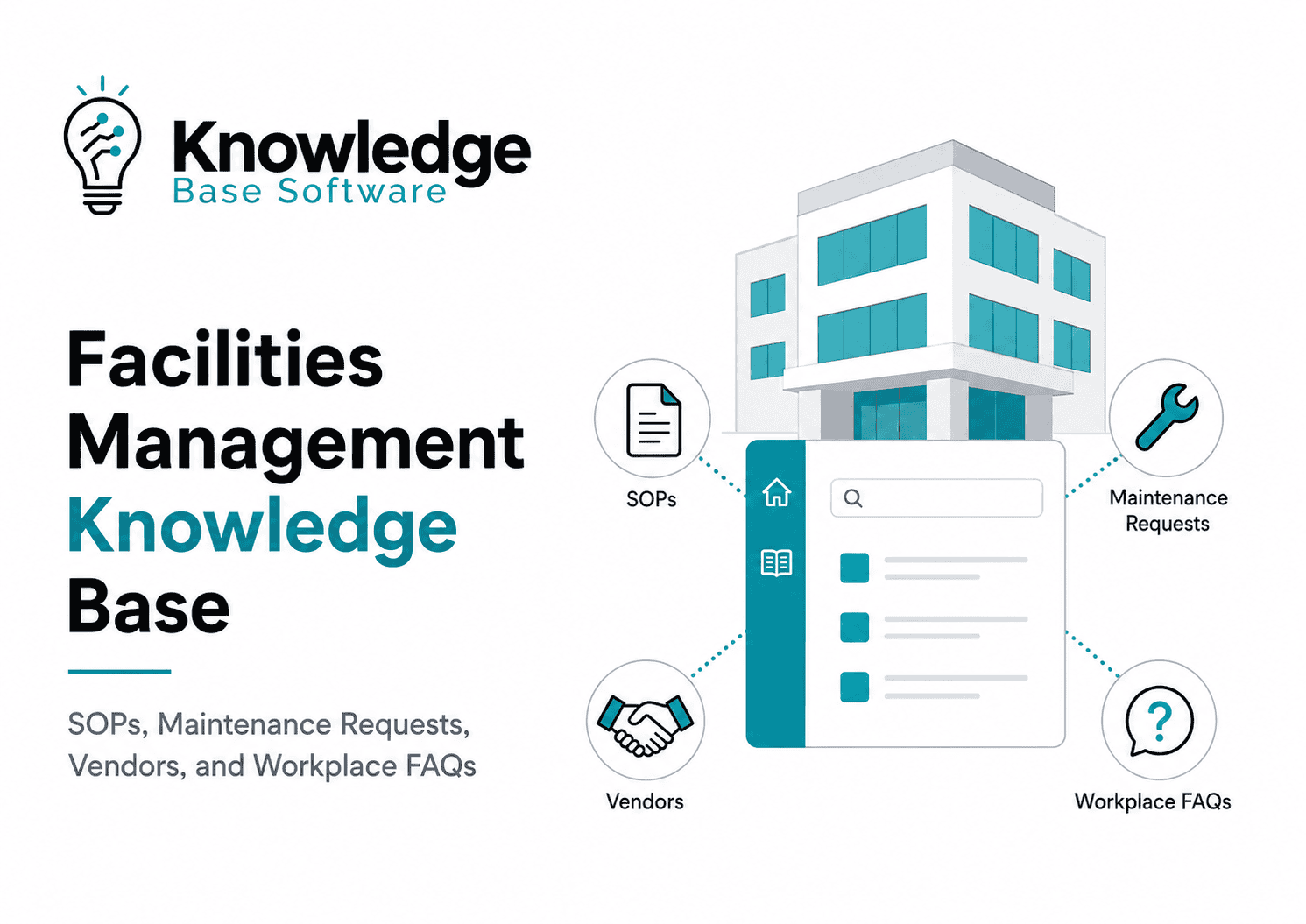
Facilities Management Knowledge Base: Building SOPs, Maintenance Requests, Vendors, and Workplace FAQs
A facilities management knowledge base is the operating manual behind a reliable workplace. It gives occupants clear answers, gives technicians consistent procedures, gives managers a way to govern operational knowledge, and gives vendors the context they need to deliver services without relying on scattered emails, spreadsheets, or “ask Sarah, she knows” tribal knowledge.
Facility management is not just maintenance. IFMA describes facility management as the organizational function that integrates people, place, and process within the built environment to improve quality of life and support the productivity of the core business. That definition matters because a good FM knowledge base must serve all three: the people using the workplace, the places and assets being operated, and the processes that keep services running.
This guide explains how to build a practical FM knowledge base for SOPs, maintenance requests, vendor coordination, workplace FAQs, safety-sensitive content, governance, and software integration. It is written for facility managers, workplace leaders, maintenance supervisors, property managers, CMMS/CAFM/IWMS administrators, and service desk teams that need a usable system rather than a document dump.
What Is a Facilities Management Knowledge Base?
A facilities management knowledge base is a searchable, governed library of articles, procedures, workflows, FAQs, templates, and operational references used to run buildings and workplace services consistently.
It can include:
- Standard operating procedures for facility teams
- Maintenance request guidance for employees and occupants
- Work order triage and escalation rules
- Vendor profiles and contractor instructions
- Workplace FAQs for common service questions
- Emergency, safety, compliance, and access-control information
- Asset-specific maintenance notes
- Location-specific operating procedures
- Governance rules for ownership, review, version control, and approvals
A general knowledge base is commonly defined as a centralized, searchable library of articles, FAQs, troubleshooting guides, and how-to resources maintained by experts and support teams. In a facilities context, that concept becomes more operational: it connects people who need help with the procedures, request paths, assets, vendors, and safety rules that keep the built environment functioning.
The goal is not to store every document. The goal is to make the right facility knowledge findable, current, role-appropriate, and actionable at the moment someone needs it.
The Business Problem It Solves
Most FM teams already have knowledge. The problem is that it is often fragmented.
A technician knows how to reset a recurring HVAC issue. A receptionist knows which vendor handles after-hours access-card failures. A property manager has the latest fire drill process in a PDF. A workplace coordinator knows how to request furniture moves. A vendor manager tracks contractor escalation contacts in a spreadsheet.
That may work for a small site with stable staff. It breaks down when the organization grows, staff change, vendors rotate, locations multiply, or service demand increases.
A facilities management knowledge base solves four practical problems:
| Problem | What happens without a knowledge base | What the knowledge base should do |
|---|---|---|
| Repeated questions | Employees keep asking the same questions about access, temperature, cleaning, meeting rooms, parking, or maintenance | Publish clear workplace FAQs and request guidance |
| Inconsistent execution | Technicians perform the same task differently across shifts or sites | Standardize SOPs, checklists, evidence requirements, and escalation rules |
| Slow requests | Employees submit vague tickets, and service teams spend time clarifying basic details | Guide users before submission and collect the right information up front |
| Tribal knowledge | Critical know-how lives in individuals’ heads | Capture procedures, vendor context, asset notes, and lessons learned in governed articles |
A strong FM knowledge base is not just a support tool. It becomes an operational continuity system.
Knowledge Base vs SOP Library vs Service Catalog vs CMMS
These tools are related, but they are not the same. Confusing them is one of the fastest ways to build a system nobody uses.
| Tool | Primary purpose | Typical users | What it should contain | What it should not become |
|---|---|---|---|---|
| Facilities management knowledge base | Explain how to get help, perform tasks, resolve common questions, and follow procedures | Occupants, technicians, managers, vendors, service desk teams | FAQs, SOPs, request guidance, troubleshooting, vendor instructions, escalation rules | A random file repository |
| SOP library | Standardize how recurring operational tasks are performed | Technicians, supervisors, contractors | Step-by-step procedures, safety checkpoints, tools, records, approvals | A place for occupant FAQs |
| Service catalog | Show what services can be requested and how | Employees, occupants, service desk teams | Request types, forms, eligibility, approvals, SLAs, fulfillment paths | A long policy manual |
| CMMS | Create, assign, track, and close maintenance work | Maintenance teams, planners, supervisors | Work orders, assets, PM schedules, labor, parts, maintenance history | A narrative knowledge library |
| IWMS / CAFM | Manage workplace, real estate, space, maintenance, and portfolio information | CRE, FM, workplace, space, operations leaders | Space data, assets, maintenance, vendor, portfolio, sustainability or occupancy workflows | A substitute for clear procedures |
Work order management is specifically the process of creating, assigning, tracking, and resolving maintenance and service tasks across facilities and field operations; it should be connected to knowledge, but it is not the whole knowledge base.
An IWMS can centralize real estate and facilities management functions such as space management, operations and maintenance, vendor management, and sustainability, but even a strong platform still needs clear knowledge articles, SOPs, ownership, and governance to make the system usable.
What Should Be Included in a Facilities Management Knowledge Base?
Start with content that reduces operational friction, improves consistency, or reduces risk. Do not begin by uploading every PDF you can find.
A practical FM knowledge base usually includes these core libraries:
| Content category | Purpose | Example articles |
|---|---|---|
| Workplace FAQs | Help occupants find guidance for common questions before deciding whether assisted help is needed | “How do I report a temperature issue?”, “How do I request a desk move?”, “Where do visitors check in?” |
| Maintenance request guidance | Improve ticket quality and routing | “Report a leak”, “Request lighting repair”, “Report a blocked restroom”, “Request HVAC support” |
| Facilities SOPs | Standardize work execution | “Daily opening inspection”, “AHU filter replacement procedure”, “Restroom outage response”, “After-hours access issue” |
| Vendor and contractor knowledge | Reduce vendor confusion and escalation delays | “Elevator vendor escalation path”, “Janitorial scope by location”, “Pest control visit process” |
| Asset and location notes | Preserve site-specific operational context | “Building A chiller notes”, “Loading dock access restrictions”, “Roof access requirements” |
| Safety and emergency content | Provide controlled, verified emergency and safety procedures | “Fire alarm response overview”, “Water leak escalation”, “Power outage response contacts” |
| Governance and admin content | Keep the knowledge base current | “Article review process”, “Who owns FM SOPs?”, “How to retire outdated articles” |
The guiding rule: every article must help someone answer a question, make a decision, complete a task, avoid a mistake, or escalate correctly.
Design the Knowledge Architecture Before Writing Articles
A facilities knowledge base fails when the structure mirrors internal departments instead of user needs. Employees do not search for “Building Operations Level 2.” They search for “office too hot,” “broken light,” “badge not working,” “spill in hallway,” or “move desk.”
Good knowledge architecture starts with how people think, not how the FM org chart looks.
Recommended Top-Level Categories
For most organizations, these categories are a strong starting point:
| Category | Best for |
|---|---|
| Maintenance Requests | Leaks, HVAC, lighting, electrical, plumbing, repairs, furniture issues |
| Workplace Services | Cleaning, moves, meeting rooms, mail, supplies, visitors, parking |
| Building Systems | HVAC, electrical, plumbing, fire/life safety, lifts/elevators, BMS/BAS |
| SOPs and Checklists | Technician and supervisor procedures |
| Vendors and Contractors | Vendor contacts, scope, escalation, service windows, access rules |
| Safety and Emergency | Emergency response, evacuation, incident reporting, critical contacts |
| Locations and Assets | Site-specific information, floor plans, plant rooms, asset notes |
| Policies and Access | Permissions, access cards, keys, restricted areas, after-hours access |
This structure can be adjusted for healthcare, manufacturing, education, retail, commercial real estate, campuses, or multi-site portfolios. A hospital, for example, may need stricter separation between public employee FAQs, clinical engineering procedures, infection-control references, and vendor access rules. A corporate office may need more emphasis on workplace services, hybrid work, meeting rooms, and occupant self-service.
Use Metadata, Not Endless Folders
Folders alone are too rigid. Use metadata so one article can be found in multiple ways.
| Metadata field | Why it matters | Example |
|---|---|---|
| Location | Helps multi-site teams avoid wrong procedures | Cairo HQ, London Office, Building B |
| System | Links content to building systems | HVAC, access control, electrical |
| Asset type | Supports asset-specific search | AHU, pump, elevator, generator |
| User role | Controls audience and permissions | Employee, technician, vendor, manager |
| Request type | Connects articles to service catalog items | HVAC issue, cleaning request, furniture move |
| Priority | Helps route urgent issues | Emergency, high, routine |
| Review owner | Prevents orphaned content | Maintenance supervisor |
| Review date | Keeps content fresh | Quarterly, semiannual, annual |
| Compliance sensitivity | Flags articles needing extra validation | Fire/life safety, electrical, hazardous materials |
Modern service platforms often support categorization, publish dates, and expiration dates for knowledge articles. For example, Ivanti’s facilities knowledge base documentation includes fields such as title, description, collection, category, subcategory, published date, and expiration date.
Build the Four Core Libraries First
The fastest way to create value is to build four connected libraries: SOPs, maintenance requests, vendors, and workplace FAQs.
1. Facilities Management SOPs
Facilities management SOPs should tell qualified people how to perform recurring work consistently. They should be clear enough to reduce variation, but not so generic that they become useless.
Prioritize SOPs using this order:
- High-risk tasks
- High-frequency tasks
- Tasks with repeated quality issues
- Tasks performed across multiple shifts or sites
- Tasks dependent on one experienced person
- Vendor-performed tasks that require site rules or evidence
Examples of high-value SOPs:
| SOP type | Example |
|---|---|
| Daily operations | Opening inspection, closing inspection, lobby readiness check |
| Preventive maintenance | Filter replacement, pump inspection, emergency generator test support |
| Corrective maintenance | Leak response, lighting fault triage, restroom outage procedure |
| Safety-sensitive operations | Power outage response, fire alarm support role, roof access control |
| Workplace services | Furniture move process, meeting room reset, event setup |
| Vendor coordination | Contractor sign-in, permit-to-work handoff, after-hours vendor access |
SOP Article Template
Use a consistent template so technicians and supervisors do not have to relearn the structure each time.
## SOP Title

**Purpose:**
What this SOP achieves and why it matters.

**Applies to:**
Location, asset type, system, service, or team.

**Audience:**
Qualified technician, supervisor, vendor, workplace coordinator, or service desk.

**Prerequisites:**
Training, access, permits, tools, PPE, approved documentation, or system access required.

**Safety and compliance notes:**
High-level safety constraints and when to stop work or escalate. Refer to official procedures, local codes, and qualified professionals where required.

**Trigger:**
When this SOP should be used.

**Procedure:**
1. Step one
2. Step two
3. Step three

**Evidence required:**
Photos, readings, checklist completion, work order notes, supervisor sign-off, vendor report.

**Escalation:**
Who to contact, when to escalate, and what information to provide.

**Related articles:**
Maintenance request article, asset page, vendor profile, emergency procedure, CMMS work order type.

**Owner:**
Name or role.

**Review cycle:**
Quarterly, semiannual, annual, or event-based.

**Last reviewed:**
Date.

**Next review:**
Date.
For safety-sensitive procedures, do not turn the knowledge base into an unverified technical manual. Use it to direct trained people to approved procedures, local requirements, asset manuals, permits, and qualified supervisors.
2. Maintenance Request Articles
Maintenance request articles help occupants submit better requests and help service teams route work faster.
A strong request article answers:
- What issue does this request cover?
- What should the user check before submitting?
- When is it urgent?
- What information should be included?
- What happens after submission?
- When should the user call security, reception, emergency response, or the FM helpdesk instead of submitting a routine ticket?
Work orders are structured records that contain details about a work request, and a structured work order process helps ensure requests are evaluated, prioritized, assigned, and resolved consistently.
Maintenance Request Article Template
## Report a [Problem Type]

**Use this request for:**
Clear examples of issues covered.

**Do not use this request for:**
Issues that belong somewhere else.

**Before submitting:**
Simple checks the occupant can safely perform, if appropriate.

**Submit this as urgent if:**
Clear urgency triggers, such as active leak, safety hazard, outage, blocked access, or business-critical impact.

**Information to include:**
- Location
- Floor or room
- Asset or area affected
- When the issue started
- Photos, if safe and allowed
- Whether the issue is getting worse
- Impact on people, operations, or safety

**What happens next:**
Triage, assignment, expected communication, access needs, closure process.

**Related articles:**
FAQs, emergency guidance, vendor notes, SOPs, service catalog item.
Sample Maintenance Request Workflow
| Step | User or team | Knowledge base role |
|---|---|---|
| 1. User notices issue | Employee, occupant, tenant | Searches or is shown suggested articles |
| 2. Article guides self-check | User | Clarifies whether it is routine, urgent, or emergency |
| 3. Request is submitted | User | Form collects location, issue type, photos, impact |
| 4. Request is triaged | Service desk or FM coordinator | Triage article defines priority and routing |
| 5. Work order is created | CMMS / FM platform | Work order links to SOP, asset, vendor, and location notes |
| 6. Work is assigned | Supervisor | SOP defines execution and evidence requirements |
| 7. Work is completed | Technician or vendor | Closure notes update asset history and reveal knowledge gaps |
| 8. Knowledge is improved | Knowledge owner | Repeated issues trigger article updates or new FAQs |
3. Vendor and Contractor Knowledge
Vendor knowledge is often one of the most valuable parts of an FM knowledge base because vendor performance depends on context: site access, scope, hours, contacts, escalation paths, safety requirements, and evidence expectations.
A vendor profile should include:
| Field | What to document |
|---|---|
| Vendor name and service | Elevator maintenance, janitorial, HVAC, pest control, security, landscaping |
| Contract scope | What is included, excluded, and location-specific |
| Primary contacts | Account manager, dispatch, site supervisor |
| Escalation contacts | After-hours, urgent escalation, management escalation |
| Service hours | Normal hours, emergency hours, blackout periods |
| Access rules | Badges, keys, permits, escorts, loading dock, roof access |
| Compliance documents | Insurance, certifications, permits, safety documents, training records where required |
| SLA or response expectations | Use contract-approved language only |
| Required evidence | Service report, photos, readings, checklist, parts used |
| Related assets | Elevators, chillers, fire systems, access control panels |
| Related SOPs | Contractor arrival process, permit-to-work process, emergency escalation |
| Review owner | Vendor manager or facilities supervisor |
Do not invent SLA commitments, insurance requirements, certifications, legal obligations, or vendor capabilities. Pull those from the current contract, procurement records, approved vendor documentation, or qualified internal owners.
4. Workplace FAQs
Workplace FAQs are for employees, occupants, tenants, visitors, and internal service desk teams. They should be written in the language users actually use.
Atlassian’s guidance for knowledge bases emphasizes keeping articles accurate, avoiding duplication, using customer language, and organizing information with clear headings. Those principles are especially important for facilities because occupants usually search symptoms, not internal service names.
High-value workplace FAQ topics include:
| FAQ area | Example questions |
|---|---|
| Temperature and comfort | “Why is the office too cold?”, “How do I report an HVAC issue?” |
| Cleaning | “How do I report a spill?”, “How do I request extra cleaning after an event?” |
| Access | “My badge is not working. What should I do?” |
| Visitors | “How do I register a visitor?” |
| Meeting rooms | “How do I report broken AV or furniture?” |
| Moves | “How do I request a desk move or furniture change?” |
| Mail and deliveries | “Where do deliveries go?” |
| Parking | “How do I request parking access?” |
| Safety | “What should I do during a fire alarm?” |
| Lost and found | “Where do I report or collect lost items?” |
Workplace FAQ Template
## [Question in the user’s words]

**Answer:**
Clear, direct response in plain English.

**When to submit a request:**
Explain when a ticket is needed.

**What information to include:**
Location, time, photo, affected people, urgency.

**Expected next step:**
What the facilities team or service desk will do.

**Related request:**
Link to the service catalog item or maintenance request form.

**Related articles:**
Policy, SOP, emergency procedure, vendor note, or location page.
Handle Safety, Emergency, and Compliance Content Carefully
A facilities management knowledge base often includes safety-sensitive information. This content needs stricter control than general workplace FAQs.
Emergency and safety content should be:
- Verified against current official requirements
- Reviewed by qualified internal owners
- Controlled by role and sensitivity
- Kept visibly current
- Written for the correct audience
- Tested against real emergency communication needs
In the United States, OSHA’s emergency action plan standard requires emergency action plans when an OSHA standard requires them. The plan must include minimum elements such as procedures for reporting a fire or other emergency, emergency evacuation procedures, employees who remain to operate critical plant operations before evacuation, accounting for employees after evacuation, rescue or medical duties, and the name or job title of an employee who can explain duties under the plan. The same OSHA standard separately addresses employee alarm systems and employee training.
In the UK, HSE guidance emphasizes recorded and rehearsed emergency plans, clear responsibilities, competent people, training, and emergency procedures that consider incidents such as fire, serious injury, explosion, flood, electrocution, and chemical spills.
For workplace fire safety, GOV.UK guidance highlights escape routes, emergency doors, emergency lighting where needed, employee training, and safe meeting points. Requirements vary by jurisdiction, building type, authority having jurisdiction, lease structure, and operational risk.
Use these references as examples of official safety expectations, not as a universal compliance checklist. Facilities teams should validate emergency, fire, electrical, hazardous materials, and access-control content against local law, landlord requirements, insurance requirements, and qualified safety owners.
Split Emergency Content by Audience
Do not publish every emergency detail to every user. Split content by audience.
| Audience | Appropriate content |
|---|---|
| All occupants | What to do, where to go, how to report, who to contact |
| Floor wardens / trained responders | Role-specific actions, assembly area duties, accountability process |
| FM technicians | Building-system support steps, shutdown references, escalation contacts |
| Security | Alarm response, access control support, incident logging |
| Vendors | Site access, escort rules, restrictions, emergency contact path |
| Managers | Business continuity communication and decision pathways |
Safety note: A knowledge base article should not replace local code requirements, approved emergency plans, manufacturer instructions, permits, engineering judgment, or qualified safety advice.
Governance: Who Owns the Knowledge Base?
The most common reason an FM knowledge base becomes useless is not bad software. It is lack of ownership.
Every article should have:
- A named owner or role
- A reviewer
- An approval path
- A review cycle
- A next review date
- A version history
- A retirement rule
- A feedback mechanism
Ivanti’s knowledge management documentation describes approval workflows, reviewed status, publication control, self-service feedback, ratings, and dashboards for knowledge activity. The exact platform may differ, but the governance principle is universal: content must have a lifecycle.
Suggested Governance Matrix
| Content type | Owner | Approver | Review cycle | Extra controls |
|---|---|---|---|---|
| Workplace FAQs | Workplace services lead | FM manager or service desk lead | Every 6–12 months | User feedback, search data |
| Maintenance request articles | FM coordinator or maintenance supervisor | Operations manager | Every 6 months | Match to service catalog |
| Technician SOPs | Maintenance supervisor | Engineering/FM manager | Every 6–12 months or after change | Version control, training link |
| Vendor profiles | Vendor manager | Procurement/FM lead | Every 6–12 months or contract change | Contract verification |
| Emergency content | Safety/security/FM lead | Qualified safety owner or responsible person | At least annually or after drill/change | Restricted editing, compliance review |
| Asset/location notes | Site FM lead | Maintenance supervisor | Annual or after major asset change | Link to CMMS asset records |
| Knowledge base taxonomy | Knowledge manager or FM systems admin | FM leadership | Quarterly | Search and analytics review |
Review Triggers
Do not wait for the calendar if something changes. Review an article when:
- A vendor contract changes
- A location opens, closes, or is renovated
- A building system is replaced
- A safety incident or drill reveals a gap
- A request category produces repeated confusion
- A regulation, standard, or internal policy changes
- A user reports that an article is wrong
- A new CMMS, CAFM, IWMS, or ITSM workflow is launched
Permissions and Access Control
Facilities knowledge is not all the same sensitivity. A workplace FAQ about room booking can be widely available. A roof access procedure, electrical isolation reference, security system note, or emergency equipment location may need restricted access.
Use access levels like these:
| Access level | Example content |
|---|---|
| Public or tenant-visible | Building hours, visitor process, basic service request instructions |
| Employee-visible | Workplace FAQs, cleaning requests, meeting room support, comfort issues |
| Technician-only | SOPs, asset notes, work order closure requirements |
| Vendor-specific | Contractor access rules, scope notes, required evidence |
| Manager-restricted | Contract summaries, escalation paths, internal performance notes |
| Safety/security-restricted | Sensitive emergency, access control, security, or critical infrastructure details |
The rule is simple: make helpful content easy to find, but do not expose operationally sensitive information to the wrong audience.
Integrate the Knowledge Base With FM Systems
A facilities management knowledge base works best when it is connected to the systems people already use.
Connect It to the Self-Service Portal
The self-service portal should suggest articles before a user submits a request. For example:
- “Office too hot” suggests HVAC comfort guidance
- “Badge not working” suggests access troubleshooting and escalation
- “Water leak” shows emergency routing before routine ticket creation
- “Meeting room broken” suggests AV, furniture, and cleaning request paths
Some service management systems explicitly support facilities knowledge articles in a self-service portal. Ivanti’s facilities knowledge base documentation, for example, describes publishing facilities management knowledge articles through a self-service portal.
Connect It to the CMMS
The CMMS should remain the system of record for maintenance work. The knowledge base should support it by linking:
- Request articles to work order types
- SOPs to PM tasks and corrective work orders
- Asset notes to asset records
- Vendor profiles to vendor-assigned work
- Closure requirements to technician documentation
- Repeated work orders to knowledge gaps
IBM describes work orders as structured records containing details about work requests and notes that work order data contributes to a centralized source of truth for asset history and maintenance activity.
Connect It to CAFM or IWMS
If the organization uses CAFM or IWMS tools, connect articles to:
- Locations
- Floor plans
- Room types
- Space reservations
- Move requests
- Occupancy workflows
- Asset locations
- Portfolio-level processes
- Sustainability or energy workflows
An IWMS can consolidate multiple real estate and facilities functions into one platform, but the knowledge base should still explain how users and teams interact with those workflows.
Prepare for AI Search and Virtual Agents
AI-powered support depends on the quality of source knowledge. If the source articles are outdated, duplicated, vague, or contradictory, AI answers can become unreliable.
Atlassian’s guidance for AI answers in service management states that response quality depends on the knowledge base being up to date, well-structured, and clear, and it recommends removing vague, conflicting, or outdated information.
For FM teams, that means:
- Avoid duplicate articles for the same procedure
- Use the words occupants actually search
- Keep each article focused on one clear topic
- Add location and asset context
- Use headings that describe the problem or task
- Review safety-sensitive content more often
- Retire outdated articles instead of leaving them searchable
A Practical Implementation Roadmap
Do not try to build the entire knowledge base in one launch. Build the highest-value operational layer first.
Phase 1: Discover the Knowledge Gaps
Collect:
- Top maintenance request categories
- Most repeated employee questions
- Most delayed or misrouted request types
- Most common vendor escalation issues
- SOPs that vary by technician or site
- Safety-sensitive procedures that need verification
- Existing documents that are current and useful
- Existing documents that are outdated, duplicated, or unowned
Useful sources include CMMS reports, service desk tickets, email inboxes, vendor reports, technician interviews, workplace team feedback, onboarding questions, and after-action reviews.
Phase 2: Define the Taxonomy and Ownership Model
Before writing, decide:
- Top-level categories
- Article templates
- Naming conventions
- Metadata fields
- Permissions
- Owners and approvers
- Review cadence
- Retirement rules
- How feedback will be handled
A weak taxonomy creates long-term rework. A strong taxonomy makes the knowledge base easier to expand.
Phase 3: Build the Minimum Useful Library
For many teams, the first useful version includes:
- 10–15 high-volume workplace FAQs
- 10–15 maintenance request guidance articles
- 10–20 critical SOPs
- Vendor profiles for the most important service providers
- Emergency and safety overview pages verified by qualified owners
- A governance page explaining who owns what
The exact number should depend on request volume, site complexity, and risk. A small office may need fewer. A multi-site healthcare, industrial, or campus environment may need a more controlled rollout.
Phase 4: Launch Inside Real Workflows
Do not just announce the knowledge base. Embed it into:
- Service portal search
- Request forms
- CMMS work order templates
- Technician mobile workflows
- Vendor onboarding
- Employee onboarding
- Workplace newsletters
- QR codes in appropriate locations
- Service desk scripts
- Training sessions
The knowledge base should appear where decisions happen.
Phase 5: Improve From Usage Data
After launch, review:
- What people search for
- Which searches return no result
- Which articles get negative feedback
- Which request forms still require clarification
- Which SOPs are not used
- Which vendors still need repeated explanations
- Which tickets should become new articles
Knowledge management is not a publishing project. It is a continuous improvement process.
Metrics That Show Whether the Knowledge Base Is Working
Measure whether the knowledge base improves operations, not whether it merely contains many articles.
| Metric | What it tells you | How to use it |
|---|---|---|
| Search success rate | Whether users can find answers | Improve titles, synonyms, categories, and article gaps |
| No-result searches | What content is missing | Create new articles or adjust terminology |
| Article helpfulness rating | Reader-reported usefulness of the content; it is not proof that the issue was resolved | Use comments and negative ratings to improve clarity; pair this metric with a completion signal before reporting resolution |
| Ticket-deflection signal | Journeys that did not lead to assisted contact under a defined event rule and time window; this does not show whether the issue was resolved | Define the start event and observation window; pair the signal with task completion, an explicit solved event, repeat-contact data, or a causal comparison |
| Task completion or explicit solved event | Whether the reader completed the intended task or explicitly reported resolution | Instrument the journey with a completion event or a post-task success question |
| Request form completeness | Whether users submit enough information | Improve request article and form design |
| First-time fix rate | Whether technicians have the right context | Improve SOPs, asset notes, and parts information |
| MTTR for common requests | Whether workflows are faster | Review triage, routing, vendor escalation, and SOP clarity |
| Repeat requests | Whether root causes or explanations are missing | Add troubleshooting, root-cause notes, or preventive guidance |
| Stale article percentage | Whether governance is working | Enforce review dates and content ownership |
| Vendor escalation time | Whether vendor profiles and escalation paths are clear | Update vendor pages and contract references |
Treat these as separate layers of evidence. Helpfulness means reader-reported usefulness only. A no-assisted-contact signal records behavior under a defined event rule and time window; it does not establish resolution. To report self-service success, add task completion or an explicit solved event. KCS self-service measurement guidance likewise notes that searches, page views, and sessions do not map one-to-one to issues pursued and resolved, so multiple indicators should be triangulated.
Avoid claiming direct cost savings or productivity improvements unless you can prove them with your own data. The safest approach is to track baseline metrics before launch, then compare performance over time.
Common Mistakes to Avoid
1. Turning the Knowledge Base Into a File Dump
Uploading PDFs is not the same as creating usable knowledge. Convert important documents into searchable, structured articles with owners, summaries, and links to the official source.
2. Writing for the FM Team Instead of the User
Employees search “AC too cold,” not “thermal comfort service request.” Use both the user’s wording and the formal service category.
3. Mixing Public FAQs With Restricted SOPs
Keep occupant guidance separate from technician-only procedures and security-sensitive content.
4. Creating Duplicate Articles
Duplicate articles become dangerous when one is updated and another is not. Link to source articles instead of copying instructions.
5. Ignoring Vendor Knowledge
Many FM delays come from unclear vendor scope, contacts, access, escalation, and evidence requirements. Vendor profiles are not optional for mature FM operations.
6. Forgetting Review Dates
An article without a review date becomes a future risk. Every article should have an owner and a next review.
7. Overloading One Article
If an article tries to explain HVAC requests, emergency leaks, vendor escalation, and occupant comfort policy all at once, people will not use it. Split by task and audience.
8. Treating Safety Guidance as Generic
Emergency, electrical, fire/life safety, hazardous materials, healthcare, and security content must be verified against current requirements and qualified internal owners.
Example Starter Taxonomy
Use this as a starting point, not a fixed rule.
Facilities Knowledge Base
├── Start Here
│   ├── How to contact Facilities
│   ├── How to submit a request
│   ├── Emergency vs routine requests
│   └── Building hours and support coverage
├── Maintenance Requests
│   ├── HVAC and comfort
│   ├── Lighting and electrical
│   ├── Plumbing and leaks
│   ├── Furniture and fixtures
│   ├── Cleaning and spills
│   └── Doors, locks, and access
├── Workplace Services
│   ├── Meeting rooms
│   ├── Moves and changes
│   ├── Visitors
│   ├── Mail and deliveries
│   ├── Parking
│   └── Events
├── SOPs and Checklists
│   ├── Daily inspections
│   ├── Preventive maintenance
│   ├── Corrective maintenance
│   ├── Opening and closing
│   └── Quality checks
├── Vendors and Contractors
│   ├── Vendor directory
│   ├── Escalation paths
│   ├── Site access rules
│   ├── Required documentation
│   └── Service reports
├── Safety and Emergency
│   ├── Fire alarm response
│   ├── Evacuation overview
│   ├── Water leak escalation
│   ├── Power outage guidance
│   └── Incident reporting
├── Assets and Locations
│   ├── Building A
│   ├── Building B
│   ├── Plant rooms
│   ├── Critical assets
│   └── Location-specific notes
└── Knowledge Governance
    ├── Article ownership
    ├── Review process
    ├── Naming conventions
    ├── Permissions
    └── Retirement process
Facilities Knowledge Base Checklist
Use this checklist before launch.
### Strategy
- [ ] Search intent and user groups are defined
- [ ] Top request categories are identified
- [ ] High-risk and high-frequency SOPs are prioritized
- [ ] Knowledge base purpose is clear

### Structure
- [ ] Categories match user needs
- [ ] Metadata fields are defined
- [ ] Naming conventions are documented
- [ ] Permissions are mapped by content sensitivity

### Content
- [ ] Workplace FAQs answer real user questions
- [ ] Maintenance request articles improve ticket quality
- [ ] SOPs include scope, steps, evidence, and escalation
- [ ] Vendor profiles include current contacts and scope
- [ ] Emergency content is verified by qualified owners

### Governance
- [ ] Every article has an owner
- [ ] Every article has a reviewer
- [ ] Review cycles are assigned
- [ ] Expiration or retirement rules exist
- [ ] Feedback process is active

### Systems
- [ ] Articles link to request forms
- [ ] SOPs link to work order types
- [ ] Vendor profiles link to relevant services
- [ ] Asset notes link to CMMS or IWMS records where possible
- [ ] Search analytics are reviewed regularly

### Quality
- [ ] No duplicate articles
- [ ] No outdated PDFs used as primary guidance
- [ ] No unsupported compliance claims
- [ ] No invented SLAs or vendor promises
- [ ] Every section adds practical value
FAQ
What is the purpose of a facilities management knowledge base?
The purpose is to make facilities knowledge findable, consistent, current, and actionable. It helps occupants know how to request help, technicians follow standard procedures, vendors understand site requirements, and managers govern operational knowledge.
What is the difference between a facilities knowledge base and a CMMS?
A CMMS tracks maintenance work, assets, schedules, and work orders. A facilities knowledge base explains how to request, perform, escalate, and govern facilities work. The two should be connected, but they serve different purposes.
Who should own the FM knowledge base?
Ownership usually sits with facilities operations, workplace services, or a knowledge manager working with FM leaders. Individual articles should be owned by the people accountable for the process: maintenance supervisors for SOPs, workplace leads for FAQs, vendor managers for vendor profiles, and safety/security owners for emergency content.
Which articles should be created first?
Start with high-volume questions, high-risk procedures, repeated request problems, recurring vendor escalations, and SOPs that vary across technicians or sites. Do not begin with rarely used documents unless they are critical for safety or compliance.
How often should facilities knowledge articles be reviewed?
Routine FAQs may be reviewed every 6–12 months. SOPs, vendor profiles, emergency content, and compliance-sensitive articles should be reviewed more frequently or whenever contracts, systems, buildings, regulations, or responsibilities change.
Should vendors have access to the knowledge base?
Vendors should only access the content they need. Vendor-facing content may include site access instructions, service windows, evidence requirements, escalation paths, and approved safety or permit processes. Internal contract notes, security-sensitive details, and manager-only performance information should be restricted.
Can AI help manage a facilities management knowledge base?
AI can help surface articles, suggest drafts, summarize requests, and identify knowledge gaps, but it depends on accurate source content. Outdated, duplicated, or vague articles can lead to poor answers, so governance and review are essential.
Is FAQ schema still useful for this type of article?
FAQ content can still be useful for readers, but Google announced that FAQ rich results no longer appear in Google Search starting May 7, 2026. Do not add FAQ markup just to chase FAQ rich-result visibility.
Conclusion
A facilities management knowledge base is most valuable when it becomes part of daily operations. It should help employees ask for the right service, help technicians perform work consistently, help vendors follow site rules, and help managers preserve operational knowledge as teams, buildings, and systems change.
Start small, but start with the right content: the most repeated questions, the most important SOPs, the most common maintenance request problems, the most critical vendor profiles, and the safety-sensitive guidance that must be accurate. Then govern it like an operational system, not a publishing project.