Independent knowledge base software guide Evidence-led Updated 2026

Healthcare Knowledge Base Software: Patient Support, Clinical SOPs, and Privacy-Aware Documentation
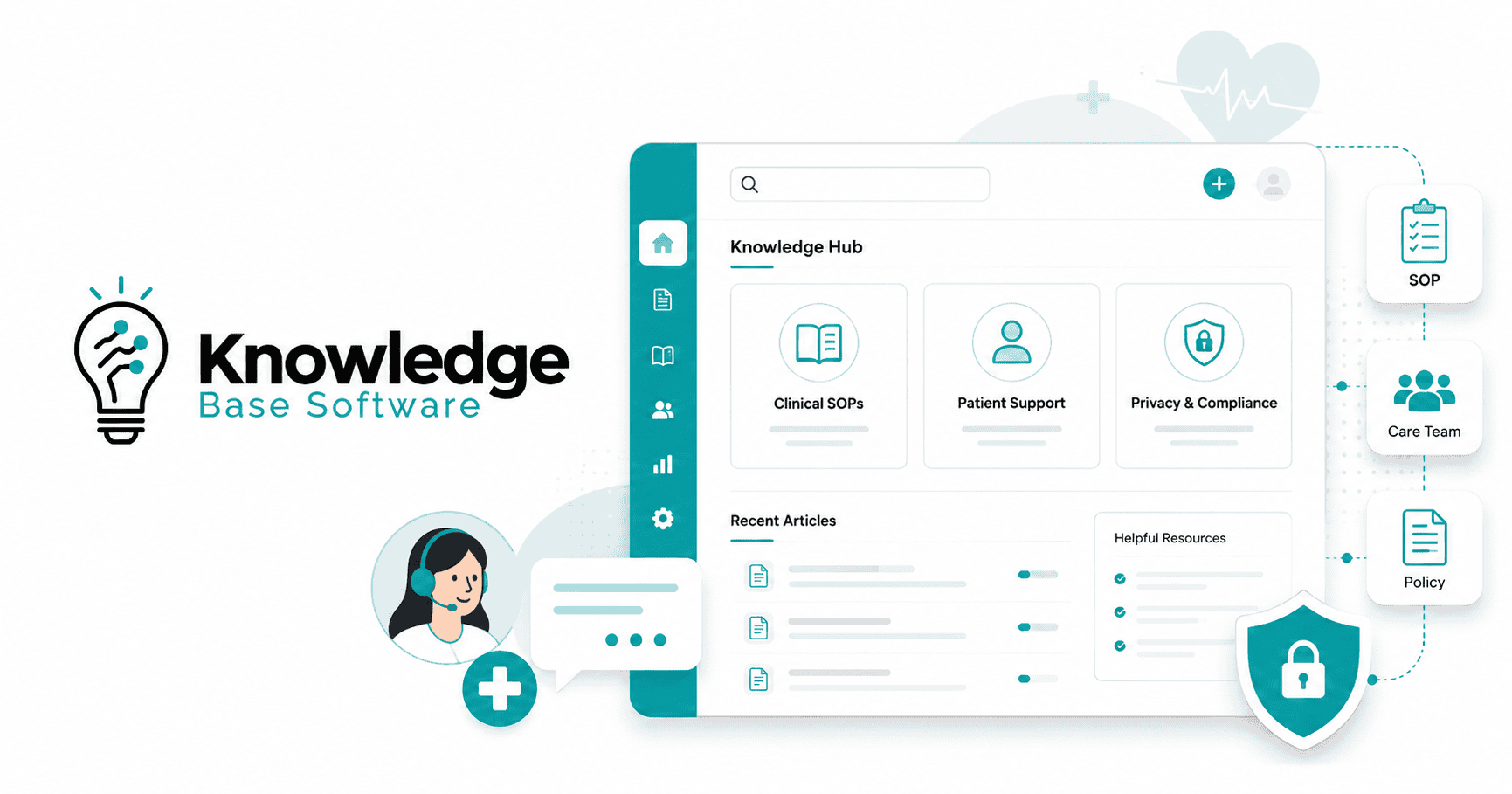
Healthcare Knowledge Base Software is more than a help center. In healthcare, a knowledge base is a governed system for storing, approving, finding, and maintaining trusted information across patient support, clinical SOPs, internal policies, staff training, IT workflows, and privacy-aware documentation.
The stakes are higher than in most industries. A support agent may need an approved answer about appointment preparation. A nurse manager may need the latest triage escalation SOP. A compliance officer may need evidence that a policy was reviewed, approved, and acknowledged. An IT leader may need to confirm that sensitive documentation is restricted by role and protected with audit trails.
A generic knowledge base can store articles. A healthcare-grade knowledge base should help teams control who can see information, who can approve it, when it must be reviewed, how it is versioned, and whether it is safe for patient-facing use. This matters because HIPAA’s Privacy Rule protects individually identifiable health information, known as protected health information or PHI, and the Security Rule establishes safeguards for electronic protected health information, or ePHI.
Key Takeaways
- Healthcare knowledge base software centralizes approved knowledge for patient support, clinical SOPs, policy management, IT support, billing, telehealth, and staff onboarding.
- Healthcare teams need governance, not just storage. Ownership, review dates, approval workflows, audit trails, and escalation rules are essential.
- Patient support teams benefit from consistent answers across phone, portal, chatbot, email, front desk, and telehealth channels.
- Clinical SOPs should be searchable, version-controlled, and acknowledged rather than buried in PDFs, shared drives, binders, or email threads.
- Privacy-aware documentation should be designed around role-based access control, minimum necessary access where PHI is involved, PHI redaction, secure attachments, audit logs, and vendor review.
- AI search and agent assist can help, but only with guardrails such as approved-source retrieval, role-aware access, source grounding, confidence thresholds, and human review.
- No software feature automatically makes an organization compliant. HIPAA readiness depends on configuration, governance, contracts, policies, training, and operational controls.
What Is Healthcare Knowledge Base Software?
Healthcare knowledge base software is a centralized, searchable platform for storing and managing approved healthcare knowledge. It can support internal teams, patient-facing support, clinical operations, compliance, IT, billing, and training.
A healthcare knowledge base may include:
- Patient support scripts and FAQs
- Clinical SOPs and escalation procedures
- Front desk and scheduling workflows
- Telehealth support documentation
- Insurance and billing process guides
- EHR and portal troubleshooting articles
- Compliance and privacy policies
- Staff onboarding materials
- Incident response documentation
- Approved patient education content
The key difference between generic knowledge base software and healthcare knowledge base software is governance. A standard help center may focus on article publishing and search. A healthcare-grade system should be designed to account for accuracy-sensitive workflows, restricted information, content ownership, clinical review, approval history, role-based access control, audit trails, and privacy-aware documentation.
In practice, healthcare knowledge base software often serves multiple audiences:
| Audience | Typical Need |
|---|---|
| Patient support teams | Approved answers, scripts, escalation rules, decision trees |
| Clinical teams | SOPs, protocols, checklists, process documentation |
| Compliance teams | Policy control, acknowledgments, audit evidence |
| IT teams | EHR, portal, identity, device, and access support documentation |
| Operations leaders | Standardized workflows across locations and departments |
| Training teams | Staff onboarding, competency support, role-specific learning |
| Patients | Public FAQs, self-service portal articles, administrative guidance |
A strong healthcare knowledge base is not simply a content library. It is a working system for knowledge governance.
Why Healthcare Teams Need More Than a Generic Knowledge Base
Healthcare organizations often operate across departments, facilities, specialties, systems, and regulatory requirements. Information changes frequently, and the wrong answer can create confusion, delay care, expose sensitive data, or increase operational risk.
A generic knowledge base may be enough for simple product FAQs. Healthcare teams usually need more.
Accuracy-sensitive patient interactions
Patient-facing teams answer questions about appointments, referrals, billing, portals, medication refill processes, lab-result workflows, and care navigation. Even when support agents are not giving medical advice, they still need accurate, approved language and clear escalation boundaries.
Multiple departments and roles
A front desk coordinator, billing specialist, nurse supervisor, IT analyst, and compliance manager should not necessarily see the same content. An internal knowledge base for healthcare should support role-based access, department-level permissions, location-specific content, and restricted documentation.
Fast-changing policies and procedures
Healthcare SOPs change due to operational updates, payer requirements, regulatory changes, technology rollouts, staffing models, and clinical governance decisions. Teams need review dates, version control, read receipts, and emergency update workflows.
Privacy and access control
Healthcare documentation may reference PHI, ePHI, security processes, credentialing workflows, incident response procedures, or access-management steps. HIPAA’s minimum necessary standard focuses on limiting PHI use, disclosure, and requests to the minimum needed for the intended purpose, which makes access design and content minimization important governance topics.
Audit readiness
Compliance teams often need to show what policy was active, who approved it, when it was reviewed, who acknowledged it, and what changed from one version to the next. A document dump cannot provide that evidence reliably.
Omnichannel support
Patients may interact through a phone call, web portal, chatbot, email, SMS, telehealth session, or front desk visit. A healthcare call center knowledge base helps support teams deliver consistent answers across channels.
Core Use Cases for Healthcare Knowledge Base Software
1. Patient support and contact center answers
Who uses it: Patient support agents, front desk teams, care coordinators, contact center supervisors.
Example content: Appointment scheduling rules, referral workflows, portal login support, billing FAQs, insurance process guidance, lab-result process explanations.
Why it matters: Patients receive faster, more consistent answers. Agents spend less time searching across PDFs, Slack messages, email threads, or outdated documents.
Privacy or governance risk: Agents may over-answer, disclose unnecessary PHI, or use outdated scripts unless content includes clear boundaries and escalation rules.
2. Patient self-service portals and FAQs
Who uses it: Patients, caregivers, patient experience teams, digital front door teams.
Example content: How to prepare for a visit, how to request records, how to reset portal access, what to bring to an appointment, how billing statements work.
Why it matters: Patients can resolve administrative questions without contacting staff. ONC resources emphasize secure and convenient patient access to health information, which makes clear digital guidance and patient-facing support content important parts of the health IT experience.
Privacy or governance risk: Public content must not expose PHI, reveal internal security procedures, or provide medical advice beyond approved patient education boundaries.
3. Clinical SOPs and procedural documentation
Who uses it: Clinical managers, nurses, physicians, quality teams, operations leaders.
Example content: Infection control SOPs, triage escalation SOPs, patient intake procedures, lab specimen handling steps, telehealth setup procedures.
Why it matters: SOPs become searchable, current, and easier to acknowledge.
Privacy or governance risk: Clinical SOP software should support review, version control, approvals, retirement, and restricted access where needed.
4. Staff onboarding and competency support
Who uses it: Training teams, HR, department leaders, new hires, temporary staff.
Example content: Role-specific onboarding paths, system access guides, first-week checklists, front desk scripts, escalation maps.
Why it matters: New staff can learn approved workflows faster and managers can track acknowledgment of critical policies.
Privacy or governance risk: Training materials should not use real patient data unless properly authorized and controlled.
5. Compliance and policy distribution
Who uses it: Compliance officers, privacy officers, legal teams, department managers.
Example content: Privacy policies, security reminders, acceptable use policies, breach escalation steps, records handling guidance.
Why it matters: Teams need current policy access, review history, and read receipt completion.
Privacy or governance risk: Policies may reference sensitive incident response or security procedures that should be limited to authorized roles.
6. Healthcare IT and EHR support documentation
Who uses it: IT help desk, clinical informatics, EHR support teams, super users.
Example content: EHR downtime procedures informed by ONC SAFER Guides, portal troubleshooting, SSO/MFA setup, device enrollment, access request workflows.
Why it matters: Reduces repetitive tickets and improves response consistency.
Privacy or governance risk: IT documentation may expose system configurations, access steps, or security controls if permissions are too broad.
7. Telehealth support workflows
Who uses it: Telehealth coordinators, clinicians, support agents, IT teams.
Example content: Pre-visit technical checks, patient device guidance, consent workflow reminders, escalation steps for failed connections.
Why it matters: Telehealth support documentation helps teams resolve technical and administrative problems before they disrupt visits.
Privacy or governance risk: Staff should avoid unnecessary exposure of PHI and follow approved identity verification and escalation processes.
8. Claims, billing, and administrative support
Who uses it: Billing teams, revenue cycle staff, contact center agents, front desk teams.
Example content: Statement explanations, payer-specific process notes, prior authorization workflows, refund request steps.
Why it matters: Administrative teams can answer process questions consistently without searching multiple systems.
Privacy or governance risk: Billing workflows may involve PHI and financial data, so permissions and logging matter.
Patient Support Knowledge Base: Faster, More Consistent Answers
A patient support knowledge base helps frontline teams answer common questions without improvising. It should provide approved language, decision trees, escalation paths, and clear “do not answer” boundaries.
Useful patient support articles may cover:
- Appointment scheduling and rescheduling
- Billing statement explanations
- Insurance and referral process questions
- Lab-result process guidance
- Patient portal login support
- Medication refill process guidance
- Pre-visit instructions
- Post-visit administrative FAQs
- Medical records request steps
- Telehealth preparation
- Location, parking, and check-in instructions
The best patient support knowledge base content is specific enough to help agents act, but controlled enough to avoid unsafe or unauthorized answers.
Example patient support workflow
Patient question → identify topic → retrieve approved answer → verify identity if needed → avoid unnecessary PHI exposure → escalate clinical, legal, or compliance questions → document interaction.
For example, a patient asks, “Can you tell me what my lab result means?” A support agent should not interpret clinical results unless that is within their authorized role and approved workflow. The knowledge base should provide an approved response such as: “I can help you understand where to view your results and how to contact your care team. I can’t interpret clinical findings, but I can route your question to the appropriate clinical team.”
That response protects the patient experience while respecting role boundaries.
A healthcare call center knowledge base should also distinguish between:
| Content Type | Example | Safe Use |
|---|---|---|
| Administrative guidance | “How do I reschedule?” | Usually safe for broad agent use |
| Identity-dependent guidance | “Can you confirm my appointment?” | Requires identity verification |
| Clinical escalation | “My symptoms are worsening” | Route to approved triage workflow |
| Billing-specific information | “Why was I charged?” | Requires account verification |
| Restricted internal process | “How do agents override access?” | Internal-only, role-restricted |
Clinical SOPs: Turning Procedures Into Governed, Searchable Knowledge
Clinical SOPs should not live only in PDFs, shared drives, binders, or email attachments. Those formats are hard to search, hard to govern, and easy to duplicate.
A healthcare knowledge base can turn SOPs into structured, searchable, version-controlled content. This makes it easier for teams to find the current procedure and harder for outdated versions to circulate.
SOP lifecycle
A strong SOP lifecycle typically looks like this:
Draft → clinical review → compliance/security review → approval → publication → staff acknowledgment → version tracking → periodic review → retirement/archive
Common healthcare SOP examples include:
- Infection control SOP
- Patient intake SOP
- Triage escalation SOP
- Telehealth visit setup SOP
- EHR downtime SOP
- Incident response SOP
- Lab specimen handling SOP
- Medication refill request workflow
- Medical records release process
- Front desk identity verification procedure
SOP structure table
| SOP Element | What It Should Include | Why It Matters |
|---|---|---|
| Purpose | Why the SOP exists | Helps staff understand the operational or clinical goal |
| Scope | Departments, roles, locations, and scenarios covered | Prevents misuse outside the intended context |
| Owner | Named role or team responsible for the SOP | Creates accountability |
| Clinical reviewer | Qualified reviewer for clinical accuracy | Supports clinical governance |
| Compliance/privacy reviewer | Reviewer for policy, privacy, and regulatory fit | Reduces compliance gaps |
| Effective date | Date the SOP becomes active | Clarifies which version is current |
| Review date | Next scheduled review | Prevents stale procedures |
| Procedure steps | Clear sequence of actions | Helps staff execute consistently |
| Escalation criteria | When and how to escalate | Reduces unsafe improvisation |
| Required documentation | What must be recorded and where | Supports continuity and audit readiness |
| Related policies | Links to relevant policies or forms | Reduces fragmented knowledge |
| Version history | What changed and when | Supports audit trails and change control |
| Acknowledgment requirement | Who must confirm they read it | Helps prove distribution and training |
A clinical SOP library should be treated as a controlled system, not a folder. The value comes from document control, ownership, approval workflows, and staff acknowledgment.
Privacy-Aware Documentation: Protecting PHI While Keeping Knowledge Useful
Privacy-aware documentation means making knowledge useful without exposing information to people, systems, or channels that do not need it.
Healthcare organizations should separate at least three content categories:
| Content Category | Example | Access Model |
|---|---|---|
| Public patient education or FAQs | “How to prepare for a telehealth visit” | Public or patient-facing |
| Internal operational content | “How agents route billing questions” | Internal staff only |
| Restricted PHI/ePHI-related documentation | “How to handle access requests involving patient data” | Role-restricted, audited |
The Privacy Rule protects PHI in any form or media when held or transmitted by covered entities or business associates, while the Security Rule focuses on electronic PHI and requires administrative, physical, and technical safeguards.
Privacy-aware documentation should include:
- Data minimization
- Need-to-know permissions
- Role-based access control
- PHI redaction
- Secure attachments
- Audit logs
- Version control
- Retention rules
- BAA and vendor review
- Encryption in transit and at rest
- Authentication and MFA
- Approval workflows
- Incident response procedures
- Export controls
- AI guardrails
If a cloud service provider creates, receives, maintains, or transmits ePHI on behalf of a covered entity or business associate, HHS guidance states that the parties must enter into a HIPAA-compliant business associate agreement, or BAA. This can apply even when the cloud provider stores encrypted ePHI and does not hold the encryption key.
Before publishing healthcare knowledge, ask:
- Does this article include PHI or ePHI?
- Does it include screenshots, attachments, logs, or examples that could reveal patient information?
- Who truly needs access?
- Is this content public, internal, confidential, or restricted?
- Is the source approved?
- Who owns the content?
- Who reviewed it clinically, operationally, and for privacy?
- When does it expire or require review?
- Does it include an escalation path?
- Is it safe for self-service?
- Is it appropriate for AI retrieval?
- Could search logs or analytics expose sensitive data?
- Is a BAA required for the vendor or integration involved?
A privacy-aware knowledge base is not about hiding everything. It is about making the right information available to the right people, at the right time, with the right controls.
Important Features in Healthcare Knowledge Base Software
| Feature | Why It Matters in Healthcare | Questions to Ask Vendors |
|---|---|---|
| Granular permissions and role-based access control | Limits sensitive content to appropriate teams | Can access be restricted by role, department, location, or group? |
| SSO/MFA | Supports secure access management | Which identity providers are supported? Is MFA enforced? |
| Audit trails | Shows who viewed, edited, approved, or published content | Are logs exportable and retained long enough for audits? |
| Version history | Tracks changes to SOPs and policies | Can teams compare versions and restore prior content? |
| Approval workflows | Prevents unreviewed content from going live | Can clinical, compliance, and security reviews be required? |
| Read receipts and acknowledgments | Confirms staff reviewed critical SOPs or policies | Can acknowledgments be assigned by role or team? |
| Content review dates and expiry | Reduces stale articles and outdated SOPs | Can owners receive automated review reminders? |
| AI-powered search with source grounding | Helps users find answers faster | Does AI answer only from approved content and cite source articles internally? |
| Decision trees and guided workflows | Helps agents follow approved steps | Can workflows include escalation rules and stop points? |
| Public and private knowledge base options | Separates patient-facing and internal content | Can public, internal, and restricted content be managed separately? |
| Omnichannel publishing | Supports phone, portal, email, chat, and telehealth workflows | Can the same approved answer be reused across channels? |
| Analytics and search reporting | Reveals content gaps and no-result searches | What reports are available for search success and article usefulness? |
| Secure file handling | Protects attachments, screenshots, and documents | Are downloads, previews, permissions, and retention configurable? |
| Integrations | Connects knowledge to work systems | Does it integrate with help desk, CRM, identity providers, collaboration tools, or EHR-adjacent workflows? |
| BAA availability | Needed when ePHI may be handled by the vendor | Will the vendor sign a BAA, and what services are covered? |
| Data residency and retention controls | Supports organizational policy and risk requirements | Where is data hosted, and how is deletion handled? |
| API and migration tools | Helps move content from PDFs, drives, intranets, or legacy tools | What migration support, APIs, and bulk import options are available? |
For healthcare buyers, the strongest fit is often a platform or connected stack that combines healthcare documentation, internal knowledge base functionality, clinical SOP management, and governance workflows in a controlled environment.
Internal vs External Healthcare Knowledge Bases
| Type | Audience | Examples | Privacy Considerations | Best-Fit Use Cases |
|---|---|---|---|---|
| Internal knowledge base | Staff only | Policies, internal workflows, department guides | Restrict sensitive process details | Operations, HR, compliance, IT |
| External patient-facing knowledge base | Patients and caregivers | FAQs, portal help, visit preparation | Avoid PHI and internal-only procedures | Self-service portal, digital front door |
| Agent-assist knowledge base | Support agents | Scripts, call flows, escalation rules | Identity verification and PHI boundaries | Contact center, front desk, billing support |
| Clinical SOP library | Clinical and operations teams | Triage SOPs, intake procedures, downtime workflows | Role-based access and version control | Clinical governance, quality, safety workflows |
| IT/support documentation hub | IT and super users | EHR support, access steps, device guides | Protect security-sensitive details | Help desk, clinical informatics |
| Training knowledge base | New hires and managers | Onboarding paths, checklists, competency guides | Avoid real patient examples unless controlled | Staff onboarding, continuing education |
Most healthcare organizations need more than one knowledge base experience. The goal is not to duplicate content. The goal is to publish approved knowledge in the right format for each audience.
AI in Healthcare Knowledge Bases: Useful, But Only With Guardrails
AI search, summarization, agent assist, chatbot support, duplicate detection, and content recommendations can make a healthcare knowledge base easier to use. But healthcare AI features must be deployed carefully.
NIST’s AI Risk Management Framework describes trustworthy AI characteristics such as validity, reliability, safety, security, resilience, accountability, transparency, explainability, privacy enhancement, and fairness. Those principles are directly relevant when AI is used to retrieve or summarize healthcare documentation.
Common AI risks in healthcare knowledge management
- Hallucinated answers
- Retrieval of outdated policy
- PHI exposure through prompts, logs, or responses
- Lack of source traceability
- Over-answering clinical questions
- Inconsistent answers across channels
- Role-inappropriate retrieval
- Unreviewed AI-generated content entering production
Recommended AI Guardrails
For healthcare knowledge retrieval, AI features should ideally:
- Answer only from approved content
- Cite source articles internally
- Respect role-based permissions
- Use confidence thresholds
- Refuse or escalate when content is missing
- Redact or block PHI where appropriate
- Exclude restricted content sets from patient-facing AI
- Log interactions for review
- Require human review before publishing AI-generated content
- Support regular testing against known scenarios
- Avoid replacing clinical judgment
AI can make medical knowledge base software easier to navigate. It should not become an uncontrolled advice engine.
How to Build a Healthcare Knowledge Base: Example 90-Day Implementation Plan
Days 1–15: Audit content and define ownership
Inventory current content across shared drives, intranets, PDFs, help desk macros, policy folders, training decks, EHR tip sheets, and email templates. Identify duplicates, outdated documents, high-risk workflows, and frequently asked patient questions.
Assign initial owners for each content category.
Days 16–30: Taxonomy, access model, and templates
Create a taxonomy that reflects how people search. Avoid department-only labels if staff search by task, patient question, or workflow.
Define access levels:
- Public
- Internal
- Department-restricted
- Clinical-restricted
- Compliance/security-restricted
- Admin-only
Build templates for FAQs, SOPs, policy articles, decision trees, and escalation workflows.
Days 31–45: Migrate priority content
Start with high-volume and high-risk content:
- Top patient support questions
- Critical clinical SOPs
- Billing and insurance process guides
- Telehealth troubleshooting
- Portal access support
- EHR downtime procedures
- Privacy and security escalation steps
Do not migrate everything blindly. Migration is the best time to retire duplicates and outdated articles.
Days 46–60: Review, approve, and publish core workflows
Route content through clinical, operational, compliance, and security reviewers as needed. Set review dates, owners, version notes, and acknowledgment requirements.
Days 61–75: Train teams and launch analytics
Train users on search, article feedback, escalation rules, and content request processes. Train managers on reports, stale content, acknowledgment tracking, and governance workflows.
Days 76–90: Optimize search, close gaps, and formalize governance
Review no-result searches, repeated tickets, agent feedback, and article usefulness. Create new content where users are searching but not finding answers. Formalize governance roles and review cadence.
RACI-style implementation table
| Task | Responsible | Accountable | Consulted | Informed |
|---|---|---|---|---|
| Content inventory | Knowledge manager | Operations leader | Department leads | Support teams |
| SOP review | Clinical reviewer | Clinical director | Compliance, security | Affected staff |
| Privacy review | Privacy officer | Compliance leader | Legal, security | Content owners |
| Access model | IT/security | CIO or security leader | Compliance, department heads | All users |
| Patient-facing FAQ approval | Patient experience lead | CX leader | Clinical, legal, compliance | Support agents |
| Launch training | Training manager | Operations leader | Knowledge manager | Staff |
| Metrics review | Knowledge manager | Executive sponsor | Support, clinical, compliance | Department leaders |
Governance Model: Who Owns Healthcare Knowledge?
A healthcare knowledge base needs clear ownership. Without governance, content becomes stale, duplicated, and unsafe.
Recommended roles include:
| Role | Responsibility |
|---|---|
| Content owner | Owns accuracy and maintenance for a specific article or category |
| Clinical reviewer | Reviews clinical accuracy and care-related workflows |
| Compliance/privacy reviewer | Reviews privacy, policy, and regulatory implications |
| Security reviewer | Reviews access, system, incident, and technical safeguards |
| Knowledge manager | Maintains taxonomy, templates, analytics, and governance routines |
| Support team lead | Validates usability for frontline patient support workflows |
| Final approver | Confirms readiness for publication |
| Executive sponsor | Removes blockers and aligns departments |
Governance should also define:
- Review cadence by content type
- Emergency update process
- Approval requirements
- Retirement and archive process
- Ownership transfer rules
- Feedback and correction workflows
- Audit reporting expectations
A mature knowledge governance model makes the knowledge base a trusted operational system, not just a publishing tool.
Metrics to Track After Launch
Healthcare leaders should track both content performance and governance performance.
Useful metrics include:
| Metric | What It Shows |
|---|---|
| Search success rate | Whether users find relevant answers |
| No-result searches | Missing content or poor taxonomy |
| Article helpfulness | User-perceived quality |
| Ticket or contact deflection | Impact of self-service content |
| First contact resolution | Support effectiveness |
| Average handle time | Agent efficiency |
| Content freshness | Whether articles are current |
| SOP acknowledgment rate | Whether staff confirmed required reading |
| Time-to-competency for new staff | Onboarding effectiveness |
| Escalation accuracy | Whether staff route issues correctly |
| Audit readiness | Ability to show history, approvals, and acknowledgments |
| Policy read receipt completion | Distribution of critical policies |
| Stale article percentage | Governance health |
| Duplicate content reduction | Knowledge base cleanliness |
Do not measure only page views. A policy nobody reads may still be essential. A low-traffic SOP may still be critical during an emergency.
Common Mistakes to Avoid
Treating the knowledge base as a document dump
Uploading every PDF and calling it a knowledge base creates clutter. Structure, ownership, and review workflows matter more than volume.
Publishing without ownership
Every article should have an owner. If nobody owns it, nobody is responsible for keeping it accurate.
Mixing public and restricted content
Public patient FAQs, internal workflows, and restricted ePHI-related documentation need different access models.
Letting SOPs expire
Healthcare SOPs should have review dates, version history, and retirement rules.
Skipping approval workflows
Clinical, compliance, privacy, and security review should be built into the workflow for sensitive content.
Ignoring audit trails
If a policy changes, teams should know who changed it, when, why, and what version was active at a specific time.
Overusing AI without controls
AI search should support approved knowledge retrieval. It should not invent clinical answers or expose restricted content.
Using generic templates for clinical procedures
Clinical SOPs need scope, escalation criteria, reviewer roles, version control, and acknowledgment tracking.
Ignoring frontline search data
No-result searches and agent feedback are some of the best signals for missing knowledge.
Assuming a vendor feature makes the organization compliant
A “HIPAA-compliant knowledge base” claim should be reviewed carefully. Compliance depends on the vendor, configuration, BAA, internal policies, access controls, training, and ongoing governance.
How to Choose the Right Healthcare Knowledge Base Software
The best healthcare knowledge base software should fit real workflows, not just a feature checklist.
Buyer checklist
| Category | What to Evaluate |
|---|---|
| Security and privacy | RBAC, SSO/MFA, audit logs, encryption, retention, vendor review |
| Governance and workflow | Owners, approvals, review dates, version history, read receipts |
| Search and AI | Source-grounded AI search, role-aware retrieval, analytics |
| Patient support workflows | Scripts, decision trees, escalation rules, omnichannel publishing |
| SOP and document control | Lifecycle management, acknowledgments, archive controls |
| Integrations | Help desk, CRM, identity provider, collaboration tools, EHR-adjacent workflows |
| Analytics | No-result searches, article feedback, content freshness, adoption |
| Scalability | Multi-location, multi-department, multiple audience support |
| Usability | Fast authoring, simple search, clear templates |
| Vendor support and migration | Bulk import, taxonomy help, training, launch support |
| Pricing and implementation effort | Total cost, admin workload, migration complexity |
Vendor questions to ask before buying
- Will you sign a BAA if ePHI is involved?
- Which product modules and services are covered by the BAA?
- How are permissions structured?
- Can access be restricted by role, department, location, or group?
- Do you support SSO and MFA?
- Are audit logs exportable?
- Can content have named owners, review dates, and expiry rules?
- Can clinical, compliance, privacy, and security approvals be required before publishing?
- Do you support read receipts and acknowledgments?
- What happens to archived SOPs?
- Can we separate patient-facing, internal, and restricted content?
- Can AI retrieval be limited to approved content?
- Does AI respect permissions?
- How do you handle PHI in prompts, search logs, analytics, and support tickets?
- Can agents test answers before publishing?
- What integrations are available?
- How is data encrypted in transit and at rest?
- What admin controls exist for exports, downloads, and attachments?
- What migration support is included?
- What support is available for taxonomy, templates, and governance setup?
Healthcare Knowledge Base Software Checklist
Patient support readiness
- Approved answers for top patient questions
- Scripts for sensitive topics
- Identity verification reminders
- Escalation rules
- “Do not answer” boundaries
- Channel-specific guidance for phone, portal, email, chat, and telehealth
Clinical SOP readiness
- SOP templates
- Clinical reviewer assignment
- Version history
- Effective dates
- Review dates
- Retirement process
- Staff acknowledgments
Privacy/security readiness
- Role-based access control
- SSO/MFA
- Audit trails
- Secure attachments
- PHI redaction guidance
- Retention controls
- Vendor and BAA review where applicable
Governance readiness
- Content owners
- Approval workflows
- Review cadence
- Emergency update process
- Feedback loop
- Archive rules
AI readiness
- Approved-source retrieval
- Source grounding
- Role-aware permissions
- Confidence thresholds
- Human review
- Restricted content exclusions
- AI testing process
Analytics readiness
- Search success tracking
- No-result search reports
- Article feedback
- Stale content reporting
- SOP acknowledgment tracking
- Support deflection reporting
Conclusion
Healthcare knowledge base software should help teams do three things well: support patients with consistent answers, standardize clinical and operational SOPs, and protect sensitive documentation through privacy-aware governance.
The best platform is not simply the one with the longest feature list. It is the one that fits your real workflows: patient support, clinical SOP management, internal policy distribution, staff onboarding, telehealth support, IT documentation, billing guidance, and compliance review.
Evaluate tools based on how they manage ownership, access, approvals, version control, audit trails, read receipts, AI search, and vendor responsibilities. Most importantly, involve the people who will rely on the system every day: patient support agents, clinical reviewers, compliance teams, security leaders, IT administrators, and department managers.
FAQ
1. What is healthcare knowledge base software?
Healthcare knowledge base software is a centralized system for creating, approving, organizing, and finding healthcare-related knowledge. It may include patient support answers, clinical SOPs, internal policies, training content, IT documentation, telehealth workflows, and compliance guidance.
2. How is healthcare knowledge base software different from a regular knowledge base?
A regular knowledge base usually focuses on storing and publishing articles. Healthcare knowledge base software should also support governance needs such as role-based access control, approval workflows, audit trails, version control, review dates, read receipts, and privacy-aware documentation.
3. Can a healthcare knowledge base contain PHI?
It can, but only if the organization has the right legal, privacy, security, vendor, access, and operational controls in place. Teams should minimize PHI wherever possible and restrict access based on need-to-know principles. HHS guidance on the minimum necessary standard is especially relevant when designing PHI-related workflows.
4. Does healthcare knowledge base software need to be HIPAA-compliant?
If the software will create, receive, maintain, or transmit ePHI on behalf of a covered entity or business associate, the organization should evaluate HIPAA requirements, vendor safeguards, and whether a BAA is required. HHS guidance states that cloud service providers handling ePHI on behalf of regulated entities generally require a HIPAA-compliant BAA.
5. What features matter most for clinical SOPs?
Important features include version history, approval workflows, named owners, clinical review, compliance review, effective dates, review dates, staff acknowledgments, audit trails, and retirement or archive controls.
6. How can a knowledge base improve patient support?
It gives support agents approved answers, scripts, decision trees, and escalation rules. This can improve consistency, reduce handle time, support first contact resolution, and help agents avoid answering outside their authorized scope.
7. Can patients use a healthcare knowledge base for self-service?
Yes. A patient-facing healthcare knowledge base can provide FAQs, visit preparation instructions, portal help, billing process guidance, telehealth setup steps, and administrative support. Public content should be reviewed carefully to avoid exposing PHI or providing inappropriate medical advice.
8. How should healthcare organizations manage SOP version control?
Each SOP should have an owner, reviewer, effective date, review date, version history, change notes, approval record, and archive process. Staff should always be directed to the current approved version.
9. What AI features are safer for healthcare knowledge management?
Safer AI features may include permission-aware AI search, source-grounded summaries, duplicate detection, content recommendations, and agent assist based only on approved content. AI should include guardrails such as human review, confidence thresholds, refusal rules, audit logs, and PHI controls.
10. Who should own knowledge base governance in a healthcare organization?
Governance is usually shared. A knowledge manager may run the system, while clinical, compliance, privacy, security, support, IT, and operations leaders own different content categories and approval responsibilities.
11. What metrics show whether a healthcare knowledge base is working?
Useful metrics include search success rate, no-result searches, article helpfulness, first contact resolution, average handle time, ticket deflection, stale article percentage, SOP acknowledgment rate, policy read receipt completion, and time-to-competency for new staff.
12. How often should healthcare SOPs and support articles be reviewed?
Review frequency depends on risk and content type. High-risk clinical SOPs, privacy policies, security procedures, and patient-facing guidance should have formal review dates and clear ownership. Some content may require annual review, while fast-changing workflows may need more frequent updates.