Independent knowledge base software guide Evidence-led Updated 2026

Knowledge Base vs FAQ: Key Differences and When to Use Each
Last verified: July 21, 2026. Google stopped showing FAQ rich results on May 7, 2026. This comparison reflects that change and distinguishes useful FAQ content from the retired Google search feature.
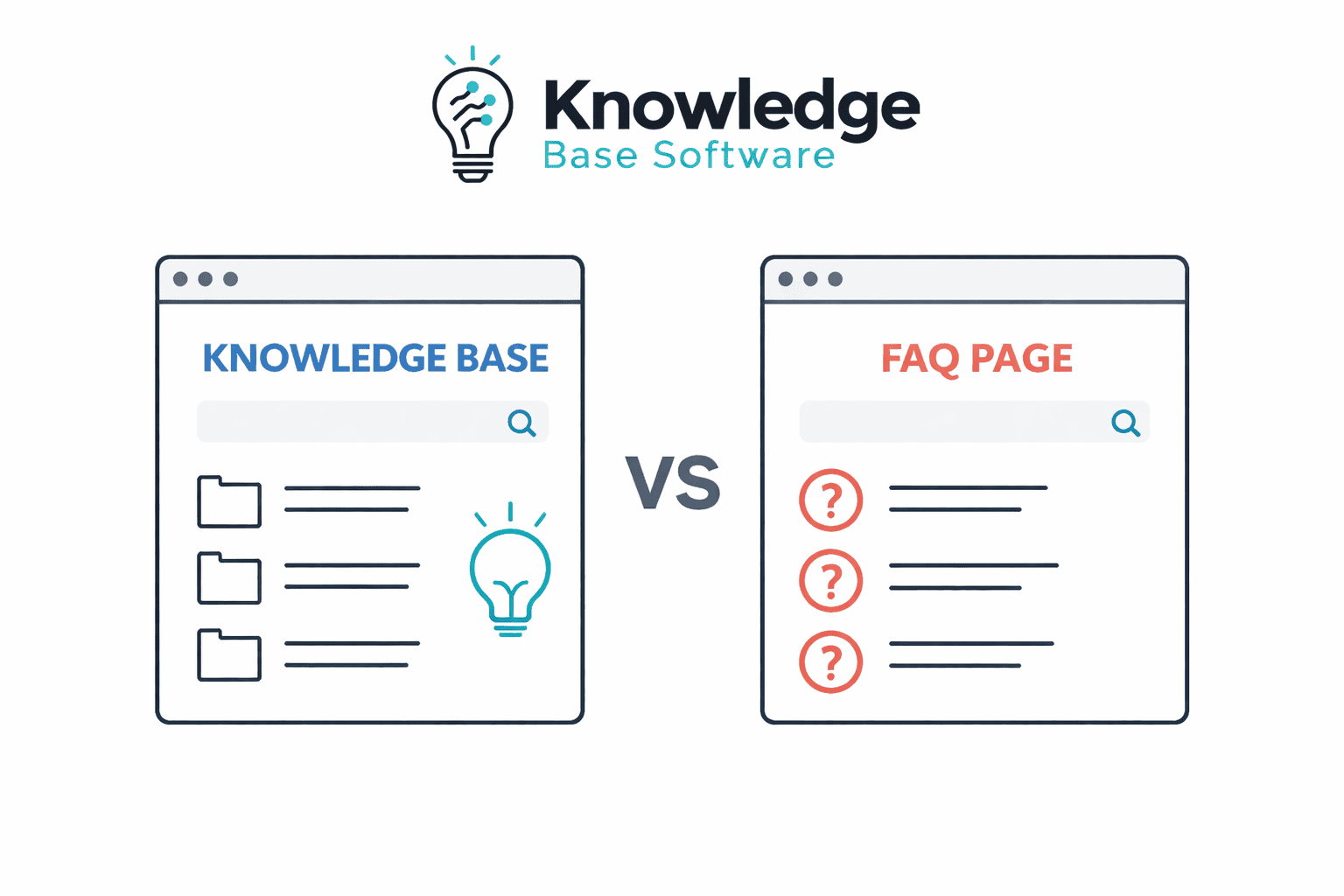
The short answer: an FAQ page gives concise answers to a focused set of recurring questions. A knowledge base is a broader, structured collection of articles for detailed guidance, troubleshooting, policies, and reference information. Use an FAQ when the questions are limited and the answers stay short. Use a knowledge base when users need deeper instructions, multiple content paths, or stronger ownership and maintenance controls. In many cases, the best design uses both.
An FAQ is a content format; a knowledge base is a content system or repository. They are not necessarily competing products, and a knowledge base can include an FAQ section.
On this page:
- Knowledge base vs FAQ at a glance
- The differences that matter
- When to use an FAQ, a knowledge base, or both
- FAQ schema and Google Search
- How to move from an FAQ to a knowledge base
- Decision checklist
- Frequently asked questions
Knowledge base vs FAQ at a glance
| Decision factor | FAQ page | Knowledge base |
|---|---|---|
| Primary job | Answer a defined set of recurring questions quickly. | Organize a maintained body of guidance for a defined audience. |
| Typical content unit | A question followed by a concise answer. | A separate how-to, troubleshooting, reference, policy, or FAQ article. |
| Depth | Best when an answer can remain brief and self-contained. | Better suited to prerequisites, steps, screenshots, exceptions, and related topics. |
| Discovery | Usually scanning, in-page navigation, links, or optional site search. | May provide dedicated search, categories, tags, related articles, and contextual links. |
| Growth | Can become difficult to scan when many unrelated or detailed questions accumulate. | Topics can be divided into distinct pages, sections, and audience paths. |
| Maintenance | Can be easy to edit in a CMS, but ownership and review still need to be defined. | Selected platforms may add owners, review dates, approvals, version history, and archiving. |
| Permissions | Can be public or access-restricted, depending on the CMS and configuration. | May support public, private, or audience-specific collections, depending on the product and plan. |
| Measurement | Page analytics and question-level events can be configured. | Selected products may add search analytics, feedback, zero-result reports, and article-level reporting. |
| Implementation effort | May use the existing CMS, with costs centered on writing, review, design, and measurement. | May add platform, migration, administration, integration, and ongoing content-management work. |
| Google FAQ rich result | Not available. Google retired the feature in May 2026. | Not available. Adding an FAQ section inside a knowledge base does not change this. |
| Best fit | Focused, stable questions that need direct answers. | Broader, evolving, or multi-step guidance that benefits from structured navigation and governance. |
These are typical patterns, not universal product rules. A WordPress FAQ can have search, analytics, and rich media. A knowledge base does not automatically include workflows, permissions, integrations, or unlimited capacity; those capabilities depend on the platform, plan, configuration, and hosting.
What is an FAQ page?
An FAQ page is a publisher-written collection of frequently asked questions and answers. It works well for clear, recurring topics such as basic billing rules, shipping options, account requirements, return conditions, or the first questions a prospective customer asks.
The format does not have to be static, text-only, or hard-coded. An FAQ can be managed in WordPress or another CMS, use accessible accordions, contain images or video, record question-level interactions, and link to detailed resources. Its defining feature is the question-and-answer presentation—not the technology used to publish it.
An FAQ may become harder to maintain when an answer needs several steps, prerequisites, product-version branches, important exceptions, or frequent updates. Compressing a complex procedure into a short answer can remove the context a user needs to complete the task safely.
What is a knowledge base?
A knowledge base is a maintained collection of information for a defined audience. A customer-facing knowledge base may contain setup instructions, troubleshooting articles, product reference, and policies. An internal knowledge base may contain IT procedures, HR guidance, operational playbooks, or other restricted material.
Knowledge base software can make a growing collection easier to structure and maintain, but the software does not make the content complete, accurate, or authoritative by itself. The organization still needs topic selection, named owners, source verification, review rules, and an archive process. Learn more in our guide to the knowledge base content lifecycle.
The differences that matter in practice
Content depth and structure
An FAQ keeps multiple questions together, which is convenient when each answer is short and the questions belong to one clear context. A knowledge-base implementation can give a complex topic its own URL, title, headings, steps, media, and related links. Revision history depends on the product and plan. Separate pages can make it easier to explain a complete task without turning one FAQ into a long, mixed list.
There is no evidence-based number of questions at which an FAQ must become a knowledge base. The better test is complexity: can users scan the page, identify the right question, understand the answer, and act without missing essential context?
Findability and navigation
A focused FAQ may need nothing more than clear headings and in-page links. As topics expand, users may need categories, filters, dedicated search, related-content links, or navigation by product and task. Knowledge base platforms may provide those functions, but their quality and availability vary. Test them with the language real users use, including synonyms, misspellings, and product-specific terms.
Ownership, review, and change control
Both formats require maintenance. An FAQ managed in a CMS may be straightforward to update, while a knowledge base may offer named owners, approvals, scheduled reviews, and version history. These controls are valuable only when the team configures and follows them. A large repository without owners can be less reliable than a small, carefully reviewed FAQ.
Audiences and access
A public FAQ can serve prospects, customers, partners, or employees. A knowledge base can serve the same audiences and may also separate public, authenticated, and internal content. If access control matters, verify permissions at the collection, category, article, attachment, search, export, and integration levels. Do not assume that hiding a navigation link protects the underlying content.
Analytics, integrations, and automated answers
Either format can be instrumented, but dedicated knowledge base products may offer more content-specific signals and integrations. Examples include search terms, zero-result searches, article feedback, support-platform links, APIs, and content retrieval for an AI assistant. Availability can depend on the plan and implementation.
None of these capabilities proves that a question was resolved or a support contact was avoided. Define the outcome and measurement window before labeling activity as self-service success or ticket deflection.
When to use an FAQ, a knowledge base, or both
An FAQ may be enough when
- The questions cover one focused product, service, policy, or stage of the journey.
- Each answer can stay concise without omitting required steps or exceptions.
- The content is easy to scan and does not need several navigation paths.
- The same audience can see every answer.
- Your existing CMS provides the editing, access, and measurement controls you actually need.
A knowledge base is justified when
- Users need multi-step setup, troubleshooting, or reference content.
- Guidance varies by product, version, role, region, or permission level.
- Topics need separate URLs and a structured hierarchy.
- Content changes often enough to require ownership, review dates, approvals, or version history.
- Users need dedicated search, related articles, localization, feedback, or support integrations.
- The team can resource the migration and ongoing editorial work—not only the software subscription.
Use both when the FAQ is the front door
A hybrid model can provide a clear experience. Keep short, high-frequency questions close to the page or workflow where they arise, then link to a maintained knowledge base article when the user needs steps, screenshots, alternatives, or exceptions.
For example, an FAQ may answer “How do I change my billing email?” in one sentence and link to a billing-settings article for permissions, steps, and troubleshooting. Treat the detailed article as the single maintained source. Summarize it in the FAQ instead of copying the entire answer into two places; duplication creates two versions to maintain and increases the risk of conflicting guidance.
FAQ schema and Google Search
Google no longer shows FAQ rich results in Search. Adding FAQPage markup therefore does not create an FAQ rich-result opportunity for a commercial, government, health, or any other website.
| Date | What Google announced | What it means now |
|---|---|---|
| August 8, 2023 | Google said FAQ rich results would be shown regularly only for well-known, authoritative government and health sites. | This is historical context, not the current eligibility rule. |
| May 7, 2026 | FAQ rich results stopped appearing in Google Search. | No site type has a current FAQ rich-result opportunity. |
| June 15, 2026 | Google removed the FAQ rich-result documentation because the feature was no longer shown. | FAQ is no longer listed in Google’s supported structured data gallery. |
These dates come from Google’s Search documentation updates and its August 2023 announcement. The 2023 government-and-health restriction should not be repeated as if it still describes current Google Search.
FAQ content, FAQPage, and QAPage are different
| Term | What it means | Current Google Search position |
|---|---|---|
| Visible FAQ content | Questions and answers written for readers on a web page. | Can be useful page content and may contribute to a standard text snippet; there is no special FAQ rich result. |
FAQPage | A Schema.org type for a page presenting one or more frequently asked questions. | Google retired the FAQ rich-result feature. Valid Schema.org vocabulary does not imply a Google enhancement. |
QAPage | A page focused on one question and its answers. For ordinary Q&A pages, users must be able to submit answers; Google documents a separate education Q&A exception. | Google supports it only for qualifying Q&A use cases. It is not a substitute for a publisher-written FAQ. |
Google’s current QAPage documentation identifies a publisher-written FAQ and a page containing multiple questions as invalid uses of QAPage. For ordinary Q&A pages, Google requires one question and a way for users to submit answers; it separately documents an education Q&A exception. Simply changing the schema label would still misdescribe a normal publisher-written FAQ.
What should you do with existing FAQPage markup?
- Keep useful questions and answers. The end of the rich result is not a reason to remove content that helps readers.
- Stop treating FAQ markup as a Google growth tactic. Do not forecast expanded listings, click-through gains, traffic, or ranking improvements from
FAQPage. - Decide whether the markup has another documented consumer. If it exists only for Google’s retired feature, removing it can reduce code and maintenance. If a known system uses it, retain it only while it remains accurate and consistent with the visible page.
- Do not relabel a normal FAQ as QAPage. Use
QAPageonly when the page meets Google’s documented eligibility rules; do not use it for a normal publisher-written FAQ or a page containing multiple questions. - Use supported structured data only when it matches the page. Google’s general guidelines state that valid structured data does not guarantee a rich result.
Google’s 2023 announcement said site owners did not need to remove unused FAQ structured data proactively and that it caused no problems for Search. That statement does not establish a ranking benefit or restore a visible search feature.
Can FAQ content still appear in ordinary search results?
A public, crawlable, indexable page can still be considered for an ordinary Google result. Google says result snippets are created primarily from page content, so a concise visible answer may be selected as part of a standard snippet. Google chooses the snippet for the query; an FAQ layout does not guarantee that selection, indexing, or a particular ranking. See Google’s current snippet guidance.
The practical SEO work is therefore the same as for other useful pages: answer a real need, make important content accessible in the rendered page, use descriptive titles and headings, link related topics clearly, avoid unnecessary duplication, and keep the information accurate. Do not create filler questions merely to add schema or repeat keywords.
How to move from an FAQ to a knowledge base
- Audit real demand. Review support conversations, site search, product feedback, sales questions, and existing FAQ usage. Separate recurring evidence from questions the company only assumes users ask.
- Classify each answer. Keep concise, stable answers in the FAQ. Mark topics that need steps, prerequisites, exceptions, screenshots, version-specific guidance, or restricted access.
- Create one maintained source for each complex topic. Give it a clear title, unique URL, defined audience, owner, evidence source, and review trigger.
- Design navigation around user tasks. Group topics by the way users look for help, then test labels and search terms with representative users.
- Link instead of duplicating. Keep a short answer at the point of need and link to the detailed article. Update both when the summary changes.
- Preserve working URLs. If content moves, map old URLs to the most relevant new destination and update internal links, navigation, sitemaps, and canonical signals.
- Measure after launch. Track findability, explicit feedback, zero-result searches where available, task completion, and related contacts. Compare the same topics before and after the change.
Our guide to creating a knowledge base covers the broader planning and launch process.
Common mistakes to avoid
- Turning one FAQ into a document dump. Long procedures buried among unrelated questions are difficult to scan and maintain.
- Duplicating full answers. Copying the same instructions into an FAQ and several articles creates conflicting sources when one copy changes.
- Assuming every knowledge base feature is included. Search quality, analytics, permissions, workflows, localization, APIs, AI functions, storage, and traffic limits vary by product and plan.
- Writing invented “frequently asked” questions. Use observed user demand and review it as the product changes.
- Hiding important limits or escalation paths. State prerequisites and exceptions, and tell users where to go when the documented route does not apply.
- Calling views “resolved questions.” A view or accordion expansion does not prove that the user completed the task.
- Using inaccessible interactions. If questions expand and collapse, make the controls work with a keyboard, expose clear focus states, and preserve readable content when scripts fail.
How to measure whether the format works
Choose measures that match the user’s task. For an FAQ, useful diagnostic signals may include question expansions, in-page searches, clicks to detailed guidance, explicit feedback, and related contacts after the visit. For a knowledge base, add search success, zero-result queries, article feedback, overdue reviews, and task completion where the platform provides reliable data.
Define each measure before using it. A search followed by no support ticket could mean success, abandonment, a delayed contact, or use of another channel. Report the observation as a signal unless you have a defensible resolution method and comparison period.
Decision checklist
| If this is true… | Likely direction |
|---|---|
| Most answers are short, stable, and tied to one page or stage of the journey. | Start with or retain a focused FAQ. |
| Several answers need prerequisites, steps, media, branches, or exceptions. | Create separate knowledge base articles. |
| Users need a quick answer first and detailed guidance sometimes. | Use an FAQ summary linked to a single maintained knowledge base article. |
| Different audiences require different access. | Evaluate a knowledge base or CMS with verified permission controls. |
| Content changes require owners, approvals, reviews, or version history. | Evaluate governed knowledge base workflows, confirming plan availability. |
| Your current CMS already meets the content, access, search, and reporting needs. | A separate knowledge base product may not yet be necessary. |
If the checklist points toward a dedicated platform, compare products using your content structure, permissions, migration needs, search tests, integrations, and total cost—not a generic feature count. You can compare knowledge base software and build a shortlist around those requirements.
Frequently asked questions
Is an FAQ page the same as a knowledge base?
No. An FAQ is a question-and-answer format. A knowledge base is a broader collection or system that can contain FAQs alongside how-to articles, troubleshooting, reference material, and policies.
Can an FAQ be part of a knowledge base?
Yes. An FAQ can provide concise answers or act as a starting point, while links lead users to detailed knowledge base articles. Keep one canonical source for the full procedure to reduce conflicting copies.
When should a business move from an FAQ to a knowledge base?
Move or expand when answers need multi-step guidance, different versions or audiences, separate URLs, structured navigation, stronger review controls, or dedicated search and reporting. Company size and question count alone are poor decision rules.
Does FAQPage markup create a Google rich result or ranking benefit?
No. Google stopped showing FAQ rich results on May 7, 2026, and it does not promise a ranking improvement from FAQPage markup. The markup is not needed for the retired feature. Google’s 2023 announcement said unused FAQ structured data did not need to be removed proactively and caused no problems for Search. If it was added only for Google, removal is an optional maintenance decision; if another documented consumer relies on it, it can remain while it accurately matches the visible content.
Final recommendation
Choose the smallest maintainable format that answers the user’s task completely. A focused FAQ is appropriate for concise recurring questions. A knowledge base is appropriate when guidance needs depth, structure, multiple audiences, or stronger governance. Use both when a short answer should lead to a detailed canonical source.

