Independent knowledge base software guide Evidence-led Updated 2026

Knowledge Base vs SOP Software: Procedures, Policies, Checklists, and Operational Knowledge
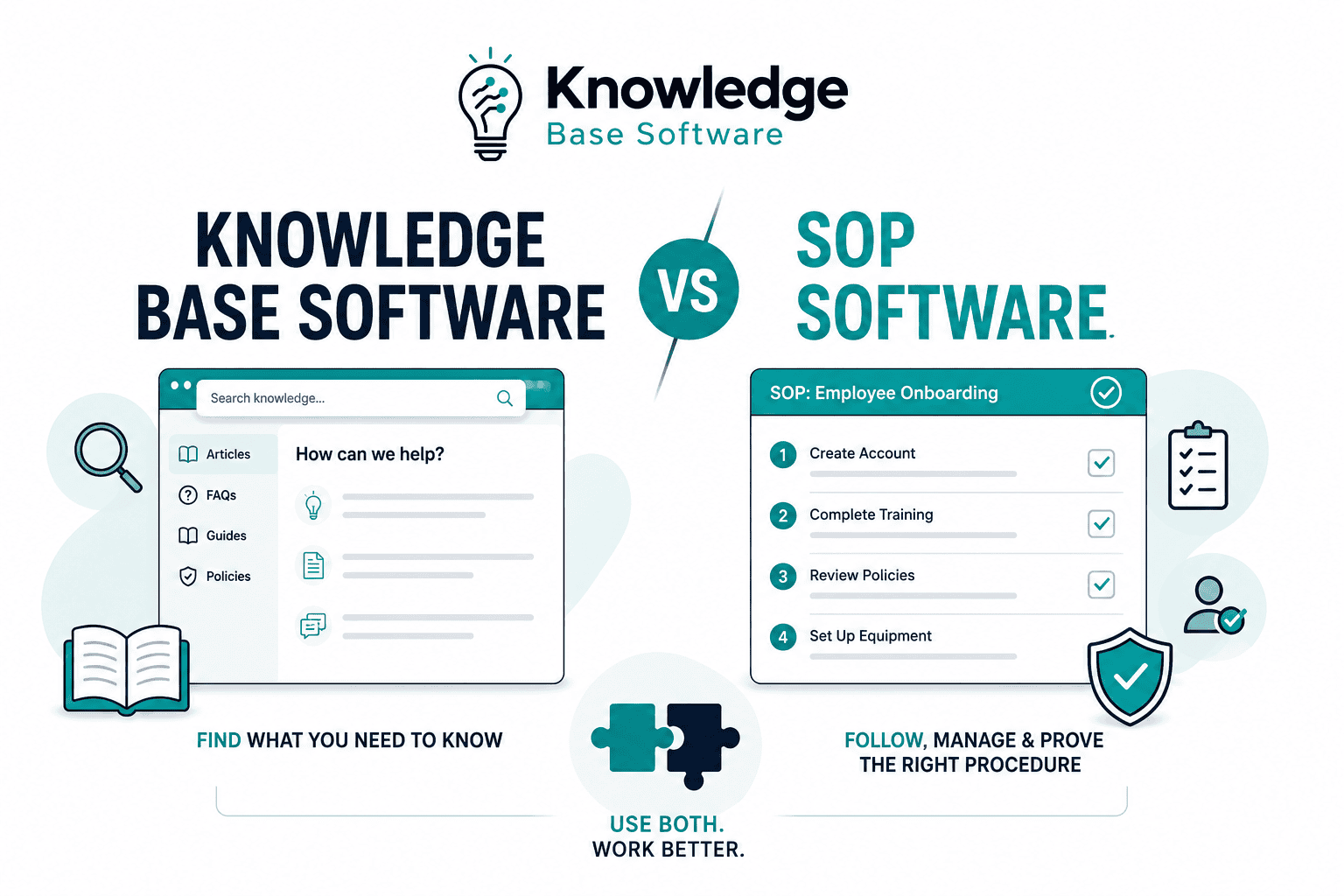
Knowledge base software helps people find what they need to know. SOP software helps people follow, manage, and prove the right procedure.
That is the simplest way to understand Knowledge Base vs SOP Software.
A knowledge base is usually the better fit for searchable reference content: FAQs, troubleshooting guides, company policies, product documentation, onboarding resources, how-to articles, and operational context. Atlassian describes a knowledge base as a self-serve online library that may include FAQs, manuals, troubleshooting guides, runbooks, and other information people need to know.
SOP software is usually the better fit when work must be performed in a consistent, controlled, repeatable way. EPA guidance defines an SOP as written instructions that document a routine or repetitive activity, and emphasizes that SOPs support consistency, quality, training, review, approval, and current access where the work is performed.
For many growing teams, the right answer is not always “knowledge base or SOP software.” A governed knowledge base can store SOPs when the procedures are low-risk or when the platform supports ownership, review, versioning, approvals, and permissions. Dedicated SOP software, QMS software, or document-control software becomes more important when procedures must be executed, acknowledged, tracked, audited, or proven.
Use a knowledge base for discoverable operational knowledge and low-risk SOP reference. Use SOP software, QMS software, or document-control software for controlled procedures, checklists, approvals, recurring workflows, training verification, and audit-sensitive work.
The practical challenge is deciding which content belongs where.
The Executive Answer
Choose knowledge base software when the main problem is access to information. People are asking the same questions, searching Slack or email for answers, or relying on tribal knowledge. A knowledge base gives teams a searchable, organized source of truth for reference material.
Choose SOP software when the main problem is execution control. People do not just need to know the answer; they need to follow a specific sequence, complete assigned steps, acknowledge a procedure, produce proof of completion, or use the latest approved version.
Use both when your organization has a mix of flexible reference knowledge and controlled operational procedures. This is common in support, IT, HR, manufacturing, healthcare, financial services, field operations, multi-location businesses, and any team where some documentation is merely helpful while other documentation is mandatory.
The key is to classify your content by risk and use case:
| Content type | Best primary home | Why |
|---|---|---|
| FAQs and how-to answers | Knowledge base | Fast search and self-service matter most |
| Company policies | Knowledge base or policy system | Usually reference-first, but may need acknowledgments |
| Controlled SOPs for repeatable or high-risk work | SOP software, QMS, document-control system, or governed knowledge base | Requires clear ownership, step control, review, approval, versioning, and sometimes completion evidence |
| Checklists for recurring tasks | SOP software | Needs completion tracking and accountability |
| Work instructions | SOP software or linked KB article | Depends on risk, complexity, and whether execution must be tracked |
| Runbooks | Often both | Reference context in KB; controlled response steps in SOP software |
| Operational knowledge and tribal knowledge | Knowledge base | Best captured as searchable guidance, explanations, and examples |
What Knowledge Base Software Is For
Knowledge base software is a system for creating, organizing, managing, and retrieving information. In a business context, it may be internal, external, or both.
An internal knowledge base supports employees. It might contain IT troubleshooting guides, HR policies, onboarding pages, product notes, sales enablement material, customer support macros, internal FAQs, and process references. Zendesk defines an internal knowledge base as a centralized repository of information and resources for employees and notes that it can include FAQs and SOPs.
An external knowledge base supports customers or users. It usually contains product help, setup guides, troubleshooting articles, and answers to common questions. Atlassian’s Jira Service Management documentation distinguishes external knowledge base articles for customer self-service from internal articles for team members or agents, including human or AI agents.
A strong knowledge base is optimized for:
- Searchability
- Clear article structure
- Categorization and tagging
- Permissions and access control
- Content ownership
- Feedback and analytics
- Regular updates
- AI-assisted retrieval, where appropriate
It is not necessarily optimized for making sure a person completed every step of a required procedure.
That distinction matters.
A knowledge base can tell a support agent how refunds work. SOP software can require the agent to verify identity, select the refund reason, collect approval, record the transaction ID, and confirm completion.
What SOP Software Is For
In this article, “SOP software” means software used to create, control, distribute, execute, review, and track standard operating procedures and related checklists. The exact feature set varies by product; the important distinction is the level of procedural control, not the label on the software category.
A standard operating procedure is not just “an article with steps.” EPA guidance defines an SOP as written instructions documenting routine or repetitive activities, and says SOPs should provide enough detail for someone with limited experience to reproduce the procedure successfully when unsupervised.
Depending on the product and implementation, SOP, QMS, procedure-management, or document-control tools may include:
- Step-by-step procedure builders
- Process capture
- Templates
- Version history
- Approval workflows
- Review dates
- Assigned owners
- Role-based access control
- Recurring checklists
- Task completion tracking
- Employee acknowledgments
- Training records
- Audit trails
- Document control
- Archiving of obsolete versions
Because “SOP software” is a market category rather than a single official standard, vendor guides should be treated as product examples rather than neutral definitions. The more durable distinction comes from SOP and document-control guidance: EPA emphasizes step-by-step written procedures, review, approval, and currency, while FDA ORA document-control guidance emphasizes approved, current, controlled documents available where the work is performed.
That does not mean knowledge base tools cannot store SOPs. Many can. The question is whether they can manage SOPs with the level of control your work requires.
Knowledge Base vs SOP Software: The Practical Difference
The difference is not only “articles vs steps.” It is reference vs execution.
| Dimension | Knowledge base software | SOP software |
|---|---|---|
| Primary job | Help people find answers | Help people follow procedures |
| Content model | Articles, FAQs, guides, policies, documentation | Procedures, workflows, checklists, work instructions |
| Main user action | Search, read, understand, self-serve | Perform, complete, confirm, acknowledge |
| Best for | Reference knowledge and context | Repeatable operational execution |
| Governance level | Light to moderate | Moderate to strict |
| Ownership | Content owner or department owner | Procedure owner, process owner, QA, operations, compliance |
| Version control | Useful, sometimes enough | Usually essential |
| Approval workflow | Helpful for sensitive articles | Often required before release |
| Review cadence | Based on usefulness and accuracy | Based on risk, regulation, or operational change |
| Audit trail | Helpful but not always necessary | Often necessary |
| Completion tracking | Usually limited | Core requirement |
| Training verification | Sometimes supported indirectly | Often required directly |
| AI/search use | Great for broad retrieval | Must be controlled, cited, and version-aware |
| Failure mode | Stale or hard-to-find information | Wrong procedure, missed step, noncompliance, unsafe execution |
A similar distinction appears in public SOP and document-control guidance. EPA frames SOPs as written instructions for routine or repetitive activities that support consistent execution, while FDA ORA guidance frames controlled documents around approval, current access, revision control, archiving, and removal of obsolete versions.
The overlap is real. A knowledge base may store SOPs. SOP software may include a searchable library. But overlap does not remove the need to decide which system is authoritative for each content type.
Procedures, Policies, Checklists, Work Instructions, Runbooks, and Operational Knowledge
Before choosing software, classify the content. Many documentation projects fail because every document is called an “SOP,” even when it is really a policy, checklist, runbook, or general knowledge article.
| Content type | What it answers | Example | Usually belongs in |
|---|---|---|---|
| Policy | What is allowed, required, or prohibited? | “Refunds are allowed within 30 days.” | Knowledge base, policy system, or controlled document system |
| Procedure / SOP | How is this recurring process performed? | “How to process a refund request.” | SOP software |
| Checklist | What must be confirmed or completed? | “Pre-shift equipment inspection checklist.” | SOP software |
| Work instruction | How is a specific task or step performed? | “How to calibrate Scanner Model X.” | SOP software or linked KB article |
| Runbook | What steps should be followed during a scenario? | “How to respond to a production outage.” | SOP software for controlled response steps; KB for background |
| Knowledge article | What should someone know or understand? | “How our refund policy works.” | Knowledge base |
| Operational knowledge | Context, lessons, tips, tribal knowledge | “Common causes of refund delays.” | Knowledge base |
A checklist is not always a full SOP. EPA guidance notes that checklists may be used to ensure steps are followed in order and to document completed actions, and that checklists or forms should be referenced where they are used in the procedure.
A policy is also not the same as an SOP. A policy sets the rule. An SOP turns that rule into repeatable action. A work instruction may go deeper than the SOP for one task, tool, machine, system, or screen.
This classification prevents two common mistakes:
- Putting high-risk procedures into a loose wiki where anyone can edit or duplicate them.
- Forcing every helpful knowledge article through a heavy SOP approval workflow.
Both create friction. The first creates risk. The second creates documentation debt.
When Knowledge Base Software Is the Better Fit
Knowledge base software is the better fit when the reader’s main need is to find, understand, and reuse information.
1. People keep asking the same questions
If employees repeatedly ask “Where is the expense form?”, “How do I reset VPN?”, “What is the escalation path?”, or “Which customer plan includes this feature?”, a knowledge base is usually the right first move.
The value comes from reducing repeat interruptions and giving people a place to self-serve. Atlassian notes that knowledge bases help aggregate information that would otherwise be trapped in email, forums, tickets, comments, and individual employees’ knowledge.
2. The content is broad, explanatory, or context-heavy
Knowledge bases are useful for material that does not need to be executed step by step every time. Examples include:
- Product explanations
- HR benefits pages
- Tool overviews
- Troubleshooting guides
- Department FAQs
- Onboarding references
- Glossaries
- Customer support knowledge
- Sales enablement notes
- Internal best practices
These documents should be accurate, owned, and maintained, but they usually do not require the same level of procedural control as a regulated SOP.
3. Search and discoverability matter more than completion tracking
If the reader may enter the content from many different questions, a knowledge base is usually better than a linear SOP library. Good knowledge base design supports categories, tags, related articles, search terms, feedback, analytics, and structured navigation.
Zendesk’s internal knowledge base guidance recommends considering capabilities such as robust search, tags, reporting and analytics, version and rollback protection, integrations, access control, and content workflows.
4. The content changes often
Support articles, product notes, internal FAQs, and troubleshooting pages often change frequently. A knowledge base supports this better than a strict SOP system, as long as there is clear ownership and a review process.
The mistake is assuming “flexible” means “uncontrolled.” Knowledge base articles still need owners, update triggers, review signals, and retirement rules. Otherwise the knowledge base becomes a graveyard of stale answers.
5. You are building AI-assisted self-service
A well-maintained knowledge base can become a strong source for AI answers, agent assist, and enterprise search. Atlassian’s support documentation notes that knowledge base content can play a key role in improving the quality and accuracy of AI answers when a virtual agent uses AI answers.
For AI, the issue is not only whether content exists. It is whether the content is current, authoritative, permission-aware, and clearly labeled by type. AI should not treat an outdated KB note and a current approved SOP as equal sources.
When SOP Software Is the Better Fit
SOP software is the better fit when the work must be performed consistently, assigned, tracked, reviewed, or proven.
1. The procedure has to be followed exactly
If a missed step can create financial loss, safety risk, customer harm, quality defects, compliance exposure, or operational disruption, do not rely on a loose knowledge article.
Use SOP software when the process needs:
- Required steps
- Conditional steps
- Mandatory fields
- Sign-offs
- Attachments or evidence
- Role-specific instructions
- Escalations
- Completion records
This is the difference between “Here is how we usually do it” and “This is the approved way to do it.”
2. The SOP needs ownership, review, approval, and version control
EPA guidance says SOPs should be reviewed by people with appropriate training and experience, approved before finalization, updated and re-approved when procedures change, periodically reviewed, and archived if no longer followed.
That lifecycle is difficult to maintain in a general wiki unless the platform has strong governance features and the organization actually uses them.
3. You need document control
Document control is especially important in quality systems, laboratories, manufacturing, healthcare, food, and other audit-sensitive environments. In finance, legal, and other controlled business functions, the exact document-control requirements depend on the organization, regulator, and risk profile.
The FDA Office of Regulatory Affairs document control manual states that document control helps ensure quality system documents are properly developed, approved, current, and located where needed. It also describes controls for review, approval, archiving, current revisions, controlled copies, and uncontrolled copies.
For a low-risk knowledge article, “updated last month” may be enough. For a controlled SOP, you may need to know:
- Which version was active on a specific date
- Who approved it
- Who was trained on it
- Whether the user acknowledged it
- Whether obsolete versions were removed from use
- Whether printed copies are controlled or uncontrolled
- Whether completion evidence exists
That is controlled-procedure territory. It may be handled by dedicated SOP software, a QMS, a document-control system, or a knowledge base that provides equivalent controls.
4. You need recurring checklists or task completion
Some procedures are not just documents. They are recurring work.
Examples:
- Opening and closing checklists
- Equipment inspections
- Security access reviews
- Client onboarding
- Employee offboarding
- Monthly finance close
- Incident response
- Quality checks
- Field service visits
A knowledge base can explain the process. SOP software can assign it, schedule it, track it, require evidence, and show completion.
5. You need training verification
SOPs are often part of employee training. EPA notes that SOPs can be used as part of a personnel training program because they should provide detailed work instructions.
For informal onboarding, a knowledge base may be enough. For mandatory training, regulated work, safety-critical work, or multi-location consistency, SOP software or a learning/training system may be needed to track acknowledgments, quizzes, completion, and retraining after updates.
When You Should Use Both
Use both when your organization needs one searchable knowledge layer and one controlled execution layer.
The best model is not duplication. It is separation with links.
The knowledge base explains the context. SOP software controls the procedure.
| Scenario | Knowledge base role | SOP software role |
|---|---|---|
| Customer support refund handling | Explains refund policy, edge cases, customer messaging | Controls identity verification, approval, refund processing, documentation |
| IT incident response | Explains system architecture, service ownership, known issues | Runs outage response checklist, escalation steps, post-incident tasks |
| HR onboarding | Stores benefits, company handbook, tool guides | Tracks onboarding checklist, required acknowledgments, system access steps |
| Field operations | Stores troubleshooting knowledge and equipment notes | Controls inspection procedures, safety checks, photo evidence, sign-offs |
| Compliance-heavy quality process | Stores training context and reference material | Controls approved SOPs, revision history, approvals, periodic review, archival |
| Sales operations | Stores playbooks, messaging, objection handling | Controls quote approval or contract handoff procedure |
This model avoids a common trap: using a knowledge base as the official home for controlled SOPs while also copying those SOPs into other tools. Duplicate procedures almost always drift.
A better rule:
One authoritative source for the procedure. Many links to it.
If the SOP is controlled, the knowledge base should summarize it, explain why it matters, and link to the current approved SOP. It should not contain a second copy of the steps unless that copy is automatically synchronized and clearly controlled.
Decision Framework: Which System Do You Need?
Use these questions before buying or restructuring software.
| Question | If yes, lean toward |
|---|---|
| Do people mainly need to search for answers? | Knowledge base |
| Is the content mostly FAQs, how-to articles, troubleshooting, or policy explanations? | Knowledge base |
| Does the work need to be completed in a specific order? | SOP software |
| Do you need proof that a person completed or acknowledged the procedure? | SOP software |
| Do you need approval before a procedure becomes active? | SOP software |
| Do obsolete versions need to be archived or removed from use? | SOP software |
| Do users need the current official version at the point of work? | SOP software |
| Does the content support AI self-service or agent assist? | Knowledge base, with governed sources |
| Does the content involve audits, safety, quality, compliance, or financial controls? | SOP software |
| Is the content useful context but not mandatory execution? | Knowledge base |
| Do you have both reference content and controlled procedures? | Both, with clear ownership |
A simple rule works for most teams:
- If the user needs to read and understand, start with a knowledge base.
- If the user needs to do and prove, use SOP software.
- If the user needs both, connect the systems but do not blur the authority.
Feature Checklist for Comparing Tools
Do not compare tools only by price or interface. Compare them by the operating model you need.
Knowledge Base Software Checklist
Look for:
- Fast search and useful filtering
- Clear categories and information architecture
- Tags, labels, and related articles
- Role-based permissions
- Internal and external publishing options, if needed
- Article templates
- Review reminders or freshness indicators
- Version history and rollback
- Feedback, ratings, or helpfulness signals
- Analytics for failed searches and content gaps
- AI search or agent assist with source citations
- Easy contribution workflow for subject-matter experts
- Governance that does not slow down low-risk updates
A knowledge base should make knowledge easier to find and maintain. If it becomes a dumping ground, the software is not the real problem—the operating model is.
SOP Software Checklist
Look for:
- Step-by-step procedure authoring
- Checklist and task execution
- Procedure ownership
- Approval workflows
- Version control
- Review dates and review reminders
- Role-based access
- Acknowledgments and sign-offs
- Completion tracking
- Evidence capture
- Training assignment or integration
- Audit trail
- Archive and retirement controls
- Reporting by process, user, team, or location
- Links to policies, knowledge articles, and external systems
- Mobile or frontline access if work happens away from a desk
SOP software should make procedures easier to follow, not just easier to store.
Governance: The Real Difference Most Buyers Miss
The biggest difference between knowledge base software and SOP software is governance.
A knowledge base governance model usually asks:
- Who owns this topic?
- Is the article still accurate?
- Are people finding it?
- Are there duplicate or outdated articles?
- What questions are still unanswered?
- Should this article be merged, updated, or retired?
An SOP governance model asks stricter questions:
- Who owns the procedure?
- Who reviewed it?
- Who approved it?
- Which version is current?
- What changed since the last version?
- Who was trained on the new version?
- When is the next review due?
- What happens to obsolete versions?
- Can users access only the approved version?
- Is there evidence the procedure was followed?
That is why teams outgrow a wiki for SOPs. They do not outgrow writing. They outgrow informal control.
FDA document control guidance illustrates this broader lifecycle: documents are developed, reviewed, approved, issued, notified, implemented, periodically reviewed, revised, archived, and removed from locations when obsolete.
Common Mistakes to Avoid
Mistake 1: Treating every document as an SOP
Not every article needs approval, version control, training acknowledgment, and audit history. If you force lightweight knowledge into a heavy SOP process, people will stop documenting.
Use SOP control for content that truly requires it.
Mistake 2: Treating SOPs as ordinary wiki pages
A wiki page may be fine for “How to update your profile photo.” It may not be fine for “How to approve a wire transfer” or “How to document a safety inspection.”
If the procedure affects risk, quality, compliance, finance, safety, or customer trust, it needs stronger governance.
Mistake 3: Duplicating the same procedure in multiple places
Duplication creates drift. One version gets updated; another does not. Search returns both. People choose the wrong one.
Instead, keep one controlled procedure and link to it from the knowledge base, training plan, onboarding checklist, and department page.
Mistake 4: Letting AI retrieve uncontrolled procedures
AI search can make bad documentation problems more visible. If your AI layer retrieves stale, duplicated, or unofficial documents, it may produce confident but wrong answers.
For SOPs, AI retrieval should prioritize the current approved version, show source citations, preserve permissions, and clearly label whether the answer comes from a controlled SOP or a general knowledge article.
Mistake 5: Buying software before defining content ownership
A knowledge base without owners becomes stale. SOP software without process owners becomes bureaucracy.
Before selecting tools, define:
- Content types
- Owners
- Review cadence
- Approval rules
- Archival rules
- Permissions
- Success metrics
- Update triggers
The tool should support the model, not replace it.
Implementation Roadmap
Use this sequence if you are organizing procedures, policies, checklists, and operational knowledge from scratch.
1. Inventory what you already have
Collect documents from shared drives, Google Docs, Notion, Confluence, Slack, Teams, help desk macros, onboarding folders, LMS modules, spreadsheets, and old PDF manuals.
Do not migrate everything immediately. First, identify what is current, duplicated, obsolete, missing, or risky.
2. Classify each document
Add a content type label:
- Policy
- SOP
- Checklist
- Work instruction
- Runbook
- Knowledge article
- FAQ
- Template
- Training material
- Reference document
Then add a risk label:
- Low risk
- Medium risk
- High risk
- Compliance-sensitive
- Safety-sensitive
- Customer-impacting
- Financial-control-related
This classification tells you whether the content belongs in a knowledge base, SOP software, or both.
3. Define the source of truth
For every critical procedure, choose one authoritative home.
Use the knowledge base for summaries, context, and links. Use SOP software for the official procedure if execution, approval, or proof matters.
4. Set ownership and review rules
Assign every important article or SOP to an owner.
For knowledge base articles, review frequency can depend on traffic, user feedback, business change, and content criticality.
For SOPs, review cadence should reflect operational risk, regulatory expectations, process change frequency, and internal quality requirements. EPA guidance notes that SOPs should remain current, be updated and re-approved when procedures change, and be reviewed periodically.
5. Build templates for each content type
Do not use one template for everything.
A knowledge base article might include:
- Summary
- Applies to
- Steps or explanation
- Screenshots
- Related articles
- Owner
- Last reviewed date
An SOP might include:
- Purpose
- Scope
- Roles and responsibilities
- Required tools or systems
- Definitions
- Procedure steps
- Safety or compliance notes
- Records or evidence required
- Approval
- Version history
- Review date
- Related policies
- Training requirements
6. Connect systems without copying content
Link knowledge articles to SOPs. Link SOPs back to policies, templates, forms, and explanatory articles.
The user should be able to move from context to action without wondering which source is official.
7. Train people on the distinction
Employees should know:
- Where to search for general answers
- Where to find official procedures
- How to request a change
- How to report stale content
- How to tell whether a document is controlled
- What to do when a KB article and SOP disagree
That last point matters: the controlled SOP should win unless a designated owner says otherwise.
8. Measure usefulness and control
For the knowledge base, track:
- Search success
- Failed searches
- Article helpfulness
- Content gaps
- Duplicate articles
- Stale articles
- Ticket deflection or reduced repeat questions
For SOP software, track:
- Completion rates
- Overdue tasks
- Missed reviews
- Acknowledgment status
- Training completion
- Procedure exceptions
- Audit findings
- Version adoption
Both systems should improve work, not just store documents.
Small Teams vs Scaling Teams vs Regulated Teams
Small teams
A small team may start with a single knowledge base or wiki. That is reasonable if the procedures are low risk and the team can maintain discipline manually.
But even small teams should label controlled procedures clearly, assign owners, and avoid duplicate copies.
Scaling teams
As headcount grows, tribal knowledge becomes expensive. New hires need onboarding. Support teams need consistent answers. Managers need repeatable work.
At this stage, a knowledge base often becomes important, and SOP software, QMS software, or document-control software may become useful for recurring, cross-functional, quality-sensitive, or audit-sensitive processes.
Regulated or audit-sensitive teams
If you operate in a quality, safety, financial, legal, healthcare, laboratory, manufacturing, or compliance-heavy environment, treat SOPs as controlled documents.
A general knowledge base may still be useful, but it should not be the only control layer for mandatory procedures unless it can support the required review, approval, version, training, and archival controls.
Frontline and multi-location teams
For restaurants, clinics, warehouses, retail locations, field service teams, and distributed operations, SOP software often becomes more valuable because the work happens repeatedly across locations.
The knowledge base can explain policies and exceptions. SOP software can guide opening routines, safety checks, inspections, customer handoffs, and escalation procedures.
Final Recommendation
When comparing Knowledge Base vs SOP Software, do not start with tool categories. Start with the job the content must perform.
Use knowledge base software when the content helps people answer questions, understand context, troubleshoot problems, or find reference information.
Use SOP software when the content tells people how to perform repeatable work and you need control, consistency, review, completion, proof, or accountability.
Use both when your organization has both reference knowledge and controlled procedures, especially in growing, distributed, regulated, or audit-sensitive operations.
The healthiest operating model is simple:
Knowledge base for what people need to know. SOP software for what people must do correctly.
FAQ
Is a knowledge base the same as SOP software?
No. A knowledge base is primarily a searchable reference system for articles, FAQs, guides, policies, troubleshooting, and operational context. SOP software is primarily a process management system for creating, governing, executing, reviewing, and tracking standard operating procedures.
Can a knowledge base be used for SOPs?
Yes, a knowledge base can store SOPs, especially for small teams, low-risk procedures, or platforms that support strong governance. But if the SOP requires formal approval, version control, review dates, acknowledgments, completion tracking, audit trails, training verification, or controlled copies, dedicated SOP software, QMS software, document-control software, or a knowledge base with equivalent controls is usually a better fit.
What is the difference between SOP software and knowledge management software?
Knowledge management focuses on identifying, organizing, storing, and disseminating information within an organization. SOP management focuses on controlled procedure execution. Knowledge management helps people find and reuse knowledge; SOP management helps people follow repeatable processes consistently.
What is the difference between a policy, procedure, SOP, checklist, and work instruction?
A policy sets the rule or standard. A procedure or SOP explains how recurring work should be performed. A checklist confirms that required steps or checks were completed. A work instruction gives detailed guidance for a specific task, tool, screen, machine, or activity.
When is a company wiki enough?
A wiki may be enough when your documentation is low risk, your team is small, and you mainly need searchable reference information. It becomes insufficient when procedures need formal ownership, approvals, version control, review cadence, completion evidence, training records, or auditability.
When do you need dedicated SOP software?
You need SOP software when work must be performed consistently and you need to assign, track, approve, review, or prove the procedure. It is especially useful for compliance-heavy processes, recurring checklists, onboarding workflows, quality procedures, safety checks, IT runbooks, and multi-location operations.
Do SOPs need version control, approvals, and review dates?
Many SOPs do, especially when they affect quality, safety, compliance, finance, or customer outcomes. EPA guidance recommends SOP review, approval, updating when procedures change, periodic review, and archiving when a process is no longer followed.
Should SOPs and knowledge base articles live in the same system?
They can live in the same platform if the platform supports different content types, permissions, approval workflows, version control, and execution tracking. If not, keep the knowledge base and SOP system separate but connected with links. The important rule is to keep one authoritative source for each controlled procedure.
What features should I compare before choosing?
For knowledge base software, compare search, structure, permissions, analytics, content feedback, version history, integrations, and AI retrieval. For SOP software, compare step execution, approvals, review dates, version control, audit trail, training verification, recurring checklists, completion tracking, and evidence capture.
How do you keep SOPs and knowledge base articles up to date?
Assign owners, define review cadences, use feedback loops, track stale content, review failed searches, retire duplicates, and update documents when tools, policies, processes, or regulations change. SOPs should also have change history, approvals, and archival rules where required.
How should AI search handle SOPs versus general knowledge base content?
AI search should clearly distinguish controlled SOPs from general reference articles. SOP answers should cite the current approved procedure and respect permissions, version status, and review state. General knowledge base answers can be more flexible, but they still need source citations and freshness controls. Microsoft notes that Microsoft 365 Copilot only surfaces organizational data that the individual user has permission to access, which is the right model for permission-aware internal knowledge retrieval.
Which is better for onboarding and employee training?
A knowledge base is better for broad onboarding resources such as company information, benefits, tool guides, and FAQs. SOP software is better for role-specific procedures, required checklists, training acknowledgments, and proof that a new employee has learned or completed required steps.
Which is better for compliance-heavy operations?
Dedicated SOP software, QMS software, or document-control software is usually better for compliance-heavy operations when procedures require ownership, approval, version history, review cycles, acknowledgments, audit trails, and archival. A governed knowledge base can still support compliance by providing context, explanations, related policies, and searchable access to approved procedures where the platform provides the required controls.
Which is better for customer support and internal self-service?
A knowledge base is usually better for customer support and internal self-service because it helps people quickly find answers. SOP software is better for support workflows that must be followed precisely, such as refund approvals, identity verification, escalation handling, or regulated customer communications.

