Independent knowledge base software guide Evidence-led Updated 2026

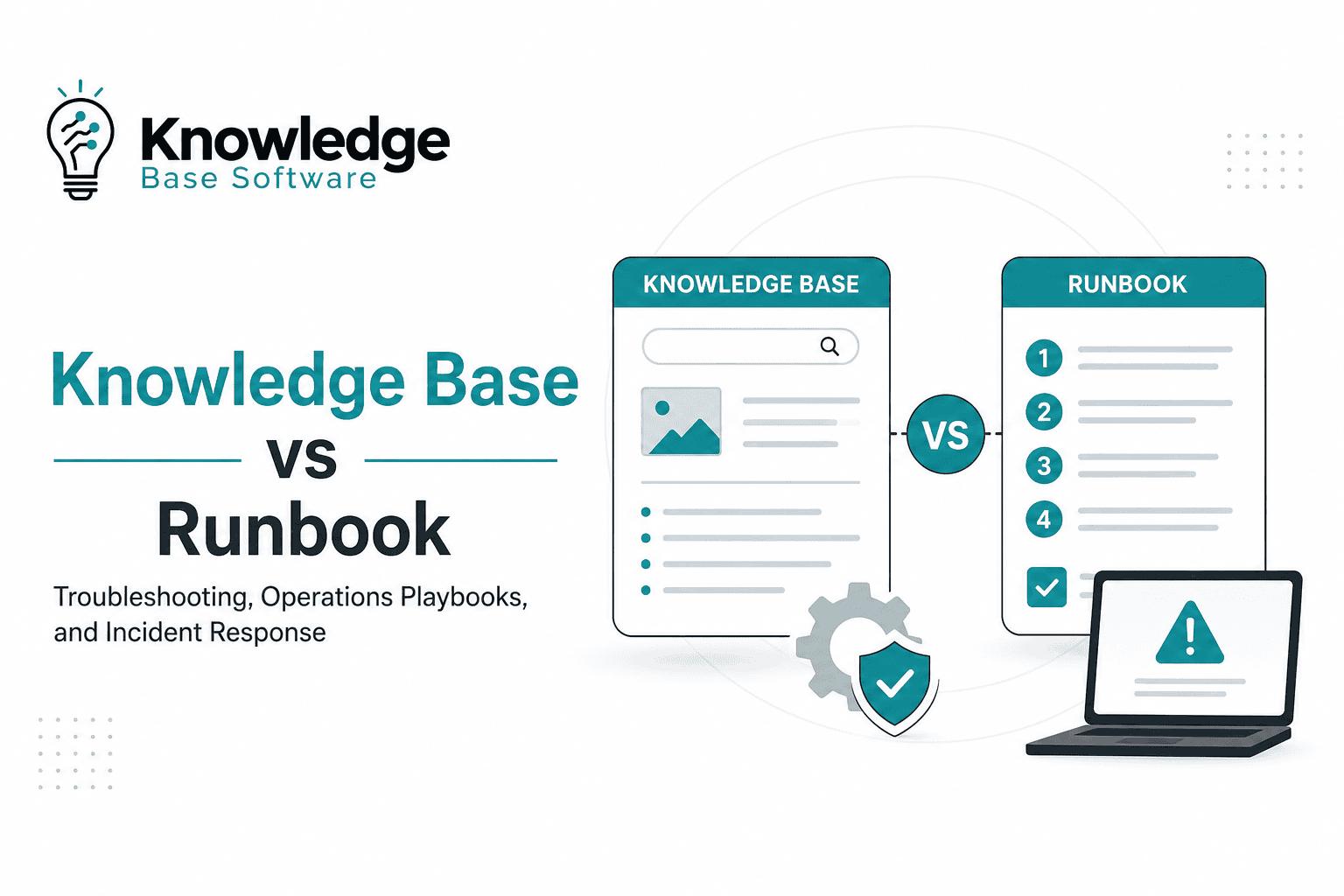
Knowledge Base vs Runbook: Troubleshooting, Operations Playbooks, and Incident Response
A Knowledge Base vs Runbook comparison should not be framed as “which one is better?” They solve different operational problems.
A knowledge base helps people find, understand, and reuse information. A runbook tells someone exactly how to perform a known operational task or respond to a repeatable incident scenario. In mature IT, SRE, DevOps, and support environments, the two usually work together: the knowledge base makes operational knowledge discoverable, while the runbook makes a specific procedure executable.
This distinction matters because teams often store everything in the same wiki, call every page a “runbook,” and then discover during an outage that the document is too vague to follow. The goal is not more documentation. The goal is documentation that helps people troubleshoot faster, respond consistently, and avoid relying on tribal knowledge.
Quick answer: knowledge base vs runbook
A knowledge base is an organized, governed source of reusable support, IT, and operational knowledge. A runbook is a step-by-step procedure for carrying out a specific task, investigation, or remediation.
| Question | Knowledge base | Runbook |
|---|---|---|
| Main purpose | Make knowledge searchable and reusable | Execute a known procedure consistently |
| Typical format | Articles, FAQs, troubleshooting guides, known errors, policies, how-to docs | Ordered steps, prerequisites, validation checks, rollback, escalation |
| Best used when | Someone needs to understand or find an answer | Someone needs to do something safely and repeatably |
| Audience | Customers, employees, support agents, IT teams, engineers | Operators, support agents, SREs, DevOps, incident responders |
| Incident value | Helps responders find context, related issues, ownership, and known fixes | Guides diagnosis, remediation, verification, escalation, and recovery |
| Automation potential | Indirect: search, routing, recommendations, and AI-assisted discovery | Medium to high for repeatable, low-risk, well-tested steps, depending on safeguards and tooling |
The most practical rule is this: a knowledge base stores operational knowledge; a runbook operationalizes one procedure inside that knowledge system.
What is a knowledge base?
A knowledge base is a searchable library of information about a product, service, department, system, or process. In IT and support contexts, it commonly contains FAQs, troubleshooting guides, how-to articles, known errors, policies, onboarding documentation, escalation references, and sometimes runbooks. Atlassian describes a knowledge base as a self-serve online library and notes that its content may include FAQs, manuals, troubleshooting guides, runbooks, and other information a team may need.
A knowledge base can be external, such as a customer-facing help center, or internal, such as an agent-facing or engineering-facing repository. Atlassian’s Jira Service Management documentation distinguishes internal knowledge bases for agents and internal teams from external knowledge bases for customers and end users; it also notes that internal knowledge bases may include runbooks, SOPs, and sensitive troubleshooting guides.
A good IT knowledge base answers questions like:
- What does this alert mean?
- What systems are affected by this known issue?
- Which team owns this service?
- What workaround should support agents use?
- Which runbook should be followed for this failure mode?
- What should be escalated, and to whom?
The knowledge base is strongest when the reader needs discovery, context, reuse, and consistency. It should reduce the need to search Slack, old tickets, personal notes, or someone’s memory to understand how the organization handles recurring issues.
What is a runbook?
A runbook is a procedural document that explains how to perform a specific operational task. In IT operations, DevOps, and SRE, runbooks are commonly used for alert triage, service restarts, backup restoration, certificate renewal, failover checks, deployment recovery, infrastructure maintenance, and incident response steps.
In AWS Systems Manager Automation, an automation runbook defines actions performed on managed instances and other AWS resources, and AWS states that a runbook contains one or more steps that run in sequential order. AWS also notes that runbooks can include predefined steps for tasks such as restarting EC2 instances or creating machine images.
That AWS definition is platform-specific, but it illustrates the broader operational idea: a runbook converts “someone knows how to do this” into a repeatable procedure. Automated runbooks may define parameters, outputs, and actions in machine-readable formats such as YAML or JSON, while manual runbooks may be written as human-readable procedures in a wiki, ITSM tool, or documentation platform.
A good runbook answers questions like:
- What condition triggers this procedure?
- Who is allowed to run it?
- What access or prerequisites are required?
- What diagnostic steps should be completed first?
- What actions should be taken, in what order?
- How do we verify that the issue is resolved?
- What should we do if the fix fails?
- When should we escalate?
The runbook is strongest when the reader needs execution under pressure.
Knowledge Base vs Runbook: the real operational difference
The difference is not about where the document lives. A runbook can live inside a knowledge base. The difference is about the job the content performs.
A knowledge base is a governed knowledge repository and discovery layer. A runbook is an operational procedure that can live inside, or be linked from, that knowledge system.
| Dimension | Knowledge base | Runbook |
|---|---|---|
| Purpose | Organize and retrieve knowledge | Execute a defined task or response |
| Scope | Broad: many topics, systems, and article types | Narrow: one task, alert, incident type, or operational scenario |
| Structure | Searchable articles, categories, labels, related links | Ordered steps with prerequisites, actions, checks, escalation |
| Reader mindset | “I need to understand or find the right answer.” | “I need to perform the next correct action.” |
| Level of detail | Varies by article type | High enough for safe repeatable execution |
| Incident use | Provides context, ownership, known issues, related docs | Guides triage, remediation, validation, rollback, escalation |
| Ownership | Knowledge manager, support lead, service owner, documentation owner | Service owner, SRE, DevOps, security operations, platform team |
| Update trigger | Product changes, recurring questions, support patterns, policy updates | System changes, incident learnings, alert changes, failed steps |
| Automation fit | Usually supports discovery and recommendations | Can be manual, semi-automated, or automated |
| Risk if weak | People cannot find trusted knowledge | People take inconsistent or unsafe operational actions |
The practical mistake is treating every knowledge article as a runbook. A troubleshooting article may explain symptoms and possible causes. A runbook must go further: it should define the trigger, exact procedure, verification steps, rollback path, and escalation criteria.
How they work together in troubleshooting
In a well-designed support or operations environment, the knowledge base helps people find the right procedure, and the runbook helps them carry it out.
A typical troubleshooting flow might look like this:
- An alert fires or a user reports an issue.
- The support agent or on-call engineer searches the knowledge base.
- A KB article explains the symptoms, affected service, known causes, and related incidents.
- The article links to a runbook for the specific condition.
- The responder follows the runbook steps.
- The ticket or incident record captures what was done.
- Any gaps discovered during the response become updates to the KB article or runbook.
Example: support troubleshooting
A user reports that they cannot connect to the company VPN.
A knowledge base article might explain common VPN symptoms, user-facing checks, device requirements, known outages, and when to escalate. An internal runbook would give support agents the exact steps to verify account status, check access group membership, confirm device compliance, collect logs, apply an approved remediation, and escalate to the network team if defined conditions are met.
The KB article helps the agent understand the issue. The runbook helps the agent resolve or escalate it consistently.
Example: production incident response
An API latency alert fires during business hours.
A knowledge base article might describe the API service, upstream and downstream dependencies, dashboards, recent known issues, customer impact language, and service ownership. A runbook would define the alert threshold, required dashboards, diagnostic checks, safe mitigation steps, rollback instructions, validation criteria, and escalation path.
A practical flow could be:
API latency alert → KB article explains service context → runbook provides diagnostic and remediation steps → incident record captures actions → post-incident review updates both documents.
This is where the knowledge base and runbook become complementary rather than competitive.
Runbook vs playbook vs SOP vs knowledge base
Documentation terms overlap, especially in ITSM, DevOps, SRE, and security operations. The distinction is easiest to understand by scope.
| Artifact | Best definition | Example |
|---|---|---|
| Knowledge base | Searchable repository for reusable knowledge | “API Gateway troubleshooting overview” |
| Runbook | Step-by-step procedure for a specific operational task | “Restart failed worker process after queue saturation” |
| Playbook | Broader response strategy for a scenario involving roles, decisions, and coordination | “Major incident response playbook” |
| SOP | Standard operating procedure for routine, standardized work | “Monthly access review procedure” |
A runbook is usually narrower than a playbook. A playbook may include multiple runbooks, decision points, communication steps, severity rules, and role assignments.
Microsoft’s incident response playbook documentation shows this broader structure for security incidents: each playbook includes prerequisites, workflow, checklist, and investigation steps. Google SecOps similarly describes playbooks as predefined sets of actions that collect information, make decisions, and perform operations automatically or semi-automatically based on triggers.
A knowledge base can contain all of these artifacts, but it should not make them indistinguishable. Use clear labels such as “KB article,” “runbook,” “playbook,” “SOP,” “known error,” and “customer-facing article” so readers know how to use each page.
When to use a knowledge base
Use a knowledge base when the primary goal is to make information easy to find, trust, and reuse.
A knowledge base is the right format for:
- Frequently asked questions.
- Troubleshooting overviews.
- Known errors and workarounds.
- Service ownership and escalation references.
- Customer-facing help articles.
- Agent-facing support guidance.
- Internal how-to documentation.
- Onboarding and team knowledge.
- Policies, standards, and documentation indexes.
- Links to runbooks, SOPs, and playbooks.
A knowledge base is especially useful when multiple people need the same answer repeatedly. It becomes the organized layer that connects tickets, alerts, incidents, systems, and teams.
However, a KB article should not pretend to be a runbook unless it contains enough procedural detail to support safe execution. “Check the logs and restart the service if needed” is not a runbook. “Run these checks, compare these results, restart this component only under these conditions, then verify these metrics” is closer to a runbook.
When to use a runbook
Use a runbook when the primary goal is repeatable execution.
A runbook is the right format for:
- Alert triage.
- Known incident scenarios.
- Service restart procedures.
- Backup and restore procedures.
- Deployment rollback.
- Certificate renewal.
- Log rotation or cleanup.
- Scaling infrastructure.
- Routine maintenance.
- Security investigation steps.
- Approved containment or recovery tasks.
Runbooks are particularly valuable during incidents because responders have less time, more pressure, and higher risk of inconsistent decisions. NIST SP 800-61 Rev. 3 states that incident response is a critical part of cybersecurity risk management and should be integrated across organizational operations; it also explains that lessons learned from incident response activities and root cause analysis help improve cybersecurity risk management and future preparedness.
A runbook should be specific enough that a trained responder who is not the original author can follow it. That does not mean it should remove judgment from every situation. It means it should define the safe path for known, repeatable actions and make escalation criteria explicit.
Where should runbooks live?
Runbooks should live where responders can find them during real work. In many organizations, that means the human-readable runbook is best stored or mirrored in the internal knowledge base, while executable automation may live in an automation platform, Git repository, or ITSM workflow.
| Location | Best for | Watch out for |
|---|---|---|
| Internal knowledge base | Searchability, context, related docs, support and engineering access | Stale pages, weak permissions, poor tagging |
| ITSM or incident management tool | Linking procedures to tickets, alerts, incidents, tasks, approvals | Content may become tool-specific or hard to reuse |
| Git or docs-as-code repository | Version control, peer review, change history, engineering workflows | Non-engineering teams may struggle to find or edit content |
| Automation/orchestration platform | Executable steps, parameters, approvals, audit trails | Automation can be risky without testing, ownership, and safeguards |
| Monitoring/alerting platform | Directly attaching runbooks to alerts | Alert-linked docs may lack broader context or governance |
AWS Systems Manager documentation shows that Automation runbooks define actions, steps, parameters, and outputs for managed AWS resources, and that IAM service-role permissions are required when automation workflows invoke other AWS services. The AWS Systems Manager Automation runbook reference provides predefined AWS Automation runbooks by service, while individual runbook pages document their inputs, outputs, and service-specific requirements.
The practical recommendation is:
Store the human-readable runbook where teams search for operational knowledge. Link it from alerts, incidents, and service pages. Keep executable automation version-controlled and governed.
What a good runbook inside a knowledge base should include
A runbook inside a knowledge base should not be a vague article with a few bullets. It should be a controlled operational asset.
Use this structure as a practical checklist:
| Runbook element | What to include |
|---|---|
| Title | Clear task or incident scenario, not a generic label |
| Service or system | Affected application, infrastructure, queue, database, endpoint, or platform |
| Trigger | Alert name, symptom, ticket type, threshold, or condition |
| Scope | When this runbook applies and when it does not |
| Severity guidance | Impact level or escalation rule, if applicable |
| Owner | Team or role responsible for maintaining the runbook |
| Required access | Permissions, tools, dashboards, accounts, approvals |
| Prerequisites | Logs, monitoring views, change freeze checks, dependencies |
| Safety warnings | Actions that could cause downtime, data loss, customer impact, or compliance risk |
| Diagnostic steps | Checks to confirm the issue and rule out common causes |
| Remediation steps | Exact approved actions in the correct order |
| Verification steps | Metrics, logs, user checks, or system checks that prove recovery |
| Rollback | What to do if the remediation fails or creates new impact |
| Escalation | Who to contact, when, and with what evidence |
| Related documents | KB articles, SOPs, architecture pages, playbooks, postmortems |
| Review metadata | Last reviewed date, next review trigger, change history |
A useful runbook should make the next action obvious without hiding risk. It should also tell the responder when to stop and escalate.
Governance: how to keep knowledge bases and runbooks reliable
Documentation fails when nobody owns it. For knowledge bases and runbooks, governance should be lightweight but explicit.
Assign each critical KB category and runbook to an owner. The owner does not have to write every word, but they are accountable for accuracy. For service-specific runbooks, the owner is usually the service team, SRE team, platform team, security operations team, or support escalation team.
Review triggers should be based on operational risk:
- Review after every major incident involving the service.
- Review when alerts, dashboards, infrastructure, or dependencies change.
- Review when a runbook step fails or causes confusion.
- Review before high-risk seasonal events, migrations, or launches.
- Review at a defined interval for critical services, even if no incident occurred.
As a practical industry example, PagerDuty’s public incident response documentation organizes guidance across before, during, and after an incident, including roles, severity, postmortem process, and training. That structure reflects an important principle: incident documentation is not only for the moment of response. It should support preparation, execution, learning, and improvement.
For runbooks, governance should cover:
- Ownership.
- Review cadence.
- Version history.
- Approval workflow for risky changes.
- Access control.
- Testing where practical.
- Links from alerts and service catalogs.
- Post-incident updates.
- Retirement of obsolete procedures.
For knowledge bases, governance should cover:
- Article templates.
- Categories and labels.
- Internal vs external visibility.
- Search quality.
- Feedback loops.
- Duplicate article control.
- Content lifecycle rules.
- Sensitive information handling.
A runbook that nobody trusts is worse than no runbook, because it creates false confidence during high-pressure work.
Common mistakes to avoid
The most common documentation failures are not writing issues. They are operational design issues.
| Mistake | Why it hurts | Better approach |
|---|---|---|
| Calling every article a runbook | Responders cannot tell which pages are executable | Label content by type: KB article, runbook, playbook, SOP |
| Burying runbooks in an unsearchable wiki | On-call teams cannot find them during incidents | Link runbooks from alerts, service pages, and incident workflows |
| Writing steps without validation | Teams do not know whether the action worked | Add verification checks after remediation |
| No rollback path | A failed fix can create more impact | Define stop conditions and rollback steps |
| No escalation criteria | Junior responders guess when to involve experts | State when to escalate and what evidence to provide |
| No owner or review date | Content becomes stale without accountability | Assign ownership and review triggers |
| Mixing customer and internal content | Sensitive procedures may be exposed or watered down | Separate internal and external knowledge bases |
| Automating unsafe actions too early | Automation can amplify a bad procedure | Test manually, add approvals, and automate only stable steps |
| Copying old incident notes into a runbook | Incident notes are not necessarily reusable procedures | Convert lessons into tested steps and decision rules |
Practical decision matrix
Use this decision matrix when designing documentation for IT operations, support, SRE, DevOps, or incident response.
| Need | Best artifact |
|---|---|
| A customer needs a self-service answer | External knowledge base article |
| A support agent needs internal troubleshooting context | Internal knowledge base article |
| A responder needs exact steps for a known alert | Runbook |
| A team needs a coordinated response model for a major incident | Playbook |
| A department needs a standardized routine process | SOP |
| A system needs executable remediation steps | Automated or semi-automated runbook |
| A team needs to preserve post-incident learning | Post-incident review linked to KB and runbook updates |
| A user needs to understand causes, symptoms, and options | Knowledge base article |
| A trained operator needs to take action safely | Runbook |
The strongest documentation systems do not force one format to do everything. They use the right artifact for the job.
How to implement both in a real operations environment
Start with the recurring work that creates the most confusion or risk. That usually includes frequent support issues, noisy alerts, known failure modes, customer-impacting incidents, and procedures that only one or two people know how to perform.
A practical rollout looks like this:
- Inventory recurring issues. Review tickets, alerts, incidents, postmortems, and support escalations.
- Separate knowledge from execution. Turn general explanations into KB articles and repeatable procedures into runbooks.
- Create templates. Use different templates for KB articles, known errors, runbooks, playbooks, and SOPs.
- Link documents together. Every service page should link to relevant KB articles, alerts, dashboards, runbooks, and escalation paths.
- Attach runbooks to alerts. Do not make responders search manually during an incident.
- Assign owners. Every critical runbook should have a service or team owner.
- Test high-risk runbooks. Walk through the steps before relying on them during production incidents.
- Update after incidents. Convert post-incident findings into better diagnostics, clearer escalation rules, and safer remediation steps.
The highest-value outcome is not a larger knowledge base. It is a system where the right person can find the right procedure at the right moment.
FAQ
Is a runbook part of a knowledge base?
It can be. A runbook is a type of operational document, and a knowledge base is often the repository where that document is stored, searched, and linked. Atlassian explicitly notes that knowledge base content may include runbooks, while its Jira Service Management documentation describes internal knowledge bases as places for runbooks, SOPs, and sensitive troubleshooting guides.
What is the difference between a knowledge base and a runbook?
A knowledge base organizes information so people can find and reuse it. A runbook gives step-by-step instructions for executing a specific operational task or incident response procedure.
Should incident response runbooks live in a knowledge base?
Often, yes, at least for the human-readable version. The knowledge base improves discoverability, ownership, tagging, and related links. However, automated runbooks may also need to live in automation platforms, code repositories, or incident management tools.
What is the difference between a runbook and a playbook?
A runbook is usually narrower and more procedural. A playbook is usually broader and may include roles, workflows, decision points, communication steps, checklists, and multiple runbooks. Microsoft’s incident response playbooks, for example, include prerequisites, workflow, checklists, and investigation steps.
What is the difference between a runbook and an SOP?
An SOP standardizes a routine business or operational process. A runbook focuses on executing a technical or operational procedure, often during maintenance, troubleshooting, alert response, or incident response. Some SOPs include runbook-like steps, but the runbook is usually more action-oriented and system-specific.
Who owns runbooks?
The team responsible for the service or operational process should own the runbook. For a production service, that may be the service team, SRE team, platform team, DevOps team, or security operations team. For support procedures, ownership may sit with a support escalation lead and the technical service owner.
How often should runbooks be reviewed?
Runbooks should be reviewed whenever the system, alert, dashboard, dependency, access model, or incident process changes. Critical runbooks should also be reviewed after incidents and tested periodically according to the organization’s risk tolerance.
Can runbooks be automated?
Yes. Some runbooks are manual, some are semi-automated, and some are fully automated. AWS Systems Manager Automation is one example of a platform where runbooks define actions, parameters, outputs, and steps for automation.
What should a runbook include?
A runbook should include the trigger, scope, prerequisites, required access, safety warnings, diagnostic steps, remediation steps, validation checks, rollback instructions, escalation criteria, owner, related documents, and review metadata.
Are runbooks only for IT teams?
No. Runbooks are most common in IT operations, SRE, DevOps, security operations, and support, but any team with repeatable operational procedures can use them. The format is especially useful when accuracy, consistency, speed, or risk control matters.
Conclusion
The best answer to Knowledge Base vs Runbook is not to choose one and ignore the other.
A knowledge base helps teams organize, discover, and reuse operational knowledge. A runbook turns a known procedure into a clear set of executable steps. In troubleshooting, the KB provides context and searchability. In incident response, the runbook provides clarity and consistency. In operations playbooks, both connect with SOPs, alerts, roles, and escalation paths.
Mature teams design the system intentionally: knowledge base articles explain, runbooks execute, playbooks coordinate, and SOPs standardize. When those artifacts are clearly labeled, owned, linked, and maintained, documentation becomes part of the operating model—not just a place where old notes go to disappear.

