Independent knowledge base software guide Evidence-led Updated 2026

WordPress Knowledge Base Software: 5 Free Plugins Lab-Tested
WordPress knowledge base software should do more than produce an attractive documentation page. It has to return the right article when a reader uses imperfect wording, preserve content when you migrate, and integrate cleanly with your WordPress theme. To test those jobs directly, we installed five free plugins on separate, identical WordPress sites and ran the same corpus, searches, export-import checks, and targeted front-end checks on each.
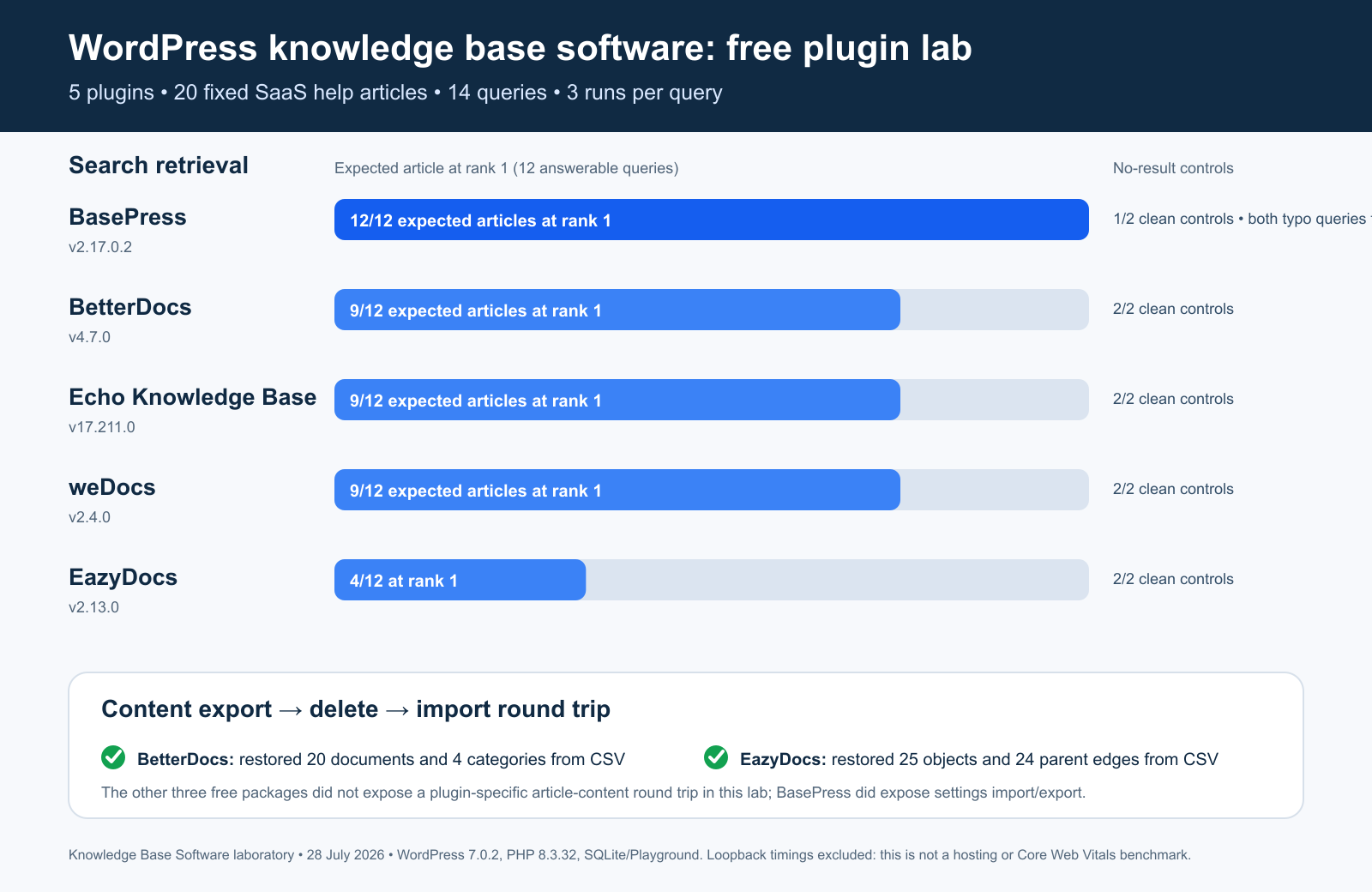
Short answer: BasePress delivered the strongest search retrieval in this experiment, finding the expected article for 12 of 12 answerable queries, including both typos. BetterDocs was the strongest migration-oriented all-rounder because it found 9 of 12 answers and completed a verified CSV round trip that restored all 20 documents and four categories. Echo Knowledge Base and weDocs also found 9 of 12 answers. EazyDocs preserved its hierarchical content correctly in a CSV round trip, but its search found 4 of 12 expected articles in this fixed query set.
Important: those are laboratory results, not universal product scores. The corpus was small and synthetic, only free versions were installed, and every run used local WordPress Playground with SQLite. Use the findings to create your own shortlist, then repeat the decisive tests with your content, language, theme, and hosting.
Original experiment: Knowledge Base Software laboratory, July 28, 2026. WordPress 7.0.2, PHP 8.3.32, five isolated plugin installations, 20 fixed help articles, 14 search queries, three runs per query, and real export-delete-import round trips where the free plugin exposed them.
Best free WordPress knowledge base plugins: quick results
| Plugin tested | Expected article at rank 1 | Typo queries | Clean no-result controls | Plugin content round trip | Best fit from this lab |
|---|---|---|---|---|---|
| BasePress 2.17.0.2 | 12/12 | 2/2 | 1/2 | Settings only; no plugin-specific article exporter found | Teams prioritizing tolerant free search |
| BetterDocs 4.7.0 | 9/12 | 0/2 | 2/2 | Passed: 20 docs and 4 categories restored | Balanced search, blocks, and verified CSV portability |
| Echo Knowledge Base 17.211.0 | 9/12 | 0/2 | 2/2 | Article import/export was Pro-only in the tested package | Structured, responsive free knowledge-base presentation |
| weDocs 2.4.0 | 9/12 | 0/2 | 2/2 | No general plugin-specific round trip found | Lean hierarchical documentation in the block editor |
| EazyDocs 2.13.0 | 4/12 | 0/2 | 2/2 | Passed: 25 objects and 24 parent edges restored | Hierarchical documentation where CSV portability matters |
How we tested WordPress knowledge base software
Feature tables usually mix vendor claims, paid capabilities, and subjective impressions. This comparison separates documented features from measured behavior. Every result below comes from a saved machine-readable run, a raw export file, or an original screenshot.
The controlled environment
- WordPress: 7.0.2
- PHP: 8.3.32
- Database: SQLite through the WordPress Playground drop-in
- Runtime: WordPress Playground CLI 3.1.47, one local worker per plugin
- Front-end browser: Chrome 150 in headless mode
- Isolation: a fresh, disposable site for each plugin; no shared database
We used versioned plugin ZIP files and recorded a SHA-256 hash for every package. This matters because a future release can change search, migration, markup, or compatibility behavior.
The fixed knowledge-base corpus
Each site received the same 20 synthetic SaaS support articles across four groups: Getting Started, Account & Access, Billing, and Troubleshooting. Titles included “Reset Your Password,” “Download a Billing Invoice,” “Resolve a Failed Payment,” and “Fix ERR-1042 Sync Error.” The body text contained procedures and related wording so the experiment did not depend on titles alone.
The facts stayed constant, but the seed adapted to each plugin’s native content model. BetterDocs, Echo Knowledge Base, and BasePress use custom post types plus categories or knowledge-base terms. weDocs and EazyDocs represent their structure with parent-child documents. That is why the EazyDocs round trip reports 25 hierarchical objects: one root, four group documents, and 20 articles.
The 14-query search set
| Query class | Count | Example | What it tests |
|---|---|---|---|
| Exact phrase | 3 | reset password | Direct title and content matching |
| Error code | 1 | ERR-1042 | Code and punctuation handling |
| Natural language | 5 | move data to csv | Related wording and user phrasing |
| Punctuation variant | 1 | ERR 1042 | Hyphen removal |
| Typo | 2 | passwrod reset | Misspelling tolerance |
| No-result control | 2 | purple moon deployment | Whether search avoids irrelevant results |
Twelve queries had exactly one expected article; two deliberately had none. We sent every query to the plugin’s own public REST or AJAX search endpoint three times. A rank-one hit was counted only when the expected title or URL appeared first. Top-three results were recorded separately, although the hit counts were identical to rank one in this run.
The migration protocol
- Export the seeded content with the plugin’s own free import/export facility.
- Save the raw export artifact.
- Delete the plugin content inside the disposable site.
- Import the saved artifact with the plugin’s own importer.
- Count restored articles, groups, and parent relationships.
We did not label WordPress core’s WXR exporter as a plugin-native migration feature. The WordPress Export screen can include custom post types and taxonomies, and the WordPress Import screen can restore WordPress export files, but that fallback is operationally different from a dedicated plugin round trip.
What the timing numbers mean—and what they do not
The harness saved 12 warm landing-page samples and three attempts per search query. Those figures are useful for reproducing this runtime, but they are not a speed ranking. WordPress Playground uses WebAssembly, SQLite, loopback networking, and one worker. The measurements are not production PHP/MySQL hosting, user field data, or Core Web Vitals.
For a production decision, run the same pages on your intended host with caching configured, then collect both lab and field measurements. Our knowledge base performance benchmarking guide explains how to build that broader protocol.
Search quality results: the expected article by query
Search is the most important differentiator in this experiment. A beautiful help center still fails if a user types the language they naturally use and cannot reach the right article.
| Query | BasePress | BetterDocs | Echo KB | weDocs | EazyDocs |
|---|---|---|---|---|---|
reset password | Rank 1 | Rank 1 | Rank 1 | Rank 1 | Miss |
two-factor authentication | Rank 1 | Rank 1 | Rank 1 | Rank 1 | Rank 1 |
download invoice | Rank 1 | Rank 1 | Rank 1 | Rank 1 | Miss |
ERR-1042 | Rank 1 | Rank 1 | Rank 1 | Rank 1 | Rank 1 |
forgot my login password | Rank 1 | Miss | Miss | Miss | Miss |
move data to csv | Rank 1 | Rank 1 | Rank 1 | Rank 1 | Miss |
account locked after attempts | Rank 1 | Rank 1 | Rank 1 | Rank 1 | Miss |
card declined | Rank 1 | Rank 1 | Rank 1 | Rank 1 | Miss |
invitation expired | Rank 1 | Rank 1 | Rank 1 | Rank 1 | Rank 1 |
ERR 1042 | Rank 1 | Rank 1 | Rank 1 | Rank 1 | Rank 1 |
passwrod reset | Rank 1 | Miss | Miss | Miss | Miss |
dowload invoice | Rank 1 | Miss | Miss | Miss | Miss |
purple moon deployment | Clean | Clean | Clean | Clean | Clean |
replace printer toner | False positive | Clean | Clean | Clean | Clean |
What the search data suggests
- BasePress was the only typo-tolerant search in this set. It found both transposed or missing-letter queries and was the only plugin to connect “forgot my login password” with the password-reset article.
- BetterDocs, Echo Knowledge Base, and weDocs formed a clear middle group. Their nine-hit patterns were identical: both typos and the “forgot my login password” wording missed.
- EazyDocs was more literal in this experiment. It succeeded on one exact security phrase, both error-code formats, and the expired-invitation phrase, but missed most multi-word related-language queries.
- Relevance still needs a negative test. BasePress’s 12/12 answer retrieval came with one false positive across two no-result controls. A search that always returns something can look helpful while increasing reader effort.
Do not copy our 14 queries unchanged for your final purchase. Export real support-search terms, anonymize them, label the correct article or “no answer,” and add product names, error codes, abbreviations, misspellings, and language variants from your audience. If you plan to replace keyword search with semantic or hybrid retrieval, see our vector search for knowledge bases experiment.
Import and export results
A feature checkbox does not prove that a migration preserves content. We required a completed export, deletion, import, and structure count.
| Plugin | What the free package exposed | Lab action | Verified result |
|---|---|---|---|
| BetterDocs | Plugin CSV export and import | Export, delete, import | Pass: 20/20 docs and 4/4 categories restored |
| EazyDocs | Plugin CSV export and import | Export, delete, import | Pass: 25/25 objects and 24/24 parent edges restored |
| Echo Knowledge Base | Content CSV/XML tools behind the Pro entitlement check | Capability inspection only | No free article-content round trip |
| BasePress | Settings import/export | Capability inspection only | No plugin-specific article-content round trip |
| weDocs | One-way BetterDocs migration path | Capability inspection only | No general plugin-specific article-content round trip |
BetterDocs’s official WordPress.org listing documents CSV and XML import/export. EazyDocs’s official listing documents Markdown and CSV import/export. Echo Knowledge Base lists bulk article import/export among its upgrade capabilities. BasePress’s listing records settings import/export, which is useful but does not replace a content migration.
Before migrating a real knowledge base, expand the integrity check beyond article counts. Compare slugs, status, author, dates, category membership, parent-child relationships, internal links, attachments, redirects, SEO metadata, access rules, feedback, and translated variants. Keep the old system read-only until the new site passes a URL-level crawl.
Targeted accessibility and responsive checks
We inspected each generated landing page for a visible search input, accessible names, heading structure, computed focus-style change, and horizontal overflow at a 390-pixel viewport. These are screening checks, not a complete WCAG 2.2 conformance audit.
| Plugin | Search input named? | Computed style changed on focus? | Document width at 390 px | Manual-review flag |
|---|---|---|---|---|
| BasePress | No; placeholder only | No | 390 px | Add a persistent accessible name and verify keyboard focus |
| BetterDocs | Yes | No | 392 px | Reproduce the 2 px overflow and duplicate H1 integration |
| Echo Knowledge Base | Yes | Yes | 390 px | Add or verify one page H1 in the final template |
| weDocs | Yes | No | 390 px | Name the visible submit button; review the H1-to-H3 jump |
| EazyDocs | Yes | No | 430 px | Investigate 40 px overflow and the H1-to-H4 jump |
Our separate knowledge base accessibility guide covers the broader manual protocol: keyboard navigation, visible focus, screen readers, zoom and reflow, target sizes, forms, search feedback, and content structure.
Recorded loopback timing—not a speed ranking
| Plugin | Landing-page TTFB median | Search median | Interpretation |
|---|---|---|---|
| BasePress | 1,728 ms | 1,607 ms | Local Playground only |
| BetterDocs | 5,009 ms | 2,081 ms | Local Playground only |
| Echo Knowledge Base | 1,811 ms | 1,355 ms | Local Playground only |
| weDocs | 2,030 ms | 1,761 ms | Local Playground only |
| EazyDocs | 1,658 ms | 1,672 ms | Local Playground only |
We publish the timing values for transparency because the harness recorded them. We exclude them from the recommendation and infographic because the runtime is not representative enough for a speed claim. To compare performance properly, install each finalist on cloned hosting, use the same theme and content, warm caches consistently, test logged-out and logged-in states, and collect real-user field data after launch.
Five free WordPress knowledge base plugins, reviewed from the lab
1. BasePress: strongest search retrieval in this test
Best for: a WordPress team that wants the most typo-tolerant free search among these five and can plan a separate content-backup workflow.
BasePress 2.17.0.2 was the only plugin to return the expected article for every answerable query. Both typo queries succeeded, and all exact, related-language, and punctuation variants reached the intended article at rank one. That result is the strongest evidence in this page, but it is not perfect: BasePress returned an irrelevant article for one of the two queries that should have returned nothing.
The free package exposed settings import/export, not an equivalent plugin-specific article-content round trip. WordPress core can export the underlying custom post type, but buyers should prove that categories, article URLs, and other plugin data survive a full restore before committing. The BasePress WordPress.org listing is the primary source for current requirements and plan boundaries.
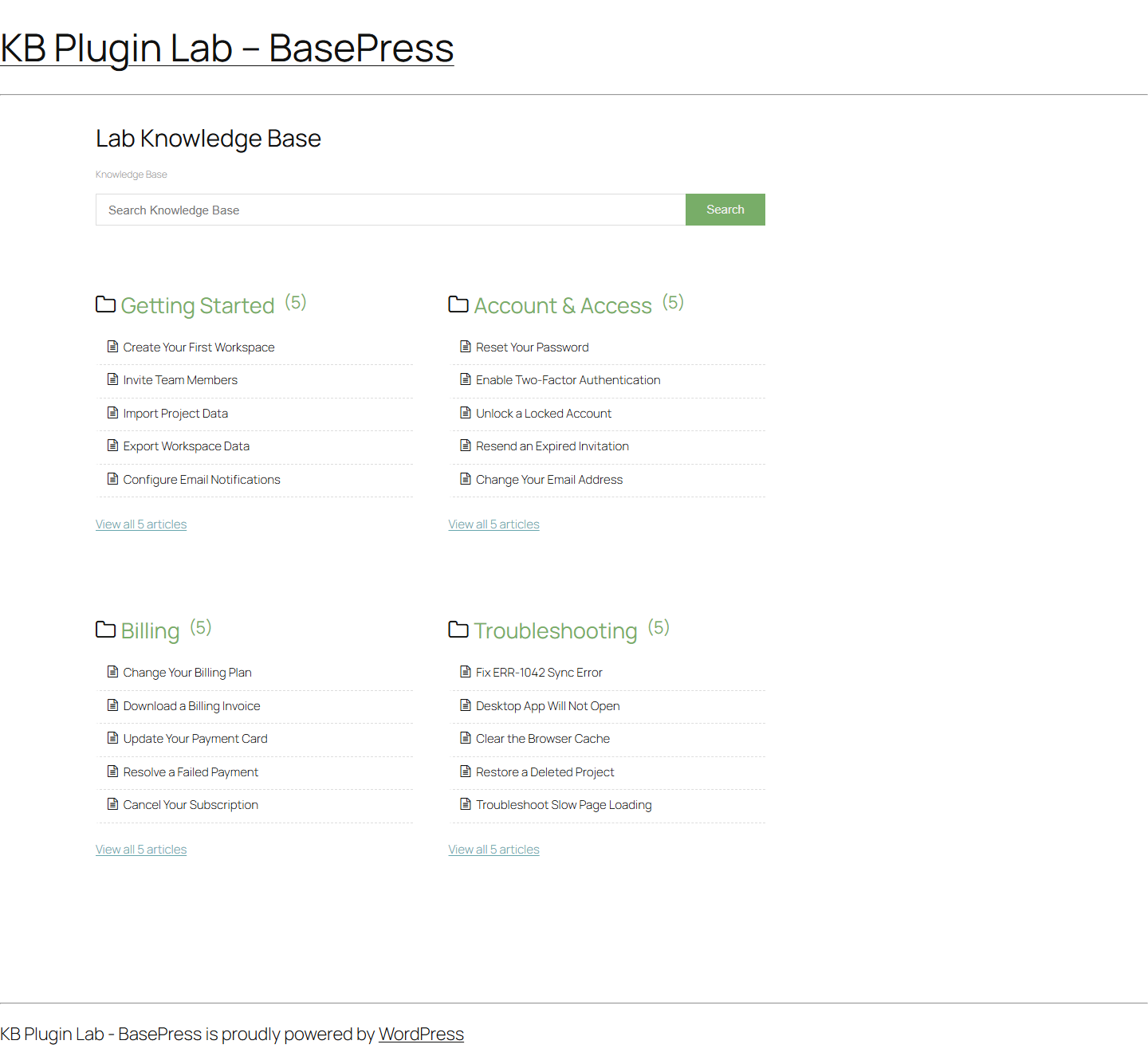
On the test landing page, four categories and all 20 articles rendered without mobile horizontal overflow. The visible search input relied on placeholder text and had no accessible name in the captured DOM, while programmatic focus produced no computed style change. Those are fix-and-retest integration items, not a declaration that the complete plugin fails WCAG.
2. BetterDocs: best verified balance of search and CSV portability
Best for: teams that want a block-friendly WordPress knowledge base and consider a tested plugin-native content round trip essential.
BetterDocs 4.7.0 found 9 of 12 expected articles and returned clean results for both no-answer controls. It handled exact phrases, the error code and its punctuation variant, and four of five natural-language queries. It missed both typos and “forgot my login password.”
Its decisive advantage was migration. The lab exported a real 11,519-byte CSV, deleted the seeded content, imported the CSV, and recovered 20 documents and four categories. That makes the portability claim more useful than a feature checkbox. The official listing also documents Gutenberg blocks, live search, templates, and CSV/XML import-export; features marked Pro there should not be assumed to be free.
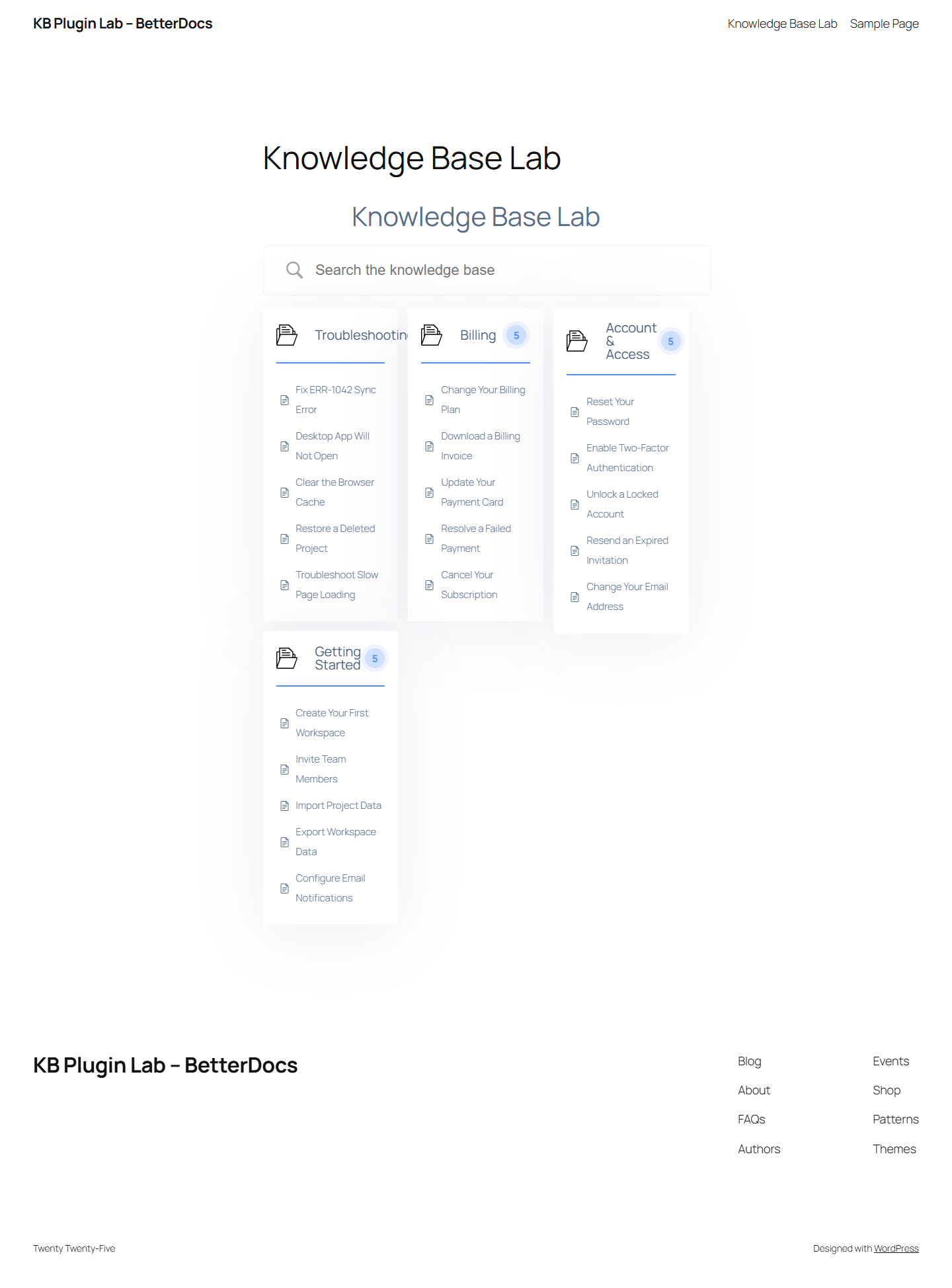
The search input had an accessible name. The combined plugin-and-theme page produced two H1 elements and two pixels of overflow at the 390-pixel viewport, and the computed search-input style did not change after programmatic focus. These are small but reproducible items to check in your final template.
3. Echo Knowledge Base: solid free search and responsive rendering
Best for: teams that value a category-led help-center layout and can accept that article import/export was not available in the tested free entitlement.
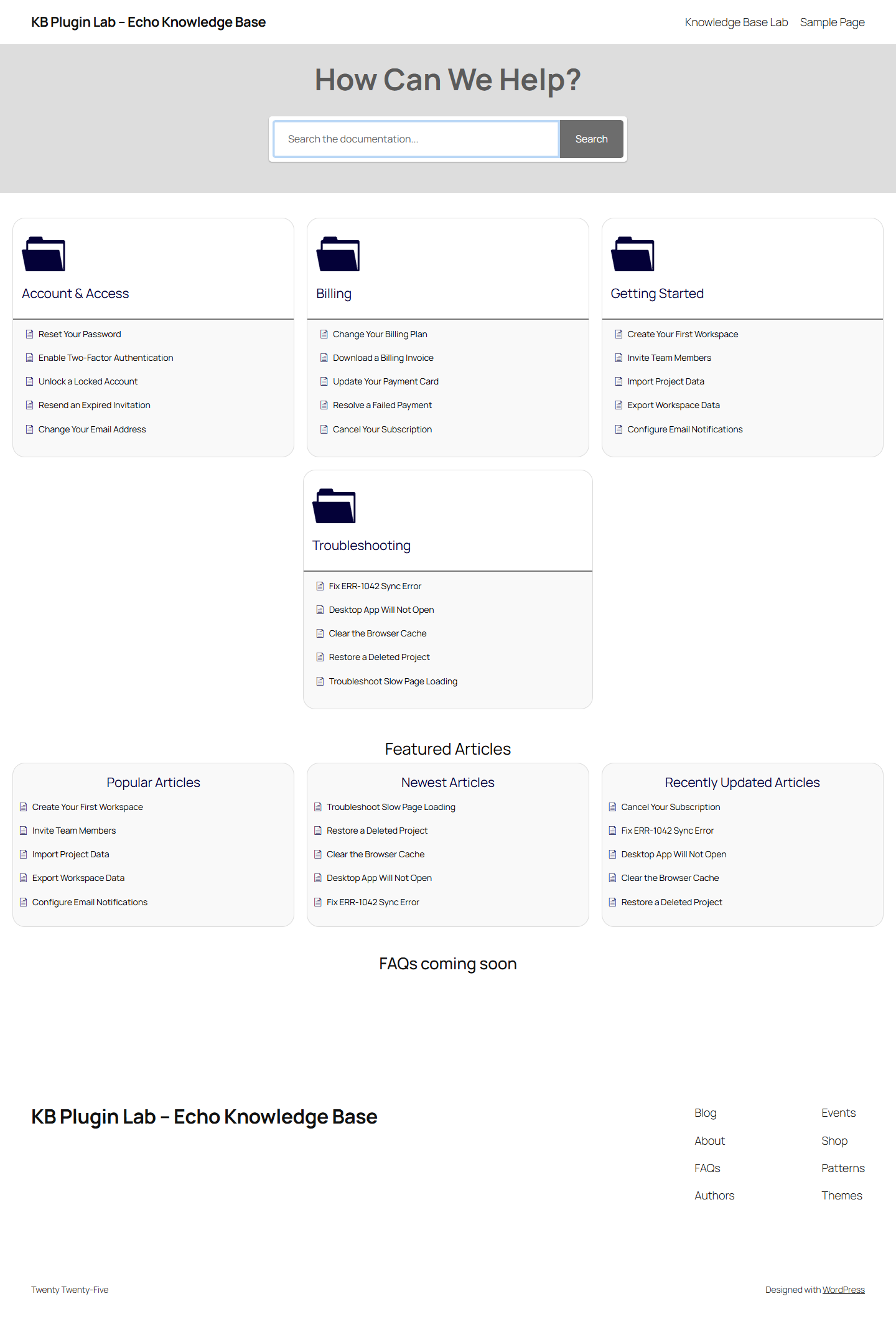
Echo Knowledge Base 17.211.0 matched BetterDocs and weDocs at 9 of 12 answerable queries. Both no-result controls were clean. In the front-end run, its landing page showed no horizontal overflow at 390 pixels, the search field had an accessible name, and its computed style changed when focused.
The installed free package did not allow the article CSV/XML round trip. The entitlement check treated bulk import/export as a Pro feature, which agrees with the upgrade section of the official WordPress.org listing. The final page had no H1 in this specific theme-shortcode combination, so add an explicit page heading or adjust the template and recheck the document outline.
4. weDocs: lean hierarchical documentation with a migration caveat
Best for: teams that prefer a straightforward parent-child documentation workflow in WordPress and do not require a general plugin-native export-import tool.
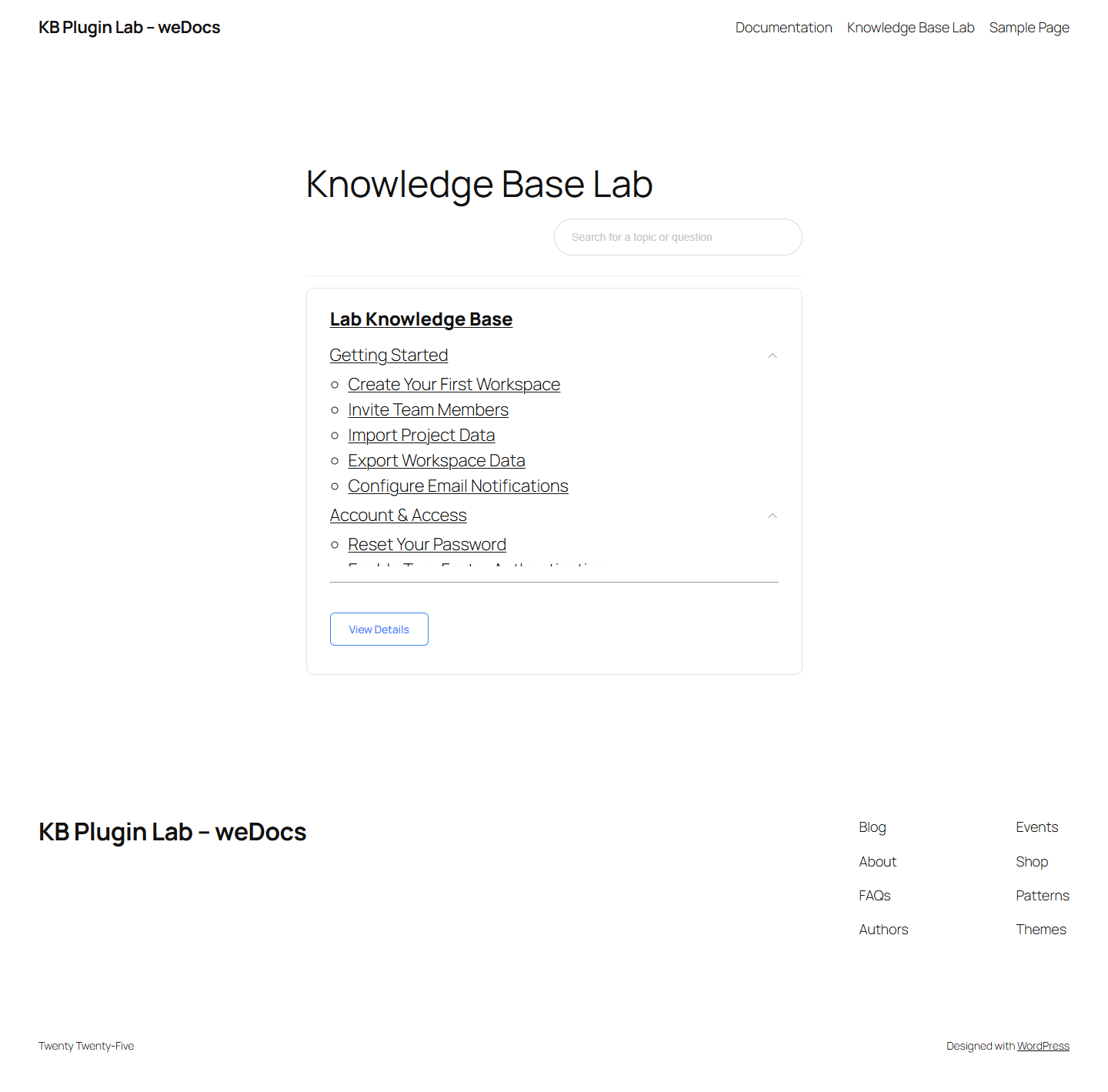
weDocs 2.4.0 also achieved 9 of 12 expected articles and two clean no-result controls. The plugin’s public REST search handled the exact, error-code, punctuation, and most related-language queries but missed the two typos and the login-password wording.
The free package contained a one-way migration route from BetterDocs, but we did not find a general plugin-specific article export-import round trip. The official listing documents its hierarchical structure, block-editor workflow, search, and BetterDocs migration. Verify which capabilities are free at the moment you install because plan boundaries can change.
The page stayed within the 390-pixel viewport and the search input had an accessible name. The visible submit button lacked a name in the lab DOM, the heading outline jumped from H1 to H3, and programmatic focus did not produce a computed style change on the search input. These are concrete integration tasks for a pre-launch accessibility review.
5. EazyDocs: verified hierarchy preservation, more literal search in this corpus
Best for: teams that prioritize hierarchical documentation and a tested CSV content round trip, provided their own search evaluation passes.
EazyDocs 2.13.0 found 4 of 12 expected articles in this search set. It returned both no-result controls cleanly, but missed two of the three exact-phrase queries, four of five related-language queries, and both typos. This does not mean it will find only one third of every site’s answers; it means the tested free search was a poor match for this content and query design.
The migration result was much stronger. The plugin exported a 5,324-byte CSV, the lab deleted its document tree, and the importer restored 25 objects and all 24 parent edges. The official listing documents Markdown and CSV import-export as well as multi-level documentation management.
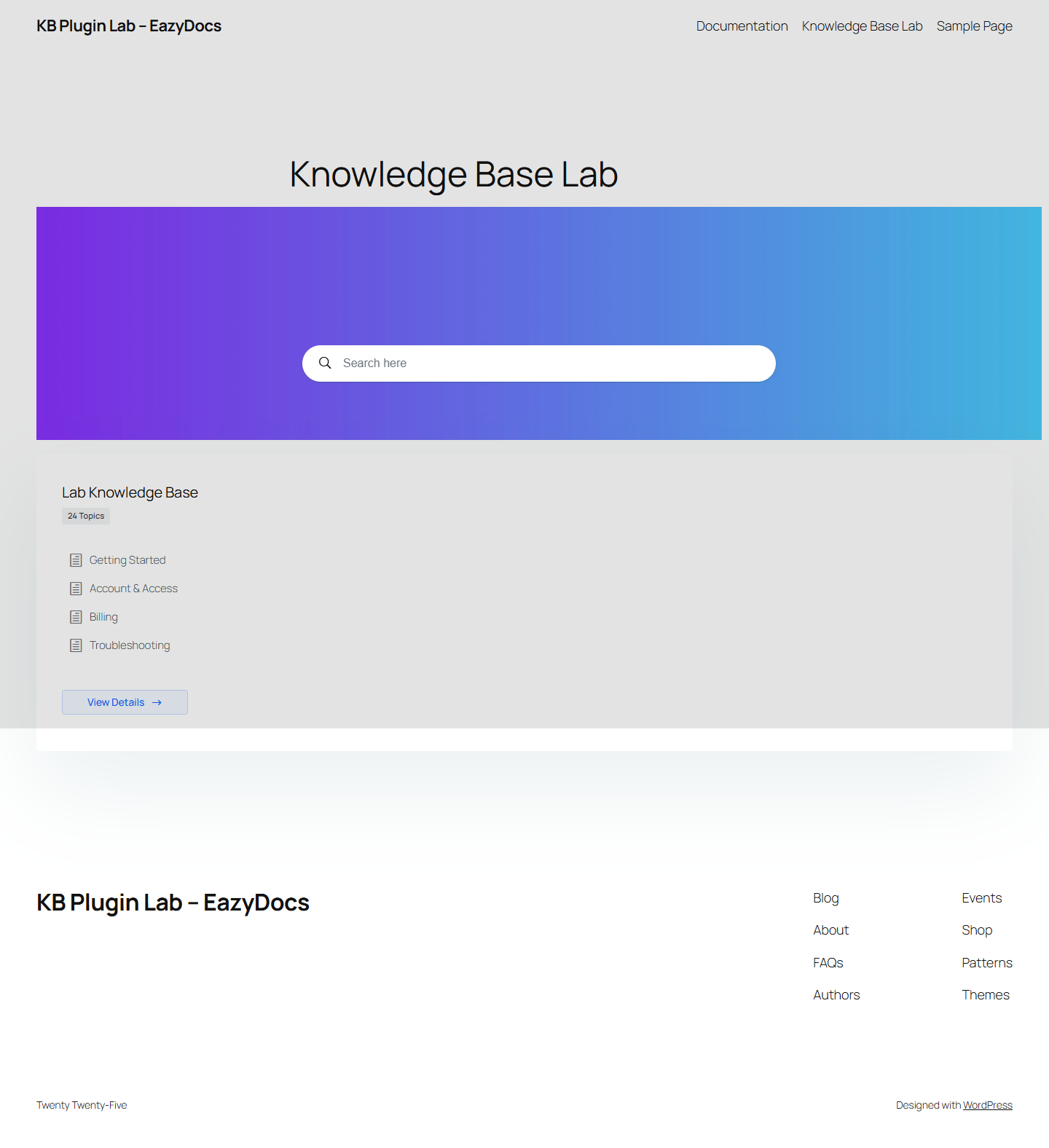
The search input had an accessible name, but the combined page measured 430 pixels wide in a 390-pixel viewport and the heading outline jumped from H1 to H4. Programmatic focus did not produce a computed style change. Reproduce those observations with your theme and preferred layout before launch.
Which WordPress knowledge base plugin should you choose?
There is no honest single answer without a use case. Start with the failure that would cost your team most.
| Your priority | Start with | Why | What to verify next |
|---|---|---|---|
| Typo-tolerant search | BasePress | 12/12 answer hits and 2/2 typo hits in this lab | False-positive rate, accessible naming, production-theme focus |
| Verified free CSV portability | BetterDocs | Full document and category round trip plus 9/12 search | Theme integration, large-corpus import, URLs and media |
| Category-led responsive presentation | Echo Knowledge Base | 9/12 search and no 390 px overflow in the test layout | H1/template structure and paid migration requirements |
| Simple hierarchical docs workflow | weDocs | Parent-child model and 9/12 search | Backup/migration plan and accessible submit-button name |
| Hierarchy plus verified CSV restore | EazyDocs | All 25 objects and 24 edges restored | Run a much larger real-query search gate before launch |
If none passes your real search and migration gates, widen the shortlist. A hosted help center may reduce WordPress maintenance, while an open-source standalone platform can provide a different permissions and deployment model. Compare those paths in our open-source knowledge base software guide and use the evaluation framework in how to choose knowledge base software.
A practical selection checklist
1. Test search with your language, not the demo
Create at least 50 labeled searches from support tickets, site search, and internal terminology. Include exact terms, customer phrasing, synonyms, product codes, typos, outdated names, multilingual queries, and questions with no supported answer. Score rank one and no-result behavior separately.
2. Prove a restore before calling content portable
An export file is not a backup until you have restored it. Import into a fresh staging site, then compare article count, hierarchy, slugs, links, attachments, authors, dates, statuses, categories, translations, and access rules. Crawl old and new URLs and map every intentional change with a redirect.
3. Test the exact theme and page builder
A plugin can generate sound markup and still clash with a theme template—or the reverse. Check desktop, narrow mobile, 200% zoom, text spacing, keyboard focus, search announcements, heading order, landmarks, and forms in the same stack you will publish.
4. Measure production-like performance
Clone the same content and theme for every finalist. Control cache state, CDN, PHP version, database, and traffic. Measure landing, search, and article pages separately. Local loopback response time can help debug a harness, but it cannot replace hosting tests and field Core Web Vitals.
5. Separate free requirements from future requirements
List what you need now and what you expect within 12 months: private docs, multiple knowledge bases, roles, analytics, feedback, multilingual content, AI answers, Git sync, integrations, and support. Check each capability against the current official listing and your installed version. Do not assume a vendor’s general feature page describes the free plugin.
6. Decide ownership and exit strategy
WordPress-native content can simplify ownership, but custom post types, shortcodes, blocks, taxonomies, and proprietary metadata may still create lock-in. Document how to export, restore, and render content without the plugin. Keep a current, tested backup and a URL inventory before every major migration.
Frequently asked questions
What was the best WordPress knowledge base software in this test?
BasePress produced the best search retrieval: 12 of 12 answerable queries at rank one, including both typos. BetterDocs produced the best combined search-and-portability result because it achieved 9 of 12 and passed a verified CSV round trip. Your winner can change when you test your own content, queries, theme, and required paid features.
Which free plugin had the best import and export result?
BetterDocs restored all 20 documents and four categories in its plugin CSV round trip. EazyDocs also passed, restoring 25 hierarchical objects and all 24 parent edges. The object counts differ because the plugins use different content models.
Is BasePress the fastest WordPress knowledge base plugin?
This experiment cannot answer that. Its response times came from one-worker WordPress Playground with WebAssembly and SQLite. They are published for reproducibility, not as hosting or Core Web Vitals claims. Test finalists on cloned production-like hosting and collect field data.
Why did EazyDocs have fewer search hits?
In this fixed English corpus, its free search returned the expected article for 4 of 12 answerable queries and missed most related-language and typo cases. That is a point-in-time behavior, not a universal score. It may perform differently with other titles, wording, settings, releases, or paid search capabilities, which is why a real-query gate is essential.
Are these plugins accessible?
The laboratory ran targeted naming, heading, focus-style, and 390-pixel overflow checks. It did not perform a complete WCAG conformance audit or a full screen-reader protocol. The final result depends on plugin settings, theme, content, and custom code, so every production implementation needs its own manual accessibility test.
Should I use a WordPress plugin or hosted knowledge base software?
Choose WordPress when you want content, editing, theme integration, and ownership in the same installation and your team can maintain the stack. Choose hosted software when support workflows, managed infrastructure, permissions, analytics, and vendor integrations are more important than keeping documentation inside WordPress. Compare total workflow and exit costs, not only the initial license.
Sources and evidence
The experimental findings come from our original saved JSON runs, CSV exports, and screenshots dated July 28, 2026. Product descriptions and current plan boundaries should be verified against these primary pages:
- BasePress on WordPress.org
- BetterDocs on WordPress.org
- Echo Knowledge Base on WordPress.org
- weDocs on WordPress.org
- EazyDocs on WordPress.org
- WordPress Tools Export documentation
- WordPress Tools Import documentation
- W3C Web Content Accessibility Guidelines 2.2
- Google’s Web Vitals documentation
Editorial policy: vendor listings describe intended capabilities; they do not substitute for the measurements above. Promotional language, ratings, and user reviews were not used to score the plugins. Re-test before a high-stakes migration because versions and entitlements change.

