Independent knowledge base software guide Evidence-led Updated 2026

Partner knowledge base: Secure portal guide
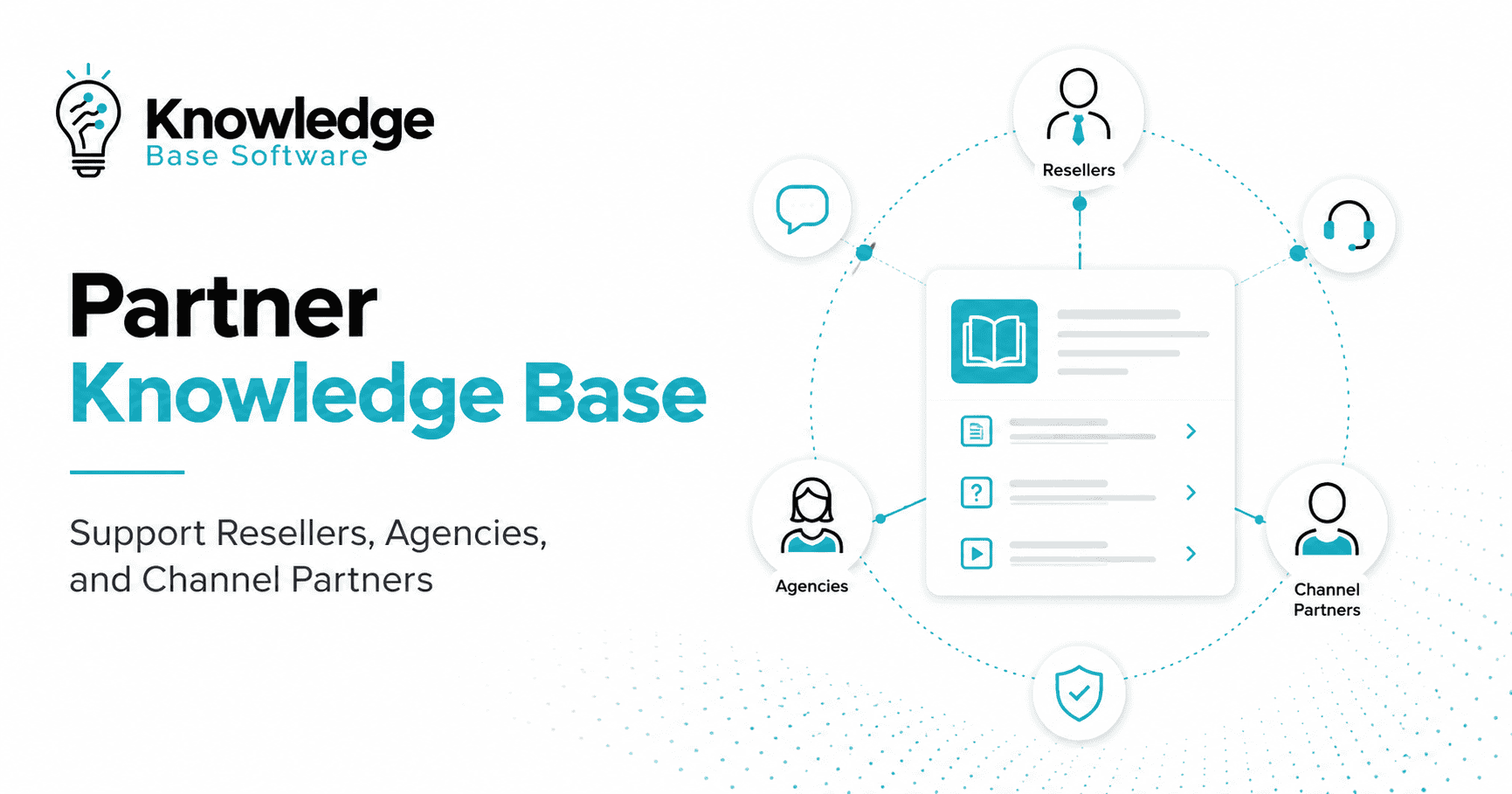
A partner knowledge base is a controlled portal where resellers, distributors, agencies, implementers, and technology partners can find the approved information needed to sell, deliver, and support a product. It should reduce repeated questions without exposing one partner’s deals, pricing, contracts, customers, or performance to another partner.
The essential design decision is not the homepage layout. It is the access model: which identities may reach which resources, for which partner account, in which role, and for how long. Build that model first, then add onboarding, certification, deal registration, co-marketing assets, technical documentation, and support routes. This guide includes a reproducible local permission test that demonstrates why both tenant and role checks are necessary.
Reviewed: July 30, 2026. Current platform examples were checked against official Salesforce, Microsoft, Atlassian, NIST, and OWASP documentation.
Quick answer
A secure partner knowledge base needs five connected layers:
- Identity: verified external users, preferably using their existing organizational identity where appropriate.
- Authorization: partner-account, role, region, program tier, and content-state rules enforced on every request.
- Content: short operational answers linked to authoritative policies, products, and workflows.
- Governance: owners, approvers, versions, review triggers, audit trails, and deprovisioning.
- Measurement: task completion, search quality, access-test results, content freshness, and partner feedback.
Do not treat a password-protected folder as a partner portal. Login proves an identity; it does not determine whether that identity may view a specific deal, agreement, price book, or customer record.
Map content to partner tasks
Partners use knowledge in different moments. A new agency needs onboarding and brand rules. A reseller registering a deal needs eligibility criteria and status definitions. An implementer needs technical limits, release notes, and escalation paths. A partner administrator needs user and certification management. Design entry points around these jobs rather than your internal department chart.
| Partner task | Core content | Likely owner | Typical access |
|---|---|---|---|
| Join the program | Eligibility, agreement steps, onboarding checklist | Channel Operations | Invited partner users |
| Sell correctly | Positioning, battlecards, price books, discount route | Product Marketing and Finance | Authorized reseller roles |
| Register a deal | Rules, required fields, conflicts, status, appeals | Channel Operations | Same partner account; named roles |
| Run a campaign | Brand assets, co-marketing rules, approval workflow | Partner Marketing | Eligible program tiers |
| Implement the product | Architecture, API, configuration, release guidance | Product and Engineering | Certified delivery roles |
| Get support | Scope, severity, diagnostics, escalation route | Partner Support | Authenticated partner users |
| Manage the relationship | Agreement, benefits, contacts, performance view | Channel Leadership | Partner administrators |
A partner knowledge base can link into a partner relationship management system rather than replacing it. Salesforce’s current Experience Cloud partner guidance describes sharing CRM data, lead distribution, and deal registration in partner sites. Those functions are product- and edition-dependent. Test your required workflow, data boundaries, and licenses rather than assuming every knowledge base includes PRM capabilities.
Build a tenant-aware access model
In this guide, a tenant means the partner organization or account whose resources must remain isolated from other partners. A useful authorization decision evaluates at least:
- Is the user authenticated and active?
- Which partner account is the user assigned to?
- What partner role and program tier does the user hold?
- Does the resource belong to that partner, all partners, or internal staff?
- Is the resource approved, current, and valid in the user’s region?
- Does a contract, certification, or agreement state add a requirement?
Enforce the decision server-side or in the platform’s authorization layer for every page, file, search result, API response, notification, export, and AI-retrieval request. Hiding a navigation item is not access control.
| Resource | Partner rep | Partner admin | Internal channel team | Internal finance |
|---|---|---|---|---|
| Global onboarding guide | View | View | Edit | View |
| Partner-specific deal | Same account only | Same account only | As assigned | As assigned |
| Partner agreement | No by default | Same account only | As assigned | As assigned |
| Approved price book | Region and tier filtered | Region and tier filtered | View | Edit |
| Internal margin model | No | No | No by default | Restricted edit |
| Unreleased roadmap | No by default | No by default | Restricted | Restricted |
Apply least privilege: allow only what a user needs for assigned tasks, review privileges, and remove access when it is no longer justified. NIST SP 800-171 Rev. 3 states this principle directly. Your exact legal and security obligations depend on the data, contracts, sector, and jurisdictions involved; the standard is guidance, not a substitute for your own assessment.
Manage the external identity lifecycle
Partner access changes frequently as staff join, change roles, move between partner firms, or leave. Define invitation, verification, activation, review, suspension, and removal before launch. Assign a partner-side administrator where appropriate, but retain internal approval and audit controls for sensitive roles.
Microsoft’s current Entra B2B collaboration documentation explains that guests can use identities from their own organization or another enabled identity provider while the resource organization controls access. That can reduce separate-password maintenance, but it does not remove the need for app assignments, group design, conditional access, periodic review, and immediate deprovisioning.
Product constraints differ. Atlassian’s current Confluence guest documentation, for example, says a guest can be assigned to only one space and can access the content in that space unless page restrictions narrow it. It also warns that anonymous spaces and third-party apps can affect exposure. If you use a general collaboration platform for a partner portal, test its complete permission model and every installed app.
For authentication and identity design beyond this page, see the site’s guide to SSO and identity management.
Write content that partners can act on
Partner articles should state the action, eligibility, inputs, outcome, owner, and exception route. Internal language such as “ask Channel” or “use the normal process” is not usable by an external reader.
| Field | Example for a deal-registration article |
|---|---|
| Purpose | Request protection and channel review for a qualified opportunity |
| Eligible roles | Authorized seller or partner administrator |
| Required inputs | Account, contact, use case, estimated value, stage, and expected date |
| Decision rules | Current program rules, region, conflicts, and completeness |
| Status meanings | Submitted, needs information, approved, rejected, expired |
| Service expectation | A defined response target, not an unsupported promise |
| Appeal or escalation | Named route and information required |
| Governance | Owner, approver, version, effective date, review trigger |
Keep partner-specific terms out of global articles unless the authorization layer filters them reliably. If two partners have different benefits, create governed variants tied to the partner account or program tier. Do not rely on the reader to decide which paragraph applies.
Assign ownership and change controls
Every critical article needs a business owner and an approval route. Channel Operations may own the workflow, but Finance approves price rules, Legal approves contract guidance, Security approves security responses, and Product owns technical behavior. Use event-based review for program, agreement, product, pricing, brand, or regulatory changes. Add a calendar review as a backstop.
- Show the effective date and region when rules vary.
- Keep version history and an audit trail of approvals.
- Archive superseded guidance and remove it from search suggestions.
- Notify only affected audiences and link to the canonical change.
- Test permissions after moving or copying content.
- Remove access and owned assignments when a user or partner relationship ends.
The knowledge base content lifecycle guide provides a broader publish-review-retire model, while the security and compliance guide covers additional controls.
Make regional and language variants explicit
Partners may operate across markets with different price books, agreements, support hours, product availability, privacy obligations, and approved claims. Do not combine all variations into one article and expect readers to choose the correct paragraph. Record market and language as metadata, define a canonical source for shared content, and assign local approval where the rule changes.
Translation status must not override authorization. A translated page, attachment, search snippet, or AI answer needs the same tenant, role, program, and content-state filters as its source. When the source changes, track which variants require review and prevent an outdated translation from appearing as current. The multilingual knowledge base guide covers locale routing, translation governance, and search behavior.
Implement the portal in six stages
1. Inventory partners, roles, and systems
List partner types, account identifiers, program tiers, regions, roles, contracts, identity providers, CRM or PRM records, support systems, and existing content. Identify which system is authoritative for each attribute used in access decisions.
2. Classify resources
Label each article, file, record, and workflow as public, all-partner, partner-specific, role-restricted, or internal. Add region, tier, effective date, confidentiality, and approval state where needed.
3. Build the access matrix
Write expected allow and deny outcomes before configuration. Include horizontal tests between two partner accounts and vertical tests between ordinary and administrative roles.
4. Pilot with non-production identities
Create test users for at least two partner organizations, multiple partner roles, an internal editor, an internal restricted role, a suspended user, and an unauthenticated visitor. Do not use real partner data in the pilot.
5. Verify every delivery channel
Test navigation, direct URLs, search results, attachments, previews, APIs, exports, notifications, shared links, caches, and AI answers. A correct portal page does not compensate for an exposed attachment or search snippet.
6. Launch with review and removal workflows
Monitor failed access, unusual downloads, stale accounts, search gaps, and content feedback. Define who can suspend a partner, how quickly access is removed, and how the decision is recorded.
Original test: one missing condition exposed partner data
We ran a local policy simulation on July 30, 2026. The fixture contained seven identities: an unauthenticated visitor; a rep and administrator for Partner A; a rep and administrator for Partner B; an internal channel user; and an internal finance user. It contained 12 resources: two global partner pages, four Partner A resources, four Partner B resources, an internal margin model, and an unreleased roadmap. Testing every identity against every resource produced 84 authorization decisions.
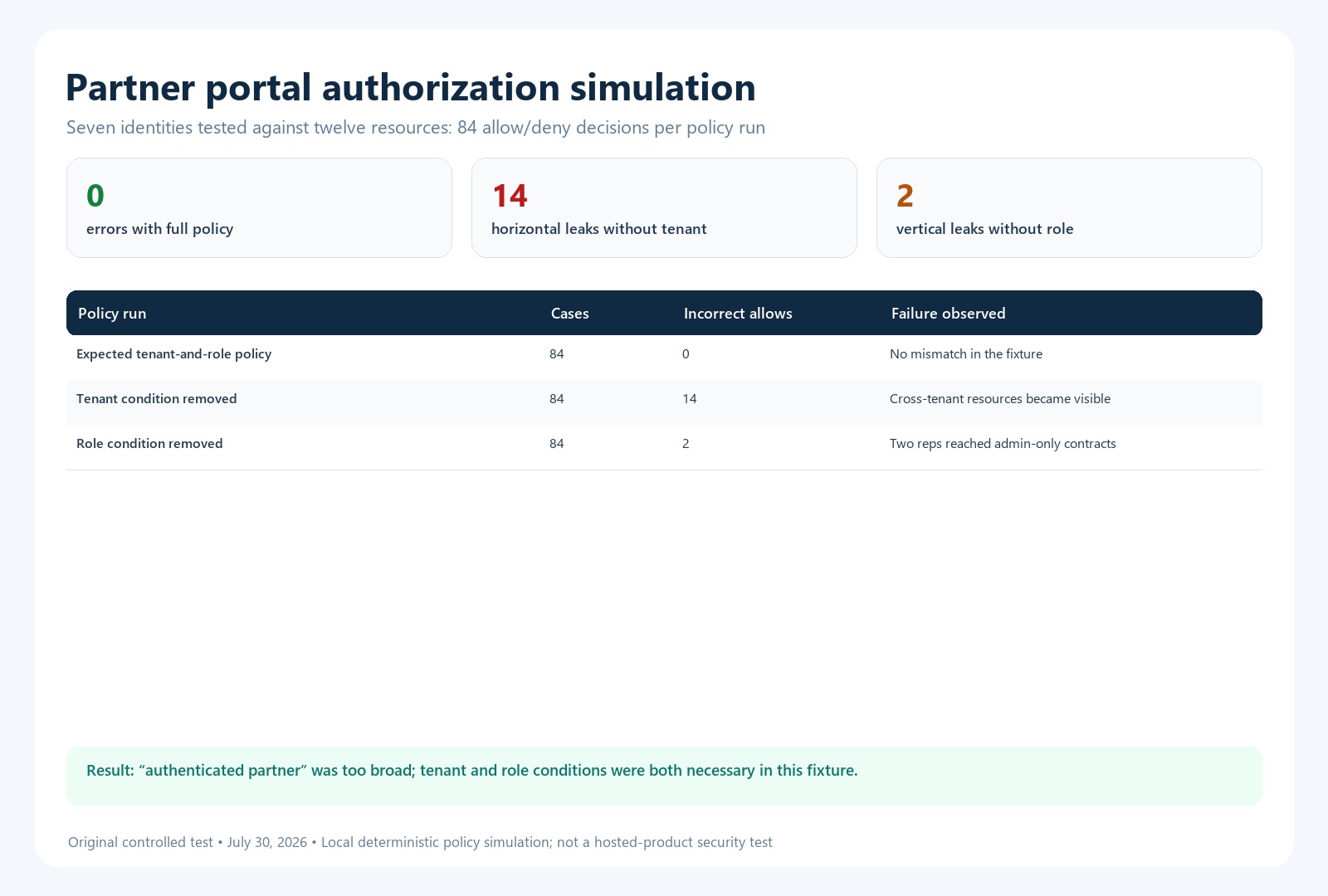
| Policy run | Cases | Incorrect allows | What failed |
|---|---|---|---|
| Expected tenant-and-role policy | 84 | 0 | No mismatch in the fixture |
| Tenant condition removed | 84 | 14 | Partner A could reach B resources and vice versa |
| Contract-role condition removed | 84 | 2 | One rep in each tenant could reach the tenant’s admin-only contract |
The 14 horizontal leaks were not abstract: each was a named user-to-resource pair, such as Partner A’s rep reaching Partner B’s deal, price, or marketing resource. The two vertical leaks were ordinary reps reaching their own partner’s administrator-only contract. This is why “authenticated partner” is too broad a rule.
How to reproduce the test
- Create identity rows with
kind,tenant, androle. - Create resource rows with
scope,tenant, and allowedroles. - Write the expected decision: internal rules first; partner-global by role; tenant resources only when both tenant and role match; otherwise deny.
- Evaluate the Cartesian product of identities and resources.
- Remove the tenant comparison and rerun; record every new allow.
- Restore it, remove the role comparison, and rerun.
This protocol aligns with the direction of the OWASP Web Security Testing Guide’s current authorization-bypass test, which calls for unauthenticated, horizontal, and vertical access checks.
Limitations: the simulation tests policy logic, not a hosted product. It does not test SSO, session expiry, caching, search indexes, signed file links, application plugins, API authorization, or race conditions. Zero mismatches means only that the small fixture matched its answer key. A production portal requires end-to-end testing with safe accounts and ongoing monitoring.
Measure partner outcomes carefully
| Metric | Useful definition | Important limit |
|---|---|---|
| Task completion | Eligible partners completing a defined workflow without unresolved help | Requires an explicit success event |
| Search success | Test or live queries leading to a useful authorized result | Do not count a click as resolution |
| Permission regression | Expected allow/deny cases that changed unexpectedly | Test all delivery channels |
| Freshness compliance | Critical resources reviewed before due date | A review date alone does not prove accuracy |
| Onboarding progress | Invited users completing defined setup and learning steps | Separate access problems from knowledge gaps |
| Support-contact signal | Eligible journeys not followed by partner support contact in a stated window | Does not prove prevented or solved tickets |
Partner portal selection checklist
- Can access combine partner account, role, region, tier, agreement, and content status?
- Are rules enforced on pages, files, search, APIs, exports, notifications, and AI retrieval?
- Can external users use an approved identity provider and can access be removed immediately?
- Can partner administrators manage users without granting themselves restricted internal access?
- Can editors preview the exact experience of a named test role?
- Are owner, approver, effective date, version, and source visible?
- Can deal registration and support workflows connect to authoritative records?
- Are audit logs detailed enough to investigate access and content changes?
- Do third-party apps inherit, narrow, or bypass portal permissions?
- Can content, metadata, users, and audit evidence be exported during an exit?
Include these tests in procurement demonstrations. The site’s knowledge base RFP template can help turn them into scored requirements.
Frequently asked questions
Is a partner knowledge base the same as a partner portal?
Not always. A knowledge base focuses on governed information. A portal may also include CRM records, deal registration, payments, certifications, support cases, and account administration. They can share one experience while retaining separate systems of record.
Should every partner receive the same content?
No. Some onboarding and product content can be global, while pricing, agreements, benefits, deals, certifications, regions, and customer data may require partner- or role-specific access.
Can a shared wiki serve as a partner knowledge base?
It can for a limited scenario if its identity, permissions, search filtering, guest model, audit trail, and lifecycle controls pass your tests. Product constraints and installed apps must be included in the assessment.
How often should partner access be reviewed?
Review it on role, employment, agreement, or partner-status changes and on a risk-based schedule. High-risk administrative and commercial roles deserve more frequent verification than general reading access.
Sources and methodology
Platform examples use official Salesforce Experience Cloud partner guidance, Microsoft Entra External ID documentation, and Atlassian Confluence Cloud guest documentation. Security guidance uses NIST SP 800-171 Rev. 3 and the current OWASP authorization-testing page. The local 84-case simulation is a policy fixture, not a certification or vendor security test. Validate current licensing, configuration, and legal requirements for your environment.